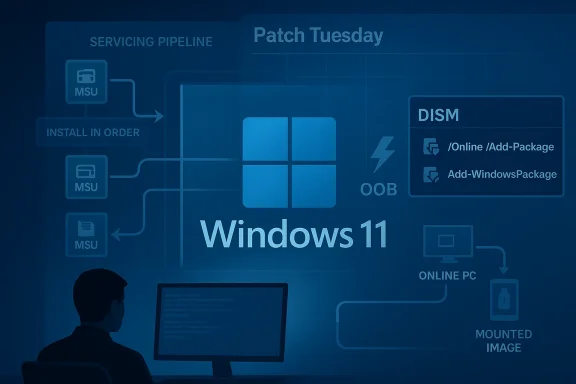
Microsoft has issued an unusual out-of-band servicing package, KB5085516, for Windows 11 builds 26200.8039 and 26100.8039, and the release is notable not because it adds flashy features, but because it reflects the increasingly emergency-driven rhythm of Windows servicing in 2026. The update is being distributed as standalone MSU files with explicit installation ordering, which is a clue that Microsoft is addressing a layered fix rather than a single monolithic cumulative package. That matters for IT teams because the difference between a smooth deployment and a broken one often comes down to servicing order, prerequisite handling, and whether the target devices are online, hotpatch-enabled, or managed through an enterprise workflow. Microsoft’s own support material also places this release in the broader context of recent Windows reliability and security interventions, including other out-of-band fixes and the looming Secure Boot certificate refresh. com]
Windows servicing has changed dramatically from the older monthly Patch Tuesday model. Microsoft still uses the normal cadence for routine cumulative updates, but the company now leans heavily on out-of-band releases when a problem is serious enough that waiting until the next cycle would be irresponsible. In recent months, Microsoft has used that approach for everything from authentication failures to RRAS vulnerabilities and Bluetooth regressions, showing that the platform’s maintenance model has become more reactive and more granular at the same time. The KB5085516 release fits that pattern perfectly: ee, and it is clearly meant to repair something specific as quickly as possible.
A second, larger backdrop is the continuing evolution of hotpatching, Known Issue Rollback, and other low-disruption servicing techniques. Microsoft has increasingly favored restartless or near-restartless remediation for managed environments when the issue is urgent and the target population is narrow enough to control. At the same time, it continues to publish conventional packages for devices and scenarios that cannot rely on those modern servicing paths. The result is a fragmented but pragmatic ecosystem in which a single problem may produce multiple delivery modes, multiple package names, and multiple installhaccidental; it is the price of speed.
KB5085516 also arrives in a month when Microsoft has been unusually explicit about platform maintenance deadlines. The company has been warning administrators about Secure Boot certificate expiration beginning in June 2026, a firmware-level issue that could affect boot security and, in some cases, device survivability if remediation is delayed. Even though KB5085516 is not itself a Secure Boot update, it lands in the same operational climate: Windows is being maintained not just as a desktop OS, but as a moving stack of trust, identity, update, and recovery mechanisms. That broader reality is why even a seemingly narrow out-of-band update deserves close attention.
Microsoft’s support documentation for recent out-of-band packages shows a common theme: these releases are often cumulative, but they also come with special handling details, because the servicing stack, prerequisite MSUs, or install sequence can matter. The company’s update notes increasingly read like deployment runbooks rather than simple announcements. That is especially true hsays the KB contains one or more MSU files that require installation in a specific order, and offers two methods—installing all files together with DISM, or installing each file individually in sequence.
The update note explicitly lists Method 1 as the preferred bulk path: download all MSUs, place them in the same folder, and let DISM discover and install prerequisites as needed. That is a practical design for IT teams that manage images or large fleets, because it reduces the risk of human error when sequencing packages manually. Method 2 exists fored a more surgical approach, but it is clearly the more brittle path. In other words, Microsoft is offering flexibility, but not simplicity.
The note also reminds customers to match Dynamic Update packages by month whenever possible. If the SafeOS Dynamic Update or Setup Dynamic Update for the same month is unavailable, Microsoft says to use the most recently published version instead. That small line is a reminder that Windows installation media is not static; it is a living artifact that can require coordinated servicing across setup, recovery, and runtime phases. It is also a hint that the ecosystem is still leaning onized chain of updates to avoid install-time regressions.
There is a deeper implication here as well. Windows is now a hybrid of local OS code, cloud identity, firmware trust anchors, and platform-specific servicing channels. When Microsoft needs to repair a fault, it may need to touch several layers at once. That is why release notes increasingly include instructions, caveats, and deployment logic that look more like engineering documentation than consumer-facing guidance.
Consumers, by contrast, are more likely to experience the issue as part of a broader wave of Windows update churn. They may never see the KB number, but they feel the outcome: longer update sessions, additional reboots, or an unexpected post-update issue that requires a second patch. That is why out-of-band servicing often lands hardest on the people who are least likely to read the documentation but most likely to notice the disruption.
That history matters because it tells us how to interpret KB5085516. The update is not an isolated oddity; it is part of a recurring pattern where Microsoft responds to field pain with a targeted remedy and expects administrators to adapt quickly. In a healthier world, that would be an exception. In today’s Windows ecosystem, it is increasingly a sign of maturity mixed with strain.
The final thing to watch is how enterprises respond. If deployment succeeds cleanly, KB5085516 will be remembered as a routine but well-executed emergency fix. If it creates confusion about installation order or image servicing, it will become another example of how Windows administrators now need to think like release engineers, not just patch managers. Either way, the update is a clear sign that Microsoft’s servicing model is becoming more responsive, more modular, and more demanding all at once.
In the bigger picture, KB5085516 is less about one specific bug than about the state of Windows itself. Microsoft is building an operating system that can be repaired in smaller pieces, at higher speed, and with greater operational precision than before. That is good news when the alternative is waiting for the next monthly cycle, but it also means administrators and users alike must live with a platform that is increasingly always in motion.
Source: Microsoft Support March 21, 2026—KB5085516 (OS Builds 26200.8039 and 26100.8039) Out-of-band - Microsoft Support
 Background
Windows servicing has changed dramatically from the older monthly Patch Tuesday model. Microsoft still uses the normal cadence for routine cumulative updates, but the company now leans heavily on out-of-band releases when a problem is serious enough that waiting until the next cycle would be irresponsible. In recent months, Microsoft has used that approach for everything from authentication failures to RRAS vulnerabilities and Bluetooth regressions, showing that the platform’s maintenance model has become more reactive and more granular at the same time. The KB5085516 release fits that pattern perfectly: ee, and it is clearly meant to repair something specific as quickly as possible.A second, larger backdrop is the continuing evolution of hotpatching, Known Issue Rollback, and other low-disruption servicing techniques. Microsoft has increasingly favored restartless or near-restartless remediation for managed environments when the issue is urgent and the target population is narrow enough to control. At the same time, it continues to publish conventional packages for devices and scenarios that cannot rely on those modern servicing paths. The result is a fragmented but pragmatic ecosystem in which a single problem may produce multiple delivery modes, multiple package names, and multiple installhaccidental; it is the price of speed.
KB5085516 also arrives in a month when Microsoft has been unusually explicit about platform maintenance deadlines. The company has been warning administrators about Secure Boot certificate expiration beginning in June 2026, a firmware-level issue that could affect boot security and, in some cases, device survivability if remediation is delayed. Even though KB5085516 is not itself a Secure Boot update, it lands in the same operational climate: Windows is being maintained not just as a desktop OS, but as a moving stack of trust, identity, update, and recovery mechanisms. That broader reality is why even a seemingly narrow out-of-band update deserves close attention.
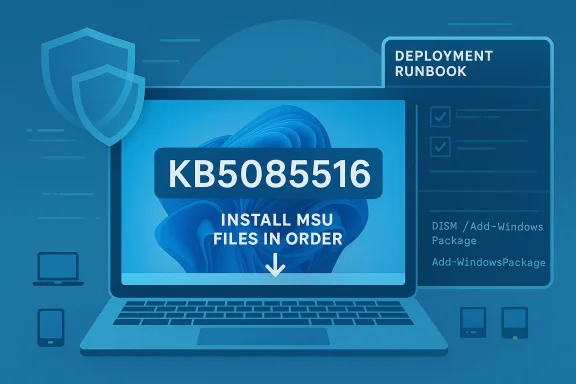
Microsoft’s support documentation for recent out-of-band packages shows a common theme: these releases are often cumulative, but they also come with special handling details, because the servicing stack, prerequisite MSUs, or install sequence can matter. The company’s update notes increasingly read like deployment runbooks rather than simple announcements. That is especially true hsays the KB contains one or more MSU files that require installation in a specific order, and offers two methods—installing all files together with DISM, or installing each file individually in sequence.
What Microsoft Actually Shipped
The key detail in the KB5085516 note is not just the build numbers, but the packaging model. Microsoft says the update is available as standalone package(s) from the Microsoft Update Catalog, and that the KB includes multiple MSU files that must be installed in order. The documentation then spells out two supported paths: a combined install using DISM or Add-WindowsPackage, or a step-by-step install using each MSU ia more demanding deployment story than the average cumulative update, and it suggests either a dependency chain or a staged fix that Microsoft wants applied in a controlled sequence.Why the order matters
In Windows servicing, package order can determine whether later components see the expected baseline state. If a prerequisite MSU is not in place, a subsequent package may fail, install partially, or leave the target build in an unexpected hybrid state. Microsoft’s insistence on a specie not a minor footnote; it is the operational heart of the release. Administrators should treat the note as a deployment instruction, not as optional guidance.The update note explicitly lists Method 1 as the preferred bulk path: download all MSUs, place them in the same folder, and let DISM discover and install prerequisites as needed. That is a practical design for IT teams that manage images or large fleets, because it reduces the risk of human error when sequencing packages manually. Method 2 exists fored a more surgical approach, but it is clearly the more brittle path. In other words, Microsoft is offering flexibility, but not simplicity.
- The update is distributed as standalone MSU files.
- Installation order matters because one package depends on another.
- Microsoft supports both bulk installation and individual sequencing.
- The note is writtende deployment**, not casual consumer clicking.
- DISM and Add-WindowsPackage are the intended tools for serious admins.
Deployment Guidance
Microsoft’s recommended installation paths tell us a lot about how it expects customers to use the update. The DISM example is explicitly framed for an elevated Command Prompt or PowerShell session, which means this is not a Settings-app update and not a one-click consumer patch. It is a servicing action, likely for adminisialists, and support engineers who are comfortable working with offline and online Windows images.Online versus offline servicing
For a running PC, Microsoft suggests using DISM /Online /Add-Package or Add-WindowsPackage -Online. For installation media, it points customers to dynamic update guidance and then shows how to inject the package into mounted media or an offline image. That split is significant because it shows KB5085516 was designed to serve both live endpoints and deployment pipelines. In practical terms, Microsoft wants the fix available not only o to OEMs, imaging teams, and organizations rebuilding Windows install media.The note also reminds customers to match Dynamic Update packages by month whenever possible. If the SafeOS Dynamic Update or Setup Dynamic Update for the same month is unavailable, Microsoft says to use the most recently published version instead. That small line is a reminder that Windows installation media is not static; it is a living artifact that can require coordinated servicing across setup, recovery, and runtime phases. It is also a hint that the ecosystem is still leaning onized chain of updates to avoid install-time regressions.
- Use the same-month Dynamic Update packages when available.
- If matching month packages are missing, use the latest published version.
- Apply the package to running PCs or mounted images depending on the scenario.
- Treat the note as an operational checklist.
- Expect administratorvicing chain before broad rollout.
The Enterprise Implications
The strongest signal in KB5085516 is that Microsoft continues to carve the Windows world into distinct servicing lanes. Consumer devices usually get their fixes through Windows Update, while enterprise and imaging scenarios increasingly depend on catalog downloads, DISM, managed deployment stacks, and carefully ordered packages. That split is not merely bureaucratic. It reflects the fact that enterprise Windows has become an infrastructure platform, and infrastructure platform bugs reqrade remedies.Fleet management and change control
For IT departments, the combination of out-of-band timing and multi-package sequencing creates both opportunity and risk. The opportunity is obvious: administrators can fix a problem quickly without waiting for the next Patch Tuesday. The risk is equally obvious: a rushed deployment can create version drift, compliance noise, or an incomplete install if prerequisite handling is misunderstood. In highly regulated environments, that means change control documentation has to be updated immediate also reinforces the growing role of tooling like DISM in modern Windows operations. Once upon a time, administrators could often rely on a single cumulative update artifact and a predictable reboot. Today, they may need to decide whether to install a bundle, inject packages into an image, or stage the fix alongside other servicing content. That is especially true when Microsoft bundles fixes with servicing stack changes or when an emergency package is meant to ride on top of a newer baseline.- Enterprises need to validate baseline build compatibility first.
- Deployment teams should check prerequisites and package order.
- Imaging teams may need to rebuild or refresh media.
- Help desks should expect temporary version fragmentation.
- Compliance teams should track out-of-band exceptions separately from routine Patch Tuesday rollups.
How This Fits Microsoft’s Current Servicing Strategy
KB5085516 makes more sense when viewed alongside the company’s recent pattern of emergency fixes. Microsoft has already used out-of-band servicing for Windows Server issues, hotpatches for RRAS security flaws, and corrective releases for user-facing bugs like authentication failures and Bluetooth visibility regressions. The message is clear: Microsoft now treats update delivery as a continuous response system, not a once-a-month event.The modern Windows update cycle
The modern cycle looks like this: a monthly cumulative update lands, an issue surfaces in the field, Microsoft confirms or quietly addresses it, and then a new fix arrives outside the normal rhythm if the impact is serious enough. That pattern has advantages, especially for safety and speed, but it also creates a more volatile servicing landscape. Customers no longer ask only whether an update is good; they ask whether it is stable enough to trust right now.There is a deeper implication here as well. Windows is now a hybrid of local OS code, cloud identity, firmware trust anchors, and platform-specific servicing channels. When Microsoft needs to repair a fault, it may need to touch several layers at once. That is why release notes increasingly include instructions, caveats, and deployment logic that look more like engineering documentation than consumer-facing guidance.
The cost of speed
Emergency fixes are valuable, but they are not free. They can complicate testing, break assumptions about patch sequencing, and force administrators to choose between rapid remediation and cautious rollout. They can also produce a subtle kind of update fatigue, where IT teams become wary of every monthly release because the probability of an urgent follow-up feels too high. That sentiment matters because it shapes how quickly organizations apply security fixes in the first place.- Faster fixes can reduce downtime.
- Emergency releases can increase testing burden.
- Multiple patch paths can fragment fleets.
- Administrators may delay rollout if confidence is low.
- A more reactive servicing model can erode trust over time.
Consumer Impact Versus Enterprise Impact
The immediate audience for KB5085516 is likely not the average home user browsing Windows Update history. The package style, deployment commands, and multi-MSU sequencing strongly suggest a release aimed at IT professionals, OEMs, and image managers first. Consumers may still benefit indirectly if the fix eventually flows into broader channels, but the note itself is written for people who build, deploy, or repair Windows at scale.Why enterprises care more
In enterprise environments, even a minor servicing anomaly can have multiplier effects. A failed update on a pilot ring becomes a help desk ticket, then a security exception, then a rollback discussiouction delay. When the fix requires explicit sequencing, the stakes rise further because mistakes can be replicated across hundreds or thousands of devices in a matter of hours. Microsoft’s documentation is clearly intended to reduce that risk by being unusually specific.Consumers, by contrast, are more likely to experience the issue as part of a broader wave of Windows update churn. They may never see the KB number, but they feel the outcome: longer update sessions, additional reboots, or an unexpected post-update issue that requires a second patch. That is why out-of-band servicing often lands hardest on the people who are least likely to read the documentation but most likely to notice the disruption.
- Enterprises need predictable remediation.
- Consumers mainly need reliable automation.
- IT teams must document exceptions and sequencing.
- Home users mostly experience the result, not the mechanics.
- Update quality has become a shared trust issue across both markets.
Historical Context: Why Microsoft Keeps Releasing OOB Fixes
Out-of-band updates used to be notable because they were rare. In 2026, they are notable because they are no longer rare enough to be surprising. Microsoft has already shipped OOB fixes for server-side security defects, authentication problems, and special-purpose Windows components, and each one reinforces the idea that the company is willing to step outside the monthly cadence whenever the operational cost of waiting is too high.The RRAS and sign-in precedents
The RRAS hotpatches showed how Microsoft is using restartless servicing to protect managed infrastructure without forcing production downtime. Meanwhile, the sign-in failure issue in March 2026 illustrated the other side of the equation: not every problem is a security hole, but some quality regressions are serious enough to damage identity workflows, cloud productivity, and supportability. Together, those examples explain why Microsoft now sees out-of-band servicing as a normal tool rather than a last resort.That history matters because it tells us how to interpret KB5085516. The update is not an isolated oddity; it is part of a recurring pattern where Microsoft responds to field pain with a targeted remedy and expects administrators to adapt quickly. In a healthier world, that would be an exception. In today’s Windows ecosystem, it is increasingly a sign of maturity mixed with strain.
The Secure Boot backdrop
The Secure Boot certificate expiration warning adds another layer to this story. Microsoft has been urging device owners and administrators to prepare for certificate refreshes before June 2026, warning that the trust anchors used by most Windows devices will begin expiring. Even if KB5085516 is unrelated at the code level, it lands in the same moment of heightened servicing sensitivity, when administrators are expected to juggle boot trust, update sequencing, and emergency fixes all at once.- OOB updates are now a regular tool.
- Microsoft uses them for both security and quality problems.
- Identity and boot trust are becoming more operationally intertwined.
- Administrators are being asked to manage multiple urgency levels at once.
- The pace of servicing is outstripping the old monthly rhythm.
Strengths and Opportunities
KB5085516 shows that Microsoft can still move quickly when it needs to, and it does so in a way that gives administrators genuine deployment options. The package is documented clearly enough to support both live systems and offline images, and the use of sequential MSUs suggests Microsoft is trying to preserve reliability rather than forcing a one-size-fits-all payload. That is a strength, even if it also raises the bar for careful rollout.- Clear deployment paths for online and offline servicing.
- Catalog availability gives admins direct control over timing.
- Sequential package logic can reduce broken installs when followed correctly.
- DISM support fits imaging and enterprise workflows.
- Out-of-band timing helps addster than Patch Tuesday.
- Documentation specificity lowers the risk of guesswork.
- Flexible servicing helps Microsoft support both consumer and enterprise lifecycles.
Risks and Concerns
The biggest concern is complexity. A package that must be installed in order is inherently more fragile than a single cumulative update, especially when the audience includes administrators working under time pressure. If Microsoft’s documentation is missed, misread, or partially automated, the result cments, inconsistent baselines, or support calls that are much harder to resolve than the original issue.Operational fragility
There is also a broader strategic risk: the more often Microsoft ships out-of-band fixes, the more normal they become, and the less confidence customers may have in the baseline monthly release process. That does not mean Microsoft should stop shipping emergency fixes. It means every OOB patch is a reminder that Windows like a cloud platform than a traditional desktop OS, with all the speed and all the operational complexity that implies.- Sequencing errors can break installs.
- Patch fragmentation can complicate fleet management.
- Emergency cadence can lower user trust in monthly updates.
- Manual deployment increases the chance of human error.
- Documentation gaps can slow remediation in smaller IT shops.
- Version drift may persist until compliance cycles catch up.
- Repeated OOB releases can normalize instability as part of Windows life.
What to Watch Next
The immediate question is whether KB5085516 remains narrowly targeted or becomes part of a broader servicing storyline in the days ahead. If Microsoft expands the fix into a wider cumulative update, that would suggest the company wants to reduce deployment friction for mainstream users. If it remains catalog-only and order-dependent, then the patch is likely being treated as an enterprise-oriented corrective measure with limited consumer visibility.Signals that matter
Administrators should also watch for any follow-up release notes, especially if Microsoft references prerequisite packages, dynamic update coordination, or any additional build numbers related to 26100 and 26200. The company has been increasingly willing to publish rapid updates when field issues emerge, so a second note would not be surprising if the first fix reveals another edge case. That would be *verys in 2026.- Whether Microsoft publishes a broader cumulative version of the fix.
- Whether the update appears in Windows Update beyond the catalog workflow.
- Whether additional prerequisite MSUs are documented later.
- Whether admins report install-order sensitivity in the field.
- Whether the fix ties into any build-specific rollout guidance.
- Whether Microsoft references the package in future release health notes.
- Whether the update is folded into later monthly servicing.
The final thing to watch is how enterprises respond. If deployment succeeds cleanly, KB5085516 will be remembered as a routine but well-executed emergency fix. If it creates confusion about installation order or image servicing, it will become another example of how Windows administrators now need to think like release engineers, not just patch managers. Either way, the update is a clear sign that Microsoft’s servicing model is becoming more responsive, more modular, and more demanding all at once.
In the bigger picture, KB5085516 is less about one specific bug than about the state of Windows itself. Microsoft is building an operating system that can be repaired in smaller pieces, at higher speed, and with greater operational precision than before. That is good news when the alternative is waiting for the next monthly cycle, but it also means administrators and users alike must live with a platform that is increasingly always in motion.
Source: Microsoft Support March 21, 2026—KB5085516 (OS Builds 26200.8039 and 26100.8039) Out-of-band - Microsoft Support