

Microsoft’s latest out-of-band hotpatch for Windows 11 is another sign that the company is now treating quality regressions with unusual urgency. The KB5085518 update is aimed at Windows 11 25H2 and 24H2 enterprise devices and fixes a frustrating sign-in bug that could block access to services like Microsoft Teams Free and OneDrive even when the PC was online. That matters because the issue hit core productivity workflows, not obscure edge cases, and it landed just days after the March Patch Tuesday release that introduced it.
What makes this release noteworthy is not just the fix itself, but the speed and delivery model. Microsoft has been leaning more heavily on emergency OOB updates and hotpatch servicing to contain the fallout from recent Windows 11 problems, suggesting that the company wants to minimize restart-heavy remediation and reduce disruption for managed fleets. For enterprise admins, that is good news in principle; for everyone else, it is another reminder that the monthly update cadence remains brittle enough to require follow-up surgery.
Microsoft’s March 2026 servicing cycle for Windows 11 has already been unusually active. The company shipped KB5079473 on March 10, 2026 for Windows 11 25H2 and 24H2, and the official support notes identify it as a cumulative update with the latest security fixes and non-security improvements from the prior preview release. That update later became associated with a Microsoft account sign-in failure that surfaced in apps and services relying on personal account authentication.
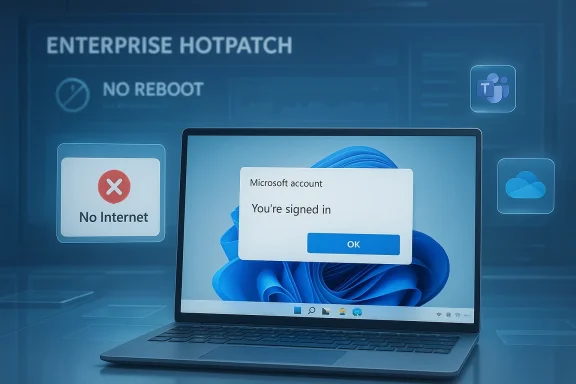
The problem was not merely cosmetic. According to Microsoft’s own changelog language, some users could see a “no Internet” error during sign-in even when the device had a working connection, preventing access to Microsoft services and apps such as Teams Free and OneDrive. That combination is especially disruptive because these apps are often treated as the front door to the Microsoft consumer and prosumer ecosystem.
The pattern is familiar to anyone following recent Windows 11 servicing. Microsoft has also been issuing other hotpatch and OOB releases in 2026 to address regressions, including updates that corrected cloud-file and app-open failures in earlier January servicing. In other words, the March account-sign-in issue fits a broader trend: Windows update quality is being managed more reactively than users would prefer.
Hotpatching deserves special attention here. Microsoft’s support material for 2026 hotpatch releases shows that hotpatch updates are intended to improve functionality, performance, and reliability without the same restart burden as conventional cumulative updates. Microsoft also notes that hotpatch is now broadly available for certain Windows 11 25H2 and 24H2 Arm64 devices, while other editions and device classes may still receive the same fix via the standard servicing path.
The result is a two-track maintenance model. Some devices get the fix as an enterprise-oriented hotpatch, while others receive the equivalent remediation in the mainstream cumulative channel. That split is designed to reduce downtime, but it also reflects the complexity of servicing Windows across different hardware, enrollment states, and policy configurations. It is a practical solution to a practical problem, but it also underscores how fragile the release pipeline has become.
That is a deceptively small bug report with large consequences. A mistaken connectivity check during authentication can break sign-in flows in ways users interpret as account failure, network failure, or cloud-service outage. In practice, this kind of bug can waste support time because every layer looks healthy except the one that matters.
For end users, the visible symptom is simple: the sign-in window fails, and the application refuses to continue. For administrators, the downstream cost is much bigger, because it can affect onboarding, reauthentication, and day-to-day access to cloud-backed workflows. A false “no Internet” error is more than a nuisance; it is a trust problem in the stack.
Key implications include:
This matters most for managed fleets, where even a small percentage of machines requiring reboot coordination creates real scheduling overhead. Hotpatch helps IT teams deliver fixes without turning every remediation into a mini maintenance window. That is especially useful for frontline workers, shared workstations, and time-sensitive knowledge work.
The enterprise angle also explains why Microsoft can justify a special delivery mechanism here. If the company already has a direct path to hotpatch-capable endpoints, using it to ship a narrow but high-impact repair is more efficient than waiting for the next baseline cycle. The enterprise customer gets less disruption; Microsoft gets faster containment.
Operational benefits:
That makes this bug more than an app-specific annoyance. When sign-in fails at the account layer, users may lose access to files, chats, and synced settings across devices. In a hybrid work world, that kind of outage feels much larger than a simple app crash.
That is why the bug could be so confusing in the field. A user may believe they are signing into Teams or OneDrive, but the failure occurs in the underlying Microsoft account authentication layer. The app is merely the messenger.
Important distinctions:
A normal cumulative update is the baseline method most Windows users know. A hotpatch, by contrast, is intended to land with less operational friction, which is why Microsoft has been investing in it for enterprise and Arm64 scenarios. The whole point is to preserve productivity while still keeping security and reliability current.
This approach has advantages:
This is not unprecedented in Windows history, but the cadence is notable. When update quality issues become common enough that separate emergency fixes feel routine, customers start building their own assumptions about patch day risk. That can lead to delayed deployment, more cautious rings, and a general reluctance to trust the first wave of updates.
That continuity matters because it shows Microsoft using hotpatch not just as a security convenience, but as a general-purpose safety valve for bad outcomes. The more that pattern repeats, the more important it becomes for Microsoft to improve pre-release validation.
Historical takeaways:
Consumers may be less directly affected by this specific hotpatch because the delivery target is enterprise-oriented, but they still benefit indirectly when Microsoft pushes the same fix through the mainstream channel. In that sense, the hotpatch release functions as an operational bridge rather than a separate product experience.
The fact that Microsoft had to repair a personal-account issue through an enterprise delivery path is also revealing. It shows how intertwined personal and corporate productivity have become, especially when apps like OneDrive and Teams Free live in the same ecosystem as enterprise-managed Windows devices.
Beneficiaries include:
The issue also lands at a time when many users already have update fatigue. If every month brings a new patch, followed by a follow-up fix, then updates stop feeling like maintenance and start feeling like damage control. That perception can be hard to reverse.
Typical troubleshooting paths that become misleading here:
The other thing to watch is whether hotpatch continues expanding beyond its current enterprise and Arm64-oriented footprint. If Microsoft can prove that hotpatch is not a niche convenience but a core servicing advantage, it may become a bigger part of how Windows is managed in the enterprise. That would be a real platform story, not just a one-off patch note.
What to watch next:
Source: KB5085518 hotpatch fixes apps sign-in issues for Windows 11 25H2 and 24H2 enterprise users
What makes this release noteworthy is not just the fix itself, but the speed and delivery model. Microsoft has been leaning more heavily on emergency OOB updates and hotpatch servicing to contain the fallout from recent Windows 11 problems, suggesting that the company wants to minimize restart-heavy remediation and reduce disruption for managed fleets. For enterprise admins, that is good news in principle; for everyone else, it is another reminder that the monthly update cadence remains brittle enough to require follow-up surgery.
 Background
Microsoft’s March 2026 servicing cycle for Windows 11 has already been unusually active. The company shipped KB5079473 on March 10, 2026 for Windows 11 25H2 and 24H2, and the official support notes identify it as a cumulative update with the latest security fixes and non-security improvements from the prior preview release. That update later became associated with a Microsoft account sign-in failure that surfaced in apps and services relying on personal account authentication.The problem was not merely cosmetic. According to Microsoft’s own changelog language, some users could see a “no Internet” error during sign-in even when the device had a working connection, preventing access to Microsoft services and apps such as Teams Free and OneDrive. That combination is especially disruptive because these apps are often treated as the front door to the Microsoft consumer and prosumer ecosystem.
The pattern is familiar to anyone following recent Windows 11 servicing. Microsoft has also been issuing other hotpatch and OOB releases in 2026 to address regressions, including updates that corrected cloud-file and app-open failures in earlier January servicing. In other words, the March account-sign-in issue fits a broader trend: Windows update quality is being managed more reactively than users would prefer.
Hotpatching deserves special attention here. Microsoft’s support material for 2026 hotpatch releases shows that hotpatch updates are intended to improve functionality, performance, and reliability without the same restart burden as conventional cumulative updates. Microsoft also notes that hotpatch is now broadly available for certain Windows 11 25H2 and 24H2 Arm64 devices, while other editions and device classes may still receive the same fix via the standard servicing path.
The result is a two-track maintenance model. Some devices get the fix as an enterprise-oriented hotpatch, while others receive the equivalent remediation in the mainstream cumulative channel. That split is designed to reduce downtime, but it also reflects the complexity of servicing Windows across different hardware, enrollment states, and policy configurations. It is a practical solution to a practical problem, but it also underscores how fragile the release pipeline has become.
What KB5085518 Actually Fixes
The official issue statement is specific: after installing the Windows update released on or after March 10, 2026, some users might be unable to sign in to apps with a Microsoft account. Even with network connectivity intact, the device could display a “no Internet” message and block access to Microsoft services and apps such as Teams Free and OneDrive.That is a deceptively small bug report with large consequences. A mistaken connectivity check during authentication can break sign-in flows in ways users interpret as account failure, network failure, or cloud-service outage. In practice, this kind of bug can waste support time because every layer looks healthy except the one that matters.
Why the error was so confusing
Authentication issues are notoriously hard to diagnose because they often appear as network problems when they are really token, policy, or web-view failures. Microsoft’s wording shows that the device could be online while the application layer incorrectly believed otherwise. That sort of mismatch is precisely what turns a one-line defect into a support incident.For end users, the visible symptom is simple: the sign-in window fails, and the application refuses to continue. For administrators, the downstream cost is much bigger, because it can affect onboarding, reauthentication, and day-to-day access to cloud-backed workflows. A false “no Internet” error is more than a nuisance; it is a trust problem in the stack.
Key implications include:
- Teams Free sign-ins could fail.
- OneDrive access could be blocked.
- The issue could surface even on working networks.
- Support teams might initially chase the wrong root cause.
- Cloud-first workflows were affected disproportionately.
Why Enterprise Hotpatch Matters
KB5085518 is not just another patch; it is a hotpatch for eligible enterprise systems. Microsoft says hotpatch updates install automatically on supported devices and do not require a restart, which is the main reason organizations care about this channel at all. In environments where uptime matters and restarts are disruptive, that can be a major operational advantage.This matters most for managed fleets, where even a small percentage of machines requiring reboot coordination creates real scheduling overhead. Hotpatch helps IT teams deliver fixes without turning every remediation into a mini maintenance window. That is especially useful for frontline workers, shared workstations, and time-sensitive knowledge work.
Enterprise LTSC and managed fleet impact
Microsoft’s reporting around the update indicates that the hotpatch is arriving mainly for eligible Windows 11 Enterprise users, including Enterprise LTSC 2024. That detail is important because LTSC customers generally value predictability over novelty, and they are precisely the sort of customers who are most sensitive to sign-in regressions.The enterprise angle also explains why Microsoft can justify a special delivery mechanism here. If the company already has a direct path to hotpatch-capable endpoints, using it to ship a narrow but high-impact repair is more efficient than waiting for the next baseline cycle. The enterprise customer gets less disruption; Microsoft gets faster containment.
Operational benefits:
- No restart for eligible devices.
- Reduced change-management overhead.
- Faster remediation for production endpoints.
- Better fit for shared and kiosk-like workflows.
- Lower support cost for transient sign-in failures.
The Microsoft Account Problem
The defect is especially irritating because it strikes the Microsoft account sign-in flow, which is already a critical bridge between consumer identity and Microsoft cloud services. Microsoft’s own support pages emphasize that a personal Microsoft account is the access method for products like OneDrive and Teams Free, and account sign-in issues can lock users out of multiple services at once.That makes this bug more than an app-specific annoyance. When sign-in fails at the account layer, users may lose access to files, chats, and synced settings across devices. In a hybrid work world, that kind of outage feels much larger than a simple app crash.
Personal vs work identity
The distinction between personal Microsoft accounts and work or school accounts is often blurred in real-world usage, especially on devices that move between home and office contexts. Microsoft’s support content for Teams Free and account help reinforces that personal accounts have different sign-in and recovery paths than organization-managed identities.That is why the bug could be so confusing in the field. A user may believe they are signing into Teams or OneDrive, but the failure occurs in the underlying Microsoft account authentication layer. The app is merely the messenger.
Important distinctions:
- Personal accounts power consumer services and Teams Free.
- Work/school accounts are managed differently and often routed through organizational policy.
- A sign-in failure can affect multiple apps simultaneously.
- The end user may not know which identity path is failing.
- Recovery steps vary depending on account type.
Hotpatch vs Normal Cumulative Update
Microsoft released the same fix for standard Windows 11 servicing only a couple of days earlier, then mirrored it in the hotpatch channel for supported enterprise systems. That tells us the fix itself is not unique to hotpatch; what differs is the delivery method and reboot behavior. For readers and admins, that distinction matters because it changes how quickly and safely the patch can be deployed.A normal cumulative update is the baseline method most Windows users know. A hotpatch, by contrast, is intended to land with less operational friction, which is why Microsoft has been investing in it for enterprise and Arm64 scenarios. The whole point is to preserve productivity while still keeping security and reliability current.
What this says about Microsoft’s servicing strategy
The release pattern suggests Microsoft is increasingly treating Windows servicing as a layered system rather than a single monthly event. When a defect affects a broad enough audience, the company can push a conventional fix, then replicate it through hotpatch or OOB channels to reduce disruption for managed customers. That is smart engineering, but it also suggests that one update often no longer feels complete on day one.This approach has advantages:
- Faster containment of high-impact regressions.
- Less reboot pressure for enterprise IT.
- Better alignment with modern endpoint management.
- Potentially less user-facing downtime.
- A path to gradual servicing maturity.
The Broader Windows 11 Update Pattern
The KB5085518 release does not exist in isolation. Microsoft has spent the last several months reacting to issues that show up after patch deployment, from cloud file access problems to sign-in regressions and Bluetooth complaints. Recent OOB and hotpatch releases show a clear pattern of remediation after user reports or internal validation reveal breakage.This is not unprecedented in Windows history, but the cadence is notable. When update quality issues become common enough that separate emergency fixes feel routine, customers start building their own assumptions about patch day risk. That can lead to delayed deployment, more cautious rings, and a general reluctance to trust the first wave of updates.
Comparison with recent hotpatch releases
Microsoft’s earlier 2026 hotpatch updates also focused on reliability issues rather than headline new features. One January hotpatch addressed cases where applications stopped responding or cloud file operations failed after prior Windows updates. Another February release reinforced the message that hotpatch is now a mature servicing option for some Windows 11 25H2 and 24H2 devices.That continuity matters because it shows Microsoft using hotpatch not just as a security convenience, but as a general-purpose safety valve for bad outcomes. The more that pattern repeats, the more important it becomes for Microsoft to improve pre-release validation.
Historical takeaways:
- Emergency fixes are becoming more visible.
- Cloud-connected workloads are a common failure zone.
- Reboots are being minimized where possible.
- Microsoft is leaning on multiple servicing channels.
- Enterprises are likely to respond with slower rollout rings.
Who Benefits Most
The immediate winners are enterprise IT teams and organizations already enrolled in hotpatch-capable servicing. For them, KB5085518 provides a quick and low-friction escape hatch from a sign-in issue that could have created helpdesk spikes. If a patch can restore access without forcing a reboot, that is a meaningful win.Consumers may be less directly affected by this specific hotpatch because the delivery target is enterprise-oriented, but they still benefit indirectly when Microsoft pushes the same fix through the mainstream channel. In that sense, the hotpatch release functions as an operational bridge rather than a separate product experience.
Enterprise versus consumer impact
Enterprise customers care most about fleet stability, remote management, and reduced downtime. Consumer users care more about immediate app access and whether their personal files and chat histories remain available. The sign-in bug cut across both, but the hotpatch format is clearly tuned for the former.The fact that Microsoft had to repair a personal-account issue through an enterprise delivery path is also revealing. It shows how intertwined personal and corporate productivity have become, especially when apps like OneDrive and Teams Free live in the same ecosystem as enterprise-managed Windows devices.
Beneficiaries include:
- IT departments seeking fast remediation.
- End users who rely on OneDrive for file access.
- Workers whose Teams sign-in is part of daily operations.
- Organizations trying to avoid downtime.
- Microsoft, if the fix reduces the support burden.
Why This Bug Hit a Sensitive Nerve
Microsoft sign-in failures are never just technical bugs; they are trust events. Users typically assume that if their network works and their credentials are correct, the cloud should respond. When the OS claims there is “no Internet” during sign-in despite connectivity, the message becomes contradictory and confidence drops quickly.The issue also lands at a time when many users already have update fatigue. If every month brings a new patch, followed by a follow-up fix, then updates stop feeling like maintenance and start feeling like damage control. That perception can be hard to reverse.
Support and troubleshooting consequences
The practical support impact is easy to underestimate. Helpdesk staff may waste time on Wi-Fi checks, proxy settings, account recovery steps, or browser resets before realizing the OS patch itself is the source of the failure. That creates a delay between symptom and resolution, which is exactly what hotpatching is supposed to reduce.Typical troubleshooting paths that become misleading here:
- Confirm network connectivity.
- Verify account credentials.
- Reproduce the error in Teams or OneDrive.
- Check for the March update lineage.
- Apply the hotpatch or equivalent OOB fix.
Strengths and Opportunities
Microsoft deserves credit for moving quickly with a targeted fix, and the hotpatch format shows real value when the problem is severe enough to disrupt sign-in but narrow enough to repair surgically. The release also reinforces the strategic value of hotpatching as a modern endpoint-maintenance tool. If Microsoft keeps refining this channel, it could become one of the most compelling parts of Windows enterprise servicing.- Fast remediation for a high-impact issue.
- No reboot for eligible devices.
- Better alignment with enterprise uptime goals.
- Reduced helpdesk load from false connectivity errors.
- Stronger case for hotpatch adoption.
- Cleaner user experience than a forced restart.
- A chance to restore trust after a problematic Patch Tuesday.
Risks and Concerns
The obvious concern is that the need for repeated emergency fixes signals weaknesses in Microsoft’s patch validation process. Even if the individual hotpatch is effective, recurring regressions can undermine confidence in Windows Update. The other risk is fragmented servicing: when fixes arrive in different channels at different times, some organizations will inevitably lag behind.- More evidence of patch regression risk.
- Potential for update fatigue among admins and users.
- Mixed rollout timing between channels.
- Possible confusion over which systems are eligible.
- Continued dependence on follow-up fixes.
- Growing perception that monthly updates are not “done” at release.
- Extra complexity for hybrid identity environments.
Looking Ahead
Microsoft’s next challenge is not just to keep shipping fixes, but to reduce the number of situations that require them in the first place. The company has shown it can react quickly, and that is valuable, but reactive speed is not a substitute for more reliable baselines. The longer Windows 11 remains in a cycle of major patch, reported issue, emergency fix, the more customers will treat updates as something to delay rather than embrace.The other thing to watch is whether hotpatch continues expanding beyond its current enterprise and Arm64-oriented footprint. If Microsoft can prove that hotpatch is not a niche convenience but a core servicing advantage, it may become a bigger part of how Windows is managed in the enterprise. That would be a real platform story, not just a one-off patch note.
What to watch next:
- Whether Microsoft lists any known issues for KB5085518 later.
- How quickly the fix propagates across eligible enterprise devices.
- Whether the mainstream cumulative channel remains in sync.
- Whether additional March 2026 regressions are reported.
- Whether Microsoft’s servicing cadence becomes more conservative in April.
Source: KB5085518 hotpatch fixes apps sign-in issues for Windows 11 25H2 and 24H2 enterprise users
