

Microsoft’s KB5086672 is another sign that Windows servicing in 2026 is becoming more operationally precise, not less. The update for OS builds 26200.8117 and 26100.8117 is being shipped as standalone MSU packages with a required installation order, which immediately tells administrators this is not a casual click-and-install release. Microsoft says the package can be deployed either by installing all MSUs together with DISM or by installing them individually in the documented sequence, and that distinction matters because sequencing mistakes can break remediation workflows or complicate image servicing .
The new KB sits inside the same broader 2026 servicing pattern we have been seeing for Windows 11: faster emergency fixes, more catalog-only releases, and more explicit guidance for IT teams managing live devices and offline images. In other words, Microsoft is treating Windows less like a once-a-month patch product and more like a continuously serviced platform that sometimes needs surgical intervention. That is useful when the alternative is waiting for Patch Tuesday, but it also raises the burden on administrators to follow the exact deployment steps Microsoft publishes .
Microsoft’s support note for KB5086672 follows a pattern that has become increasingly familiar in 2026: a targeted out-of-band package, a pair of Windows 11 build numbers, and deployment instructions that assume the reader is comfortable with DISM, PowerShell, and offline image servicing. The company explicitly says the standalone package is available from the Microsoft Update Catalog and that the update contains one or more MSU files that must be installed in a specific order. That is a strong signal that the fix is layered, not monolithic .
That layering matters because Windows updates are no longer just about applying a single cumulative rollup. Microsoft now frequently combines servicing stack logic, setup-time updates, dynamic updates, and emergency corrective packages in the same operating window. The result is more flexibility for enterprise deployment, but also more points of failure if the instructions are not followed exactly. KB5086672 is a textbook example of that modern model .
The surrounding context is equally important. March 2026 has already been a busy month for Windows servicing, including broader Patch Tuesday releases, out-of-band fixes for reliability or security issues, and continuing guidance around Secure Boot certificate renewal planning ahead of the June 2026 deadline. Even if KB5086672 is not directly tied to Secure Boot, it lands in a period when administrators are already juggling multiple maintenance priorities at once. That makes a carefully documented emergency patch less of an oddity and more of a necessity .
What also stands out is that Microsoft is clearly writing for deployers, not casual users. The note includes commands for online servicing, offline image servicing, and installation-media updates, all of which point toward IT departments, OEMs, imaging teams, and system integrators. That does not mean ordinary users are irrelevant; it means the path from Microsoft’s fix to a stable consumer experience now runs through enterprise-style discipline .
Historically, out-of-band Windows updates used to feel rare and exceptional. In 2026, they feel increasingly procedural. Microsoft has already used this channel for authentication failures, server-side reliability problems, and special-purpose Windows components, which reinforces the idea that OOB servicing is no longer a last resort but a normal tool in the maintenance toolbox .
It also matters because the update lands in a climate of heightened trust sensitivity. Between emergency servicing, build-specific packages, and looming certificate-refresh work, administrators are being asked to manage more variables than they did a few years ago. The platform is becoming more resilient in some respects, but also more demanding in the operational sense .
For consumers, the impact is more indirect. Most home users will never see the package choreography, but they may still benefit if Microsoft’s fix gets folded into broader servicing later. The hidden reality of Windows now is that many of the most important changes are invisible to end users and highly visible only to the people who manage fleets at scale .
In practice, that means the package is closer to a small servicing stack than a conventional consumer update. When a KB is structured this way, the sequencing is part of the fix, not an implementation detail. Miss the order and you risk install failures, partially applied state, or a maintenance workflow that looks successful until the second package refuses to cooperate .
That distinction matters because Microsoft is clearly acknowledging that the fix has dependencies. In a world where cumulative updates usually hide complexity behind a single installer, a sequential MSU chain is a reminder that not all problems can be flattened into one package. Sometimes the only reliable answer is to preserve the order that the servicing engineers designed .
For online systems, Microsoft points administrators to an elevated Command Prompt or PowerShell session and a DISM or Add-WindowsPackage command. For offline images, it gives the equivalent mounted-image workflow. That symmetry matters because it reduces ambiguity: the same KB can be used in live servicing, imaging, and repair operations without the administrator having to infer the right method from scratch .
That said, the same flexibility creates a new category of risk. If one team uses the catalog package manually while another folds it into deployment media, the organization can end up with multiple baselines and multiple interpretations of “fully patched.” That is a governance problem as much as a technical one .
A package order requirement often means the first MSU lays down prerequisite state and the second MSU depends on it. If the first package is skipped, installed out of order, or partially rolled back, the second package may not apply cleanly. In that sense, the order is part of the update’s correctness model, not just a recommendation .
Another risk is state contamination. If the first package is applied to some devices and the full sequence to others, troubleshooting becomes much harder because the environment no longer shares a consistent servicing baseline. That kind of drift is exactly why Microsoft is spelling out the sequence so explicitly .
Enterprises feel these issues most acutely because small servicing mistakes compound quickly. A failure in a pilot ring becomes a help desk ticket, then a rollback, then a delay to the next approval cycle. In that environment, a patch like KB5086672 is not just a technical update; it is a workflow risk that must be managed carefully fileciteturn0file4turn0file5.
That split is one reason out-of-band updates can be deceptively important. A patch that looks niche on paper can still influence broad user trust if it improves update stability or prevents a larger servicing problem from reaching general release. The best consumer patch is often the one that never has to explain itself .
That pattern tells us the monthly Patch Tuesday rhythm is no longer the only meaningful Windows maintenance cycle. It remains important, but it now sits inside a broader ecosystem of rapid-response fixes, setup-time dynamic updates, and targeted packages that can land whenever Microsoft decides waiting would be too risky. KB5086672 is another data point in that shift fileciteturn0file4turn0file15.
That is good for reacting quickly to field issues. It is less good for the old expectation that monthly updates were the main event and everything else was exceptional. In 2026, exception has become routine, and routine has become more complicated.
We have already seen that with other Windows 11 updates and with separate emergency fixes for infrastructure or identity-related issues. Microsoft’s willingness to publish tightly scoped corrections suggests the company sees Windows as something that must be repaired where it breaks, not merely rolled forward on a predictable schedule. That is a more mature approach in many ways, but it is also a sign that the platform has become harder to stabilize in a single monthly pass fileciteturn0file4turn0file17.
That is why even a package that is not directly about Secure Boot still matters in the same conversation. It is part of the same operational density. The system is not just patched more often; it is governed more often.
The second concern is trust fatigue. The more often Microsoft releases out-of-band updates, the more normal they become, and the more organizations may wonder whether the monthly baseline is sufficient on its own. That does not mean the company should stop shipping emergency fixes. It does mean every OOB package subtly changes the expectations around Windows reliability fileciteturn0file2turn0file5.
Administrators should also watch for follow-up guidance, especially if Microsoft references prerequisite packages, Dynamic Update coordination, or additional build-level changes for 26100 and 26200. That would not be surprising in this servicing climate. Microsoft has been increasingly willing to publish rapid updates and detailed install guidance when the field impact justifies it fileciteturn0file4turn0file15.
Source: Microsoft Support March 31, 2026—KB5086672 (OS Builds 26200.8117 and 26100.8117) Out-of-band - Microsoft Support
The new KB sits inside the same broader 2026 servicing pattern we have been seeing for Windows 11: faster emergency fixes, more catalog-only releases, and more explicit guidance for IT teams managing live devices and offline images. In other words, Microsoft is treating Windows less like a once-a-month patch product and more like a continuously serviced platform that sometimes needs surgical intervention. That is useful when the alternative is waiting for Patch Tuesday, but it also raises the burden on administrators to follow the exact deployment steps Microsoft publishes .
 Background
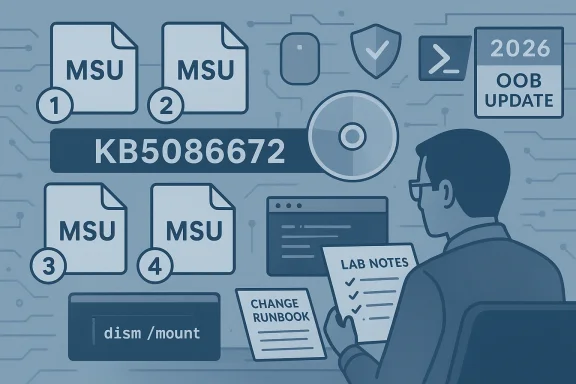
Microsoft’s support note for KB5086672 follows a pattern that has become increasingly familiar in 2026: a targeted out-of-band package, a pair of Windows 11 build numbers, and deployment instructions that assume the reader is comfortable with DISM, PowerShell, and offline image servicing. The company explicitly says the standalone package is available from the Microsoft Update Catalog and that the update contains one or more MSU files that must be installed in a specific order. That is a strong signal that the fix is layered, not monolithic .That layering matters because Windows updates are no longer just about applying a single cumulative rollup. Microsoft now frequently combines servicing stack logic, setup-time updates, dynamic updates, and emergency corrective packages in the same operating window. The result is more flexibility for enterprise deployment, but also more points of failure if the instructions are not followed exactly. KB5086672 is a textbook example of that modern model .
The surrounding context is equally important. March 2026 has already been a busy month for Windows servicing, including broader Patch Tuesday releases, out-of-band fixes for reliability or security issues, and continuing guidance around Secure Boot certificate renewal planning ahead of the June 2026 deadline. Even if KB5086672 is not directly tied to Secure Boot, it lands in a period when administrators are already juggling multiple maintenance priorities at once. That makes a carefully documented emergency patch less of an oddity and more of a necessity .
What also stands out is that Microsoft is clearly writing for deployers, not casual users. The note includes commands for online servicing, offline image servicing, and installation-media updates, all of which point toward IT departments, OEMs, imaging teams, and system integrators. That does not mean ordinary users are irrelevant; it means the path from Microsoft’s fix to a stable consumer experience now runs through enterprise-style discipline .
Historically, out-of-band Windows updates used to feel rare and exceptional. In 2026, they feel increasingly procedural. Microsoft has already used this channel for authentication failures, server-side reliability problems, and special-purpose Windows components, which reinforces the idea that OOB servicing is no longer a last resort but a normal tool in the maintenance toolbox .
Why this KB matters now
KB5086672 matters not because it is flashy, but because it exposes the new shape of Windows maintenance. The update’s MSU ordering requirement shows that Microsoft is willing to trade simplicity for precision when the fix demands it. That is a sensible engineering choice, but it also means the old mental model of “download one patch and install it” is no longer enough for many Windows 11 releases .It also matters because the update lands in a climate of heightened trust sensitivity. Between emergency servicing, build-specific packages, and looming certificate-refresh work, administrators are being asked to manage more variables than they did a few years ago. The platform is becoming more resilient in some respects, but also more demanding in the operational sense .
The practical takeaway
For IT teams, the practical takeaway is straightforward: treat KB5086672 like a workflow, not just a download. Microsoft’s documentation is effectively saying that install order, package grouping, and image state all matter. That is the kind of release that belongs in a lab, a change ticket, and a deployment runbook before it ever reaches broad production rings .For consumers, the impact is more indirect. Most home users will never see the package choreography, but they may still benefit if Microsoft’s fix gets folded into broader servicing later. The hidden reality of Windows now is that many of the most important changes are invisible to end users and highly visible only to the people who manage fleets at scale .
What Microsoft Is Actually Shipping
The most important detail in Microsoft’s note is not the build number; it is the packaging model. KB5086672 is available as standalone MSU files, and Microsoft says those files must be handled in the correct order. That is an immediate clue that the update is repairing a dependency chain rather than delivering a single self-contained fix .In practice, that means the package is closer to a small servicing stack than a conventional consumer update. When a KB is structured this way, the sequencing is part of the fix, not an implementation detail. Miss the order and you risk install failures, partially applied state, or a maintenance workflow that looks successful until the second package refuses to cooperate .
Method 1 versus Method 2
Microsoft offers two paths. The first is the more robust enterprise-friendly approach: place all related MSUs in one folder and let DISM discover and install prerequisites as needed. The second is the manual sequence, where each package is installed individually in the published order. The first path reduces the chance of human error; the second gives skilled admins more control, but also more rope to hang themselves with if the order is wrong fileciteturn0file0turn0file15.That distinction matters because Microsoft is clearly acknowledging that the fix has dependencies. In a world where cumulative updates usually hide complexity behind a single installer, a sequential MSU chain is a reminder that not all problems can be flattened into one package. Sometimes the only reliable answer is to preserve the order that the servicing engineers designed .
What the package structure implies
The structure also implies that Microsoft is trying to preserve compatibility across different deployment scenarios. DISM support, PowerShell servicing, and offline image application all suggest the company expects this update to be used not only on live endpoints, but also in imaging pipelines and repair workflows. That broad applicability makes the package more useful, but it also raises the importance of careful handling .- The fix is not a single monolithic installer.
- The package order is part of the servicing logic.
- DISM is the preferred method for coordinated installation.
- Offline images can be updated as well.
- The same KB is relevant to both live systems and deployment media.
Deployment Paths and Admin Workflow
Microsoft’s deployment guidance is unusually explicit, and that is a good thing. The company gives instructions for updating a running Windows PC, for servicing a mounted offline image, and for updating Windows installation media. That breadth tells us the fix is meant to fit into real enterprise workflows, not just a narrow support scenario fileciteturn0file0turn0file15.For online systems, Microsoft points administrators to an elevated Command Prompt or PowerShell session and a DISM or Add-WindowsPackage command. For offline images, it gives the equivalent mounted-image workflow. That symmetry matters because it reduces ambiguity: the same KB can be used in live servicing, imaging, and repair operations without the administrator having to infer the right method from scratch .
Why the workflow is more than a convenience
The workflow is more than a convenience because it reflects the way modern Windows fleets are managed. Many organizations do not simply patch endpoints; they rebuild them from gold images, stage them through pilot rings, and maintain different servicing paths for production, lab, and recovery media. A KB that works cleanly in all three contexts is much more valuable than one that only works on a live desktop .That said, the same flexibility creates a new category of risk. If one team uses the catalog package manually while another folds it into deployment media, the organization can end up with multiple baselines and multiple interpretations of “fully patched.” That is a governance problem as much as a technical one .
The imaging angle
Imaging teams should pay close attention here. Microsoft’s note specifically mentions applying the package to Windows installation media and to mounted images, which means KB5086672 is intended to shape the state of new installs as well as repaired systems. That makes the KB relevant to OEMs, VDI teams, deployment engineers, and anyone maintaining a custom Windows image repository fileciteturn0file0turn0file15.- Update gold images before broad rollout.
- Validate both live and offline servicing paths.
- Keep the prerequisite order intact.
- Verify Dynamic Update month alignment where applicable.
- Document the exact MSU sequence in change control.
Why Sequencing Matters
Sequencing is the central story of KB5086672. Microsoft’s instructions are not merely telling admins what to install; they are telling them how to preserve the dependency chain that makes the fix work. That is the difference between a standard cumulative update and a controlled servicing operation .A package order requirement often means the first MSU lays down prerequisite state and the second MSU depends on it. If the first package is skipped, installed out of order, or partially rolled back, the second package may not apply cleanly. In that sense, the order is part of the update’s correctness model, not just a recommendation .
What can go wrong
The obvious risk is simple human error. But the more dangerous problem is automation drift, where scripts or orchestration tools assume a single-package pattern and silently mishandle a sequence-based release. That can produce false confidence, especially in large environments where thousands of devices may be touched before the failure pattern becomes obvious .Another risk is state contamination. If the first package is applied to some devices and the full sequence to others, troubleshooting becomes much harder because the environment no longer shares a consistent servicing baseline. That kind of drift is exactly why Microsoft is spelling out the sequence so explicitly .
Why Microsoft probably chose this approach
Microsoft likely chose this structure because it needed to fix more than one layer of the stack without waiting for a broader cumulative rollup. That is often what drives out-of-band servicing: the company wants a narrower blast radius and a faster path to repair, even if the package choreography becomes more complicated. Speed and simplicity are often in tension here, and Microsoft has chosen speed and precision over packaging elegance .- The order protects dependencies.
- The order reduces rollback ambiguity.
- The order makes automation testing more important.
- The order supports layered servicing fixes.
- The order is a signal to admins to slow down and verify.
Enterprise Impact Versus Consumer Impact
KB5086672 is clearly aimed first at enterprises, OEMs, and deployment engineers. The presence of DISM commands, offline image servicing, and explicit package sequencing makes that obvious. For home users, the update may be invisible except as a future cumulative inclusion or a fix that reduces instability downstream fileciteturn0file0turn0file2.Enterprises feel these issues most acutely because small servicing mistakes compound quickly. A failure in a pilot ring becomes a help desk ticket, then a rollback, then a delay to the next approval cycle. In that environment, a patch like KB5086672 is not just a technical update; it is a workflow risk that must be managed carefully fileciteturn0file4turn0file5.
Why consumers still matter
Consumers still matter because they experience the consequences of enterprise correctness. If IT teams mis-handle a package sequence, the downstream effect may show up as failed installs, repeated reboots, or inconsistent behavior across devices. Home users usually do not see the KB logic, but they absolutely feel the quality outcomes .That split is one reason out-of-band updates can be deceptively important. A patch that looks niche on paper can still influence broad user trust if it improves update stability or prevents a larger servicing problem from reaching general release. The best consumer patch is often the one that never has to explain itself .
Enterprise versus consumer priorities
- Enterprises prioritize predictable deployment and compliance.
- Consumers prioritize hands-off reliability.
- IT shops need reproducible servicing state.
- Home users mainly need fewer update surprises.
- Both groups depend on Microsoft to keep the channel trustworthy.
How This Fits Microsoft’s 2026 Servicing Strategy
KB5086672 fits a much larger pattern. Microsoft has already shown a willingness to ship emergency fixes outside the monthly cadence when the impact is severe enough. The company has used out-of-band servicing for reliability regressions, security flaws, and specialized components, and it continues to publish support documentation that looks increasingly like engineering guidance for release managers fileciteturn0file2turn0file5.That pattern tells us the monthly Patch Tuesday rhythm is no longer the only meaningful Windows maintenance cycle. It remains important, but it now sits inside a broader ecosystem of rapid-response fixes, setup-time dynamic updates, and targeted packages that can land whenever Microsoft decides waiting would be too risky. KB5086672 is another data point in that shift fileciteturn0file4turn0file15.
The cloud-platform analogy
The easiest way to understand this is to think of Windows less as a static desktop OS and more as a continuously serviced platform. That does not mean Windows has become the cloud, but it does mean Microsoft now treats update delivery with much of the same operational urgency. The release model is more modular, more responsive, and more demanding all at once fileciteturn0file2turn0file9.That is good for reacting quickly to field issues. It is less good for the old expectation that monthly updates were the main event and everything else was exceptional. In 2026, exception has become routine, and routine has become more complicated.
The cost of that shift
There is a cost to this strategy. More emergency fixes can create update fatigue, more packaging variation can create confusion, and more sequencing rules can create more room for operator error. Those are not reasons to avoid out-of-band servicing, but they are reasons to take it seriously and document it carefully .- Faster remediation reduces exposure windows.
- More packaging variants increase process complexity.
- Frequent OOB fixes can lower trust in the baseline.
- Better documentation becomes operationally essential.
- Admins need stronger runbooks than before.
Historical Context: Why This Is Not an Isolated Event
If KB5086672 feels familiar, that is because it should. Microsoft has spent much of 2026 proving that emergency servicing is now a standing part of Windows support. Recent examples across the forum archive show the same pattern: Microsoft is willing to step outside the usual cycle when the issue is serious enough that delay would be worse than disruption fileciteturn0file2turn0file5.We have already seen that with other Windows 11 updates and with separate emergency fixes for infrastructure or identity-related issues. Microsoft’s willingness to publish tightly scoped corrections suggests the company sees Windows as something that must be repaired where it breaks, not merely rolled forward on a predictable schedule. That is a more mature approach in many ways, but it is also a sign that the platform has become harder to stabilize in a single monthly pass fileciteturn0file4turn0file17.
Why the Secure Boot era matters
The Secure Boot certificate-expiration timeline adds another layer to the historical picture. As Microsoft pushes administrators to prepare for June 2026 certificate refreshes, it is reinforcing the idea that maintenance windows are now overlapping, not sequential. KB5086672 lands in the middle of that environment, where admins are already being asked to keep track of multiple deadlines and multiple fix types .That is why even a package that is not directly about Secure Boot still matters in the same conversation. It is part of the same operational density. The system is not just patched more often; it is governed more often.
The implication for administrators
Administrators should expect more releases that look like this, not fewer. The combination of explicit package ordering, catalog-only distribution, and offline-media support suggests Microsoft is comfortable publishing specialized updates when the situation demands it. That should push organizations toward better patch governance, not ad hoc install habits fileciteturn0file15turn0file17.Strengths and Opportunities
KB5086672 has several clear strengths, and most of them come from the fact that Microsoft is being unusually specific about deployment. That specificity reduces ambiguity, supports enterprise workflows, and gives administrators a clearer path to a clean install. It also provides Microsoft with an opportunity to prove that out-of-band servicing can be both fast and disciplined fileciteturn0file0turn0file15.- Clear instructions for online and offline servicing.
- DISM compatibility for enterprise deployment.
- Support for installation media and mounted images.
- Sequential package logic that preserves prerequisites.
- Catalog availability that gives admins control over timing.
- Better alignment with real-world imaging workflows.
- A chance to reduce broader update friction if the fix is successful.
Risks and Concerns
The main concern is complexity. A sequence-sensitive MSU bundle is inherently more fragile than a single cumulative update, especially when the audience may include automated deployment systems, imaging pipelines, and smaller IT shops with limited patching staff. Any miss in the chain can produce install problems that are harder to diagnose than the original issue fileciteturn0file0turn0file15.The second concern is trust fatigue. The more often Microsoft releases out-of-band updates, the more normal they become, and the more organizations may wonder whether the monthly baseline is sufficient on its own. That does not mean the company should stop shipping emergency fixes. It does mean every OOB package subtly changes the expectations around Windows reliability fileciteturn0file2turn0file5.
- Sequencing errors can break installs.
- Automation can mis-handle dependency order.
- Mixed baselines complicate troubleshooting.
- Frequent OOB patches can erode user confidence.
- Manual deployment increases human error risk.
- Documentation gaps can slow smaller IT teams.
- Image drift can persist until the next compliance cycle.
Looking Ahead
The most important thing to watch next is whether KB5086672 stays narrowly targeted or becomes part of a broader servicing story. If Microsoft folds the fix into a later cumulative update, that would reduce friction for mainstream users and simplify long-term management. If it remains catalog-only and order-dependent, then it will likely stay an IT-focused release with limited consumer visibility fileciteturn0file0turn0file17.Administrators should also watch for follow-up guidance, especially if Microsoft references prerequisite packages, Dynamic Update coordination, or additional build-level changes for 26100 and 26200. That would not be surprising in this servicing climate. Microsoft has been increasingly willing to publish rapid updates and detailed install guidance when the field impact justifies it fileciteturn0file4turn0file15.
Signals that matter
- Whether Microsoft publishes a broader cumulative version later.
- Whether the update appears in Windows Update beyond the catalog path.
- Whether additional prerequisite MSUs are added.
- Whether admins report install-order sensitivity in the field.
- Whether Microsoft links the fix to future release-health notes.
Source: Microsoft Support March 31, 2026—KB5086672 (OS Builds 26200.8117 and 26100.8117) Out-of-band - Microsoft Support
