
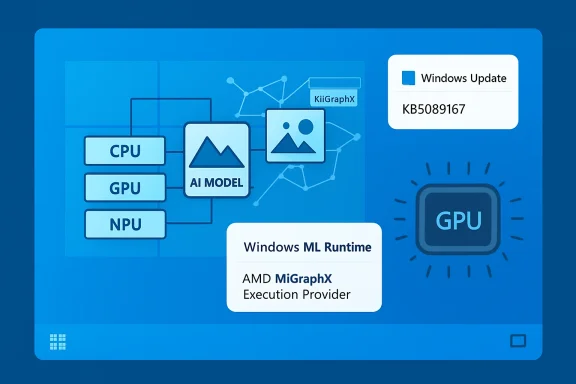
Microsoft has published KB5089167, an AMD MIGraphX Execution Provider update for Windows 11, version 24H2 and Windows 11, version 25H2. This update brings the AMD MIGraphX Execution Provider AI component to version 2.2604.1.0 and is intended for systems that use Windows machine-learning / ONNX Runtime hardware acceleration on supported AMD GPU hardware.
In plain English, this is not a general Windows feature update, not a display driver update, and not a gaming-focused Radeon package. It is an AI runtime component update. Its job is to improve the Windows-managed execution provider that allows ONNX Runtime and Windows ML workloads to offload supported machine-learning model operations to AMD GPUs.
The update is delivered through Windows Update and, according to Microsoft, will be downloaded and installed automatically on applicable devices. Users do not need to manually download a standalone installer in normal circumstances. Microsoft also notes that the device must already have the latest cumulative update installed for Windows 11, version 24H2 or Windows 11, version 25H2 before this AMD MIGraphX Execution Provider update applies.
The update should appear in Windows Update history as:
Windows ML Runtime AMD MIGraphX Execution Provider (KB5089167)
This update also replaces the earlier AMD MIGraphX Execution Provider update KB5083461.
For most users, KB5089167 will be a quiet background servicing update. You may never directly launch the component yourself, and you may not see a new Start menu entry, app, control panel, or obvious user interface change after installation. The component is used by apps and frameworks that run local AI inference through Windows ML or ONNX Runtime and select the AMD MIGraphX Execution Provider as an acceleration path.
The important thing to understand is that modern Windows AI workloads are increasingly split into several layers. An application might use a model originally trained in PyTorch, TensorFlow, scikit-learn, or another machine-learning framework. That model may be converted to the ONNX format. ONNX Runtime or Windows ML can then run the model locally on the PC. Instead of forcing every app to include its own hardware-specific acceleration stack, Windows can provide and update execution providers as shared system components. KB5089167 is one of those hardware-specific pieces, aimed at AMD GPU acceleration through MIGraphX.
MIGraphX itself is AMD’s graph inference engine. It is designed to compile and optimize trained machine-learning models for inference on AMD hardware. Inference is the phase where a trained model is used to produce output: classifying an image, recognizing speech, generating embeddings, detecting objects, enhancing media, analyzing text, or performing some other AI task. The execution provider acts as the bridge between ONNX Runtime / Windows ML and the AMD-specific acceleration engine.
Execution providers are important because not every operation in a machine-learning model runs best on the same hardware. Some operations may be ideal for a GPU. Others may fall back to the CPU. Some systems may also include NPUs. The runtime determines which supported operations can be offloaded to a particular provider, while unsupported operations can continue through another provider such as the CPU provider. This allows an app to use hardware acceleration where available without necessarily failing when a specific operation or device path is unavailable.
KB5089167 specifically improves the MIGraphX Execution Provider AI component on supported Windows 11 24H2 and 25H2 devices. Microsoft’s support article does not list a long public changelog of individual fixes, performance numbers, model compatibility changes, or developer-facing API changes. It simply describes the update as including improvements to the AMD MIGraphX Execution Provider AI component. That means users should avoid assuming it contains a particular fix unless Microsoft or AMD documents that separately.
This distinction matters because Windows Update often services AI platform components independently from full operating system feature releases. A small update history entry can represent a runtime component used by a narrow set of applications and hardware configurations. If you do not run local AI workloads, or if your device does not use a supported AMD GPU path for Windows ML, you may not notice any direct effect. If you do run apps that use Windows ML or ONNX Runtime acceleration, this update may improve compatibility, reliability, or performance for those workloads, depending on the model, app, driver stack, and hardware.
The update applies to Windows 11, version 24H2 and Windows 11, version 25H2. It is not described as applying to Windows 10, Windows 11 23H2, or earlier Windows 11 releases. If you are on an older Windows version and do not see KB5089167, that is expected. Microsoft’s prerequisite language also indicates that applicable systems must have the latest cumulative update for Windows 11 24H2 or 25H2 installed. If a system is behind on monthly cumulative updates, it may need to install those first before this component update becomes available.
To check whether KB5089167 is installed, open Settings, go to Windows Update, and then open Update history. Look for the entry named Windows ML Runtime AMD MIGraphX Execution Provider (KB5089167). Depending on your update history layout, it may appear under a category related to other updates rather than under the same category as a monthly cumulative update. If you do not see it immediately, make sure you are checking the update history on a supported Windows version and that the system has had time to scan Windows Update.
If you are managing devices in an organization, this update is worth noting because AI runtime components may be serviced separately from traditional driver packages and cumulative updates. Developers, IT administrators, and testers who validate local AI functionality on AMD systems may want to confirm whether test devices have KB5089167 or the earlier KB5083461 installed. Since KB5089167 replaces KB5083461, a device that has the newer update should generally be considered ahead of the older component package.
This is especially relevant as Windows ML becomes a more central part of the Windows AI platform. Windows ML provides a Windows-supported local AI inferencing framework powered by ONNX Runtime. It allows apps to run AI models locally and use hardware acceleration across CPUs, GPUs, and NPUs through execution providers. The goal is to let applications benefit from hardware-specific acceleration without every application developer having to ship and maintain a separate copy of each vendor’s execution provider.
For users, the benefit of this model is simpler servicing. If a runtime component is delivered and maintained by Windows, then apps can rely on the system copy rather than bundling their own. This can reduce app size, simplify deployment, and help ensure multiple apps use an up-to-date runtime component. For developers, it means an app can target ONNX Runtime / Windows ML interfaces while Windows handles acquisition and updates for certain execution providers. For hardware vendors, it creates a route to deliver hardware-specific AI acceleration improvements through normal Windows servicing channels.
That said, KB5089167 should not be confused with a Radeon graphics driver update. A graphics driver controls display output, 3D rendering, video acceleration, GPU scheduling, and many other device-level functions. The MIGraphX Execution Provider is part of the AI inference stack. It is concerned with running supported ONNX model operations on AMD GPU hardware. Updating this component should not be expected to change display settings, game performance, monitor behavior, or the Radeon control software. If you are troubleshooting display or gaming issues, you should still look at the installed AMD graphics driver, Windows display stack, and any related driver updates separately.
It should also not be viewed as a security update unless Microsoft explicitly documents security content for it. The KB article describes component improvements, not a vulnerability fix. As always, keeping Windows Update current is recommended, but users should avoid reading more into the article than Microsoft provides.
For developers working with ONNX Runtime, the concept behind the MIGraphX Execution Provider is straightforward. An ONNX model is loaded into an inference session. The runtime is configured with one or more providers. When MIGraphX is available and selected, supported portions of the model can be compiled and executed through AMD’s backend. If parts of the graph are unsupported by that provider, the runtime can use fallback providers such as CPU, depending on how the session is configured. This provider-based architecture is one of ONNX Runtime’s strengths because it allows the same model and application logic to target different acceleration backends.
On Windows, the picture is becoming more integrated because Windows ML can provide a system-managed ONNX Runtime environment and optional execution providers. This differs from the older model where every app carried its own runtime binaries and vendor acceleration libraries. With system-managed components, Windows Update can service the runtime and execution providers independently. KB5089167 is an example of that approach for AMD MIGraphX.
The support article’s prerequisite is also important. Microsoft says the latest cumulative update for Windows 11 24H2 or 25H2 must be installed. Cumulative updates often contain platform-level changes, servicing stack changes, compatibility fixes, and component infrastructure updates. If KB5089167 does not appear on a machine that otherwise seems eligible, the first troubleshooting step is to install all available cumulative updates, restart, and check Windows Update again.
If the update appears installed but an AI application still does not use AMD GPU acceleration, there are several possible explanations. The application may not use Windows ML or ONNX Runtime. The model may not be in ONNX format. The app may not request or allow the MIGraphX provider. The GPU may not be supported for the particular workload. The installed graphics driver may not meet the requirements expected by the AI stack. The model may contain operations that are not supported by the provider. Or the app may be configured to use CPU, DirectML, another provider, or its own bundled runtime instead of the Windows-managed component.
In other words, installing KB5089167 does not guarantee that every AI workload will automatically run on an AMD GPU. It updates one piece of the acceleration path. The application, model, runtime configuration, driver stack, Windows version, and hardware all still matter. Users should judge impact by the specific application and workload they care about.
For power users who monitor update history closely, the naming may look unusual compared with traditional Windows updates. “Windows ML Runtime AMD MIGraphX Execution Provider” indicates that this is part of the Windows machine-learning runtime ecosystem rather than a normal cumulative update. The KB number simply identifies Microsoft’s support article and update package. Version 2.2604.1.0 identifies the component version of the AMD MIGraphX Execution Provider being delivered.
Since this update replaces KB5083461, users may see only KB5089167 on newly updated systems, while older devices or older screenshots may show KB5083461. Replacement does not necessarily mean the older update was bad. It usually means the newer package supersedes the older one and should be used going forward. In managed environments, administrators may want to update documentation, baselines, or validation checklists to reference KB5089167 as the current AMD MIGraphX Execution Provider update for Windows 11 24H2 and 25H2.
For everyday users, the recommended action is simple: keep Windows Update current. If the update is offered, let it install. After installation, restart if Windows requests it. Then check Update history if you want to confirm presence. There is generally no need to uninstall or block this update unless you have a specific, reproducible compatibility issue and are troubleshooting under controlled conditions.
If you do run into a problem after installation, start by identifying what changed and what is actually failing. Is the problem with Windows Update installation itself? Is a specific AI app crashing? Is an ONNX model producing errors? Is the GPU not being selected? Is the issue limited to one application or all local AI workloads? This distinction matters because KB5089167 may be unrelated to general GPU, display, or application problems that happen around the same time.
For Windows Update installation problems, the standard first steps apply: reboot, check for other pending updates, make sure the latest cumulative update is installed, run Windows Update again, and verify that the system is actually on Windows 11 24H2 or 25H2. For application-level issues, check whether the app has its own runtime, whether the app supports AMD acceleration through Windows ML, and whether the app vendor has published guidance. For developer scenarios, inspect the ONNX Runtime provider list and session configuration to confirm which execution provider is actually being used.
This update also highlights the direction Microsoft is taking with local AI on Windows. Instead of treating AI acceleration as something every app must solve independently, Windows is moving toward a shared platform model. Windows ML can run local models, use ONNX Runtime, and acquire hardware-specific execution providers that Windows services. This is useful because the PC hardware landscape is becoming more diverse. Some systems have only CPUs. Some have integrated GPUs. Some have discrete GPUs. Some have NPUs. Many have combinations of all three. A provider-based model helps Windows route AI workloads to the appropriate acceleration path when available.
For AMD systems, MIGraphX provides a hardware-aware graph optimization and inference engine. By integrating a MIGraphX execution provider into the Windows ML / ONNX Runtime stack, Windows can support AMD GPU acceleration for workloads that are compatible with that backend. KB5089167 updates that provider component. The value may be most visible to developers, AI applications, media tools, productivity apps with local AI features, and users who rely on on-device inference rather than cloud-only processing.
Local AI inference has several practical advantages. It can reduce latency because data does not need to travel to a remote server for every request. It can improve privacy because sensitive data can remain on the device. It can reduce cloud costs for developers and service providers. It can also allow certain AI features to keep working when internet access is limited or unavailable. Hardware acceleration is important because many AI models are computationally expensive. Running them efficiently on local hardware can be the difference between a usable feature and an impractically slow one.
However, hardware acceleration is not magic. A model must be compatible with the runtime and provider. The provider must support the necessary operators and data types. The hardware and driver stack must be appropriate. The app must be written to use the provider. Performance can vary widely depending on model architecture, input size, precision, memory bandwidth, GPU capabilities, and runtime configuration. KB5089167 updates the provider, but it does not eliminate those normal constraints.
If you are a developer testing AMD acceleration, it is a good idea to record the Windows version, cumulative update level, graphics driver version, Windows ML / ONNX Runtime package path, execution provider list, and KB5089167 installation status when comparing results. Small changes in any of these layers can affect behavior. If you are comparing performance before and after this update, use the same model, same inputs, same driver, same app build, and same power settings where possible. Otherwise, performance differences may come from other variables.
For IT administrators, the main takeaway is inventory and readiness. Devices running Windows 11 24H2 or 25H2 with supported AMD GPU AI acceleration paths may receive this update automatically. It should be treated as part of the Windows AI component servicing stream. If your organization validates AI-enabled applications, especially those using Windows ML, ONNX Runtime, or local inference with AMD hardware, include this KB in your test matrix. If your organization does not use local AI workloads, the update may still install but is unlikely to require action beyond normal update monitoring.
For support teams, the update history name is useful. Users may report seeing “Windows ML Runtime AMD MIGraphX Execution Provider (KB5089167)” and wonder whether it is legitimate. It is a Microsoft Windows Update component for the AMD MIGraphX Execution Provider. It is expected on applicable Windows 11 24H2 and 25H2 devices. It is not malware, not a third-party app silently installed in the usual consumer sense, and not a replacement for the AMD graphics driver package.
If a user asks whether they can remove it, the better question is why they want to remove it. If there is no problem, leaving it installed is the normal and recommended path. If they are troubleshooting a specific app regression, they should gather logs, check whether the app uses Windows ML or ONNX Runtime, and determine whether the issue reproduces after standard update and driver checks. Removing Windows-serviced AI components without a clear reason can create more confusion, especially as more apps begin relying on shared system runtimes.
The update does not appear to require any special user configuration after installation. There is no indication that users need to enable a Windows feature, install a separate control panel, or manually register the execution provider. Applications that use the Windows-managed runtime and request the AMD MIGraphX provider should be able to benefit from the updated component when the rest of the requirements are met.
In summary, KB5089167 is a targeted Windows AI component update for AMD GPU acceleration through the MIGraphX Execution Provider. It applies to Windows 11 version 24H2 and 25H2, requires the latest cumulative update for those versions, installs automatically through Windows Update, replaces KB5083461, and should appear in Update history as Windows ML Runtime AMD MIGraphX Execution Provider (KB5089167). Most users will not need to take any action beyond keeping Windows Update current, but developers, administrators, and users of local AI applications on AMD hardware may want to confirm its presence when testing or troubleshooting Windows ML and ONNX Runtime acceleration.
Source: Microsoft Support KB5089167: AMD MIGraphX Execution Provider update (version 2.2604.1.0) - Microsoft Support
