

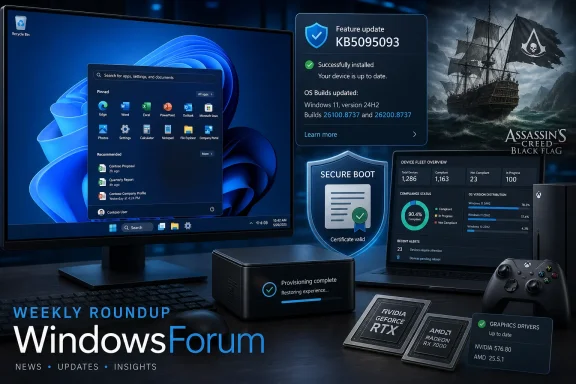
Microsoft’s June 23, 2026 preview update KB5095093 gives affected Windows 11 24H2 and 25H2 environments a fix to pilot for Start, Search, Settings, Taskbar, and File Explorer failures on certain provisioned PCs. It is an optional C-release, not an emergency update for every device, and some features roll out gradually. Home users can wait unless they need a listed fix; administrators with the shell problem should test it on representative provisioned systems; Windows 11 24H2 Home and Pro owners should plan around the October 13, 2026 end-of-updates date; and organizations should inventory Secure Boot certificate readiness now.
That Windows work shares the week with Microsoft’s largest reported Xbox restructuring, affecting approximately 3,200 staff. About 1,600 jobs were expected to be eliminated immediately, with the remainder following through fiscal year 2027. Reporting around id Software showed why the announcement matters beyond headcount: the Doom developer was reportedly hit hard, although the studio later said it retained enough staff to support its games and engine work.
Gamers also received Assassin’s Creed IV: Black Flag Resynced, which Neowin reported sold more than two million copies within its first few days. NVIDIA released Game Ready Driver 610.74, Intel issued non-WHQL graphics driver 32.0.101.8861, and the Lexar PLAY X was reviewed in 512GB, 1TB, and 2TB capacities.
The Xbox, game, graphics-driver, Lexar, and Windows Insider items in this feature are drawn from Neowin’s weekly Microsoft reporting and its linked coverage. Microsoft’s KB5095093 release notes support the production Windows update details but should not be treated as the source for those separate stories.
To look for KB5095093, begin at Settings > Windows Update and select Check for updates. Optional content is currently listed under Settings > Windows Update > Advanced options > Optional updates, although the exact presentation of a cumulative preview can vary by device and servicing state. Install the update only when it is offered to the intended pilot device.
After installation and restart, run
WindowsForum takeaway: The priority is targeted validation: fix the provisioned-PC shell issue where it exists, prepare 24H2 Home and Pro migrations, and make Secure Boot certificate status visible across the fleet.
Those components form the primary Windows control surface. A device may still start and connect to management services while remaining impractical for its assigned user if Start, Settings, Taskbar, Search, and Explorer are unavailable.
The confirmed scope is the named provisioned-PC shell failure. It should not be expanded into a promise that KB5095093 repairs every unrelated Explorer, OneDrive, credential, desktop, shell-extension, navigation, or file-management complaint.
The appropriate enterprise response is concrete:
WindowsForum takeaway: If your provisioned PCs do not exhibit the named shell failure, there is no need to manufacture urgency. If they do, KB5095093 provides a clear pilot candidate.
That distinction affects troubleshooting. An installed KB number and matching OS build confirm servicing state, but they may not confirm that a particular controlled experience is visible. This applies to the features identified as gradual, not automatically to every fix and change in KB5095093.
It is therefore inaccurate to promise that every feature will appear immediately after installation or on a specific subsequent Patch Tuesday. The supported wording is simpler: KB5095093 is optional, some features roll out gradually, and availability for those features can vary by device during deployment.
Edition matters as much as build. A 24H2 Home or Pro PC and a 24H2 Enterprise or Education PC may report the same build after installing KB5095093 while facing different support deadlines.
For Home and Pro, October 13, 2026 is close enough to require a migration plan now. Inventory hardware compatibility, application dependencies, recovery readiness, BitLocker information, and available storage before attempting a feature update at the last minute.
WindowsForum takeaway: Track three separate states: the installed cumulative build, the activation of any gradually rolled-out feature you require, and the edition-specific support deadline.
That reassurance should prevent panic, not planning. Secure Boot validates trusted boot software before Windows loads. Organizations need to know which devices have received the updated trust material, which deployments are still in progress, and which systems are blocked by firmware or configuration problems.
Microsoft’s Secure Boot servicing guidance provides a concrete readiness check. On a representative device, administrators should first confirm that Secure Boot is enabled by running
Certificate deployment status can then be checked under:
Microsoft identifies
The Secure-Boot-Update scheduled task should remain enabled under Task Scheduler Library > Microsoft > Windows > PI. Microsoft says the task runs at startup and at recurring intervals to process pending operations and retries. If it is disabled or missing, certificate servicing cannot progress normally.
For fleet validation, collect the registry status together with relevant System event-log records. Microsoft identifies event ID 1808 as confirmation that certificates were successfully applied and event ID 1801 as a source of update-status or error information. Status should be gathered through the organization’s existing management or inventory platform rather than checked manually on every endpoint.
A useful inventory should include:
WindowsForum takeaway: Readiness is measurable. Inventory Secure Boot state, check
June 23, 2026 — Microsoft released optional preview update KB5095093 for Windows 11 24H2 and 25H2.
Reported this week — Microsoft’s Xbox restructuring was reported to affect approximately 3,200 staff, with about 1,600 immediate layoffs and the balance expected through fiscal year 2027.
Reported this week — Neowin reported that Assassin’s Creed IV: Black Flag Resynced exceeded two million sales within its first few days.
October 13, 2026 — Windows 11 24H2 Home and Pro reach the end of updates.
October 12, 2027 — Windows 11 24H2 Enterprise and Education reach the end of support.
Settings > Bluetooth & devices > Printers & scanners > Default install printers using Windows Ready Print
That setting deserves a place in deployment documentation because a default installation path can affect how newly added printers are represented and managed. Organizations with specialist printing hardware should test their normal functions before standardizing the new default. Support for IPP should not be treated as proof that every finishing system, label printer, or workflow appliance will behave identically.
WSL mirrored networking with VPNs also receives attention, making it relevant to developers who combine Windows, Linux environments, and organization-required network controls. Testing should use the actual VPN client, policy set, DNS configuration, and developer workflow deployed by the organization rather than assuming the change covers every networking or virtualization problem.
Users experiencing a different Bluetooth symptom should continue diagnosing that symptom rather than assuming KB5095093 covers it.
Testing should focus on those named capabilities, particularly on managed devices where accessibility settings, language packs, or user-profile policies could affect availability.
Administrators should evaluate it as a recovery mechanism with a broad restore boundary. Testing should cover application state, recently changed files, security agents, synchronization, compliance checks, and the practical result after the PC returns to the selected point.
Cloud Rebuild is different and must be labeled correctly: experimental-channel testing, not a generally available KB5095093 feature. Neowin’s Windows Insider coverage describes Microsoft testing a recovery workflow that reinstalls Windows with device drivers obtained through Windows Update. Because it remains experimental, its interface, requirements, and final delivery path can change.
The same caution applies to Windows Backup for Organizations. Neowin’s reporting says Windows 11 26H2 will enable the app by default and rename it Windows settings backup and restore. That is a 26H2-forward-looking change, not something readers should expect from KB5095093 on a current 24H2 or 25H2 machine.
The redesigned Start menu is available to commercial and managed devices with two named policy controls:
WindowsForum takeaway: Preview, experimental, and next-release items belong in separate test plans.
About 1,600 jobs were expected to be eliminated immediately. The remainder were expected to follow through fiscal year 2027, which means the impact is both immediate and extended. Readers should distinguish the reported total from the timing of individual departures.
id Software became one of the most closely watched teams. Initial reporting said roughly half of its Texas operation had been affected. Later clarification from the studio said it retained enough personnel to continue game and engine development.
The responsible conclusion is not that id Software is collapsing, nor that nothing changed. The supported picture is that the studio suffered significant layoffs but says it remains capable of supporting active game and engine work.
For Windows and Xbox gamers, the practical issues to watch are observable:
Neowin reported that the game sold more than two million copies within its first few days. That early figure gives the release commercial weight rather than leaving it as a nostalgia-only project.
For PC buyers, the immediate checklist is familiar: compare storefront requirements, account dependencies, performance reports, graphics options, controller behavior, save handling, and the effect of the newest GPU drivers. A large launch can still expose hardware-specific problems that do not appear in reviews conducted on a limited number of systems.
Intel graphics driver 32.0.101.8861 was released as a non-WHQL package. The available reporting establishes its version and certification status, but not support for Black Flag Resynced or any Halo remake. Users with relevant Intel graphics hardware should therefore consult Intel’s supported-product list, release notes, and known issues before deciding whether to install it.
WindowsForum takeaway: The game’s availability does not create a universal need to change a stable graphics stack.
Intel’s graphics driver 32.0.101.8861 is a released non-WHQL package. That status makes careful review and a rollback route particularly important, but no connection to the Black Flag or Halo remakes should be inferred without supporting Intel release documentation.
Neowin’s Lexar PLAY X coverage identifies 512GB, 1TB, and 2TB capacities. Buyers should compare the desired capacity, price, warranty, performance information, physical compatibility, interface requirements, firmware support, and device-specific installation requirements before purchasing. The supplied coverage does not establish an M.2 2230 form factor, a PCIe Gen4x4 interface, or a formal gaming-SSD classification, so those descriptions should not be attached to the product here.
WindowsForum takeaway: Hardware and driver news becomes actionable only after matching the product to the exact device and workload.
KB5095093 is the immediate Windows item. Affected provisioned-PC environments should pilot it, while other users can wait for normal servicing unless a relevant fix justifies early installation. Windows 11 24H2 Home and Pro administrators have a firm October 13, 2026 deadline to plan around. Secure Boot readiness should be measured through status values and event data rather than assumed from update history alone.
Cloud Rebuild and movable taskbar work remain experimental. The Windows Backup rename and default behavior point toward 26H2. Their existence does not make them present-day production features.
The next useful evidence will come from outcomes: whether KB5095093 resolves the named shell failure across representative provisioned systems, whether Secure Boot inventories show fleets reaching the updated state, whether Xbox projects remain on course through the restructuring, and whether experimental Windows features mature into supported production capabilities.
That Windows work shares the week with Microsoft’s largest reported Xbox restructuring, affecting approximately 3,200 staff. About 1,600 jobs were expected to be eliminated immediately, with the remainder following through fiscal year 2027. Reporting around id Software showed why the announcement matters beyond headcount: the Doom developer was reportedly hit hard, although the studio later said it retained enough staff to support its games and engine work.
Gamers also received Assassin’s Creed IV: Black Flag Resynced, which Neowin reported sold more than two million copies within its first few days. NVIDIA released Game Ready Driver 610.74, Intel issued non-WHQL graphics driver 32.0.101.8861, and the Lexar PLAY X was reviewed in 512GB, 1TB, and 2TB capacities.
The Xbox, game, graphics-driver, Lexar, and Windows Insider items in this feature are drawn from Neowin’s weekly Microsoft reporting and its linked coverage. Microsoft’s KB5095093 release notes support the production Windows update details but should not be treated as the source for those separate stories.
 What Matters This Week—and What to Do
| Reader | Immediately actionable | Preview, experimental, or forward-looking |
|---|---|---|
| Home users | Check the Windows version with winver; plan an upgrade if running Windows 11 24H2 Home or Pro; install KB5095093 only if its fixes are relevant | Some KB5095093 features may not appear on every updated PC immediately because they roll out gradually |
| IT administrators | Pilot KB5095093 on affected provisioned PCs; measure Secure Boot certificate deployment status; review the Windows Ready Print default; record 24H2 support deadlines by edition | Cloud Rebuild and movable taskbar tests belong to experimental channels; Windows Backup changes are associated with 26H2 |
| Developers | Test WSL mirrored networking with required VPN configurations and verify adapter settings and bindings after upgrades | Experimental recovery and taskbar work should not be assumed to represent a final production contract |
| Gamers | Review NVIDIA 610.74 and Intel 32.0.101.8861 against the games and hardware actually in use; compare the Lexar PLAY X capacities with device requirements before buying | Driver installation is not mandatory when the current system is stable and no relevant improvement or fix is needed |
After installation and restart, run
winver to verify the Windows version and build. A matching build confirms that the cumulative package is installed. It does not necessarily mean every feature controlled through a gradual rollout has been enabled on that device.WindowsForum takeaway: The priority is targeted validation: fix the provisioned-PC shell issue where it exists, prepare 24H2 Home and Pro migrations, and make Secure Boot certificate status visible across the fleet.
A Year-Long Shell Failure Finally Gets a Pilotable Fix
The headline Windows repair concerns certain provisioned PCs on which Start, Search, Settings, Taskbar, and File Explorer could fail. Neowin’s Microsoft Weekly report said the problem had been present since July 2025, with the fix included in KB5095093.Those components form the primary Windows control surface. A device may still start and connect to management services while remaining impractical for its assigned user if Start, Settings, Taskbar, Search, and Explorer are unavailable.
The confirmed scope is the named provisioned-PC shell failure. It should not be expanded into a promise that KB5095093 repairs every unrelated Explorer, OneDrive, credential, desktop, shell-extension, navigation, or file-management complaint.
The appropriate enterprise response is concrete:
- Identify provisioned devices that exhibit the named Start, Search, Settings, Taskbar, or File Explorer failure.
- Select representative affected systems rather than unrelated healthy PCs.
- Record the Windows edition, provisioning route, installed build, management state, and observed symptoms.
- Install the optional preview through Windows Update on the pilot group.
- Restart, verify the build with
winver, and retest each affected shell component. - Monitor sign-in, policy processing, application access, and user-session stability before broad approval.
- Maintain a rollback and escalation plan because this remains an optional preview release.
WindowsForum takeaway: If your provisioned PCs do not exhibit the named shell failure, there is no need to manufacture urgency. If they do, KB5095093 provides a clear pilot candidate.
Gradual Rollout Means Availability Varies by Device
Microsoft distinguishes between gradual and normal rollout. A normal rollout broadly makes a change available to eligible devices at general availability. A gradual rollout introduces a feature in stages, so two eligible computers can have the same cumulative update and build while temporarily showing different feature availability.That distinction affects troubleshooting. An installed KB number and matching OS build confirm servicing state, but they may not confirm that a particular controlled experience is visible. This applies to the features identified as gradual, not automatically to every fix and change in KB5095093.
It is therefore inaccurate to promise that every feature will appear immediately after installation or on a specific subsequent Patch Tuesday. The supported wording is simpler: KB5095093 is optional, some features roll out gradually, and availability for those features can vary by device during deployment.
| Windows 11 release and edition | Build after KB5095093 | Update type | Planning point |
|---|---|---|---|
| Version 25H2, all editions | 26200.8737 | Optional preview | Pilot only where the fixes or changes justify early deployment |
| Version 24H2 Home and Pro | 26100.8737 | Optional preview | Updates end October 13, 2026 |
| Version 24H2 Enterprise and Education | 26100.8737 | Optional preview | Supported until October 12, 2027 |
For Home and Pro, October 13, 2026 is close enough to require a migration plan now. Inventory hardware compatibility, application dependencies, recovery readiness, BitLocker information, and available storage before attempting a feature update at the last minute.
WindowsForum takeaway: Track three separate states: the installed cumulative build, the activation of any gradually rolled-out feature you require, and the edition-specific support deadline.
Secure Boot Certificate Readiness Is the Fleet Task That Cannot Wait
Microsoft has warned that Secure Boot certificates used by most Windows devices begin reaching expiration in 2026. Microsoft has been delivering newer certificates through Windows Update for consumer and non-managed business devices, and systems that have not yet received them do not all stop working on a single universal date.That reassurance should prevent panic, not planning. Secure Boot validates trusted boot software before Windows loads. Organizations need to know which devices have received the updated trust material, which deployments are still in progress, and which systems are blocked by firmware or configuration problems.
Microsoft’s Secure Boot servicing guidance provides a concrete readiness check. On a representative device, administrators should first confirm that Secure Boot is enabled by running
Confirm-SecureBootUEFI from an elevated PowerShell session. A result of True confirms that Secure Boot is enabled; an error or unsupported response requires investigation of the device’s firmware mode and configuration.Certificate deployment status can then be checked under:
HKEY_LOCAL_MACHINE\SYSTEM\CurrentControlSet\Control\SecureBoot\ServicingMicrosoft identifies
UEFICA2023Status as the deployment-status value. Its expected states include:NotStarted— the certificate update has not begun.InProgress— Secure Boot servicing is underway.Updated— the newer certificates and boot manager have been deployed successfully.
UEFICA2023Error. A zero value indicates no recorded deployment error, while a nonzero value requires investigation. Microsoft advises using UEFICA2023Status, rather than WindowsUEFICA2023Capable, as the primary status indicator.The Secure-Boot-Update scheduled task should remain enabled under Task Scheduler Library > Microsoft > Windows > PI. Microsoft says the task runs at startup and at recurring intervals to process pending operations and retries. If it is disabled or missing, certificate servicing cannot progress normally.
For fleet validation, collect the registry status together with relevant System event-log records. Microsoft identifies event ID 1808 as confirmation that certificates were successfully applied and event ID 1801 as a source of update-status or error information. Status should be gathered through the organization’s existing management or inventory platform rather than checked manually on every endpoint.
A useful inventory should include:
- Device manufacturer, model, and firmware version.
- Windows edition, version, and build.
- Secure Boot enabled or disabled state.
UEFICA2023StatusandUEFICA2023Error.- Relevant Secure Boot servicing events.
- BitLocker status and recovery-key availability.
- Known firmware dependencies or OEM update requirements.
- Virtual and physical device classification.
- A representative test group for every significant hardware family.
- An exception list for devices that cannot be remediated through the normal update path.
Updated, supported by successful event data, is much stronger evidence than simply confirming that Windows Update ran.WindowsForum takeaway: Readiness is measurable. Inventory Secure Boot state, check
UEFICA2023Status, collect errors and event data, and isolate hardware families that are not reaching Updated.Timeline
July 2025 — The Windows 11 problem affecting Start, Search, Settings, Taskbar, and File Explorer on certain provisioned PCs was already present.June 23, 2026 — Microsoft released optional preview update KB5095093 for Windows 11 24H2 and 25H2.
Reported this week — Microsoft’s Xbox restructuring was reported to affect approximately 3,200 staff, with about 1,600 immediate layoffs and the balance expected through fiscal year 2027.
Reported this week — Neowin reported that Assassin’s Creed IV: Black Flag Resynced exceeded two million sales within its first few days.
October 13, 2026 — Windows 11 24H2 Home and Pro reach the end of updates.
October 12, 2027 — Windows 11 24H2 Enterprise and Education reach the end of support.
Printing, Networking, Bluetooth, and Accessibility: Keep the Scope Precise
KB5095093 includes several smaller changes, but they should be described at the level supported by the release information.Printing
New printer installations can use Internet Printing Protocol by default when supported. Administrators can review the control under:Settings > Bluetooth & devices > Printers & scanners > Default install printers using Windows Ready Print
That setting deserves a place in deployment documentation because a default installation path can affect how newly added printers are represented and managed. Organizations with specialist printing hardware should test their normal functions before standardizing the new default. Support for IPP should not be treated as proof that every finishing system, label printer, or workflow appliance will behave identically.
Networking and virtualization
The supported networking point is that network-adapter settings and bindings can be preserved across operating-system upgrades. That is useful for machines whose connectivity depends on specific adapter configuration.WSL mirrored networking with VPNs also receives attention, making it relevant to developers who combine Windows, Linux environments, and organization-required network controls. Testing should use the actual VPN client, policy set, DNS configuration, and developer workflow deployed by the organization rather than assuming the change covers every networking or virtualization problem.
Bluetooth
The confirmed Bluetooth items are narrow but useful. AirPods should appear faster when entering pairing mode, Beats Studio Pro microphone reliability is improved, certain manufacturer drivers associated with error code 0x9F are addressed, and Windows removes a misleading “Remove failed” message in the described radio-unavailable or changed-radio situation.Users experiencing a different Bluetooth symptom should continue diagnosing that symptom rather than assuming KB5095093 covers it.
Accessibility
Screen tint is available under Settings > Accessibility, and Magnifier receives controls that allow direct percentage entry and adjustable zoom increments from its window or bar. Voice access and voice typing availability expands to French, German, and Spanish.Testing should focus on those named capabilities, particularly on managed devices where accessibility settings, language packs, or user-profile policies could affect availability.
Editorial scope note
Throughout this feature, narrowly described fixes remain narrow. A named printer, Bluetooth, shell, accessibility, networking, or recovery change should not be interpreted as a universal cure for every issue in the same category.Recovery and Management Changes Need Clear Availability Labels
Point-in-time restore is part of the current Windows recovery discussion. Microsoft says the capability can return a PC, including applications, settings, and personal files, to a recent automatic restore point.Administrators should evaluate it as a recovery mechanism with a broad restore boundary. Testing should cover application state, recently changed files, security agents, synchronization, compliance checks, and the practical result after the PC returns to the selected point.
Cloud Rebuild is different and must be labeled correctly: experimental-channel testing, not a generally available KB5095093 feature. Neowin’s Windows Insider coverage describes Microsoft testing a recovery workflow that reinstalls Windows with device drivers obtained through Windows Update. Because it remains experimental, its interface, requirements, and final delivery path can change.
The same caution applies to Windows Backup for Organizations. Neowin’s reporting says Windows 11 26H2 will enable the app by default and rename it Windows settings backup and restore. That is a 26H2-forward-looking change, not something readers should expect from KB5095093 on a current 24H2 or 25H2 machine.
The redesigned Start menu is available to commercial and managed devices with two named policy controls:
HideCategoryView and ConfigureStartPins. Administrators should validate those controls against their current Start layout and management requirements without treating them as evidence of a broader enterprise provisioning change.| Item | Availability label | What readers should assume |
|---|---|---|
| KB5095093 | Optional preview; gradual availability for some features | Suitable for targeted testing, not automatic fleet-wide urgency |
| Point-in-time restore | Current recovery capability discussed with the update | Test restore behavior before operational dependence |
| Cloud Rebuild | Experimental Channel | Evaluation only; design and availability can change |
| Movable or resizable taskbar tests | Experimental Channel | Not generally available Windows behavior |
| Windows Backup rename and default enablement | 26H2-forward-looking | Do not expect it from KB5095093 on 24H2 or 25H2 |
| Commercial Start-menu policies | Managed/commercial availability | Validate HideCategoryView and ConfigureStartPins against current policy requirements |
Xbox’s 3,200-Staff Reset Is the Week’s Largest Microsoft Story
The weekly angle cannot stop at Windows Update. According to Neowin’s coverage, Microsoft’s Xbox restructuring is the largest immediate organizational development, with reporting placing the total impact at approximately 3,200 staff.About 1,600 jobs were expected to be eliminated immediately. The remainder were expected to follow through fiscal year 2027, which means the impact is both immediate and extended. Readers should distinguish the reported total from the timing of individual departures.
id Software became one of the most closely watched teams. Initial reporting said roughly half of its Texas operation had been affected. Later clarification from the studio said it retained enough personnel to continue game and engine development.
The responsible conclusion is not that id Software is collapsing, nor that nothing changed. The supported picture is that the studio suffered significant layoffs but says it remains capable of supporting active game and engine work.
For Windows and Xbox gamers, the practical issues to watch are observable:
- Whether announced PC and Xbox projects retain their release windows.
- Whether updates and technical support continue.
- Whether id Tech development remains active.
- Whether affected studios retain enough experienced staff to complete existing commitments.
- Whether projects are canceled, reassigned, reduced, or delayed.
- Whether Microsoft provides more specific studio-level information as the FY2027 restructuring proceeds.
Black Flag Resynced Gives Gamers a Very Different Headline
Against the restructuring story, Ubisoft released Assassin’s Creed IV: Black Flag Resynced, a modernized return to the pirate-focused entry in the franchise.Neowin reported that the game sold more than two million copies within its first few days. That early figure gives the release commercial weight rather than leaving it as a nostalgia-only project.
For PC buyers, the immediate checklist is familiar: compare storefront requirements, account dependencies, performance reports, graphics options, controller behavior, save handling, and the effect of the newest GPU drivers. A large launch can still expose hardware-specific problems that do not appear in reviews conducted on a limited number of systems.
Intel graphics driver 32.0.101.8861 was released as a non-WHQL package. The available reporting establishes its version and certification status, but not support for Black Flag Resynced or any Halo remake. Users with relevant Intel graphics hardware should therefore consult Intel’s supported-product list, release notes, and known issues before deciding whether to install it.
WindowsForum takeaway: The game’s availability does not create a universal need to change a stable graphics stack.
NVIDIA 610.74, Intel 32.0.101.8861, and Lexar PLAY X
According to Neowin’s driver coverage, NVIDIA Game Ready Driver 610.74 improves DLSS support in three titles but does not fix any reported gaming bugs. Its value therefore depends on the games being played. If none of the relevant DLSS changes applies and the current driver is stable, there is no need to update merely because the version number is newer.Intel’s graphics driver 32.0.101.8861 is a released non-WHQL package. That status makes careful review and a rollback route particularly important, but no connection to the Black Flag or Halo remakes should be inferred without supporting Intel release documentation.
Neowin’s Lexar PLAY X coverage identifies 512GB, 1TB, and 2TB capacities. Buyers should compare the desired capacity, price, warranty, performance information, physical compatibility, interface requirements, firmware support, and device-specific installation requirements before purchasing. The supplied coverage does not establish an M.2 2230 form factor, a PCIe Gen4x4 interface, or a formal gaming-SSD classification, so those descriptions should not be attached to the product here.
| Product | Status | Immediate decision |
|---|---|---|
| NVIDIA Game Ready 610.74 | Released driver | Install when one of the applicable DLSS improvements is useful or testing justifies it |
| Intel Graphics 32.0.101.8861 | Released non-WHQL driver | Check Intel’s supported hardware and known issues; preserve a rollback route |
| Lexar PLAY X | Reviewed in 512GB, 1TB, and 2TB capacities | Verify capacity, price, physical and interface compatibility, warranty, and backup requirements |
Administrator Checklist
- Run
winverand inventory Windows version, edition, and build. - Flag Windows 11 24H2 Home and Pro devices for migration before October 13, 2026.
- Identify provisioned PCs exhibiting failures in Start, Search, Settings, Taskbar, or File Explorer.
- On representative pilot systems, open Settings > Windows Update, check for updates, and install KB5095093 when offered.
- If optional content must be reviewed, use Windows Update > Advanced options > Optional updates.
- Restart and use
winverto verify build 26100.8737 on 24H2 or 26200.8737 on 25H2. - Retest the named shell components and document results by device model and provisioning path.
- Do not treat a missing gradually rolled-out feature as an update-installation failure.
- Run
Confirm-SecureBootUEFIin elevated PowerShell to confirm the Secure Boot state. - Collect
UEFICA2023StatusandUEFICA2023Errorfrom the Secure Boot servicing registry path. - Confirm that the Secure-Boot-Update scheduled task is present and enabled.
- Collect relevant Secure Boot System event-log records, including successful deployment and error events.
- Record firmware versions, BitLocker recovery readiness, and hardware-model coverage.
- Review the Windows Ready Print default and test specialist printers before broad adoption.
- Validate preservation of required network-adapter settings and bindings during upgrade pilots.
- Test WSL mirrored networking with the VPN configuration actually used by developers.
- Keep Cloud Rebuild and taskbar experiments out of production plans while they remain experimental.
- Treat Windows settings backup and restore as a 26H2-forward-looking change.
- Test
HideCategoryViewandConfigureStartPinsbefore applying Start-menu policies to managed users. - Preserve driver rollback packages before evaluating NVIDIA 610.74 or Intel 32.0.101.8861.
- Back up data and verify device compatibility before replacing storage.
The Week Ahead Is About Separating Real Availability From the Roadmap
This week contains four different kinds of Windows news: a generally offered optional preview, features subject to gradual activation, experimental-channel tests, and 26H2-forward-looking plans. Those labels determine what belongs in production, a pilot ring, a lab, or a future roadmap.KB5095093 is the immediate Windows item. Affected provisioned-PC environments should pilot it, while other users can wait for normal servicing unless a relevant fix justifies early installation. Windows 11 24H2 Home and Pro administrators have a firm October 13, 2026 deadline to plan around. Secure Boot readiness should be measured through status values and event data rather than assumed from update history alone.
Cloud Rebuild and movable taskbar work remain experimental. The Windows Backup rename and default behavior point toward 26H2. Their existence does not make them present-day production features.
The next useful evidence will come from outcomes: whether KB5095093 resolves the named shell failure across representative provisioned systems, whether Secure Boot inventories show fleets reaching the updated state, whether Xbox projects remain on course through the restructuring, and whether experimental Windows features mature into supported production capabilities.
References
- Primary source: Neowin
Published: 2026-07-11T14:20:12.475298
Loading…
www.neowin.net - Official source: learn.microsoft.com
Point-in-time restore for Windows | Microsoft Learn
documentation for point-in-time restore featurelearn.microsoft.com - Official source: support.microsoft.com
Loading…
support.microsoft.com