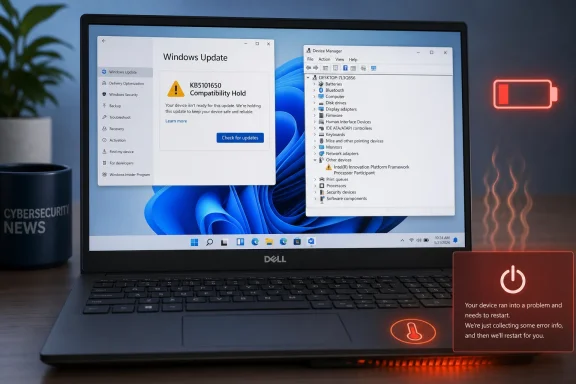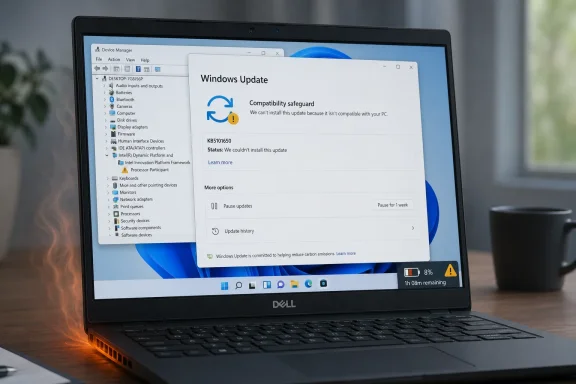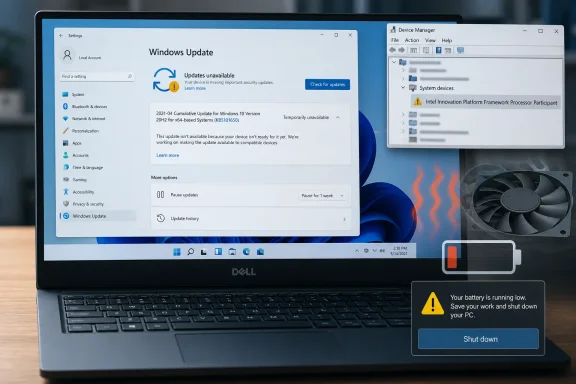
Microsoft detailed the compatibility hold on its Windows release health dashboard after Dell reported the problem during testing. Windows Report and XDA subsequently highlighted the block, which prevents affected hardware from receiving July’s mandatory cumulative update while Microsoft, Dell, and Intel develop a resolution.
The distinction matters: KB5101650 has not been paused for every Dell PC. If Windows Update offers and installs it normally, Microsoft’s device-targeting data has apparently determined that the machine does not match the affected hardware and driver combination.
The Fault Started in June’s Optional Preview
The incompatibility originated with KB5095093, the optional preview update released on June 23, 2026 for Windows 11 versions 24H2 and 25H2. That release moved systems to OS builds 26100.8737 and 26200.8737 respectively and introduced a new Windows USB-C Connection Manager interface.
On a limited set of Dell models, the interface conflicts with a particular Intel Innovation Platform Framework Processor Participant driver. Microsoft says an affected PC may show a yellow exclamation point beside that driver in Device Manager, but the warning is only the visible part of a potentially more disruptive failure.
Microsoft lists the possible symptoms as unexpected shutdowns, poor performance, increased heat, and accelerated battery consumption. Those effects suggest that the compatibility problem can interfere with the platform’s power and thermal management rather than merely leaving a peripheral without a working driver.
Dell found the incompatibility during testing and reported it to Microsoft. Neither company has publicly identified the complete list of affected models, driver versions, or Intel processor generations, leaving Windows Update’s compatibility assessment as the primary way to determine whether a particular PC is covered by the hold.
KB5095093 was a preview rather than a mandatory security release, which limited the initial exposure. Users generally had to seek the optional update or enable Windows Update’s setting to receive the latest non-security changes as soon as they became available.
July’s KB5101650 creates a different deployment problem because cumulative Windows updates carry forward previous fixes and changes. Microsoft confirms that KB5101650 incorporates improvements from both the June 9 security update, KB5094126, and the June 23 preview, KB5095093. Shipping July’s package to the affected Dell systems would therefore carry the incompatible USB-C Connection Manager changes into the mandatory security channel.
A Safeguard Hold Keeps Security Updates Away Too
Microsoft’s response is a safeguard hold: Windows Update will not offer KB5101650 to devices that match the affected Dell and Intel configuration. The update otherwise continues rolling out to Windows 11 24H2 and 25H2, installing OS build 26100.8875 or 26200.8875.
For consumers, a Dell PC that reports it is up to date without showing KB5101650 may simply be waiting behind this hold. Repeatedly selecting “Check for updates” will not override the block, and users should not assume Windows Update itself has failed.
Administrators should also resist manually importing or installing KB5101650 on a held device merely to force patch compliance. Microsoft’s update package is available through enterprise servicing channels, including Windows Update for Business and Windows Server Update Services, but bypassing compatibility targeting could expose the machine to the shutdown and thermal symptoms that the hold is intended to prevent.
This creates an awkward but justified security trade-off. KB5101650 is the July 2026 Patch Tuesday cumulative update and contains the month’s Windows security fixes, yet affected Dell PCs must temporarily remain on an older build until Microsoft can distribute a compatible resolution.
Microsoft says it expects to release that resolution “in the coming days.” The company has not committed to an exact date or said whether the fix will arrive as a revised driver, a Windows update, an out-of-band package, or a coordinated combination of Dell firmware and Intel software.
IT departments should treat affected PCs as an exception group rather than postponing KB5101650 across an entire Dell fleet. Deployment rings and reporting from Microsoft Intune, Windows Update for Business, or other endpoint-management platforms can help distinguish machines receiving the update normally from those where applicability detection is withholding it.
Device Manager Offers the Clearest Warning
Owners who installed KB5095093 and are seeing shutdowns, abnormal fan activity, unexpected heat, reduced battery life, or sluggish performance should inspect the Intel platform driver before blaming failing hardware. Device Manager can be opened by right-clicking the Start button, after which the relevant entry can be located by looking for “Intel Innovation Platform Framework Processor Participant” and checking for a yellow warning symbol.
Update history provides the second useful clue. Under Settings, Windows Update, and Update history, an affected system may show KB5095093 as installed on or after June 23, 2026.
The combination of that update, the named Intel driver warning, and the reported thermal or shutdown behavior closely matches Microsoft’s documented issue. A warning-free Device Manager does not conclusively rule out every problem, but it makes this specific incompatibility less obvious.
Users should allow Windows Update and Dell’s own support tools to deliver the eventual correction rather than installing unrelated drivers from third-party download sites. On business systems, administrators should capture the Dell model, BIOS version, Intel Innovation Platform Framework driver version, installed Windows build, and recent shutdown events before changing drivers or removing updates; that information will make it easier to match forthcoming guidance from Microsoft and Dell.
Machines that never installed KB5095093 are not exposed to the June preview’s problematic code, and Microsoft’s hold is designed to stop them from receiving that code through KB5101650. Conversely, a Dell PC that has already installed the July update without displaying the documented symptoms is not automatically in danger simply because it carries a Dell badge.
Microsoft’s Targeting Prevented a Wider Failure
Monthly preview updates are effectively a proving ground for changes that will enter the next cumulative security release. In this case, the preview channel gave Dell time to identify a hardware-specific fault before the same code reached a much larger population through Patch Tuesday.
That process did not prevent every early adopter from encountering the bug, but it allowed Microsoft to place the compatibility hold before KB5101650 became broadly available on July 14. The incident demonstrates why Microsoft’s update service evaluates hardware, drivers, and known issues instead of treating every PC running the same Windows version as interchangeable.
The unresolved risk is duration. A brief hold protects hardware with limited security cost, but a prolonged delay would leave affected Dell PCs without July’s fixes and complicate compliance reporting for managed fleets.
For now, the practical guidance is narrow: let KB5101650 install where Windows Update offers it, do not force it onto a Dell machine where it is withheld, and investigate KB5095093 plus the Intel Innovation Platform Framework Processor Participant driver if a PC is already overheating or shutting down. The next milestone is Microsoft’s promised resolution, after which the company can lift the safeguard and return affected Dell systems to the normal Windows 11 servicing track.
Update: Report identifies Dell models covered by KB5101650 safeguard hold (July 18, 2026)
An internal Dell document identifies the systems affected by the Intel Innovation Platform Framework incompatibility. The listed models are Dell Pro Max 14 Premium MA14250, Pro Max 16 Premium MA16250, Pro Precision 7 14 PW714260, Pro Precision 7 16 PW716260, Precision 5470, 5480, 5490 and 5770, plus XPS 17 9720 and 9730.
According to the report, Dell advises administrators not to deploy either June’s KB5095093 preview or July’s KB5101650 cumulative update to those models until a replacement patch is available. This adds the previously missing model-level targeting information, although Microsoft has still not published an official complete device list.
For IT teams, these Dell systems should now be placed in an explicit update-exception group rather than relying solely on Windows Update applicability detection. Administrators should continue allowing KB5101650 on unaffected devices, while avoiding manual Catalog, WSUS, or other forced installations on the named models.
Update: Microsoft issues KB5121767 out-of-band fix for affected Dell PCs (July 19, 2026)
Microsoft has released KB5121767, an emergency cumulative update intended to resolve the Intel Innovation Platform Framework compatibility issue behind the KB5101650 safeguard hold. As reported by Windows Report, the package includes the earlier July security and non-security improvements alongside the targeted Intel IPF correction.
Affected Dell systems can now move forward without manually forcing KB5101650, which Microsoft had withheld because the driver conflict could affect thermal management, performance, power consumption, and general system stability. The new package is available through the Microsoft Update Catalog rather than normal automatic Windows Update delivery.
The release also confirms that this is a narrow remediation for the Dell and Intel IPF configuration already under safeguard targeting. PCs that installed KB5101650 normally and have not experienced the documented issue do not need to seek out KB5121767.
For managed environments using Windows hotpatching, Microsoft has issued KB5121768 as the equivalent enterprise-channel update. Administrators should replace any temporary deployment block for the affected Dell models with a controlled rollout of the applicable emergency package, then monitor Device Manager status, shutdown events, heat behavior, and battery performance before closing the incident.
Update: KB5121767 reportedly lifts Dell safeguard hold and resumes normal servicing (July 19, 2026)
TheWinCentral reports that Microsoft has removed the safeguard hold associated with the Intel Innovation Platform Framework issue as part of KB5121767. Contrary to the earlier report that the emergency package was Catalog-only, affected Dell PCs should now be able to receive the corrected cumulative update through Windows Update and Windows Update for Business as normal servicing resumes.
KB5121767 moves Windows 11 24H2 to build 26100.8894 and Windows 11 25H2 to build 26200.8894. Because it is cumulative, it includes July’s security fixes as well as the Dell and Intel IPF compatibility correction.
For administrators, the practical next step is to retire the temporary KB5101650 exception only after confirming that affected devices are being offered KB5121767. Continue monitoring power use, thermals, Device Manager warnings, and unexpected shutdown events during the rollout.
Update: KB5121767 distribution details clarify optional rollout (July 20, 2026)
Cyber Press reports that KB5121767 includes servicing stack update KB5120102, intended to improve Windows Update installation reliability, alongside the Intel IPF correction. The package also updates several Windows AI components to version 1.2605.856.0.
The report further characterizes KB5121767 as an optional update. Affected PCs configured to receive the latest updates as soon as they are available may obtain it automatically; other users may need to select Download & install or look under Optional updates.
For IT teams, this means the safeguard replacement should be treated as a controlled optional deployment rather than assuming every previously held device will immediately receive it. Administrators should verify KB5121767 applicability and installation status on the affected Dell fleet before closing the exception.