

KMSPico is an unofficial activation bypass tool promoted for offline Windows 10 and Office activation, but in 2026 it sits at the intersection of software piracy, endpoint compromise, and a Windows 10 support cliff that has already arrived. The pitch is simple: no product key, no Microsoft account, no internet, no activation server. The reality is that the tool asks users to replace a licensing problem with a trust problem — and for WindowsForum readers, that should be the part that sets off the alarms.
The submitted article frames KMSPico as a practical workaround for volume-licensed Windows 10 systems, especially machines kept offline or running older hardware. That framing is seductive because it borrows the language of enterprise licensing — KMS, volume editions, scheduled renewals, 180-day activation windows — and wraps it around a tool that is not Microsoft’s KMS infrastructure. It sounds like sysadmin plumbing. It behaves more like an unauthorized activator that defenders routinely treat as riskware, hacktool activity, or worse.
This matters more now than it did during Windows 10’s mainstream years. Windows 10 reached end of support on October 14, 2025 for most users, which means the old “just keep this box alive” instinct has become a security decision, not merely a licensing decision. When the operating system is already outside the normal patch stream, adding a black-box activator with elevated permissions is not a clever offline strategy. It is compounding risk on a machine that may already be difficult to defend.
The strongest marketing claim around KMSPico is also the most dangerous one: it works offline. In isolation, that sounds like a privacy advantage. A tool that does not call home, does not require a Microsoft account, and does not need an activation server looks attractive to users who distrust cloud-tethered operating systems or maintain machines in labs, workshops, kiosks, or industrial environments.
But offline does not mean safe. Malware has never needed constant internet access to be harmful, and privileged local persistence is often the whole point of an attack. A tool that installs or emulates activation components, creates background renewal tasks, modifies licensing state, and asks the user to disable antivirus is doing exactly the sort of thing endpoint security products are designed to scrutinize.
The submitted text presents antivirus warnings as a procedural nuisance: temporarily disable protection, run the tool as administrator, restore order afterward. That is backward. If the activation method requires turning off the software responsible for telling you whether something is tampering with the system, the warning is not an obstacle to be cleared. It is part of the evidence.
There is also a subtle rhetorical move in the offline pitch. The article claims that keeping activation local protects privacy because no personal or system data is transmitted to Microsoft. That may appeal to readers frustrated with Microsoft account nudges, telemetry prompts, and cloud integration. But privacy is not merely the absence of Microsoft. Privacy also depends on knowing what code is running with administrative rights, where it came from, whether it has been repackaged, and what it persists after installation.
KMSPico’s distribution ecosystem is the opposite of a clean software supply chain. Users rarely obtain it from a single authoritative vendor with reproducible builds, signed releases, transparent changelogs, and predictable update channels. They find it through reposts, mirrors, SEO farms, forum attachments, download wrappers, and “latest version” pages that often exist to capture search traffic. Even if one historical build did only what its supporters claimed, that says little about the next ZIP file a user downloads from a random site.
In a properly licensed environment, the organization has a volume licensing agreement, appropriate keys, and a KMS host or Active Directory-based activation arrangement. Clients use generic volume license keys for the relevant edition, locate the activation service, and renew activation periodically. The 180-day renewal cadence is not invented by pirate tools; it is part of how KMS activation behaves in enterprise scenarios.
That kernel of truth makes unauthorized activators easier to sell. They mimic the language and some of the mechanics of corporate activation, then imply that the only missing piece is convenience. The user is told that if the edition is volume-capable, the tool can fill in the rest locally.
But legitimacy is not a property of the protocol alone. A machine does not become properly licensed because a local emulator convinces Windows that it has spoken to a KMS service. Licensing depends on the right to use the software, the channel through which it was obtained, and the activation infrastructure authorized for that agreement. A fake local KMS endpoint may satisfy a technical check, but it does not create a license.
That distinction matters for home users and enterprises in different ways. For home users, KMSPico is usually a piracy tool dressed up as maintenance. For organizations, it is a compliance and audit hazard that can also mask asset-management failures. If a business has genuine volume licenses but no working activation path, the remedy is to fix the KMS host, use Active Directory-based activation, contact licensing support, or move to supported deployment tooling — not scatter unofficial emulators across endpoints.
In real administration, customized hostnames are normal. They are how fleets are identified, grouped, inventoried, monitored, and supported. A tool that becomes brittle because a workstation is named according to an organization’s asset convention is not behaving like enterprise-grade infrastructure. It is relying on assumptions that do not survive contact with real environments.
There is another possibility: the hostname claim may simply be folklore, copied from one content farm to another because it sounds technical. That is a broader problem with KMSPico guidance. Much of it reads like operational documentation but lacks the accountability of real documentation. The advice is often specific enough to persuade, but not specific enough to verify.
This is a familiar pattern in gray-market Windows advice. A tiny troubleshooting detail is used to create credibility. The writer tells you about edition mismatches, clock drift, background tasks, Office version boundaries, antivirus flags, and hostnames, and the whole thing begins to feel like a legitimate support article. But a convincing troubleshooting section does not change the nature of the tool being troubleshot.
For WindowsForum readers, that is the key editorial point: technical specificity is not the same as trustworthiness. Plenty of malware campaigns include polished installers, version numbers, compatibility notes, and fake release histories. The presence of a workflow does not make the workflow safe.
Security tools flag activators for several reasons. Some detections are based on the category of behavior: license bypassing, system tampering, persistence, script execution, or local service manipulation. Some are based on known files. Some are based on bundled payloads in repackaged installers. Some are based on the fact that the surrounding ecosystem has been abused for years by malware distributors who know users looking for free activation are already primed to ignore warnings.
The defender’s dilemma is not whether every KMSPico-branded file is equally malicious. The dilemma is that the user cannot reliably know what they have. A tool whose instructions normalize bypassing endpoint protection creates the perfect social-engineering path: if Defender, SmartScreen, or a third-party EDR complains, the guide has already explained that this is expected.
That is especially dangerous on Windows 10 systems kept offline. Offline machines are often assumed to be safer because they are disconnected from the internet. In practice, they are frequently updated less often, monitored less carefully, and serviced via USB drives or shared media. Those are exactly the paths through which untrusted tools, outdated installers, and removable-media malware enter supposedly isolated environments.
If an offline system is important enough to keep, it is important enough not to seed with unauthorized privileged code. If it is not important, it is not worth compromising your network hygiene over activation status.
That turns every Windows 10 maintenance decision into a triage decision. Should the device be upgraded to Windows 11? Should it be enrolled in ESU? Should it be isolated? Should the workload move to a supported OS, a virtual machine, Windows 365, or a dedicated appliance? Those are real questions for sysadmins and enthusiasts with stubborn hardware.
KMSPico answers none of them. It does not patch the OS. It does not extend support. It does not make old drivers safer. It does not solve TPM requirements, unsupported CPUs, legacy line-of-business applications, or the messy economics of replacing hardware that still functions. It merely tries to suppress activation friction.
That distinction is easy to miss because activation warnings are visible and security debt is often invisible. A watermark on the desktop nags the user every day. An unpatched vulnerability does not. The human instinct is to fix the thing that complains, even if the quieter problem is more serious.
For older PCs blocked from Windows 11, the legitimate options may be annoying, limited, or costly. That frustration is real. But a dubious activator does not become safer because Microsoft’s migration path is unpopular. If anything, the frustration makes users more vulnerable to tools that promise to make the whole licensing and account mess disappear.
But broad Office activation claims in KMSPico guides should set off another alarm. Office installations are not just productivity software; they are often tied to email, identity, document workflows, macros, add-ins, SharePoint, OneDrive, and Teams-adjacent business processes. Tampering with Office activation on a production machine is not a harmless cosmetic tweak.
There is also a lifecycle trap. Older Office versions have their own end-of-support dates, and unsupported Office builds are high-value targets because documents remain a common delivery mechanism for phishing, macro abuse, exploit chains, and credential theft. Keeping an old Office suite alive with an unauthorized activator can preserve compatibility while quietly preserving risk.
For home users, the safer answer may be boring: use a properly licensed perpetual Office release, Microsoft 365 if the subscription model is acceptable, Office on the web where appropriate, or a non-Microsoft suite if budget is the constraint. For organizations, the answer is even less romantic: inventory, licensing reconciliation, supported deployment, and policy. There is no magic activation utility that turns unsupported software into a governed platform.
That format matters. A user who might hesitate at a warez forum post may trust a polished explainer on a site with a respectable-looking name. The guide does not scream “crack your software.” It says “offline activation,” “volume-license edition,” “privacy,” “data security,” and “organizational needs.” Those phrases borrow institutional credibility.
The contradiction is visible if you slow down. The article says the tool is not intended to bypass legitimate licensing agreements, while also advertising activation without a product key, Microsoft account, or internet connection. It describes disabling antivirus as preparation, while claiming privacy and data security benefits. It invokes volume licensing, while giving advice aimed at users who apparently lack the normal activation infrastructure that volume licensing provides.
That is the hallmark of a risky how-to: it wants the credibility of compliance without the constraints of compliance. It tells readers to act like administrators while steering them away from administrative best practice.
WindowsForum should be particularly careful with this genre because our audience includes both enthusiasts and working IT pros. A bad tweak on a hobby machine is one thing. The same advice copied into a small-business environment can become incident-response material.
That paper trail may be a volume licensing agreement, a procurement record, a product key from an authorized channel, a KMS host activated according to Microsoft’s process, Active Directory-based activation, telephone activation, or a support case. It may be tedious. It may require coordination between IT, procurement, and compliance. But it produces an environment that can be audited, rebuilt, and defended.
KMSPico-style activation produces the opposite. It creates a local exception that future admins must rediscover. It may survive long enough to be forgotten. It may be baked into a disk image by someone who leaves the organization. It may be excluded from antivirus policies because “that’s how the old machines stay activated.” Eventually, what began as a workaround becomes part of the infrastructure.
That is how technical debt becomes institutional debt. The cost is not just legal exposure; it is uncertainty. When a machine behaves strangely, defenders must ask whether the activator, the exclusion, the scheduled task, or the files used to install it are part of the problem. When an EDR flags activity, the team must distinguish tolerated tampering from hostile tampering. When auditors ask how Windows and Office are licensed, someone has to explain the gap.
A clean activation path is not exciting, but it is legible. Legibility is underrated until something breaks.
Microsoft has not helped itself by pushing accounts, cloud services, edition upsells, hardware requirements, and subscription messaging into places where users expected ownership. The Windows 11 transition sharpened that resentment by leaving capable older PCs outside the official compatibility line. It is not hard to understand why “offline, no account, no internet” sounds like liberation.
But nostalgia for old-school workarounds can blind users to the modern threat model. The Windows XP-era crack was already risky; the 2026 version lands in a world of credential theft, ransomware affiliates, supply-chain compromise, commodity infostealers, and endpoint telemetry arms races. Administrative tools are more powerful, and so are the attackers who abuse them.
The enthusiast answer should not be to normalize unsafe activation. It should be to separate legitimate criticism of Microsoft from bad security practice. You can dislike Microsoft account pressure and still refuse to run unknown privileged code. You can object to Windows 11’s hardware floor and still decide that piracy tools are not a migration plan. You can value offline computing and still demand verifiable software.
That distinction is the mature position. It is also the one that keeps hobbyist advice from becoming professional malpractice.
But the path forward should start with support and exposure, not activation. A Windows 10 device that touches the internet, receives email, browses the web, opens documents, or stores credentials is in a different risk category from a machine that runs one offline instrument in a controlled room. The more exposed the machine is, the less tolerance there should be for unsupported software and unauthorized system modifications.
For consumers, Microsoft’s Extended Security Updates program may buy time, though it does not turn Windows 10 back into a modern platform. For businesses, ESU, Windows 11 migration, hardware refresh, virtualization, application remediation, and network segmentation are the real levers. For enthusiasts, Linux may be a serious option on hardware Windows 11 rejects, especially for general browsing and productivity.
Activation should be solved through legitimate channels because it is the foundation on which those other decisions sit. If a machine has a valid Windows 10 digital license, preserve it. If it has a proper product key, document it. If it belongs to an organization, reconcile it against licensing records. If it cannot be licensed cleanly, that fact should influence whether the machine remains in service at all.
The uncomfortable truth is that some machines should be retired, repurposed, or isolated. KMSPico does not change that; it only makes the desktop look quieter while the underlying problem remains.
The submitted article frames KMSPico as a practical workaround for volume-licensed Windows 10 systems, especially machines kept offline or running older hardware. That framing is seductive because it borrows the language of enterprise licensing — KMS, volume editions, scheduled renewals, 180-day activation windows — and wraps it around a tool that is not Microsoft’s KMS infrastructure. It sounds like sysadmin plumbing. It behaves more like an unauthorized activator that defenders routinely treat as riskware, hacktool activity, or worse.
This matters more now than it did during Windows 10’s mainstream years. Windows 10 reached end of support on October 14, 2025 for most users, which means the old “just keep this box alive” instinct has become a security decision, not merely a licensing decision. When the operating system is already outside the normal patch stream, adding a black-box activator with elevated permissions is not a clever offline strategy. It is compounding risk on a machine that may already be difficult to defend.
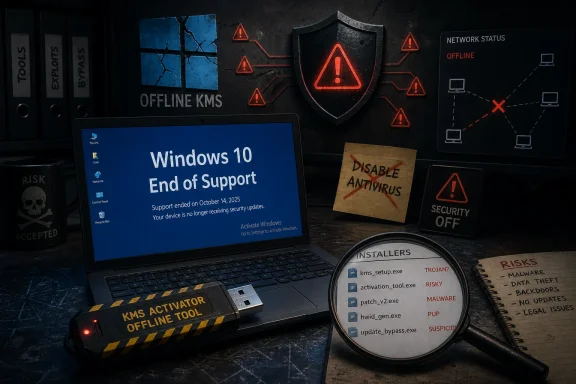 The Offline Activation Pitch Turns a Licensing Gap Into a Security Blind Spot
The strongest marketing claim around KMSPico is also the most dangerous one: it works offline. In isolation, that sounds like a privacy advantage. A tool that does not call home, does not require a Microsoft account, and does not need an activation server looks attractive to users who distrust cloud-tethered operating systems or maintain machines in labs, workshops, kiosks, or industrial environments.But offline does not mean safe. Malware has never needed constant internet access to be harmful, and privileged local persistence is often the whole point of an attack. A tool that installs or emulates activation components, creates background renewal tasks, modifies licensing state, and asks the user to disable antivirus is doing exactly the sort of thing endpoint security products are designed to scrutinize.
The submitted text presents antivirus warnings as a procedural nuisance: temporarily disable protection, run the tool as administrator, restore order afterward. That is backward. If the activation method requires turning off the software responsible for telling you whether something is tampering with the system, the warning is not an obstacle to be cleared. It is part of the evidence.
There is also a subtle rhetorical move in the offline pitch. The article claims that keeping activation local protects privacy because no personal or system data is transmitted to Microsoft. That may appeal to readers frustrated with Microsoft account nudges, telemetry prompts, and cloud integration. But privacy is not merely the absence of Microsoft. Privacy also depends on knowing what code is running with administrative rights, where it came from, whether it has been repackaged, and what it persists after installation.
KMSPico’s distribution ecosystem is the opposite of a clean software supply chain. Users rarely obtain it from a single authoritative vendor with reproducible builds, signed releases, transparent changelogs, and predictable update channels. They find it through reposts, mirrors, SEO farms, forum attachments, download wrappers, and “latest version” pages that often exist to capture search traffic. Even if one historical build did only what its supporters claimed, that says little about the next ZIP file a user downloads from a random site.
Microsoft’s KMS Is Real, but KMSPico Is Not Microsoft’s KMS
Part of KMSPico’s staying power comes from confusion around a legitimate Microsoft technology. Key Management Service activation is real. It exists so organizations can activate volume-licensed Windows and Office installations against infrastructure they control, rather than sending every machine directly to Microsoft for retail-style activation.In a properly licensed environment, the organization has a volume licensing agreement, appropriate keys, and a KMS host or Active Directory-based activation arrangement. Clients use generic volume license keys for the relevant edition, locate the activation service, and renew activation periodically. The 180-day renewal cadence is not invented by pirate tools; it is part of how KMS activation behaves in enterprise scenarios.
That kernel of truth makes unauthorized activators easier to sell. They mimic the language and some of the mechanics of corporate activation, then imply that the only missing piece is convenience. The user is told that if the edition is volume-capable, the tool can fill in the rest locally.
But legitimacy is not a property of the protocol alone. A machine does not become properly licensed because a local emulator convinces Windows that it has spoken to a KMS service. Licensing depends on the right to use the software, the channel through which it was obtained, and the activation infrastructure authorized for that agreement. A fake local KMS endpoint may satisfy a technical check, but it does not create a license.
That distinction matters for home users and enterprises in different ways. For home users, KMSPico is usually a piracy tool dressed up as maintenance. For organizations, it is a compliance and audit hazard that can also mask asset-management failures. If a business has genuine volume licenses but no working activation path, the remedy is to fix the KMS host, use Active Directory-based activation, contact licensing support, or move to supported deployment tooling — not scatter unofficial emulators across endpoints.
The Hostname Caveat Gives the Game Away
The submitted article spends unusual time on a narrow limitation: KMSPico allegedly requires a default-looking Windows hostname such as “WINDOWS-XXXXXXXXXXX” and may fail if the computer name has been customized. That detail is presented as a nuanced compatibility warning, but it is more revealing than intended.In real administration, customized hostnames are normal. They are how fleets are identified, grouped, inventoried, monitored, and supported. A tool that becomes brittle because a workstation is named according to an organization’s asset convention is not behaving like enterprise-grade infrastructure. It is relying on assumptions that do not survive contact with real environments.
There is another possibility: the hostname claim may simply be folklore, copied from one content farm to another because it sounds technical. That is a broader problem with KMSPico guidance. Much of it reads like operational documentation but lacks the accountability of real documentation. The advice is often specific enough to persuade, but not specific enough to verify.
This is a familiar pattern in gray-market Windows advice. A tiny troubleshooting detail is used to create credibility. The writer tells you about edition mismatches, clock drift, background tasks, Office version boundaries, antivirus flags, and hostnames, and the whole thing begins to feel like a legitimate support article. But a convincing troubleshooting section does not change the nature of the tool being troubleshot.
For WindowsForum readers, that is the key editorial point: technical specificity is not the same as trustworthiness. Plenty of malware campaigns include polished installers, version numbers, compatibility notes, and fake release histories. The presence of a workflow does not make the workflow safe.
“Disable Antivirus” Is Not a Setup Step
The most troubling advice in the submitted material is the recommendation to temporarily disable antivirus software. That sentence appears so often in crack-tool guides that users can become numb to it. It should have the opposite effect.Security tools flag activators for several reasons. Some detections are based on the category of behavior: license bypassing, system tampering, persistence, script execution, or local service manipulation. Some are based on known files. Some are based on bundled payloads in repackaged installers. Some are based on the fact that the surrounding ecosystem has been abused for years by malware distributors who know users looking for free activation are already primed to ignore warnings.
The defender’s dilemma is not whether every KMSPico-branded file is equally malicious. The dilemma is that the user cannot reliably know what they have. A tool whose instructions normalize bypassing endpoint protection creates the perfect social-engineering path: if Defender, SmartScreen, or a third-party EDR complains, the guide has already explained that this is expected.
That is especially dangerous on Windows 10 systems kept offline. Offline machines are often assumed to be safer because they are disconnected from the internet. In practice, they are frequently updated less often, monitored less carefully, and serviced via USB drives or shared media. Those are exactly the paths through which untrusted tools, outdated installers, and removable-media malware enter supposedly isolated environments.
If an offline system is important enough to keep, it is important enough not to seed with unauthorized privileged code. If it is not important, it is not worth compromising your network hygiene over activation status.
Windows 10’s End of Support Changes the Risk Calculation
The timing makes this debate sharper. Windows 10 is no longer in the ordinary support era for most editions. After October 14, 2025, Microsoft stopped providing free security updates, feature fixes, and technical support for the general Windows 10 population. Some customers can use Extended Security Updates, and some specialized editions have their own lifecycle details, but the broad consumer and business reality has changed.That turns every Windows 10 maintenance decision into a triage decision. Should the device be upgraded to Windows 11? Should it be enrolled in ESU? Should it be isolated? Should the workload move to a supported OS, a virtual machine, Windows 365, or a dedicated appliance? Those are real questions for sysadmins and enthusiasts with stubborn hardware.
KMSPico answers none of them. It does not patch the OS. It does not extend support. It does not make old drivers safer. It does not solve TPM requirements, unsupported CPUs, legacy line-of-business applications, or the messy economics of replacing hardware that still functions. It merely tries to suppress activation friction.
That distinction is easy to miss because activation warnings are visible and security debt is often invisible. A watermark on the desktop nags the user every day. An unpatched vulnerability does not. The human instinct is to fix the thing that complains, even if the quieter problem is more serious.
For older PCs blocked from Windows 11, the legitimate options may be annoying, limited, or costly. That frustration is real. But a dubious activator does not become safer because Microsoft’s migration path is unpopular. If anything, the frustration makes users more vulnerable to tools that promise to make the whole licensing and account mess disappear.
The Office Claim Is Another Warning Sign
The submitted article also claims broad support for Office 2010 through Office 2024, while carving out Microsoft 365 and Office 365 as unsupported. Again, there is just enough truth here to confuse the issue. Perpetual volume editions of Office have historically supported volume activation methods; subscription Microsoft 365 Apps are licensed and activated differently.But broad Office activation claims in KMSPico guides should set off another alarm. Office installations are not just productivity software; they are often tied to email, identity, document workflows, macros, add-ins, SharePoint, OneDrive, and Teams-adjacent business processes. Tampering with Office activation on a production machine is not a harmless cosmetic tweak.
There is also a lifecycle trap. Older Office versions have their own end-of-support dates, and unsupported Office builds are high-value targets because documents remain a common delivery mechanism for phishing, macro abuse, exploit chains, and credential theft. Keeping an old Office suite alive with an unauthorized activator can preserve compatibility while quietly preserving risk.
For home users, the safer answer may be boring: use a properly licensed perpetual Office release, Microsoft 365 if the subscription model is acceptable, Office on the web where appropriate, or a non-Microsoft suite if budget is the constraint. For organizations, the answer is even less romantic: inventory, licensing reconciliation, supported deployment, and policy. There is no magic activation utility that turns unsupported software into a governed platform.
The AI-Journalism Wrapper Makes the Advice More Dangerous
The source article’s style is worth examining because it reflects a broader problem in search-driven tech content. It has the shape of a helpful guide: benefits, preparation, compatibility, step-by-step use, quick checks, common snags, and answers to common questions. It reads like documentation, but it launders a risky premise through neutral formatting.That format matters. A user who might hesitate at a warez forum post may trust a polished explainer on a site with a respectable-looking name. The guide does not scream “crack your software.” It says “offline activation,” “volume-license edition,” “privacy,” “data security,” and “organizational needs.” Those phrases borrow institutional credibility.
The contradiction is visible if you slow down. The article says the tool is not intended to bypass legitimate licensing agreements, while also advertising activation without a product key, Microsoft account, or internet connection. It describes disabling antivirus as preparation, while claiming privacy and data security benefits. It invokes volume licensing, while giving advice aimed at users who apparently lack the normal activation infrastructure that volume licensing provides.
That is the hallmark of a risky how-to: it wants the credibility of compliance without the constraints of compliance. It tells readers to act like administrators while steering them away from administrative best practice.
WindowsForum should be particularly careful with this genre because our audience includes both enthusiasts and working IT pros. A bad tweak on a hobby machine is one thing. The same advice copied into a small-business environment can become incident-response material.
Real Offline Activation Has a Paper Trail
Offline and constrained-network activation needs do exist. Air-gapped labs, manufacturing systems, classified environments, point-of-sale networks, and field machines can all have legitimate reasons to avoid direct internet activation. Microsoft’s licensing ecosystem has never been beloved for simplicity, but legitimate offline paths generally have one thing in common: they come with a paper trail.That paper trail may be a volume licensing agreement, a procurement record, a product key from an authorized channel, a KMS host activated according to Microsoft’s process, Active Directory-based activation, telephone activation, or a support case. It may be tedious. It may require coordination between IT, procurement, and compliance. But it produces an environment that can be audited, rebuilt, and defended.
KMSPico-style activation produces the opposite. It creates a local exception that future admins must rediscover. It may survive long enough to be forgotten. It may be baked into a disk image by someone who leaves the organization. It may be excluded from antivirus policies because “that’s how the old machines stay activated.” Eventually, what began as a workaround becomes part of the infrastructure.
That is how technical debt becomes institutional debt. The cost is not just legal exposure; it is uncertainty. When a machine behaves strangely, defenders must ask whether the activator, the exclusion, the scheduled task, or the files used to install it are part of the problem. When an EDR flags activity, the team must distinguish tolerated tampering from hostile tampering. When auditors ask how Windows and Office are licensed, someone has to explain the gap.
A clean activation path is not exciting, but it is legible. Legibility is underrated until something breaks.
Enthusiasts Deserve Better Than Crack-Tool Nostalgia
There is a cultural reason tools like KMSPico keep resurfacing. For a generation of PC users, Windows activation has been treated as an adversary: a nag screen, a watermark, a phone call, a sticker that faded, a motherboard swap that broke entitlement, a laptop refurb with mismatched media, a small-business closet full of machines nobody documented. Activation resentment is real because activation has often failed legitimate users in maddening ways.Microsoft has not helped itself by pushing accounts, cloud services, edition upsells, hardware requirements, and subscription messaging into places where users expected ownership. The Windows 11 transition sharpened that resentment by leaving capable older PCs outside the official compatibility line. It is not hard to understand why “offline, no account, no internet” sounds like liberation.
But nostalgia for old-school workarounds can blind users to the modern threat model. The Windows XP-era crack was already risky; the 2026 version lands in a world of credential theft, ransomware affiliates, supply-chain compromise, commodity infostealers, and endpoint telemetry arms races. Administrative tools are more powerful, and so are the attackers who abuse them.
The enthusiast answer should not be to normalize unsafe activation. It should be to separate legitimate criticism of Microsoft from bad security practice. You can dislike Microsoft account pressure and still refuse to run unknown privileged code. You can object to Windows 11’s hardware floor and still decide that piracy tools are not a migration plan. You can value offline computing and still demand verifiable software.
That distinction is the mature position. It is also the one that keeps hobbyist advice from becoming professional malpractice.
The Safer Windows 10 Decision Tree Is Annoying but Clear
There are still defensible reasons to run Windows 10 in 2026. Some hardware is locked to old peripherals. Some software stacks are certified only on Windows 10. Some users cannot afford replacement hardware. Some organizations need time to unwind dependencies that should have been addressed years ago.But the path forward should start with support and exposure, not activation. A Windows 10 device that touches the internet, receives email, browses the web, opens documents, or stores credentials is in a different risk category from a machine that runs one offline instrument in a controlled room. The more exposed the machine is, the less tolerance there should be for unsupported software and unauthorized system modifications.
For consumers, Microsoft’s Extended Security Updates program may buy time, though it does not turn Windows 10 back into a modern platform. For businesses, ESU, Windows 11 migration, hardware refresh, virtualization, application remediation, and network segmentation are the real levers. For enthusiasts, Linux may be a serious option on hardware Windows 11 rejects, especially for general browsing and productivity.
Activation should be solved through legitimate channels because it is the foundation on which those other decisions sit. If a machine has a valid Windows 10 digital license, preserve it. If it has a proper product key, document it. If it belongs to an organization, reconcile it against licensing records. If it cannot be licensed cleanly, that fact should influence whether the machine remains in service at all.
The uncomfortable truth is that some machines should be retired, repurposed, or isolated. KMSPico does not change that; it only makes the desktop look quieter while the underlying problem remains.
The KMSPico Bargain Looks Worse Once Windows 10 Is Already on Borrowed Time
The submitted article’s practical claims collapse into a simpler risk equation: the tool may remove an activation obstacle, but it adds uncertainty where Windows users need certainty most. That tradeoff is especially poor now that Windows 10 is past its mainstream security horizon for most users.- KMSPico is not a Microsoft activation method, even though it borrows language and behavior from legitimate KMS volume activation.
- Any guide that treats disabling antivirus as routine setup is asking users to ignore one of the few safeguards that might protect them from a repackaged or malicious installer.
- Offline operation does not prove privacy or safety, because local persistence and elevated system modification can be harmful without constant internet access.
- Windows 10’s end of support makes activation workarounds less useful than migration planning, ESU enrollment, isolation, or replacement.
- Organizations with real volume licenses should fix their licensing infrastructure rather than deploy unofficial local emulators.
- Home users trying to avoid Microsoft accounts or upgrade pressure should not confuse that frustration with a security justification for crack tools.
References
- Primary source: The AI Journal
Published: 2026-06-25T05:20:08.238100
KMSPico For Windows 10 - Windows 10 Activation [Offline, No Internet Needed] | The AI Journal
A Windows is activated message in Settings indicates a successful process. Additionally, the tool's user interface may display a confirmation message. Theseaijourn.com - Official source: support.microsoft.com
Windows 10 support has ended on October 14, 2025 | Microsoft Support
Windows 10 support ends on October 14, 2025. Upgrade to Windows 11 now to ensure continued security and feature updates. Learn more about the transition.support.microsoft.com - Official source: learn.microsoft.com
Windows 10 reaching end of support - Microsoft Lifecycle | Microsoft Learn
Announcing Windows 10 reaching end of support.learn.microsoft.com - Related coverage: windowscentral.com
Windows 10 reaches end of support: Discover how to keep your device secure beyond October 2025 | Windows Central
Windows 10 support ended on Tuesday, October 14. That means Windows 10 PCs will no longer receive security updates automatically, and you must take action to ensure these devices remain secure when connected to the internet.www.windowscentral.com - Related coverage: rcpmag.com
The Era of Windows 10 (and Some Office and Skype Editions) Officially Comes to an End -- Redmond Channel Partner
Microsoft has formally withdrawn support for Windows 10 as of Oct. 14, 2025, bringing the curtain down on one of its most widely adopted operating systems.rcpmag.com - Related coverage: tomshardware.com
Windows 10 support ends today — here's who's affected and what you need to do | Tom's Hardware
Update if you can, upgrade if you can't, or at least get the extended support license.www.tomshardware.com
- Official source: news.microsoft.com
Bleiben Sie sicher: mit Windows 11, Copilot+ PCs und Windows 365, bevor der Support für Windows 10 endet | News Center Microsoft
Der Support für Windows 10 endet am 14. Oktober 2025. Microsoft hat im Windows-Blog Aktualisierungen zum Extended Security Updates (ESU)-Programm für Windows 10 veröffentlicht, das im Oktober 2024 angekündigt wurde. Die Aktualisierungen sind: Für Privatnutzer*innen...news.microsoft.com - Related coverage: threatdown.com
KMSpico explained: No, KMS is not “kill Microsoft”
KMSpico is one of the most popular hack tools for activating pirated copies of Microsoft products. Here’s why we don’t recommend it.www.threatdown.com - Official source: answers.microsoft.com
Windows 10,8.1,7 version Support Ending in October 2025: What About Devices That Can’t Run Windows 11? An Unfair Dilemma for Budget Users !! - Microsoft Q&A
As technology advances, Windows 10, one of Microsoft's most widely used operating systems, is set to lose official support from October 2025. This announcement has left many users, especially those relying on older devices, in a difficult situation. For…answers.microsoft.com - Related coverage: techradar.com
Microsoft in 2025: year in review | TechRadar
Microsoft pushed AI even harder this year – and Windows 11 users rebelledwww.techradar.com - Official source: microsoft.com
- Related coverage: atomicdata.com
- Related coverage: transparity.com
