

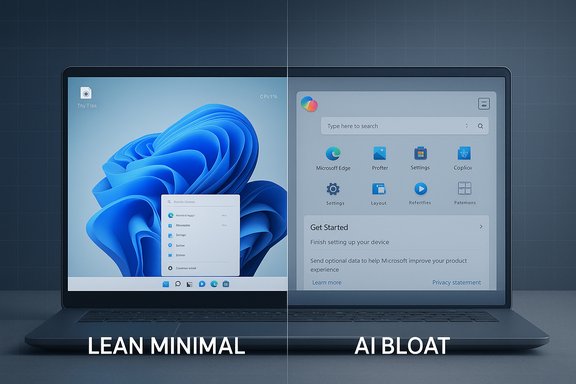
The loudest conversation about Windows 11 in 2025 isn’t about new UI polish or fancy peripherals — it’s about performance, bloat, and a widespread demand from users for a leaner, faster operating system that puts fundamentals ahead of flashy AI features.
Windows 11 launched with a promise of modern design, tighter security, and new productivity features, but the OS’s trajectory over the last two years has highlighted a growing tension. On one side, Microsoft has been aggressively integrating AI into the desktop — Copilot, AI‑driven suggestions, and cloud‑connected experiences. On the other, a large and vocal segment of users wants less: a Windows that boots faster, uses less memory, and doesn’t push AI or telemetry into every corner of daily work. This demand has spawned community projects, heated forum debates, and pointed commentary from industry writers and insiders.
Microsoft has acknowledged user frustration in public replies from Windows leadership, but public statements have only partially soothed critics — and in some cases they’ve inflamed debates further about the company’s direction. Recent events, including a high-profile LinkedIn post about replacing C/C++ code and the “agentic OS” messaging, have amplified unease among power users and administrators.
Microsoft has options. An official, supported minimal edition for constrained hardware, better opt‑in controls for AI, and prioritized work on daily performance problems would go a long way to calming the community. If the company wants Windows to remain the world’s dominant desktop, the path forward must combine innovation with ruthless attention to core experiences.
The community isn’t going away — it’s building alternatives and pushing for modularity because they value Windows and want it to be faster and more respectful of user choice. Microsoft’s next moves will determine whether it reins in the “AI bloat” narrative through product changes or watches more users adopt community‑driven lightweight builds. The most credible path to reconciliation starts simple: fix the basics, make AI optional, and give users clear, supported ways to choose the Windows they want.
For power users and administrators, practical next steps include auditing background services, deferring optional updates until patches stabilize, and testing any community builds in a sandbox before production deployment. For Microsoft, priorities are clearer than ever: listen to the signal in the noise — speed, stability, and choice matter.
Source: WebProNews Windows 11 Users Demand Leaner OS to Cut AI Bloat and Boost Speed
 Background / Overview
Windows 11 launched with a promise of modern design, tighter security, and new productivity features, but the OS’s trajectory over the last two years has highlighted a growing tension. On one side, Microsoft has been aggressively integrating AI into the desktop — Copilot, AI‑driven suggestions, and cloud‑connected experiences. On the other, a large and vocal segment of users wants less: a Windows that boots faster, uses less memory, and doesn’t push AI or telemetry into every corner of daily work. This demand has spawned community projects, heated forum debates, and pointed commentary from industry writers and insiders.Microsoft has acknowledged user frustration in public replies from Windows leadership, but public statements have only partially soothed critics — and in some cases they’ve inflamed debates further about the company’s direction. Recent events, including a high-profile LinkedIn post about replacing C/C++ code and the “agentic OS” messaging, have amplified unease among power users and administrators.
Why users are demanding a leaner Windows 11
Windows 11’s AI-first narrative clashes with a practical reality: many users still prioritize speed, reliability, and resource efficiency. Three dynamics explain the surge in demand for a debloated edition:- Hardware pressure: Windows 10’s end-of-support (October 14, 2025) pushed millions toward Windows 11, but strict baseline requirements (TPM 2.0, UEFI Secure Boot, 4 GB RAM, 64 GB disk) left many devices unable to upgrade without hardware changes. That friction has made users sharply aware of the cost of feature creep.
- Perceived AI bloat: Copilot and other inbox AI tools run background services and introduce UI prompts some users characterize as intrusive. Where AI should feel optional and helpful, many report it as persistent and resource‑heavy. Community feedback threads capture repeated complaints about sluggish File Explorer, high RAM usage, and background telemetry.
- A generational taste for control: Power users and enterprises want modularity — the option to install only what they need. When vendor defaults push cloud hooks and upsells, the reaction is to reclaim control, sometimes via third‑party debloating projects.
The concrete complaints
- Slow or inconsistent File Explorer performance, especially when browsing media-heavy folders.
- High baseline RAM and storage usage that weakens older or budget hardware.
- Telemetry and “nudges” — persistent suggestions to use OneDrive, Microsoft 365, or Copilot — perceived as ads embedded in the OS.
Microsoft’s AI push and the backlash
Microsoft’s vision for Windows increasingly centers on AI as a differentiator. Copilot, agentic features (where AI agents act autonomously across apps), and cloud integrations are billed as productivity accelerants. But the rollout and messaging have triggered strong counterarguments.- Public tone and reactions: Statements from internal leaders — including the Microsoft AI chief who said he was “mindblown” that people aren’t impressed with AI — were widely reported and criticized for dismissing user concerns about privacy, performance, and practicality. Those comments were covered across major outlets and amplified community outrage.
- The “agentic OS” incident: A high-profile social post from the head of Windows that talked up Windows as an “agentic OS” prompted so many critical replies the post’s responses were eventually closed, signaling a mismatch between Microsoft’s aspirational messaging and user expectations. Critics said the proposal felt premature until core stability and user‑facing performance regressions were resolved.
- Code modernization controversy: A LinkedIn post from a Microsoft distinguished engineer describing a push to “eliminate every line of C and C++ from Microsoft by 2030” via AI‑assisted code translation stoked fears that Microsoft planned to rewrite massive portions of Windows rapidly and automatically. The post and subsequent clarifications exposed a trust gap: the ambition to modernize is real, but the framing created alarm around rushing code transformations at scale. Follow‑up reporting showed the program was narrower and more experimental than the initial wording suggested — but the damage to confidence had already been done. This claim is contentious and evolving; the narrative should be treated as provisional and clarified with Microsoft’s public statements.
Community responses: Tiny11 and the DIY movement
Where official channels haven’t delivered the minimalist experience some users want, community projects have stepped in. Tiny11 — a community image builder that strips inbox apps, optional services, and AI plumbing from an official Windows 11 ISO — is the most visible example. The project rewrites (offline) official Windows images using Microsoft tools (DISM), adds aggressive compression, and exposes profiles so users can choose how lean they want the build to be. Independent tech outlets and forum posts corroborate its popularity and technical approach. Why Tiny11 matters:- Real results: Community and independent builds often report drastically smaller ISO sizes and reduced on‑disk footprints, making Windows 11 feasible on older devices. Reports show install footprints dropping from 20+ GB to single‑digit GBs in some Tiny11 builds.
- Modularity: Tiny11 treats features like Copilot, Teams, and the new Outlook as optional packages you can exclude at build time, pushing back against Microsoft’s defaults.
- Tradeoffs and caveats: Projects like Tiny11 and Nano11 (an even more extreme experimental script) are community projects intended for enthusiasts and are not officially supported by Microsoft. They sometimes compromise updateability, driver compatibility, or official support channels. Experienced users often warn that such builds should be used with caution and clear understanding of the security and maintenance implications.
Other community tools and practices
- Two‑click debloaters and “WinScript”‑style utilities automate removal of unwanted inbox components on an installed system. They appeal to users who want a safer, less invasive route than building a custom ISO.
- Some users employ IoT or LTSC variants of Windows with relaxed UI or reduced inbox features to get faster boot times and lower memory overhead. However, these editions are niche and often not targeted at mainstream consumer needs.
Technical realities: where performance gains come from
Stripping an OS can improve responsiveness, but it’s not magic. The most reliable, repeatable wins are:- Reduce background processes and services that aren’t required for the user’s workload. Less background activity equals more free RAM and fewer context switches.
- Defer or remove storage‑intensive optional components. Lighter footprints reduce page file churn and swap activity on systems with slower storage.
- Prioritize fast storage and adequate RAM: even an optimized OS can be bottlenecked by a mechanical HDD or a low RAM configuration.
- Optimize the file manager and shell experience. Since File Explorer is a daily touchpoint, measurable improvements in Explorer responsiveness create the perception of a faster system. Many community complaints center on Explorer regressions that feel disproportionate to other changes.
What a first‑class “Lightweight Windows 11” could look like
Enthusiasts and enterprise admins imagine a modular Windows that ships in at least three official flavors:- Core (minimal): A compact, updateable image focused on file management, web browsing, and legacy app compatibility, with AI and cloud hooks disabled by default.
- Standard (balanced): The current mainstream Windows experience but with clearer controls to opt into AI features and telemetry during OOBE.
- Copilot+ (AI‑forward): An edition with tighter Copilot integration, prioritized for devices certified with specific hardware and telemetry consent.
- Optional AI modules that can be added or removed without reinstalling.
- Clear, granular telemetry controls exposed at setup (not buried).
- A curated minimal install option that preserves update paths and supportability.
- A robust package manager experience (improved winget or a unified GUI) for clean installs and rollbacks.
Microsoft’s constraints and incentives
Microsoft faces business and product forces pulling in opposite directions:- AI integration is a strategic differentiator across Microsoft’s services and its PC partners. Copilot and AI experiences can support higher‑value services and hardware certification programs.
- Enterprise and OEM relationships, as well as regulatory scrutiny, push Microsoft to maintain a consistent platform that supports broad scenarios — from managed enterprise devices to consumer PCs.
- Security posture: stricter hardware baselines (TPM 2.0, Secure Boot) aim to raise baseline security, especially as AI features connect the OS to cloud services and identity surfaces. Microsoft’s official guidance and system requirements underline these security priorities.
- Regulatory and market pressure: complaints about bundling, forced telemetry, and default upsells can attract antitrust or consumer protection interest. This external pressure can incentivize more modular packaging. Commentary and cases discussed publicly suggest regulators are watching platform bundling closely.
Risks of the DIY debloat route
Community builders have filled a gap, but using unofficial images or aggressive debloating scripts carries real risks:- Security update gaps: ultra‑minimal builds that remove servicing components or the Windows Update path make it harder to receive timely patches. That increases long‑term risk.
- Compatibility and driver issues: removing core components might break peripherals, antivirus integrations, or enterprise management tools.
- Supportability and warranty: running unofficial images voids support expectations from OEMs and Microsoft, and complicates IT management in enterprise settings.
- Malware vectors: popular bypass and debloating tools have been targeted by attackers with malicious copies of legitimate utilities. Users must exercise extreme caution and prefer official sources where possible.
Paths forward: practical recommendations for Microsoft
If Microsoft wants to defuse the debate and re‑earn trust, several practical steps would address much of the community’s pain:- Ship an official “Lightweight Windows 11” edition or a minimal install mode for consumers and IT admins, with clear support and update paths.
- Make AI features opt‑in during OOBE with granular consent screens and transparent telemetry toggles. Perception matters as much as implementation.
- Prioritize core UX stability first: fix Explorer performance regressions, reduce context menu lag, and stop introducing new AI hooks into core scenarios until those issues are reliably fixed. Forum and preview channel reporting shows users measure trust by daily performance.
- Improve package management and tooling (winget or equivalent) so clean, minimal installs and rollbacks are straightforward for both home users and enterprises.
- Offer official, supported images for constrained devices (e.g., a maintained “Windows 11 Lite” for refurbished hardware or IoT-like use cases) to reduce the community’s need to create unsupported forks.
Where the conversation stands now (and what’s verifiable)
There are several fast‑moving claims in the debate, and it’s important to separate verified facts from speculation:- Verified: Windows 10 reached end of support on October 14, 2025. Microsoft’s official system requirements for Windows 11 include 4 GB RAM, 64 GB storage, UEFI/Secure Boot, and TPM 2.0. These are documented on Microsoft’s support and specs pages.
- Verified: Projects like Tiny11 (and more extreme forks like Nano11) exist and are actively used by community members to produce small, debloated Windows 11 images. Independent outlets (Tom’s Hardware, TechSpot) have covered their capabilities and tradeoffs.
- Reported and contested: A Microsoft engineer’s LinkedIn post describing an ambitious drive to remove C/C++ code by 2030 generated broad media coverage and concern; Microsoft later clarified the scope was narrower and more experimental. The original post and subsequent coverage illustrate why wording and context matter when discussing large‑scale code modernization — treat such claims cautiously.
- Verified: Microsoft executives publicly acknowledged user concerns about Windows reliability and usability in replies that referenced the need for work, but those messages were perceived by many as insufficiently detailed or concrete. Coverage noted the social media post that closed replies after heavy criticism.
Conclusion: a pragmatic roadmap for rebuilding trust
The debate over Windows 11’s direction is fundamentally about priorities. Users aren’t anti‑AI; they’re calling for sensible priorities: make the OS fast, make core features reliable, then enable optional, well‑documented AI features that users can choose.Microsoft has options. An official, supported minimal edition for constrained hardware, better opt‑in controls for AI, and prioritized work on daily performance problems would go a long way to calming the community. If the company wants Windows to remain the world’s dominant desktop, the path forward must combine innovation with ruthless attention to core experiences.
The community isn’t going away — it’s building alternatives and pushing for modularity because they value Windows and want it to be faster and more respectful of user choice. Microsoft’s next moves will determine whether it reins in the “AI bloat” narrative through product changes or watches more users adopt community‑driven lightweight builds. The most credible path to reconciliation starts simple: fix the basics, make AI optional, and give users clear, supported ways to choose the Windows they want.
For power users and administrators, practical next steps include auditing background services, deferring optional updates until patches stabilize, and testing any community builds in a sandbox before production deployment. For Microsoft, priorities are clearer than ever: listen to the signal in the noise — speed, stability, and choice matter.
Source: WebProNews Windows 11 Users Demand Leaner OS to Cut AI Bloat and Boost Speed
