

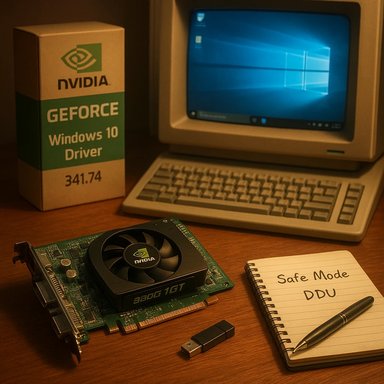
NVIDIA’s archived GeForce driver branch that includes version 341.74 is a legitimate, vendor-published Windows 10 x64 package released to support legacy GeForce families — and yes, it is the driver many owners of older cards such as the GeForce 9800 GT will still turn to when attempting to run those GPUs on Windows 10. The build is listed on NVIDIA’s official driver pages as GeForce Windows 10 Driver — Version 341.74 (released July 29, 2015) and is published as a 64‑bit package for Windows 10. This feature explains what 341.74 contains, why it matters for owners of a GeForce 9800 GT or similar legacy cards, and — crucially — how to install it safely (and when not to). It cross-checks vendor facts, community practice, and lifecycle risk, highlights common failure modes (and fixes), and describes a conservative, production‑minded workflow you can follow to avoid bricked displays or unexpected instabilities. Community guidance and forum archives reinforce the practical steps and caveats described here.
The GeForce 9800 GT is part of NVIDIA’s GeForce 9-series family, a generation that predates Windows 10 by several years. When Windows 10 arrived, NVIDIA produced legacy and compatibility packages to smooth the transition for older cards; the 341.x family is one of those legacy-era releases that were updated to carry Windows 10 64‑bit support for various older GPUs. The vendor’s archives list 341.74 as an official Windows 10 64‑bit driver package published in July 2015. The practical reality for hobbyists and system builders is simple: while the driver exists and can deliver a usable desktop and 3D functionality for these legacy cards, older drivers and older operating systems carry real security, compatibility, and stability risks. Microsoft’s lifecycle decisions (Windows 10 reached end of support in October 2025) and NVIDIA’s legacy-driver strategy mean you should treat any installation of legacy drivers as a short‑term or isolated solution, not a long‑term production posture.
Source: Born2Invest https://born2invest.com/?b=style-230020012/
 Background / Overview
The GeForce 9800 GT is part of NVIDIA’s GeForce 9-series family, a generation that predates Windows 10 by several years. When Windows 10 arrived, NVIDIA produced legacy and compatibility packages to smooth the transition for older cards; the 341.x family is one of those legacy-era releases that were updated to carry Windows 10 64‑bit support for various older GPUs. The vendor’s archives list 341.74 as an official Windows 10 64‑bit driver package published in July 2015. The practical reality for hobbyists and system builders is simple: while the driver exists and can deliver a usable desktop and 3D functionality for these legacy cards, older drivers and older operating systems carry real security, compatibility, and stability risks. Microsoft’s lifecycle decisions (Windows 10 reached end of support in October 2025) and NVIDIA’s legacy-driver strategy mean you should treat any installation of legacy drivers as a short‑term or isolated solution, not a long‑term production posture. What NVIDIA’s 341.74 Package Is (and Isn’t)
Release facts and purpose
- Package: GeForce Windows 10 Driver, Version 341.74 (Windows 10 64‑bit).
- Release date: July 29, 2015.
- Intended use: Provide Windows 10 compatibility for a range of older GeForce GPUs, including many GeForce 9x/8x series models such as the GeForce 9800 GT where the INF supports that hardware.
What it provides
- Baseline 2D/3D acceleration, legacy DirectX-era driver behaviour, and the NVIDIA Control Panel with features available at that driver’s time of release.
- A standalone vendor installer that can be used without the modern GeForce Experience application if desired (choose the driver‑only/custom options during install).
What it does not provide
- Modern hardware‑decode stacks, AV1/HEVC/DRM improvements added in later drivers, or the security hardening applied in more recent driver branches.
- Ongoing security updates for the driver itself — 341.74 is archived and not actively maintained. Treat it as a supported‑as‑archived artifact, not as current software.
Compatibility: Will 341.74 Work with a GeForce 9800 GT?
Short answer: very often yes — but with caveats.- NVIDIA’s driver search and archived release notes include GeForce 9-series cards in the scope of the 340/341-era packages, and community archives and forums consistently report that GeForce 9800 GT owners used 341.x drivers during the Windows 10 transition.
- That said, the installer’s INF file may not list every OEM-branded device ID. Boards built by major OEMs (Dell, HP, Lenovo, etc. sometimes have vendor‑specific INF entries; the generic NVIDIA package may refuse to install if those IDs are missing. When that happens, an OEM driver or a manual INF install is the safer route.
A Conservative, Step‑by‑Step Installation Workflow
This workflow is designed for hobbyists, repair techs, and IT pros who want to try a legacy NVIDIA package while minimizing the chance of a non‑booting display or data loss.- Identify hardware and collect IDs
- Open Device Manager → Display adapters → Right‑click → Properties → Details → Hardware Ids. Copy the VEN and DEV strings. This is your safety net for manual installs.
- Create a recovery point / image
- Create a Windows System Restore point and, if the machine is important, take a full disk image. If something goes wrong you need an easy rollback. Community best practice consistently emphasizes imaging before driver surgery.
- Try the safe options first
- Check your PC manufacturer’s support site for an OEM‑verified Windows 10 driver. If the system is a branded laptop/mini‑PC, prefer the OEM driver. Otherwise run Windows Update and see whether Microsoft supplies a signed legacy driver that will get you a working desktop with minimum risk.
- If you choose 341.74: download from NVIDIA’s archive
- Use the official NVIDIA driver page for version 341.74 (Windows 10 64‑bit) to obtain the installer. Download the international/English package and save it offline.
- Prepare for a clean install
- Close background apps, temporarily suspend antivirus or security tools that may block installers, and, for extra safety, boot into Safe Mode and run Display Driver Uninstaller (DDU) to remove old NVIDIA drivers cleanly before installing the archived package. Community practice strongly endorses DDU for legacy driver transitions.
- Run the installer with care
- Right‑click → Run as administrator. Choose Custom → Perform a clean installation when offered. Decline GeForce Experience if you want driver-only behavior. Reboot and verify Device Manager shows the adapter and driver version.
- If the installer refuses (INF mismatch)
- If the installer reports “This hardware is not supported by this driver package,” extract the package (use 7‑Zip) and inspect the INF to see if your hardware ID is present.
- If your hardware ID is present you can install via Device Manager → Update driver → Browse my computer → Let me pick → Have Disk → point to the INF. This bypasses some installer checks but still uses a signed driver binary if it’s from NVIDIA. Do this only after you have a full image or restore point.
- Post‑install validation
- Confirm desktop stability, run basic 3D apps or a small benchmark, and test audio-over-HDMI if applicable. Keep an eye on system Event Viewer entries for nvlddmkm or device‑driver errors.
Troubleshooting: Common Failure Modes and Defenses
- Black screen or boot hang after driver install
- Remedy: Boot to Safe Mode, run DDU, and reinstall the driver (or roll back using System Restore). Many community threads show DDU solves residual-driver artifact issues best.
- Installer refuses to run or shows “not compatible”
- Remedy: Confirm your hardware ID is present in the driver INF. If absent, prefer OEM drivers or a Microsoft Update Catalog package for your board. Manual INF editing is possible but risky and not recommended for general users.
- Missing NVIDIA Control Panel features or degraded functionality
- Explanation: Legacy drivers often omit features added in later driver generations. If you need modern codec support, DRM playback, or the latest control-panel features, a legacy package may not be sufficient. Consider hardware replacement or upgrading the OS/hardware to receive modern drivers.
- Windows Update keeps overwriting driver
- Remedy: Use Microsoft’s “Show or hide updates” troubleshooter to block an unwanted driver while you test a candidate. Create a backup image before locking in the driver.
Security, Lifecycle, and Risk Assessment
Legacy drivers like 341.74 are archived and not actively patched for new kernel or supply‑chain vulnerabilities. Running an old driver on a production or security‑sensitive machine increases attack surface for two main reasons:- Older drivers may lack mitigations and fixes present in modern builds; attackers sometimes exploit signed driver stacks or vulnerable kernel components.
- Windows 10 itself reached end of support on October 14, 2025; after that date Microsoft no longer supplies security updates for consumer Windows 10 systems unless covered by Extended Security Updates (ESU). This amplifies the risk of running an unsupported OS plus unsupported drivers.
- Upgrade to Windows 11 on hardware that supports it.
- Replace the GPU with a more modern, still‑supported model.
- Isolate the legacy machine from the internet and sensitive networks, use it offline for specific tasks only, and keep a rollback image at hand.
When to Avoid Installing a Legacy Driver
- The machine stores or accesses sensitive data and is connected to corporate networks.
- The system needs modern DRM playback, AV1/HEVC decoding, or features introduced after 2015.
- The card is inside a laptop or OEM system where installing a generic driver can break Optimus, power/thermal tuning, or battery behavior — in that case, always use the OEM’s package.
Cross‑Checks and Verification Summary
- NVIDIA’s official driver archive lists GeForce Windows 10 Driver version 341.74 as a Windows 10 64‑bit package released on July 29, 2015, confirming the package’s existence and intent.
- Independent user communities (Windows/tenforums, TechPowerUp archives) and community driver mirrors corroborate that 341.x packages were the Windows 10‑era legacy releases used for many GeForce 9/8-series cards and that users commonly applied 341.x builds for cards like the 9800 GT during the Windows 10 transition. These community references are useful for real‑world compatibility reports but are not a substitute for OEM/vendor validation.
- Community and forum archives (local forum and support‑thread bundles) reinforce safe procedures (backup → DDU → clean install → test) and document typical failure modes and fixes for older NVIDIA installers. They also note the OEM caveats for notebooks and branded systems.
- Microsoft’s lifecycle documentation confirms Windows 10’s end of support on October 14, 2025, which materially affects the risk profile of running archived drivers on that platform.
Practical Recommendations — Quick Reference
- If you own a GeForce 9800 GT and need Windows 10 functionality briefly:
- Prefer the OEM driver (if the system is branded) or the Microsoft Update Catalog package first. If those fail, use NVIDIA’s 341.74 package as a second option after backing up.
- Use DDU to clean legacy driver artifacts before attempting a legacy package install. This reduces the risk of black screens and driver conflicts.
- Keep a full disk image and a System Restore point before any driver surgery. If it’s a production machine, stage the change in a test bench first.
- Avoid third‑party “driver updaters” or repackaged EXEs from untrusted mirrors. Download only from NVIDIA’s official archives or your OEM support page. Community histories repeatedly show repackagers create installer INF mismatches or bundled adware.
- If the goal is long‑term reliability and security, plan hardware refresh or OS upgrade rather than relying on legacy drivers forever. Microsoft’s Windows 10 EOL changes this calculus substantially.
Final analysis: Strengths, Limitations, and Practical Risk
Strengths of the 341.74 approach
- Direct vendor support: 341.74 is an official NVIDIA package produced during the Windows 10 launch window and therefore provides the most straightforward compatibility path for many legacy GeForce models.
- Offline usability: the installer can be used without the GeForce Experience overlay and therefore can be deployed in isolated environments where telemetry or extra features are unwanted.
Limitations and risks
- Security & maintenance: archived drivers do not receive ongoing security fixes. Running them on an unsupported OS increases risk. Microsoft’s end‑of‑support for Windows 10 intensifies that exposure.
- Installer quirks: INF package exclusions and OEM‑specific device IDs may cause the installer to refuse some OEM cards. Manual INF installs or OEM packages may be required.
- Feature gaps: modern codec, DRM, and GPU feature improvements are not back‑ported to legacy drivers. Expect less functional parity with modern GPUs.
Conclusion
If your objective is to revive an older desktop or hobby box with a GeForce 9800 GT under Windows 10 x64, NVIDIA’s GeForce driver 341.74 is a legitimate and historically appropriate choice — provided you prepare properly. Download the package from NVIDIA’s archive, follow a conservative installation workflow (identify hardware IDs, image the disk, use DDU, perform a clean install), and prioritize OEM or Microsoft Update catalog packages when available. For any system that stores sensitive data or is connected to production networks, the prudent long‑term path is hardware refresh or moving to a currently supported OS and driver stack; legacy drivers are a compatibility bridge, not a long‑term support strategy. This guidance synthesizes vendor release facts, community best practices, and lifecycle realities so you can make an informed, defensible choice when working with legacy NVIDIA hardware on modern Windows platforms.Source: Born2Invest https://born2invest.com/?b=style-230020012/
