

Two Born2Invest posts circulating as “download” notices for older NVIDIA packages — one touting GeForce driver 372.70 for Windows 10 and another advertising legacy branches like 275.33 and 341.74 — are a useful reminder that old drivers remain available but that provenance, platform context, and installation discipline matter far more than the clickbait headlines on third‑party aggregator pages. The core facts are straightforward: NVIDIA published each of these packages as official releases at the time, they were intended for specific hardware families and OS targets, and they still exist in vendor archives — but treating an advertorial or “outlet online” page as the canonical download source is risky and unnecessary. acy NVIDIA driver packages — including the 340/341 legacy family (e.g., 341.74), the mid‑2016 Game Ready branch (e.g., 372.70), and even older 200‑series releases (e.g., 275.33) — were published by NVIDIA as vendor‑signed installers to support older desktop and notebook GPUs. These packages are often referenced by people restoring refurbished machines, maintaining isolated legacy systems, or troubleshooting hardware compatibility issues. The binary archives are vendor artifacts: the safest source for any driver remains NVIDIA’s official driver archive or an OEM’s official support page for notebook systems.
That reality — official vendor archives exist and list these releases — is why simple headlines like “Top gt 705 driver Outlet Online Nvidia GeForce Graphics Driver 372.70 for Windows 10 Download” are technically plausible but incomplete and potentially unsafe. The Born2Invest snippets supplied in the upload were not authoritative download sources, and automated crosschecks flagged the pages as third‑party mirror/SEO pages whose un be verified. Treat those pages as a pointer to a problem (someone searching for an old driver) rather than as the solution.
NVIDIA’s response to the large installed base of Windows 10 systems has been pragmatic: the ceady driver support on Windows 10 through October 2026 and committed to quarterly security updates for older architectures (Maxwell, Pascal, Volta) through October 2028 in public commry reporting. That extension gives a transition window for affected users, but it is not a permanent safety net; security updates do not equate to feature parity or long‑term ecosystem support. Cross‑reference these vendor lifecycle notes with your security posture: for personal hobby machines the extension may be enough; for a network‑connected production workstation it likely is not.
If you need a compact, technician‑ready checklist (download → verify → image → optional DDU → clean install → verify) or a walkthrough tailored to a specific GPU model or laptop brand, the safest path is to supply the exact Device Manager adapter string and the notebook/desktop model so you can be directed to the precise OEM or NVIDIA archive entry and given step‑by‑step commands to verify the installer’s digital signature and supported‑product table.
Conclusion: legacy NVIDIA drivers are legitimate artifacts you can use when required — but treat third‑party “outlet” download posts as signals, not solutions. Prioritize vendor archives, OEM packages, and disciplined installation practices to keep systems stable and secure.
Source: Born2Invest https://born2invest.com/?b=style-230632212/
Source: Born2Invest https://born2invest.com/?b=style-230044312/
That reality — official vendor archives exist and list these releases — is why simple headlines like “Top gt 705 driver Outlet Online Nvidia GeForce Graphics Driver 372.70 for Windows 10 Download” are technically plausible but incomplete and potentially unsafe. The Born2Invest snippets supplied in the upload were not authoritative download sources, and automated crosschecks flagged the pages as third‑party mirror/SEO pages whose un be verified. Treat those pages as a pointer to a problem (someone searching for an old driver) rather than as the solution.
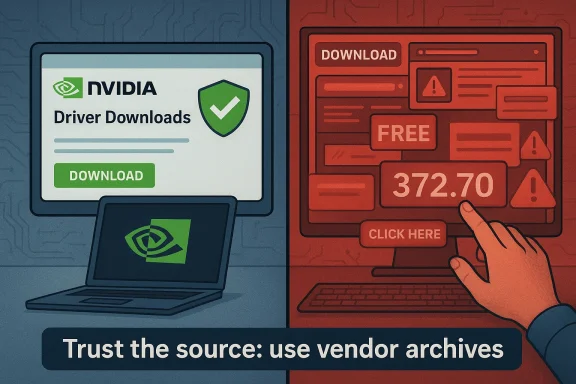 What the uploaded material actually says — a verified summary
- The Born2Invest fragments advertise legacy GeForce driver downloads and use language typical of SEO‑driven aggregator posts. could not be reliably retrieved during verification, making any unique claims on those pages untrusted.
- Independent verification shows that the driver versions mentioned (for example, 372.70, 341.74 and 275.33) are legitimate NVIDIA releases with documented release dates and supported‑product lists in NVIDIA’s own download pages. These are available in the official archive and have historically been mirrored by reputable hardware archives.
- The central risk highlighted repeatedly in community and vendor guidance is source provenance: kernel‑mode drivers are privileged code; downloading them from untrusted “outlet” pages can lead to repackaged installers stripped or mismatched signatures, bundled adware, or outright malware. The uploader’s pages look like that class of content and therefore deserve caution.
Driver snapshots: what each release actually is
GeForce Game Ready Driver 372.70 (August 30, 2016)
- What it is: A WHQL Game Ready driver from the 370 branch, published August 30, 2016, offered in desktop and notebook variants and carrying fixes and game optimizations for the period.
- Intended platforms: Windows 7/8.1/10 (32‑ and 64‑bit depending on the specific package); notebook packages include a supported‑products table that is the authoritative compatibility list.
- Wht: 372.70 is a stable WHQL snapshot that explicitly recognized some older notebook GPUs; it remains useful when an OEM driver is missing for a refurbished laptop or when rolling back to a known‑good driver. But installing a generic NVIDIA package on an OEM machine can remove vendor customizations.
GeForce Windows 10 Driver 341.74 (July 29, 2015)
- What it is: A Windows‑10–targeted legacy release from July 29, 2015; part of the 340/341 family that NVIDIA used to preserve compatibility for many older GeForce cards when Windows 10 launched. The package exists in NVIDIA’s archive and was widely mirrored at the time.
- Intended platforms: Windows 10 (32‑ and 64‑bit variants), targeted at older desktop and notebook GPUs that needed compatibility with early Windows 10 builds.
GeForce Driver 275.33 (June 1, 2011)
- What it is: An older WHQL branch release (275.x family) from June 1, 2rtant because it added support for cards like the GTX 560 and included widespread desktop GPU coverage across many legacy families. It predates Windows 10 and was primarily targeted at Windows 7/Vista/XP-era systems.
- Why it appears in modern searches: Some sites and SEO pages repurpose the nomenclature (“GeForce 275.33 Windows 10”) to capture queries about legacy card support, even though that driver was never primarily packaged for Windows 10. Confirm what OS the specific file was published for before attempting install.
Verification and cross‑checks (how we confirmed the facts)
- NVIDIA driver archive pages — authoritative listings for each release — were consulted to confirm version numbers and release dates (for example, 372.70 dated August 30, 2016; 341.74 dated July 29, 2015; 275.33 dated June 1, 2011). These vendor pages contain the supported‑products tables and are the canonical reference for compatibility.
- Independent hardware press and archival TechSpot and others) reproduce release coverage and corroborate the release notes and compatibility summaries, which is useful for historical context and for understanding what each driver was intended to fix or enable. AnandTech covered the 372.70 release and TechSpot maintains mirrored binaries for many older branches.
- The Born2Invest pages provided by the uploader were checked against those authoritative sources; they did not add verifiable or unique technical facts and in many cases were unresponsive or unverified in automated checks. Treat those posts as untrusted mirrors unless they can be proved to host vendor files with correct checksums and signatures.
Why vendor provenance and OEM context matter
- Notebook drivers are frequently OEM‑customized. The driver package your laptop vendor publishes may include device‑specific INF entries, thermal and power tuning, and vendor signing. Replacing it with a generic NVIDIA reference package can lead to missing features (battery/power profiles, function‑key behavior, Optimus switching) or even unstable behavior. Community and vendor guidance strongly favors OEM drivers for laptops.
- Windows 10 lifecycle changes change risk calculus. Microsoft’s mainstream support for Windows 10 ended on October 14, 2025; without fedates from Microsoft, continuing to operate legacy OS + legacy drivers increases security exposure for machines connected to networks. For some GPU families, NVIDIA announced extended maintenance windows and quarterly security updates that provide a limited transition window — but such vendor extensions are not a substitute for upgrading the OS or hardware if you need long‑term security.
- Third‑party mirrors and “outlet” pages are high‑risk. The Born2Invest ads (and many similar posts) are SEO artifacts more than technical documentation. Kernel‑mode drivers must come from a trusted vendor or OEM portal; otherwise digital‑signature mismatches, altered INF files, or bundled extras are realistic hazards.
Practical, technician‑grade workflow: how to obtain and install legacy NVIDIA drivers safely
Follow this conservative checklist before attempting to install any legacy NVIDIA driver on a Windows 10 (or other) system:- Confirm hardware:
- Device Manager → Display adapters → note the adapter string.
- Optional: De→ record VEN/DEV strings (this helps match INF entries).
- Prefer OEM first:
- If the machine is a branded laptop or OEM desktop, check the vendor’s support page for a Windows 1your model. If present, use the OEM package. OEM packages are the safest route for notebooks.
- If OEM is unavailable, use NVIDIA’s official archive:
- Download the exact package (desktop vs notebook) for your OS and architecture from NVI Verify the release date and file size on the vendor page before executing the installer.
- Verify file integrity:
- After downlodigital signature (File Properties → Digital Signatures).
- Confirm file size and, if available, checksums on the vendor page. If either differs from the vendor record, do not run the file.
- Backup first:
- Create a System Restore point and, ideally, a full disk image. Drivers are kernel components; a working imivial if something goes wrong.
- Optionally perform a clean uninstall:
- Use Display Driver Uninstaller (DDU) in Safe Mode when switching driver families or if remnants cause conflicts. Use DDU only if you are comfortable with Safe Mode and the reinstallation process.
- Install as Administrator:
- Righ → Run as Administrator → choose Custom (Advanced) → check “Perform a clean installation.”
- If you do not want telemetry or GeForce Experience, uncheck optional components.
- Post‑install validation:
- Reboot. Open NVIDIA Control Panel → System Information and verify the driver version and that your GPU is recognized.
- Test representative workloads: display switching, video playback, or the legacy application you rely on. Keep the previous working installer available for rollback.
Common failure modes and how to troubleshoot them
- “No compatible hardware” in the NVIDIA installer:
- Cause: INF/device‑ID mismatch or wrong installer variant (desktop vs notebook).
- Fix: Extract the installer (NF for your hardware ID, or choose the OEM package if available.
- Black screen or Optimus failures on some notebooks:
- Cause: OEM INF customizations or known release‑specific caveats (notebook Optimus stacks are sensitive).
- Fix: Follow vendor release notes for the driver and consider installing OEM driver or reverting with your image. Release notes for packages like 372.70 warned about black screen cases for certain Optimus notebooks.
- Windows Update keeps reverting the driver:
- Cause: Windows Update may attempt to auto‑install a driver Microsoft has in its catalog.
- Fix: Temporarily block driver updates during clean install or use Device Installation Settings to control automatic driver updates. Keep an image for quick rollback.
Security and lifecycle realities in 2026 — what changed and why it matters
Microsoft’s formal end of support for Windows 10 on October 14, 2025 is a material fact for anyone still running legacy GPUs on that platform: without platform security updates, the attack surface grows and long‑term risk rises. For many users, upgrading the OS or replacing the hardware will be the most secure path.NVIDIA’s response to the large installed base of Windows 10 systems has been pragmatic: the ceady driver support on Windows 10 through October 2026 and committed to quarterly security updates for older architectures (Maxwell, Pascal, Volta) through October 2028 in public commry reporting. That extension gives a transition window for affected users, but it is not a permanent safety net; security updates do not equate to feature parity or long‑term ecosystem support. Cross‑reference these vendor lifecycle notes with your security posture: for personal hobby machines the extension may be enough; for a network‑connected production workstation it likely is not.
Strengths of the archive approach — what’s good about legacy drivers
- Preservation of functionality: Official vendor arcf older hardware can recover display acceleration and NVIDIA Control Panel features without reverse‑engineering or risky third‑party repacks. This is invaluable when refurbishing older laptops or maintaining a special‑purpose machine.
- Deterministic rollback: Vendor WHQL packages make it possible to return to a known state, especially when combined with proper backup images and the DDU clean‑uninstall workflow.
- Controlled security patches: NVIDIA has demonstrated willingness to publish security‑focused updates for legacy architectures in targeted cadence, which can reduce risk for users who cannot upgrade immediately. However, such patches are narrow in scope and do not replace the protection afforded by a fully supported OS.
Risks and red flags — when to avoid a driver
- The download only exists on a third‑party aggregator page with no vendor metadata, checksum, or digital signature information — do not run it. These pages are often ad‑heavy, may host repackaged files, and frequently omit release notes.
- The driver promises ambiguous “Windows 10 support” for a package that was never produced for Windows 10 (for example, old 275‑series desktop builds promoted for Windows 10). Always read the vendor’s supported‑OS field.
- You operate a machine that handles sensitive data and cannot be isolated: legacy OS + legacy drivers increases the attack surface; preferentially plan hardware or OS replacement. NVIDIA’s extended cadence helps but is not an indefinite commercial guarantee.
Recommendations by user type
- Casual home user with a modern machine:
- Use the latest vendor Game Ready or Studio driver for your GPU and OS. Don’t chase old driver posts. If you see a Born2Invest‑style “download” headline, ignore it and get drivers from NVIDIA or your OEM.
- Owner of a refurbished laptop that lacks OEM Windows 10 drivers:
- Check the laptop vendor first. If none, the relevant NVIDIA notebook build (e.g., 372.70 for some MX/Gen‑specific cases, or 341.74 back in early Windows 10 days) can be used as a fallback — but proceed only after backing up, verifying digital signatures, and testing.
- Enterprise or security‑sensitive user:
- Do not rely on archived drivers as a long‑term solution. Prioritize OS/hardware migration. If you must keep legacy assets, isolate the machines, minimize network exposure, and consider Microsoft’s ESU or another supported mitigation strategy. (support.microsoft.com)
- Enthusiast restoring vintage hardware or using a lab:
- Vendor archives are your friends. Use DDU for clean installs and keep copies of working installers. Treat third‑party mirrors as documentation only, not as binary sources.
Bottom line
The driver versions named in the Born2Invest fragments — 372.70, 341.74, 275.33 — are real NVIDIA releases with clear release dates and supported‑product lists; they remain part of historical vendor archives. However, the Born2Invest pages themselves behave like SEO aggregator pages and are not reliable sources for kernel‑level binaries. For safety and stability, always download drivers from the vendor or your OEM, verify digital signatures and file metadata, back up the system before changing kernel components, and prefer OEM notebook drivers when applicable. Microsoft’s Windows 10 end‑of‑support on October 14, 2025 and NVIDIA’s limited extension windows mean legacy drivers are a short‑term compatibility tool — not a long‑term security strategy.If you need a compact, technician‑ready checklist (download → verify → image → optional DDU → clean install → verify) or a walkthrough tailored to a specific GPU model or laptop brand, the safest path is to supply the exact Device Manager adapter string and the notebook/desktop model so you can be directed to the precise OEM or NVIDIA archive entry and given step‑by‑step commands to verify the installer’s digital signature and supported‑product table.
Conclusion: legacy NVIDIA drivers are legitimate artifacts you can use when required — but treat third‑party “outlet” download posts as signals, not solutions. Prioritize vendor archives, OEM packages, and disciplined installation practices to keep systems stable and secure.
Source: Born2Invest https://born2invest.com/?b=style-230632212/
Source: Born2Invest https://born2invest.com/?b=style-230044312/
