

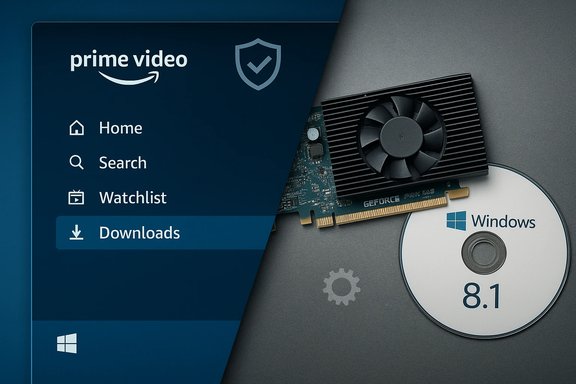
Amazon's Prime Video arriving as a native app on Windows 10 — and the resurfacing of legacy GPU driver updates like Nvidia's GeForce Game Ready 382.53 for Windows 8.1 — represent two very different but intersecting threads in the PC ecosystem: one is about modern platform convenience and content delivery, the other about maintaining compatibility and stability for older hardware. Both stories matter to Windows users because they touch on where we consume media and how we keep our systems secure and performant. This feature unpacks the facts, verifies key technical claims, and provides practical guidance for Windows enthusiasts who must balance convenience, performance, and risk.
Windows PCs have long served as both workhorses and entertainment hubs. Microsoft’s Store strategy and the Universal Windows Platform (UWP) push over the past decade aimed to make the desktop a first-class home for streaming services and modern apps. That effort included courting major streaming platforms and enabling native apps that support features like offline downloads and DRM playback — capabilities that browser-only access cannot always deliver consistently across devices. Evidence of that strategic push appears repeatedly in Microsoft Store announcements and archive materials describing integrations with services such as Disney+, ESPN, and Amazon Prime Video.
At the other end of the spectrum, many Windows users still run older GPUs such as the NVIDIA GeForce GT 520 or maintain systems on Windows 8.1 for legacy applications. Drivers for these older cards are still catalogued and made available by NVIDIA, sometimes in the form of dated "Game Ready" packages (for example, version 382.53) that explicitly list compatibility for Windows 8.1 64-bit systems. These drivers are often the most recent official releases certified for legacy GPUs and operating systems — important when hardware vendors no longer supply frequent updates.
For individual users and IT managers, the practical path is straightforward: use Store apps like Prime Video on modern, patched Windows devices with up-to-date codecs and GPU drivers, and when legacy systems must be retained, treat driver updates and isolation as explicit risk-management steps. The ecosystem continues to evolve — the convenience of Store-delivered apps and the realities of driver lifecycle management will remain central to how Windows PCs are used as entertainment devices and workstations alike.
Source: Born2Invest https://born2invest.com/?b=style-677503912/
Source: Born2Invest https://born2invest.com/?b=style-230033412/
 Background
Windows PCs have long served as both workhorses and entertainment hubs. Microsoft’s Store strategy and the Universal Windows Platform (UWP) push over the past decade aimed to make the desktop a first-class home for streaming services and modern apps. That effort included courting major streaming platforms and enabling native apps that support features like offline downloads and DRM playback — capabilities that browser-only access cannot always deliver consistently across devices. Evidence of that strategic push appears repeatedly in Microsoft Store announcements and archive materials describing integrations with services such as Disney+, ESPN, and Amazon Prime Video.At the other end of the spectrum, many Windows users still run older GPUs such as the NVIDIA GeForce GT 520 or maintain systems on Windows 8.1 for legacy applications. Drivers for these older cards are still catalogued and made available by NVIDIA, sometimes in the form of dated "Game Ready" packages (for example, version 382.53) that explicitly list compatibility for Windows 8.1 64-bit systems. These drivers are often the most recent official releases certified for legacy GPUs and operating systems — important when hardware vendors no longer supply frequent updates.
What arrived: Amazon Prime Video as a Windows 10 app
The facts at a glance
- Amazon released a native Amazon Prime Video app for Windows 10, distributed through the Microsoft Store as a UWP-style experience that runs on Windows 10 PCs and tablets.
- The app offers features not always available in-browser, notably offline downloads, a dedicated interface optimized for larger screens, and integration with Prime Video channels (where available).
- The rollout was regional and staged; several outlets confirmed availability around July 2020 for many markets, while other locales received the app later during staggered rollouts.
Why this matters for Windows users
- Offline downloads: The ability to download Prime Video titles directly to a Windows 10 device closes a feature gap between mobile and desktop experiences. It transforms the laptop into a true offline-capable media player for long flights or commutes.
- DRM-friendly playback: Native Microsoft Store apps can integrate more solidly with Windows’ media stack and DRM pipelines (such as PlayReady), improving compatibility with higher-bitrate and protected content.
- Convenience and discoverability: Being in the Microsoft Store means Prime Video becomes discoverable alongside other entertainment apps; it also benefits from Store-managed updates and (in principle) vetted security checks applied by Microsoft. Archive records of Microsoft Store expansion and app onboarding underscore this strategic push to consolidate entertainment within the Store ecosystem.
Known limitations and rollout quirks
- The app’s initial availability and behaviour varied by region. Some users reported sign-in errors and early-quality issues during the staged rollout cycle.
- Certain platform features (for example, specific Channel substitutions or live programming) may be region-locked and therefore unavailable in some countries.
- The experience on Windows 10 differs from the Windows 11 Store ecosystem and the Android/Amazon Appstore story: Microsoft’s Store evolution and the arrival of Android apps on Windows 11 introduced new complexities that affect how cross-platform apps are delivered and maintained.
Technical verification: what the app supports and how it works
Cross-checking multiple independent reports confirms the app’s core claims:- Multiple outlets reported the app as a UWP (Universal Windows Platform) application available directly from Microsoft Store, enabling native-like behaviour on Windows 10 devices. This explains why features such as offline downloads were highlighted immediately after launch.
- The Windows Store/Store-policy context around streaming apps suggests Microsoft validates apps for device compatibility and family safety before listing them, though app behaviour depends on Amazon’s implementation of DRM and codecs. Microsoft Store architecture documentation and industry coverage of Store changes emphasize these validation steps.
Practical advice: installing and optimizing Prime Video on Windows 10
- Open the Microsoft Store on your Windows 10 device and search for "Prime Video" (or "Amazon Prime Video").
- Confirm the app publisher is listed as Amazon (check the store listing details).
- Install and sign in with your Amazon account. If you encounter sign-in or DRM-related errors, ensure Windows and system drivers (particularly GPU video drivers and HEVC/AV1 codec packages available via the Microsoft Store) are up to date.
- For offline downloads, pick an available title, choose a quality setting in app settings, and use the Downloads tab to manage stored content.
- If you have multiple display outputs (external monitors or TVs), check the app’s playback options and Windows display settings — performance and hardware acceleration may affect playback behaviour.
Critical analysis: strengths, business implications, and risks
Strengths
- User experience parity: Native apps can deliver conveniences (offline playback, organized library, channel subscriptions) that browsers do not always handle gracefully on desktop.
- Platform integration: A Store-based app benefits from automatic updates, simplified deployment, and a consistent install experience for non-technical users.
- Extension of Prime ecosystem: Adding a first‑party desktop app reinforces Prime Video’s reach and gives Amazon another controlled surface for features, A/B experiments, and potential ad/commerce tie-ins.
Risks and drawbacks
- Regional fragmentation: Staged rollouts and country-specific content rights create inconsistent experiences; users in some markets may not receive full functionality.
- DRM and playback regressions: DRM depends on platform codec stacks and hardware decoders. When those are outdated (particularly on older Windows 10 systems), playback quality or even the ability to view content can degrade.
- Security surface: Any app integrated with store-managed updates still relies on Amazon’s code base and update cadence. Malicious supply-chain risks are lower than sideloaded clients but still exist if vulnerabilities are present in the app. Archive material about broader Store upgrades and App onboarding processes shows Microsoft aiming to reduce these risks, but no system is infallible.
Legacy hardware story: NVIDIA GeForce GT 520 and Windows 8.1 driver support
Overview: the GT 520 in context
The NVIDIA GeForce GT 520 is an entry-level GPU originally introduced in the early 2010s and built on NVIDIA’s low-power architecture. Typical retail boards shipped with 1 GB of DDR3 memory, modest clock speeds, and support for older DirectX and OpenGL feature levels. TechPowerUp and manufacturer product pages list the GT 520’s key specs — typically 48 CUDA cores, 1024 MB DDR3, a 64-bit memory bus, and a very low TDP compared with more modern GPUs. These specs make the GT 520 suitable for media playback, legacy desktop acceleration, and very light GPU tasks, but not modern gaming.Driver availability for Windows 8.1 64-bit
- NVIDIA’s catalog of Game Ready Drivers shows releases that explicitly support Windows 8.1 64-bit, including the GeForce Game Ready Driver version 382.53 (release notes and download pages show Windows 7/8.1 compatibility). These packages are often the last WHQL-signed drivers that retain support for older GPUs and operating systems. For legacy GPUs such as the GT 520, these drivers remain the officially sanctioned software for maintaining optimum compatibility on older Windows versions.
- TechPowerUp’s GPU database and manufacturer pages corroborate that the GT 520’s last broadly compatible Windows drivers are in the mid-to-late 300-series GeForce releases, though exact "latest" driver recommendations can vary by GPU SKU and OEM customizations.
Practical implications for Windows 8.1 users
- If you run Windows 8.1 and a GT 520, NVIDIA’s legacy Game Ready drivers (for example, 382.53 or similarly dated 300–400 series releases) are likely your best available official option.
- For Windows 10 users with the GT 520, NVIDIA’s catalog suggests later 300–390 series drivers still maintain compatibility, but vendors (EVGA, Zotac, etc. may have created custom firmware/driver bundles with slight variations. Always prefer the driver listed for your specific board model or the NVIDIA archive driver matched to your GPU ID.
- In many cases, Windows Update may provide a generic driver that is functional but not optimized. Using NVIDIA’s archived driver downloads usually produces better feature support (hardware acceleration, PureVideo improvements, and corrected bugs).
Security, compatibility, and update strategy for legacy systems
Security considerations
- Old drivers and OS versions frequently lack modern mitigations and security patches. If a system runs Windows 8.1 with an older GPU driver, it will be at higher risk than a fully patched, modern Windows 10/11 system.
- However, removing drivers or refusing driver updates can also introduce instability. Balance is needed: apply driver updates from official sources (NVIDIA’s driver archive or your OEM), avoid third-party driver packages, and maintain robust anti-malware defenses.
Compatibility guidance
- When using modern streaming apps (like Prime Video’s Windows app), prefer machines with supported OS versions (Windows 10/11 recommended), updated browser/codec stacks, and hardware acceleration-capable GPUs. Old GPUs like the GT 520 may play SDR video fine but struggle with high-bitrate or HEVC/AV1 streams unless dedicated decoder support or OS-level codecs are present.
- If you plan to remain on Windows 8.1 for legacy application compatibility, isolate that machine (limit web browsing and streaming services) or run modern apps in a separate VM or a newer machine to reduce risk.
Driver update steps (recommended)
- Identify your exact GPU model and OEM part number (Device Manager or GPU-Z will show exact IDs).
- Visit NVIDIA’s official driver archive and search by product/series to find the most recent WHQL-signed driver compatible with your OS (for GT 520, look in the 300–390 series archive).
- If using an OEM card (EVGA, Zotac, etc., cross-check the OEM’s support page for a model-specific driver to avoid mismatches.
- Backup current drivers (or create a system restore point) before installing.
- Use a clean install option in the NVIDIA installer if you encounter issues.
- If you encounter playback or DRM issues with streaming apps after a driver change, ensure OS-level codecs (HEVC/AV1) are installed and test playback in the app and the browser.
Cross-referencing and verification summary
- Prime Video app availability and feature claims (UWP app, offline downloads, Microsoft Store distribution) are corroborated by multiple independent media outlets reporting on the Windows 10 app arrival. These include Pureinfotech and Windows Central, among others, which document the app’s Store listing and offline-download capability.
- Microsoft Store integration and the broader Store evolution (affecting app distribution, Win32 support, and Store performance updates) are documented in Microsoft-related archive records and release notes, reinforcing the context for why a native Prime Video app matters for Windows users.
- NVIDIA’s driver archives and product pages verify the existence of Game Ready driver builds compatible with Windows 8.1 64-bit (for example, 382.53) and the GT 520 device specifications as recorded in TechPowerUp’s GPU database and OEM product pages. These two independent sources align on the GT 520’s fundamental hardware characteristics and driver compatibility.
Recommendations for Windows users and IT pros
- For streaming: Use the Microsoft Store app (Prime Video) on a supported Windows 10 or Windows 11 machine with current system updates. Install required codecs and keep GPU drivers current for the best DRM and hardware acceleration behavior. If the device is older, test playback quality before relying on it for long trips.
- For legacy hardware: If you must maintain Windows 8.1 with a GT 520, download drivers only from NVIDIA’s official archive or your card maker’s support page (EVGA, Zotac, etc.. Use the latest compatible WHQL package available and prefer vendor-supplied installers where possible. Back up the system before a driver update.
- For security: Consider isolating older Windows 8.1 systems from general web browsing and streaming, or migrate to a modern release of Windows to receive security patches and updated platform-level DRM/codecs.
- For enterprise IT: Document any dependence on legacy drivers for critical apps, and plan a phased upgrade path to newer hardware and OS versions. Rely on driver repositories and vendor-signed builds and avoid unsigned or third-party driver bundles.
Conclusion
The arrival of a native Amazon Prime Video app for Windows 10 represented a meaningful convenience and functional improvement for desktop media consumption — notably offline downloads and a Store-managed distribution channel that integrates with Windows’ security and update model. At the same time, the persistence of legacy GPU drivers like NVIDIA’s Game Ready 382.53 for Windows 8.1 highlights the ongoing maintenance burden that older hardware imposes on users who must balance compatibility with security.For individual users and IT managers, the practical path is straightforward: use Store apps like Prime Video on modern, patched Windows devices with up-to-date codecs and GPU drivers, and when legacy systems must be retained, treat driver updates and isolation as explicit risk-management steps. The ecosystem continues to evolve — the convenience of Store-delivered apps and the realities of driver lifecycle management will remain central to how Windows PCs are used as entertainment devices and workstations alike.
Source: Born2Invest https://born2invest.com/?b=style-677503912/
Source: Born2Invest https://born2invest.com/?b=style-230033412/
