

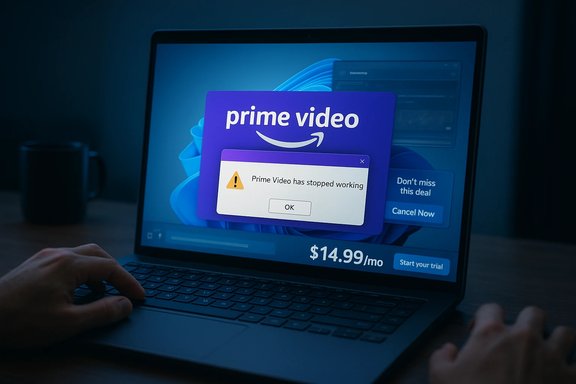
Amazon Prime Video subscribers are reporting rising frustration: higher prices, more ads, confusing rental paywalls — and now a fresh surge of complaints about the Prime Video Windows app crashing repeatedly on laptops and desktop PCs, leaving viewers who prefer a PC-based experience stuck, rebooting, or switching to the browser instead.
Prime Video’s service model changed dramatically beginning in 2024 when Amazon began rolling limited advertisements into Prime Video content and introduced an ad‑free opt‑out for an extra fee. Amazon framed ads as a way to sustain content investment while preserving value for Prime members, but the move has since become a focal point of subscriber anger as ad frequency and the platform’s transactional rental model grew more prominent. Amazon confirmed the ad rollout and the ad‑free add‑on early in 2024. Independent reporting and ad‑industry sources show Prime Video’s ad load has increased since launch: Prime’s ad minute average has climbed to roughly four to six minutes of advertising per hour in many markets — a significant step up from the “meaningfully fewer ads” promise Amazon initially made. That increase is cited both in trade reporting and downstream tech analysis. Price pressure compounds frustration. Prime’s bundled membership pricing is currently in the $14.99-per-month / $139-per-year range in the U.S., and Prime Video can also be bought as a standalone ad‑supported plan for about $8.99–$9 per month, with a higher‑priced ad‑free tier — figures confirmed across recent pricing roundups. The combination of rising costs and ad load has left many users feeling like they “pay more, get less.”
Strengths:
Prime Video’s recent troubles are not a single‑line failure. They’re the product of business model shifts, growing ad loads, packaging complexity, and — now — a set of technical reliability complaints affecting the Windows app. For users, the immediate options are practical troubleshooting and fallback to browsers. For Amazon, the path to damage control is clear: fix the crashes, simplify and clarify the rental UX, and communicate plainly about ads and value. Until then, the refrain from many subscribers will continue to be: pay more, get less.
Source: M9.news Pay More, Get Less: Prime Video’s Latest Headache
 Background
Prime Video’s service model changed dramatically beginning in 2024 when Amazon began rolling limited advertisements into Prime Video content and introduced an ad‑free opt‑out for an extra fee. Amazon framed ads as a way to sustain content investment while preserving value for Prime members, but the move has since become a focal point of subscriber anger as ad frequency and the platform’s transactional rental model grew more prominent. Amazon confirmed the ad rollout and the ad‑free add‑on early in 2024. Independent reporting and ad‑industry sources show Prime Video’s ad load has increased since launch: Prime’s ad minute average has climbed to roughly four to six minutes of advertising per hour in many markets — a significant step up from the “meaningfully fewer ads” promise Amazon initially made. That increase is cited both in trade reporting and downstream tech analysis. Price pressure compounds frustration. Prime’s bundled membership pricing is currently in the $14.99-per-month / $139-per-year range in the U.S., and Prime Video can also be bought as a standalone ad‑supported plan for about $8.99–$9 per month, with a higher‑priced ad‑free tier — figures confirmed across recent pricing roundups. The combination of rising costs and ad load has left many users feeling like they “pay more, get less.” What’s new: Windows app crashes add fuel to an already‑heated debate
In January 2026, several social posts and user threads surfaced claiming the Prime Video Windows app is crashing repeatedly during playback on a range of devices. Those complaints are not limited to a single OS or hardware profile: threads and posts across community forums, Reddit, and Microsoft’s Q&A show playback problems, freezes, and app crashes affecting Windows 10 and Windows 11 users, sometimes while streaming high‑profile content. The available evidence shows multiple symptomatic reports rather than a single, neatly reproducible bug. Windows‑specific issues are particularly sensitive because many users rely on laptops and PCs for portability, multi‑tasking, and desktop workflows. A crashing native app breaks the “lean‑back” experience and forces users to default to the browser — which, for some viewers, offers better playback stability and avoids app store distribution quirks.The user picture: symptoms and patterns
Commonly reported symptoms
- App crashes while streaming a show (instant close, app termination, or forced restart).
- App freezes or blanks the screen while audio continues.
- UI hangs — e.g., progress bar stops updating, “Continue watching” disappears.
- Inability to reinstall via Microsoft Store (installation errors or dependency problems).
- Problems appear across multiple device types: laptops with Intel and AMD CPUs, devices with NVIDIA and AMD GPUs, and both integrated and discrete graphics setups.
Where the blame falls in early reports
When the first crashes occurred, users often suspected local hardware (old GPU drivers, overheating, corrupted system files). But follow‑up posts showed freshly‑updated systems and brand‑new machines experiencing similar failures, prompting many to point at the Prime Video app itself or at the Microsoft Store/Edge WebView runtime stack the app depends on. Microsoft Store and WebView runtime mismatches have previously been implicated in failing store apps, and multiple troubleshooting guides point users to update WebView/Edge components as a necessary step.How widespread is it? Evidence, caveats, and verification
Public evidence is mixed and mostly anecdotal. There are now dozens of threads and posts describing crashes across platforms (TVs, Fire TV, Apple TV) — and a smaller but visible cluster focused on Windows. Tracking the problem precisely is hard for three reasons:- Community posts show selection bias: frustrated users post; satisfied users do not.
- There is no centralized outage report from Amazon specific to Windows app crashes at the time of reporting.
- App distribution on Windows involves the Microsoft Store and WebView/Edge runtimes; failures can therefore look like an app bug even when they stem from OS components, drivers, or code‑csms (codec/DRM) updates.
Amazon’s broader strategy: why these problems matter now
Prime Video is not operating in a vacuum. Amazon’s business decisions over the past two years — shifting to ad‑supported viewing by default, the smaller ad‑free add‑on, and bundling or gating content behind transactional rentals — have changed subscriber expectations.- Ads and pricing: Amazon introduced limited ads to Prime Video with an opt‑out fee, and ad minutes per hour have notably increased since the rollout. That combination has made reliability problems more salient: when subscribers pay the higher Prime price (or subscribe for ad‑free) they expect a premium, dependable playback experience.
- Rental confusion: Prime Video bundles subscription SVOD content, third‑party channels, and VOD rentals/purchases in one marketplace. Many users report confusion when content presented on the home screen requires an additional rental or a separate add‑on subscription, fueling frustration. Community threads repeatedly highlight users discovering “rent only” overlays for titles they assumed were included.
- Legal and trust friction: Consumers who argued that ads violated the original “ad‑free” expectation brought suits; courts have since allowed Amazon latitude under the membership contract to change benefits, but the consumer trust impact is real and persistent. A federal judge dismissed a proposed class action challenging the ad introduction on contract grounds, underscoring that the legal avenue may be limited even when consumers feel misled.
Technical anatomy: what might be causing Windows crashes
Several plausible technical vectors explain why a UWP (or Store‑distributed) app like Prime Video might crash on Windows:- Microsoft Store / WebView2 dependency mismatches. Some store apps rely on the system’s WebView2 (Edge) runtime or tightly coupled runtime components; a mismatch or outdated WebView2 can break UI rendering or DRM handoffs. Microsoft Q&A posts specifically note Store installation failures pointing to Edge/WebView requirements.
- DRM and codec issues. Prime Video uses DRM (e.g., Widevine/PlayReady) and hardware‑accelerated codecs for HD/4K streams. If the system lacks the proper HEVC/AV1 decoders, or if a driver update breaks hardware acceleration, the playback stack can fail catastrophically. Microsoft forum threads show users troubleshooting DRM/codec interactions.
- GPU driver regressions. New drivers occasionally introduce regressions that only appear under specific rendering loads or when certain API paths are used by the app. Community troubleshooting often finds driver rollbacks or fresh installs temporarily fix playback issues.
- Store binary regressions. A buggy app update distributed through the Microsoft Store can introduce crashes that affect a subset of users depending on device, GPU, or locale. Because App updates are staged, some users see problems before others. This is an app‑side possibility when symptoms start after an app update.
- Environmental problems: VPNs, proxies, or regional DRM mismatches can lead the app into error states. Likewise, corrupted local app caches or profile data can cause repeated crashes that a reset/uninstall resolves. Troubleshooting guides on mainstream tech sites emphasize cache resets and full reinstalls as initial steps.
Practical, step‑by‑step troubleshooting for Windows users
If the Prime Video app crashes repeatedly on Windows, follow this prioritized checklist. These are practical steps culled from vendor guidance, community troubleshooting, and official Microsoft Q&A threads.- Update Windows and Microsoft Store
- Settings → Windows Update → Check for updates.
- Open Microsoft Store → Library → Get updates.
- Update Microsoft Edge and the WebView2 runtime
- Ensure both Edge and WebView2 (Evergreen) are current; store apps often require recent WebView2. If the Store lists a dependency, follow the install prompt.
- Update GPU drivers from the GPU vendor (NVIDIA / AMD / Intel)
- Use the vendor installer, choose a clean install if available, or roll back to the last known stable driver if problems started after a driver update.
- Clear/Reset the Prime Video app data
- Settings → Apps → Amazon Prime Video → Advanced options → Reset. This clears cached settings and can remove corrupted state.
- Reinstall the app via Microsoft Store
- Uninstall the app, restart Windows, then reinstall. If the Store install fails with an error code (e.g., 0x80244007), document the code and consult Microsoft Q&A or contact Amazon support.
- Disable VPNs and proxies
- VPNs can disrupt regional DRM handshakes. Disable and test.
- Try browser playback as a diagnostic
- If primevideo.com plays reliably in Edge or Firefox while the app crashes, this strongly points to an app‑specific or Store/runtime problem.
- Check system codecs and DRM support
- Install HEVC and other required codecs from reputable sources or the Microsoft Store if you need 4K/HDR or hardware‑accelerated playback. Confirm PlayReady/Widevine status if your device exposes them.
- Capture logs and contact support
- If the issue persists, gather crash logs (Event Viewer → Windows Logs → Application) and reach out to Amazon support with the logs and reproduction steps.
What Amazon should do — and quickly
- Investigate telemetry and issue a status update: Amazon should confirm whether a Windows‑targeted regression exists and publish an advisory with workarounds if a fix will take time.
- Coordinate with Microsoft: many Windows app issues stem from the interplay of app package, Store distribution, and WebView/Edge. A joint advisory and staged update would limit customer confusion.
- Communicate proactively about the ad‑model and rentals: when subscribers see ads and then experience reliability problems, the perceived value drops faster than subscription cancellations can be measured. Transparent communication reduces churn risk.
Risks and broader consequences
- Churn and reputational damage: a persistent technical regression combined with perceived reductions in value (ads + rental gating) raises the risk of cancelation, especially among customers who have cheaper or more reliable alternatives.
- Regulatory and legal scrutiny: while courts have so far backed Amazon’s contract flexibility on ads, sustained consumer backlash and regulatory attention around deceptive practices (e.g., opt‑out UX) remain a risk vector. Recent enforcement and settlement activity targeting subscription enrollment practices underscores that Amazon is operating in a sensitive regulatory environment.
- Platform fragmentation headaches: Prime Video’s complex marketplace (SVOD + add‑ons + VOD) requires clearer UI cues; when that UI overlaps with app instability, consumer trust erodes quickly.
Final appraisal: strengths, shortfalls, and what to watch next
Prime Video remains a content powerhouse with high‑profile originals, sports rights, and a vast catalog. Amazon’s advertising expansion and monetization choices are defensible business decisions to fund content. But subscribers are rational economic actors: they weigh cost against reliability and experience. In that tradeoff, the platform is currently highly exposed.Strengths:
- Massive content investment and distribution scale.
- Flexible pricing layers (standalone, bundled, ad‑free add‑on).
- Global ad reach and growth in ad‑supported viewership.
- Perceived value compression: ads + rentals + price increases erode perceived value.
- App reliability gaps: cross‑platform crash reports — now including Windows — are eroding trust.
- UX confusion around rental vs subscription content persists and amplifies frustration.
- Amazon’s official statement or a Microsoft Store app update/fix in the coming days (a public fix or advisory would be the clearest signal the problem is being addressed).
- Crash rates on telemetry trackers like Downdetector and community forums for correlated spikes.
- Any pricing or ad‑load adjustments announced at Amazon conferences or in regulatory filings.
Practical takeaways for Windows users right now
- If you rely on Prime Video for live events or must‑see content, test playback in your browser before the event as a contingency.
- Keep Windows, WebView2/Edge, GPU drivers, and the Prime Video app updated; reset the app if you see crashes.
- Use the numbered troubleshooting checklist above to isolate whether the issue is local (drivers, WebView) or systemic (app update).
- Document errors (Event Viewer, error codes, timestamps) and escalate to Amazon support if a reproducible crash occurs.
Prime Video’s recent troubles are not a single‑line failure. They’re the product of business model shifts, growing ad loads, packaging complexity, and — now — a set of technical reliability complaints affecting the Windows app. For users, the immediate options are practical troubleshooting and fallback to browsers. For Amazon, the path to damage control is clear: fix the crashes, simplify and clarify the rental UX, and communicate plainly about ads and value. Until then, the refrain from many subscribers will continue to be: pay more, get less.
Source: M9.news Pay More, Get Less: Prime Video’s Latest Headache
