

Lenovo’s blunt Q&A on Google’s upcoming Android PC platform frames a practical reality most marketing decks skip: Android laptops will be compelling for light, web-first workflows and long battery life, but they are not today a drop‑in replacement for Windows machines in gaming, professional creativity, or enterprise deployments.
The idea of Android as a first‑class laptop OS has moved from experiment to vendor strategy following public signals from Google and Qualcomm and visible OEM interest. Qualcomm’s push of ARM‑based Snapdragon silicon for larger form factors — including references to a Snapdragon X series for PC use — gives hardware partners something to target, but the software platform and ecosystem work remain the gating factors. Lenovo’s Q&A is one of the first major OEM‑level, plainly worded documents that balances enthusiasm with engineering caveats.
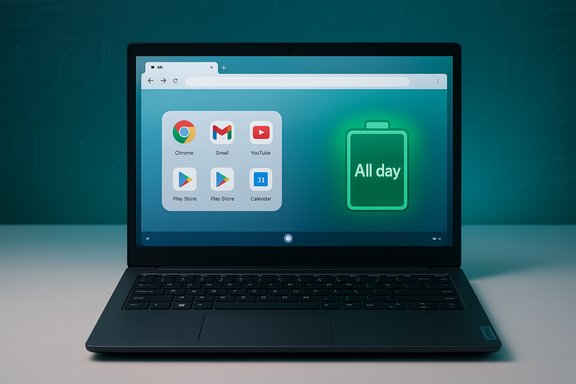
Android’s pitch on PCs is straightforward: lower power draw, better battery life, and the ability to run a huge library of mobile apps already available on the Google Play Store. The counterpoint — raised repeatedly by Lenovo — is that the mobile‑centric app ecosystem, driver support, and enterprise tooling will require substantial platform and partner effort to reach desktop parity.
Many Play Store apps simply assume a touch screen and single‑window focus; without desktop‑optimized behavior these apps can feel awkward on large displays and with keyboard/mouse interaction. Lenovo’s blunt line — “not all apps are optimized for PC use” — is both accurate and consequential.
However, the platform faces meaningful headwinds: app compatibility, driver/peripheral support, enterprise manageability, and sustained high‑performance compute are not solved problems today. Lenovo’s cautionary guidance is credible because it reflects decades of enterprise and developer expectations that Android PCs must still meet to expand beyond niche segments.
Google must partner closely with OEMs, Qualcomm, and the developer community to deliver the desktop primitives, certification programs, and enterprise tooling Lenovo and IT teams require. If that work happens, Android PCs can become a credible, efficient alternative for a large slice of the market — but not a universal replacement for Windows for pro and enterprise users in the near term.
Lenovo’s measured Q&A should be read as both an endorsement of Android’s potential on laptops and a cautionary procurement checklist: promising where efficiency and app familiarity matter, limited where legacy apps, peripherals, and enterprise requirements dominate.
Source: Digital Trends Lenovo highlights Android PC perks, but I’m more concerned about the limitations
 Background
The idea of Android as a first‑class laptop OS has moved from experiment to vendor strategy following public signals from Google and Qualcomm and visible OEM interest. Qualcomm’s push of ARM‑based Snapdragon silicon for larger form factors — including references to a Snapdragon X series for PC use — gives hardware partners something to target, but the software platform and ecosystem work remain the gating factors. Lenovo’s Q&A is one of the first major OEM‑level, plainly worded documents that balances enthusiasm with engineering caveats.Android’s pitch on PCs is straightforward: lower power draw, better battery life, and the ability to run a huge library of mobile apps already available on the Google Play Store. The counterpoint — raised repeatedly by Lenovo — is that the mobile‑centric app ecosystem, driver support, and enterprise tooling will require substantial platform and partner effort to reach desktop parity.
Overview: What Lenovo told buyers
Lenovo’s Q&A is both consumer guidance and a vendor warning. Its core messages are simple and actionable:- Android PCs will be excellent for web browsing, email, video streaming, conferencing, and light document editing.
- The machines may run Snapdragon‑class ARM silicon — reported to include parts from a Snapdragon X family — which emphasizes efficiency over raw multi‑threaded throughput.
- Significant limitations exist: lack of mature desktop‑style file management and multitasking, app compatibility gaps for Win32/macOS software, driver/peripheral support shortfalls, and constraints on sustained heavy compute or GPU workloads.
Why this matters: strategic and practical stakes
Android on laptops is not just a product decision — it’s an ecosystem play that affects OEMs, developers, enterprises, and Microsoft’s position in the market.- For OEMs, Android offers a route to thinner, cooler, lower‑cost devices with longer battery life if the silicon and firmware deliver on efficiency claims. That can change pricing and unit economics in the midrange and education segments.
- For developers, Android‑on‑PC introduces a new target surface: desktop‑optimized Android builds must handle keyboard/mouse focus models, windowing, high‑DPI scaling, and desktop UX expectations. Lenovo’s Q&A emphasizes that not all Play Store apps are optimized for PC use.
- For enterprises, the absence of proven management, identity, and patching parity with Windows is the largest single obstacle to adoption. Lenovo explicitly points to the need for MDM parity, SSO/domain‑join equivalents, and longer update windows.
The good: Where Android PCs genuinely shine
Battery life, thermals, and device design
ARM‑native Snapdragon silicon is built around efficiency. On paper and in initial engineering devices that leverage Snapdragon X‑class chips, Android PCs promise:- Longer battery life in real‑world web and media workloads.
- Cooler, quieter devices with smaller fans or even passively cooled designs.
- Thinner chassis and reduced BOM complexity when OEMs standardize around mobile silicon.
Familiar app ecosystem for phone‑centric users
Millions of consumers already use Android apps daily. Running the same apps on a laptop can reduce friction for users who live in Google’s ecosystem: messaging apps, social media, streaming services, and mobile productivity suites translate well to larger screens with minor UX adjustments. Lenovo calls this a real benefit for mainstream users and education customers.Leaner OS footprint on low‑end hardware
Android’s modular architecture and lightweight runtime can feel snappier on modest hardware than a full Windows image. Lenovo highlights that repurposing older devices with Android could extend usable life for low‑power machines or create compelling entry points for budget markets.On‑device AI opportunities
Google’s Gemini and on‑device inference engines, combined with NPUs in modern Snapdragon chips, open the door to features like offline assistance, fast local model inference, and AI‑driven search/assistance that don’t always require cloud calls. Lenovo and analysts point to this as a potential differentiator if the platform stabilizes.The hard limits: What Lenovo warns will likely disappoint many users
App compatibility: mobile apps ≠ desktop apps
The single largest experiential gap is application parity. High‑value desktop apps — Adobe Creative Cloud, Visual Studio, AutoCAD, and many industry‑specific tools — are native Win32/x64 or macOS binaries and will not run natively on Android without serious engineering work such as porting, virtualization, or streaming. Lenovo stresses this as a categorical limitation that determines whether a professional can migrate.Many Play Store apps simply assume a touch screen and single‑window focus; without desktop‑optimized behavior these apps can feel awkward on large displays and with keyboard/mouse interaction. Lenovo’s blunt line — “not all apps are optimized for PC use” — is both accurate and consequential.
Performance ceilings and GPU workloads
Mobile SoCs deliver excellent burst performance and efficiency, but sustained heavy workloads (complex video encoding, 3D rendering, large compile jobs) reveal thermal and architectural limits when compared with x86 laptop CPUs and discrete GPUs. Gaming is a particular weak spot: PC game libraries, DirectX stacks, and x86 binaries do not map cleanly to Android. Lenovo rightly calls out that Android PCs are not designed to replace high‑performance gaming rigs.Peripheral and driver compatibility
Enterprise and creative peripherals (specialized printers, capture cards, pro audio interfaces, docking stations) often require kernel‑level drivers, signed firmware, or vendor utilities that historically target Windows or macOS. For Android PCs to reach parity, chipmakers and OEMs must deliver kernel modules and certified driver stacks — a nontrivial engineering and support task. Lenovo notes this is a major constraint for real‑world deployment.Enterprise tooling and update cadence
Android’s handset history of OEM‑driven fragmentation and varied update policies is a cautionary tale for enterprises. IT expects long support windows, predictable patching, detailed device management, and robust logging — all areas where Android PC variants currently lack the parity Windows offers. Lenovo flags manageability and consistency as key procurement considerations.Learning curve and desktop ergonomics
Users accustomed to advanced file systems, shell tools, terminal workflows, and multi‑monitor setups will find Android’s app‑centric mental model limiting. Lenovo warns that features like advanced file management and multitasking are less mature than on traditional desktop OSes — a UX gap that can increase support costs for organizations.Technical deep dive: architecture, compatibility, and mitigation paths
ARM vs x86: binary compatibility matters
- Windows and macOS legacy applications are primarily compiled for x86/x64 instruction sets. Running those binaries on ARM machines requires either native ARM ports, emulation (with performance overhead), or cloud/VM streaming. Android PCs that use ARM silicon will therefore be constrained unless ISVs explicitly ship ARM builds or Google provides efficient emulation/virtualization layers.
Virtualization and cloud streaming as stopgaps
Cloud‑hosted Windows desktops (Cloud PC or streaming services) can convert lightweight Android hardware into capable clients for heavy workloads. This mitigates local compatibility gaps but introduces network dependence, subscription cost, and latency concerns — a trade‑off Lenovo and others highlight for users who require occasional heavy local apps.Driver model and peripheral certification
For broad adoption, Google/OEMs must establish peripheral certification programs and SDKs so printers, docks, and audio interfaces ship with supported Android drivers. Without such programs, many users will face inconsistent experiences or need to rely on vendor apps that may never appear on Android PC platforms. Lenovo explicitly calls out driver and firmware support as a material constraint.Developer tooling: windowing, keyboard/mouse, and high‑DPI
Google must deliver clear developer guidance and APIs for desktop‑style windowing, keyboard focus, pointer input, high‑DPI scaling, and multi‑window task flows. Incentives are needed for developers to produce desktop‑optimized APKs that behave like modern desktop apps rather than oversized phone apps. Lenovo’s checklist for success includes these items.Risks and unknowns OEMs and buyers must watch
- Timeline uncertainty: Hardware roadmaps (e.g., Snapdragon X‑series waves) do not equal a finished retail platform. Public references to chip shipment windows are not formal device launch dates; Lenovo warns against conflating the two.
- Fragmentation and update risk: If OEMs ship divergent Android PC versions with inconsistent update commitments, enterprises will resist adoption. Lenovo specifically flags update cadence and manageability as procurement criteria.
- Firmware and battery regressions: Firmware bugs (charger behavior, UEFI issues) can quickly damage brand trust for devices marketed on battery life and mobility. Robust firmware QA is essential.
- Peripheral gaps: Missing drivers for pro hardware will limit creative and enterprise use cases until vendors provide signed, certified software.
Who should consider an Android PC (and why)
- Students and education deployments who prioritize cost, battery life, and simple management models may find Android PCs compelling. Android’s app familiarity and battery advantage play well here.
- Light users whose workflows are browser‑centric and cloud‑first (web Office suites, Slack, email, streaming) can get an efficient, affordable compute device.
- Cloud‑centric professionals who rely on remote desktops or VDI may use Android PCs as thin clients for heavier Windows workloads, accepting the subscription/network trade‑offs.
- Native Win32/x64 professional apps (CAD, DAW suites, large IDEs).
- High‑end gaming or discrete GPU rendering.
- A diverse set of specialized peripherals without guaranteed Android driver support.
Practical buying and deployment checklist
When evaluating an Android PC, confirm these items before purchase:- Long‑term update commitments and security‑patch windows from the OEM.
- Verified peripheral compatibility: printers, docks, pro audio, and capture devices.
- Presence of Cloud PC or remote desktop options for legacy app needs and a tested latency baseline if required.
- Developer‑facing features: desktop windowing support, keyboard shortcuts, and high‑DPI scaling in the apps you depend on.
- Real‑world battery tests and sustained performance reviews rather than marketing midpoint claims.
What Google, OEMs, and developers must deliver next
To move Android PCs from interesting niche to mainstream alternative in the low‑to‑mid tier, the ecosystem must address several hard engineering and business problems:- Desktop‑grade developer tooling and incentives for app optimization.
- A peripheral certification program with vendor SDKs and signed driver support.
- Enterprise management parity: stronger MDM features, SSO/domain equivalents, audit/logging, and multi‑year update commitments.
- A clear compatibility path for legacy Windows apps: native ports, high‑efficiency emulation, or cloud streaming options with low latency.
Final assessment: pragmatic optimism with caveats
Lenovo’s Q&A is a welcome reality check that reorients the conversation from breathless “Android will replace Windows” narratives toward a realistic, engineering‑led view of trade‑offs. For the right user profiles — students, web‑centric consumers, and cloud‑first workers — Android PCs could be economically and practically attractive, offering long battery life, simpler OS footprints, and tight phone‑to‑PC continuity.However, the platform faces meaningful headwinds: app compatibility, driver/peripheral support, enterprise manageability, and sustained high‑performance compute are not solved problems today. Lenovo’s cautionary guidance is credible because it reflects decades of enterprise and developer expectations that Android PCs must still meet to expand beyond niche segments.
Google must partner closely with OEMs, Qualcomm, and the developer community to deliver the desktop primitives, certification programs, and enterprise tooling Lenovo and IT teams require. If that work happens, Android PCs can become a credible, efficient alternative for a large slice of the market — but not a universal replacement for Windows for pro and enterprise users in the near term.
Lenovo’s measured Q&A should be read as both an endorsement of Android’s potential on laptops and a cautionary procurement checklist: promising where efficiency and app familiarity matter, limited where legacy apps, peripherals, and enterprise requirements dominate.
Source: Digital Trends Lenovo highlights Android PC perks, but I’m more concerned about the limitations
