

Lenovo’s new Q&A on the topic throws a cold, practical light on Google’s bold push to put Android on laptops: the company says Android PCs will be excellent for lightweight, web- and cloud-first tasks, and for squeezing life out of older or low‑powered hardware — but they’ll also come with limited desktop features, app compatibility issues, gaming and peripheral constraints, and a learning curve for traditional PC users. This measured, cautionary take — summarized and reported by Windows Central — is the clearest vendor-level reminder yet that Android‑on‑PC is attractive for many buyers, but not a drop‑in replacement for a full Windows PC today.
Google and Qualcomm publicly signaled a coordinated push to make Android a first‑class platform on laptops and desktops at the Snapdragon Summit, with Google describing plans to fold ChromeOS and Android closer together and bring Gemini and Android’s AI stack to PCs. Qualcomm’s CEO responded enthusiastically, calling the work “incredible” on stage — a public stamp of OEM and silicon‑partner interest that makes Android PCs more than a tinkering exercise. Multiple outlets reported the same exchange and the broader roadmap, so the technical ambition is well documented even as timelines remain fuzzy. Lenovo — one of the world’s largest PC OEMs — published an accessible Q&A aimed at buyers and IT teams that bluntly lists what Android PCs should and should not be expected to do. That Q&A is a pragmatic complement to the marketing buzz: it frames Android PCs as a value, battery‑friendly option for mainstream tasks, while explicitly warning about the feature gaps versus Windows devices. The Q&A is available on Lenovo’s site and has been summarized in press coverage.
For OEMs, Android on laptops offers an alternative route to cheaper BOMs, long battery life, and simplified silicon stacks if Google can deliver the platform pieces. Lenovo’s balanced guidance is instructive for other OEMs: Android PCs will sell where price, battery life, and app familiarity matter — not where legacy enterprise integration or high‑end workloads dominate.
For consumers shopping the budget, education, or secondary‑device segment, Android PCs should be on the shortlist. For administrators, power users, and creatives who depend on legacy software and advanced peripherals, Windows remains the safer, more capable platform — at least until Google, Qualcomm, OEMs, and third‑party developers close the app, driver, and management gaps Lenovo outlines.
What to watch next: OEM announcements of Android‑native laptops, Google developer releases that document desktop APIs or SDKs for big‑screen apps, and concrete management/driver programs from hardware vendors. Those milestones will decide whether Android PCs remain a smart, narrow choice — or whether they become a mainstream alternative that forces Windows to materially change its strategy.
Source: Windows Central Lenovo says upcoming Android PCs will have "limited desktop features, app compatibility issues" and more problems when compared to Windows PCs
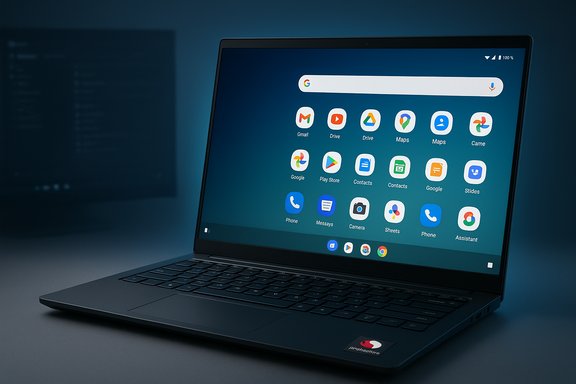 Background / Overview
Google and Qualcomm publicly signaled a coordinated push to make Android a first‑class platform on laptops and desktops at the Snapdragon Summit, with Google describing plans to fold ChromeOS and Android closer together and bring Gemini and Android’s AI stack to PCs. Qualcomm’s CEO responded enthusiastically, calling the work “incredible” on stage — a public stamp of OEM and silicon‑partner interest that makes Android PCs more than a tinkering exercise. Multiple outlets reported the same exchange and the broader roadmap, so the technical ambition is well documented even as timelines remain fuzzy. Lenovo — one of the world’s largest PC OEMs — published an accessible Q&A aimed at buyers and IT teams that bluntly lists what Android PCs should and should not be expected to do. That Q&A is a pragmatic complement to the marketing buzz: it frames Android PCs as a value, battery‑friendly option for mainstream tasks, while explicitly warning about the feature gaps versus Windows devices. The Q&A is available on Lenovo’s site and has been summarized in press coverage. What Lenovo actually said: concise summary
- Android PCs are well suited to:
- Web browsing, email, streaming, video conferencing, and light document editing.
- Media playback, casual photo/video touch‑ups, and mobile-first productivity apps.
- Running on low‑powered chips and repurposing older hardware thanks to Android’s lightweight design.
- Android PCs are not recommended for:
- Running traditional desktop, Win32/x64 professional apps and legacy enterprise software.
- High‑performance gaming or GPU‑intensive tasks.
- Advanced multitasking and desktop‑grade file management experiences.
- Peripherals or enterprise drivers that require Windows drivers or specialized kernel drivers.
- Practical cautions:
- Many Android apps are mobile‑first and not optimized for large screens, keyboard+mouse interaction, or multi‑window desktop flows.
- Hardware and peripheral compatibility depends on vendors shipping drivers and firmware for the Android PC platform.
- There will be a learning curve for users that expect the full set of Windows desktop features.
Why Lenovo’s take matters
Lenovo’s Q&A operates at two different levels at once. On consumer pages it’s marketing and customer education; with enterprises, it’s risk‑management. That dual purpose makes the document valuable because it is both aspirational and conservative:- OEM credibility: Lenovo sells Windows laptops at scale and understands where customers complain (drivers, management, and app compatibility). Their guidance carries weight for buyers and IT shops that trust OEM guidance when planning refresh cycles.
- Market signalling: Lenovo’s cautious framing tells partners and investors that Android PCs are a targeted play — not an immediate threat to high‑end Windows workstations or broad enterprise standardization.
- Realistic buyer framing: For shoppers seeking low‑cost, long‑battery‑life devices for web‑centric tasks, Lenovo effectively validates Android PC as a legitimate option; for pros and enterprises, the guidance warns against premature migration.
Technical realities: what’s true today (verified)
- Android is lightweight and runs well on less capable silicon.
- Android’s kernel and runtime are optimized for mobile and scale down to lower RAM and CPU budgets, which helps battery life and responsiveness on low‑power devices. Lenovo points to this as a benefit for repurposing older laptops. This is consistent with engineering fundamentals and vendor messaging from Qualcomm about energy efficiency on Snapdragon silicon.
- Android’s app ecosystem is predominantly mobile‑first.
- The Play Store has millions of apps, but most are designed for touch and single‑window behavior. Running those apps on a large laptop screen without desktop‑grade windowing and keyboard behavior will surface UX issues. Lenovo explicitly warns that “not all apps are optimized for PC use.” This is an observable reality on ChromeOS and larger Android tablet modes today.
- Driver and peripheral support is a material constraint.
- Desktop peripherals often rely on kernel drivers, signed firmware, and vendor software that historically target Windows or macOS. For Android PCs to offer parity, chipmakers and OEMs must deliver kernel modules and driver stacks for printers, audio interfaces, docking stations, GPUs, and enterprise security devices. Lenovo’s Q&A points this out and industry coverage backs it up as a key engineering challenge.
- Enterprise features — management, identity, and patching — are not yet at Windows parity.
- Enterprises expect Group Policy‑level controls, rich MDM integrations, SSO/domain‑join equivalents, and long update windows. Android’s consumer heritage means many of these features will need platform work and ecosystem commitments before large‑scale deployment. Lenovo highlights this and analysts have flagged it as a blocker.
- Timeline uncertainty: hardware roadmaps exist, but software readiness and mass availability are separate.
- Qualcomm’s X‑series silicon is slated to ship in waves (vendors referenced H1 2026 for certain X2 parts), which gives Google and OEMs hardware to target — but Google hasn’t published a formal retail launch schedule for Android PCs. This distinction (chips ready ≠ finished platform) is widely repeated in coverage and echoed by OEM advisories. Treat ship‑date rumours cautiously.
Strengths of Android PCs (where Lenovo and others are right)
- Battery life and thermal efficiency
- ARM‑based Snapdragon silicon promises lower power draw and passive‑cooled designs, translating to thinner, quieter devices with longer battery life for typical office and media tasks. That advantage is central to the Android PC pitch and aligns with Qualcomm’s marketing.
- Simpler OS footprint on low‑end hardware
- Android’s modular and modern codebase allows leaner installs compared with a full Windows image. On older devices or entry models, that can mean a faster, snappier experience for mainstream use cases. Lenovo’s guidance to repurpose older PCs plays directly into this benefit.
- App familiarity for phone‑first users
- Millions of users already use Android apps daily. For consumers who live inside mobile ecosystems, a laptop that runs the same apps and integrates with their phone may reduce friction and improve continuity. Google intends to exploit that advantage through tighter Android/AI integration.
- On‑device AI possibilities
- Google’s Gemini and local model inference, combined with NPUs in Snapdragon silicon, could deliver offline, low‑latency AI features that Windows OEMs will need to match. This is a headline differentiator if Google and Qualcomm can ship stable, secure on‑device AI primitives at scale.
Key limitations and risks (why Lenovo warns against wholesale switching)
- App compatibility and desktop parity
- The biggest single user‑experience gap is that many high‑value desktop apps (Adobe Photoshop/Creative Cloud, Visual Studio, AutoCAD, specialized enterprise line‑of‑business software) are native Windows or macOS binaries and won’t run on Android without virtualization or cloud streaming. This gap isn’t subjective — it’s a categorical difference that Lenovo emphasizes and that will determine whether professionals can migrate.
- Gaming and GPU workloads
- Dedicated PC games depend on x86/x64 binaries, DirectX stacks, and discrete GPUs. Android games are abundant, but they are mobile titles, not direct substitutes for PC game libraries. Lenovo correctly calls out that Android PCs aren’t designed for high‑performance gaming in the way Windows desktops are.
- Peripheral and driver compatibility
- Enterprise and pro peripherals — specialized printers, capture cards, audio interfaces — often require signed drivers. Android must either attract vendor support for those drivers or offer robust compatibility/emulation paths; otherwise, the platform will fall short for many workplace scenarios. Lenovo’s Q&A notes this real limitation plainly.
- Fragmentation and update velocity
- Android’s historic fragmentation on phones (OEMs shipping different versions, variable update commitments) is a cautionary tale for enterprises. A desktop market demands longer update windows and stronger management channels; if Android PC variants differ by OEM or ship with inconsistent vendor software, enterprises may resist. Lenovo flags update and manageability as purchase criteria.
- Learning curve and desktop ergonomics
- Users who depend on advanced file systems, shell tools, or multi‑monitor productivity may find Android’s app‑centric mental model limiting. Lenovo warns that features like advanced file management and multitasking are less mature than in a traditional desktop OS. That usability gap can increase support costs and user frustration in mixed environments.
Where Google and partners must deliver: a checklist
- Desktop‑grade developer tooling
- Windowing APIs, keyboard/mouse focus models, high‑DPI scaling guidance, and incentives to produce desktop‑optimized builds.
- Driver and peripheral program
- Certification programs and vendor SDKs to ensure printers, docking stations, audio interfaces, and enterprise hardware have supported drivers.
- Enterprise management parity
- MDM features, audit/logging, SSO/domain equivalents, update lifecycles, and enterprise‑grade security controls.
- Compatibility or migration story for legacy apps
- Cloud‑hosted Windows apps, strong virtualization, or emulation frameworks (with acceptable performance) to address the Win32 gap for business customers.
- Clear update commitments from OEMs
- Multi‑year OS/firmware patch windows and transparency about support timelines to avoid the fragmentation criticisms that dog Android phones.
Practical advice for buyers and IT leaders
- If you need compatibility with legacy Windows software, specialized drivers, or high‑end creative and engineering applications, stick with Windows PCs for now.
- If your use case is browser‑centric, cloud apps (web Office suites), conferencing, streaming, or light productivity on a budget, Android PCs may be an excellent and efficient choice.
- For IT procurement pilots: deploy Android PCs in controlled groups (education, kiosks, or remote staff with web workflows), validate management tools, and inventory device‑dependent apps before broad rollout.
- For gamers and content creators: prioritize Windows or macOS until Android PC app availability and GPU acceleration stories mature.
- When evaluating an Android PC offer, confirm:
- Long‑term update commitments from the OEM.
- Peripheral compatibility (printers, docks, audio).
- Enterprise management and security features if used in business contexts.
Strategic implications for Microsoft and OEMs
Google + Qualcomm moving on an Android PC strategy is a clear competitive nudge at Microsoft: it pressures Windows to innovate on energy efficiency, modularity, and on‑device AI. But Lenovo’s Q&A also implicitly helps Microsoft’s defense — it underscores that the gap isn’t just in OS design but in decades of app, driver, and enterprise ecosystem investments where Windows remains entrenched.For OEMs, Android on laptops offers an alternative route to cheaper BOMs, long battery life, and simplified silicon stacks if Google can deliver the platform pieces. Lenovo’s balanced guidance is instructive for other OEMs: Android PCs will sell where price, battery life, and app familiarity matter — not where legacy enterprise integration or high‑end workloads dominate.
What remains unverifiable or speculative (and needs watching)
- Exact ship dates and broad retail availability for Android PCs remain unannounced by Google or major OEMs. Public references to hardware windows (Snapdragon X2 shipping timelines) do not equal confirmation that finished Android laptops will be available to consumers at the same time. Treat launch dates as provisional until Google and OEMs set firm calendars.
- Performance parity claims based on NPU/TOPS marketing are incomplete without real‑world benchmarks showing sustained multitasking, driver maturity, and app‑level optimization. Qualcomm’s NPU numbers matter, but system software, drivers, and thermal designs decide the real experience. Qualcomm’s praise is genuine, but it’s not a substitute for shipping hardware + software that works in everyday scenarios.
- Microsoft’s strategic response should be monitored. Pricing pressures and consumer migration to Android PCs in the low‑end could push Microsoft to accelerate Windows modularity, improve ARM support, or offer better Copilot/AI differentiators for OEMs. These dynamics will play out over product cycles, not overnight.
Bottom line
Lenovo’s Q&A is a useful reality check: Android PCs are likely to be great for a large slice of mainstream users — especially those who prioritize battery life, cost, and phone‑app continuity — but they will not, at launch, replace the full capabilities or ecosystem that Windows offers to professionals and enterprises. Lenovo’s candid guidance helps buyers match the right OS to the right workload and confirms the industry’s view that Android on PCs is an incremental but important evolution, not an immediate desktop‑OS revolution.For consumers shopping the budget, education, or secondary‑device segment, Android PCs should be on the shortlist. For administrators, power users, and creatives who depend on legacy software and advanced peripherals, Windows remains the safer, more capable platform — at least until Google, Qualcomm, OEMs, and third‑party developers close the app, driver, and management gaps Lenovo outlines.
What to watch next: OEM announcements of Android‑native laptops, Google developer releases that document desktop APIs or SDKs for big‑screen apps, and concrete management/driver programs from hardware vendors. Those milestones will decide whether Android PCs remain a smart, narrow choice — or whether they become a mainstream alternative that forces Windows to materially change its strategy.
Source: Windows Central Lenovo says upcoming Android PCs will have "limited desktop features, app compatibility issues" and more problems when compared to Windows PCs
