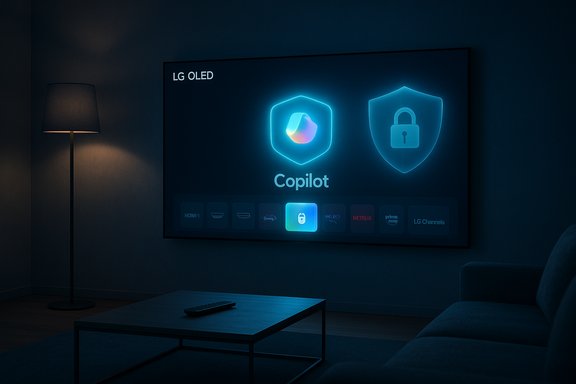
LG pushed Microsoft’s Copilot onto a swath of webOS televisions via a recent over‑the‑air firmware update — and for many owners the new Copilot tile behaves like a system‑level feature that can be hidden but not uninstalled, touching off an unusually loud backlash about device ownership, post‑purchase control, and privacy.
In early 2025 manufacturers and platform partners signaled a clear strategy: put conversational assistants on the living‑room screen. At CES, TV makers including LG and Samsung positioned on‑screen AI as a convenience for content discovery, spoiler‑free recaps, voice navigation and accessibility features. Microsoft’s Copilot was the anchor of that pitch, promised as the conversational brain OEMs would surface on homescreens. That conceptual roadmap is uncontroversial. The friction emerged in execution: in mid‑December 2025 a routine webOS firmware‑over‑the‑air (FOTA) update reportedly added a visible Copilot tile to many LG TVs’ home ribbons and AI sections without a user‑initiated install. Owners discovered that, unlike ordinary streaming apps, Copilot often lacks the normal uninstall affordance in webOS’s app manager; the only available actions are typically hide or disable. Multiple community reports also show the tile reappearing after factory resets — the classic symptom that a component was delivered as a privileged system package or baked into the firmware image rather than installed as a removable Content Store app. Independent outlets and enthusiast forums have now reported the same pattern: users posting screenshots on Reddit and elsewhere, mainstream tech sites amplifying those posts, and community threads cataloging the predictable sequence — update, new Copilot tile, limited management options, and, in several cases, reappearance after reset.
At the time of writing there is no public enforcement action specifically tied to this Copilot rollout, but precedent suggests regulators will pay attention if transparency or consent failings are alleged and persistent. Observers have flagged this as a plausible regulator‑worthy scenario and urged vendors to be proactive in adding uninstall options and privacy dashboards.
For affected owners the pragmatic immediate steps are simple: hide the tile, disable voice features, opt out of Live Plus and ad personalization, and if necessary keep the TV offline or use an external streamer. For LG and Microsoft the remedy is equally clear: restore consumer choice, publish transparent technical details, and default to privacy‑minimal settings while preserving the option to opt back in.
The broader lesson for the industry is that how AI arrives on a device matters at least as much as what it does. Convenience and innovation win when they come with transparent choice, clear privacy controls, and respect for user agency. Until those guardrails become standard practice for in‑device AI, many consumers will prefer to opt out of smart features entirely or swap their smart platform for an external device they control.
(Note: the observable facts summarized above are documented in community reports and multiple independent media outlets; vendor confirmation about the precise packaging and contractual terms remains outstanding and should be treated as an open item until companies publish technical statements.
Source: MobileSyrup LG shoves unremovable Microsoft Copilot onto its TVs
 Background / Overview
In early 2025 manufacturers and platform partners signaled a clear strategy: put conversational assistants on the living‑room screen. At CES, TV makers including LG and Samsung positioned on‑screen AI as a convenience for content discovery, spoiler‑free recaps, voice navigation and accessibility features. Microsoft’s Copilot was the anchor of that pitch, promised as the conversational brain OEMs would surface on homescreens. That conceptual roadmap is uncontroversial. The friction emerged in execution: in mid‑December 2025 a routine webOS firmware‑over‑the‑air (FOTA) update reportedly added a visible Copilot tile to many LG TVs’ home ribbons and AI sections without a user‑initiated install. Owners discovered that, unlike ordinary streaming apps, Copilot often lacks the normal uninstall affordance in webOS’s app manager; the only available actions are typically hide or disable. Multiple community reports also show the tile reappearing after factory resets — the classic symptom that a component was delivered as a privileged system package or baked into the firmware image rather than installed as a removable Content Store app. Independent outlets and enthusiast forums have now reported the same pattern: users posting screenshots on Reddit and elsewhere, mainstream tech sites amplifying those posts, and community threads cataloging the predictable sequence — update, new Copilot tile, limited management options, and, in several cases, reappearance after reset. Why owners are upset: autonomy, privacy and precedent
The psychology of ownership
Consumers reasonably expect that software added to hardware they have already purchased will be optional. When an OEM treats a third‑party feature as a system component, the device starts to feel like a managed service rather than a private appliance. That loss of agency is the immediate driver of frustration documented across social feeds and forum threads. Users describe the experience in blunt terms — “forced AI,” “bloatware,” and “loss of control” are recurring refrains.Telemetry and surface area
Smart TVs already collect metadata: Automatic Content Recognition (ACR) features (LG calls its implementation “Live Plus”) identify what’s playing on screen to enable recommendations and targeted ads. Adding a cloud‑connected conversational assistant widens the telemetry surface to include voice queries, contextual prompts, and interaction timestamps. Even when such collection is legitimate for feature delivery, the combination of a non‑removable assistant plus existing ACR systems magnifies privacy concerns because users lack an obvious permanent opt‑out. Several reports specifically call attention to Live Plus settings being enabled by default in the same update that surfaced Copilot.The slippery slope and precedent
This incident is being read as part of a longer trend where platform owners preinstall or aggressively surface their own or partners’ services (recall prior controversies around non‑removable apps on phones, or browser pushbacks). The fear: an erosion of post‑purchase choice where manufacturers can retrofit monetization or data‑gathering features onto devices without explicit renewed consent. The current reaction is thus less about Copilot’s utility than about how it arrived and what control (if any) comes with it.Technical anatomy: why Copilot may be “unremovable”
Understanding why an app behaves like a permanent fixture on a TV requires a short primer on embedded platform packaging:- Some components on webOS are delivered as system packages or are baked into the firmware image itself. Those packages live at a privileged layer and are not exposed to the normal user uninstall workflow.
- A typical FOTA update can write new files into the read‑only root of the platform or add privileged packages that are restored on boot and survive factory resets if they’re part of the base image.
- The UI signal is instructive: when an icon lacks the trash‑can / uninstall affordance in Edit/App Manager, it usually means the system treats that tile as preinstalled. Community tests — hiding the tile, performing a factory reset, and watching it reappear — are consistent with firmware‑level provisioning rather than ordinary app installs.
What vendors have (and haven’t) said
LG promoted an “AI TV” roadmap earlier in the year that included Copilot as a partner integration; Microsoft and Samsung have also publicly described Copilot deployments on 2025 models. Those public statements confirm the intent to bring Copilot to living‑room screens, but they did not explicitly promise a forced, non‑removable install on previously shipped sets. Where vendor detail is thin is the packaging and consent model for post‑purchase updates: LG’s marketing materials describe expanded webOS AI features and an “AI Remote,” but at the time reporting surfaced there was no clear, model‑specific technical bulletin explaining why Copilot was delivered as a privileged component in certain firmware builds. Microsoft’s wider AI rollout and its internal sales posture have also been in the headlines: a report from The Information that Microsoft had lowered growth targets for some AI efforts prompted market attention and a formal company denial. That wider context — heavy promotional push for Copilot across devices while user adoption and enterprise sales show friction — is relevant because it helps explain why platform partners might aggressively surface Copilot on as many endpoints as possible. But the sales‑targets story itself is contested and was publicly denied by Microsoft. Readers should treat that corporate‑metrics reporting cautiously and note that vendor denials are on the record.Independent corroboration: what the reporting shows
This episode is documented across multiple independent outlets, community threads and technical observers:- Forum aggregation and internal analysis collected from enthusiast communities show the consistent pattern of a FOTA update placing a Copilot tile that is not uninstallable via the normal app manager; those threads also include user‑reported evidence that factory resets can restore the tile.
- Mainstream sites (Tom’s Hardware, PCWorld, Cybernews, Windows Central and others) reproduced Reddit screenshots and verified that the Copilot tile often acts like a web‑wrapped shortcut rather than a deeply native application in many affected sets, reinforcing the idea that it may have been provisioned as a privileged or web‑backed system item.
- Coverage also flags that LG’s own support documentation notes some preinstalled or system apps cannot be deleted via the standard app manager — a detail that aligns with user experience.
Practical mitigations for affected owners
If your LG TV received Copilot and you don’t want it on your home screen or connected to the network, the pragmatic options are:- Hide the tile from the home screen using Edit > Hide — this removes visual clutter but may not remove telemetry surface.
- Disable voice features and any microphone‑based voice activation in Settings to limit active audio capture. Confirm microphone permissions and the AI/assistant settings.
- Turn off or opt out of Live Plus (ACR) and ad personalization in your TV’s privacy or ad settings. This reduces automated content recognition and ad personalization.
- Keep the TV offline: unplug the Ethernet or disable Wi‑Fi during use if you don’t need smart features. This prevents the Copilot interface from reaching cloud services. (Obviously, this also disables other cloud features and firmware updates.
- Use router‑level controls (recommended for power users): block outbound domains or IP ranges used by Copilot or Microsoft services, or isolate the TV on a guest network with no Internet access.
- Log into your home router’s admin console.
- Create a new firewall rule or content filter for the TV’s MAC or static IP address.
- Block outbound traffic to the domains or services you identify in network captures (if you can) or block Microsoft‑owned AI service domains as an interim measure.
- Save and reboot the device and the TV to verify network access is blocked.
What to do if you want a permanent fix (and why it’s not simple)
A factory reset in many reported cases restored the Copilot tile, strongly suggesting the component exists in the device’s firmware image — meaning a simple reset won’t remove it. The only robust ways to permanently remove a firmware‑level component would be:- A vendor firmware update that explicitly removes the Copilot package or converts it into a removable app.
- A vendor policy change that adds a supported uninstall path in the webOS app manager.
- Installing a custom firmware (unsupported and risky) — not recommended for most consumers and likely to void warranties.
Legal and regulatory angle — potential trouble but no public enforcement yet
Legal risk vectors for OEMs include consumer‑protection laws that penalize deceptive or unfair practices, and privacy statutes that require clear consent for data collection. Regulators in privacy‑sensitive jurisdictions have previously scrutinized smart‑TV telemetry and ad‑tracking practices; adding a non‑removable assistant that can accept voice input and be tied to ACR could attract further attention if vendors fail to provide clear, persistent opt‑outs and disclosures.At the time of writing there is no public enforcement action specifically tied to this Copilot rollout, but precedent suggests regulators will pay attention if transparency or consent failings are alleged and persistent. Observers have flagged this as a plausible regulator‑worthy scenario and urged vendors to be proactive in adding uninstall options and privacy dashboards.
Strengths of the Copilot-on-TV idea — and why they matter
It’s important to separate the feature from the rollout:- Integrating a conversational assistant into the TV can legitimately improve content discovery, accessibility, and convenience. Voice queries for navigation, natural language search, and contextual show recaps are useful functions for many households.
- When tightly integrated and opt‑in, assistants can lower friction for users who want hands‑free interactions or accessibility help.
- Deep integration can yield low‑latency voice shortcuts and richer contextual replies that leverage on‑screen metadata.
Risks and the core critique
The essential problem in this episode is not that Copilot exists; it’s that it was provisioned without an obvious, supported exit ramp for consumers. Key risks include:- Erosion of user control: System‑level provisioning removes the normal uninstall pathway and turns what should be an optional convenience into persistent fixturery.
- Privacy creep: Coupling ACR, ad personalization and a non‑removable assistant increases the scope for profiling and creates legitimate uncertainty about what is being collected and how it’s used.
- Reputational damage: Forced installs generate social backlash, returns, and negative press that can outweigh any short‑term engagement gains.
- Regulatory exposure: Opaque updates that change device behavior post‑sale could invite scrutiny from consumer protection agencies and privacy regulators.
What LG and Microsoft should do now
A pragmatic remediation plan would include:- Publish a clear technical bulletin explaining which models were affected, why the Copilot package was delivered as part of firmware, and whether this behavior is by design or a mistake.
- Provide an immediate firmware update that either converts Copilot into a removable app or adds an explicit, persistent uninstall/disable option in the UI.
- Surface a centralized privacy dashboard in webOS with one‑click toggles for ACR/Live Plus, voice telemetry, ad personalization and assistant activity logs.
- Communicate proactively to owners via email, push notifications and support pages so that affected customers understand what changed and how to control it.
Final assessment and takeaways
This episode crystallizes a broader tension in consumer tech: the race to put AI on every surface colliding with long‑standing expectations of post‑purchase device control. The Copilot feature itself has legitimate value for discovery and accessibility when used by people who want it. The problem here is governance: shipping a persistent, firmware‑level assistant without a durable opt‑out or uninstall path turns a potential convenience into a trust failure.For affected owners the pragmatic immediate steps are simple: hide the tile, disable voice features, opt out of Live Plus and ad personalization, and if necessary keep the TV offline or use an external streamer. For LG and Microsoft the remedy is equally clear: restore consumer choice, publish transparent technical details, and default to privacy‑minimal settings while preserving the option to opt back in.
The broader lesson for the industry is that how AI arrives on a device matters at least as much as what it does. Convenience and innovation win when they come with transparent choice, clear privacy controls, and respect for user agency. Until those guardrails become standard practice for in‑device AI, many consumers will prefer to opt out of smart features entirely or swap their smart platform for an external device they control.
(Note: the observable facts summarized above are documented in community reports and multiple independent media outlets; vendor confirmation about the precise packaging and contractual terms remains outstanding and should be treated as an open item until companies publish technical statements.
Source: MobileSyrup LG shoves unremovable Microsoft Copilot onto its TVs