

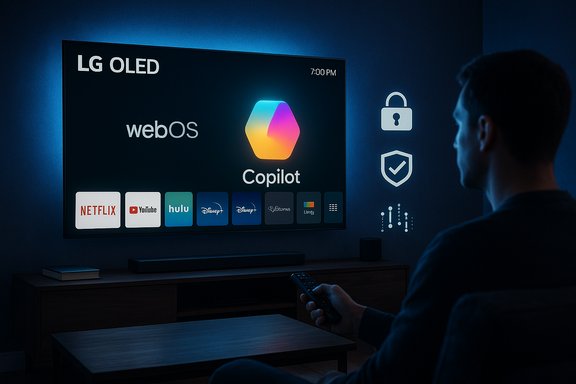
LG smart TVs pushed Microsoft’s Copilot onto many owners’ home screens via a routine webOS update, and a large number of users quickly discovered there’s no straightforward way to uninstall or permanently remove the Copilot tile — it can typically only be hidden, and in several reports a factory reset restores it.
LG and Microsoft publicly signaled a strategy to bring Copilot — Microsoft’s conversational AI — to living‑room screens as part of an “AI TV” push showcased around CES and in product briefings earlier in the year. The marketing promised richer content discovery, on‑screen contextual answers, and voice control that ties into webOS’s new AI features. What changed this month was less about the feature set than the delivery method: an over‑the‑air webOS firmware update added a visible Copilot tile to many LG TVs’ home ribbons, and users report the app behaves like a system‑level component rather than a removable, optional download. This story became widely visible after a high‑traffic Reddit post showing the Copilot tile went viral and was amplified by mainstream tech outlets. Coverage across Tom’s Hardware, Digital Trends, Engadget, TechRadar and others documented consistent user reports: the tile appears after a standard FOTA update, lacks the usual uninstall affordance in webOS’s Edit/App Manager, and — in multiple accounts — reappears after a factory reset. Those community‑sourced observations are now corroborated in reporting by independent outlets.
For affected owners today, the pragmatic path is to hide the tile, disable voice features, control network access, or rely on an external streaming device if preserving control is the highest priority. For the industry, the lesson is clear: convenience without consent is a brittle strategy. Vendors that combine innovation with defensible privacy defaults and easy exit ramps will retain trust — those that do not risk short‑term adoption at the cost of long‑term reputational harm.
Final takeaway: Copilot on LG TVs could be a genuinely helpful living‑room assistant, but the current rollout model — a privileged, persistent tile delivered via firmware with no supported uninstall — turned a potential convenience into a consumer revolt. Until LG provides a transparent opt‑out or an uninstall pathway, affected owners must rely on the mitigations above while watching for vendor follow‑up.
Source: Tom's Guide https://www.tomsguide.com/ai/copilo...got-an-ai-upgrade-thats-impossible-to-remove/
 Background / Overview
LG and Microsoft publicly signaled a strategy to bring Copilot — Microsoft’s conversational AI — to living‑room screens as part of an “AI TV” push showcased around CES and in product briefings earlier in the year. The marketing promised richer content discovery, on‑screen contextual answers, and voice control that ties into webOS’s new AI features. What changed this month was less about the feature set than the delivery method: an over‑the‑air webOS firmware update added a visible Copilot tile to many LG TVs’ home ribbons, and users report the app behaves like a system‑level component rather than a removable, optional download. This story became widely visible after a high‑traffic Reddit post showing the Copilot tile went viral and was amplified by mainstream tech outlets. Coverage across Tom’s Hardware, Digital Trends, Engadget, TechRadar and others documented consistent user reports: the tile appears after a standard FOTA update, lacks the usual uninstall affordance in webOS’s Edit/App Manager, and — in multiple accounts — reappears after a factory reset. Those community‑sourced observations are now corroborated in reporting by independent outlets. What actually happened — timeline and observable facts
- A webOS firmware update (FOTA) was pushed to many LG TVs.
- After installation, an icon or tile labelled Copilot showed up on the TV home screen, alongside apps like Netflix and YouTube.
- In the TV’s Edit or App Manager flows, Copilot often lacks the trash / uninstall option that appears for removable apps. The UI typically offers only Hide or Disable.
- Several owners who performed a factory reset reported the Copilot tile reappearing, which strongly suggests the package was delivered as a privileged system component or baked into the firmware image.
Why this matters: ownership, privacy and UX
Smart TVs have evolved into networked platforms that collect usage signals, offer promoted content and surface personalized recommendations. Embedding a cloud‑connected assistant into that mix magnifies several issues:- Device autonomy: Consumers expect software added to purchased hardware to be optional or at least removable. A non‑removable partner app erodes that expectation and changes the perception of ownership.
- Privacy and telemetry: TVs already collect viewing signals through Automatic Content Recognition (ACR) features (LG refers to these generically in its services). An assistant that accepts voice or typed queries expands the telemetry surface to include spoken queries, contextual on‑screen metadata and potentially cross‑device profiling. Without detailed vendor disclosures those possibilities feel opaque to users.
- Opaque update practices: Firmware updates are expected to deliver security patches and reliability fixes. Surprise feature additions delivered silently — particularly third‑party integrations placed at prime real estate on the home screen — undermine user trust and can trigger regulatory scrutiny in privacy‑sensitive markets.
Technical anatomy — how an app becomes “unremovable”
There are well‑known packaging patterns that manufacturers use to deliver privileged features on embedded platforms:- Install as a privileged system package: System apps are placed outside the user app sandbox and are managed differently by the OS. The app appears on the home screen but cannot be deleted through normal user flows.
- Bake into the firmware image: If a package is included in the firmware image that the TV boots from, then a factory reset will restore the same image — and the same preinstalled components.
- Provide a web wrapper as a system shortcut: Many vendors deploy a lighter solution that launches a web‑based interface inside a system browser shell. It’s easy to push and update server‑side, but if it’s installed as a system shortcut it can still be pinned and marked undeletable by design.
What LG’s documentation says (and why that matters)
LG’s own support documentation and online manuals explain the distinction between removable apps and preinstalled/system apps. In the webOS app‑management UI, preinstalled or system apps do not present the delete/trash icon and therefore cannot be removed via the consumer UI; they can typically only be hidden. This behavior is consistent with the experience users report after the Copilot update. That makes the Copilot tile’s undeletability technically plausible even if the exact contractual or product rationale isn’t publicly explained.Community reaction and scale of the backlash
The thread that brought this to broad attention racked up tens of thousands of upvotes and thousands of comments on Reddit, and reporting spread quickly across mainstream tech outlets. Common reactions included:- Outrage about forced software and “bloatware” on purchased hardware.
- Anxiety over privacy implications, especially for households with shared living spaces and microphones present.
- Practical workarounds suggested by power users: hiding the tile, disabling voice features, using router‑level network filtering, or using an external streaming stick and treating the TV as a dumb monitor.
Practical mitigations for affected owners
If your LG TV received the Copilot tile and you want to limit exposure, here are pragmatic steps ranked from least to most disruptive:- Hide the Copilot tile from the home screen using Edit > Hide. This removes visible clutter but does not remove the software.
- Disable voice recognition / microphone access in Settings to limit active audio capture. Confirm and audit any assistant or AI toggles in the privacy menu.
- Turn off Live Plus / ad personalization and opt out of automatic content recognition if those options exist on your model. This reduces ACR‑style telemetry.
- Keep the TV offline (disable Wi‑Fi or unplug Ethernet). This prevents Copilot from contacting cloud services but also disables normal smart features and future updates.
- Use router‑level controls: place the TV on a guest VLAN, block outbound traffic to Microsoft or Copilot domains, or use DNS‑level filtering (Pi‑hole) to prevent API access — a technical but effective approach.
- Use an external streamer (Roku, Apple TV, Amazon Fire TV, Nvidia Shield) and avoid the webOS experience altogether; treat the display as a pure HDMI monitor. This is the most robust consumer workaround but loses some native‑TV conveniences.
The privacy questions that remain
Public reporting documents the visible behavior of the app and the packaging pattern, but several important data‑flow questions are still unresolved without vendor disclosure or independent forensic analysis:- Does the Copilot integration enable new telemetry channels beyond existing webOS collection? If so, what is the scope and retention policy of those signals?
- Does Copilot access microphone streams by default, or only when explicitly activated? Are voice triggers stored or sent to Microsoft servers?
- Is on‑screen context (ACR metadata) available to Copilot queries, and does that create cross‑service profiling vectors tied to ad personalization?
- Which entities (LG, Microsoft, advertising partners) have access to any conversational or telemetry data, and under what contractual terms?
Legal and regulatory angle
This episode touches on several legal and consumer‑protection vectors:- Consumer‑protection regulators can examine whether surprise post‑sale additions of non‑removable software constitute unfair or deceptive practices, particularly if users aren’t provided a meaningful opt‑out.
- Privacy regulators could scrutinize telemetry practices where voice, ACR and personalization intersect, especially in jurisdictions with strict consent regimes.
- Warranty and return channels: some consumers may seek remedies through returns or chargebacks if the device no longer meets expectations advertised at purchase.
Vendor posture and what we know about responses
At the time reporting accelerated, LG had not issued a detailed public statement reversing or clarifying the install practice in most outlets’ coverage. Journalists who asked for comment reported no immediate pushback or reversal. Microsoft’s role appears to be as the Copilot service provider; the packaging and distribution decisions are left to the OEM. Multiple outlets documented that Samsung’s Copilot rollout earlier in the year was staged and accompanied by clearer user flows on some models — a contrast that illustrates how partner rollouts can vary by OEM. Given the public pressure, companies sometimes respond with patch updates, clearer documentation or UI changes that introduce uninstall or persistent disable options. Until LG publishes an explicit firmware update or knowledge‑base article addressing the concern, users remain dependent on the mitigations above.Strengths, risks and an assessment for buyers
Strengths
- Potential utility: A well‑implemented large‑screen assistant can improve discovery, accessibility and convenience — answering on‑screen questions, summarizing content and reducing the friction of typed searches.
- Ecosystem integration: Deep Copilot integration could enable low‑latency shortcuts and cross‑device continuity for households that adopt Microsoft’s services across phones, PCs and TVs.
Risks
- Loss of control: Delivering Copilot as a privileged, non‑removable component removes a core consumer expectation about purchased hardware.
- Privacy surface expansion: Coupling an assistant with ACR, voice input and personalization raises legitimate concerns if defaults are permissive and opt‑outs are buried.
- Reputational damage: Immediate consumer backlash can erode trust in a brand that otherwise makes highly rated hardware — a risky trade when software differentiation is the vendor’s primary competitive lever.
Recommendations for manufacturers, platform partners and regulators
- Provide a supported uninstall path or at least a persistent, discoverable disable switch in the settings that matches user expectations for ownership.
- Publish clear, machine‑readable privacy disclosures for in‑device AI features, including telemetry endpoints, retention policies and data sharing partners.
- Offer privacy‑first defaults: start assistants off and require explicit activation that includes a short, plain‑language consent flow.
- Allow network‑level transparency: provide a list of domains or endpoints the assistant contacts and give guidance for DIY network controls.
- For regulators: monitor whether firmware updates are being used to materially change device behavior post‑purchase without clear consent, and ensure consumer‑rights remedies remain meaningful.
Closing analysis — where this episode fits in the bigger picture
The Copilot‑on‑TV episode is emblematic of a broader platform tension: OEMs are racing to differentiate commodity hardware with AI services, while consumers increasingly insist that post‑sale changes must respect ownership and privacy. If AI features are to become standard living‑room companions, they must arrive with choice — a clear opt‑out, transparent telemetry descriptions and predictable update behavior.For affected owners today, the pragmatic path is to hide the tile, disable voice features, control network access, or rely on an external streaming device if preserving control is the highest priority. For the industry, the lesson is clear: convenience without consent is a brittle strategy. Vendors that combine innovation with defensible privacy defaults and easy exit ramps will retain trust — those that do not risk short‑term adoption at the cost of long‑term reputational harm.
Final takeaway: Copilot on LG TVs could be a genuinely helpful living‑room assistant, but the current rollout model — a privileged, persistent tile delivered via firmware with no supported uninstall — turned a potential convenience into a consumer revolt. Until LG provides a transparent opt‑out or an uninstall pathway, affected owners must rely on the mitigations above while watching for vendor follow‑up.
Source: Tom's Guide https://www.tomsguide.com/ai/copilo...got-an-ai-upgrade-thats-impossible-to-remove/
