

LG’s decision to let owners delete the Microsoft Copilot shortcut from webOS TVs marks a quick, public-facing retreat — but it also exposes a string of product‑management missteps and privacy anxieties that deserve a closer look. LG confirmed that the Copilot tile added by a recent webOS update is a browser‑based shortcut and that the company will “take steps to allow users to delete the shortcut icon if they wish,” after a viral user complaint drew widespread criticism.
In 2025 Microsoft pursued a broad strategy to extend Copilot — its conversational AI assistant — across devices and platforms. One visible strand of that effort has been partnerships with TV makers to place Copilot on the big screen as a conversational, recommendation and discovery layer for entertainment. Samsung publicly launched Copilot on select 2025 TVs and monitors in late August as an integrated feature of its Tizen OS experience. LG’s webOS roadmap included similar ambitions: the company has described an “AI TV” strategy that leverages cloud AI to assist with search, content discovery and accessibility features. What changed in December was less a shift in strategy than a blunt implementation detail: a webOS update pushed a Copilot tile onto the launcher of many LG TVs, and for many owners that tile could be hidden but not removed. The resulting backlash turned a routine OTA update into headlines and wide online discussion.
For TV owners, the immediate takeaway is pragmatic: hide the tile, isolate the TV on a segmented network if privacy is a concern, and watch for LG’s webOS update. For manufacturers, the lesson is structural: if a feature can be pushed to a device by update, it must be just as easy for the user to remove it. If that rule becomes standard industry practice, the next wave of ambient AI on home screens will be less likely to produce headlines about surprise, anger and mistrust.
Source: Mashable LG TVs will let users delete unwanted Copilot shortcuts
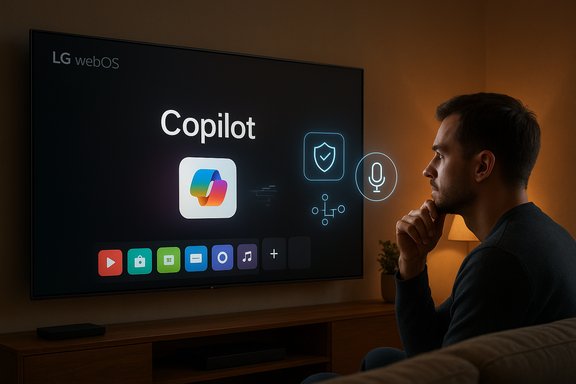 Background: how Copilot arrived on living‑room screens
In 2025 Microsoft pursued a broad strategy to extend Copilot — its conversational AI assistant — across devices and platforms. One visible strand of that effort has been partnerships with TV makers to place Copilot on the big screen as a conversational, recommendation and discovery layer for entertainment. Samsung publicly launched Copilot on select 2025 TVs and monitors in late August as an integrated feature of its Tizen OS experience. LG’s webOS roadmap included similar ambitions: the company has described an “AI TV” strategy that leverages cloud AI to assist with search, content discovery and accessibility features. What changed in December was less a shift in strategy than a blunt implementation detail: a webOS update pushed a Copilot tile onto the launcher of many LG TVs, and for many owners that tile could be hidden but not removed. The resulting backlash turned a routine OTA update into headlines and wide online discussion. What actually happened: technical anatomy of the Copilot tile
A browser shortcut, not a native app
LG has described the Copilot addition as a shortcut to a web‑hosted Copilot interface that opens in the TV’s browser rather than as a native, system‑level application. That distinction is meaningful: a native app typically appears in an app management surface and can often be uninstalled by the user; a system tile or default launcher asset added by an OS update can be written into protected configuration locations and may not be listed alongside user‑installed apps. LG’s statement told press that microphone input and other interactive features are only enabled with explicit user permission.Why the tile felt “sticky” to users
The webOS update placed the Copilot shortcut in the main launcher area where users expect to find their frequently used apps. On many affected sets the UI allowed owners to hide the tile but offered no delete or uninstall action. That left owners with what felt like a preinstalled, undeletable feature — a behavior that sat uneasily with mainstream expectations set by mobile OSes, where most third‑party apps can be removed. Several outlets documented user reports and screenshots showing the tile pinned to home screens after the update.Viral origin: a Reddit post and rapid amplification
The controversy accelerated after a post on r/mildlyinfuriating showing the Copilot icon not removable from a TV launcher gathered tens of thousands of upvotes and widespread sharing across social media and tech forums. That viral signal pressured LG to clarify the technical facts and announce a forthcoming fix to allow deletion.Why owners reacted so strongly: privacy, control, and trust
The core user expectation: remove what you don’t want
For many consumers, smart TVs are seen as durable household goods — not devices that should silently gain new features without explicit consent. The inability to delete a consumer‑facing tile felt like a loss of ownership: if a feature can be pushed to a device by an update, users expect an undo button. This is not just a UX gripe; it’s a trust and autonomy issue that hits at the fundamentals of consumer software on physical products.Real privacy questions, even for a browser shortcut
Even though LG says Copilot launches in the web browser and requires explicit permission for microphone use, the presence of an AI assistant tile raises legitimate questions about data flows: what telemetry is sent, whether device identifiers are associated with Copilot sessions, how long transcripts or queries are retained, and whether personalized Copilot features require account linking. Those concerns are amplified when the feature appears unexpectedly and cannot be readily removed. Multiple outlets noted the privacy anxiety across forums and coverage.The broader context: partnership placement and UI real estate
Placing partner services prominently on the home screen is a common commercial strategy across TV platforms. When done transparently and with clear user controls, it’s accepted. When the placement feels forced or permanent, it triggers backlash. The Copilot tile controversy joins a longer pattern of consumers resisting preinstalled bloat, default ad placements, and partner tiles that are hard to remove.Corporate response and the fix LG promised
LG’s public response was concise: the company clarified the technical nature of the tile and pledged to “take steps to allow users to delete the shortcut icon if they wish.” The company also emphasized that interactive features like microphone access require user consent. LG did not provide a specific timeline for the webOS update that will enable deletion. That absence of a firm date is the central open question for frustrated owners waiting for relief. Microsoft did not appear as the primary respondent in initial coverage; outlets reported the issue as an LG implementation of a Copilot shortcut. Meanwhile, Samsung’s earlier rollout of Copilot — which Microsoft and Samsung announced publicly in August — demonstrates there are multiple integration models for bringing Copilot to TVs, ranging from integrated Tizen features to web‑based shortcuts. Those models affect privacy, control and uninstallability differently.Short‑term remediation: what owners can and cannot do today
Owners who want to regain control while waiting for LG’s promised update have a handful of imperfect options. Each comes with tradeoffs.- Hide the Copilot tile from the launcher if webOS offers that option. Hiding makes the icon less visible but does not remove the underlying shortcut.
- Put the TV on a segmented or guest Wi‑Fi network to limit cross‑device association and reduce potential telemetry linkage. This keeps the TV connected for updates (when you allow them) while isolating it from devices that hold personal accounts.
- Use router‑level DNS blocking, Pi‑hole or firewall rules to prevent the TV from reaching known Copilot endpoints — a technical solution that can break dependent functionality if domains are misidentified. This is a blunt tool best used by technically confident users.
- Temporarily disable automatic updates to avoid future surprise pushes, with the serious caveat that this also prevents security patches from arriving. This is a tradeoff between avoiding unwanted features and exposing the device to vulnerabilities.
- Contact LG support and file feedback: volume matters. Public pressure accelerated LG’s clarification; coordinated reporting can accelerate a fix.
Technical deep dive: why deletion requires a software update
How launcher tiles are implemented
Smart TV launchers are built around a registry of launcher assets (tiles, shortcuts, baked‑in apps) stored in configuration files or system databases. When an OTA update writes a tile into a protected system location as a default asset, the regular app‑management surfaces may not expose a removal affordance. The launcher code itself must be updated to treat that tile as removable and to surface a “Delete” or “Uninstall” action. That change typically requires a tested, signed OTA update rather than a simple user action.Browser‑based shortcuts vs. installed packages
A browser shortcut behaves like a bookmark or progressive web app entry: it’s a pointer to a remote web experience. On some platforms, those shortcuts are treated as first‑class launcher items; on others they are managed differently. If the webOS launcher currently treats the Copilot shortcut as a protected system asset, LG must change the launcher’s logic to reclassify such shortcuts as removable. While conceptually small, the code change must be implemented carefully to avoid regressions in launcher behavior and to preserve security model assumptions.Broader implications: product design, trust, and regulation
Product‑management failure modes
This incident reads as a textbook case where communication and user control lagged behind feature rollout. Best practice would have been to:- Announce the Copilot integration and planned OTA on a public support page with device‑level details.
- Provide opt‑in or clear opt‑out controls for customers who do not want the feature.
- Ensure the launcher treats partner tiles as removable by default.
Privacy and consumer‑protection angles
Regulators and consumer‑advocacy groups are increasingly attentive to smart‑device defaults and opaque data collection. Questions likely to surface include whether users were adequately informed about the feature, whether data flows were disclosed, and whether consumers have a practical way to remove or disable nonessential preinstalled features. While a single tile does not equate to malicious behavior, the cumulative effect of sticky, preinstalled services could prompt regulatory scrutiny.The marketing optics of persistent AI placements
AI is controversial territory: users expect utility, but they also expect control. When a device manufacturers’ moves feel like forced AI placement, it narrows the margin for goodwill. The lesson for OEMs is straightforward: default placements carry reputational weight and should be treated like endorsements — and endorsements should be revocable by the user.What LG and Microsoft should do next (practical checklist)
- Ship the webOS update that restores a clear, discoverable “Delete” or “Uninstall” action for the Copilot shortcut — long‑press + trash/uninstall is a user expectation.
- Publish explicit release notes and a short privacy FAQ explaining what launching Copilot from the TV does, what data is transmitted, whether sessions persist, and how microphone access is handled.
- Offer an opt‑out or rollback for users who prefer not to have Copilot appear as a default tile; provide an accessible support pathway for owners who find the tile already present.
- Microsoft should publish TV‑specific guidance for Copilot on TVs — explaining session handling, account linking, and granular privacy settings — to reassure users and OEM partners.
- Commit to a “defaults and removability” policy for future partner integrations: any non‑essential partner tile placed by update should be removable without disabling core OS updates.
What this episode reveals about smart‑device stewardship
The Copilot tile controversy is a small technical event with disproportionately large symbolic impact. It’s small because the tile is reportedly a browser shortcut and can be hidden; it’s large because it touches three big consumer expectations:- Transparency: users expect to know what an update will change on their device.
- Control: users expect to be able to remove third‑party software they don’t want.
- Privacy: users expect clear boundaries when a device could potentially capture or transmit audio or personal data.
Final analysis: an easy technical fix, a harder trust repair
Technically, LG’s promised remedy is straightforward: modify the webOS launcher to surface deletion for the Copilot tile and push a tested OTA. Practically, the harder work is restoring confidence. Users who felt their living‑room screen was altered without consent will want proof that LG learned from the misstep: clearer communications, opt‑in models for non‑essential partner services, and continued respect for user autonomy.For TV owners, the immediate takeaway is pragmatic: hide the tile, isolate the TV on a segmented network if privacy is a concern, and watch for LG’s webOS update. For manufacturers, the lesson is structural: if a feature can be pushed to a device by update, it must be just as easy for the user to remove it. If that rule becomes standard industry practice, the next wave of ambient AI on home screens will be less likely to produce headlines about surprise, anger and mistrust.
Quick checklist for LG TV owners (actionable)
- Hide the Copilot tile from the launcher if available.
- Review privacy settings and disable voice features you don’t want.
- Consider moving the TV to a guest/segmented Wi‑Fi network.
- If you must, use router DNS blocks to stop outbound calls to Copilot endpoints — only if you are prepared for potential breakage.
- Keep an eye on LG support pages for the promised webOS update and apply it when available.
Source: Mashable LG TVs will let users delete unwanted Copilot shortcuts
