

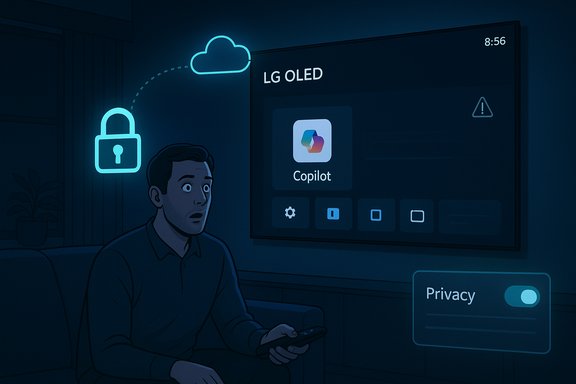
LG owners are waking up to an uninvited guest: Microsoft’s Copilot has been rolled onto many webOS televisions via a recent firmware update and, in a large number of reported cases, appears as a pinned, non‑removable app tile on the home screen — a deployment that has provoked widespread user anger, fresh privacy questions, and a renewed debate about what manufacturers are allowed to change on devices after sale.
LG and Microsoft publicly positioned Copilot for living‑room screens during the 2025 product cycle, pitching conversational AI as a convenience for content discovery, accessibility and on‑screen assistance. LG’s CES presentations in January framed 2025 models as “AI‑forward,” with Copilot explicitly referenced as part of the webOS experience. Meanwhile Microsoft and Samsung rolled out their own Copilot builds earlier in 2025: Microsoft described an integrated Copilot experience for Samsung’s 2025 TV and smart‑monitor range in August, where Copilot can be summoned from the remote and shows voice + visual cards on the big screen. That formal Samsung rollout set public expectations that Copilot would be a supported, optional companion on 2025 TVs. What changed this winter was less the feature and more the delivery: owners across forums and social networks reported that a routine webOS over‑the‑air (FOTA) update added a Copilot tile to many LG TVs’ home ribbons, and in numerous cases the tile lacked the usual uninstall/delete affordances — it could be hidden, but not removed. Several users reported the tile reappearing after factory reset, suggesting the package was pushed as a system‑level component rather than a removable Content Store app.
However, the tactic carries reputational risk. Past controversies over non‑removable apps on phones, ads in screensavers, or aggressive default settings show consumers will react strongly when post‑sale changes feel coercive. The TV is especially sensitive because it sits in intimate spaces where privacy expectations are higher than for a phone or PC.
For LG and Microsoft the path forward is simple in principle: restore consumer choice, publish clear technical and privacy details, and deliver a clean uninstall or opt‑out flow. For consumers, this episode is a reminder to treat smart‑TV platforms as living systems: updates can change behavior long after purchase, and device autonomy requires both vigilance and demand for stronger vendor transparency.
Until manufacturers pair bold AI features with durable opt‑outs and explicit consent mechanisms, some users will vote with their wallets and habits — choosing external streamers or simpler displays over platforms that transform purchased hardware into persistent delivery channels for third‑party services. The promise of helpful AI in the living room is real; the rollout strategy will determine whether that promise becomes broadly welcomed or widely resisted.
Source: stuff.tv Own an LG TV? You might be stuck with this annoying AI feature you can't switch off | Stuff
 Background / Overview
LG and Microsoft publicly positioned Copilot for living‑room screens during the 2025 product cycle, pitching conversational AI as a convenience for content discovery, accessibility and on‑screen assistance. LG’s CES presentations in January framed 2025 models as “AI‑forward,” with Copilot explicitly referenced as part of the webOS experience. Meanwhile Microsoft and Samsung rolled out their own Copilot builds earlier in 2025: Microsoft described an integrated Copilot experience for Samsung’s 2025 TV and smart‑monitor range in August, where Copilot can be summoned from the remote and shows voice + visual cards on the big screen. That formal Samsung rollout set public expectations that Copilot would be a supported, optional companion on 2025 TVs. What changed this winter was less the feature and more the delivery: owners across forums and social networks reported that a routine webOS over‑the‑air (FOTA) update added a Copilot tile to many LG TVs’ home ribbons, and in numerous cases the tile lacked the usual uninstall/delete affordances — it could be hidden, but not removed. Several users reported the tile reappearing after factory reset, suggesting the package was pushed as a system‑level component rather than a removable Content Store app. What actually happened: timeline and mechanics
From CES promise to surprise push
- At CES and in early 2025 LG marketed webOS 25 and a family of “AI” features, positioning Copilot as part of the platform’s vision for smarter TV interactions. Those product announcements made Copilot on TVs an expected eventuality.
- Microsoft and partner OEMs publicly began rolling Copilot to big‑screen partners (Samsung’s staged rollout is a documented example from August 2025).
- In mid‑December a webOS firmware update distributed to many LG sets inserted a Copilot tile into the home UI. Users noticed the tile immediately and reported that the normal uninstall option was missing.
The technical packaging: web shortcut or system component?
Early field reports and hands‑on threads indicate the visible Copilot entry on many LG sets initially behaves more like a web‑based shortcut (a wrapper that opens Microsoft’s web Copilot in the TV shell) rather than a deeply integrated native app. That choice allows rapid deployment but also explains why the experience feels lightweight and why OEMs can deliver it quickly through firmware channels. When that wrapper is provisioned as a privileged system package or included in a firmware image, it can be pinned and made persistent — which is exactly what owners are reporting.Why owners are furious: control, consent and surprises
The visceral reaction isn’t about Copilot’s existence so much as how it landed on devices people already own. There are three overlapping grievances:- Loss of control — Many owners believe a purchased TV should not have new, non‑optional services imposed after the fact. A pinned, undeletable tile undermines that ownership expectation.
- Privacy anxiety — Smart TVs live in private spaces. Adding a conversational assistant — particularly one tied to a major cloud provider — raises immediate questions about what data is being captured (voice, on‑screen context, viewing signals), how long it’s retained, and which corporate entities can access it. Community posts flagged that Live Plus/ACR and other telemetry toggles surfaced concurrently with the update, amplifying concerns. Those telemetry claims are being reported by users but lack a comprehensive vendor technical bulletin as of publication, so they should be treated as user‑reported and not fully vendor‑verified.
- Bad UX and performance tradeoffs — On many sets the Copilot tile links to a web‑based shortcut that produces a poorer experience than a native app would. Users expected an optional, polished integration, not a forced, lightweight wrapper that’s difficult to remove.
Privacy and telemetry: the core technical worries
Smart TVs already ship with multiple telemetry and personalization systems; adding Copilot increases the complexity and potential exposure:- ACR / Live Plus concerns: LG’s ACR (Automatic Content Recognition) systems — marketed under names like Live Plus — can profile what is on screen to fuel recommendations and monetization. The simultaneous surfacing of Copilot has some owners worried the assistant will leverage on‑screen metadata for personalization and targeted suggestions. These user reports have been widely circulated, though LG has not published a singular technical explainer tying Copilot’s behavior to every telemetry toggle; that gap fuels distrust. Treat unverified claims about default telemetry changes with caution until LG publishes explicit documentation.
- Microphone and ambient capture: A voice assistant requires a capture path. For Copilot to respond via remote‑mic or ambient commands, the platform must route audio to local or cloud models. Vendors typically document whether audio is processed on‑device, in the cloud, or both; at the time owners began reporting the push, LG had not issued a dedicated, model‑specific privacy statement describing Copilot’s audio handling on the pushed builds. That absence of disclosure is a real problem — not evidence of misbehavior, but evidence of insufficient communication.
- Account linking and memory: Copilot can offer richer, personalized responses when a Microsoft account is linked. Owners who avoid signing in preserve a degree of anonymity; folks who sign into Copilot may get expanded features but also create account‑backed telemetry trails. Microsoft’s Copilot model for other platforms supports memory and personalization via account sign‑in, and Samsung’s implementation explicitly offers QR‑based sign‑in for personalization — a pattern likely to be consistent across partners.
How to verify whether your LG TV is affected (quick checklist)
- Look on the home ribbon for a tile labeled Copilot or a new “AI” area. If present, open your TV’s app management or Edit App List screen to see whether an uninstall (trash) icon appears. If only hide or disable options are shown, the tile is likely provisioned as a system component.
- Check your update history or system notifications to confirm a webOS firmware update was applied around the time the tile appeared. Firmware pushes are the usual vector for system provisioning.
- Review privacy settings for ACR / Live Plus, voice recognition, and ad personalization. If those toggles were changed or surfaced after an update, note the defaults and toggle them off if you prefer to limit telemetry. Vendor confirmation is required to fully verify defaults; these are user‑reported behaviors at present.
Practical, step‑by‑step mitigations for owners
If you’re uncomfortable with Copilot appearing on your LG TV, here are pragmatic actions ranked from easiest to most technical:- Hide the Copilot tile from the home screen via the Edit/App Manage workflow — this removes the visual clutter but does not uninstall the service.
- In Settings, disable voice recognition, ad personalization and Live Plus / ACR where the model exposes those toggles. This reduces the amount of data the TV can send for personalization.
- Avoid signing into a Microsoft account on the TV to prevent account‑backed personalization and memory features. Anonymous use limits cloud‑synced data.
- Perform a factory reset. Caveat: multiple reports show the tile can reappear post‑reset, consistent with firmware‑baked provisioning; a reset is worth trying but is not a guaranteed cure.
- Keep the TV offline — turn Wi‑Fi off or unplug Ethernet. This is the most reliable immediate neutralizer of cloud‑enabled Copilot behavior but disables most smart features and OTA updates.
- Use router‑level blocking (guest VLAN, firewall rules or DNS filtering) to block known Copilot endpoints. This is effective but technically involved and may break other services if misconfigured.
- Use an external streaming device (Apple TV, Roku, Fire TV Stick, etc. as your primary interface and leave webOS features unused — effectively turning the TV into a dumb display for most uses.
Broader industry context: why manufacturers are doing this
OEMs are fighting margins on commoditized hardware. The home‑screen and platform services are lucrative real estate: they deliver engagement metrics, advertising opportunities, and partner revenue streams. Embedding assistants and partner services helps vendors craft a differentiating narrative for product launches and creates recurring monetization channels. That is the blunt business logic behind pushing services onto existing devices.However, the tactic carries reputational risk. Past controversies over non‑removable apps on phones, ads in screensavers, or aggressive default settings show consumers will react strongly when post‑sale changes feel coercive. The TV is especially sensitive because it sits in intimate spaces where privacy expectations are higher than for a phone or PC.
Legal, regulatory and market implications
- Consumer protection: Forcing non‑removable third‑party services onto purchased hardware may attract scrutiny under unfair practices or deceptive design rules in jurisdictions that require meaningful consent for post‑sale changes. Regulators have already examined similar issues in other device categories.
- Privacy enforcement: If telemetry changes or new data flows occur without adequate disclosure and opt‑outs, privacy authorities could open inquiries — especially in regions with strict data‑protection rules.
- Competition and market backlash: Heavy‑handed deployments can accelerate churn or push customers toward external streamers and competitors perceived as more transparent. For OEMs, short‑term revenue may be offset by long‑term brand damage.
What LG and Microsoft should do now (recommendations)
- Publish a clear technical bulletin listing models affected by the push, the exact software packaging used (system component vs. Content Store app), and whether the tile is a native integration or a web wrapper.
- Release an update that restores uninstallability or provides an explicit, persistent opt‑out that prevents Copilot from loading even when the tile remains visible.
- Publish a concise privacy disclosure for Copilot on webOS that details which sensors and telemetry are used, retention timelines, and how data is shared between LG and Microsoft. Provide one‑click toggles for the most sensitive features.
- Communicate directly with affected owners via support pages, push messages and email to explain what changed and how to opt out. Transparency reduces panic and restores control.
Critical appraisal: strengths and risks of TV‑based assistants
Strengths
- Convenience: A well‑implemented assistant can speed content discovery, answer context‑sensitive questions (cast, director, episode recaps) and improve accessibility for users who have trouble navigating nested menus.
- New interactions: On‑screen, voice + rich card responses can be a natural fit for the living room, offering glanceable summaries and contextual help without pulling out a phone.
Risks
- Erosion of consumer control: Pushing non‑removable services breaks implicit ownership assumptions and invites distrust.
- Privacy surface expansion: Adding a cloud assistant increases the number of telemetry vectors (voice, on‑screen metadata, personalization) that must be governed carefully.
- Poor first impressions: Deploying a lightweight web wrapper instead of a polished native integration delivers a subpar UX that amplifies complaints and reduces adoption.
The hard tradeoff: innovation vs. consent
Embedding AI in everyday surfaces is a credible product direction. But the case of Copilot on LG TVs is a reminder that how a feature is introduced is as important as what it does. Convenience, novelty and potential discoverability benefits only outweigh the costs if users feel respected, informed and empowered to say no. This deployment did not meet that threshold for many owners.Conclusion
The Copilot rollout to LG webOS sets dramatizes a fundamental industry tension: manufacturers will continue to push AI into household devices because of the clear product and commercial upside, but they cannot ignore the social contract of consumer choice and privacy. The immediate technical facts — a firmware update that pinned a Copilot tile which, in many cases, cannot be uninstalled — are well documented across community threads and mainstream outlets. Owners can mitigate exposure with hiding, privacy toggles, network blocking or by using external streamers, but those are workarounds, not solutions.For LG and Microsoft the path forward is simple in principle: restore consumer choice, publish clear technical and privacy details, and deliver a clean uninstall or opt‑out flow. For consumers, this episode is a reminder to treat smart‑TV platforms as living systems: updates can change behavior long after purchase, and device autonomy requires both vigilance and demand for stronger vendor transparency.
Until manufacturers pair bold AI features with durable opt‑outs and explicit consent mechanisms, some users will vote with their wallets and habits — choosing external streamers or simpler displays over platforms that transform purchased hardware into persistent delivery channels for third‑party services. The promise of helpful AI in the living room is real; the rollout strategy will determine whether that promise becomes broadly welcomed or widely resisted.
Source: stuff.tv Own an LG TV? You might be stuck with this annoying AI feature you can't switch off | Stuff
