

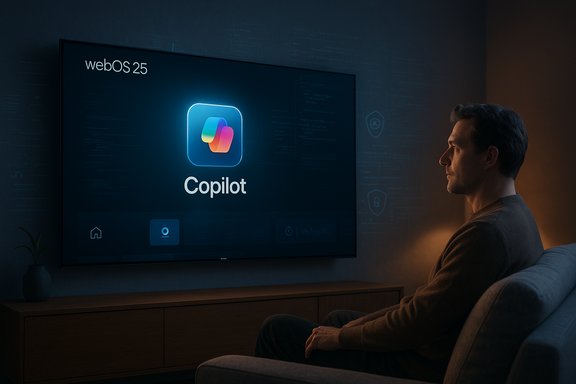
LG owners across multiple forums and social feeds woke up this week to the same unwelcome surprise: a Microsoft Copilot tile had appeared on their TV home screens after a routine webOS firmware update — and in many reported cases the app could not be removed through the normal app‑management workflows.
LG and other TV makers publicly signalled plans to bring conversational AI to living‑room screens during the 2025 trade‑show season, framing those services as content‑discovery helpers and accessibility features. LG’s 2025 webOS updates (marketed as webOS 25 / webOS Hub) explicitly list new AI features — including AI Search and a Copilot integration — as selling points for the new OLED evo families. The company’s product pages advertise Copilot as an on‑screen assistant for richer search and context‑aware help. At the same time, community reports show that a subset of LG owners received an over‑the‑air (FOTA) firmware update that added a visible Copilot tile in the apps row or AI section of webOS. Multiple firsthand posts, screenshots and step‑by‑step accounts circulated on Reddit and enthusiast forums documenting the same behavior: when users opened the TV’s app manager they saw only a “hide” or “disable” option for Copilot — not the usual uninstall/delete affordance — and in several cases a factory reset restored the tile, consistent with a system‑level or firmware‑baked installation. Those user reports are the primary evidence for the “non‑removable” claim; neither LG nor Microsoft had, at the time these reports circulated, issued an explicit technical bulletin explaining whether Copilot was intentionally packaged as an undeletable system app.
The verifiable facts are straightforward: Microsoft and TV OEMs publicly signalled Copilot for TVs; multiple LG owners report a webOS firmware update added a Copilot tile; community evidence suggests the tile behaves like a system component that can be hidden but not uninstalled; and LG’s Live Plus / ACR settings are documented controls for limiting some personalization and recognition flows. Where the record is incomplete — specifically whether LG intentionally made Copilot a non‑removable system package across affected builds and whether Copilot added new telemetry beyond existing webOS flows — those claims require vendor confirmation or independent technical analysis. Treat such claims as unverified until such confirmation is available.
Practical advice for affected users is clear: review and disable Live Plus/Viewing Information, hide the Copilot tile, avoid signing in if you don’t want personalization, and consider running streaming through an external device while vendors clarify the packaging and telemetry story. If you purchased the TV recently and the set now includes software you explicitly did not consent to and cannot remove, pursue support and refund options through your retailer or LG customer support — document the model, firmware version, and screenshots to strengthen your case.
The outcome to watch next is straightforward: will LG publish a technical bulletin explaining packaging choices and offer an uninstall path or removal tool, or will the company defend the update as a system feature without a user‑accessible removal? Microsoft and LG can repair trust quickly by making Copilot optional and by defaulting to privacy‑minimal settings; failing that, expect continued consumer pressure, further scrutiny from privacy advocates, and potential regulatory attention.
In the end, the Copilot episode is a reminder that convenience and capability are necessary but not sufficient for good product outcomes — transparency, consent and user control are equally essential when the feature arrives on hardware people already own.
Source: Windows Central https://www.windowscentral.com/soft...t-onto-smart-tvs-and-you-cant-even-delete-it/
 Background / Overview
LG and other TV makers publicly signalled plans to bring conversational AI to living‑room screens during the 2025 trade‑show season, framing those services as content‑discovery helpers and accessibility features. LG’s 2025 webOS updates (marketed as webOS 25 / webOS Hub) explicitly list new AI features — including AI Search and a Copilot integration — as selling points for the new OLED evo families. The company’s product pages advertise Copilot as an on‑screen assistant for richer search and context‑aware help. At the same time, community reports show that a subset of LG owners received an over‑the‑air (FOTA) firmware update that added a visible Copilot tile in the apps row or AI section of webOS. Multiple firsthand posts, screenshots and step‑by‑step accounts circulated on Reddit and enthusiast forums documenting the same behavior: when users opened the TV’s app manager they saw only a “hide” or “disable” option for Copilot — not the usual uninstall/delete affordance — and in several cases a factory reset restored the tile, consistent with a system‑level or firmware‑baked installation. Those user reports are the primary evidence for the “non‑removable” claim; neither LG nor Microsoft had, at the time these reports circulated, issued an explicit technical bulletin explaining whether Copilot was intentionally packaged as an undeletable system app. Why this matters: device control, privacy, and expectations
Smart TVs have evolved into complex, connected platforms. That evolution brings capabilities — integrated search, voice control, generative features — but also new data collection surfaces and monetization levers. Two interlocking concerns explain the intensity of the reaction to Copilot’s arrival:- Loss of user control. Consumers reasonably expect removable apps; a persistent, system‑level component feels like forced software on hardware they own. Reports that a factory reset reintroduces Copilot amplify that sentiment.
- Expanded telemetry surface. LG’s webOS already includes Automatic Content Recognition (ACR), marketed as Live Plus, which can recognize what’s on screen to support recommendations and ad targeting. Pair a system‑level assistant and default‑on personalization features, and users worry about what contextual signals are being processed and shared. Independent smart‑TV privacy guides and consumer watchdogs have long warned that ACR and interest‑based advertising are central privacy risks in modern TVs, and they provide step‑by‑step guidance for disabling those flows.
What’s verifiable (and what isn’t)
What can be stated with high confidence:- Microsoft publicly announced ambitions to expand Copilot beyond PCs and phones to large screens; Samsung and LG included Copilot in their 2025 TV roadmaps. Samsung published a staged rollout for selected 2025 models; LG’s web pages and product marketing highlight webOS 25’s AI features and mention Copilot as an on‑screen assistant.
- Multiple community threads, Reddit posts and forum aggregations document LG webOS sets receiving an update that adds a Copilot tile and that the tile lacks the usual uninstall option in app management. Screen captures and reset tests form the core of that evidence.
- LG’s Live Plus / ACR controls exist and are the documented path to limit on‑screen recognition and some personalization flows; consumer guides explain how to opt out or limit those features.
- Whether LG intentionally delivered Copilot as a privileged system app across the affected firmware builds (i.e., a policy decision to hard‑bake the assistant rather than ship it as an optional Content Store app). Community evidence strongly suggests this in some cases, but only LG can confirm the packaging model and design rationale for specific builds.
- Whether Copilot introduced new telemetry beyond established webOS ACR and advertising flows (for example, continuous ambient audio capture or novel cross‑device profiling). Claims of additional capture should be treated as unverified until technical forensic analysis or vendor transparency documents confirm them.
The technical mechanics: how an app becomes effectively permanent
There are two common, well‑understood mechanisms by which a vendor can make an app effectively non‑removable on an embedded platform:- Install as a privileged system package outside the user app sandbox. The UI typically exposes limited management actions (hide/disable) while disallowing uninstall. This is used for platform agents, DRM, and deeply integrated services.
- Bake the app into the firmware image. The package ships as part of the OS image that the TV boots from; a factory reset restores that image and brings the component back.
Business logic: why vendors push assistants onto TVs
There are several clear incentives for manufacturers and platform partners to integrate an assistant like Copilot into a TV’s system layer:- Feature differentiation. As display hardware converges, software and UX become primary differentiators. AI features are marketable headline capabilities.
- Content discovery and convenience. Conversational search across multiple streaming services reduces friction for users and can be genuinely useful.
- Monetization and personalization. Home‑screen ad inventory is lucrative. Better personalization increases ad effectiveness and creates new revenue streams.
- Ecosystem reach for cloud providers. For Microsoft, putting Copilot on TVs extends brand presence and increases touchpoints with Microsoft services.
How the rollout compares to major vendor messaging
Microsoft and TV OEMs have been explicit in framing Copilot as an assistant for content discovery and contextual help. Samsung’s public rollout materials described Copilot integrated into its Vision AI screens and Tizen home UX with account sign‑in to enable personalization; LG’s product pages show webOS 25’s AI features and present Copilot as part of the new search/chat experiences. Those vendor statements focus on convenience and capability rather than installation mechanics — they demonstrate intent but do not, in the majority of public materials, detail whether Copilot would be a removable Content Store app or a system‑level module. That omission is central to the controversy.Practical, verifiable steps for affected LG TV owners
If Copilot appeared on your LG TV and you want to reduce visibility or data flows, these steps — drawn from vendor menus, consumer guides and community experience — are the pragmatic options ranked from least to most disruptive:- Toggle Live Plus / ACR and ad personalization off:
- Settings → All Settings → Support (or Privacy & Terms) → User Agreements → Live Plus / Viewing Information. Turning this off stops ACR‑driven content recognition and limits some personalization. Consumer privacy guides walk through this path in detail.
- Hide the Copilot tile and avoid signing in:
- If the UI permits hiding, remove the tile from daily view and do not sign into a Microsoft account from the TV to limit personalization.
- Keep the TV offline:
- Disconnect Wi‑Fi/Ethernet to prevent cloud calls and remote updates. This is blunt — it blocks streaming and convenience — but it prevents Copilot from reaching Microsoft services.
- Use an external streaming device:
- Run streaming through Apple TV, Roku, Fire TV, or Nvidia Shield and use the TV purely as a display. This decouples daily media use from webOS and sidesteps the native smart layer.
- Router‑level blocking:
- Use a Pi‑hole or firewall rules to block known telemetry and ad domains. This can reduce data exfiltration but requires technical skill and careful whitelisting to avoid breaking services. Privacy guides warn about overblocking that can break authentication or update services.
- Factory reset (cautiously):
- If the app is user‑level, a reset may remove it; if the app is baked into firmware, reset will likely restore it. Community reports show the latter in multiple cases. Test carefully and retain your serial/model information if you escalate to support.
Assessing Copilot’s on‑screen usefulness — strengths and limits
When implemented transparently and offered as an optional feature, Copilot can deliver real benefits:- Improved content discovery. Aggregated search across apps and conversational recommendations reduce friction when finding shows.
- Accessibility gains. Voice or conversational interfaces can help users with mobility or vision limitations navigate content.
- Integrated troubleshooting and help. On‑device AI can simplify setup and quick diagnostics.
Verifying the hardware claims: the LG C5 example
Some reporting alongside the Copilot controversy referenced LG’s C5 OLED series as evidence that the company’s hardware remains excellent even if the software decisions are contested. That hardware claim is verifiable: the LG C5 (42‑inch and larger sizes) is widely reviewed as a market‑leading small‑format OLED with full gaming feature support — including multiple HDMI 2.1 ports, 4K at high refresh rates (with support for 4K up to 144Hz in certain configurations), VRR, and ALLM — and it has won critical awards in 2025. Retail spec sheets and independent reviews from retailers and outlets confirm the port counts and gaming feature set. If you bought an LG C5 for picture and gaming performance, those hardware strengths remain solid despite the webOS controversy.Where accountability and regulation may come into play
In privacy‑sensitive jurisdictions (the EU, UK, California, etc., forced or obscure installs and confusing opt‑out flows can attract regulatory attention. The core legal questions will revolve around:- Whether the vendor adequately disclosed the nature of the update and the impact on user choice.
- Whether opt‑out controls are easy, accessible and effective or whether they are buried and functionally ineffective.
- Whether user agreements and in‑product prompts provided clear affirmative consent for the new data flows Copilot could enable.
What vendors should (and can) do now
To restore trust fast and avoid longer‑term damage, platform vendors and partners should adopt a handful of straightforward practices:- Ship AI features as truly optional user‑level apps or provide a one‑click uninstall that purges associated telemetry.
- Default to privacy‑minimal settings (ACR/Live Plus and ad personalization off) until users explicitly opt in.
- Publish clear firmware change logs listing app additions and how to remove or disable them.
- Offer a simple on‑device privacy dashboard to review and delete collected viewing data.
- Provide an official, supported rollback or removal tool for affected firmware builds if a packaging decision created an unacceptable user experience.
Final assessment and practical takeaways
The Copilot‑on‑TV story is a classic case of product promise colliding with rollout execution. The technology’s potential — easier discovery, conversational help, accessibility improvements — is real. But the way a feature is delivered and governed on a device that consumers already own matters just as much as the marketing copy.The verifiable facts are straightforward: Microsoft and TV OEMs publicly signalled Copilot for TVs; multiple LG owners report a webOS firmware update added a Copilot tile; community evidence suggests the tile behaves like a system component that can be hidden but not uninstalled; and LG’s Live Plus / ACR settings are documented controls for limiting some personalization and recognition flows. Where the record is incomplete — specifically whether LG intentionally made Copilot a non‑removable system package across affected builds and whether Copilot added new telemetry beyond existing webOS flows — those claims require vendor confirmation or independent technical analysis. Treat such claims as unverified until such confirmation is available.
Practical advice for affected users is clear: review and disable Live Plus/Viewing Information, hide the Copilot tile, avoid signing in if you don’t want personalization, and consider running streaming through an external device while vendors clarify the packaging and telemetry story. If you purchased the TV recently and the set now includes software you explicitly did not consent to and cannot remove, pursue support and refund options through your retailer or LG customer support — document the model, firmware version, and screenshots to strengthen your case.
The outcome to watch next is straightforward: will LG publish a technical bulletin explaining packaging choices and offer an uninstall path or removal tool, or will the company defend the update as a system feature without a user‑accessible removal? Microsoft and LG can repair trust quickly by making Copilot optional and by defaulting to privacy‑minimal settings; failing that, expect continued consumer pressure, further scrutiny from privacy advocates, and potential regulatory attention.
In the end, the Copilot episode is a reminder that convenience and capability are necessary but not sufficient for good product outcomes — transparency, consent and user control are equally essential when the feature arrives on hardware people already own.
Source: Windows Central https://www.windowscentral.com/soft...t-onto-smart-tvs-and-you-cant-even-delete-it/
