

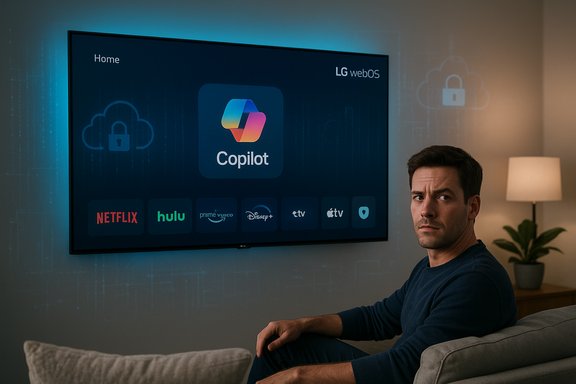
LG's latest webOS update has quietly pinned Microsoft Copilot to the home screen of compatible smart TVs — and owners say there is no way to fully remove it, only to hide it from view. The forced inclusion ignited widespread user backlash across forums and social media this week, raising fresh questions about bloatware, consent, and the privacy implications of shipping large-scale AI services as undeletable system apps on living-room hardware.
Microsoft’s Copilot has already been ported to multiple device families, and OEM partnerships to bring Copilot experiences to TVs were previewed as part of broader 2025 product announcements. The recent webOS update appears to be the first large‑scale push that places Copilot directly on the TV home screen as a system application rather than a removable third‑party app.
Several community posts show the tile acting primarily as a shortcut into a web‑based Copilot interface rather than a deeply integrated native app. In practice the experience on affected TVs resembles a web wrapper that launches Copilot’s web UI, though the visible placement and lack of removal are the source of the biggest complaints.
Common user complaints include:
Regulators are already scrutinizing embedded device telemetry and privacy practices. Consumer protection and privacy authorities in various jurisdictions increasingly expect meaningful consent, clear disclosures, and the ability to opt out of data collection. If forced preinstallation of cloud assistants becomes common without opt‑outs, it will draw regulatory interest and potential enforcement scenarios.
From a market standpoint, heavy‑handed deployments risk brand damage and can encourage users to adopt external streaming devices or competitor hardware that offers greater user control.
For now, owners have limited options beyond hiding the tile, disabling voice features, or taking network‑level steps to prevent outbound communications. What matters going forward is whether LG responds with a user‑facing opt‑out or uninstall path, and whether OEMs and cloud partners adopt clearer policies that preserve user choice when adding AI to the devices people use in their homes.
The conversation triggered by this update is not just about a single tile on a TV: it’s about how companies design consent, the boundaries of platform control, and whether consumers will continue to accept new AI features being baked into devices without an explicit say in the matter.
Source: iPhone in Canada LG Updates webOS to Forcibly Include Microsoft Copilot on Home Screen | iPhone in Canada
 Background
webOS, AI TV and the Microsoft tie‑in
LG has been positioning webOS as an “AI TV” platform for some time, rolling out an expanding set of AI features tied to its webOS Hub and AI Magic Remote initiatives. As part of that roadmap, the company announced plans to incorporate third‑party AI assistants and cloud services into the platform — a step described by LG as enhancing AI Search, personalized recommendations, and conversational help on-screen.Microsoft’s Copilot has already been ported to multiple device families, and OEM partnerships to bring Copilot experiences to TVs were previewed as part of broader 2025 product announcements. The recent webOS update appears to be the first large‑scale push that places Copilot directly on the TV home screen as a system application rather than a removable third‑party app.
What changed with the update
After installing the most recent webOS firmware, many owners report seeing a new Copilot tile appear on the home screen's app grid. The tile can be moved around the menu and hidden from the visible board in some UI modes, but users consistently report there is no uninstall option and that the Copilot tile behaves like a preinstalled system app — treated by the OS as part of the platform rather than a user‑installed package.Several community posts show the tile acting primarily as a shortcut into a web‑based Copilot interface rather than a deeply integrated native app. In practice the experience on affected TVs resembles a web wrapper that launches Copilot’s web UI, though the visible placement and lack of removal are the source of the biggest complaints.
The user reaction: scale and themes
Rapid and loud backlash
Threads describing the updated behavior have amassed tens of thousands of reactions and hundreds of comments across mainstream tech forums and Reddit. The dominant sentiment is frustration — not necessarily with Copilot’s utility in principle, but with the manner of its deployment: installed without explicit opt‑in and locked into the platform with no straightforward way to remove it.Common user complaints include:
- The app was installed without prompt after an automatic update.
- There is no uninstall option; only a “hide” or reposition option.
- Concerns about what data the assistant can access and whether its presence introduces new telemetry.
- Anger at the gift‑wrapped proliferation of AI services across devices users previously treated as simple displays.
Why this feels different from past bloatware
Preinstalled apps and promotional tiles are a long‑running annoyance on smart TVs, but owners expect those to be removable or at least to be not tied to powerful sensors and system services. The addition of an AI assistant — with potential access to microphones, content recognition, and cloud communication — raises the stakes: a system app that can interact with live audio or metadata feels qualitatively different than a permanent Netflix shortcut.Technical snapshot: what the Copilot tile appears to be
Native app vs. web wrapper
Reports indicate the Copilot entry behaves primarily like a web-based shortcut to Microsoft’s Copilot interface, not a deeply native application built into webOS. The UI flow generally launches a Copilot session in an embedded browser-like view and does not appear to include the deeper local integration LG previewed in its AI features roadmap.App treatment and system permissions
On affected TVs the Copilot tile is treated as a system/preinstalled app. LG’s platform documentation and support materials have historically stated that “some apps for the TV cannot be deleted,” and those apps can only be hidden from the home board rather than uninstalled. That treatment appears to be how Copilot was rolled out — as a platform component rather than as a removable Content Store application.What’s verified and what isn’t
- Verified: Copilot tiles are being reported across multiple owners after a webOS update; the tile can be moved or hidden but not uninstalled from standard menus.
- Plausible but unverified: Claims that the update introduces new, previously undisclosed telemetry classes (for example, continuous ambient audio capture sent to cloud services) are currently community concerns. Independent network analysis or vendor disclosures would be required to confirm any changes in telemetry behavior.
Privacy and security implications
Surface area for data collection
Adding any cloud assistant to a domestic device increases the system’s interaction with cloud services, which typically requires:- Microphone input for voice activation or spoken queries.
- Optional sign‑in to a Microsoft account to unlock personalized experiences and chat history.
- Telemetry to support features like personalization, content understanding and improvement.
Specific concerns raised by users
- Microphone access: Many owners are worried that a bundled AI assistant brings always‑on or opportunistic listening risks. While most smart TV vendors allow users to disable voice recognition, the presence of an undeletable Copilot app increases anxiety about how microphones and voice data are managed.
- Automatic Content Recognition (ACR): TV platforms commonly use ACR (sometimes called “Live Plus” or similar) to identify on-screen content for recommendations and ad targeting. Users are worried a Copilot integration could broaden the scope or persistence of such recognition.
- Lack of consent for installation: Installing an AI assistant by default, without an opt‑in at the point of update, is seen by users as an erosion of meaningful consent.
- Data sharing between LG and Microsoft: Users ask what data is shared, for what purpose, and for how long it is retained.
What is and isn’t currently proven
There is no public independent forensic evidence showing that this specific webOS update enabled continuous ambient audio capture or routed new telemetry classes to Microsoft beyond established webOS flows. That doesn’t mean the concerns are unfounded — merely that they require technical verification (packet captures, logs, or vendor disclosures) to move from plausible to proven.Consumer options — practical steps for worried owners
If your LG TV installed Copilot and you’re uncomfortable, the following steps can reduce exposure while keeping the TV usable:- Hide the Copilot tile from the home screen to remove it from prime placement.
- Turn off voice recognition features in the TV settings to limit microphone use.
- Disable ACR / Live Plus or related content‑recognition settings if your model exposes them.
- Do not sign in to a Microsoft account on the TV — anonymous use reduces personalization and sync to cloud chat history.
- Keep the TV offline if you want to avoid remote services entirely — note that this prevents automatic updates and many smart features.
- Use an external streaming device (Roku, Apple TV, Fire TV, or a media PC) as your primary smart platform; keep the TV as a simple display.
- For advanced users: block telemetry domains using a Pi‑hole or router DNS/firewall rules — effective but technically involved and may break services relying on those endpoints.
- For extreme, warranty‑voiding measures: reflashing custom firmware or other modifications may remove the app but carry real risk and are not recommended for most users.
What LG and Microsoft should do next
From a consumer experience and trust perspective, the rollout has several missteps that LG and Microsoft can address quickly:- Provide a clear uninstall or disable option for Copilot, or at minimum a simple global opt‑out that removes both the tile and the service’s ability to connect.
- Publish a transparent privacy disclosure for Copilot on webOS explaining exactly which sensors and telemetry are used, what is sent to Microsoft, and how long data is retained.
- Offer a prompt at update time describing major changes (especially when new online services are installed), giving users the ability to decline.
- Release a software update that converts the Copilot tile into a standard Content Store app that can be uninstalled by users who don’t want it.
- Detail the opt‑in process for signing in and personalizing Copilot, and make it explicit in initial setup flows.
The regulatory and market context
Smart TV platforms have become a battleground for attention, advertising, and services revenue. OEMs monetize platforms not just by hardware margins, but by integrated services, FAST channels, and partnerships. That commercial reality explains why manufacturers are eager to add cloud assistants and AI features.Regulators are already scrutinizing embedded device telemetry and privacy practices. Consumer protection and privacy authorities in various jurisdictions increasingly expect meaningful consent, clear disclosures, and the ability to opt out of data collection. If forced preinstallation of cloud assistants becomes common without opt‑outs, it will draw regulatory interest and potential enforcement scenarios.
From a market standpoint, heavy‑handed deployments risk brand damage and can encourage users to adopt external streaming devices or competitor hardware that offers greater user control.
Why this matters beyond an annoying icon
This incident is a case study in larger trends:- The creeping default of AI functionality into household devices without explicit, granular consent.
- The blurring of lines between platform components and removable apps, reducing user choice.
- The privacy friction introduced when sensors and cloud services are bundled by default.
- The risk that abrupt feature pushes without clear opt‑outs erode trust in OEM ecosystems.
Recommendations for users, pressuring companies, and industry watchers
- Users: If you’re uncomfortable, take the pragmatic mitigations listed above (hide tile, disable voice, avoid sign-in, use external streamer, or block network endpoints).
- Community pressure: Large, coordinated consumer feedback (support tickets, social posts, and complaints to consumer protection agencies) has historically prompted OEMs to revise behavior; volume matters.
- Industry watchers: Demand reproducible technical analysis when telemetry or sensor behavior is alleged to have changed; call for independent audits when possible.
- Regulators: Consider whether preinstalled cloud assistants should require affirmative opt‑in and whether brands must disclose telemetry changes in release notes.
Conclusion
The forced appearance of Microsoft Copilot on LG webOS home screens is an instructive moment: it shows how rapidly AI assistants can migrate from optional cloud services to persistent platform features and how that migration can collide with consumer expectations about choice and privacy.For now, owners have limited options beyond hiding the tile, disabling voice features, or taking network‑level steps to prevent outbound communications. What matters going forward is whether LG responds with a user‑facing opt‑out or uninstall path, and whether OEMs and cloud partners adopt clearer policies that preserve user choice when adding AI to the devices people use in their homes.
The conversation triggered by this update is not just about a single tile on a TV: it’s about how companies design consent, the boundaries of platform control, and whether consumers will continue to accept new AI features being baked into devices without an explicit say in the matter.
Source: iPhone in Canada LG Updates webOS to Forcibly Include Microsoft Copilot on Home Screen | iPhone in Canada
