LG webOS Copilot Tile: The Unremovable AI on Your TV

  • Thread Author
LG owners across multiple forums reported this week that a recent webOS over‑the‑air update silently added a Microsoft Copilot tile to their smart‑TV home screens — and in many of the reports the tile behaves like a system component that can be hidden but not uninstalled, touching off a fast‑moving debate about device control, privacy defaults, and how AI features are grafted onto devices after purchase.

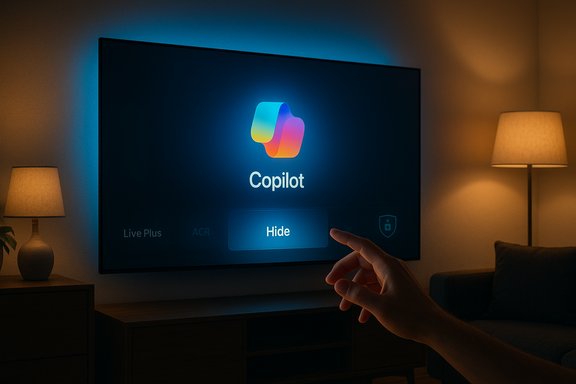
A hand reaches toward a wall-mounted TV displaying Copilot with the Hide button highlighted.Background / Overview​

At trade shows and in product messaging earlier in the year, LG and other major TV makers publicly announced plans to bring Microsoft’s Copilot — a conversational, generative AI assistant — to living‑room screens as part of broader “AI” feature sets in their smart TV platforms. That roadmap included new on‑screen assistants, voice‑driven discovery, and updated remotes designed to surface AI functions. What changed this week was the delivery mechanic: multiple owners report a routine firmware‑over‑the‑air (FOTA) update that placed a Copilot shortcut or tile directly on their webOS home ribbons, and in many cases the TV’s app management UI offers only hide or disable rather than uninstall.
The practical effect is straightforward and visceral: users who expected control over what’s installed on their hardware find an always‑available AI assistant surfaced without a clear opt‑in or straightforward uninstall path. Owners report that hiding the tile is possible in many cases, but a factory reset often returns the Copilot entry — a pattern consistent with the app being installed as a privileged system package or being baked into the firmware image.

What actually happened — the observable facts​

  • Several owners across Reddit and enthusiast forums documented a routine webOS FOTA update that resulted in a visible Copilot tile appearing on the TV home screen.
  • When navigating webOS’s Edit / App Manager flows, many users found no uninstall/trash icon for Copilot; the UI often presented only hide or disable.
  • Multiple reports state that performing a factory reset restored the Copilot tile, a key symptom that the component may be delivered as a system‑level package or included in the firmware image.
  • Public vendor messaging from earlier in the year confirms the intent to put Copilot on TVs, but LG has not, at the time of these community reports, published a model‑by‑model technical bulletin describing why a particular build would install Copilot as a system component.
These are the repeatable, community‑documented observations driving this story. Independent tech outlets and platform communities have aggregated the same pattern, amplifying user concern into mainstream coverage.

Technical mechanics: why the tile can feel “unremovable”​

Two well‑understood packaging and update models explain why an app or shortcut can’t be deleted through consumer menus on embedded platforms like webOS:
  • Privileged system package — OEMs can install a component outside the usual app sandbox and flag it as a system app. System apps commonly expose only limited management actions (for example, hide or disable), because removing them via UI could break dependent platform features. Reports that the Copilot tile lacks an uninstall affordance are consistent with this pattern.
  • Firmware‑baked component — the update image applied by FOTA can include apps or shortcuts that are part of the firmware image itself. A factory reset typically restores the device to the firmware image state, which explains multiple accounts where a reset reintroduced Copilot. Removing a firmware‑baked component usually requires reflashing with older firmware or vendor tooling, operations outside what a typical consumer can or should perform.
Both approaches are technically defensible from an engineering perspective: they simplify maintenance and distribution for feature parity, and they ensure the assistant is available for core UX journeys. They also carry different implications for user agency and privacy.

Why owners are upset: agency, transparency, and privacy​

At the heart of the backlash are three distinct problems:
  • Loss of agency. Consumers believe they own the device and expect basic control over what appears on it. Installing persistent UI elements post‑sale without a clear opt‑out undermines that expectation. The sudden presence of a non‑removable assistant feels like bloatware to many.
  • Opaque defaults and telemetry. Smart‑TV platforms often include advertising, recommendation engines, and Automatic Content Recognition (ACR). LG’s ACR service, known as Live Plus, is already a point of sensitivity because it can analyze on‑screen content for personalization and ad targeting; reports indicate some updates are toggling Live Plus on by default in affected builds, raising the stakes. Owners worry not just about the tile but about what extra telemetry or voice‑trigger behavior it might enable. Those concerns are amplified by the absence of clear, published vendor notes explaining the data flows tied to Copilot.
  • Trust and the commercial logic of smart TVs. The homescreen is now a monetizable surface. Users fear a slippery slope: if OEMs can pin partner services without consent, what else might be baked in later? The reaction has quickly migrated from annoyance to a broader discussion about the commercial incentives that drive preinstalled services and ad formats on modern TVs.
It’s important to note what we do not have: vendor confirmation that Copilot is recording audio continuously, shipping new telemetry endpoints, or changing the device’s network behavior in ways that differ from previously published privacy settings. Several community posts raise those possibilities, but they remain unverified claims until LG or Microsoft issues a technical statement or a forensic analysis is published. Treat suggestions about expanded audio capture or cross‑device profiling as unverified at this stage.

Privacy and regulatory implications​

The incident sits at the intersection of product design and privacy law. A few legal and policy angles to watch:
  • Consumer protection and marketing rules. Regulators in many jurisdictions expect transparency about what software an update will install and what data will be collected. Rolling out partner‑branded assistants without clear notification raises questions about adequate disclosure.
  • Data protection frameworks. Regions governed by GDPR or similar frameworks expect data controllers and processors to justify lawful bases for personal data processing, set reasonable defaults, and enable clear opt‑outs. If Copilot’s functionality relies on personalization tied to identifiable data, the rollout could attract attention from privacy regulators.
  • US enforcement priorities. While the U.S. lacks a single comprehensive privacy regulator, the Federal Trade Commission and state attorneys general have been active on issues of unfair or deceptive trade practices and undisclosed data collection; a pattern of surprise installs and opaque defaults could prompt inquiries.
None of these are certainties — they are plausible outcomes depending on vendor responses and specifics of the data flows. At this point, the strongest regulatory leverage comes from demonstrable lack of disclosure or consumer harm, not from the mere presence of a system app.

What owners can do now — practical mitigations​

Short‑term workarounds exist; they aren’t perfect, but they can reduce exposure while owners press vendors for a fix.
  • Hide the Copilot tile using the webOS home/ribbon customization. Many owners can at least remove the visible tile from immediate view by using the Edit / Home customization flows. This keeps the assistant off the home screen without disabling network features.
  • Check and disable Live Plus (ACR) if it’s enabled. Live Plus can often be turned off in settings; doing so limits ACR‑driven personalization and some ad features.
  • Disable network access for the TV if you want to remove all remote functionality temporarily. This is blunt: it prevents updates, streaming apps, and smart features. Use it only if you accept the tradeoffs.
  • Use an external streamer (Apple TV, Roku, Amazon Fire TV, Nvidia Shield) and treat the LG smart layer as a display only. This offloads interactive experiences to a platform under your control. Several owners recommended this as a practical step while the controversy unfolds.
  • Contact LG support and ask for clarification and a removal path. File a support ticket and keep the ticket number; multiple consumer contacts increase the chance of a vendor response and a documented remediation.
For advanced users who are comfortable with firmware tooling: reflashing with an older firmware image can remove firmware‑baked components — but this is risky, may void warranties, and is not recommended for most owners.

What LG and Microsoft should do (product responsibilities)​

The episode offers a clear checklist of actions smart‑TV vendors should follow when they introduce AI companions to deployed devices:
  • Publish a clear rollout notice before pushing updates that add permanent UI elements. Notification should include what’s being added, why, and how to opt out.
  • Provide explicit, consumer‑friendly removal or rollback options for post‑sale software additions. If a partner experience is optional, make the default opt‑out rather than opt‑in.
  • Default to privacy‑minimal settings and make telemetry opt‑in for personalization features. For voice assistants, be explicit about what triggers audio capture, how long audio is retained, and whether processing is on‑device.
  • Publish a machine‑readable change log and a reachable support route for firmware changes that materially alter user control. That builds trust and gives consumers a record to produce to regulators if needed.
These are basic product standards that apply across platforms: AI on the TV should be useful, not coercive.

Critical analysis — strengths, opportunities, and risks​

Strengths and user benefits​

  • Convenience and discovery. A well‑implemented Copilot can materially improve content discovery on large screens, summarize shows, and provide quick answers without switching devices. That’s a genuine UX opportunity for households that want conversational navigation.
  • Accessibility. Voice assistants can be valuable accessibility tools for users who prefer voice navigation or have mobility limitations.

Implementation risks​

  • Erosion of trust. Shipping persistent, system‑level assistants without clear consent creates a perception of forced software and can erode long‑term brand trust. The immediate churn risk (returns, bad press) is only the first wave; reputational damage can extend to future purchases.
  • Privacy questions. Without detailed vendor disclosures, users and researchers will assume worst‑case telemetry and profiling behaviors. Even if those fears are unfounded, the lack of transparency fuels regulatory and consumer pushback.
  • Fragmented user experience. Pushing partner services by firmware risks inconsistent behavior across models and regions, creating customer support headaches and confused experiences for users who expect uniform control over their devices.

Long‑term industry implications​

If manufacturers normalize privileged, partner‑baked experiences on already‑sold hardware, regulators and consumer groups will likely respond with calls for clearer disclosure rules and stronger opt‑out protections. Conversely, vendors that prioritize consent and removal options will likely win trust and reduce friction as AI assistants proliferate in the living room.

How to evaluate claims and what remains unverified​

Community reports and screenshots are a strong early signal, and repeatable patterns across dozens of posts make the core claim — that a Copilot tile was pushed and often cannot be uninstalled via the UI — credible. Independent reportage has repeated the same pattern and recommended the same mitigations.
However, specific technical assertions — for example, that Copilot introduces new always‑on audio capture beyond the existing microphone button behavior, or that it adds previously unseen telemetry endpoints — remain unverified without vendor confirmation or a forensic network analysis. Claims about new categories of data being transmitted should be treated cautiously until LG or Microsoft publishes exact details, or until independent researchers release a packet‑level analysis. The responsible stance is to regard the install and packaging claims as well‑supported by community evidence, while treating detailed privacy‑impact claims as provisional pending technical confirmation.

Broader takeaways for buyers and enthusiasts​

  • When shopping for smart displays or TVs, consider whether you want a fully networked, platform‑managed device or a “display‑only” panel paired with an external streaming box you control. The latter gives more durable agency over updates and installed services.
  • Insist on clear settings: look for vendor controls to disable personalization/ACR, to manage voice data, and to turn off automatic updates. These are the knobs that preserve control.
  • Keep firmware update notifications enabled but read the patch notes; when in doubt, delay a non‑security update until more information is available or until the vendor publishes clarifying notes.

Conclusion​

The Copilot‑on‑LG‑TVs episode is a case study in how delivery mechanics shape the reception of a new technology. Integrating powerful, conversational AI into living‑room screens is a plausible and potentially valuable product direction; the problem in this instance is not the assistant itself but the way it was delivered — quietly, persistently, and without an obvious uninstall path for many owners. That combination turns a potentially helpful feature into a trust issue.
For now, affected owners have practical mitigations — hiding the tile, disabling ACR/Live Plus, using external streamers, or isolating the TV from the network — but these are stopgaps, not a long‑term resolution. The durable fix requires vendor clarity: publish change logs, provide removal options, default to privacy‑minimal settings, and treat post‑sale software additions as a consented experience rather than a one‑way push.
The next move is LG’s to make: explain the packaging choices, publish clear guidance for removal or opt‑out, and restore predictable, consumer‑facing control. If those steps don’t come quickly, expect sustained consumer pressure and possible regulatory scrutiny as smart‑TV platforms evolve into the latest battleground for consent and control in the age of everywhere AI.

Source: Engadget LG quietly added an unremovable Microsoft Copilot app to TVs
 

LG says it will let owners delete the Microsoft Copilot tile that suddenly appeared on many webOS smart TVs after a recent firmware update, a retreat that doesn’t erase the deeper questions this episode raises about post‑sale control, privacy and the way AI features are being distributed to living‑room devices.

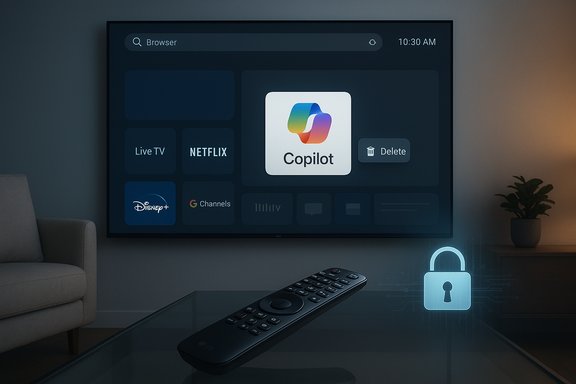
Living room with a wall-mounted TV showing Copilot and streaming apps, a remote on a glass table, and a glowing lock.Background: how a single tile became a story​

In mid‑December, owners of LG smart TVs began posting screenshots showing a Microsoft Copilot icon pinned to their home screens after a routine webOS over‑the‑air (FOTA) update. The icon looked like any other app tile on the launcher but — according to numerous user reports — it could not be removed through the TV’s normal Edit / App Manager flows. The discovery went viral on social media and discussion forums, and the resulting public outcry prompted LG to say it will add an explicit delete option for the shortcut in a future webOS update.
The immediate facts that matter are straightforward and verifiable from multiple independent reports: the Copilot presence on affected LG TVs is — per LG’s public explanation — a browser‑based shortcut that launches Copilot in the TV’s web browser rather than a native, deeply embedded app; the shortcut was pushed to many sets via a webOS update; and LG has committed to allow deletion of that shortcut, while providing no specific timetable for the fix.

Why the distinction — web shortcut vs native app — actually matters​

What LG says and what that technically means​

LG clarified to reporters that the Copilot tile is a shortcut: tapping it opens a Microsoft Copilot web interface inside the TV browser. That architecture places core model inference and data handling on Microsoft’s cloud rather than on the TV itself. At a technical level, that should reduce the chance of an “always‑listening” agent running locally, and it makes the TV a thin client that forwards queries and audio to remote servers only when the user actively chooses to use the feature.

Why consumers still cared so much​

Even as a web shortcut, the tile’s presence touches three key concerns for users:
  • Control: owners expect to be able to remove or uninstall software that appears on devices they bought; a shortcut that cannot be deleted feels like an imposed change.
  • Privacy: a pinned access point to a cloud assistant raises questions about what data is collected, whether microphones or Automatic Content Recognition (ACR) features are activated by default, and how signals are tied to accounts or ad systems.
  • Trust: auto‑installed, hard‑to‑remove features erode confidence in firmware updates and vendor transparency.
In short, technical packaging matters, but so do the user experience and expectations that surround it. A web shortcut that’s impossible to remove creates the same emotional and practical problem as a preinstalled system app.

The rollout mechanics: why the tile felt “undeletable”​

System package vs content store app vs firmware image​

There are three common ways software can appear on embedded platforms such as webOS:
  • As a user‑installed app from the content store — removable via the app manager.
  • As a system or privileged package installed outside the user sandbox — often only hideable or disableable.
  • Baked into the firmware image delivered by FOTA — restored on factory reset.
Users reporting the Copilot tile consistently described the same symptoms: it appeared after a webOS update, the Edit/App Manager UI offered hide/disable but not delete, and in several accounts a factory reset restored the tile. Those behaviors are typical of items delivered as privileged system packages or included in the firmware image rather than ordinary store apps. That explains why many owners experienced it as effectively non‑removable.

Why manufacturers sometimes choose privileged packaging​

From an engineering and go‑to‑market perspective, pinning a shortcut or system tile is a simple way to guarantee consistent visibility and use metrics for a partner feature. It avoids the fragmentation of optional installs, ensures presence across devices, and reduces integration work. But it also short‑circuits the consumer expectation that installed apps should be optional and removable.

User reaction: social media, forums and the vocabulary of “bloatware”​

The story spread quickly once a high‑visibility Reddit post displayed the Copilot tile and noted there was no delete button. The thread garnered large engagement and was amplified by mainstream technology outlets. The reaction included:
  • Anger framed as a loss of ownership and control.
  • Privacy skepticism, especially around microphone, ACR, and telemetry behavior.
  • Comparisons to prior incidents where vendors pushed features or content onto devices without explicit opt‑in.
Community responses ranged from pragmatic workarounds (hide the tile, disconnect the TV, or run the TV on a guest network) to more principled stands (vowing to withhold updates or choosing external streaming devices that remain under user control).

Privacy and data‑collection concerns: what to watch for​

Even when an assistant runs via a web interface, multiple telemetry and privacy vectors remain in play:
  • Microphone activation: LG has stated microphone features require explicit user consent, but users want clear UI indicators and audit logs that prove microphones are off by default.
  • Automatic Content Recognition (ACR) or “Live Plus”: some reports tied the update to surfacing or enabling ACR-style settings, which analyze on‑screen audio/video to personalize recommendations and advertising. When ACR and an assistant are combined, the potential for richer profiling grows.
  • Telemetry surface area: even non‑voice interactions send usage metadata, device identifiers and contextual signals to cloud services, which can be used for personalization and advertising unless explicitly limited.
  • Account linkage and cross‑device profiling: if Copilot sign‑in is tied to a Microsoft account that’s used on other devices, queries and preferences may be associated across ecosystems.
These concerns are not hypothetical; they are the precise privacy tradeoffs that made the Copilot tile objectionable to many owners. The technical form (web shortcut) softens one fear — secret local agents — but does not eliminate questions about what data is sent and when.

Benefits and legitimate use cases for Copilot on TVs​

It’s important to be balanced: Copilot and similar assistants offer genuine, practical value on a living‑room screen when implemented with care.
  • Quick contextual lookups: ask about actors, show summaries, or trivia without switching devices.
  • Accessibility: conversational prompts can help users with limited dexterity or vision navigate content and settings.
  • Content discovery: personalized recommendations or multi‑turn recommendations can reduce friction when choosing shows or movies.
  • Smart‑home and remote control bridging: a well‑integrated assistant can function as a central controller for connected household devices.
The user experience can be valuable — but only when it’s opt‑in, transparent and removable.

What LG has promised — and what remains unclear​

LG’s public statement committed to adding a delete option for the Copilot shortcut and emphasized that the tile is a web shortcut that opens Microsoft Copilot in the TV browser, not a native always‑on application. The company also emphasized that microphone features require explicit consent.
What LG did not provide:
  • A firm timeline for when the delete option will roll out.
  • Detailed telemetry disclosures explaining what data the Copilot web UI collects when launched from the TV.
  • A definitive explanation of packaging mechanics (whether the tile was pushed as a privileged system element or is present in a firmware image for some models).
Until those details are published, many of the most load‑bearing user questions remain open.

Comparative context: how other OEMs handled Copilot​

Other television vendors have also experimented with integrating assistants. Some approaches have been staged, opt‑in rollouts with clearer sign‑in flows and documented privacy controls. Where an assistant is offered as an optional, store‑delivered app or as an opt‑in feature accessed only after explicit account linking, consumer resistance tends to be lower.
LG’s situation stands out because of the perception of coercion: a post‑sale change that created a visible and persistent entry in the launcher without a straightforward removal path. That perception is where the damage to trust originated.

Practical guidance for owners right now​

For LG TV owners who are upset by the Copilot tile or worried about privacy, practical steps can reduce exposure immediately:
  • Hide the Copilot tile in the launcher UI to reduce visual clutter.
  • Review and disable any ACR/“Live Plus” or ad personalization settings in the TV’s privacy menu.
  • Avoid signing into accounts on the TV if you want to limit cross‑device linkage.
  • Place the TV on a guest VLAN or separate Wi‑Fi SSID and apply firewall rules to restrict outbound telemetry destinations if you are comfortable managing your network.
  • Use router/DNS blocking for domains associated with the assistant if you need a more aggressive network‑level block.
  • If you prefer a predictable, controllable experience, use an external streaming device (a stick or set‑top box) that you control and keep the TV’s smart features offline.
  • Do not rely solely on factory resets as a removal method — community reports show the tile may reappear if it is included in a firmware image.
These are stopgap measures until LG ships the promised delete option and publishes clear telemetry and privacy documentation.

Recommended actions for LG and Microsoft​

To repair trust and set a better industry standard, the following steps are advisable:
  • Publish a concrete timeline and release notes for the deletion update, model‑by‑model, so owners know when and how the fix will appear.
  • Release a telemetry FAQ that explains exactly what data is collected when Copilot is launched, which signals are shared with Microsoft, and how long logs are retained.
  • Provide an explicit opt‑out that persists across firmware updates and factory resets (where technically feasible) so deletion is durable.
  • Add granular consent flows for any feature that accesses microphone or ACR capabilities, plus visible indicators when microphones are active.
  • Offer a rollback or manual firmware option for users who want to revert to the pre‑update experience, with clear instructions for supported models.
  • Publish a developer/partner white paper explaining packaging choices and why a shortcut was used rather than a removable store app.
These actions would be a practical way to restore confidence and demonstrate respect for device ownership.

What’s verified — and what remains community‑reported​

Verified or corroborated facts:
  • The Copilot tile appeared on many LG webOS televisions after a webOS update.
  • LG described the tile as a browser shortcut that opens Microsoft Copilot’s web interface.
  • LG has publicly said it will add the ability to delete the shortcut in a future update.
Community‑reported items that should be treated with caution:
  • Claims that the tile reappears after factory reset have been widely reported in forums and reproduced in many user threads, but behavior may vary by model and region; this claim is strongly plausible but not universally verifiable without formal vendor confirmation across specific model firmware images.
  • Assertions about what telemetry the TV sends when Copilot is used are partially inferential: the web‑shortcut model implies cloud calls, but exact telemetry contents, destinations and retention periods require vendor documentation or independent network forensics to confirm.
Whenever possible, owners and journalists should seek firmware version numbers, exact model lists and official LG support documentation to verify behavior for particular TV models.

Broader implications for the smart‑TV ecosystem​

This episode crystallizes a larger tension in consumer electronics: vendors are racing to differentiate commodity hardware with AI‑enabled services, and partnerships (with cloud companies) are a fast way to add headline features. But the business incentives that drive preloading and prominent placement — discoverability, monetization, and partner KPIs — are at odds with post‑sale consumer expectations of control.
If AI features are to be widely accepted on shared household devices, vendors must pair capability with:
  • Consent‑first design (opt‑in defaults),
  • Durable opt‑outs (removal that survives resets and updates),
  • Transparent telemetry practices, and
  • Clear user interfaces for managing consent and data.
Failure to adopt those guardrails risks regulatory attention, consumer pushback and long‑term erosion of brand trust.

Conclusion​

LG’s commitment to allow deletion of the Microsoft Copilot shortcut is the right immediate move, but it is a partial remedy for a broader problem: vendors are pushing powerful cloud services onto devices that live in private, shared spaces without the robust consent and control mechanisms customers expect. The Copilot tile incident should not be reduced to a UX gaffe; it is a case study in the governance, product and privacy choices that will shape whether “AI TV” becomes an appreciated convenience or a persistent source of consumer distrust.
For now, owners should take practical steps to limit exposure, and LG and Microsoft should follow through with concrete timelines, durable removal mechanisms and full transparency about telemetry. Only then will the convenience of on‑screen AI be balanced with the user agency that modern device ownership demands.

Source: Tech Times LG Will Let You Delete Microsoft Copilot App on Smart TVs Following Backlash
 

LG has quietly reversed course after a wave of user backlash: following a recent webOS over‑the‑air update that pinned Microsoft’s Copilot assistant to many LG TVs’ home screens without an obvious uninstall option, the company told reporters it will add a true delete option for the Copilot shortcut in a future webOS update.

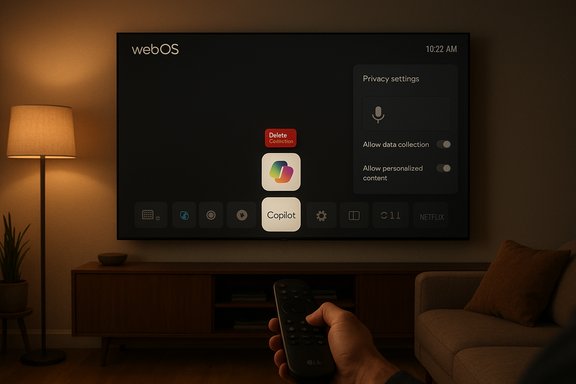
Dim living room as a hand uses a remote to browse webOS on a wall-mounted TV.Background​

The introduction of conversational AI to living‑room screens was central to several manufacturers’ 2025 roadmaps. Microsoft’s Copilot has been positioned as a cross‑device assistant for content discovery, show recaps, and voice navigation, and multiple TV OEMs signaled partnerships or integrations at trade events earlier in the year. LG framed Copilot as part of an “AI TV” strategy for webOS, and Samsung also published staged rollouts for selected models.
What flipped this from a roadmap item into a front‑page consumer story was a routine firmware‑over‑the‑air (FOTA) push that added a Copilot tile or shortcut to the home ribbon of many LG TVs. Owners reported that the tile could be hidden but not deleted through webOS’s normal app‑management flows, and in some cases a factory reset restored the tile — a pattern that strongly suggests the tile was provisioned as a privileged or firmware‑baked asset rather than a removable store app.

What actually happened on affected LG TVs​

Short, verifiable sequence of observable events:
  • LG pushed a webOS update to a range of recent models.
  • After reboot, many owners found a Microsoft Copilot tile pinned to the home screen or launcher bar.
  • The TV’s Edit / App Manager UI often offered only hide or disable — not delete.
  • In multiple documented cases a factory reset reintroduced the tile, indicating it may be present in the firmware image.
These repeatable, community‑documented behaviors are the basis for the claim that the shortcut was provisioned at a system level rather than delivered as a normal, removable store app. Independent reporting and forum investigations replicated the same pattern across different models and regions.

The technical anatomy: why a tile can feel “undeletable”​

Two commonly used packaging models explain the behavior users observed:
  • System/privileged package: OEMs can install software outside the user sandbox and mark it as a system app. System apps are often protected from uninstall because removing them can break platform features. The UI may intentionally expose only hide/disable options.
  • Firmware‑baked component: A FOTA image can include UI assets or shortcuts that are restored by factory reset because the factory default image contains the package. If the tile is baked into the firmware, a reset won’t remove it permanently.
LG told reporters the Copilot tile is a browser shortcut that opens Microsoft’s Copilot web interface inside the TV browser — not a fully native, always‑on local application. That architectural choice means the heavy lifting (model inference and data processing) occurs on Microsoft’s cloud rather than on the TV. Still, packaging a web shortcut as a privileged or firmware asset removes the typical uninstall pathway and therefore produces the same user experience as an “undeletable” preinstalled app.

Why users reacted strongly: control, privacy, and expectation​

Three simple reasons explain the intensity of the reaction:
  • Ownership expectation: Consumers expect to control what runs on hardware they purchased. An app‑like tile that cannot be removed feels like a loss of device autonomy.
  • Privacy concerns: Even when voice capture or microphone features require explicit consent, a visible assistant shortcut raises questions about what telemetry and contextual signals (for example, Automatic Content Recognition or ACR/“Live Plus”) are being collected, when, and how they are shared. Many owners noticed related personalization settings were enabled around the same time, amplifying alarm.
  • Trust and update practices: Firmware updates are expected to deliver security fixes and improvements, not to alter the platform in ways that feel coercive. A silent change that pins a partner service to the home screen breaks an implicit social contract between vendors and buyers.

LG’s response and what the company actually promised​

LG issued a public clarification and pledge: the company said it “respects consumer choice” and will provide a way for users to delete the Copilot shortcut in a future webOS update. LG also emphasized that the Copilot entry is a browser‑based shortcut and that microphone activation happens only with explicit user consent. However, LG did not publish a firm timeline for the deletion rollout nor detailed telemetry disclosures at the time of the pledge.
That response addresses the immediate UI problem (missing delete affordance) but leaves other pressing questions unanswered: which models and regions will receive the fix, whether deletion will persist across future firmware updates and factory resets, and what data is collected when Copilot is launched from the TV. Those remain outstanding and merit follow‑up documentation from LG and Microsoft.

What is and isn’t verified (a clarity checklist)​

  • Verified, corroborated claims:
  • The Copilot tile appeared on many LG webOS TVs after a webOS update.
  • LG described the tile as a browser shortcut and said it will allow deletion in a future update.
  • Claims that are currently provisional or unverified:
  • Whether the tile was installed as a privileged system package or strictly as a firmware‑baked image for every affected model — vendor engineering documentation or firmware analysis would be needed for definitive confirmation.
  • Specific telemetry endpoints, categories of signals transmitted, and retention policies tied to the Copilot web UI launched from TV — those require either vendor disclosure or independent packet‑level analysis to confirm. Treat detailed privacy‑impact claims as provisional until forensic tests or vendor statements are published.
Flagging these as provisional matters: responsibly distinguishing what’s demonstrably observable (tile presence and lack of deletion UI) from deeper technical or privacy assertions (hidden telemetry channels, always‑listening behavior) avoids amplifying unverified claims.

Practical mitigations for owners right now​

Until LG ships the promised deletion option and provides telemetry documentation, owners who want to reduce exposure can take practical steps:
  • Hide the Copilot tile in the launcher to remove visual clutter.
  • Review and disable ACR/“Live Plus” and ad personalization settings in the TV privacy menu.
  • Avoid signing into accounts on the TV if cross‑device linking is a concern.
  • Place the TV on a guest VLAN or separate Wi‑Fi SSID and apply firewall rules to limit outbound connections if comfortable managing your network.
  • Use DNS or router‑level blocking for known domains associated with the assistant for an aggressive, network‑level block.
  • If predictability is priority, use an external streaming device you control and keep the TV’s smart features offline.
These steps are stopgap measures; they reduce surface area but do not replace a vendor‑provided, durable deletion that persists across firmware updates and resets.

Broader implications for OEMs, platform vendors, and regulators​

The Copilot‑on‑LG episode is not an isolated UX glitch — it’s a case study in how the modern smart‑TV ecosystem is evolving into an always‑connected platform where post‑sale software changes can materially alter device behavior and user experience.
Key implications:
  • Product governance matters: Rapid feature pushes without clear opt‑outs risk eroding long‑term trust even when immediate intent is benign. Vendors must pair innovation with consent‑first UX.
  • Telemetry transparency is now table stakes: When cloud services are fronted by embedded endpoints in private spaces (living rooms), regulators and consumers alike will demand clear, machine‑readable disclosures about what is collected, why, and for how long.
  • Standards for removability: Expect customer advocacy and possibly regulatory interest in whether consumers have durable control over preinstalled services, especially when those services are added post‑sale via FOTA. A removal or opt‑out that survives resets should become an industry expectation.
  • Competitive positioning: OEMs that default to privacy‑minimal settings and provide clear removal opt‑outs are likely to preserve customer goodwill; those that push partner services in opaque ways risk brand damage and churn.

Recommendations for OEMs and Microsoft (a concise checklist)​

  • Publish a concrete, model‑by‑model timeline for the deletion update and include explicit release notes.
  • Provide a telemetry FAQ that details what signals are collected when Copilot is used, which endpoints receive them, and retention policies.
  • Implement an opt‑out or delete action that persists across firmware updates and factory resets where technically feasible.
  • Add visible microphone indicators and per‑use consent dialogs for any voice capture features.
  • Offer a rollback firmware option or a manual download path for users who prefer the pre‑update experience.
These steps would not only resolve the immediate UX complaint but would establish a durable governance model for future AI feature rollouts.

Strengths, opportunities, and risks of Copilot on TVs​

Strengths:
  • Real user value: When implemented with explicit consent and transparent controls, Copilot can greatly simplify content discovery, offer spoiler‑free recaps, and improve accessibility for users who prefer voice navigation.
  • Device continuity: A well‑integrated assistant can tie together cross‑device experiences (phone ↔ PC ↔ TV) in a useful way for households invested in an ecosystem.
Opportunities:
  • New UX models: TVs give vendors an opportunity to design large‑screen conversational interfaces that are visual, card‑based, and tailored for shared viewing. This can be a differentiator if privacy and control are baked into the design.
Risks:
  • Eroded trust from forced installs: Non‑removable or persistently reinstalled partner services create long‑term reputational risk that outweighs short‑term engagement metrics.
  • Privacy and regulatory exposure: In regions with strict data protection regimes, opaque telemetry practices tied to always‑on or semi‑persistent assistants can trigger regulatory scrutiny.

How this episode should shape future AI rollouts to consumer hardware​

The core lesson is simple: consent and control beat surprise and imposition. If manufacturers want broad acceptance of assistants on living‑room screens they must:
  • Prioritize opt‑in rollouts with clear on‑screen onboarding and consent flows.
  • Make uninstall and persistent opt‑out as frictionless as installation.
  • Publish clear telemetry and privacy documentation before large staged rollouts, not after backlash forces a correction.
Adopting these design rules will make AI features feel like helpful companions rather than imposed surveillance vectors.

Conclusion​

The Copilot tile controversy on LG webOS TVs is a textbook case of how rollout mechanics and packaging choices can turn a promising feature into a public relations problem. LG’s pledge to allow deletion is the necessary first step, but it is not sufficient on its own. Consumers and watchdogs will rightly demand transparent timelines, durable removal mechanisms, and full disclosure of telemetry and consent pathways. Until those pieces are in place, the episode will remain a cautionary tale: innovation without consent risks undermining the very trust that makes consumer platforms viable.
Practical recourse for affected owners is available now — hiding the tile, disabling personalization, isolating the TV on a guest network, or using an external streamer — but those are interim measures. The durable fix must come from the vendors: clear documentation, persistent opt‑outs, and privacy‑first defaults that treat post‑sale software changes as a change in the device’s contract with its owner, not merely a product update.

Source: TechPowerUp LG TVs Can Delete Microsoft Copilot AI App in the Future
 

LG’s sudden placement of Microsoft’s Copilot on many webOS televisions — and the company’s subsequent promise to make the shortcut deletable — crystallizes a wider debate about who controls the software that runs on devices consumers already own and how OEMs should deliver AI features in the living room. LG pushed a webOS update that placed a Copilot tile on home screens; users found they could hide it but not remove it, sparking a viral backlash that forced LG to tell reporters it will add a proper delete option in a future update.

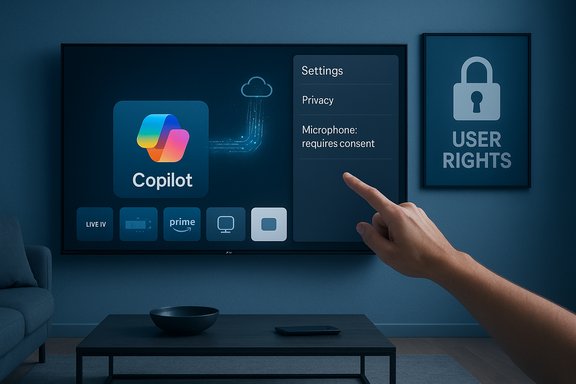
A hand taps settings on a wall-mounted screen showing Copilot and privacy options.Background / Overview​

In 2025, smart‑TV makers turned “AI TV” from marketing slogan into a roadmap item: manufacturers pledged conversational assistants for discovery, recaps, and voice navigation. Microsoft’s Copilot — already positioned as a cross‑device conversational assistant — became a common partner in those plans. LG, which had previewed Copilot integrations for webOS earlier in the year, rolled a routine firmware‑over‑the‑air (FOTA) update to selected models. After the update some owners found a Copilot tile pinned to their home launchers with no obvious uninstall option; in many reports the tile could only be hidden. That behavior generated a viral Reddit thread and broad press attention, prompting LG to promise a fix.
The core technical claim LG has emphasized is simple and important: the Copilot entry on affected TVs is a browser shortcut that opens Microsoft’s web‑based Copilot interface in the TV browser, not a fully native, always‑listening app embedded deep in webOS. That nuance matters for both privacy reasoning and for how the feature should be removed. LG’s public remark also stressed that microphone features require explicit user permission. Still, the initial rollout and the absence of a durable uninstall option eroded trust and raised privacy questions that remain only partially answered.

What actually happened: a concise timeline​

  • LG announced Copilot integrations as part of an “AI TV” strategy and showcased related features in product materials.
  • A routine webOS FOTA update was pushed to many LG models.
  • After installation, a Copilot tile appeared on the home screen/launcher on affected televisions.
  • Owners reported the tile could be hidden but not deleted through the standard Edit / App Manager workflows; some owners reported it reappeared after factory reset.
  • A high‑visibility Reddit thread amplified the issue; mainstream outlets picked up the story.
  • LG told press it would implement a deletion option in a forthcoming webOS update and reiterated that Copilot launches a web experience and requires explicit permission before enabling microphone access.
This sequence is corroborated by multiple independent reports and community analyses; the repeated, consistent observations across owners and outlets make the broad outline highly credible. However, specific engineering details — such as the exact packaging across every model or the precise firmware mechanics on every regional build — are vendor‑level facts that still require formal disclosure or firmware inspection to verify universally.

Technical anatomy: web shortcut vs native app, and why packaging matters​

1. Browser shortcut (what LG says)​

  • A browser shortcut is effectively a tile or bookmark in the UI that opens a remote web page in the TV’s web browser.
  • Because the heavy processing and data handling occur in the cloud, local resource and model inference concerns are mitigated.
  • Microphone and other privileged features should only be activated when the user explicitly consents during that web session.

2. Native app or system/firmware‑baked package (what users experienced)​

  • When an item is delivered as a system or privileged package — baked into the FOTA image — the platform’s normal uninstall controls may not apply.
  • System apps are often exposed with hide/disable only, because uninstalling might break platform dependencies.
  • If a factory reset restores the tile, that strongly suggests the asset exists in the default firmware image. Multiple users reported this symptom.
Why this distinction matters
  • Removability: store apps are removable; firmware assets often are not without vendor support.
  • Update management: firmware‑baked items persist across resets until the default image is changed.
  • Privacy and telemetry: a web shortcut limits some local risk vectors, but packaging as a privileged item can raise questions about what background services or telemetry hooks are present and whether user choices persist across resets.

Privacy, telemetry and "Live Plus" concerns​

Smart TVs already collect contextual signals for personalization and advertising; LG’s “Live Plus” automatic content recognition (ACR) feature is an example of an on‑screen signal that can be used to enhance recommendations and ad targeting. The arrival of Copilot — even as a web shortcut — expanded concerns along two axes:
  • Increased surface area for telemetry: launching an AI assistant routes queries and (potentially) audio to cloud services. The types of metadata sent (timestamps, device IDs, content context) and retention policies are not always transparent without vendor documentation.
  • Defaults and bundling: users reported that personalization or Live Plus‑style settings were enabled around the same timeframe as Copilot appeared on some sets; defaults that favor personalization increase perceived risk when an assistant is added without explicit opt‑in.
Caution: specific claims about exactly what telemetry flows when Copilot is used from the LG TV are still provisional without packet‑level forensic analysis or a detailed vendor telemetry disclosure. Public reporting and vendor statements confirm the architectural model (web‑based Copilot) and the removal promise, but they do not map every telemetry field or retention policy. Treat detailed privacy inferences as plausible but unverified until LG or Microsoft publishes a telemetry FAQ or independent researchers do network captures.

LG’s response: what was promised and what remains open​

LG publicly acknowledged the user pushback and told reporters it would add a true delete option for the Copilot shortcut in an upcoming webOS update, reiterating that the Copilot tile is a browser shortcut and that microphone features require explicit consent. LG did not provide a precise timetable for that deletion option, nor did it publish a device‑by‑device list of affected models or firmware versions at the time of the announcement. What LG has done right (so far)
  • Acknowledged user concerns promptly after the backlash.
  • Clarified that Copilot is presented as a web shortcut and microphone features are consent‑gated, addressing an immediate “always‑listening” fear.
What LG still needs to do
  • Publish an explicit timeline for the deletion option and the firmware builds that will include it.
  • Confirm whether deletion will persist across factory resets and future webOS updates.
  • Publish a clear telemetry and data‑use statement for Copilot sessions launched from webOS, specifying endpoints, data categories, retention, and any sharing with third parties.
Until those items are public and verifiable, the fix remains a UI pledge rather than a complete remediation of the trust issue.

Industry context: this is not just an LG story​

Multiple TV manufacturers have been working with major AI providers to ship assistants on living‑room devices; Samsung, TCL and others have moved to include Gemini, Copilot or alternate assistants in their 2025 device lines. Similar objections — non‑removable tiles, enabled personalization defaults, and surprise post‑purchase feature additions — have surfaced across vendors. That broader landscape means the LG episode is symptomatic of an industry trend: OEMs race to differentiate with AI features, but packaging and defaults can undermine consumer trust if not handled consent‑first. Key industry pressures pushing this behavior
  • Differentiation: AI assistant branding is a visible product differentiator in a commoditized hardware market.
  • Monetization: Better discovery can increase engagement and ad‑targeting value.
  • Partner KPIs: OEMs and cloud partners alike measure discovery, first‑run conversions and sign‑ins, which incentivizes high discoverability (e.g., pinned tiles).
Those forces are real — and neither inherently bad nor nefarious — but when they’re prioritized over durable user control they create friction and reputational risk.

Practical guidance: what owners can do right now​

If an LG TV received the Copilot tile and owners want to reduce exposure while waiting for LG’s promised deletion option, these practical steps cut risk and reduce annoyance:
  • Hide the Copilot tile from the home launcher to remove visual clutter.
  • Review and disable personalization, ACR or "Live Plus" features in Settings → Privacy / Personalization.
  • Avoid signing into accounts on the TV if cross‑device linking is a concern.
  • Use a separate guest Wi‑Fi network or VLAN for the TV to limit lateral network exposure.
  • Use DNS or firewall rules at the router to restrict outbound access if comfortable managing network controls.
  • Consider using an external streaming device (Chromecast, Apple TV, Fire TV, Roku) attached to an HDMI port; these devices give control over what platform software is exposed on the main screen.
These are stop‑gap mitigations; the durable solutions must come from vendor UI, firmware and telemetry transparency.

UX and product lessons: how OEMs should ship AI features​

This episode highlights several product and governance principles that should guide future AI feature rollouts on shared household devices:
  • Default to opt‑in: New, potentially sensitive features should be off by default for installed bases, with a clear onboarding dialog for opt‑in.
  • Durable opt‑outs: If a user removes or disables a feature it must stay off across updates and factory resets unless the user explicitly re‑enables it.
  • Transparent telemetry: Publish telemetry schemas and endpoints so researchers and privacy teams can audit what leaves the device.
  • Clear packaging: Distinguish store apps, system apps and firmware assets in documentation; give users straightforward uninstall or permanent hide options.
  • Change logs and notifications: Notify owners pre‑update about functional changes that materially alter their device experience (for example, “This update will add an AI assistant tile to your home screen; you may remove it under Settings”).
These are practical governance rules that respect device ownership and ultimately protect brand trust while allowing OEMs to ship new capabilities responsibly.

Regulatory and reputational risk: why it matters beyond complaints​

Enforced, non‑removable features on consumer devices can trigger a range of responses:
  • Consumer backlash and negative press, which erodes long‑term brand equity.
  • Increased scrutiny from privacy regulators in regions where consent and data‑protection law require clear opt‑ins (for example, regulators focused on default settings and data minimization).
  • Potential commercial fallout if users choose alternative brands or external streamers to avoid vendor‑imposed services.
The Copilot tile controversy is a practical reminder that post‑sale software changes can change the implicit contract between a buyer and a device manufacturer. When that contract is perceived as broken, the commercial and regulatory consequences follow.

Critical analysis: strengths, risks and likely outcomes​

Strengths of the Copilot on TV concept
  • Genuine utility: a well‑implemented assistant can speed discovery, provide accessibility benefits (e.g., voice navigation), and deliver contextual information on a large screen.
  • Low barrier to entry: a browser‑based shortcut enables rapid deployment without heavy local integration.
Major risks exposed by this rollout
  • Erosion of device ownership: adding a prominent, hard‑to‑remove feature after purchase feels like a product change that should have required consent.
  • Privacy surface expansion: even a web shortcut can expand telemetry and invite data‑sharing concerns unless transparently managed.
  • Persistence mechanics: firmware‑baked or privileged packaging that survives resets creates the perception of coercion.
Probable short‑term outcome
  • LG will ship an update with an explicit delete option as promised to quell the immediate backlash; the market will watch whether deletion persists after resets and updates.
  • The incident will trigger stronger user scrutiny of “AI TV” rollouts and more vocal demands for privacy settings, especially around personalization defaults like Live Plus.
Long‑term risk/reward balance
  • If OEMs adopt consent‑first rules and telemetry transparency, Copilot‑type assistants could become broadly useful and accepted.
  • If OEMs continue to prioritize discoverability and partner KPIs over durable user choice, expect sustained consumer distrust and increased regulatory attention.

What to watch next (short checklist)​

  • Official LG timeline and firmware release notes detailing when deletion becomes available and which models are covered.
  • LG or Microsoft telemetry FAQ explaining what data Copilot collects when launched from a TV and how it is used/retained.
  • Independent network forensic reports that confirm whether the Copilot sessions send unexpected metadata beyond user queries.
  • Whether deletion persists across factory resets and future webOS updates (the real test of a durable fix).
Until those items are public and verifiable, owners should assume the deletion promise is the first step — not the final word — and apply the mitigations above if they want immediate control.

Conclusion​

The Copilot‑on‑LG episode is a modern case study in how not to ship post‑sale AI features: the technical architecture (a web shortcut) may be benign, and the assistant itself can be useful, but the delivery mechanics — a silent FOTA update that pinned a non‑removable tile to the home screen — violated a basic expectation of device ownership. LG’s pledge to add a deletion option is the correct immediate response, but it leaves open the more consequential questions about telemetry, packaging and whether an uninstall will be durable across resets and future updates. For AI to be adopted in shared household devices, vendors must pair capability with clear, persistent user control and transparent data practices; until then, consumers and regulators will rightly demand evidence that convenience is not being purchased at the cost of consent.
Source: TechPowerUp LG TVs Can Delete Microsoft Copilot AI App in the Future | TechPowerUp}
 

Back
Top