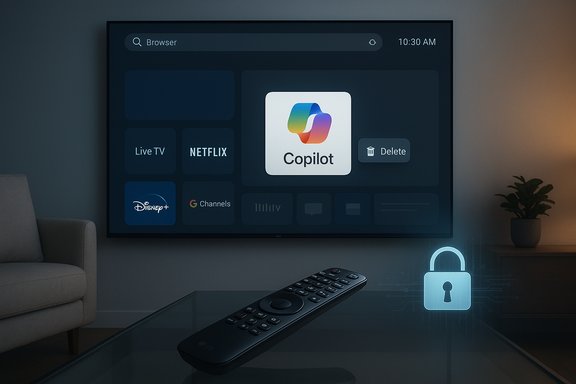
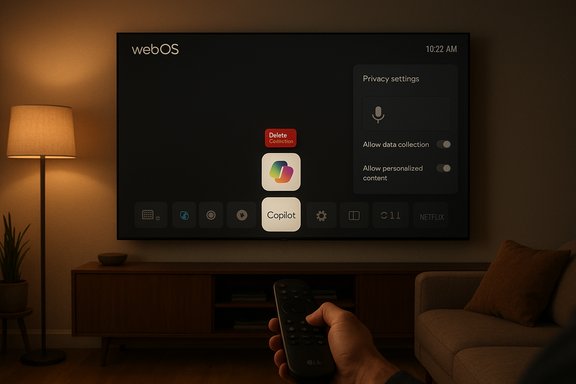
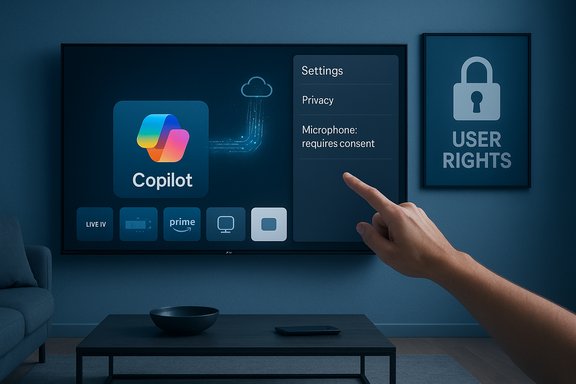
LG owners across multiple forums reported this week that a recent webOS over‑the‑air update silently added a Microsoft Copilot tile to their smart‑TV home screens — and in many of the reports the tile behaves like a system component that can be hidden but not uninstalled, touching off a fast‑moving debate about device control, privacy defaults, and how AI features are grafted onto devices after purchase.
At trade shows and in product messaging earlier in the year, LG and other major TV makers publicly announced plans to bring Microsoft’s Copilot — a conversational, generative AI assistant — to living‑room screens as part of broader “AI” feature sets in their smart TV platforms. That roadmap included new on‑screen assistants, voice‑driven discovery, and updated remotes designed to surface AI functions. What changed this week was the delivery mechanic: multiple owners report a routine firmware‑over‑the‑air (FOTA) update that placed a Copilot shortcut or tile directly on their webOS home ribbons, and in many cases the TV’s app management UI offers only hide or disable rather than uninstall.
The practical effect is straightforward and visceral: users who expected control over what’s installed on their hardware find an always‑available AI assistant surfaced without a clear opt‑in or straightforward uninstall path. Owners report that hiding the tile is possible in many cases, but a factory reset often returns the Copilot entry — a pattern consistent with the app being installed as a privileged system package or being baked into the firmware image.
However, specific technical assertions — for example, that Copilot introduces new always‑on audio capture beyond the existing microphone button behavior, or that it adds previously unseen telemetry endpoints — remain unverified without vendor confirmation or a forensic network analysis. Claims about new categories of data being transmitted should be treated cautiously until LG or Microsoft publishes exact details, or until independent researchers release a packet‑level analysis. The responsible stance is to regard the install and packaging claims as well‑supported by community evidence, while treating detailed privacy‑impact claims as provisional pending technical confirmation.
For now, affected owners have practical mitigations — hiding the tile, disabling ACR/Live Plus, using external streamers, or isolating the TV from the network — but these are stopgaps, not a long‑term resolution. The durable fix requires vendor clarity: publish change logs, provide removal options, default to privacy‑minimal settings, and treat post‑sale software additions as a consented experience rather than a one‑way push.
The next move is LG’s to make: explain the packaging choices, publish clear guidance for removal or opt‑out, and restore predictable, consumer‑facing control. If those steps don’t come quickly, expect sustained consumer pressure and possible regulatory scrutiny as smart‑TV platforms evolve into the latest battleground for consent and control in the age of everywhere AI.
Source: Engadget LG quietly added an unremovable Microsoft Copilot app to TVs
 Background / Overview
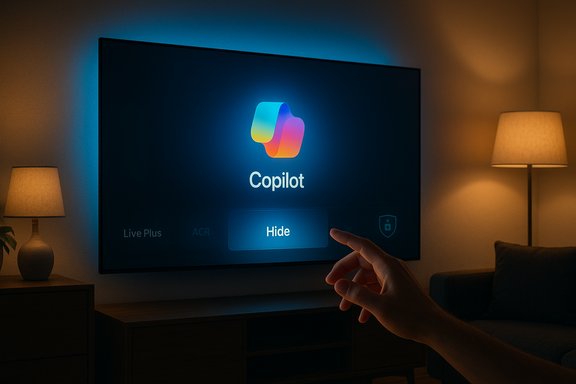
At trade shows and in product messaging earlier in the year, LG and other major TV makers publicly announced plans to bring Microsoft’s Copilot — a conversational, generative AI assistant — to living‑room screens as part of broader “AI” feature sets in their smart TV platforms. That roadmap included new on‑screen assistants, voice‑driven discovery, and updated remotes designed to surface AI functions. What changed this week was the delivery mechanic: multiple owners report a routine firmware‑over‑the‑air (FOTA) update that placed a Copilot shortcut or tile directly on their webOS home ribbons, and in many cases the TV’s app management UI offers only hide or disable rather than uninstall.The practical effect is straightforward and visceral: users who expected control over what’s installed on their hardware find an always‑available AI assistant surfaced without a clear opt‑in or straightforward uninstall path. Owners report that hiding the tile is possible in many cases, but a factory reset often returns the Copilot entry — a pattern consistent with the app being installed as a privileged system package or being baked into the firmware image.
What actually happened — the observable facts
- Several owners across Reddit and enthusiast forums documented a routine webOS FOTA update that resulted in a visible Copilot tile appearing on the TV home screen.
- When navigating webOS’s Edit / App Manager flows, many users found no uninstall/trash icon for Copilot; the UI often presented only hide or disable.
- Multiple reports state that performing a factory reset restored the Copilot tile, a key symptom that the component may be delivered as a system‑level package or included in the firmware image.
- Public vendor messaging from earlier in the year confirms the intent to put Copilot on TVs, but LG has not, at the time of these community reports, published a model‑by‑model technical bulletin describing why a particular build would install Copilot as a system component.
Technical mechanics: why the tile can feel “unremovable”
Two well‑understood packaging and update models explain why an app or shortcut can’t be deleted through consumer menus on embedded platforms like webOS:- Privileged system package — OEMs can install a component outside the usual app sandbox and flag it as a system app. System apps commonly expose only limited management actions (for example, hide or disable), because removing them via UI could break dependent platform features. Reports that the Copilot tile lacks an uninstall affordance are consistent with this pattern.
- Firmware‑baked component — the update image applied by FOTA can include apps or shortcuts that are part of the firmware image itself. A factory reset typically restores the device to the firmware image state, which explains multiple accounts where a reset reintroduced Copilot. Removing a firmware‑baked component usually requires reflashing with older firmware or vendor tooling, operations outside what a typical consumer can or should perform.
Why owners are upset: agency, transparency, and privacy
At the heart of the backlash are three distinct problems:- Loss of agency. Consumers believe they own the device and expect basic control over what appears on it. Installing persistent UI elements post‑sale without a clear opt‑out undermines that expectation. The sudden presence of a non‑removable assistant feels like bloatware to many.
- Opaque defaults and telemetry. Smart‑TV platforms often include advertising, recommendation engines, and Automatic Content Recognition (ACR). LG’s ACR service, known as Live Plus, is already a point of sensitivity because it can analyze on‑screen content for personalization and ad targeting; reports indicate some updates are toggling Live Plus on by default in affected builds, raising the stakes. Owners worry not just about the tile but about what extra telemetry or voice‑trigger behavior it might enable. Those concerns are amplified by the absence of clear, published vendor notes explaining the data flows tied to Copilot.
- Trust and the commercial logic of smart TVs. The homescreen is now a monetizable surface. Users fear a slippery slope: if OEMs can pin partner services without consent, what else might be baked in later? The reaction has quickly migrated from annoyance to a broader discussion about the commercial incentives that drive preinstalled services and ad formats on modern TVs.
Privacy and regulatory implications
The incident sits at the intersection of product design and privacy law. A few legal and policy angles to watch:- Consumer protection and marketing rules. Regulators in many jurisdictions expect transparency about what software an update will install and what data will be collected. Rolling out partner‑branded assistants without clear notification raises questions about adequate disclosure.
- Data protection frameworks. Regions governed by GDPR or similar frameworks expect data controllers and processors to justify lawful bases for personal data processing, set reasonable defaults, and enable clear opt‑outs. If Copilot’s functionality relies on personalization tied to identifiable data, the rollout could attract attention from privacy regulators.
- US enforcement priorities. While the U.S. lacks a single comprehensive privacy regulator, the Federal Trade Commission and state attorneys general have been active on issues of unfair or deceptive trade practices and undisclosed data collection; a pattern of surprise installs and opaque defaults could prompt inquiries.
What owners can do now — practical mitigations
Short‑term workarounds exist; they aren’t perfect, but they can reduce exposure while owners press vendors for a fix.- Hide the Copilot tile using the webOS home/ribbon customization. Many owners can at least remove the visible tile from immediate view by using the Edit / Home customization flows. This keeps the assistant off the home screen without disabling network features.
- Check and disable Live Plus (ACR) if it’s enabled. Live Plus can often be turned off in settings; doing so limits ACR‑driven personalization and some ad features.
- Disable network access for the TV if you want to remove all remote functionality temporarily. This is blunt: it prevents updates, streaming apps, and smart features. Use it only if you accept the tradeoffs.
- Use an external streamer (Apple TV, Roku, Amazon Fire TV, Nvidia Shield) and treat the LG smart layer as a display only. This offloads interactive experiences to a platform under your control. Several owners recommended this as a practical step while the controversy unfolds.
- Contact LG support and ask for clarification and a removal path. File a support ticket and keep the ticket number; multiple consumer contacts increase the chance of a vendor response and a documented remediation.
What LG and Microsoft should do (product responsibilities)
The episode offers a clear checklist of actions smart‑TV vendors should follow when they introduce AI companions to deployed devices:- Publish a clear rollout notice before pushing updates that add permanent UI elements. Notification should include what’s being added, why, and how to opt out.
- Provide explicit, consumer‑friendly removal or rollback options for post‑sale software additions. If a partner experience is optional, make the default opt‑out rather than opt‑in.
- Default to privacy‑minimal settings and make telemetry opt‑in for personalization features. For voice assistants, be explicit about what triggers audio capture, how long audio is retained, and whether processing is on‑device.
- Publish a machine‑readable change log and a reachable support route for firmware changes that materially alter user control. That builds trust and gives consumers a record to produce to regulators if needed.
Critical analysis — strengths, opportunities, and risks
Strengths and user benefits
- Convenience and discovery. A well‑implemented Copilot can materially improve content discovery on large screens, summarize shows, and provide quick answers without switching devices. That’s a genuine UX opportunity for households that want conversational navigation.
- Accessibility. Voice assistants can be valuable accessibility tools for users who prefer voice navigation or have mobility limitations.
Implementation risks
- Erosion of trust. Shipping persistent, system‑level assistants without clear consent creates a perception of forced software and can erode long‑term brand trust. The immediate churn risk (returns, bad press) is only the first wave; reputational damage can extend to future purchases.
- Privacy questions. Without detailed vendor disclosures, users and researchers will assume worst‑case telemetry and profiling behaviors. Even if those fears are unfounded, the lack of transparency fuels regulatory and consumer pushback.
- Fragmented user experience. Pushing partner services by firmware risks inconsistent behavior across models and regions, creating customer support headaches and confused experiences for users who expect uniform control over their devices.
Long‑term industry implications
If manufacturers normalize privileged, partner‑baked experiences on already‑sold hardware, regulators and consumer groups will likely respond with calls for clearer disclosure rules and stronger opt‑out protections. Conversely, vendors that prioritize consent and removal options will likely win trust and reduce friction as AI assistants proliferate in the living room.How to evaluate claims and what remains unverified
Community reports and screenshots are a strong early signal, and repeatable patterns across dozens of posts make the core claim — that a Copilot tile was pushed and often cannot be uninstalled via the UI — credible. Independent reportage has repeated the same pattern and recommended the same mitigations.However, specific technical assertions — for example, that Copilot introduces new always‑on audio capture beyond the existing microphone button behavior, or that it adds previously unseen telemetry endpoints — remain unverified without vendor confirmation or a forensic network analysis. Claims about new categories of data being transmitted should be treated cautiously until LG or Microsoft publishes exact details, or until independent researchers release a packet‑level analysis. The responsible stance is to regard the install and packaging claims as well‑supported by community evidence, while treating detailed privacy‑impact claims as provisional pending technical confirmation.
Broader takeaways for buyers and enthusiasts
- When shopping for smart displays or TVs, consider whether you want a fully networked, platform‑managed device or a “display‑only” panel paired with an external streaming box you control. The latter gives more durable agency over updates and installed services.
- Insist on clear settings: look for vendor controls to disable personalization/ACR, to manage voice data, and to turn off automatic updates. These are the knobs that preserve control.
- Keep firmware update notifications enabled but read the patch notes; when in doubt, delay a non‑security update until more information is available or until the vendor publishes clarifying notes.
Conclusion
The Copilot‑on‑LG‑TVs episode is a case study in how delivery mechanics shape the reception of a new technology. Integrating powerful, conversational AI into living‑room screens is a plausible and potentially valuable product direction; the problem in this instance is not the assistant itself but the way it was delivered — quietly, persistently, and without an obvious uninstall path for many owners. That combination turns a potentially helpful feature into a trust issue.For now, affected owners have practical mitigations — hiding the tile, disabling ACR/Live Plus, using external streamers, or isolating the TV from the network — but these are stopgaps, not a long‑term resolution. The durable fix requires vendor clarity: publish change logs, provide removal options, default to privacy‑minimal settings, and treat post‑sale software additions as a consented experience rather than a one‑way push.
The next move is LG’s to make: explain the packaging choices, publish clear guidance for removal or opt‑out, and restore predictable, consumer‑facing control. If those steps don’t come quickly, expect sustained consumer pressure and possible regulatory scrutiny as smart‑TV platforms evolve into the latest battleground for consent and control in the age of everywhere AI.
Source: Engadget LG quietly added an unremovable Microsoft Copilot app to TVs