

LibreOffice's recent blog post didn't mince words: the Microsoft 365 ribbon is not a neutral "modern" standard but a market-shaped artifact that many users mistake for superior ergonomics — and that complacency, LibreOffice argues, is part of a broader ecosystem problem that includes format lock‑in and reduced user choice.
The ribbon arrived as Microsoft’s big interface gambit with Office 2007, replacing decades of cascading menus and toolbars with tabbed, contextual panels designed to surface features and reduce guessing. Microsoft framed the ribbon as a productivity breakthrough and pushed it hard across its products; the change sparked immediate debate and long-term adoption.
That ubiquity — from Office to many third‑party clones and even suggestions of ribbon‑style UI for Windows itself — is part of what The Document Foundation (TDF) calls a normalization effect: repeated exposure through market dominance made ribbon‑style design synonymous with “modern” for many users, independent of objence. Forum archives from the Windows era document the same conversation — the ribbon made headlines and provoked passionate reaction when it began spreading beyond Office.
LibreOffice’s most recent piece, published on the TDF blog and authored by Italo Vignoli, explicitly links two axes of concern: user interface choice and document format openness. The post asserts that people who uncritically equate "modern" with "ribbon" are often doing so out of familiarity rather than measurable ergonomic benefit, and that preferring the ribbon can be a symptom — not the cause — of deeper vendor capture in productivity software.
The Document Foundation’s list of LibreOffice UI modes is factual and demonstrates that the project deliberately supports diversity in interaction paradigms rather than locking users into one. That is an architectural and design decision worth noting for IT managers planning rollouts.
At the same time, the critique sometimes overreaches when it turns technical and UX debates into moral judgments about users. Real‑world IT choices are pragmatic: training budgets, established skill sets, document complexity, and vendor ecosystems all influence decisions. Branding those who prefer ribboned interfaces as "subservient" is rhetorically striking but not productive for neutral decision‑making.
Finally, the OOXML complexity claim is credible and deserves serious attention from standard bodies, implementers, and procurement teams — yet the problem’s causes are mixed (legacy compatibility + scope of features), and the remedy is not only technological but also organizational. Multiple independent reports and blog analyses have amplified LibreOffice’s technical critique, underlining that the issue is more than rhetorical.
For IT leaders, archivists, and everyday users the takeaway is pragmatic: treat interface preference and file format policy as parallel axes in platform choice. Run pilots, measure fidelity and productivity, and make trade‑offs explicit. In doing so, organizations protect user productivity today and future access tomorrow — which is the core argument LibreOffice is asking us to reconsider.
Source: Windows Central LibreOffice says Microsoft's "ribbon" user interface is overrated
 Background
The ribbon arrived as Microsoft’s big interface gambit with Office 2007, replacing decades of cascading menus and toolbars with tabbed, contextual panels designed to surface features and reduce guessing. Microsoft framed the ribbon as a productivity breakthrough and pushed it hard across its products; the change sparked immediate debate and long-term adoption.That ubiquity — from Office to many third‑party clones and even suggestions of ribbon‑style UI for Windows itself — is part of what The Document Foundation (TDF) calls a normalization effect: repeated exposure through market dominance made ribbon‑style design synonymous with “modern” for many users, independent of objence. Forum archives from the Windows era document the same conversation — the ribbon made headlines and provoked passionate reaction when it began spreading beyond Office.
LibreOffice’s most recent piece, published on the TDF blog and authored by Italo Vignoli, explicitly links two axes of concern: user interface choice and document format openness. The post asserts that people who uncritically equate "modern" with "ribbon" are often doing so out of familiarity rather than measurable ergonomic benefit, and that preferring the ribbon can be a symptom — not the cause — of deeper vendor capture in productivity software.
What LibreOffice actually said — a short, verifiable summary
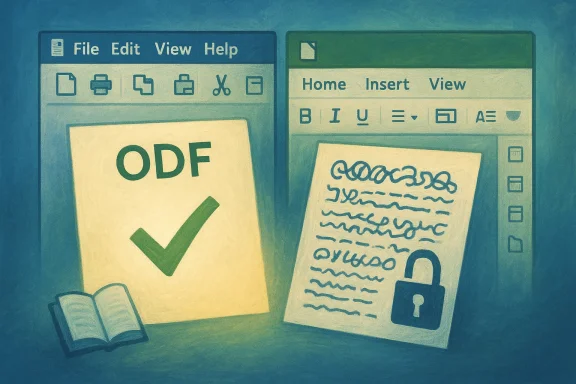
- LibreOffice’s blog frames ODF (OpenDocument Format) as its primary advantage and puts the suite’s interface flexibility second. The post lists the multiple UI modes LibreOffice offers — classic menus, several ribbon‑style alternatives (Notebookbar, tabbed variants), compact bars, and a sidebar — and emphasizes that users can choose the interaction model that fits them.
- The Foundation wrote that users defending the ribbon often reveal “incompetence regarding formats” and “subservience to proprietary marketing,” and stated that the ribbon is neither a standard nor an objectively superior example of ergonomics. Those are direct, pointed phrases in the published blog post.
- Separately (and related), LibreOffice and The Document Foundation have recently accused Microsoft of making parts of the Office Open XML (OOXML) schema artificially complex in ways that hinder third‑party implementers and thus act as a vendor lock‑in mechanism. This argument has been picked up and reported by several outlets.
Why LibreOffice’s critique lands — strengths and verifiable points
1) Choice vs. forced default matters
LibreOffice legitimately highlights a practical truth: offering multiple, explicit UI modes is meaningful for organizations and users who migrate between environments or have established workflows. Where a suite forces a single default, the cost to adapt — training, lost discoverability, friction for power users — is real.The Document Foundation’s list of LibreOffice UI modes is factual and demonstrates that the project deliberately supports diversity in interaction paradigms rather than locking users into one. That is an architectural and design decision worth noting for IT managers planning rollouts.
2) The ribbon’s ubiquity is market‑driven, not proof of superiority
Historically, the ribbon became dominant because of Microsoft’s market position and aggressive product investments around Office 2007. Ubiquity can and does create perceived standards; perception is not the same as evidence of ergonomic superiority. The academic literature and UX community discussions do not show a settled consensus that ribbon interfaces are objectively superior for all user groups. Several studies have explored ribbon design issues and its impacts on users with varying literacy and task profiles. That ambiguity undercuts any assertion that ribbon = best practice for everyone.3) Format fidelity and long‑term access are real policy problems
LibreOffice’s argument that ODF as a native, open format reduces the risk of silent data corruption or vendor lock‑in is not ideological only — it has practical implications for archives, public administrations, and enterprises that must preserve document fidelity across decades. The Document Foundation points to real interoperability gaps that emerge when OOXML is implemented differently across applications; multiple independent news outlets and analyses have covered LibreOffice’s complaint that parts of Microsoft's OOXML stack are difficult for third‑party implementers.Where LibreOffice’s argument requires caution — limits and risks
1) Tone and rhetoric versus persuasion
The blog's language — calling users "incompetent" or "subservient" — is rhetorically aggressive. That tone may mobilize LibreOffice supporters but risks alienating pragmatic IT decision-makers who weigh migration costs, existing training, and user preference. A claim’s persuasive power in procurement settings often relies on measured analysis and hard numbers; rhetoric alone seldom changes enterprise contracts.2) Usability is context dependent
Usability is not binary. The ribbon may be a poor fit for certain expert workflows (where keyboard accelerators and hierarchical menus are faster), while it can improve discoverability and reduce search costs for novices. There are contexts — complex content‑creation tasks, or user groups with established muscle memory — where menus outperform ribbons and vice versa. The academic record and independent UX discussions show mixed evidence, and there is no single interface that objectively dominates all scenarios. LibreOffice’s claim that the ribbon is not a “good example of ergonomics” should be understood as a valid critique but not an absolute verdict.3) Interoperability vs. feature parity
LibreOffice’s emphasis on ODF fidelity is valid for long‑term access, but it’s also true that OOXML supports some Microsoft‑specific features that are difficult to reproduce perfectly in any non‑native suite. In practice, migrating complex documents with macros, embedded objects, and proprietary feature uses will incur manual work regardless of the format championed. The risk here is oversimplifying "open format solves everything" — the reality is a spectrum where open standards reduce certain risks but do not automatically deliver perfect, feature‑for‑feature parity.The ribbon debate: what evidence exists?
- Microsoft publicly argued the ribbon increases discoverability and reduces the number of clicks for certain tasks when they launched it, and the company invested in research and design to support the rollout. At the same time, independent scrutiny and academic studies highlighted problems such as tab overload, loss of keyboard shortcut discoverability, and mixed results across user expertise levels. The historical record shows both sides: a deliberate product decision by Microsoft and a mixed independent reception.
- UX researchers and practitioners have produced targeted studies examining ribbon design for specific populations (e.g., users with lower computer literacy, specialized software like CAD, or academic tasks). These studies show design trade‑offs rather than a one‑sided victory for ribbons. That supports LibreOffice’s broader point that the ribbon is not a universal usability win.
- The UX community — including designers and interaction researchers — repeatedly notes a lack of a single, independent, definitive study that settles the ribbon vs. menu debate across all use cases. That absence of a definitive verdict is precisely what LibreOffice leans on when it contests the ribbon's status as a de facto standard.
Interoperability and the OOXML argument — evidence and counterpoints
LibreOffice’s longer critique about OOXML’s complexity and the difficulty of reimplementing all aspects of Microsoft's document stack is a substantive technical claim, and multiple outlets covered The Document Foundation’s analysis of the OOXML schema as “artificially complex.” The key technical points LibreOffice raises are:- Deeply nested, overloaded XML structures and many optional elements make full, faithful implementation difficult.
- Real‑world OOXML files often rely on application‑specific behaviors or undocumented implementation details, which complicates third‑party rendering.
- That complexity creates a practical barrier to meaningful competition — even if the format is nominally "open" on paper.
- Microsoft has published extensive documentation and tooling around its formats; in many cases, interoperability has improved over time and many organizations successfully exchange files between suites. However, edge cases remain — particularly with macros, advanced layout, and proprietary extension points.
- Some critics argue that OOXML’s design choices were driven in part by a need for backward compatibility with decades of Office behavior; the resulting schema complexity is therefore partly a defensive engineering choice rather than purely a strategic lock‑in plot. Both machine‑readable complexity and historical legacy factors matter when diagnosing the cause. The claim that the format is "artificially complex" is plausible and supported by technical analysis, but causation is multifactorial.
What this means for IT leaders, archivists and everyday users
For IT leaders and procurement teams
- Evaluate productivity tools on a matrix that includes user familiarity, training cost, format fidelity, data governance, automation/macro compatibility, and long‑term archiving needs. LibreOffice’s argument makes the case that format governance and interface choice should be explicit line items in procurement decisions.
- If large document estates include complex Office features (macros, advanced templates, embedded Excel objects), plan for migration testing and manual remediation irrespective of whether you select LibreOffice, Microsoft 365, or another suite.
- Where digital sovereignty or regulatory compliance requires open standards, ODF merits genuine consideration; organizations in the EU and other jurisdictions already favor ODF in public administration for these reasons. LibreOffice’s native ODF posture is a pragmatic asset in those settings.
For archivists and preservation planners
- Store canonical copies in open, standardized container formats (e.g., ODF for editable documents, PDF/A for fixed representations) to minimize dependency on a single vendor for future access.
- Perform periodic export and validation exercises: test file round‑trip fidelity with current tools and maintain evidence trails for critical digital artifacts. LibreOffice's emphasis on ODF as a “first advantage” is a reminder to put format strategy at the heart of archiving policy.
For end users and power users
- Choose the interface that matches your workflow. If you are a keyboard‑centric power user, confirm the suite’s support for accelerators and macros. If you are in a collaborative team with mixed skill levels, prioritize discoverability and consistent behavior across devices.
- Know that LibreOffice offers Notebookbar (a ribbon‑like mode) and other UI variants — switching is often a simple preference change rather than a full migration. Try modes in non‑critical documents before committing.
Practical recommendations — a checklist
- Inventory file types in your estate: map % of .docx/.xlsx/.pptx using advanced features (macros, ActiveX, custom XML mappings).
- Run a pilot: convert representative documents to ODF and back, measure fidelity, and log areas requiring manual fixes.
- Engage users: give a sample group access to LibreOffice UI modes (classic menu, Notebookbar) and collect task‑level performance metrics and satisfaction scores.
- Archive strategy: keep both native and PDF/A exports for legally important documents.
- Automation test: if your workflows use macros or scripts, verify compatibility and plan remediation early.
- Procurement language: add clauses on file portability and the supplier’s responsibility for documented interoperability behavior.
Evaluation: is LibreOffice “right” to criticize the ribbon?
Short answer: partly. LibreOffice is right to challenge the assumption that a ubiquitous UI equals a superior UI for all users and to remind organizations that format openness matters. Its assertion that ribbon adoption was driven heavily by Microsoft investment and that interface familiarity can be mistaken for ergonomics is supported by documented history and mixed independent research findings.At the same time, the critique sometimes overreaches when it turns technical and UX debates into moral judgments about users. Real‑world IT choices are pragmatic: training budgets, established skill sets, document complexity, and vendor ecosystems all influence decisions. Branding those who prefer ribboned interfaces as "subservient" is rhetorically striking but not productive for neutral decision‑making.
Finally, the OOXML complexity claim is credible and deserves serious attention from standard bodies, implementers, and procurement teams — yet the problem’s causes are mixed (legacy compatibility + scope of features), and the remedy is not only technological but also organizational. Multiple independent reports and blog analyses have amplified LibreOffice’s technical critique, underlining that the issue is more than rhetorical.
The larger design lesson
Interfaces and formats are not purely technical choices — they shape power, portability, and governance. The ribbon debate is a proxy for a larger set of questions:- Who decides what “modern” looks like in productivity software?
- How do market concentration and platform dominance shape what users accept as default?
- What responsibilities do large vendors have to make formats and behaviors implementable by competitors?
Conclusion
LibreOffice’s punchy blog post is more than provocation: it is a reminder that widely adopted design patterns deserve scrutiny, and that file format governance matters as much as interface polish. The ribbon is an influential, defensible design for many use cases — but it is neither a universal ergonomic truth nor a monopoly‑proof standard. Meanwhile, the OOXML interoperability debate underscores that open standards and implementation clarity are essential to avoid long‑term damage to document portability.For IT leaders, archivists, and everyday users the takeaway is pragmatic: treat interface preference and file format policy as parallel axes in platform choice. Run pilots, measure fidelity and productivity, and make trade‑offs explicit. In doing so, organizations protect user productivity today and future access tomorrow — which is the core argument LibreOffice is asking us to reconsider.
Source: Windows Central LibreOffice says Microsoft's "ribbon" user interface is overrated
