

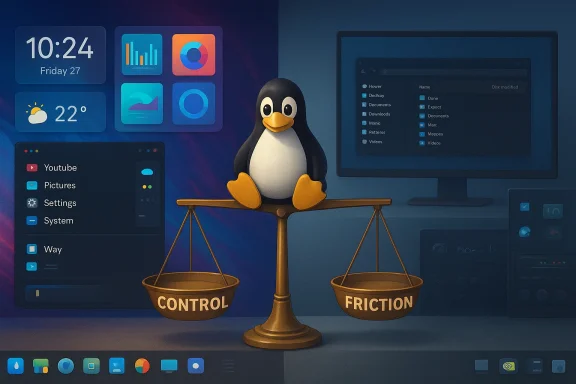
The MakeUseOf essay that confesses “I can’t use Linux as my daily driver anymore” is less a surrender and more an argument about realistic trade‑offs: Linux granted deeper technical mastery and delightful customization, but over time the small, persistent frictions around drivers, multimedia tooling, packaging, and compositor behavior accumulated until the convenience of a single, predictable daily workflow mattered more than hobbyist tinkering. That is the core thesis of the piece — and it’s one worth treating as a sober map, not an angry manifesto. In this feature I summarize the key claims, verify the major technical points, and offer a practical analysis of where Linux excels, where it still lags, and how readers should think about choosing a daily driver today.
The modern Linux desktop is a paradox: it offers unprecedented user control and a vibrant ecosystem of desktops and tooling, yet that very plurality creates fragmentation and choice overhead for anyone who wants a friction‑free daily environment. Personal accounts of switching from Windows to Linux — and sometimes back again — are now common across forums and discussion threads, where users routinely weigh delight and control against compatibility and convenience. Community discussions reflect the same mixed verdict: Linux can be thrilling and productive for many tasks, but problems with niche device drivers, compositor regressions, and application parity remain material to daily work. ttechnical points raised in the MakeUseOf piece — desktop environments and update philosophies, packaging systems, display servers, GPU and multimedia toolchains, and real‑world productivity apps — and cross‑references authoritative documentation and community experience to identify which claims are solid and which require nuance.
In short: the desktop choice is consequential — it affects tool integration, compositor behavior, and how much maintenance you will accept. That’s what the MakeUseOf writer meant by saying a daily driver "should be a choice of conviction, not a compromise."
However, the presence of open kernel modules does not instantly eliminate ecosystem differences:
Consider these real, corroborated failure modes:
The central lesson for readers is not that Linux is broken or that Windows is universally superior. Instead, the lesson is that a daily driver is ultimately a risk management decision:
Source: MakeUseOf I can't use Linux as my daily driver anymore
 Background / Overview
The modern Linux desktop is a paradox: it offers unprecedented user control and a vibrant ecosystem of desktops and tooling, yet that very plurality creates fragmentation and choice overhead for anyone who wants a friction‑free daily environment. Personal accounts of switching from Windows to Linux — and sometimes back again — are now common across forums and discussion threads, where users routinely weigh delight and control against compatibility and convenience. Community discussions reflect the same mixed verdict: Linux can be thrilling and productive for many tasks, but problems with niche device drivers, compositor regressions, and application parity remain material to daily work. ttechnical points raised in the MakeUseOf piece — desktop environments and update philosophies, packaging systems, display servers, GPU and multimedia toolchains, and real‑world productivity apps — and cross‑references authoritative documentation and community experience to identify which claims are solid and which require nuance.The paradox of infinite choice: desktops, updates, and packaging
Linux’s greatest strength for power users is also its most important cost: you must design your stack deliberately.Desktop environments: different philosophies, real outcomes
Choosing a desktop is not skin‑deep. GNOME emphasizes opinionated minimalism and a curated workflow; KDE Plasma is a pin‑highly configurable environment whose reboot to Plasma 6 has brought significant maturity and Wayland work; Cinnamon (Linux Mint) aims for a familiar, pragmatic Windows‑like layout. Plasma’s major releases since 2024 have focused on performance and Wayland parity, and the KDE project’s release cadence and changelogs show steady stabilization of Plasma 6. KDE community notes and release pages corroborate the idea that Plasma 6 matured quickly and is now a viable, feature‑rich option for daily users who want customization without constant breakage.In short: the desktop choice is consequential — it affects tool integration, compositor behavior, and how much maintenance you will accept. That’s what the MakeUseOf writer meant by saying a daily driver "should be a choice of conviction, not a compromise."
Update philosophies: bleeding edge vs. predictability
Distros vary dramatically in how they handle updates:- Rolling/bleeding‑edge (some Arch‑based or Fedora Silverblue/ostree approaches) supply newer kernels, Mesa stacks, and compositor fixes fast — great for hardware support but potentially riskier.
- Stable/LTS (Ubuntu LTS, Debian Stable, enterprise distros) prioritize predictability and long maintenance windows.
Packaging: Snap, Flatpak, AppImage — no single winner
The packaging landscape still confuses new users. The two most visible sandboxed formats are Snap (Canonical) and Flatpak (community + Flathub), with AppImage as a portable alternative. There are perceptible differences:- Snap integrates tightly with Ubuntu and offers centralized distribution, but critics point to startup penalties, store control, and some integration quirks.
- Flatpak is widely embraced by the community, uses shared runtimes to reduce duplication, and is seen as more distro‑agnostic by many maintainers.
- Real‑world testing and community analysis show that startup times and integration vary by app and platform; neither format is universally superior, and perceptions often reflect early negative experiences that linger in community memory.
Display servers and compositors: Wayland is progress, but not painless
One of the recurring pain points in the MakeUseOf piece — and an easy one to confirm — is the partial and uneven transition from X11 to Wayland. Wayland solves many legacy problems (security, per‑monitor scaling intent, smoother compositing) but its maturity story is nuanced.- Wayland brings better multi‑DPI and compositor features, and many major distributions adopted Wayland as default years ago; GNOME in particular has leaned on Wayland, and KDE’s Wayland support has improved drastically in Plasma 6. Official release notes and community write‑ups attest to real progress.
- The practical snag: XWayland (the X11 translation layer used for legacy X apps) still exists and doesn’t handle fractional scaling, so mixed DPI setups and some Electron/legacy apps render poorly or blur when mixed with native Wayland apps. Community threads and documentation show this is a live limitation and the source of many daily annoyances (tiny or blurry windows, odd refresh behavior).
- Mixed refresh rates and fractional scaling remain uneven across compositors; many users report “95% works” syndrome where common workflows are fine but edge cases — video capture, mixed‑DPI remote sessions, or certain device hotplug scenarios — continue to cause friction.
GPU drivers, acceleration, and multimedia tooling: the practical stress tests
The essay is emphatic that GPU and multimedia toolchains are often where Linux fails the final exam for creative professionals. I verified those claims against vendor documentation and community experience.NVIDIA’s open‑kernel modules: progress but complexity remains
NVIDIA’s move to publish open GPU kernel modules is a major, verifiable development: the company documented the open‑source kernel module releases and their migration strategy (initial open releases in 2022 and further transitions and licensing adjustments through 2024). The repository and developer blog show the code is public and actively maintained, which has meaningfully improved kernel compatibility and Linux tooling.However, the presence of open kernel modules does not instantly eliminate ecosystem differences:
- Proprietary Windows tooling and vendor integrations (e.g., many creativity or game engine vendor pipelines) are still primarily tested against Windows drivers and Windows‑first stacks, and community reports continue to surface NVENC and driver regressions on Linux that can break encoders or hardware acceleration in specific setups. Community issues and forums show NVENC and related encoding features occasionally misbehave on Linux in configurations that work on Windows.
DaVinci Resolve and pro video workflows
Blackmagic Design’s DaVinci Resolve remains an industry staple; their own Linux configuration guidance still prefers specific NVIDIA drivers and CUDA-enabled setups for optimal performance. Official system requirement documents and community guides emphasize that the Linux experience for Resolve is more hardware‑sensitive and sometimes constrained to particular driver stacks and GPU models. That aligns with the MakeUseOf author’s contention that Resolve “works well only with specific GPU setups.”Real‑time AI tools, NVIDIA Broadcast, and local LLMs
The author’s mixed assessment of local LLMs (llama.cpp/Ollama) versus consumer AI features is realistic: running models locally for text generation or simple inference is now commonly feasible on Linux, but consumer‑grade, seamless features like NVIDIA Broadcast’s one‑click background removal and noise suppression are still largely Windows‑first in polished, end‑user apps.- NVIDIA Broadcast remains primarily distributed as a Windows desktop app and is tightly integrated into the Windows ecosystem; while NVIDIA publishes SDKs and some components that can be leveraged on other platforms, a polished, fully featured Broadcast app for Linux is still not offered in the same way the Windows app is. Community projects and Linux guides provide workarounds, but they require additional configuration.
- For some AI workflows (real‑time background removal, background blur, vendor accelerations for creative apps), Linux users rely on community tooling or manual pipelines (v4l2loopback, PipeWire, OBS plugins), which increases setup time and fragile integration points. Several community threads document using v4l2loopback and PipeWire to emulate virtual camera functionality on Wayland but also note regressions and one‑off fixes.
Application parity: productivity and creativity apps
One of the essay’s strongest practical points is about real‑world file fidelity and feature parity.- LibreOffice has improved greatly and supports many Microsoft formats, but complex Office 365 documents (heavy track changes, embedded media, macros, advanced Excel formulas, or complicated PowerPoint animations) can still produce differences when round‑tripping between formats. Reviews and interoperability notes confirm LibreOffice’s improvements but also show persistent edge‑case incompatibilities for highly complex enterprise documenis is acceptable; for those who rely on exact workflows (collaboration inside Microsoft 365, advanced macros, VBA), Linux alternatives remain functionally inferior in fidelity.
- GIMP vs Photoshop: Open‑source image tools are superb for many workflows, but widely used proprietary tools like Photoshop have deep integrations (neural filters, vendor plug‑ins, cloud features, content‑aware transforms) that professional pipelines still expect. The MakeUseOf comparison — that open alternatives are “very good, though not parity” — is consistent with industry commentary and user experience. Community posts and reviews back this up: open tools are powerful, but proprietary feature sets create hard compatibility ceilings for some pros.
The “95% success rate” problem: why the last 5% matters
This is the crux: a daily driver is judged by the workflows that must succeed every day. Productivity is not an average; it’s a minimum‑viable reliability guarantee. The MakeUseOf author’s argument — that Linux’s small, technical failings accumulate to a point where they negate the day‑to‑day benefits — is persuasive because it reflects how users actually work.Consider these real, corroborated failure modes:
- A compositor regression that breaks webcam virtual devices on a deadline.
- Unexpected NVENC or driver behavior that causes recording or export failure.
- A complex .docx or .xlsx where formatting and formulas break, costing hours to fix.
- A lack of vendor SDKs or polished consumer AI apps that exist on Windows.
Strengths, risks, and practical advice
Notable strengths of using Linux as a daily driver
- Control and transparency: Seeing and editing the pieces of your system improves diagnostic ability and can deliver more resilient maintenance skills. This is one of the essay’s most defensible claims.
- Customization and modularity: Modern desktops (especially Plasma) let you tailor behavior to a degree Windows does not.
- Security and isolation: Sandboxed packaging, immutable images, and container workflows can reduce attack surfaces and improve safe experimentation.
Material risks and ongoing friction
- Application parity for professional creative suites: If your job requires DaVinci Resolve, Photoshop, or complex Microsoft 365 collaboration, Linux can introduce additional friction or conditional hardware requirements.
- Compositor and driver regressions: Wayland/XWayland and GPU driver transitions are still meaningful areas of risk; they can break a workflow in a way that is time‑consuming to fix. s://askubuntu.com/questions/1527474/wayland-fractional-scaling-problem)
- Vendor‑specific, polished features: NVIDIA Broadcast–grade features and other vendor consumer AI conveniences remain largely Windows‑first in terms of out‑of‑the‑box polish. Community alternatives exist but require extra effort. ([nvidia.com](NVIDIA Broadcast: The Ultimate AI-Powered Voice and Video App: how to decide whether Linux should be your daily driver
- Inventory your must‑have apps and workflows (video editors, conferencing with virtual cams, Excel macros, specialized hardware).
- For each must‑have item, test the Linux ecosystem explicitly: install the same app (native or containerized), reproduce a complex file round‑trip, and run a simulated workday.
- Test hardware-specific scenarios: external capture cards, webcams, NVENC recording, and GPU‑accelerated exports. If possible, use a secondary machine or dual‑boot rather than risking your primary work environment. Community guidance strongly recommends this for production machines.
- Define acceptable downtime and a recovery plan: snapshots, live USB rescue images, and VM fallbacks should be in place if you’re doing work you cannot interrupt.
- Consider hybrid workflows: keep a lightweight, well‑configured Linux VM or secondary laptop for experimentation while keeping Windows for mission‑critical software if needed. That hybrid approach is the pragmatic middle road many professionals adopt.
How to reduce the friction if you want to keep Linux as your daily OS
If you are committed to Linux but want less friction, here are actionable steps that address the common pain points raised in the essay:- Standardize on a desktop and update philosophy: choose one (e.g., KDE Plasma on a distro with conservative kernel updates or Fedora Silverblue for immutable upgrades) and stick with it so you learn a single support surface.
- Use containerized or immutable app strategies for risky updates: Flatpak, container runtimes, or Silverblue’s rpm‑ostree model let you isolate changes and roll back easily.
- Build a multimedia testbed: keep a small spare machine or live USB that reproduces your editing and streaming setup. Test DaVinci Resolve exports, NVENC encoding, and OBS virtual camera workflows under the distro and driver combinations you intend to use. Blackmagic’s documentation is explicit about hardware/driver constraints for Resolve; validate against it.
- Where vendor apps don’t exist on Linux, find and automate robust fallbacks: use v4l2loopback + PipeWire for virtual camera needs, OBS plugins carefully versioned, and scripted pipelines for encoding. Keep note of known issues (virtual camera flakiness on some Wayland setups is a recurring community theme) and test them before live use.
- Keep a Windows VM or lightweight Windows machine for one‑or‑two critical apps that have no reliable Linux alternative. Running Windows for a narrow set of functions while using Linux for daily tasks is a valid, pragmatic compromise.
Final analysis: conviction, competence, and the cost of maintenance
The MakeUseOf essay is honest: Linux changed how the author thinks about computing, raised expectations, and then revealed an accumulation of small but consequential edges that made Linux impractical as a daily production OS for their workflows. That narrative is corroborated both by vendor documentation (about driver requirements and app constraints) and by a wide range of community reports documenting the specific failure modes the author describes.The central lesson for readers is not that Linux is broken or that Windows is universally superior. Instead, the lesson is that a daily driver is ultimately a risk management decision:
- If you value control and tinkering, and you accept occasional maintenance for the payoff of transparency, Linux is an excellent daily platform.
- If you need daily, predictable reliability for professional creative work tied to specific vendor toolchains or exact document fidelity, you may prefer a platform that minimizes those last‑mile failures — until the Linux ecosystem closes those gaps for your specific tools.
Closing recommendations for readers who are undecided
- Treat Linux migration as a project: inventory, test, and stage changes. Do not replace your production machine without fallbacks.
- Use a hybrid strategy if necessary: keep a minimal Windows VM / machine for mission‑critical apps and run Linux for daily work to retain control without sacrificing reliability.
- Follow vendor documentation and community channels for your specific hardware and apps: GPU driver notes, DaVinci Resolve system guides, and OBS release notes are particularly important and often list the precise driver versions needed for stable behavior.
- If you opt for Linux and depend on real‑time consumer AI features (background removal, noise suppression), plan on additional setup time and community workarounds unless a vendor explicitly supports Linux with a first‑class app.
Source: MakeUseOf I can't use Linux as my daily driver anymore
