

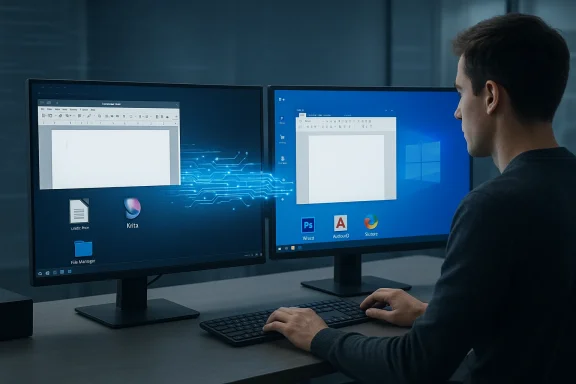
Linux’s desktop renaissance has narrowed many gaps with Windows, but a small set of high‑feature, Windows‑centric applications still anchor entire workflows to Microsoft’s platform — and that reality matters to professionals who can’t afford compromise. review
Linux has made meaningful progress as a desktop OS: hardware support has improved, graphical stacks have matured (Wayland adoption is growing), and gaming on Linux improved dramatically after Valve invested in Proton. Yet application support — particularly for proprietary, Windows‑first desktop software — remains the decisive friction point for many users. The recent roundup that highlights five “essential” Windows apps absent on Linux reflects a persistent truth: platform ecosystems shape real business choices.
This feature drastically cited as Windows‑essential — Microsoft Word (desktop), Adobe Photoshop, Autodesk AutoCAD, Paint.NET, and ShareX — verifies the key claims, evaluates alternatives, and explains the practical tradeoffs for users considering migration to Linux or multi‑OS workflows. It cross‑references official documentation and community reporting, flags experimental workarounds, and outlines where Windows remains the safer operational bet.
Why these five apps matter
Each app on this list occupies a specific niche that many Linux replacements struggle to match in a single, integrated package:- Microsoft Word (desktop) contains document automation, macros, and layout fidelity that legal, publishing, and enterprise workflows depend on. The online/web version intentionally omits certain desktop‑level capabilities.
- Adobe Photoshop is the industry standard for raster image editing, plugin ecosystems, color‑management fidelity, and offline desktop ally supports Windows and macOS for the desktop client.
- AutoCAD remains aatform with extensive Windows‑only toolsets, plugins, and scripting practices that are central to AEC (architecture, engineering, construction) workflows.
- Paint.NET is a lightweight, plugin‑friendly image editor built on the .NET stack and targeted at Windows; its performance and UX are intentionally Windows‑native.
- ShareX is a power‑user screenshot/automation tool written for Windows, with deep ties to Windows capture APIs and an ecosystem of upload/automation targets; no official cross‑platform build exists.
Microsoft Word: more than a word processor
What’s locked to the desktop
Microsoft has long differentiated the desktop Office apps from the web versions. Certain features — VBA macros, complex add‑ins, ActiveX controls, advanced layout tools, and certain automation features — exist for the web or behave differently. Microsoft’s own documentation highlights how active content and macros are restricted for security and platform reasons, and organizations often use the desktop app to ensure deterministic macro execution and template fidelity.For legal templates, complex publishing layouts, and enterprise document automation, the desktop Word experience is operationally essential. The web app is fine for reading, light editing, and collaborative drafting — but not for guaranteed macro execution or exact.
Practical implications
- If your workflow relies on VBA macros, content controls, or complex templates, running Word on Windows is the lowest‑risk choice.
- The Microsoft 365 subscription model compounds the issue: some advanced features and commercial integrations remain part of the paid desktop experience, providing a commercial incentive to keep power users on Windows or macOS.
Linux alternatives and tradeoffs
- LibreOffice Writer is the most mature native alternative on Linux, with strong DOCX import/export capabilities. It is cross‑platform and open source, but macro compatibility and edge‑case layout fidelity can be imperfect — so test mission‑critical documents before migrating.
- Google Docs is robust for collaboration and has offline capabilities but lacks VBA macro compatibility and complex desktop layout features.
- For organizations that must keep Word desktop features, common solutions are: dual‑booting, running Windows in a VM, or centralized remote Windows workstations (RDP/VDI) that Linux clients access.
Adobe Photoshop: the creative standard that’s hard to replace
Official platform realities
Adobe’s system requirements and documentation list Windows and macOS as supported desktop platforms for Photoshop. Adobe does not offer a native Linux desktop client, and professional workflows — plugin ecosystems, color profile fidelity, and GPU‑accelerated pipelines — are tuned to those platforms. For studios and professionals, a guaranteed Photoshop experience on Windows or macOS.Alternatives on Linux — capabilities and limits
- GIMP and Krita are mature open‑source projects that run natively on Linux and can handle many raster tasks. Krita is especially strong for digital painting; GIMP is powerful for photo manipulation. Both are excellent tools but do not offer Photoshop‑exact parity for every proprietary plugin or color management nuance.
- Darktable is a strong Lightroom alternative for RAW processing, but it’s not a full Photoshop replacement for compositing and plugin chains.
Emerging workarounds and caution
Recent community and compatibility‑layer advances have made progress toward running Photoshop on Linux via patches to Wine/Proton, and developers have demonstrated installs of certain Photoshop versions running on patched Wine builds. These are noteworthy technical achievements, but they are experimental, require manual patching or custom builds, and are not an official, supported solution from Adobe — making them unsuitable for mission‑critical production environments without extensive validation. Users should treat such workarounds as proof‑of‑concepts rather than drop‑in replacements.AutoCAD: CAD, plugins, and the Windows lock‑in
Platform reality and why it matters
Autodesk’s AutoCAD historically targets Windows as the primary desktop host. While Autodesk offers macOS variants (usually feature‑subset), a full native Linux AutoCAD client is not part of Autodesk’s supported product lineup for desktop AutoCAD. Heavy CAD toolchains, industry‑specific plug‑ins, and scripting ecosystems are optimized for Windows; many third‑party toolsets and certifications assume Windows workstations.Workarounds and their limits
- Virtualization (running Windows in a VM on Linux) is a common workaround, but GPU passthrough, licensing, and performance can workflows.
- Wine (Proton) runs some Windows apps on Linux but historically has been unreliable for heavy, GPU‑dependent CAD packages.
- Autodesk provides web versions and mobile apps for lighter editing/viewing tasks, but these are not full feature parity replacements for established AutoCAD desktop workflows.
Linux alternative ecosystems
- BricsCAD offers Linux builds and is positioned as a professional alternative that aims compatibility with DWG workflows. For organizations needing cross‑platform support, switching to a vendor that provides native Linux support may be the most pragmatic long‑term strategy — but it’s a migration project, often requiring pilot testing, training, and certification updates.
Paint.NET: the nimble, Windows‑only middle ground
Why Paint.NET is singular
Paint.NET occupies the niche between the simple Windows Paint and heavyweight Photoshop: it’s fast, supports layers and plugins, and is deliberately optimized for Windows with a .NET foundation. The project maintainers have explicitly stated they will not port Paint.NET to Linux or macOS — the app is Windows‑first by design. That makes Paint.NET effectively Windows‑exclusive for users who prefer its particular UX and performance profile.Linux alternatives
- Pinta began as a Paint.NET‑inspired project and runs on Linux, but development cadence and plugin ecosystems differ.
- GIMP and Krita can fill many needs but bring different UI paradigms and often greater complexity.
- For users who specifically value Paint.NET’s speed and plugin ecosystem, the native Windows experience is the closest match.
ShareX: screenshots, automation, and Windows APIs
Feature depth and platform dependency
ShareX is a feature‑rich, community‑driven screenshot and automation tool that integrates with Windows capture APIs, offers a vast library of upload destinations, OCR, GIF export, and custom workflows. It’s written for Windows and the project is Windows‑focused; community requests for cross‑platform builds remain open issues on the project’s GitHub. That Windows‑centric engineering — including tight OS integration — is why ShareX isn’t available as a first‑class Linux app.Cross‑platform alternatives
- Flameshot — cross‑platform, open‑source screenshot tool with strong annotation features and Linux support.
- OBS Studio — excellent for recording and streaming; it’s cross‑platform and handles advanced capture tasks (viomposition), though it is heavier than ShareX’s light capture workflows.
- Ksnip, Peek (for GIFs), and Kazam are additional Linux options that cover portions of ShareX’s functionality, but no single cross‑platform app perfectly replicates ShareX’s combined capture + upload + workflow automation experience.
Comparative analysis: strengths, risks, and migration sths that keep Windows essential
- Ecosystem lock‑in for professional workflows: Many industries standardize on desktop apps (Word macros in legal teams, Photoshop plugins in studios, AutoCAD extensions in AEC) that assume Windows as the canonical host. Those standards are operational realities that shape procurement and hiring.
- Mature plugin ecosystems and third‑party integrations: The depth of commercial plugins and vendor support for Windows versions of these apps remains an advantage. Vendors often prioritize Windows for performance and market reasons.
- Single‑vendor tested configurations: Enterprises prefer vendor‑supported stacks with predictable behavior — and that tends to favor Windows for these particular apps.
Risks and caveats of remaining Windows‑locked
- Vendor subscription and pricing dynamics: Reliance on proprietary desktop apps exposes users and organizations to subscription cost increases or licensing changes (as seen across the industry). This is both a financial and vendor‑risk consideration.
- Security and update cadence: Windows‑only applications enjoy frequent updates, but they also increase the attack surface and require disciplined patch management.
- Technical debt for long migrations: Migrating away from Windows‑first toolchains is costly in training, process changes, and potential certification revalidation.
Practical migration patterns
- Parallel workflows (recommended for most teams):
- Keep critical Windows hosts (physical or virtual) for mandated apps.
- Use Linux for development, servers, and general productivity where suitable.
- Provide remote desktop or virtual apps so Linux users can access Windows‑only tools when required.
- Pilot substitution for low‑risk workloads:
- Test LibreOffice, GIMP/Krita, Darktable, BricsCAD on representative projects before committing.
- Validate macro execution, print output, and plugin compatibility before cutting over.
- Targeted vendor switch when possible:
- Where viable, select vendors that offer native Linux builds (e.g., BricsCAD) to reduce reliance on Windows for specific toolchains.
- Leverage cloud/hosted desktops and application streaming:
- Application streaming or VDI can centralize Windows apps, allowing thin Linux clients to access them without dual‑booting.
When experimental fixes change the picture (and why to be cautious)
There is active community work to run some formerly Windows‑exclusive apps on Linux via compatibility layers like Wine/Proton. Recent demonstrations show that patched Wine builds can install certain Photoshop releases — a meaningful technical milestone but still experimental. These efforts could lower the barrier for Linux creatives in the future, but they require custom builds, nontrivial troubleshooting, and are not officially supported by the application vendors. For production users, such approaches should be treated as experimental until upstream projects or the app vendors provide official cross‑platform support.Quick reference: recommended Linux alternatives (practical list)
- Office and documents:
- LibreOffice — mature, cross‑platform office suite for offline work and enterprise deployments.
- Google Docs — cloud collaboration; lacks desktop macro compatibility.
- Image editing and photography:
- GIMP — general raster editing on Linux.
- Krita — painting and illustration workflows.
- Darktable — RAW processing and photo‑workflow alternative to Lightroom.
- CAD:
- BricsCAD (Linux builds available) — candidate for DWG workflows on Linux (vendor evaluation required).
- FreeCAD — open‑source 3D modeling for some use cases, not a drop‑in AutoCAD replacement.
- Screenshots and capture:
- Flameshot, Ksnip — cross‑platform screenshot tools.
- OBS Studio — advanced screen recording/streaming and capture chains.
- Lightweight paint/edit:
- Pinta — Paint.NET‑inspired editor available on Linux, though development cadence differs.
Final assessment and recommendation
For many hobbyists, tinkerers, and power users, Linux now offers capable alternatives and flexible workarounds. The operating system has matured substantially and can host excellent production workflows for broad classes of work.Honals whose daily work depends on specific proprietary desktop features* — such as Word desktop macros and automation, Photoshop’s offline plugin and color‑management stack, or AutoCAD’s Windows‑only toolsets and plugins — Windows remains the pragmatic choice today. The cost of replacing or emulating those exact behaviors on Linux (in time, risk, and validation effort) often outweighs the benefits of a full platform migration.
If a migration is being considered, adopt a staged approach:
- Inventory mission‑critical features and test whether Linux alternatives or cloud/web versions meet requth real projects and sample documents to validate fidelity (macros, print output, plugin compatibility).
- Consider hybrid architectures (VMs, RDP, app streaming) to preserve Linux on the desktop while keeping Windows‑only apps available.
- Monitor community compatibility work carefully — experimental Wine/Proton improvements may change the economics for specific users, but they are not, as of now, a wholesale replacement for vendor support.
Conclusion
The gap between Linux and Windows has narrowed, but for a narrow set of high‑feature desktop applications — Microsoft Word (desktop), Adobe Photoshop, Autodesk AutoCAD, Paint.NET, and ShareX — Windows remains the simplest, lowest‑risk environment today. Where migration is desirable or inevitable, the correct approach is pragmatic: pilot, validate, and adopt hybrid designs that preserve operational continuity. For many professionals, the choice of OS will continue to be driven not by ideology but by the tools their industries require.
Source: AOL.com 5 Essential Windows Apps You Won't Find On Linux
