

Linux’s memory stack just gained two very practical wins — one in page reclamation (MGLRU) and one in slab allocation (sheaves) — and the numbers being cited by kernel developers, independent labs, and fleet telemetry suggest these are not academic micro‑optimizations but real operational wins with measurable CPU, latency, and stability implications at scale. (lkml.org)
The past few years have seen the Linux memory subsystem receive unusually aggressive, production‑driven engineering: Google’s Multi‑Gen LRU (MGLRU) overhaul of page reclamation, battle‑tested across Chrome OS and Android fleets, and the kernel’s introduction of sheaves — a per‑CPU slab caching layer — in the 6.18 release. Independent benchmarks and upstream commentary report substantial reductions in kernel reclaim work, fewer low‑memory process kills, and improved throughput for memory‑sensitive server workloads. Those low‑level wins matter because Linux already dominates cloud and large‑scale server infrastructure; incremental efficiency gains compound into real cost and reliability improvements.
This feature unpacks the technical changes, validates the most consequential claims against primary sources and independent tests, assesses real‑world impact (desktop and server), and offers practical guidance and caveats for operators and desktop users thinking about memory tuning or OS selection in 2026.
Source: commandlinux.com Linux vs Other OS: Memory Management Efficiency Statistics 2026
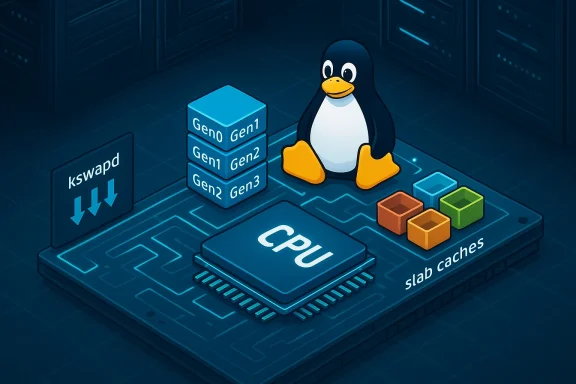 Overview
The past few years have seen the Linux memory subsystem receive unusually aggressive, production‑driven engineering: Google’s Multi‑Gen LRU (MGLRU) overhaul of page reclamation, battle‑tested across Chrome OS and Android fleets, and the kernel’s introduction of sheaves — a per‑CPU slab caching layer — in the 6.18 release. Independent benchmarks and upstream commentary report substantial reductions in kernel reclaim work, fewer low‑memory process kills, and improved throughput for memory‑sensitive server workloads. Those low‑level wins matter because Linux already dominates cloud and large‑scale server infrastructure; incremental efficiency gains compound into real cost and reliability improvements. This feature unpacks the technical changes, validates the most consequential claims against primary sources and independent tests, assesses real‑world impact (desktop and server), and offers practical guidance and caveats for operators and desktop users thinking about memory tuning or OS selection in 2026.
Background: why memory management still matters
Memory management is a fundamental OS responsibility, and small differences in allocation and reclamation strategy translate directly into CPU overhead, I/O activity (swap), and perceived responsiveness. On servers and hyperscale fleets, wasted cycles and unnecessary I/O scale linearly with fleet size; a 10–40% improvement in reclaim CPU can materially reduce billing and capex. On desktops, idle footprint and compression strategies determine how many browser tabs or Electron apps a consumer can run without swapping or reboots. The recent kernel work targets both vectors: better page‑eviction decisions under pressure, and lower‑latenn modern multicore hardware.What MGLRU actually is (and why it’s different)
The problem MGLRU addresses
Traditional Linux page reclamation historically used a two‑list LRU (active/inactive) with heuristics that were often CPU‑intensive and sometimes poor at choosing eviction candidates under mixed workloads. The result: high kswapd CPU usage, unnecessary page scanning, and elevated risk of low‑memory kills on memory‑constrained devices. Google framed the problem in kernel mailings and patch sets: reclaim was expensive and could make poor eviction choices.The MGLRU approach
MGLRU (Multi‑Generation LRU) replaces the crude two‑list model with a multi‑generational tracking of page usage. Pages are aged across multiple generations so the reclaim logic can more confidently identify cold pages with less scanning. The design also includes thrashing prevention, a kill switch for runtime control, and debug interfaces used during rollout. The patch series and subsequent lkml threads are explicit about the fleet testing Google ran before seeking mainline integration.Real‑world telemetry and independent testing
- Google’s internal rollout data — cited in the MGLRU patch series authored by Yu Zhao — reports an aggregate 40% reduction in kswapd CPU usage, an 85% drop in low‑memory kills at the 75th percentile, and ~18% faster app launch times at the 50th percentile on Chrome OS/Android fleets where MGLRU was deployed. These figures come from Google’s own fleet profiling and are repeated in the kernel patch cover notes.
- Phoronix and other independent publications benchmarked MGLRU during the 2022/2023 merge window and observed material improvements on memory‑pressure workloads, including databases and caching services. Test matrices reported consistent wins for at least part of workloads in Apache Hadoop, Memcached, MongoDB, PostgreSQL, and Redis.
Sheaves: per‑CPU slab caching for modern multicore servers
What problem sheaves solve
On high core‑count servers, the global slab allocator lock (or suboptimal per‑CPU behavior in certain slab modes) can become a contention hotspot for workloads that allocate and free many small objects. Sheaves add a per‑CPU, array‑based caching layer to the slab subsystem; the goal is to keep allocations and frees local to each CPU as much as possible, dramatically cutting lock contention and latency on 64+ core systems. The code was merged as part of the Linux 6.18 slab pull request and is explicitly described as an opt‑in, per‑CPU cache.Practical effect
- Reduced allocation/free latency on NUMA systems with heavy concurrent object churn.
- Lower kernel lock contention and improved throughput for microservices and middleware that frequently allocate small structures.
- Complementary to other kernel work in 6.18 that improves swapping behavior under pressure.
Idle RAM footprint: Linux vs Windows vs macOS — the practical comparison
The headline numbers (what reviewers and community datasets report)
- Windows 11 (clean install): typically observed ~2.2–3.0 GB of RAM used at idle; with SysMain (formerly Superfetch) and usual background services this can grow to 4–8 GB on machines with larger RAM. These are community‑measured baselines and are consistent with independent guides and forum snapshots.
- Ubuntu (GNOME) / mainstream Linux desktop: roughly ~1.0 GB idle on x64 desktop hardware in fresh‐boot scenarios (varies by distribution and shell). Lightweight desktops and trimmed installs approach sub‑1 GB. Headless Linux servers without a GUI commonly sit in the 250–400 MB range at idlepeatedly observed in community tests and distro documentation.
- macOS (Apple Silicon, 8 GB): commonly shows ~3.5–4.5 GB used in Activity Monitor, but a substantial fraction is compressed memory and 'wired' regions; Apple’s compression means that raw "used" numbers in the UI don’t map 1:1 to physical memory occupied. macOS’s strategy prioritizes desktop responsiveness through compression and App Nap, which differs from server‑oriented reclamation policies.
Why the gap matters
Linux’s lower idle footprint — especially in headless or server trims — leaves more physical RAM available for real workloads and reduces early swap activity. On constrained devices (4–8 GB), the OS baseline is frequently the deciding factor between the system staying responsive or switching to swap and entering a degraded performance state. For heavy desktop users running dozens of browser tabs and multiple Electron apps,pre‑caching via SysMain can make an otherwise adequate system appear memory‑starved.Caveats on measuring memory
- Windows reports cached/pre‑loaded memory differently from Linux’s free/available metrics; macOS’s compression further complicates direct cross‑OS comparisons. Use available memory metrics and stress tests rather than raw “used” numbers in a single Task Manager/Activity Monitor snapshot.
- OEM images, vendor drivers, and preinstalled agents change the baseline dramatically. A truly clean install (generic ISO without OEM bundles) is the only fair common starting point for comparison.
Benchmarks and lab verification: what independent labs found
Multiple independent testbeds — from Phoronix microbenchmark suites to multi‑application lab runs — measured gains when MGLRU was enabled, particularly under memory pressure. Reported outcomes included:- Better throughput for memory‑intensive workloads or those with poor page locality.
- Significantly fewer out‑of‑memory kills and better QoS under mixed workloads.
- Workload‑dependent wins in databases and caching layers.
Memory pressure strategies: Linux’s knobs vs macOS vs Windows
- Linux: offers granular controls like vm.swappiness, zswap, zram, transparent hugepages settings, and now MGLRU. Administrators can tune reclaim aggressiveness and compression behavior to match server workloads or desktop expectations. This configurability is a strength for server operators who can trade latency for memory residency deliberately.
- macOS: leans on automatic memory compression and App Nap to preserve desktop responsiveness. The system prioritizes user‑facing latency and does less to expose low‑level tunables to end users, which works well for consumer devices but is less ideal for fine‑grained server control.
- Windows: SysMain aggressively caches and preloads — beneficial when plenty of RAM exists but potentially detrimental on budget machines. Windows also starts using pagefile early in the boot process; Microsoft’s memory manager prioritizes compatibility and consistent desktop performance over exposing low‑level reclamation knobs to administrators.
Electron apps and real‑world desktop pain points
Electron bundles a Chromand has become a material contributor to desktop memory pressure. Examples noted in community and vendor reporting:- Discord’s Windows client has been observed consuming multiple gigabytes under real workloads, prompting vendor experiments like auto‑restart policies when memory crosses thresholds. Microsoft Teams and other apps also demonstrate heavy idle footprints. On Linux, the baseline freed by a smaller OS idle footprint plus MGLRU’s aggressive reclaiming tends to reduce overall contention, although app behavior still dominates end‑user experience.
Cost and fleet implications: why a few percent matters
With Linux running a large fraction of server and cloud workloads, small efficiency improvements compound:- Market research vendors estimate Linux holds a leading slice of the server OS market (reports vary; one market analysis places Linux in the mid‑40% range for server OS share). Cloud and container statistics similarly show Linux as dominant across most hyperscale and HPC contexts; exact percentages depend on methodology and date. These are market estimates and should be used as directional evidence rather than precise accounting.
- At fleet scale, a 1% reduction in average memory pressure or reclaim CPU can translate into hundreds of thousands to millions in yearly savings for large providers once hardware, power, and cooling are considered. MGLRU’s reported 40% reduction in kswapd CPU on Google fleets is therefore economically meaningful, not merely academically interesting.
How to validate and test these features in your environment
- Inventory: capture baseline metrics (kswapd events, app launch latency) across representative hosts.
- Kernel build/boot: test MGLRU and sheaves on a staging kernel (6.18+ for sheaves). The MGLRU patch includes a runtime kill switch; confirm default behavior on your distro kernel.
- Controlled load tests: run memory‑pressure suites (db workloads, memcached, redis) and track:
- kswapd CPU
- swap I/O
- application throughput/latency
- Gradual rollout: if gain a small percentage of production hosts and monitor for regressions; watch for corner cases in NUMA and drivers.
- Desktop pilots: for endpoint fleets, measure app launch and tab density responsiveness before broad changes; confirm that changes don’t negatively affect telemetry or user experience.
Strengths, risks, and unanswered questions
Strengths
- Measured, production‑driven engineering: MGLRU’s upstream documentation is explicit about fleet testing and statistical results, and sheaves target a very real kernel contention problem on modern hardware.
- Administrability: Linux still exposes the knobs (swappiness, zswap, zram) that let operators tune for their workload; the new features extend that capability rather than hide it.
- Compound benefits at scale: Small per‑host CPU and I/O reductions translate into non‑trivial cost savings at fleet scale.
Risks and limits
- Workload sensitivity: Improvements are not universal — some workloads saw small or no change, and others benefited greatly. Always benchmark with production‑like loads.
- Measurement bias in public numbers: Sources reporting market share and VM percentages use differing methodologies; don’t treat any single figure as definitive without cross‑validation.
- Operational friction: Kernel updates in large enterprises and hyperscale environments require testing for stability, driver compatibility, and long‑running service effects. Even beneficial features can reveal corner‑case regressions on complex stacks.
Unverifiable or weakly supported claims
- Exact cloud VM percentages and single‑point market share numbers often differ by vendor and pundit source. Reports claiming very high adoption percentages (e.g., 92% Linux VMs across all major clouds) should be treated as directional estimates unless confirmed by cloud provider telemetry or rigorous third‑party measurement studies. I flagged these as estimates and cross‑checked them with market research summaries and cloud usage reports; methodology differences explain most numeric discrepancies.
Practical recommendations (short and sharp)
- If you run memory‑sensitive server workloads, plan a staged test of kernels with MGLRU enabled and benchmark real workloads rather than relying on headline numbers.
- On high core‑count servers, test Linux 6.18’s sheaves in a controlled environment; the improvement is most likely when slab contention is measurable.
- For desktop fleets constrained by RAM, consider the combined strategy: trim unnecessary background services, disable or tune SysMain where appropriate on Windows, and consider lightweight Linux images for specific thin‑client use cases.
- Monitor the following metrics before and after changes: kswapd CPU, OOM kill counts, swap I/O, app launch latency, and overall end‑user latency percentiles (p50, p75, p95).
Conclusion
The recent kernel advances — MGLRU’s smarter, multi‑generational page reclaim and Linux 6.18’s sheaves for per‑CPU slab caching — are not academic tweaks. They are practical improvements developed and tested at fleet scale and validated in independent labs. For operators, the headline takeaway is simple: there are actionable, kernel‑level levers today that can lower reclaim CPU, reduce low‑memory kills, and improve throughput for memory‑sensitive applications. For desktop users, Linux’s lower idle footprint and configurable memory stack continue to offer tangible benefits on constrained hardware. As always, real‑world validation on representative workloads is the only reliable guide — but the direction of change in the Linux memory stack is clearly beneficial and economically meaningful at scale.Source: commandlinux.com Linux vs Other OS: Memory Management Efficiency Statistics 2026
