

When you boil this down to the practical decision every Windows user must make today — "Do I keep fighting with an unsupported Windows 10 install, upgrade to Windows 11, or move to Linux?" — two Ubuntu‑based desktop contenders stand out for mainstream switchers: Linux Mint and Zorin OS. The choice is not purely technical; it's a product decision about training, aesthetics, hardware compatibility and risk tolerance. ZDNet’s hands‑on comparison landed on a simple conclusion about who wins the day for most switchers, and the evidence behind that recommendation is consistent with independent reporting and the distributions’ own documentation. rview
The practical push behind this conversation is concrete: Windows 10 reached end of standard support on October 14, 2025, which removed routine security updates and pushed many users to choose between Windows 11, paid Extended Security Updates, or alternatives such as Linux. That deadline created an immediate demand signal that several beginner‑friendly Linux distributions were explicitly targeting.
Both Linux Mint and Zorin OS are built from the same technical lineage — an Ubuntu LTS base — which provides the same fundamental advantages: mature packaging (APT), broad driver coverage via the Ubuntu kernel and Hardware Enablement (HWE) stacks, and access to the same universe of Flatpak/Snap/AppImage and Debian packages. From that shared foundation they diverge sharply in the way they present the desktop and help users get productive quicaptured those differences and distilled the user‑facing tradeoffs clearly.
Practical advantages Mint delivers:
Zorin’s other pragmatic features for switchers include:
On pricing: Zorin’s Pro edition is a paid, one‑time purchase (commonly listed near $47.99 in storefronts) that unlocks extra desktop layouts and curated content; the Core edition remains free and fully usable. Linux Mint is entirely free; its funding model relies on donations and sponsors. Zorin’s Pro is fundamentally a crowdfunding/support model rather than a technical gate — you can get the same core functionality for free.
On telemetry and privacy: both projects market themselves as privacy‑respecting. Linux Mint explicitly frames itself as not collecting telemetry and avoids upstream integrations that could be considered invasive. Zorin markets default installs that do not collect user data and emphasizes local‑first features like Zorin Connect. Those statements should be validated against each project’s privacy policy for high‑stakes deployments, but for most consumer cases both distributions are materially more privacy‑respecting than a stock consumer Windows installation. ZDNet’s coverage echoes those claims and flags tvices (OneDrive, Google accounts) necessarily touch third‑party cloud providers whose policies must be assessed separately.
Caveat: some claims — like headline download totals — are easy to verify in the short term but are not a substitute for careful pilot testing in your environment. ZDNet and other reporters explicitly advise treating download spikes as directional signals, not a substitute for compatibility testing.
This analysis draws on the hands‑on comparisons and recommendations in the ZDNet piece and verifies the most load‑bearing technical claims (Ubuntu HWE, Zorin download spikes, Zorin Pro model, Mint’s stability and privacy posture) against independent documentation and reporting to give you a practical, verifiable guide for choosing between these two attractive Windows alternatives.
Source: ZDNET Linux Mint vs. Zorin OS: I've tried both Windows alternatives, and here's my winner
The practical push behind this conversation is concrete: Windows 10 reached end of standard support on October 14, 2025, which removed routine security updates and pushed many users to choose between Windows 11, paid Extended Security Updates, or alternatives such as Linux. That deadline created an immediate demand signal that several beginner‑friendly Linux distributions were explicitly targeting.
Both Linux Mint and Zorin OS are built from the same technical lineage — an Ubuntu LTS base — which provides the same fundamental advantages: mature packaging (APT), broad driver coverage via the Ubuntu kernel and Hardware Enablement (HWE) stacks, and access to the same universe of Flatpak/Snap/AppImage and Debian packages. From that shared foundation they diverge sharply in the way they present the desktop and help users get productive quicaptured those differences and distilled the user‑facing tradeoffs clearly.
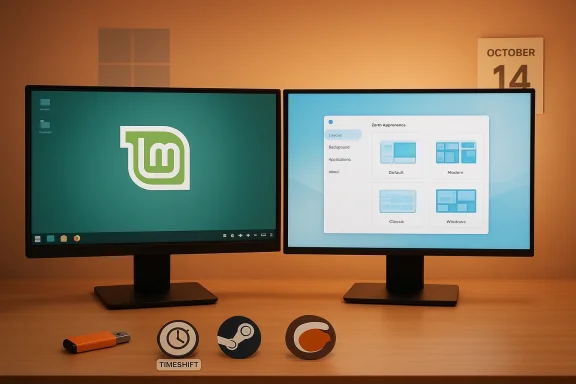 Quick snapshot: what each distro sells to you
- Linux Mint
- Positioning: low‑friction, conservative, Windows‑familiar desktop.
- Desktop: Cinnamon by default (also MATE and Xfce spins).
- Strengths: tiny learning curve, conservative update policy, strong community support, minimal telemetry by design.
- Ideal for:want the fewest surprises and long‑term stability.
- Zorin OS
- Positioning: aesthetic polish, migration tooling, and day‑one familiarity with layout switching.
- Desktop: GNOME‑based with the Zorin Appearance tool for multiple layouts; Pro edition unlocks additional layouts and curated extras.
- Strengths: polished UI, Windows installer detection and alternative suggestions, Zorin Connect for Android, and out‑of‑the‑box app conveniences.
- Ideal for: users who want to feel at home instantly and prefer an opinionated, curated experience.
Why Ubuntu LTS as the foundation matters (and what HWE gives you)
Both projects lean on Ubuntu LTS as their upstream. That choice is meaningful: an LTS base gives predictable security updates and long maintenance windows, while Ubuntu’s Hardware Enablement (HWE) stacks let LTS‑based desktops pick up newer kernels and driver stacks without lifting the entire distribution to an interim release.- HWE kernels are published to bridge the gap between LTS stability and the need for new device support; Canonical documents this as a supported path for desktop users who want newer hardware compatibility on an LTS release. If you’re buying a new laptop or dealing with very recent Wi‑Fi/GPU chipsets, the HWE story matters.
Hands‑on user experience: desktop, workflow and day‑one comfort
Linux Mint: the pragmatic, “leave it alone” desktop
Linux Mint’s defining promise is predictability. The Cinnamon desktop intentionally mirrors the classic Windows layout — panel, start‑menu, system tray and desktop icons — because that reduces retraining for users migrating from Windows. Cinnamon is well‑known for being both easy to use and deliberately conservative in behavior; it’s designed to be hard to break by misconfiguration. Reviews and the Mint team emphasize this approach: ease of use without needless novelty.Practical advantages Mint delivers:
- Near‑zero learning curve for former Windows users.
- Timeshift snapshots and a conservative Update Manager to reduce update‑related breakage.
- Low RAM footprint on the MATE/Xfce spins and good performance even on modest hardware.
- Privacy‑forward defaults — Mint positions itself as not collecting telemetry and avoiding adlike integrations.
Zorin OS: polished, guided migration
Zorin’s product play is different. Its desktop is an opinionated, polished GNOME experience with a dedicated Zorin Appearance app that switches desktop layouts at runtime. The result is an environment you can make look and behave like Windows, macOS, or a modern bespoke layout with a single click — and Zorin advertises additional layouts and curated extras behind a one‑time Pro purchase.Zorin’s other pragmatic features for switchers include:
- Windows installer detection: If a user double‑clicks a .exe or .msi, Zorin will often recommend Linux replacements or surface guidance rather than just failing silently.
- Windows App Support bundling (Bottles/Wine): Zorin ships or makes it easy to install tools like Bottles to sandbox Windows apps, simplifying the path for non‑technical users to attempt migrations.
- Zorin Connect — a polished phone→desktop integration for Android devices to share notifications, files and tethering conveniences.
- App store with Flatpak/Snap/AppImage support and preinstalled gaming tooling (Steam/Lutris) aimed at making the first‑boot experience feel “complete.”
Verifying the marketing claims: downloads, pricing, and telemetry
ZDNet and independent press reported a conspicuous spike in Zorin OS downloads tied to Windows 10’s end‑of‑support window. Press coverage documents Zorin OS 18 registering large download counts in the immediate launch window; press outlets treated those numbers as signals of interest rather than proof of successful migrations. Independent outlets confirmed that Zorin reported roughly 100,000 downloads in a little over 48 hours after the launch that coincided with the Windows 10 EOL spike — a clear sign that Zorin’s migration messaging worked. Treat those numbers as market interest, not as an indicator of sustained adoption or active installs.On pricing: Zorin’s Pro edition is a paid, one‑time purchase (commonly listed near $47.99 in storefronts) that unlocks extra desktop layouts and curated content; the Core edition remains free and fully usable. Linux Mint is entirely free; its funding model relies on donations and sponsors. Zorin’s Pro is fundamentally a crowdfunding/support model rather than a technical gate — you can get the same core functionality for free.
On telemetry and privacy: both projects market themselves as privacy‑respecting. Linux Mint explicitly frames itself as not collecting telemetry and avoids upstream integrations that could be considered invasive. Zorin markets default installs that do not collect user data and emphasizes local‑first features like Zorin Connect. Those statements should be validated against each project’s privacy policy for high‑stakes deployments, but for most consumer cases both distributions are materially more privacy‑respecting than a stock consumer Windows installation. ZDNet’s coverage echoes those claims and flags tvices (OneDrive, Google accounts) necessarily touch third‑party cloud providers whose policies must be assessed separately.
Caveat: some claims — like headline download totals — are easy to verify in the short term but are not a substitute for careful pilot testing in your environment. ZDNet and other reporters explicitly advise treating download spikes as directional signals, not a substitute for compatibility testing.
Compatibility and the real migration blockers
The most important, persistent truth about any Windows→Linux migration is that the OS rarely is the impediment — it is vendor‑specific drivers, proprieta Windows‑only applications that are the blockers.- Kernel‑level Windows drivers, specialized medical/industrial peripherals, and some fingerprint readers often lack Linux equivalents; those are the single biggest migration risks.
- For gaming, Proton and Lutris cover many titles, but games that require kernel‑level anti‑cheat systems are often unplayable on Linux without a Windows host or dual‑boot.
Practical migration playbook (short, actionable)
- Inventory everything: list critical apps, printers, plug‑in USB devices, and required Windows drivers.
- Backup and image: create a full disk image of your Windows system and export key profiles (browser bookmarks, email stores).
- Live test: boot Mint and Zorin from USB on the target hardware for at least a day; test printing, Wi‑Fi, GPU acceleration, webcam, and cloud file access.
- Pilot: pick a non‑critical machine or a secondary user for a one‑week pilot and log all breakages and workarounds.
- Retain a fallback: keep a Windows VM for essential legacy programs; only retire it after your pilot proves reliable.
- Roll out in phases: use snapshots (Timeshift) and image templates to scale with predictable rollback options.
Strengths — where each distro truly shines
- Linux Mint
- Predictability: fewer interface surprises and conservative updates reduce support calls in households and small offices.
- Efficiency: Cinnamon and the lightweight MATE/Xfce variants are excellent for reviving older hardware.
- Community knowledge: abundant troubleshooting guides and forums make problem resolution straightforward.
- Zorin OS
- First‑impression polish: the curated desktop and layout switching are extraordinarily effective at reducing anxiety for new switchers.
- Migration helpers: installer detection, Zorin Connect, and bundled Windows compatibility tooling speed the decision process for non‑technical users.
- Outreach scale: the team’s ability to secure press attention and download spikes demonstrates that a polished migration story works.
Risks and the things that can trip you up
- Vendor lock‑in: Devices that require Windows kernel drivers or vendor‑only tools (e.g., certain printers, fingerprint readers, proprietary VPN clients) may block full migrations. Test early.
- Gaming edge cases: Anti‑cheat kernel modules frequently prevent native Linux play for some online multiplayer titles; expect to run some games under Windows or in a VM.
- Cloud sync differences: Zorin’s OneDrive browser integration may be sufficient for many users, but it’s not a binary replacement for Windows Files On‑Demand selective sync in all workflows.
- Misreading download counts: spikes in downloads are helpful marketing signals, not hard evidence of durable adoption. Use them as context, not proof.
- who should pick what
- Choose Linux Mint if:
- You want the smallest possible retraining cost.
- You prioritize a conservative update and snapshot model.
- You are migrating a family PC or small office where predictability matters more than design bells and whistles.
- Choose Zorin OS if:
- You care about immediate visual familiarity and polished day‑one experience.
- You want built‑in migration helpers and phone integration (Zorin Connect).
- You prefer a curated experience where much of the guesswork is handled for you.
Final thoughts and practical checklist before you click “Install”
- Boot both systems from Live USB and schedule a minimum 48‑hour hands‑on test with your real tasks.
- Validate critical peripherals and cloud file behavior under both distros.
- If gaming matters, test your favorite titles via ProtonDB and Lutris on a live session.
- Keep a Windows VM for any apps that absolutely require Windows drivers or kernel components.
- Make a rollback plan: image your Windows disk, enable Timeshift snapshots and test your recovery path.
This analysis draws on the hands‑on comparisons and recommendations in the ZDNet piece and verifies the most load‑bearing technical claims (Ubuntu HWE, Zorin download spikes, Zorin Pro model, Mint’s stability and privacy posture) against independent documentation and reporting to give you a practical, verifiable guide for choosing between these two attractive Windows alternatives.
Source: ZDNET Linux Mint vs. Zorin OS: I've tried both Windows alternatives, and here's my winner
