

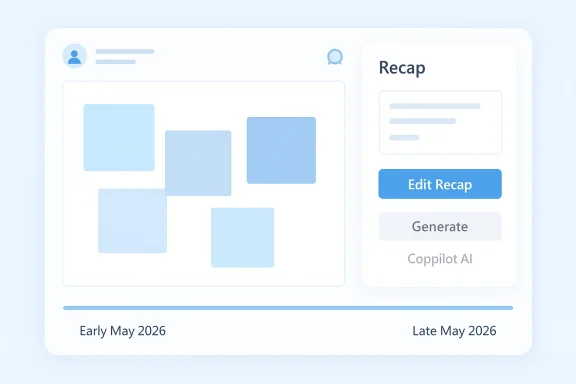
Microsoft is trimming back another Copilot touchpoint, and this time the cut lands in Loop. According to Microsoft’s own support guidance, Copilot-generated Recaps in Loop will be retired in early May 2026 and fully removed by late May 2026, while manual Recap editing will remain available. The change is narrower than a broad rollback, but it is still a telling sign of how Microsoft is narrowing its AI surface area as it tries to make Loop and Copilot feel more consistent across Microsoft 365.
Loop has always occupied an awkward but interesting place in Microsoft 365. It is not quite a document app, not quite a chat space, and not quite a project hub, but a blend of all three. That flexibility made it a natural candidate for Copilot experiments, especially features that summarize collaboration, extract action items, and reduce the burden of updating shared pages.
For a while, Microsoft leaned into that idea. The official Loop help documentation still describes Recap as a way to summarize changes so teams can avoid confusion, misunderstanding, or duplicate work, and it shows the workflow for generating a recap from the page’s menu. In other words, Recaps were not an obscure side feature; they were part of Loop’s collaboration story. (support.microsoft.com)
Then the Copilot story in Loop started to change. Microsoft’s FAQ says it removed some Copilot integrations in late 2025 to synchronize Loop with the Microsoft 365 Copilot Pages experience, because the differences were creating user confusion. That is the key context for the May 2026 retirement: this is not a random cleanup, but part of a longer effort to standardize the Copilot experience across Microsoft 365. (support.microsoft.com)
The timeline also matters. Microsoft’s archived Message Center entry for MC1169068 said the Loop Copilot upgrade started temporarily removing older integrations on September 9, 2025, with more restoration work planned later. That earlier notice framed the change as a quality and consistency update, not a feature farewell. The new Recap retirement looks like the next step in that same consolidation strategy. (mc.merill.net)
What makes this especially notable is that Microsoft is not just removing AI from Loop wholesale. It is choosing a very specific slice of Copilot behavior—AI-generated Recaps—and leaving the rest of the Recap workflow intact. That suggests Microsoft is being selective about which AI features earn their keep, especially when the product experience may have become too cluttered or too inconsistent to scale cleanly. (support.microsoft.com)
The change also appears to be default-on, non-reversible, and admin-free, according to the reporting around the retirement. That makes it an easy change to deploy centrally, but it also means organizations cannot opt out if they have training, documentation, or internal workflows built around the AI Recap option.
A subtle but important point: this is not the same as removing Copilot from Loop in general. Microsoft says other Copilot features in Loop continue to work, which frames this as a targeted simplification rather than a broader product retreat. That is not the language of a company shutting down a feature family; it is the language of a company pruning one branch while keeping the trunk.
That may sound minor, but in collaboration tools small friction points matter. If a feature helps normalize regular behavior—such as closing out a task thread or summarizing a project page—its removal can shift habits more than the raw feature count suggests. Convenience features are sticky because they change what users expect the tool to do for them.
There is also a user-experience argument. The Message Center archive says the older integrations were removed to produce a consistent set of Copilot entry points and to improve reliability across chat and page contexts. If Microsoft believes the Recap path duplicates work that can be handled elsewhere, pruning it becomes an efficiency play as much as a design one. (mc.merill.net)
Another possibility is adoption. Microsoft may have concluded that AI-generated Recaps were not compelling enough to justify their maintenance burden. Companies often retain features that look great in demos but are used less often in real workflows. The features that survive are the ones that become habits.
From a product-management standpoint, the move is understandable. Microsoft has to balance feature breadth, license tiers, support complexity, and user expectations. A smaller, cleaner feature set can be easier to explain, easier to support, and easier to sell.
That said, manual Recaps still preserve the core value proposition. Teams can continue documenting changes and appending summaries; they just lose the automation that made the process easier to start. In many cases, that means the workflow survives, but the adoption curve gets steeper.
Enterprise teams also care about consistency across apps. If Copilot behaves one way in Loop and another way in Microsoft 365 Copilot Pages, users get confused, and help desks get busier. A more uniform model reduces that risk, even if it means sacrificing a few point features along the way.
In that light, removing AI-generated Recaps from Loop may be less about devaluation and more about product pruning. Microsoft does not appear to be backing away from AI; it is backing away from redundant AI paths. That is an important distinction because it suggests the company still sees Copilot as central, just not necessarily in every place it once experimented with it.
The FAQ’s wording is revealing here. Microsoft says it wants to bring some Copilot experiences from Pages into Loop and upgrade chat to the same model, which implies the future is not a scattershot set of experiments but a tightly aligned ecosystem. The companies that win in enterprise software usually win by making the whole suite feel coherent.
That can be healthy. Too many AI-powered buttons can make a product feel noisy, especially if users do not know which one to trust. Fewer, better entry points may help Loop feel more deliberate and less experimental.
Microsoft has also been promoting more advanced recap experiences in other products, such as meeting recaps in Teams and richer Copilot-generated summaries in recent Microsoft 365 updates. That tells us the company still believes in recaps as a category, but not every recap variant has equal strategic value.
The interesting takeaway is that Microsoft is not treating AI features as sacred. It is willing to retire them if they complicate the story. That could be good news for users who want cleaner products, but it also means some features may feel more temporary than before.
That difference matters because Microsoft appears to be grading its AI features by how naturally they fit the surrounding product. If an AI summary is obviously helpful, it survives. If it feels like an optional layer on top of another already-editable artifact, it may get cut.
That is where Microsoft needs to be careful. Product simplification is only helpful if the reason for it is also simple to understand. If the explanation lives only in admin-facing documentation, many frontline users will just experience confusion.
Another thing to watch is user reaction inside Microsoft 365 communities. If admins and power users complain that Loop is becoming less useful or more fragmented, Microsoft may be forced to explain the rationale more clearly or accelerate replacement capabilities. If the reaction is mostly muted, that would support the idea that the feature was underused.
A final point: this change may be small on its face, but it helps define the shape of Microsoft’s AI roadmap. The company seems to be deciding that the future of Copilot is not maximum surface area; it is maximum coherence. That is a subtle but important shift.
That may prove to be the right call. But for users who liked Loop’s willingness to let Copilot quietly do the summarizing, late May 2026 will feel like one more reminder that Microsoft’s AI future is being built as much by removals as by additions.
Source: Windows Report https://www.windowsreport.com/copilot-recaps-are-getting-axed-in-microsoft-loop-starting-this-may/
 Background
Loop has always occupied an awkward but interesting place in Microsoft 365. It is not quite a document app, not quite a chat space, and not quite a project hub, but a blend of all three. That flexibility made it a natural candidate for Copilot experiments, especially features that summarize collaboration, extract action items, and reduce the burden of updating shared pages.For a while, Microsoft leaned into that idea. The official Loop help documentation still describes Recap as a way to summarize changes so teams can avoid confusion, misunderstanding, or duplicate work, and it shows the workflow for generating a recap from the page’s menu. In other words, Recaps were not an obscure side feature; they were part of Loop’s collaboration story. (support.microsoft.com)
Then the Copilot story in Loop started to change. Microsoft’s FAQ says it removed some Copilot integrations in late 2025 to synchronize Loop with the Microsoft 365 Copilot Pages experience, because the differences were creating user confusion. That is the key context for the May 2026 retirement: this is not a random cleanup, but part of a longer effort to standardize the Copilot experience across Microsoft 365. (support.microsoft.com)
The timeline also matters. Microsoft’s archived Message Center entry for MC1169068 said the Loop Copilot upgrade started temporarily removing older integrations on September 9, 2025, with more restoration work planned later. That earlier notice framed the change as a quality and consistency update, not a feature farewell. The new Recap retirement looks like the next step in that same consolidation strategy. (mc.merill.net)
What makes this especially notable is that Microsoft is not just removing AI from Loop wholesale. It is choosing a very specific slice of Copilot behavior—AI-generated Recaps—and leaving the rest of the Recap workflow intact. That suggests Microsoft is being selective about which AI features earn their keep, especially when the product experience may have become too cluttered or too inconsistent to scale cleanly. (support.microsoft.com)
What Microsoft Is Changing
The headline change is straightforward: Loop users will no longer be able to generate Recaps with Copilot. The “With AI” path is being retired, and Microsoft says the retirement begins in early May 2026 before completing in late May 2026. That timing places the change squarely in the middle of Microsoft’s broader 2026 Copilot reshaping effort.The practical effect
In plain terms, the app is losing an automated summary option, not the Recap feature itself. Users can still create and edit Recaps manually, and the support page specifically preserves the ability to use Recap as a collaboration aid. That distinction matters because it means Microsoft is not abandoning the underlying workflow, only the AI-generated version of it. (support.microsoft.com)The change also appears to be default-on, non-reversible, and admin-free, according to the reporting around the retirement. That makes it an easy change to deploy centrally, but it also means organizations cannot opt out if they have training, documentation, or internal workflows built around the AI Recap option.
A subtle but important point: this is not the same as removing Copilot from Loop in general. Microsoft says other Copilot features in Loop continue to work, which frames this as a targeted simplification rather than a broader product retreat. That is not the language of a company shutting down a feature family; it is the language of a company pruning one branch while keeping the trunk.
What users will notice
For everyday users, the visible difference will likely be modest at first and frustrating later. The page will still support recaps, but the AI shortcut that made them feel effortless will be gone. That means more manual editing, more reliance on human-written summaries, and less expectation that Copilot will automatically tidy up shared work for you. (support.microsoft.com)That may sound minor, but in collaboration tools small friction points matter. If a feature helps normalize regular behavior—such as closing out a task thread or summarizing a project page—its removal can shift habits more than the raw feature count suggests. Convenience features are sticky because they change what users expect the tool to do for them.
- AI-generated Recaps are going away
- Manual Recaps remain available
- Other Copilot features in Loop stay active
- No admin action is required
- The rollout is automatic and irreversible
Why Microsoft Might Be Doing This
Microsoft has not publicly given a deep explanation for why it is retiring Copilot-generated Recaps in Loop, but the company’s own supporting material offers strong clues. It has repeatedly said the late-2025 Loop changes were meant to align Loop with Microsoft 365 Copilot Pages and reduce differences that were confusing users. In that context, removing one AI path while keeping the manual workflow is a classic simplification move. (support.microsoft.com)Consistency over novelty
One likely reason is that Microsoft wants the same prompt-to-result model everywhere. The FAQ says Microsoft is actively working to bring some Copilot experiences from Microsoft 365 Copilot Pages into Loop and upgrade Copilot chat to match the same model used in the Pages experience. That suggests Microsoft prefers a smaller set of standardized entry points over multiple overlapping AI affordances. (support.microsoft.com)There is also a user-experience argument. The Message Center archive says the older integrations were removed to produce a consistent set of Copilot entry points and to improve reliability across chat and page contexts. If Microsoft believes the Recap path duplicates work that can be handled elsewhere, pruning it becomes an efficiency play as much as a design one. (mc.merill.net)
Another possibility is adoption. Microsoft may have concluded that AI-generated Recaps were not compelling enough to justify their maintenance burden. Companies often retain features that look great in demos but are used less often in real workflows. The features that survive are the ones that become habits.
A bigger Copilot reorganization
The timing also lines up with Microsoft’s broader Copilot product reshaping in 2026. Elsewhere in Microsoft 365, the company has been making selective choices about where Copilot should live, who gets full access, and which experiences remain free or limited. That makes the Loop change feel less like an isolated glitch and more like part of a larger segmentation strategy.From a product-management standpoint, the move is understandable. Microsoft has to balance feature breadth, license tiers, support complexity, and user expectations. A smaller, cleaner feature set can be easier to explain, easier to support, and easier to sell.
- Reduce confusion across Loop and Copilot Pages
- Standardize prompts and outputs
- Limit duplicated AI entry points
- Lower support and training complexity
- Focus engineering on higher-value Copilot paths (support.microsoft.com)
Impact on Microsoft 365 Users
For most end users, the immediate impact will depend on how often they relied on Recaps as an AI-assisted shortcut. If they used Recaps casually, the change may feel like a minor inconvenience. If they used them as a lightweight meeting or project-closeout tool, the loss could be more noticeable because they will need to write or edit summaries manually. (support.microsoft.com)Consumer and SMB angle
Small businesses and teams without deep admin oversight may feel this most in practice, even if the change is technically global. Loop is often adopted precisely because it promises fast, low-friction collaboration, and AI-generated Recaps fit that promise well. When a feature like that disappears, the app can feel a little less magical and a little more like every other shared notes tool.That said, manual Recaps still preserve the core value proposition. Teams can continue documenting changes and appending summaries; they just lose the automation that made the process easier to start. In many cases, that means the workflow survives, but the adoption curve gets steeper.
Enterprise angle
For enterprises, the bigger issue is not the feature removal itself but the knock-on effect on documentation, training, and support. Microsoft’s archived guidance explicitly told admins and trainers to update materials to remove references to older Copilot entry points and page creation behaviors. Organizations that built process documents around the old AI Recap option will need to refresh them again. (mc.merill.net)Enterprise teams also care about consistency across apps. If Copilot behaves one way in Loop and another way in Microsoft 365 Copilot Pages, users get confused, and help desks get busier. A more uniform model reduces that risk, even if it means sacrificing a few point features along the way.
- SMBs may lose a simple collaboration shortcut
- Enterprises will need training updates
- Help desk tickets may rise briefly after rollout
- Manual workflow continuity limits disruption
- Users who depended on automation will feel the loss most (support.microsoft.com)
How This Fits Microsoft’s Copilot Strategy
Microsoft has been steadily reworking Copilot into a more segmented, more controlled product family. That is visible in Windows, Office apps, Teams, and now Loop. The company is increasingly deciding which experiences should be universal, which should require a license, and which should disappear when they create confusion or duplication.Less clutter, more gating
The Loop change arrives just as Microsoft is also reshaping Copilot access in other Microsoft 365 apps. Recent coverage and Microsoft-facing discussions indicate that Copilot Chat access in Word, Excel, PowerPoint, and OneNote is being narrowed for users without a Microsoft 365 Copilot license starting April 15, 2026. That broader move reinforces the sense that Microsoft is drawing firmer lines around premium AI functionality.In that light, removing AI-generated Recaps from Loop may be less about devaluation and more about product pruning. Microsoft does not appear to be backing away from AI; it is backing away from redundant AI paths. That is an important distinction because it suggests the company still sees Copilot as central, just not necessarily in every place it once experimented with it.
The FAQ’s wording is revealing here. Microsoft says it wants to bring some Copilot experiences from Pages into Loop and upgrade chat to the same model, which implies the future is not a scattershot set of experiments but a tightly aligned ecosystem. The companies that win in enterprise software usually win by making the whole suite feel coherent.
What this says about Loop
Loop itself remains a product to watch. Its identity has always depended on whether Microsoft can turn it into a must-use collaboration layer rather than a nice-to-have sidecar. A reduced Copilot experience does not necessarily weaken that goal, but it does signal that Microsoft is prioritizing stabilization over feature proliferation. (mc.merill.net)That can be healthy. Too many AI-powered buttons can make a product feel noisy, especially if users do not know which one to trust. Fewer, better entry points may help Loop feel more deliberate and less experimental.
- Copilot is becoming more tiered
- Microsoft is removing overlapping AI paths
- Loop is being aligned with Copilot Pages
- Premium AI experiences are being protected
- Feature quality is taking priority over breadth (support.microsoft.com)
Comparison With Other Recent Microsoft Changes
The Loop retirement does not exist in a vacuum. Microsoft has spent the past year making a series of Copilot decisions that suggest a broader clean-up of how AI is surfaced to users. Some changes are about pricing and licensing, while others are about product shape and where specific AI features belong.A pattern of consolidation
Earlier in 2025, Microsoft’s Message Center noted that Loop’s Copilot experience was being upgraded to align with Microsoft 365 Copilot Pages, with older integrations removed temporarily. That is very similar in spirit to the Recap retirement: an old pathway is being retired so a new, more coherent one can take over. (mc.merill.net)Microsoft has also been promoting more advanced recap experiences in other products, such as meeting recaps in Teams and richer Copilot-generated summaries in recent Microsoft 365 updates. That tells us the company still believes in recaps as a category, but not every recap variant has equal strategic value.
The interesting takeaway is that Microsoft is not treating AI features as sacred. It is willing to retire them if they complicate the story. That could be good news for users who want cleaner products, but it also means some features may feel more temporary than before.
Loop vs. Teams vs. Office apps
Teams recaps, for example, are tied to meetings and have clear workflow value. Loop recaps are more ambiguous because they sit inside a flexible canvas where users can already edit, annotate, and summarize content manually. The utility is real, but the justification is less obvious than in a meeting context.That difference matters because Microsoft appears to be grading its AI features by how naturally they fit the surrounding product. If an AI summary is obviously helpful, it survives. If it feels like an optional layer on top of another already-editable artifact, it may get cut.
- Teams recaps are more workflow-native
- Loop recaps are more optional and editable
- Microsoft is prioritizing clearer use cases
- AI features with ambiguous value are easier to trim
- Consolidation is the recurring theme
Strengths and Opportunities
Microsoft’s decision is not without upside. In fact, the Recap retirement may improve Loop in several ways if the company executes the broader Copilot alignment well. The biggest opportunity is to reduce friction while making the app easier to explain, support, and trust.- Cleaner user experience with fewer competing AI entry points
- Lower training overhead for admins and IT teams
- More consistent behavior between Loop and Microsoft 365 Copilot Pages
- Reduced confusion around which Copilot action does what
- Better long-term reliability if Microsoft consolidates model behavior
- Simpler documentation for organizations standardizing workflows
- Room to reintroduce stronger features later in a more unified form (support.microsoft.com)
Why simplification can help adoption
For many users, the most valuable AI feature is the one they do not have to think about. If Microsoft can make Loop’s remaining Copilot interactions more coherent, it may actually increase trust in the app even after trimming one feature. That is a trade-off worth making when product sprawl starts to undermine confidence.Risks and Concerns
The biggest risk is obvious: people who relied on AI-generated Recaps will lose a convenience feature without much warning beyond Microsoft’s release notes and support pages. Even if the manual workflow remains, users often perceive the removal of automation as a loss of value rather than a cosmetic change. That perception matters in a crowded productivity market.- User frustration among teams that adopted the AI shortcut
- Workflow disruption for training and documentation owners
- Feature churn fatigue in an already fast-changing Copilot ecosystem
- Possible confusion if users cannot distinguish Loop from Copilot Pages
- Reduced perceived value for customers who wanted more AI, not less
- More reliance on manual editing may slow lightweight collaboration
- Risk of undercutting Loop enthusiasm if removals outpace new benefits (support.microsoft.com)
The communication problem
The other concern is communication. Microsoft’s support pages do explain the late-2025 changes, but the average user is unlikely to track Message Center entries or FAQ updates closely. If the Recap option simply vanishes from the UI, many will not know whether it is a bug, a license issue, or a permanent retirement.That is where Microsoft needs to be careful. Product simplification is only helpful if the reason for it is also simple to understand. If the explanation lives only in admin-facing documentation, many frontline users will just experience confusion.
What to Watch Next
The next few weeks should reveal whether Microsoft treats this as a one-off cleanup or part of a broader Loop refinement pass. The key question is whether the company reintroduces stronger Copilot capabilities in a more standardized form, or whether it keeps paring back edge-case functionality that does not fit the new model. (support.microsoft.com)Another thing to watch is user reaction inside Microsoft 365 communities. If admins and power users complain that Loop is becoming less useful or more fragmented, Microsoft may be forced to explain the rationale more clearly or accelerate replacement capabilities. If the reaction is mostly muted, that would support the idea that the feature was underused.
A final point: this change may be small on its face, but it helps define the shape of Microsoft’s AI roadmap. The company seems to be deciding that the future of Copilot is not maximum surface area; it is maximum coherence. That is a subtle but important shift.
- Whether Microsoft replaces Recap automation elsewhere
- How quickly the retirement appears in tenant environments
- Whether admins receive updated training guidance
- If Loop gains new Copilot consistency features later in 2026
- How users react once the AI option disappears from the menu (support.microsoft.com)
That may prove to be the right call. But for users who liked Loop’s willingness to let Copilot quietly do the summarizing, late May 2026 will feel like one more reminder that Microsoft’s AI future is being built as much by removals as by additions.
Source: Windows Report https://www.windowsreport.com/copilot-recaps-are-getting-axed-in-microsoft-loop-starting-this-may/
