• Thread Author
The Louvre’s security humiliation—reports that a surveillance server could be accessed with the password “LOUVRE”—has turned a sensational daytime robbery of the Galerie d’Apollon into a wider institutional reckoning over museum cybersecurity, procurement failures and the real-world consequences of long‑term technical debt. On October 19, thieves reached an upper gallery, smashed display cases and fled with eight pieces of crown and imperial jewellery publicly valued at roughly €88 million (about $100–$102 million). Investigations and leaked audit excerpts show that France’s national cybersecurity agency warned the museum about trivially weak credentials and decades‑old software years earlier; whether those exact credentials were in use or exploited during the heist remains unproven in public forensic records.

Dim control room with multiple monitors displaying eerie hallways, a central red LOUVRE display, and a crown in a glass case.Background​

Shortly before 10:00 on October 19, a small, well‑prepared team used a truck‑mounted lift to access a first‑floor balcony and enter the Galerie d’Apollon, where a public display of Napoleonic and 19th‑century crown jewels was kept. The raid lasted minutes; the thieves used power tools to break open cases and escaped on scooters. Police investigations have led to multiple arrests and several suspects charged or preliminarily charged, while many questions remain about how much of the theft relied on physical planning versus the exploitation of digital vulnerabilities. The audacity of the break‑in drew immediate headlines, but the post‑heist narrative shifted fast when journalists obtained confidential technical audits—most importantly an ANSSI (France’s National Agency for the Security of Information Systems) report and subsequent reviews—that described glaring security deficiencies dating back to 2014. Those documents, republished by investigative outlets, said auditors had been able to access parts of the museum’s physical‑security network and noted trivial credentials on critical systems. Among the details now circulating is an explicit finding: a surveillance server accepted the string “LOUVRE” as a password during the 2014 assessment.

What the reports actually say​

The core claims​

  • An ANSSI audit from 2014 examined the network that ties together alarms, access control and video surveillance and reported “numerous vulnerabilities.” Auditors documented that they could gain privileged access using weak, predictable credentials; two frequently cited examples are “LOUVRE” (for a video‑surveillance server) and “THALES” (for a vendor control application).
  • The audit also flagged legacy operating systems and unsupported software in the control plane—workstations and appliances running Windows 2000 / Windows Server 2003‑era software—which increases exploitable exposure because vendor security patches and modern endpoint protections no longer apply. Microsoft’s lifecycle records show extended support for Windows Server 2003 ended in July 2015, a timeline that corroborates the audit’s concern about legacy stacks.
  • Follow‑up inspections and administrative reviews in later years reiterated shortcomings: incomplete camera coverage in key areas, lapsed maintenance and procurement gaps, and insufficient network segmentation between general administrative systems and the museum’s security VLAN. Those governance failures left remediation fragmented and slow.

What remains unproven in the public record​

  • Public reporting and leaked excerpts prove exposure—that these weak credentials and outdated systems existed and were documented. They do not yet provide a public forensic chain proving that the thieves used the “LOUVRE” credential or remotely disabled cameras during the October break‑in. Investigators have not released a complete set of logs or a formal forensic affidavit publicly tying a named digital intrusion to the physical crime. Responsible reporting must maintain that distinction: documented vulnerability ≠ demonstrated exploitation.
  • Official statements from the museum and prosecutors have focused on arrests and recovery work rather than fine‑grained forensic disclosure. That is normal during an active criminal investigation, but it also means the gap between what was possible (as shown by audits) and what was actually used by the perpetrators remains an open question.

Timeline and verified facts​

  • October 19 — The diversionary daytime theft at the Galerie d’Apollon removes eight pieces of historic jewellery; the public valuation reported across outlets is about €88 million (≈$100–$102 million). The museum was briefly closed and then partially reopened; the Galerie d’Apollon remained closed as investigations continued.
  • Weeks following the theft — Police arrested multiple suspects in Paris and the greater Île‑de‑France suburbs; some suspects have been charged with organised theft and criminal conspiracy, while others were detained and later released. Public reporting shows at least seven people were arrested in the probe, and at least four have been formally charged or handed preliminary charges as prosecutions proceed. Numbers may change as the investigation evolves.
  • Historical audits (2014, and later follow‑ups) — ANSSI’s 2014 review and subsequent administrative examinations documented weaknesses that included weak credentials, legacy OS usage and poor network segmentation. Journalists reporting on the leaked audits published the specific detail that the literal string “LOUVRE” had been used on a surveillance server during test access. This is the kernel that transformed reporting about procurement and maintenance failures into a symbolic failure: a password that was literally the museum’s name.

Technical anatomy: why a login like “LOUVRE” matters​

Passwords such as “LOUVRE” on servers that mediate CCTV or badge control are not merely embarrassing; they are operationally dangerous. Here’s why:
  • Credential predictability drastically lowers the effort threshold for attackers. Automated scripts and basic human guessing can discover such credentials in seconds.
  • Privilege chaining enables physical consequences. If an administrative console controlling camera feeds or badge permissions is compromised, attackers can alter recordings, blind cameras or change logging behavior, thereby extending a physical intrusion into a successful theft or cover‑up.
  • Unsupported operating systems increase the blast radius. Systems running Windows 2000 or Windows Server 2003 no longer receive vendor patches; known vulnerabilities become permanent entry points absent compensating controls.
  • Poor segmentation and vendor sprawl convert small failures into system‑wide collapse. When administrative workstations can reach a security VLAN without tight firewall rules and strict access controls, lateral movement becomes trivial—exactly the scenario red teams simulate. Auditors reported that the Louvre’s architecture at the time allowed administrative access paths that would enable such pivoting.
These are textbook cyber‑physical failure modes. The combination—weak credentials, legacy stacks, poor segmentation and lapsed vendor contracts—creates an environment where a technically modest compromise can have outsized physical effects.

Institutional causes: procurement, budgeting and governance​

Security problems in institutions like museums rarely arise from a single misconfigured server. The audit materials and procurement records point to systemic, managerial drivers:
  • Procurement that focused on one‑off capital expenditures (new displays, installations) without lifecycle funding for maintenance and upgrades created technical debt that was never budgeted away.
  • Vendor contracts and maintenance arrangements were inconsistent; some security software apparently operated without active maintenance or replacement plans, making migration from EOL (end‑of‑life) operating systems expensive and politically fraught.
  • Responsibility was diffuse. Audits called out fragmented governance and unclear ownership of long‑term security remediation, which allowed warnings to bounce between units rather than translate into funded projects.
The result is recognisably familiar to IT leaders: world‑class collections protected by patchwork infrastructure built for another era. Those choices are managerial and political, not merely technical—and fixing them requires more than a password rotation.

What we can verify now (and how we verified it)​

  • Verified: The October 19 robbery occurred, removed eight items, and was executed in minutes during public opening hours. This is corroborated by multiple independent outlets and official statements.
  • Verified: ANSSI performed an audit in 2014 that raised significant concerns about the museum’s security network, and leaked excerpts reported in the press included the use of trivial credentials such as “LOUVRE” and “THALES.” These claims are reported across several international outlets and are traceable to the Libération reporting that published audit excerpts.
  • Verified: Several security appliances and applications reported in audits dated from the early 2000s and required OS versions that have been out of vendor support for years; Microsoft’s retirement dates confirm that Windows Server 2003 lost extended support in July 2015.
  • Unverified / caution: There is not yet a publicly released forensic log proving the thieves used the “LOUVRE” credential or remotely intervened with cameras at the time of the heist. Multiple reporting outlets explicitly caution that the audit proves exposure but not exploitation, and prosecutors have not published a digital forensic statement linking the vulnerabilities to the crime. This gap is material and must be stated plainly.

Immediate technical triage (practical checklist)​

Any high‑value public institution that discovers similar exposures should follow a prioritized remediation roadmap. These are practical, immediate actions auditors and national CERT playbooks recommend:
Short term (hours–days)
  • Rotate and enforce unique, complex administrative credentials on all security consoles; remove any default or predictable strings.
  • Block external access to management interfaces at the perimeter firewall and deny remote vendor logins until MFA and logging are enforced.
  • Isolate unsupported servers in a hardened network segment or air‑gap them until replacement is possible.
  • Enable centralized, immutable logging and forward logs to an offsite SIEM to preserve forensic trails.
Medium term (weeks–months)
  • Replace or migrate vendor software that requires unsupported OS versions; re‑establish vendor maintenance or apply virtual patches where immediate replacement is impossible.
  • Implement multi‑factor authentication (MFA) for administrative and vendor access.
  • Deploy endpoint detection and response (EDR) on administrative workstations and servers.
  • Commission independent penetration testing and red‑teaming exercises that simulate cyber‑physical attack chains.
Long term (budget cycles)
  • Build lifecycle funding into procurement contracts and require vendors to provide published end‑of‑life roadmaps.
  • Institutionalise a senior security officer (CISO or equivalent) with explicit remediation authority and budget ownership.
  • Run cross‑discipline incident response exercises that include curators, guards, law enforcement and IT.
  • Contractually require security SLAs and update clauses that mandate migration paths for critical control systems.
These steps are straightforward in principle but politically and financially challenging in practice—the true test is sustained funding and governance discipline, not a single emergency purchase.

Legal, reputational and insurance implications​

The Louvre is a national symbol; the theft and the post‑heist revelations will reverberate beyond the museum’s immediate remit.
  • Legal: If administrative or audit evidence shows repeated warnings were ignored, civil or administrative reviews could focus on whether decision‑makers fulfilled their duty of care. Insurers will scrutinize the museum’s risk management trail when considering payouts or premium adjustments.
  • Reputational: A high‑profile breach tied to the perception of “sloppy” security damages public trust and potentially undermines sponsorship and donor confidence. Symbolic details—like a password matching the museum’s own name—become shorthand for systemic neglect, whether that shorthand is fair or reductive.
  • Operational: The theft forces a rapid reallocation of precious artifacts (some items were moved to secure storage) and accelerated security upgrades. It will also likely change how governments, cultural institutions and insurers approach funding cycles for security modernization.

Critical analysis — strengths, weaknesses and risk of overreach in reporting​

Notable strengths in the public record​

  • External audits (ANSSI and later reviews) establish an empirical basis for concern; these are not mere rumor or partisan attack, but documented expert findings that created a remediation roadmap in 2014. The museum did engage outside expertise, which means there is a documented starting point for accountability and remediation planning.
  • Law enforcement response produced arrests and a forensic hunt that recovered at least one damaged crown and linked suspects via DNA and other evidence. That demonstrates investigative capacity and cross‑agency coordination.

Structural weaknesses revealed​

  • Recurrent budget and procurement choices left operational technology with no lifecycle plan. Re‑selling the story as merely a “bad password” misses this larger governance failure.
  • Audit recommendations apparently lacked consistent enforcement. Whether because of funding cycles, institutional inertia or political choices, the outcome was an accumulation of avoidable risk.

Risks in the public narrative​

  • The most sensational phrasing—“the password was ‘Louvre’ and the thieves used it”—is not fully supported by public forensic evidence. While the audit shows the presence of that credential at a prior time, equating exposure with confirmed exploitation risks misleading the public and unfairly simplifying the accountability chain. Multiple outlets and technical analysts have urged caution on this point.
  • Conversely, underplaying the audit’s findings as mere “historical” problems without acknowledging the political choices that allowed them to persist would also be misleading. The reality sits between those poles: credible, documented vulnerabilities existed, and their remediation appears to have been insufficiently prioritized.

Broader lessons for museums and public institutions​

The Louvre episode is a case study in cyber‑physical risk for any institution that mixes public access and high‑value assets. The actionable lessons:
  • Treat OT/physical‑security stacks as critical infrastructure with lifecycle discipline and procurement funding equal to IT and facility budgets.
  • Require vendors to provide explicit migration and support roadmaps in contracts; build maintenance funds into capex planning.
  • Run regular adversary emulation exercises that specifically test combined cyber‑physical scenarios, not just isolated red‑team tests of the IT network.
  • Fund centralized logging, immutable evidence storage and independent audits with public release of remediation timelines, where appropriate, to build transparency and accountability.
These changes are not glamorous, but they are foundational to protecting irreplaceable cultural heritage.

Conclusion​

The image of masked men riding scooters from the Louvre with jewel‑encrusted relics is cinematic; the less cinematic but more consequential image is of auditors years earlier typing “LOUVRE” to access a surveillance console. That juxtaposition explains why this burglary has become a national and international story about governance, procurement and the consequences when digital neglect multiplies physical risk.
The leaked audit excerpts show exposure; they do not yet prove the precise technical method used in the heist. Investigators may ultimately establish whether a remote compromise played a role. In the meantime, the documented warnings and the slow pace of remediation are themselves a form of failure: institutions that steward public treasures must treat operational security as a sustained program, not an episodic fix. The technical checklist is clear; the political will to fund and govern it is the harder, necessary next step.
Source: BOOM Fact Check Louvre’s Surveillance Password Was ‘Louvre’ at Time of Robbery, Reports Say

 

Microsoft Copilot quietly arrived on many Windows 11 PCs and — for some users — went from nuisance to daily necessity after a few minutes of tinkering and a handful of real-world tests. What started as a skeptical “bloatware” uninstall attempt has become, for many, an unexpectedly capable assistant that does far more than answer trivia: it can act on your behalf inside Windows, see what’s on your screen, speak and listen naturally, and connect to the cloud services that hold your files and calendars. The result is a very different experience from the lightweight chatbots of old — but also a set of new questions about privacy, cost, and enterprise readiness that every Windows power user should understand.

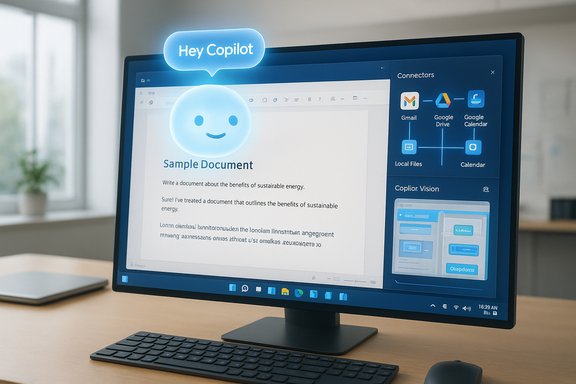
A computer monitor displays a document editor with a glowing “Hey Copilot” chat bubble.Background / Overview​

Microsoft has positioned Copilot as the operating system’s native AI companion: a mix of conversational LLM and task agent that’s tightly integrated into Windows 11 and Microsoft 365. Rather than being a standalone chatbot that lives in a browser tab, Copilot is baked into the OS and its first-party apps, and Microsoft updates it through the Microsoft Store and Windows Insider previews. That move lets Copilot reach deeper into the local system and productivity workflows than previous assistants could. Microsoft’s official rollout notes and Insider posts have outlined features such as voice activation (“Hey, Copilot”), Copilot Vision (screen and camera analysis), Connectors that link Gmail/Google Drive with Outlook/OneDrive, and document export from chat into native Office formats. A number of early hands-on reports and community threads underline the same point: Copilot is evolving from a “helpful chat” into a productivity engine that spans local actions, multimodal inputs, and cloud integrations. That trajectory is visible both in Microsoft’s blog posts and in community testing.

What Copilot actually does for you​

Copilot is best understood by its practical capabilities. On a modern Windows 11 machine it can:
  • Launch and control local apps (open Word, search your folders, play music).
  • Create, export, and save documents from a chat prompt (Word, Excel, PowerPoint, PDF).
  • Search across linked cloud accounts (OneDrive, Outlook, Gmail, Google Drive, Google Calendar) via Connectors.
  • Analyze what’s on your screen and interact with it using Copilot Vision.
  • Accept natural voice commands, including wake-word activation with “Hey, Copilot”.
  • Offer generative editing tools inside Photos, Paint, and other native apps (erase objects, upscale, restyle).
  • Perform multi-step sequences in an experimental agentic mode (Copilot Actions) that can carry out workflows while you work.
Those are the headline items; beneath them is a long list of smaller productivity conveniences: natural-language spreadsheet formulas, meeting recaps produced automatically from Teams transcripts, “export” buttons that convert long chat answers into a downloadable document, and the ability to ask Copilot to find a photo of “me in a red hoodie last year” without remembering the folder name.

Deep integration: why Copilot feels different on Windows​

Copilot’s advantage isn’t just in the model it uses; it’s in the integration layers Microsoft built around it.
  • OS-level hooks: Copilot indexes local files and the Microsoft 365 context, so queries about your documents, calendar, or email can be answered without switching tools. This is what turns Copilot from a research assistant into a Windows utility.
  • Native exports: A chat reply longer than a simple answer can now be exported directly into .docx, .xlsx, .pptx or .pdf — a friction-cutting improvement that removes copy/paste and file juggling. Microsoft implemented an export affordance for responses over roughly 600 characters.
  • Cross-account Connectors: Copilot can be granted scoped access to Gmail, Google Drive, Google Calendar, and Google Contacts alongside Microsoft services. This lets it search across ecosystems when you opt it in, bridging the gap between personal Google accounts and a Microsoft-centric desktop.
Taken together, these integrations let Copilot do things that most consumer chatbots simply can’t: act in the operating system and produce finished artifacts fast.

Copilot Vision and natural-screen understanding​

Copilot Vision is one of the clearest examples of how the assistant is moving beyond text. With Vision you can share a specific app window or the screen with Copilot and ask for context-aware help — from identifying UI elements to locating the product shown in an image or extracting data from a screenshot. Microsoft’s guidance explains that Vision is an opt‑in experience and is available on Windows and in Edge; it’s explicitly designed to see apps you have open and give step‑by‑step guidance, not to perform clicks for you. Copilot Vision’s availability initially rolled out in the U.S. and in selected non‑European markets and is part of Copilot Labs while Microsoft iterates on safety, UX, and model behavior. The feature has been described in hands‑on coverage and Microsoft’s own posts as a “session” based interaction: nothing is retained to train models, and users receive a privacy notice the first time they use it.

Voice: “Hey, Copilot” and conversational flow​

Microsoft added wake-word voice activation to Copilot as an opt-in feature, enabling a truly hands‑free dialogue via a local wake‑word spotter. The wake-word processing is performed on device using a 10‑second audio buffer; when the phrase is detected Copilot begins the cloud processing required for natural‑language responses. That design balances convenience and privacy: the wake-word detector runs locally, but actual voice processing needs connectivity. The “Hey, Copilot” rollout began in the Insider channel and is off by default. Voice interactions change usage patterns: rather than opening an app to perform a single action, users can speak a chain of commands or ask Copilot to summarize what’s on the screen while they keep working. That shifts Copilot from being a “tool you open” to a “companion you call.”

Connectors and document exports: bridging cloud silos​

A major recent update lets Copilot link to multiple cloud accounts and surface content across them via Connectors. In practice, that means once you opt in and authorize access through a standard OAuth flow, Copilot can:
  • Find attachments in your Gmail.
  • Pull a Google Drive doc into a Copilot chat.
  • Look up calendar entries across Google Calendar and Outlook.
  • Export chat outputs directly to Office documents and PDFs.
This is a strategic move: Microsoft is making Copilot the central index and action-point for content across accounts — not just for Microsoft’s own cloud. The rollout started as an Insider preview (tied to Copilot package versions 1.25095.161.0 and higher) and is being staged for broader deployment with telemetry and user feedback.

Generative edits: Photos, Paint, and lightweight media workflows​

Copilot’s generative capabilities are extending into native creative apps. On Copilot+ PCs (machines with NPUs and certain AI-enabled silicon), Microsoft has introduced features such as:
  • Generative Erase/Fill (Photos and Paint): remove unwanted elements or add objects with AI.
  • Super Resolution and Relight (Photos): upscale and relight photos using on-device acceleration.
  • Image Creator / Restyle (Photos): make new images or restyle existing ones using prompts.
Some generative tools rely on on‑device inference on Copilot+ hardware; others use cloud models. The important practical point is that these tools make routine photo and image edits accessible without a heavyweight editor, and they’re coming to Photos and Paint as part of Windows updates and app updates.

Copilot Actions: agentic automation and the safety trade-offs​

One of the most consequential experimental features is Copilot Actions — a mode where Copilot doesn’t just answer but performs multi‑step tasks on the desktop: opening apps, editing files, assembling playlists, or filling out web forms. This is agentic behavior in a consumer OS, and Microsoft has taken several precautions:
  • Actions run in a sandboxed, separate desktop instance with visible step‑by‑step progress.
  • The feature is off by default and opt‑in for Insiders.
  • Users can observe and interrupt the agent at any time.
That containment model is crucial: it prevents silent background automation that could manipulate sensitive UI elements without the user’s knowledge. Early reporting describes Copilot Actions as a significant pivot — from assistant to operator — and Microsoft is trialing it with Insiders before any general availability. This is powerful, but it raises new questions about permissioning, data boundaries, and the composability of automation inside casual desktop sessions.

Pricing, tiers, and image-generation limits — what to expect​

Copilot is available in different packaging models: Microsoft provides consumer Copilot features and also ties more advanced capabilities to Microsoft 365 Copilot licenses and Copilot Pro. Key points to verify before budgeting:
  • Consumer vs. paid tiers: Some Copilot features are free or trialable, while others are behind Copilot Pro / Microsoft 365 Copilot subscriptions. The exact mix depends on the feature and whether you’re a consumer, business, or enterprise user.
  • Image-generation limits: In spring 2025 Microsoft changed how image-generation quotas are applied to commercial users without a Copilot license. Microsoft’s message center and community threads note that commercial users without a Copilot license moved from “unlimited” or larger allowances to a daily limit that is not publicly disclosed, though many users reported seeing extremely restrictive allotments (some reporting a single image per day). Microsoft’s official message was that licensed Copilot users receive expanded or removed limits while non‑licensed accounts face daily caps. This has been the subject of community complaints and Microsoft Q&A posts. If you rely on image generation at scale, verify licensing for your environment.
Because Microsoft has adjusted quotas and packaging over successive updates, any specific per‑day figure you read in a blog post or forum may be time‑bound. Treat per‑day limits as operationally variable unless Microsoft publishes a permanent policy.

Privacy, compliance, and enterprise considerations​

Copilot is integrated deeply enough that security and governance matter. The headline controls Microsoft emphasizes are:
  • Opt‑in connectors and explicit consent: Third‑party account access must be enabled by the user and grants scoped access via OAuth flows. Microsoft notes Connectors are opt‑in.
  • On‑device wake‑word detection: The wake‑word spotter runs locally and does not persist the audio buffer; full voice processing still requires cloud processing.
  • Vision session privacy: Copilot Vision sessions present privacy notices and Microsoft states that raw images are not retained for model training; transcripts may be kept for safety monitoring but images/audio are not used to train models. The support documentation clarifies session behavior and logging.
  • Enterprise data protections: Microsoft positions Copilot for enterprise with administrative controls, but some advanced enterprise-grade workflow integrations and feature parity remain works in progress compared with consumer offerings. Many corporate admins should treat Copilot adoption as a staged program with policy review, pilot groups, and user education.
For regulated industries or organizations with strict data residency requirements, the combination of local indexing, cloud processing, and cross‑account connectors means Copilot must be assessed under existing compliance frameworks and data classification policies. Don’t turn on broad connector access across an organization until you map the data flows and the Entra/tenant controls required to manage them.

Strengths and real-world benefits​

  • Time saved on repetitive tasks: From generating a draft email to making a slide deck from bullet points, Copilot removes routine friction.
  • Contextual help across apps: Copilot’s ability to search local files, read open windows (Vision), and summon files from multiple accounts reduces app switching and context loss.
  • Natural voice and multimodal inputs: Voice activation and screen-sharing queries feel modern and can speed iterative work.
  • Rapid prototyping and edits: Generative erase and on‑device image upscaling let hobbyists and power users fix images quickly without exporting to Photoshop.
These aren’t theoretical advantages. Community and hands‑on coverage show that for many users the experience moves from curiosity to daily productivity gains once prompts and permissioning are learned.

Risks and limitations — what still needs work​

  • Privacy nuance and user confusion: Opt‑in controls help, but connectors and document exports create non‑obvious data flows. Users often misconfigure or misunderstand what’s shared. Clearer admin defaults and tenant-level guardrails are still required for safe enterprise adoption.
  • Licensing opacity and quota changes: The shift to undocumented daily limits on image generation for non‑licensed commercial users caused confusion and complaints in May 2025. That illustrates how licensing changes can materially affect workflows. Microsoft’s communications on quotas have been imperfect, and admins should verify Message Center notices for their Tenants.
  • Not yet enterprise-ready for complex automation: While Copilot Actions experiments with agentic control, the production-grade orchestration and governance needed for real enterprise workflows (approval flows, audit trails, fine‑grained role enforcement) are still evolving. Treat agent-based automation as preview-level until controls mature.
  • Hallucinations and accuracy: Like any LLM, Copilot can produce incorrect or misleading outputs. Always review Copilot‑generated legal text, financial analysis, or code before acting on it.
  • Regional and regulatory variance: Rollout has been phased by region, and some features (including certain Vision behaviors) were initially limited in Europe or to U.S. markets while Microsoft addresses regulatory differences. Expect rollouts to vary by country.

Practical tips: how to put Copilot to immediate use (and avoid traps)​

  • Start small: enable Copilot in a single app (Outlook or Word) and use it for non-sensitive tasks first.
  • Use precise prompts: the more context you give (goal, tone, constraints), the more useful the output. Try the GCES pattern: Goal, Context, Expectation, Source.
  • Audit Connectors: enable Google or Microsoft connectors only for test accounts until you confirm the scope of what Copilot returns.
  • Lock down admin policies: enterprises should evaluate Entra ID controls and conditional access before broad deployment.
  • Keep humans in the loop: use Copilot for drafts and routine automation, but preserve manual verification for high-stakes content.
These steps help you realize the productivity upside while minimizing risk. The community has found that modest, repeated experimentation yields the best learning curve.

How to judge whether to give Copilot a chance​

  • You primarily work inside Microsoft 365 and Windows — Copilot’s integration pays off quickly.
  • You routinely convert notes or chats into deliverable files — the export capability is a real time-saver.
  • You’re comfortable with opt‑in cloud integrations and have governance in place if needed.
If those conditions align, Copilot likely belongs in your toolkit. If your work involves strict data residency, heavy regulatory oversight, or you’re constrained to on‑prem-only workflows, pilot Copilot carefully behind governance controls.

Final analysis — promise vs. prudence​

Microsoft Copilot is one of the most significant attempts to fold large-language models into the daily operating system. The combination of vision, voice, connectors, and the ability to create native documents from chat marks a generational shift in how desktop productivity can be augmented. Official updates and Insider posts show steady progress, and community testing demonstrates clear productivity gains for many users. However, the technology is still maturing. Licensing adjustments (notably around image-generation quotas), the experimental nature of agentic actions, and the need for stronger enterprise governance mean that Copilot is useful today but not yet a complete, risk-free replacement for human oversight or enterprise automation platforms. Organizations and power users should treat Copilot as an evolving capability: pilot it on low‑risk tasks, demand clear communications about quotas and data use from vendors, and hold vendors accountable for governance tools that enterprises require.
For Windows enthusiasts who asked “should I try it?” — the short answer is yes, with caveats. Try the features that match your workload, keep an eye on licensing and Message Center updates, and adopt a verification-first habit with AI outputs. For the user who nearly uninstalled Copilot only to become a daily user, the tool delivered tangible value — and that’s exactly the kind of pragmatic, results-first adoption Microsoft is betting on. For everyone else, it’s worth experimenting in a controlled way: Copilot is changing how Windows feels and works, but the most valuable wins come to those who combine curiosity with disciplined governance.
Conclusion
The Copilot story is still being written. It already offers usable gains: voice-first queries, on‑screen understanding, cross‑account retrieval, and one‑click exports that convert conversation into documents. Those are meaningful improvements for anyone who spends their day juggling apps, files, and meetings. But the platform’s maturity is mixed: agent automation is experimental, licensing and quotas have shifted, and enterprise controls are still catching up. The pragmatic path — pilot, verify, and govern — will let most users harvest Copilot’s benefits while keeping the new risks under control. In short: give Copilot a chance, but give it to your workflows under controlled, informed conditions — that’s where the real productivity payoff lies.
Source: MakeUseOf You should seriously give Microsoft Copilot a chance
 

Microsoft’s 2025 security push is the most consequential overhaul of Windows’ endpoint defenses in years — a coordinated stack of technologies (hotpatching, Smart App Control, and Quick Machine Recovery) designed to minimize reboots, harden execution, and accelerate recovery — but real-world teething issues this autumn show the program’s success will depend on careful rollout, vendor coordination, and disciplined operations.

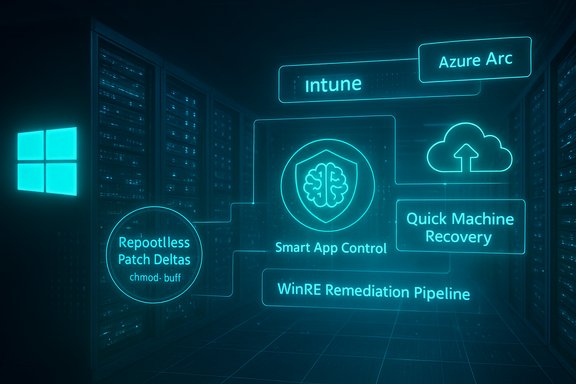
Neon blue holographic diagram in a data center showcasing cloud and security tools like Intune and Azure Arc.Background / Overview​

The Windows Resiliency Initiative that emerged from Microsoft’s post‑2024 hardening program rethinks how updates, app control, and recovery interact on modern fleets. Its three headline elements are:
  • Hotpatching: applying narrowly scoped security fixes to running systems without a reboot.
  • Smart App Control: an AI‑driven app reputation and execution control layer that blocks untrusted binaries by default on eligible installs.
  • Quick Machine Recovery (QMR): an expanded Windows Recovery Environment (WinRE) that can fetch targeted remediations from the cloud and repair unbootable devices remotely.
Those components are being woven into Windows 11 25H2 and Windows Server 2025 servicing, with management and distribution integrated through Intune, Windows Update for Business, Windows Autopatch, and Azure Arc. The technical and product documentation Microsoft published during the 2025 rollout explains the intended behavior and admin controls for each feature. At the same time, the program has real commercial and operational consequences: Microsoft transitioned hotpatching for many on‑prem servers to a paid subscription (the publicly documented price is $1.50 USD per CPU core, per month for Azure Arc–connected Windows Server 2025 Standard/Datacenter machines), while continuing to include hotpatching at no extra cost for certain Azure editions. That change has proved controversial in the IT community and influences adoption decisions.

How the pieces fit together​

Hotpatching: rebootless fixes that change the update calculus​

Hotpatching is the technical heart of Microsoft’s plan to reduce planned and unplanned downtime. Rather than replacing on‑disk binaries and forcing kernels to restart, hotpatches deliver minimal binary deltas and in‑memory updates that take effect immediately or at next-use points. For eligible enterprise SKUs (Windows 11 Enterprise variants and Windows Server 2025 with Arc/enrollment), Microsoft has scheduled a cadence that pairs quarterly baseline (restart‑required) updates with intervening hotpatch months that are designed to avoid reboots for most security fixes. Benefits Microsoft highlights include:
  • Reduced forced reboots for routine security fixes.
  • Faster effective mitigation windows because fixes can activate immediately.
  • Smaller update payloads and faster installs for customers who qualify.
Important practical constraints:
  • Hotpatching requires specific eligibility and enrollment (SKU, build, Azure Arc, management policy).
  • Not every update can be hotpatched: baseline, firmware, major servicing‑stack changes, or emergency out‑of‑band fixes may still require restarts.
  • Microsoft explicitly reserves the right to push restart‑required updates if the technical fix demands it.
A recent operational reality check: an out‑of‑band WSUS patch in late October/November 2025 (delivered as KB5070881 in one distribution path) was briefly offered to servers enrolled for hotpatching and — for those that installed it — temporarily removed them from the hotpatch eligibility track. A Microsoft support advisory and guidance explain the issue, workarounds, and the timeline to return affected systems to hotpatching after a planned baseline. This incident underscores how servicing complexity and distribution mistakes can undo the very reboot reductions hotpatching promises.

Smart App Control: blocking malicious or unknown code at launch​

Smart App Control (SAC) is Microsoft’s modernized app‑execution control system that combines code integrity, certificate checks, and Microsoft’s cloud‑based app intelligence to decide whether an executable may run. The feature is designed to be enabled on clean installs of supported Windows builds and can run in evaluation mode before switching to enforcement. In enforcement mode, SAC blocks unsigned, low‑reputation, or otherwise unknown binaries by default, while allowing signed code from trusted CAs or apps recognized by Microsoft’s intelligence service. What this delivers:
  • Early blocking of malware and PUAs before they execute.
  • Integration with Defender’s overall protection stack and enterprise policy surfaces (Intune/GPO).
  • A path for Microsoft to leverage large‑scale telemetry and ML models to surface risky binaries more quickly than traditional local reputation systems.
Caveats:
  • SAC is intentionally conservative when it first evaluates a device: devices must often be on a clean install and may go through an evaluation window. Admins must plan for app exceptions and validation workflows, especially for bespoke internal software.

Quick Machine Recovery: a best‑effort remote rescue kit​

Quick Machine Recovery (QMR) expands WinRE so a device suffering repeated boot failures can automatically connect to the network, upload diagnostics, query Windows Update for targeted remediations, and apply fixes without physical intervention. It is configurable via management tooling such as Intune and Windows Update for Business and is presented as a best‑effort flow — useful for widespread rollouts, driver mistakes, or bad updates that would otherwise demand onsite recovery. Microsoft’s documentation and IT Pro guidance lay out the enablement and admin controls. In Microsoft’s thinking, QMR complements hotpatching: hotpatches reduce the number of planned reboots, while QMR provides a rapid fallback when something goes wrong and devices become unbootable en masse. The concept is explicit in internal previews and Microsoft’s IT pro materials and has been emphasized as a learning outcome from prior incidents.

Where the 2025 program has already been tested by trouble​

No major platform rewrite is risk‑free. A few high‑profile incidents in 2024–2025 have shaped the rollout and exposed practical risks.

The CrowdStrike fallout that changed the calculus​

The catalyst for many of Microsoft’s resiliency moves was the July 2024 global incident involving a faulty CrowdStrike update that knocked millions of Windows devices into boot failures and caused operational chaos across airlines, healthcare providers, and other large organizations. Major outlets and regulatory filings documented widespread impacts — including thousands of flight cancellations and lawsuits — and the event crystallized enterprise demand for better recovery tools and safer vendor update processes. That real world shock drove Microsoft and partners to prioritize recovery automation, stricter testing for kernel‑level security products, and moves to reduce third‑party kernel access.

The WSUS/Hotpatch distribution incident (October–November 2025)​

In late October 2025 Microsoft shipped an out‑of‑band WSUS fix intended to address a critical deserialization RCE in WSUS reporting services. A distribution misconfiguration briefly offered that package to hotpatch‑enrolled servers, and those that installed it lost hotpatch status and were slated to receive restart‑required monthly updates for the following months until a January baseline re‑enrolled them. Microsoft published guidance and workarounds for impacted customers, and independent coverage documented the operational fallout and recovery steps. This episode demonstrates how update distribution missteps can temporarily reverse the operational gains hotpatching aims to deliver.

BitLocker and recovery prompts after October updates​

Following some October updates, administrators reported unexpected BitLocker recovery prompts on affected endpoints. The occurrence of surprising recovery flows shows that even carefully designed updates or recovery tools can interact with encryption and firmware states in ways that create user friction and operational risk. These reports prompted Microsoft and third‑party responders to emphasize testing recovery scenarios in controlled pilot rings before broad deployment. (Forum and security reporting captured these discussions during the fall servicing waves.

Independent verification: what the public record confirms​

To avoid overreliance on vendor messaging, key public facts have been cross‑checked with multiple independent sources:
  • The CrowdStrike July 2024 outage and its scale were confirmed by Reuters and The Guardian reporting and by multiple company statements and regulatory filings. Those accounts document the operational impact that led to Microsoft’s resiliency efforts.
  • Microsoft’s official hotpatching program terms and the pricing transition are published in Microsoft’s Tech Community and product documentation; independent reporting from mainstream tech press confirms the $1.50 per‑core per‑month pricing for on‑prem/Arc‑connected servers. The $1.50 figure is per core per month, not “per update”; any summary that lists “$1.50 per update” is mistaken or imprecise.
  • The WSUS/KB distribution problem and temporary removal of hotpatch eligibility are documented in Microsoft support notes and corroborated by independent security news coverage and community reporting. The vendor advisories include remediation steps and detail the timeline for recovery to the hotpatch track.
  • Smart App Control’s design (clean‑install requirement, evaluation mode, enforcement mode) and administrative controls are described in Microsoft Learn and support articles; industry analysis confirms Smart App Control evolved from earlier app reputation and WDAC capabilities.
  • Patch volume claims for 2025 are verifiable in Patch Tuesday trackers: June 2025’s cycle contained roughly mid‑60s CVEs (commonly reported as 66), and October 2025’s cycle approached the high‑hundreds for aggregated Microsoft product fixes in some trackers (public reporting from security vendors and blogs quotes ~172 fixes and multiple zero‑days in the October cycle). These are large, operationally significant release bundles that help explain Microsoft’s push to shorten mitigation windows.
Where public claims could not be independently corroborated, this article flags them explicitly (see the “verifiability” notes below).

What’s strong about Microsoft’s approach​

  • Operational realism: pairing hotpatch months with a predictable baseline cadence accepts that some updates must still restart systems while reducing routine disruption when possible. This blended cadence is more practical for enterprise operations than a “no‑reboots ever” promise.
  • Tighter vendor controls: limiting or re‑architecting kernel access for third‑party security vendors — and insisting on greater testing and staged rollouts — addresses the single biggest source of past catastrophic outages (third‑party kernel faults). Microsoft’s push to move AV processing out of kernel mode where feasible reduces blast radius risk.
  • Integrated recovery: Quick Machine Recovery’s cloud remediation flow gives IT teams a tool to remediate mass failures without physical access — a measurable boost for hybrid and distributed workforces. The Intune and Autopatch integration makes the capability useful at fleet scale.
  • AI and runtime protection: Smart App Control gives Microsoft a telemetry‑driven, ML‑backed gate that’s faster and more adaptive than purely signature‑based approaches, raising the bar against commodity malware and PUAs.

The risks and unanswered questions​

  • Distribution complexity and single points of failure
  • The WSUS distribution mistake in October/November 2025 showed how an error in update targeting or packaging can temporarily strip servers of hotpatching and force extra reboots. Hotpatching shifts complexity into servicing and distribution; that centralization demands impeccable QA and staged rollouts.
  • Vendor economics and two‑tier ecosystems
  • Charging per‑core for hotpatching outside Azure raises strategic and fairness concerns. Organizations with large on‑prem estates must weigh subscription costs against downtime costs and cloud migration incentives. The differential treatment (free in Azure editions, paid for Arc‑connected on‑prem) effectively accelerates cloud migration pressure.
  • Compatibility and eligibility friction
  • Hotpatching requires specific kernel and build combinations; not all hardware/firmware or third‑party drivers are hotpatch‑compatible. The need to inventory and test large fleets to confirm eligibility is nontrivial for heterogeneous environments.
  • False sense of invulnerability
  • Hotpatching and QMR improve resilience, but they are not substitutes for defense‑in‑depth. Well‑instrumented detection, network segmentation, least privilege, and rapid incident response remain essential. Overreliance on “no‑reboot” updates could delay needed reboots after kernel‑affecting fixes if operations teams accept automatic in‑place remediations without adequate validation.
  • Operational surprises (BitLocker, recovery prompts)
  • Unexpected BitLocker recovery prompts after servicing highlight interactions between update flows and firmware/encryption state. Admin teams must test these flows in pilot rings and have clear recovery documentation for field staff and helpdesks.
  • Claims that need cautionary language
  • Some public summaries attribute a precise figure — “hotpatching cuts reboot frequency by up to 90%” — back to Microsoft. While Microsoft and partners consistently report large reductions in restart frequency for eligible workloads, the exact percentage depends heavily on baseline cadence, mix of updates, and whether organizations accept out‑of‑cycle restart‑required patches. The specific “90%” figure could reflect a marketing interpretation or specific customer scenario; it is not a universal guarantee and should be treated as illustrative rather than absolute. Independent verification of a global 90% reduction across heterogeneous estates was not found in vendor documentation or neutral industry telemetry. Flag this as an optimistic vendor‑supplied metric that must be validated per environment.

Enterprise adoption strategy — a practical checklist​

For IT leaders evaluating the 2025 stack, here’s a deliberate, practical path to adoption that balances uptime, security, and cost:
  • Inventory and eligibility check
  • Map server SKUs, core counts, firmware, and current build numbers.
  • Identify which hosts are Azure Arc‑eligible and whether Datacenter: Azure Edition is an option.
  • Cost model analysis
  • Calculate per‑core subscription cost for hotpatching and compare to expected savings from avoided maintenance windows and overtime.
  • Model break‑even scenarios (e.g., hours of avoided downtime × cost/hour vs. subscription cost).
  • Pilot and test
  • Run hotpatching and QMR in a controlled pilot ring (nonproduction or low‑risk systems) and observe telemetry for compatibility issues.
  • Test WinRE/QMR flows including BitLocker/TPM interactions and verify recovery documentation.
  • App policy and exception management
  • Deploy Smart App Control in evaluation mode to build exception lists for internal apps and instrument user impact.
  • Establish a change control and exception process for internal binaries and signed installers.
  • Staged rollout and monitoring
  • Use pilot → staggered rings → full deployment approach for hotpatch enrollments.
  • Monitor Windows Update for Business, Intune, and Azure Arc telemetry to detect devices that fall off the hotpatch train (e.g., due to out‑of‑band updates).
  • Incident and recovery playbooks
  • Update runbooks to account for hotpatch vs. baseline months and QMR automated remediation, including escalation paths when QMR fails and physical recovery is required.
  • Vendor coordination
  • For third‑party security products (EDR/AV), insist on vendor compatibility testing and staged rollouts for kernel‑level components. Prefer user‑mode agents where vendor architecture allows.
  • Governance and policy
  • Formalize the organization’s policy on paid hotpatching vs. cloud migration, and include executive stakeholders in the budget trade‑offs.

The bigger picture: Microsoft’s security posture and industry trends​

Microsoft’s 2025 security program aligns with broader industry moves toward zero‑trust architectures, automated remediation, and runtime hardening. Shifting some antivirus work away from the kernel and embedding ML‑driven app controls are both consistent with reducing privileged attack surfaces, while hotpatching mirrors cloud operators’ expectations for high availability.
Regulators and compliance frameworks are increasingly focused on endpoint integrity and rapid remediation after disclosure; Microsoft’s tooling leans into that demand. However, the transition also underscores a broader dynamic: platform vendors are consolidating management and distribution flows (Autopatch, Intune, Arc), and that concentration of power raises operational dependencies and a stronger need for vendor transparency and independent verification.

Final assessment — the promise, and the conditional reality​

Microsoft’s 2025 security revolution delivers real engineering advances that materially reduce operational friction for many organizations. Hotpatching can and does remove many reboots from the update lifecycle; Smart App Control raises the bar for malware execution; and Quick Machine Recovery gives IT tools to recover at scale without boots on the ground. Together, they shift the organization’s operating model closer to cloud‑grade resilience.
That said, success is conditional:
  • Engineering is only half the story — distribution, packaging, and careful gating are what make these features safe at scale. The WSUS/hotpatch distribution incident is a reminder that servicing pipelines are a high‑stakes system-of-systems that require relentless QA.
  • Economics will shape adoption — the per‑core subscription and the Azure‑centric model will nudge some organizations toward cloud migration and force others to carefully weigh hotpatch subscription costs against business continuity savings.
  • Testing and governance remain mandatory — these capabilities are powerful, but they require disciplined pilot programs, compatibility testing (especially for encryption and firmware interactions), and polished runbooks.
Enterprises that adopt the 2025 toolkit with disciplined pilots, rigorous vendor coordination, and conservative rollout rings will gain meaningful uptime and faster mitigation. Organizations that treat hotpatching or QMR as a silver bullet without understanding eligibility, distribution dependencies, and the operational trade‑offs risk being surprised.

Key takeaways (quick reference)​

  • Hotpatching is available for eligible Windows 11 Enterprise and Windows Server 2025 nodes; it reduces routine reboots but requires enrollment, Azure Arc for many on‑prem scenarios, and a paid subscription in some cases ($1.50 per CPU core per month for Azure Arc‑connected Windows Server 2025 Standard/Datacenter).
  • Smart App Control provides ML‑backed execution control for new clean installs and integrates with Defender and enterprise policy; test in evaluation mode before enforcing.
  • Quick Machine Recovery extends WinRE with cloud remediation and Intune/Autopatch controls to repair unbootable devices remotely; enable testing modes and validate BitLocker flows first.
  • Operational risk: update distribution mistakes can negate hotpatch benefits (a notable WSUS/OOB KB issue temporarily removed some servers from the hotpatch track). Test and monitor update history closely.
  • Verify vendor claims: marketing metrics such as “90% fewer reboots” should be validated against your environment; such numbers are illustrative and depend on update mix, eligibility, and policy decisions.
Microsoft has positioned Windows to be more resilient and more manageable in the face of large‑scale incidents — but the new model shifts responsibility to operations teams: to inventory eligibility, pilot carefully, and police update distribution. In return, organizations gain a real chance to cut disruptive reboots, prevent many malware executions before they start, and recover remotely when the rare failure inevitably occurs. The technical foundation is solid; the next chapter will be about disciplined execution.

Source: WebProNews Microsoft’s Ironclad Windows: Inside the 2025 Security Revolution
 

Norton Small Business Premium lands on a familiar, dependable foundation: the Norton engine that consistently ranks near the top in independent lab testing, and a small‑business feature set that wraps familiar consumer protections into a managed, multi‑device package aimed at micro and small teams. The PCMag hands‑on review confirms what lab reports already suggest—excellent core detection, strong phishing defenses, and practical ransomware controls—yet the suite is not a silver bullet; configuration choices, backup discipline, and privacy considerations for bundled services still determine real-world resilience.

Cybersecurity scene showing shields, a VPN, and secure devices like laptop, tablet, and phone on a network.Background​

Norton’s Small Business Premium (sometimes marketed under Norton or Gen Digital family branding) builds on the same antivirus engine that powers Norton 360 consumer SKUs. That engine has been a regular presence in major lab tests and consumer reviews, and Norton’s small‑business offering adapts those protections into a centrally managed console with seat tiers and a set of business‑oriented features: endpoint antivirus, phishing/web protection, controlled‑folder (ransomware) protections, and ancillary tools such as VPN, password management, and automated alerts. The PCMag review details hands‑on malware and phishing tests and reports lab cross‑checks that underline Norton’s high marks.
This article summarizes those findings, validates the most important technical claims against independent lab publications, highlights operational strengths, and calls out the practical risks and deployment choices small businesses must make to get effective protection from Norton Small Business Premium.

What PCMag reported — quick summary​

  • Norton uses the same core antivirus technology as Norton AntiVirus Plus; PCMag notes that every downloaded file is vet‑checked by real‑time antivirus and that Norton blocked a large share of threats immediately during download.
  • In PCMag’s hands‑on corpus tests Norton detected 97% of the samples overall and scored 9.7/10 in that round of testing. The initial download‑phase culling eliminated about two‑thirds of samples immediately.
  • Against live malicious URLs from an MRG‑Effitas feed, Norton produced ~99% protection during the PCMag test window—one of the top performers.
  • Phishing protection in PCMag’s real‑world checks came in at 99% detection—strongly outperforming browser‑only defenses.
  • Norton’s ransomware protection uses a controlled‑folder approach (monitoring Desktop, Documents, Music, Pictures, Videos by default) to block unauthorized programmatic changes; PCMag observed that protections stopped many samples but that files outside protected folders could still be encrypted unless additional layers were in place.
  • PCMag aggregates third‑party lab data and reports Norton achieved perfect or near‑perfect results in several labs, with a combined aggregate score (in their internal spreadsheet) that put Norton near the top among tested vendors.
Those points form the editorial spine: strong engine, excellent phishing/web blocking, good ransomware layers if configured correctly, and real‑world limits when defenses aren’t comprehensive.

Cross‑checking the load‑bearing lab claims​

Independent lab results are the most load‑bearing technical claims in the PCMag report. Where possible, key lab assertions were verified against public lab pages and official lab announcements.

AV‑Test (Protection / Performance / Usability)​

AV‑Test’s public results show Norton 360 regularly scoring top marks across protection and performance rounds in 2024–2025; Norton products frequently receive 6/6 ratings in protection and high marks for performance and usability in AV‑Test’s Windows and mobile testing. This corroborates PCMag’s claim that Norton is a top performer in AV‑Test cycles.

AV‑Comparatives (Real‑World, Malware Protection, Phishing)​

AV‑Comparatives’ Consumer and Real‑World protection tests have repeatedly placed Norton among the higher‑scoring products. AV‑Comparatives awarded Norton an Approved/Advanced/Advanced+ mixture across test cycles and documented protection rates in the high‑90s (e.g., 99.5%+ online protection in some test windows). AV‑Comparatives also reported low but non‑zero false‑positive counts in several runs—consistent with PCMag’s note that Norton is excellent but not uniformly perfect.

SE Labs (Real‑world phishing and endpoint accuracy)​

SE Labs’ public test results and SE Labs‑related press coverage show Norton earning AAA/100% accuracy marks in multiple consumer endpoint test windows. SE Labs’ methodology emphasizes realistic attack delivery and checks legitimate accuracy; Norton’s AAA outcomes align with PCMag’s assertion of strong real‑world phishing and endpoint protection.

MRG‑Effitas​

PCMag reports that Norton appears in MRG‑Effitas results; historically Norton (or Symantec‑branded products) has shown up in select MRG‑Effitas certifications. However, MRG‑Effitas uses pass/fail thresholds on particularly aggressive exploit and banking tests, and their public archive is less uniform about product naming and publication windows. In this verification pass, a straightforward, current MRG‑Effitas PDF listing a Norton Small Business Premium certification could not be located in the same form PCMag referenced; this may be a timing or naming mismatch (MRG often tests specific product builds or banking modules). Treat the MRG‑Effitas claim as plausible given Norton’s regular lab participation, but flag it as not unambiguously verifiable from a single public MRG‑Effitas link at the time of this article. If MRG‑Effitas certification is a procurement requirement, request the exact MRG‑Effitas report and timestamp from the vendor. (PCMag’s hands‑on text does reference an MRG feed used for live‑URL blocking checks, which is consistent with common lab feeds used by reviewers.

Hands‑on testing vs. lab numbers — why both matter​

Laboratory results are essential: repeatable, controlled, and comparable. But they are necessarily blind to some deployment realities that small businesses face.
  • Labs validate core engine efficacy (detection and blocking rates under controlled conditions) and give vendors a benchmark. AV‑Test, AV‑Comparatives, and SE Labs all show Norton’s engine performs at or near the top.
  • Hands‑on testing (like PCMag’s) exposes practical behaviors: how the agent acts during downloads, how phishing warnings display to employees, and how ransomware defenses interact with real folder layouts. PCMag’s tests show Norton blocks most threats early and performs strongly on phishing—useful real‑world signals.
  • Some failure modes—samples that run at lower privileges, files stored outside protected folders, or targeted attacks that abuse trusted applications—require behavioral mitigation, endpoint hardening, and operational controls, not just signature matching. PCMag’s ransomware tests illustrate that point: controlled‑folder protections reduce blast radius but aren’t a substitute for segmentation and reliable backups.
The verdict: lab excellence plus good hands‑on behavior equals a reliable defensive baseline, but vendors and buyers share responsibility for operational deployment.

Notable strengths of Norton Small Business Premium​

  • Proven detection pedigree. Multiple labs show strong protection numbers for Norton’s engine—this is the single biggest asset for an SMB buying endpoint protection.
  • Strong phishing / web defenses. PCMag’s live phishing checks and lab phishing runs both highlight Norton’s ability to block fraudulent pages—critical for small businesses where credential compromise is often the precursor to larger breaches.
  • Real‑time download vetting. Norton’s tendency to vet downloads immediately reduces exposure windows for commodity malware and drive‑by payloads; in PCMag’s tests many samples were blocked during download.
  • Ransomware mitigations (controlled folders + remediation). The suite includes folder protection and restore features that, when configured, markedly reduce the impact of many ransomware families. The controls are user‑facing and manageable by a small admin.
  • Broad consumer‑grade feature set moved into SMB console. Password manager, VPN, and identity monitoring are convenient bundled services for businesses that otherwise must assemble multiple vendors. For small teams these save procurement and management friction.

Practical risks and limitations SMBs must plan for​

  • Default folder protection is limited in scope. Norton protects standard user folders by default (Desktop, Documents, Pictures, Music, Videos), but business data may live elsewhere (network shares, alternate drives, archives). If important file types or locations aren’t added to the controlled list, encryption or tampering can still occur. PCMag observed encryption on files stored outside the protected set during ransomware tests. Admins must audit and extend protected paths proactively.
  • Some sophisticated attacks bypass initial detection. Labs and hands‑on tests show occasional evasions—especially wipers or targeted toolchains—that require layered mitigations: least privilege, application allowlists, and network segmentation. Relying solely on endpoint detection increases risk.
  • VPN and bundled services carry privacy and contractual nuance. If the suite includes a VPN or identity monitoring, the operator’s subprocessors and logging policies matter for regulated businesses. Review the vendor’s DPA, VPN audits, and subprocessors list if you’re in healthcare, finance, or under GDPR constraints. PCMag and other reviews emphasize verifying VPN backend and metadata handling rather than assuming “no‑log” absolves you.
  • Renewal pricing and feature gating. Many security suites use promotional first‑year pricing or feature segmentation across tiers. Confirm renewal rates, seat flexibility, and whether identity or VPN features remain unlimited beyond the first term. This avoids surprise TCO increases.
  • Server coverage and agent compatibility. Norton consumer agents typically do not support Windows Server OS builds. If you need server protection, verify the exact SKU and server‑grade agent availability before purchase—using a consumer desktop agent on server OS can break installs or leave services inadequately protected. This is a common vendor/product pitfall.

Deployment checklist for small businesses adopting Norton​

  • Create a pilot roll‑out (3–10 machines). Test agent installs, policy pushes, and remote remediation workflows.
  • Define protected folders and file types. Add non‑standard business storage paths (NAS mounts, shared folders, archives) to controlled‑folder protection.
  • Enforce least‑privilege accounts. Run day‑to‑day tasks in standard user contexts; limit admin use to explicit maintenance windows.
  • Implement immutable, air‑gapped backups. Versioned cloud backups plus an offline full‑image backup strategy are essential for ransomware recovery.
  • Configure phishing defenses at both endpoint and mail gateway. Combine browser/endpoint URL blocking with mail filtering and DMARC/ DKIM/ SPF for email.
  • Review VPN and identity service terms. Request subprocessors and retention details; add contractual SLAs where necessary for regulated data.
  • Monitor false positives and tune policies. Track blocked apps and create allow‑lists only after verification; over‑whitelisting increases risk.
  • Document incident playbooks and run a tabletop. Define who receives identity/compromise alerts and the concrete steps they must follow.
These steps close the gap between product capability and real resilience.

How Norton Small Business Premium compares to peers (brief)​

  • Against Bitdefender and Kaspersky: Norton’s detection numbers are competitive; some labs show Bitdefender/Kaspersky slightly ahead in certain windows, but differences are often marginal and test‑window dependent.
  • Against Microsoft Defender: Defender has improved dramatically and performs well in many scenarios, but third‑party suites like Norton still offer richer bundled features (password manager, VPN, identity monitoring) and, in many lab cycles, slightly higher protection scores. Choose based on feature needs and operational capacity to manage a third‑party console.
  • Against lightweight or specialist tools (Malwarebytes, ESET): Malwarebytes excels as a complementary tool and ESET is often praised for performance and low overhead; Norton’s advantage is breadth—an all‑in‑one package for small teams willing to pay for unifying those services under one license.

Where claims needed extra caution​

  • PCMag’s summary references perfect scores from a set of labs including a lab named “AVLab Cybersecurity Foundation.” While Norton’s engine does appear across major lab reports and often at the top, independent verification found AV‑Test, AV‑Comparatives, and SE Labs public reports that support the high marks, but a discrete public record matching every specific lab label or “five‑lab sweep” phrase used in editorial aggregation wasn’t always unambiguously traceable in a single place. SMEs should treat aggregated editorial scores as a useful signal but verify the latest lab PDFs and vendor claims directly for procurement‑grade decisions.

Final assessment — recommendation for SMBs​

Norton Small Business Premium is a sensible, high‑quality choice for small businesses that want an all‑in‑one endpoint protection solution with excellent core detection, strong phishing defenses, and practical ransomware mitigations. For teams without a dedicated security engineer, the managed console and bundled identity/VPN features reduce tool sprawl and lower operational friction. PCMag’s hands‑on testing and independent lab reports converge on the same conclusion: this is a trustworthy defensive baseline—but it is not a turnkey substitute for operational security practices.
If your business wants to adopt Norton Small Business Premium, prioritize the deployment checklist above: extend controlled‑folder protections to cover all critical data locations, ensure immutable backups, verify VPN/privacy terms if regulatory obligations apply, and plan for renewal pricing transparency. For organizations with sensitive server workloads, verify the vendor’s server‑grade agent and support before rolling a consumer‑grade agent into server roles.
Norton gives small businesses a high‑caliber defensive engine in a package designed for teams that need simplicity with security. Paired with good operational hygiene—backups, MFA, least privilege, and an incident playbook—Norton Small Business Premium is a pragmatic, effective choice for many small organizations.
Conclusion
Norton Small Business Premium delivers on the most important promise any SMB buyer should demand: an antivirus and web‑defense engine that stops the majority of commodity attacks and reduces employee exposure to phishing. The product’s strengths are borne out by lab data and PCMag’s hands‑on evaluations, but the real measure of success will be how it’s deployed. Treat the suite as a critical layer—one that must be combined with backups, least‑privilege practices, and clear incident processes—to turn good detection into real business resilience.

Source: PCMag Norton Small Business Premium Review: Robust SMB Security From a Name You Can Trust
 

Microsoft’s November 2025 update on its Secure Future Initiative (SFI) frames the past year as a turning point for Windows 11 and Surface security, with a string of engineering changes aimed at reducing attack surface, hardening firmware, and accelerating real-world recovery for enterprises and consumers alike. The company highlights tangible rollouts — from passwordless authentication using passkeys and FIDO2 credentials to phishing‑resistant multifactor authentication, enhancements to Windows Hotpatch, and faster machine recovery tools — while Surface teams describe a deliberate move to memory‑safe UEFI firmware and drivers written in Rust and shared back with the ecosystem. Taken together, these moves map to SFI’s core principles: Secure by Design, Secure by Default, and Secure Operations, but they also raise practical questions about deployment, compatibility, supply‑chain risk, and how IT teams translate promises into measurable reduction of real‑world incidents.

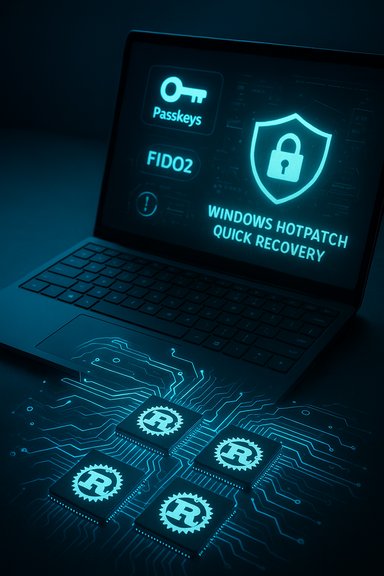
A blue-glow laptop screen shows Passkeys, FIDO2, and a shield icon over circuitry.Background / Overview​

Microsoft launched the Secure Future Initiative to unify a company‑wide approach to design, defaults, and operations that make compromise harder and recovery faster. The initiative’s framing is simple: build secure foundations (design), ship safe configurations (defaults), and run operations that detect, prevent, and remediate incidents (operations). In practice, that requires changes across layers — hardware roots of trust, firmware, OS, identity, and cloud services — as well as convincing partners, independent hardware vendors, and enterprises to adopt new patterns.
The November 2025 progress update lays out several cross‑product advances for Windows 11 and Surface that illustrate the initiative at work. Key items called out include:
  • Passwordless sign‑in using passkeys and FIDO2 credentials as a default path.
  • Phishing‑resistant multifactor authentication (MFA) deployment guidance and integrations.
  • Improvements to Windows Hotpatch to reduce reboots and patch pain.
  • New quick machine recovery capabilities that shorten time to restore after compromise.
  • Surface engineering work targeting modern, memory‑safe UEFI firmware and drivers written in Rust, with portions open‑sourced for ecosystem use.
These items are meaningful on paper — authentication is the vector for most account takeovers, firmware remains a prime target for persistent compromise, and operational friction (patch reboots, slow recovery) undermines security hygiene. The next sections unpack each area, assess technical implications, and evaluate the likely impact for organizations and end users.

Windows 11: Authentication, Patching, and Recovery​

Passwordless sign‑in: passkeys and FIDO2​

Microsoft’s push toward passwordless authentication is now centered on passkeys and FIDO2 credentials, moving passwordless from optional to the recommended path. Passkeys — cryptographic credentials stored on a device or in platform authenticators — remove reusable secrets and make credential phishing far more difficult.
Benefits of the shift are concrete:
  • Phishing becomes ineffective because there is no shared secret to coerce.
  • Credential theft from servers is less useful since passkeys are not reusable passwords.
  • End‑user experience can improve with consistent single‑tap sign‑in across devices and web.
However, there are operational realities and risks to manage. Device provisioning, cross‑device credential portability, and legacy application support remain sources of friction. Many enterprises maintain legacy apps that still rely on password‑based SSO or non‑FIDO MFA adapters, requiring integration work or application modernization. Large organizations must also account for recovery paths when hardware tokens or platform authenticators are lost; policy and support systems must be in place to avoid account lockouts.

Phishing‑resistant multifactor authentication​

Microsoft highlights progress on deploying phishing‑resistant MFA — methods that are not vulnerable to real‑time phishing and man‑in‑the‑middle attacks, such as hardware-backed FIDO2 tokens and passkeys. This aligns with modern Zero Trust practices where identity is validated through strong cryptographic attestations, not just possession of a code.
Practical considerations:
  • Rolling out phishing‑resistant MFA at scale requires device inventory, user training, and ticketing/process adjustments for lost or damaged tokens.
  • Cost modelling is required for hardware tokens vs. platform authenticators, though platform passkeys reduce hardware spend.
  • Integration with third‑party identity providers and legacy SAML/OAuth applications can be uneven; migration plans must be staged.

Windows Hotpatch: reducing reboots and patching friction​

Windows Hotpatch aims to apply security fixes without requiring system reboots, or at least to minimize them, which directly supports higher patch adoption and reduces the window of exposure. Minimizing downtime is particularly important for always‑on services and distributed endpoints where reboot schedules are hard to coordinate.
Key advantages:
  • Faster deployment of critical fixes with less operational disruption.
  • Higher patch coverage because organizations are less likely to delay installations.
Limitations and caveats:
  • Not every patch can be hotpatched; architectural constraints mean some kernel or driver changes still require restarts.
  • Observability is critical: organizations must retain strong telemetry to ensure hotpatched systems are behaving correctly post‑patch.

Quick machine recovery and incident readiness​

“Quick machine recovery” is a category of features promising faster, more reliable restoration of endpoints after compromise or failure. These capabilities include streamlined system rollback, robust recovery images, and automation to reimage or restore machines with minimal admin intervention.
Why this matters:
  • Attackers increasingly target endpoint availability and persistence; fast recovery reduces attacker dwell time and business impact.
  • Automation reduces manual steps that often introduce errors during incident response.
Operational tradeoffs:
  • Recovery tooling must be tightly integrated with endpoint management systems (MDM, EDR) and backed by tested runbooks.
  • Automated recovery must be secure: recovery images and processes must be tamper‑resistant and validated to avoid restoring compromised states.

Surface: Firmware, Rust, and Memory Safety​

Memory‑safe UEFI firmware and Rust drivers​

Surface engineering teams have signaled a deliberate move toward memory‑safe UEFI firmware and drivers implemented in Rust, with parts open‑sourced for the broader ecosystem. The core argument is straightforward: memory safety eliminates whole classes of vulnerabilities (use‑after‑free, buffer overflows) that are historically prevalent in low‑level firmware and drivers.
Expected benefits:
  • Reduced vulnerability density in firmware and driver code.
  • Easier reasoning about safety guarantees, which simplifies firmware audits and verification.
  • A potential ecosystem uplift if OEMs and partners adopt the same approach.
Realities and limitations:
  • Rust adoption for firmware and drivers is non‑trivial. Existing codebases, toolchains, and testing frameworks are C/C++ centric.
  • Interoperability layers between Rust and existing C code must be carefully audited to prevent introducing thin‑binding vulnerabilities.
  • Not all firmware components are trivially rewritten; some low‑level device initialization logic, BSP code, or vendor IP may remain in C for years.

Open sourcing and ecosystem impact​

Publishing Rust firmware components and drivers into open source is strategically significant. It enables external review, fosters community testing, and gives partners a blueprint to modernize their stacks.
Implications for security and supply chain:
  • Open sourcing increases transparency — reviewers can find defects earlier — but also exposes implementation details to attackers. Proper disclosure and coordinated vulnerability response remain essential.
  • The open‑source artifacts can accelerate OEM adoption, but supply‑chain risk management must ensure that derivatives do not reintroduce insecure patterns.
  • Tooling and CI/CD for firmware must scale; reproducible builds, signed firmware, and secure provisioning are prerequisites for trust.

Cross‑Product SFI Progress: Azure, Microsoft 365, and Operations​

SFI isn’t limited to endpoints. Progress across Azure and Microsoft 365 shows the initiative’s intent to harden the entire stack — identity, data, workloads, and telemetry pipelines.
Notable themes:
  • Stronger identity protections and enforcement of passwordless and phishing‑resistant MFA across cloud services.
  • Improvements in telemetry collection and automated response capabilities that feed into detection and remediation.
  • Hardening of service infrastructure and default configurations to reduce misconfiguration risk.
Operationally, this requires enterprises to adopt a coordinated posture — identity hygiene, endpoint hardening, secure configuration baselines, and continuous monitoring — to realize the full security benefits.

Critical Analysis: Strengths and Notable Gains​

Engineering focus on attack surface reduction​

The most laudable aspect of Microsoft’s SFI push is the clear focus on attack surface reduction. Moving authentication to cryptographic, phishing‑resistant methods and rewriting firmware components in memory‑safe languages are targeted investments that strike at common exploitation vectors.
  • Authentication hardening addresses the single largest root cause of breaches: compromised credentials.
  • Memory safety in firmware and drivers addresses a persistent and high‑impact attack surface that historically yielded stealthy, persistent malware.
These are meaningful design decisions that, when implemented broadly, can change the baseline risk profile for consumers and organizations.

Operational realism: reducing friction​

Microsoft is also attacking the human factor with operational improvements like Hotpatch and quick recovery. Security that increases operational burden often fails in practice. By reducing reboots, automating recovery, and promoting safer defaults, SFI demonstrates awareness that usability and security must be co‑designed.

Ecosystem leadership and open sourcing​

Open sourcing memory‑safe firmware pieces and driver components signals leadership. If major OEMs and silicon vendors coalesce around these patterns, the industry could accelerate a systemic improvement in firmware security.

Risks, Gaps, and Open Questions​

Deployment, compatibility, and legacy fidelity​

A consistent risk is the large installed base of legacy applications, devices, and enterprise processes. Shifting to passkeys or Rust‑based firmware doesn’t immediately reconcile with older SAML integrations, custom drivers, or proprietary firmware components embedded in third‑party peripherals.
  • Enterprises with long lifecycles or medical/industrial endpoints will face complex transition plans.
  • The cost and effort required to refactor or replace legacy elements will be non‑trivial.

Tooling and developer ecosystem readiness​

Rust for firmware is promising, but the ecosystem must mature:
  • Vendors need robust, audited libraries for low‑level operations, hardware abstraction, and secure binding to C runtimes.
  • Debugging, crash analysis, and performance tooling for Rust in constrained firmware environments must be industrial strength.
  • Training and recruitment pipelines must be built so firmware teams can adopt Rust without productivity collapses.

Open source transparency vs. attacker intelligence​

Open sourcing firmware increases peer review, but it also makes attack surface details visible. Coordination between disclosure timelines, firmware signing practices, and update pipelines must be ironclad. Public code can accelerate both defense and offense; balanced disclosure policies and secure build/release mechanisms are essential.

Supply chain and third‑party dependencies​

Firmware and driver security improvements do not fully address supply‑chain threats in manufacturing, firmware build farms, or third‑party binary blobs. Trusted provisioning, reproducible builds, and signed firmware delivery chains remain core to preventing compromised artifacts from reaching devices.

Measurement: security outcomes versus feature counts​

Progress reports often enumerate features shipped, but the real metric is reduction in successful compromises and mean time to detect/respond. Enterprises need empirical signals — e.g., reductions in credential theft incidents, lower prevalence of firmware exploits in the wild, and faster recovery times — not only feature checklists.
Where claims are not directly backed by independent telemetry, treat them as positive signals but requiring further validation through third‑party measurement and enterprise pilots.

Practical Guidance for IT and Security Teams​

Organizations planning to adopt or evaluate Microsoft’s SFI‑aligned features should consider a staged, measurable approach:
  • Inventory and Prioritize
  • Enumerate critical assets, legacy apps, and endpoints that will be affected by passwordless and firmware changes.
  • Prioritize by business impact and exposure.
  • Pilot Passwordless and Phishing‑Resistant MFA
  • Start with security‑savvy user groups and high‑privilege accounts.
  • Validate account recovery flows, token lifecycle, and cross‑device portability.
  • Harden Patch and Recovery Processes
  • Test Hotpatch workflows in representative environments to confirm applicability and rollback.
  • Integrate quick recovery playbooks with EDR, MDM, and asset management systems.
  • Firmware and Driver Roadmap
  • For managed Surface fleets, evaluate firmware change management, secure boot, and attestation capabilities.
  • For heterogeneous fleets, require OEMs to demonstrate signed firmware, reproducible builds, and secure provisioning.
  • Update Runbooks and Training
  • Add new recovery procedures to incident response documentation.
  • Train helpdesk and SOC teams on passkey enrollment, token lifecycle management, and Rust‑related validation checks if applicable.
  • Measure Outcomes
  • Define KPIs: patch adoption rate, mean time to recovery, number of credential‑based incidents, and firmware‑related vulnerabilities found in production.
  • Use these signals to iterate policy and tooling.

What Enterprises Should Watch Next​

  • Adoption metrics for passkeys and FIDO2 within enterprise Azure AD tenants.
  • Expansion of Hotpatch coverage and visibility into which KBs are hotpatchable versus requiring reboots.
  • Public tooling and libraries for Rust firmware development and device driver ecosystems.
  • Evidence of reduced firmware exploit incidents or independently verified vulnerability counts.
  • How OEMs and silicon partners adopt or adapt Microsoft’s open‑source Rust artifacts.
  • Sessions and announcements at events (including Ignite) that provide technical deep dives, deployment guidance, and roadmaps.

Realistic Timeline and Expectations​

Security transitions at scale are multi‑year efforts. Authentication migrations and firmware rewrites are foundational but incremental. Expect phased adoption:
  • Short term (6–18 months): Pilots and selective rollouts for passkeys and FIDO2; Hotpatch adoption in cloud‑first fleets; Surface fleets receive incremental firmware improvements.
  • Medium term (18–36 months): Broader migration of enterprise accounts to passwordless; increased Rust usage in new firmware components and drivers; measurable operational gains in patching and recovery.
  • Long term (3+ years): Industry‑wide shifts in firmware development practices and stronger baseline security for commodity devices, conditional on broader OEM adoption and supply‑chain reforms.

Conclusion​

Microsoft’s November 2025 progress update paints a coherent strategy: move identity to cryptographic methods, harden firmware with memory‑safe languages, and reduce operational friction to make security practical at scale. These are precisely the right levers to pull to reduce systemic risk in modern computing environments.
The strengths are clear — targeted engineering on high‑impact vectors and a realistic focus on operational usability. The remaining challenges are organizational and systemic: migrating legacy systems, maturing toolchains for Rust firmware, securing supply chains, and producing independent outcome metrics that prove real‑world risk reduction.
For defenders and IT leaders, the immediate steps are practical: pilot passwordless and phishing‑resistant MFA, validate Hotpatch and recovery capabilities, and demand transparent firmware supply‑chain assurances from OEM partners. For the broader ecosystem, Microsoft’s moves should accelerate industry conversations about memory safety, signed firmware, and identity‑first security — conversations that must translate into measurable reductions in compromise, not just checkboxes in a progress report.
Cautious optimism is the right stance: the engineering direction is promising and likely to harden critical attack surfaces, but the security community will need to measure results, manage transitions thoughtfully, and insist on rigorous supply‑chain and operational practices to realize the full promise of a more secure Windows and Surface ecosystem.

Source: Thurrott.com Microsoft Touts Recent Windows 11 and Surface Security Wins
 

Back
Top