

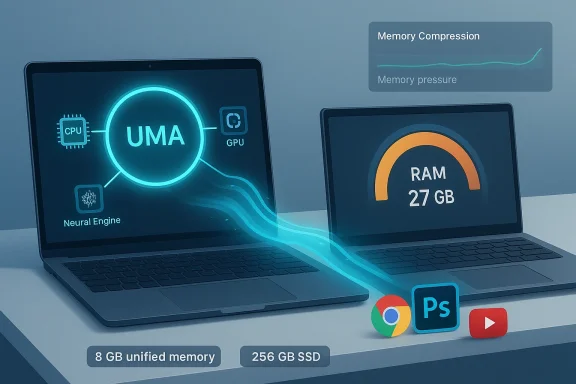
When a $599 laptop from Apple shipped with just 8 GB of unified memory, the reaction from many Windows users was instant and visceral: laugh, scoff, move on. But the headline from Tom’s Guide — that a MacBook Neo with 8 GB of unified memory used far less RAM for the same workload than a Windows 11 laptop — isn’t just clickbait. It forces a deeper, practical conversation about how modern operating systems use memory, not just how much memory is present on a spec sheet. The Tom’s Guide test that triggered the debate is concrete: the MacBook Neo, with 8 GB of unified memory, logged roughly 7.24 GB of total memory use for a set of realistic desktop tasks while an Asus ProArt laptop with 128 GB of RAM consumed about 27.1 GB for the same work. Those figures — and the outraged, sometimes misinformed response they prompted — are the starting point for a careful technical and strategic look at what Apple’s design choices mean for buyers, and what Microsoft and PC OEMs might learn about affordable computing. rview
Apple’s new MacBook Neo collapsed the company’s price floor and introduced a 13‑inch laptop built around an A18 Pro SoC, a 256 GB SSD, and 8 GB of unified memory, starting at $599 (education pricing reported lower). Apple’s official announcement and the early reviews confirm the specs and price position the Neo as a purposefully constrained, highly optimized entry‑level Mac. Apple itself frames the machine as a tightly integrated, efficiency‑first product that leverages its smartphone‑class silicon and macOS memory model to deliver usable performance at a low price.
Tom’s Guide set up a simple, reproducible workload: Google Chrome with 20 tabs (one playing a 4K YouTube stream, memory saver off), Apple Music playing audio, and Adobe Photoshop open. They compared memory usage on the MacBook Neo and an Asus ProArt GoPro Edition running Windows 11 (with vastly more physical RAM), and reported apparent discrepancies both at the app level and in total system memory usage. The most striking number was the nearly 4× difference in “total memory used” between the machines for the same tasks, a he “lol 8GB” responses.
Two crucial caveats must accompany any analysis that leans on those numbers:
At the same time, it’s important not to over‑claim. Any claim that “8 GB equals 32 GB” is hyperbolic. Unified memory and compression change tradeoffs — they don’t remove them. For heavy, capacity‑sensitive workloads, nothing replaces physical RAM.
At the same time, the Neo highlights two market truths that Windows OEMs, Microsoft, and buyers should not ignore:
In short: the Neo’s 8 GB is not a magic bullet, but it is a well‑executed tradeoff — a reminder that software and architecture choices often matter as much as raw hardware counts. That’s the lesson critics should take from these tests, and the one Microsoft and PC makers should hear loud and clear as competition for the low end of the laptop market intensifies.
Source: Tom's Guide https://www.tomsguide.com/computing...-so-i-tested-it-and-the-results-are-shocking/
Apple’s new MacBook Neo collapsed the company’s price floor and introduced a 13‑inch laptop built around an A18 Pro SoC, a 256 GB SSD, and 8 GB of unified memory, starting at $599 (education pricing reported lower). Apple’s official announcement and the early reviews confirm the specs and price position the Neo as a purposefully constrained, highly optimized entry‑level Mac. Apple itself frames the machine as a tightly integrated, efficiency‑first product that leverages its smartphone‑class silicon and macOS memory model to deliver usable performance at a low price.
Tom’s Guide set up a simple, reproducible workload: Google Chrome with 20 tabs (one playing a 4K YouTube stream, memory saver off), Apple Music playing audio, and Adobe Photoshop open. They compared memory usage on the MacBook Neo and an Asus ProArt GoPro Edition running Windows 11 (with vastly more physical RAM), and reported apparent discrepancies both at the app level and in total system memory usage. The most striking number was the nearly 4× difference in “total memory used” between the machines for the same tasks, a he “lol 8GB” responses.
 What Apple did: Unified memory and tighter system control
What “unified memory” really means
Apple’s unified memory architecture (UMA) integrates CPU, GPU, and Neural Engine access to a single physical pool of LPDDR memory on the SoC. Unlike typical x86 laptops that separate system RAM and GPU memory or rely on discrete GPU VRAM, Apple’s UMA permits zero‑copy sharing between processors and removes many data duplication and transfer costs. That design is a hardware‑level enabler for the kinds of memory efficiencies we see on Apple Silicon Macs. Apple’s announcement materials and technical briefings emphasize that this single pool, combined with fast memory controllers and high bandwidth on‑chip interconnects, changes the economics of how much memory a system needs to deliver a smooth user experience.macOS memory management: compression, app nap, and memory pressure
macOS has employed aggressive memory management techniques for years: memory compression, app nap (suspending background apps that meet certain conditions), and a kernel that prefers compressing inactive pages instead of immediately swapping them to disk. Apple introduced compressed memory back in OS X Mavericks and has refined it across ARM‑based Apple Silicon. Combined with UMA, these techniques allow macOS to present a much lower apparent memory footprint in Activity Monitor while still maintaining responsiveness. macOS reports “memory pressure” as the primary metric of real impact; a green Memory Pressure graph suggests compression and sharing are doing their job even if raw “used RAM” numbers look small.How Windows approaches memory: cache‑heavy and readiness‑oriented
SysMain (SuperFetch) and the “fill the RAM for speed” philosophy
Windows’ memory strategy has historically been to use available RAM aggressively to cache data and prefetch application code so that things open instantly. Services like SysMain (formerly SuperFetch) analyze usage patterns and preload frequently used bits into RAM. Task Manager’s memory readouts reflect both actively used memory and large caches that Windows holds in standby; those caches are immediately reclaimable but inflate the “used” number. The idea is simple: when RAM is cheap and plentiful, keep it full so the system spends less time waiting for disk IO. Microsoft has embraced memory compression too, but the broader Windows design remains more tolerant of large background reserves and preloads than macOS.Memory compression on Windows
Windows also compresses memory (the Memory Compression feature) to defer writes to pagefile and to keep more data in RAM, reducing expensive disk IO. The implementation differs in nitty‑gritty details — algorithms used, when compression triggers, prioritization of foreground workloads — but compression is now a cross‑platform technique. Windows’ telemetry‑driven prefetch and background service behavior, however, can cause Task Manager to show far higher baseline memory usage even when the system is effectively responsive for the user’s foreground tasks.Dissecting the Tom’s Guide test: apples and oranges — and important lessons
Tom’s Guide’s headline numbers are simple and provocative: Chrome with 20 tabs consumed 1.67 6 GB on the Asus; Photoshop used nearly the same on both (3.86 GB vs 3.85 GB); Apple Music was similar. The total system memory readouts were 7.24 GB on the MacBook Neo versus 27.1 GB on the Windows machine for the same visible workload. Those per‑app figures tell a story: some apps behave similarly across platforms (Photoshop), but browsers and OS‑level caching differ dramatically.Two crucial caveats must accompany any analysis that leans on those numbers:
- The Windows machine in the test had a radically different hardware profile (128 GB RAM). Prefetch engines, driver frameworks, and background services scale behavior to the hardware available; a machine with more RAM will often retain more cached data simply because there’s room to do so. That inflates the apparent “used RAM” without necessarily indicating worse responsiveness in real tasks.
- The macOS Activity Monitor and Windows Task Manager show different viewpoints. Activity Monitor emphasizes memory pressure and active working set sizes; Task Manager shows multiple categories (In use, Standby, Compressed) that many users misinterpret. The difference between “used” and “effectively reserved” memory is an OS UX issue as much as a kernel design one.
Strengths of Apple’s approach
- Efficiency-by-design: UMA plus tight OS/SoC integration reduces duplicate buffers and data transfers between CPU and GPU, saving both memory and power compared with conventional discrete architectures.
- Lower cost of entry: By shipping a working, usable laptop at $599, Apple expands the market of macOS users and forces a reexamination of what “baseline” hardware must include. That changes buyer expectations and OEM pricing strategies.
- Thermal and power advantages: A single, integrated memory pool with fast on‑chip access reduces the need to move bulk data across power‑hungry buses, which helps a fanless chassis stay cool and efficient under typical loads.
- Real‑world responsiveness: For many consumer workflows (web browsing, streaming, office apps, light photo edits), macOS’s memory management plus UMA provides a snappy experience without requiring large memory capacities.
Risks and hard limits: when 8 GB will bite you
Apple’s efficiency is impressive — but it’s not magic. There are clear scenarios where 8 GB unified memory is a practical limit, not a strength.1) Virtual machines, heavy local AI models, and pro workflows
Running Windows in Parallels, hosting multiple VMs, or working with large local AI models (LLMs, big datasets, video editing timelines) demand not just memory bandwidth but capacity. VMs and large model state cannot be compressed away or easily shared between CPU and GPU without cost. Parallels’ early notes are cautious: the Neo can “run” VMs, but real‑world performance depends on workload fit. If your workflow includes VMs, large datasets, or heavy multitasking, 8 GB is likely to become a bottleneck quickly.2) No RAM upgrade path
Apple’s soldered unified memory means buyers must forecast their needs for the laptop’s life. That’s a risk for anyone who plans to keep a machine for several years while their workloads grow. The $599 price is enticing, but the lack of upgradeability means the device isn’t a long‑term platform for higher‑demand computing.3) Compression is not free
Memory compression consumes CPU cycles and introduces latency on decompress operations. For typical interactive use this cost is small and often hidden, but for low‑latency, constant compute workloads (real‑time audio, professional video render pipelines, or inference tight loops) the overhead can be measurable and penalizing versus having raw physical RAM available.4) Gaming and GPU‑heavy workloads
Discrete GPUs with dedicated VRAM still dominate for gaming and certain GPU compute tasks. Apple’s integrated GPU and UMA are efficient, but for sustained high‑frame‑rate gaming or large‑scene 3D workloads, a dedicated GPU with its own VRAM and a PC’s capacity advantages remain superior. OEMs and PC makers will not cede that corner of the market easily.What Microsoft and PC OEMs can learn (and what they should do)
Apple’s Neo is not a one‑size‑fits‑all indictment of Windows hardware design, but it is a wake‑up call about how much user‑visible performance depends on software and system tuning, not just raw memory counts.- Trim unnecessary background hoarding. Windows could tighten heuristics about what gets preloaded on devices with constrained memory. SysMain and other prefetch services do help on older hardware or HDDs, but on low‑memory NVMe notebooks they can create perception problems. OEM firmware and OEM images should tune SysMain and prefetch behavior for low‑RAM SKUs.
- Make memory UX clearer. Task Manager’s multiple categories are honest but confusing. Microsoft could surface a clearer, user‑friendly “memory pressure” or “reclaimable” indicator for casual users and show why high numbers aren’t always a problem.
- Invest in better OS‑level compression / prioritization tradeoffs. Compression is useful, but the balance of CPU cost vs swap avoidance matters more on low‑power devices. Smarter policies that prioritize low-latency foreground tasks and throttle background compression could reduce battery and responsiveness penalties.
- Encourage RAM‑efficient app designs. OA initiatives to nudge heavy apps (browsers, Electron apps, and some cross‑platform frameworks) to be more memory-aware for low‑RAM devices would pay dividends across the ecosystem.
- Offer clear SKU differentiation. If OEMs sell low‑price Windows laptops with 8 GB of RAM, they should make explicit what workloads are supported (education/office vs content creation/gaming) to avoid buyer regret and backlash.
Practical guidance for buyers: match the machine to the task
- If you need a light, portable, day‑to‑day machine for browsing, streaming, email, and occasional photo edits: the MacBook Neo shows that a tightly integrated SoC + OS can make 8 GB feel acceptable for those workflows. Apple’s unified memory, compression, and app nap mechanics are collectively optimized for exactly that profile.
- If you’re a power user who runs VMs, large IDEs, numerous browser tabs with heavy web apps, or local AI workloads: plan to buy more RAM or a system that allows upgrades. On Windows, the headroom of extra RAM is often the cheapest and most reliable way to avoid the OS hitting the pagefile and suffering latency spikes.
- Gamers and GPU workstation users should still prefer discrete GPUs and systems with dedicated video memory. That remains the fastest path to consistent frame rates and high sustained throughput.
Where the debate goes off rails — and where it’s genuinely useful
A lot of the online snark around “8 GB is ridiculous” is a surface‑level reaction to a spec sheet. The more interesting, useful argument is: What does the typical user actually need, and how can software compress and orchestrate resources to deliver that experience at a given price point? Tom’s Guide’s published numbers are a useful data point precisely because they force us to look beyond the “RAM number” and into distribution, compression, and prefetch strategies. But those numbers are not universal prescriptions: the tested Windows machine had vastly more RAM and a different background configuration, so it is not a perfectly controlled, apples‑to‑apples scientific comparison. Still, the results are a clear signal that Apple’s architecture and software integration can materially reduce usable memory needs for common consumer tasks.At the same time, it’s important not to over‑claim. Any claim that “8 GB equals 32 GB” is hyperbolic. Unified memory and compression change tradeoffs — they don’t remove them. For heavy, capacity‑sensitive workloads, nothing replaces physical RAM.
Final analysis: why the Neo matters — and what to watch next
The MacBook Neo is less about a magical memory savings trick and more about a co‑designed stack: SoC hardware, memory architecture, and OS memory policies working together to make everyday tasks feel snappy on a very low price point. That design lets Apple undercut traditional price expectations and put macOS into an even wider set of hands, while preserving a mostly frictionless user experience for its target audience.At the same time, the Neo highlights two market truths that Windows OEMs, Microsoft, and buyers should not ignore:
- Efficiency matters — real hardware innovation and OS tuning can reduce the need for hardware overprovisioning.
- Capacity still matters — for professionals, gamers, and anyone running VMs or large local models, physical memory is still the most reliable performance lever.
In short: the Neo’s 8 GB is not a magic bullet, but it is a well‑executed tradeoff — a reminder that software and architecture choices often matter as much as raw hardware counts. That’s the lesson critics should take from these tests, and the one Microsoft and PC makers should hear loud and clear as competition for the low end of the laptop market intensifies.
Source: Tom's Guide https://www.tomsguide.com/computing...-so-i-tested-it-and-the-results-are-shocking/
