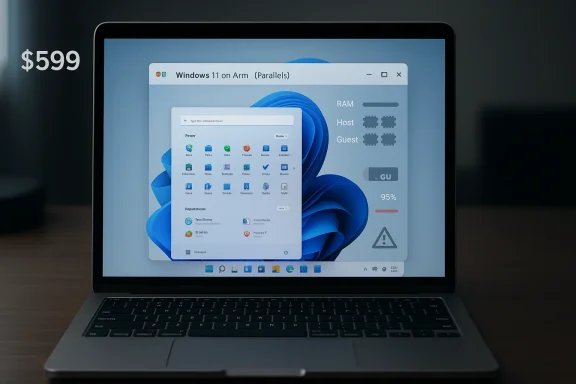
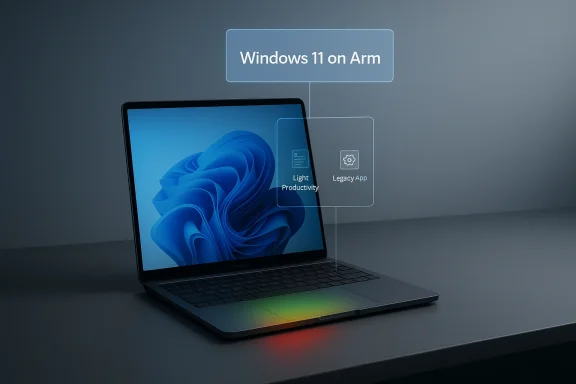
Parallels Desktop for Mac can make a MacBook Neo feel more versatile than Apple’s price tag suggests, but the story is really about boundaries, not miracles. Parallels’ own compatibility guidance says the MacBook Neo can run Windows 11 on Arm through virtualization, while Apple’s launch materials show the machine is built around an A18 Pro chip, 8 GB of unified memory, and a fanless design aimed at efficiency rather than sustained workstation loads (kb.parallels.com). In practical terms, that means Windows inside Parallels is viable for light productivity, legacy utilities, and occasional business apps — not a green light for everyone tows laptop overnight
Apple’s March 2026 introduction of the MacBook Neo changed the conversation around entry-level Macs by collapsing the company’s notebook price floor to $599. The device is notable not simply because it is cheaper, but because it is the first Mac to use an A18 Pro chip from the iPhone family rather than an M-series processor, signaling a clear trade-off between cost, thermals, and sustained performance (apple.com).
That hardware choice matters because virtualization is never just a software feature. Parallels Desktop depends on available memory, CPU headroom, storage performance, and thermal stability, all of which become more constrained when the host machine is an 8 GB, fanless laptop. Apple’s own testing for the MacBook Neo emphasized battery life and responsiveness under mainstream workloads, not heavy sustained multitasking or Windows-heavy enterprise scenarios (apple.com).
Parallels has spent years positioning itself as the safest and most polished way to run Windows on Apple silicon, and its latest product messaging reinforces that role. The company says Parallels Desktop is authorized by Microsoft to run the Arm version of Windows 11 on Apple silicon Macs, and its newest release adds compatibility with Windows 11 25H2 alongside IT management features and x86 emulation preview support for some legacy use cases (parallels.com).
The significance of the MacBook Neo story is not that Windows is suddenly “native” on a $599 Mac. Rather, it is that the entry point for Mac ownership has become low enough that many buyers will at can bring a small Windows dependency with them. That is a meaningful shift for mixed-platform households, students, consultants, and mobile workers who have historically bought Windows machines simply for one stubborn application
One reason this matters now is that the Windows ecosystem has become increasingly flexible on Arm, but still uneven. Microsoft’s own authorization of Windows 11 on Arm in virtualized environments helps Parallels, yet app compatibility, driver support, and memory pressure still determine whether the experience feels elegant or merely possible (parallels.com). The Neo is therefore best understood as a test case for the modern boundary between macOS and Windows, not as a universal answer.
But “can run” and “runs well” are very different claims. The early notes reflected in the forum material stress that virtual machines install and start stably, yet real-world performance depends heavily on the workload inside Windows . A lightweight accounting tool, a browser-based CRM, or a legacy line-of-business app is one thing. Compiling software, running large spreadsheet models, or juggling multiple memory-hungry enterprise apps is something else entirely.
That is why the Neo story is so revealing. The machine proves that Windows on Mac is no longer an elite, expensive proposition reserved for MacBook Pro buyers. At the same time, it also proves that memory floors still shape user expectations more than marketing slogans do.
This is where Parallels becomes more interesting than a simple checkbox. The software can make the MacBook Neo useful for users who need occasional Windows access, but it cannot change the fact that the underlying machine is designed for portability and low power draw. In the article’s forum-derived material, that point is made repeatedly: the Neo can host Windows, but it is not meant to become a full-time Windows workstation
For consumers, this is a pragmatic compromise. For enterprises, it is a warning label.
Still, Arm compatibility is not identical to native x86 Windows. Many apps now run fine, some run through emulation, and some remain awkward or unsupported. That matters most for enterprise users whose workflows depend on older peripherals, signed drivers, or legacy software that was never rebuilt for the new architecture.
That is why the best-case scenario for the MacBook Neo is narrow but valuable. A sales rep who needs one Windows-only reporting tool. A student who needs a campus app for one class. A consultant who wants to avoid carrying a second machine. Those are realistic use cases.
For power users, though, the appeal shrinks quickly. The machine is not built for frequent swapping between large Windows workloads and macOS tasks under sustained load.
The problem is that enterprise IT is allergic to ambiguity, and the Neo introduces plenty of it. A laptop that can technically run Windows in a VM may still fail procurement tests if departments expect long-lived multitasking performance, large local datasets, or multiple virtual desktops. That distinction will matter in actual buying decisions.
That leaves enterprises with a sharper segmentation strategy:
But this is also where expectations can become dangerous. People hear “Windows runs on the MacBook Neo” and assume equivalence with a Windows notebook. That is the wrong mental model. The better model is a lightweight host that can occasionally impersonate a Windows PC when the task is small enough.
The most helpful advice is simple: if you are buying the Neo because you want a Mac, that is one decision. If you are buying it because you want a cheap Windows machine, that is a different decision entirely.
That is an awkward message for traditional PC vendors. If a budget Mac can satisfy a slice of Windows-dependent users through virtualization, then the value proposition of some entry-level Windows systems gets weaker. The counterargument is that dedicated Windows hardware still wins on native compatibility, expandability, and long-session productivity.
That is a dangerous segment to lose because it is large, price-sensitive, and often brand-agnostic.
The more interesting possibility is behavioral rather than technical. If enough users discover that they only need a small slice of Windows, the market may become more accepting of mixed-platform computing. In that world, the MacBook Neo is not a replacement for a Windows PC; it is a demonstration that many people no longer need one full-time.
Source: Thurrott.com Parallels Desktop for Mac - Thurrott.com
 Background
Apple’s March 2026 introduction of the MacBook Neo changed the conversation around entry-level Macs by collapsing the company’s notebook price floor to $599. The device is notable not simply because it is cheaper, but because it is the first Mac to use an A18 Pro chip from the iPhone family rather than an M-series processor, signaling a clear trade-off between cost, thermals, and sustained performance (apple.com).That hardware choice matters because virtualization is never just a software feature. Parallels Desktop depends on available memory, CPU headroom, storage performance, and thermal stability, all of which become more constrained when the host machine is an 8 GB, fanless laptop. Apple’s own testing for the MacBook Neo emphasized battery life and responsiveness under mainstream workloads, not heavy sustained multitasking or Windows-heavy enterprise scenarios (apple.com).
Parallels has spent years positioning itself as the safest and most polished way to run Windows on Apple silicon, and its latest product messaging reinforces that role. The company says Parallels Desktop is authorized by Microsoft to run the Arm version of Windows 11 on Apple silicon Macs, and its newest release adds compatibility with Windows 11 25H2 alongside IT management features and x86 emulation preview support for some legacy use cases (parallels.com).
The significance of the MacBook Neo story is not that Windows is suddenly “native” on a $599 Mac. Rather, it is that the entry point for Mac ownership has become low enough that many buyers will at can bring a small Windows dependency with them. That is a meaningful shift for mixed-platform households, students, consultants, and mobile workers who have historically bought Windows machines simply for one stubborn application
One reason this matters now is that the Windows ecosystem has become increasingly flexible on Arm, but still uneven. Microsoft’s own authorization of Windows 11 on Arm in virtualized environments helps Parallels, yet app compatibility, driver support, and memory pressure still determine whether the experience feels elegant or merely possible (parallels.com). The Neo is therefore best understood as a test case for the modern boundary between macOS and Windows, not as a universal answer.
What Parallels Actually Confirmed
Parallels’ compatibility page makes the core point plainly: the MacBook Neo can run Windows 11 using Parallels Desktop, because Apple silicon Macs can virtualize the Arm version of Windows 11 (kb.parallels.com). That confirmation is important because it removes the biggest uncertainty for potential buyers wpple’s low-cost model had been cut too aggressively for virtualization to work at all.But “can run” and “runs well” are very different claims. The early notes reflected in the forum material stress that virtual machines install and start stably, yet real-world performance depends heavily on the workload inside Windows . A lightweight accounting tool, a browser-based CRM, or a legacy line-of-business app is one thing. Compiling software, running large spreadsheet models, or juggling multiple memory-hungry enterprise apps is something else entirely.
Compatibility Versus Capacity
The technical implication is simple: Parallels is solving compatibility, not physics. On an 8 GB machine, the guest OS, host OS, browser tabs, and background services all compete for the same unified memory pool, and that competition becomes visible fast in a VM scenario (apple.com). Even when the software stack is perfectly compatible, the experience can still feel constrained.That is why the Neo story is so revealing. The machine proves that Windows on Mac is no longer an elite, expensive proposition reserved for MacBook Pro buyers. At the same time, it also proves that memory floors still shape user expectations more than marketing slogans do.
- Compatibility is real
- Headroom is limited
- Light use is the sweet spot
- Heavy multitasking will hit walls
- Thermals remain part of the equation
Why the MacBook Neo Is Different
The Neo is not just another small MacBook with a lower price. By using an A18 Pro, Apple effectively borrowed from the iPhone’s efficiency-first design philosophy and applied it to a general-purpose notebook. That gives the device excellent battery-life potential and low heat output, but it also places a natural ceiling on sustained throughput compared with higher-end M-series systems (apple.com).This is where Parallels becomes more interesting than a simple checkbox. The software can make the MacBook Neo useful for users who need occasional Windows access, but it cannot change the fact that the underlying machine is designed for portability and low power draw. In the article’s forum-derived material, that point is made repeatedly: the Neo can host Windows, but it is not meant to become a full-time Windows workstation
The Fanless Factor
Fanless design is a win for silence and battery life, but it also means sustained workloads have fewer opportunities to cheat physics. Under a VM, the host must actively manage macOS services, graphics, memory pressure, and the Windows guest at the same time. That makes thermal budgeting more important than raw benchmark headlines would suggest.For consumers, this is a pragmatic compromise. For enterprises, it is a warning label.
- Silent operation helps mobility
- Sustained VM work may throttle sooner
- Battery gains come with performance trade-offs
- 8 GB RAM is serviceable, not generous
- Storage size becomes more meaningful in VM use
What Windows 11 on Arm Means Here
Windows 11 on Arm is no longer the curiosity it once was. Parallels’ latest release explicitly supports the Arm edition of Windows 11 on Apple silicon, and Microsoft’s authorization of the product gives the platform a legitimacy boost that casual users appreciate and IT teams require (parallels.com). For the Neo, that means the guest operating system is not being forced through some unsupported back door.Still, Arm compatibility is not identical to native x86 Windows. Many apps now run fine, some run through emulation, and some remain awkward or unsupported. That matters most for enterprise users whose workflows depend on older peripherals, signed drivers, or legacy software that was never rebuilt for the new architecture.
The Legacy App Problem
Legacy app support is the hidden cost of every platform transition. Even when the guest OS launches smoothly, the actual business value depends on whether the one app a user needs is available, functional, and stable. Parallels’ x86 emulation preview helps soften that problem, but preview is not the same thing as a universal answer (parallels.com).That is why the best-case scenario for the MacBook Neo is narrow but valuable. A sales rep who needs one Windows-only reporting tool. A student who needs a campus app for one class. A consultant who wants to avoid carrying a second machine. Those are realistic use cases.
Consumer Use Case
For consumers, the attraction is obvious: buy one laptop and keep access to one Windows app or workflow that still blocks a Mac-only transition. That makes the Neo feel more forgiving than a typical budget notebook.For power users, though, the appeal shrinks quickly. The machine is not built for frequent swapping between large Windows workloads and macOS tasks under sustained load.
The Enterprise Angle
In enterprise settings, Parallels has always been more than a convenience layer. It is a migration bridge, a compatibility hedge, and occasionally a way to delay one expensive software decision by another budget cycle. The MacBook Neo could extend that role into lower-cost deployments, especially for staff who mostly live in web apps but still need a Windows utility from time to time (parallels.com).The problem is that enterprise IT is allergic to ambiguity, and the Neo introduces plenty of it. A laptop that can technically run Windows in a VM may still fail procurement tests if departments expect long-lived multitasking performance, large local datasets, or multiple virtual desktops. That distinction will matter in actual buying decisions.
IT Management Reality
Parallels has tried to address enterprise concerns with IT tools and management features in recent releases, which makes sense given its audience (parallels.com). But the Neo’s 8 GB memory ceiling is the kind of hardware constraint that central management cannot solve. An IT dashboard can monitor the issue; it cannot create more RAM.That leaves enterprises with a sharper segmentation strategy:
- Front-line and mobile users may be fine with light VM access.
- Specialized users may need a fuller MacBook or a Windows PC.
- Security-sensitive teams may prefer to avoid dual-platform sprawl.
- Software teams may still want native Windows hardware for testing.
- Admins may see the Neo as a supportable edge case, not a standard.
The Consumer Angle
For consumers, the Neo’s Parallels story has a very different emotional tone. It is about permission. A buyer who has been afraid to move to Mac because of one Windows tool can now imagine a compromise that is less painful than before. That is powerful, especially at the $599 price point (apple.com).But this is also where expectations can become dangerous. People hear “Windows runs on the MacBook Neo” and assume equivalence with a Windows notebook. That is the wrong mental model. The better model is a lightweight host that can occasionally impersonate a Windows PC when the task is small enough.
Practical Examples
A consumer using bookkeeping software, a single school app, or a dated device utility may be delighted by the result. Someone hoping to use a full Creative Cloud pipeline, large local databases, or gaming-grade Windows apps will likely be disappointed.The most helpful advice is simple: if you are buying the Neo because you want a Mac, that is one decision. If you are buying it because you want a cheap Windows machine, that is a different decision entirely.
- Great for one or two niche Windows tasks
- Not ideal for constant switching
- Better as a Mac with a Windows fallback
- Poor fit for heavier desktop workflows
- Best for users who value portability over brute force
Competitive Implications
The competitive impact here extends beyond Apple and Parallels. The Neo pressures low-cost Windows laptops by making the Mac ecosystem cheaper and more flexible than before. At the same time, it puts pressure on Microsoft’s broader Windows-on-Arm narrative by showing that Arm-based computing can work in a polished, mainstream, consumer-friendly way when the software stack is aligned (apple.com).That is an awkward message for traditional PC vendors. If a budget Mac can satisfy a slice of Windows-dependent users through virtualization, then the value proposition of some entry-level Windows systems gets weaker. The counterargument is that dedicated Windows hardware still wins on native compatibility, expandability, and long-session productivity.
Why Rivals Should Care
The real competitive risk is not that the MacBook Neo will replace every Windows PC. It is that it may replace enough of the right Windows PCs to matter in the low-end market. Those are machines purchased by users who mostly browse, write, stream, and occasionally open one legacy app.That is a dangerous segment to lose because it is large, price-sensitive, and often brand-agnostic.
- Chromebook alternatives feel less distinct
- Entry Windows laptops face new pressure
- Parallels strengthens the Mac value story
- Windows on Arm gains credibility
- Budget buyers get more cross-platform options
Strengths and Opportunities
The most compelling aspect of the MacBook Neo plus Parallels combination is that it expands what a low-cost Mac can do without pretending to be something it is not. Apple gets a sharper entry product, Parallels gets a stronger reason to matter, and users gain a credible fallback for those stubborn Windows-only tasks. That mix creates real opportunity, especially where budgets are tight and workflows are modest.- Low price point widens the audience
- Parallels adds practical cross-platform value
- Arm-based Windows is increasingly viable
- Silent fanless design improves portability
- Battery life can remain a major advantage
- Legacy app access softens platform lock-in
- IT teams get a managed virtualization path
Risks and Concerns
The biggest danger is overpromising. A machine that can launch Windows 11 in a VM is not necessarily a machine that can comfortably support everyday Windows productivity for demanding users, and the gap between those two ideas is where disappointment begins. The 8 GB memory ceiling is especially hard to ignore because it creates a permanent bottleneck rather than a temporary one (apple.com).- Users may confuse compatibility with performance
- 8 GB unified memory limits multitasking
- Heavy Windows apps can feel cramped
- Thermal throttling may appear under load
- Legacy driver and app support remains uneven
- Enterprise procurement may reject the Neo for VM-heavy roles
- Consumers may buy the wrong machine for their needs
Looking Ahead
The next question is whether Parallels and Apple can keep refining this experience without changing the basic hardware story. More software optimization will help, and Microsoft’s continuing work on Windows 11 on Arm should improve compatibility over time, but the Neo’s constraints will remain the Neo’s constraints. That means future gains are likely to come from smarter scheduling, better emulation, and more efficient app builds rather than some dramatic transformation of the platform.The more interesting possibility is behavioral rather than technical. If enough users discover that they only need a small slice of Windows, the market may become more accepting of mixed-platform computing. In that world, the MacBook Neo is not a replacement for a Windows PC; it is a demonstration that many people no longer need one full-time.
- Expect more benchmark-driven comparisons
- Watch for Parallels feature updates
- Monitor app compatibility improvements
- Track how enterprises classify the Neo
- See whether budget Windows laptops respond on price
Source: Thurrott.com Parallels Desktop for Mac - Thurrott.com
Last edited: