

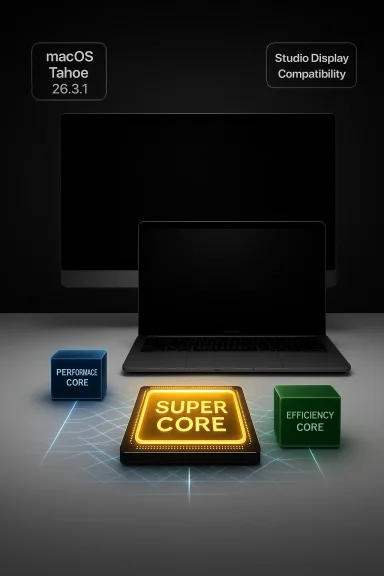
Apple’s quietly named macOS Tahoe 26.3.1 is small on visible features but consequential for two reasons: it adds official support for Apple’s freshly announced Studio Display family and it renames the high-end cores in the new M5 family to “Super Cores,” a labeling change that the OS applies retroactively to existing M5 Macs.
Apple’s March 2026 hardware and software roll included new MacBook models powered by the M5 family — M5, M5 Pro, and M5 Max — along with refreshed Studio Display and Studio Display XDR models. Apple’s product announcement framed the M5 Pro and M5 Max as using a new Fusion Architecture and a three-tier core strategy that introduces a renamed top tier called Super Cores, plus a new mid-tier Performance core and the familiar Efficiency cores. Apple’s own press materials explicitly said the “super” name would be applied across the M5 family, and macOS Tahoe 26.3.1 is the update that makes those labels appear inside macOS tools like System Information and Activity Monitor.
This is a nomenclature and compatibility update more than a functionally transformative patch: installing macOS 26.3.1 will change how the OS reports core types and will be required if you plan to use Apple’s new Studio Display hardware with a Mac. The label changes are not a firmware-level microcode overhaul that magically transforms CPU physics; they reflect Apple’s new architecture and internal core taxonomy. Multiple outlets and hands-on reporting reached the same conclusion: this is primarily a rebranding and platform-support update rather than a runtime performance tweak delivered by software alone.
Meanwhile, reviewers and mainstream outlets have already begun unpacking the architecture and its claimed gains; the consistent theme is cautious optimism until independent, reproducible benchmarks and sustained user reports clarify the practical gains and trade-offs.
This is the kind of update that rarely makes headlines for its size, but which matters for systems people: naming, identification, and compatibility are the scaffolding for everything else — from scheduler heuristics to vendor support roadmaps. Apple’s "Super Core" naming is both a reflection of silicon changes and a reminder to treat vendor headlines as the start of a verification process, not the end.
If you’re planning an upgrade or integrating the new hardware into your workflow, be methodical: back up, stage, test, and validate — and keep an eye on independent benchmarks and vendor advisories over the coming weeks for the full, trustworthy picture.
Source: TechPowerUp Apple macOS Tahoe 26.3.1 "Updates" M5 SoC With New "Super Cores" | TechPowerUp}
 Background / Overview
Apple’s March 2026 hardware and software roll included new MacBook models powered by the M5 family — M5, M5 Pro, and M5 Max — along with refreshed Studio Display and Studio Display XDR models. Apple’s product announcement framed the M5 Pro and M5 Max as using a new Fusion Architecture and a three-tier core strategy that introduces a renamed top tier called Super Cores, plus a new mid-tier Performance core and the familiar Efficiency cores. Apple’s own press materials explicitly said the “super” name would be applied across the M5 family, and macOS Tahoe 26.3.1 is the update that makes those labels appear inside macOS tools like System Information and Activity Monitor.This is a nomenclature and compatibility update more than a functionally transformative patch: installing macOS 26.3.1 will change how the OS reports core types and will be required if you plan to use Apple’s new Studio Display hardware with a Mac. The label changes are not a firmware-level microcode overhaul that magically transforms CPU physics; they reflect Apple’s new architecture and internal core taxonomy. Multiple outlets and hands-on reporting reached the same conclusion: this is primarily a rebranding and platform-support update rather than a runtime performance tweak delivered by software alone.
What macOS Tahoe 26.3.1 actually changes
1. Core labeling and what it means
- The update renames the highest-performance core class from “Performance Core” to “Super Core” in M5-based systems where applicable. The OS now shows the new naming in System Information and Activity Monitor. Apple’s announcement makes the naming and the reclassification explicit.
- For M5 Pro and M5 Max, Apple also introduced a third core tier: a new mid-range design that Apple calls Performance Cores (a term that previously described the top-tier cores in older generations). This leaves the traditional Efficiency Cores name unchanged. The net effect is three-tiered nomenclature — Super (top), Performance (mid), Efficiency (low) — that maps to actual microarchitectural differences Apple described in its announcement.
- It does not indicate a purely software-driven speed increase for existing M5 machines. The renaming is not a clock-boosting patch; performance characteristics remain determined by the silicon design, microcode, and firmware delivered with the hardware. Industry reporting and hands-on reviews emphasized that users should not expect a new release to change raw core throughput on existing machines.
2. Studio Display and Studio Display XDR support
- Apple’s release notes and coverage show macOS Tahoe 26.3.1 adds official compatibility and necessary platform hooks for the 2026 Studio Display models — including display firmware updates that macOS will apply. If you plan to use Apple’s new Studio Display hardware, the OS update is required.
3. Bug fixes and stability (minor, routine)
- As a point update (26.3.1 following 26.3), this release is largely maintenance-focused. Coverage from multiple outlets describes it as a small but necessary update to keep new hardware functioning correctly and to consolidate fixes from earlier 26.3 betas. macOS point releases frequently bundle low-level compatibility tweaks that don’t show as new user-facing features.
Why Apple renamed the cores: engineering vs. marketing
Apple’s move is best understood as a combination of real microarchitectural evolution and strategic positioning.- Engineering reality: the M5 Pro and M5 Max use a new die-level approach Apple calls Fusion Architecture (a multi-die integration that increases core counts, memory bandwidth, and per-GPU-core neural acceleration), and the CPU core designs have been rebalanced to optimize multithreaded professional workloads. Apple described the top tier as a technical evolution of the previous “Performance core,” with changes to front-end bandwidth, caches, and branch prediction. In other words, Apple has reasons to call the top cores something new.
- Marketing reality: renaming a core class to “Super Core” is also a branding move. It helps Apple draw a clearer line between the new high-end design and the performance characteristics it wants to highlight — especially the on-device AI story and per-core neural accelerators in the GPU. Industry commentary has flagged that naming changes make it easier to sell generational improvements without forcing a buyer to parse microarchitecture details. Independent analysts noted that this is at least partly messaging.
Technical implications for developers, tools, and benchmarks
Scheduler, performance counters, and tools
- Modern OS schedulers rely on core class identifiers to make smart thread placement decisions (favoring high-priority, latency-sensitive threads on top-tier cores while batching background tasks on efficiency cores). The label change in macOS 26.3.1 updates how the OS and user-facing tools report core classes, and — more importantly — is consistent with the actual hardware differences Apple described for M5 Pro/Max. Developers who tune for core behavior should audit their assumptions and confirm that their thread placement experiments still map to the intended physical cores.
- Third‑party system-monitoring tools, virtualization platforms, and benchmark utilities will need to reflect the renamed tiers. Several community and vendor threads already show early reports of tools catching up; Parallels and other virtualization vendors emphasized the need to ensure compatibility with macOS Tahoe and the M5 generation. If you use third-party monitors or profiling utilities, check for updates after installing 26.3.1.
Benchmarks and how to read them
- Apple’s performance claims (for example, up to 30% multithreaded improvements in M5 Pro/Max versus the M4 Pro/Max) come from Apple’s internal testing and should be read as manufacturer data points. Independent benchmarks are necessary to validate those numbers across real-world workloads. Be cautious about accepting headline percentage gains at face value until reviewers publish sustained, reproducible testing across multiple workloads and thermals.
- Be aware of measurement hazards:
- Mixed core designs make aggregate “cores × frequency” metrics misleading.
- Scheduling differences between operating systems can skew comparisons (macOS vs Windows on Apple silicon via virtualization is a separate variable).
- Thermal design and power targets affect sustained throughput more than peak throughput in portable Macs.
Practical risks and compatibility caveats
1. Don’t expect a magical performance jump on existing M5 machines
If you install macOS 26.3.1 on a preexisting M5 Mac, you will see updated names in system tools, but you shouldn’t expect core clocks, instruction pipelines, or sustained throughput to suddenly increase because of the OS update alone. Apple’s press materials and coverage reiterate this point: the change is nomenclature and hardware-driven, not a software overclock.2. Early-adopter instability and reported regressions
- Community reports and forum threads for macOS Tahoe’s earlier 26.x releases documented UI stutters, pointer issues, and other teething problems on some systems. While those are not universal, they are reminders that point releases can still carry platform bugs. If you depend on your Mac for production work, test the update on spare hardware or delay broadly rolling it out in managed fleets until you validate critical workloads.
- Virtualization: enterprise virtualization tools (Parallels Desktop, VMware, etc.) actively update to ensure compatibility with new macOS host behaviors. Forum threads show Parallels explicitly prepared a release to align with macOS 26 (Tahoe) changes; administrators should confirm the vendor matrix before upgrading fleet hardware.
3. Display and firmware update needs
- If you plan to use Apple’s new Studio Display or Studio Display XDR, macOS 26.3.1 is required for compatibility and to apply display firmware updates. That means any machine intended to drive the new displays should be updated before integration. If you have mixed fleets where not all machines should be upgraded immediately, plan accordingly.
What WindowsForum readers and IT pros should know
Short guidance (actionable)
- Back up first. Create a full Time Machine or image backup before upgrading to macOS 26.3.1.
- If you run mission-critical workloads, stage the update on a test device. Validate virtualization, audio/video production, and peripheral compatibility before broad deployment.
- If you rely on third‑party tools (profilers, hardware monitors, virtualization), check for vendor updates and advisories. Some tools will need to refresh how they report core counts and types.
- If you plan to buy the new Studio Display family, install macOS 26.3.1 on the host to ensure firmware updates and full feature support.
- Treat the “super core” renaming as informational — update your internal documentation and monitoring dashboards, but don’t treat it as a performance flag to reorder procurement decisions immediately; wait for independent benchmarks if raw throughput matters to you.
Longer considerations for enterprise/advanced users
- Fleet management and MDM: ensure your Mac management profiles and MDM vendor support the macOS 26.3.1 rollout. Blocklists or software restriction policies may need review because an OS point release can interact with signature-based blockers. Test Jamf, Intune, or your chosen MDM vendor’s upgrade workflows.
- Virtualization stacks: Parallels, VMware, and other virtualization providers usually publish compatibility matrices for major macOS changes. In at least one forum thread, Parallels moved to year-based versioning and highlighted macOS 26 Tahoe compatibility as a focal point — a reminder that virtualization vendors are treating macOS 26 changes seriously. Verify that your workloads (especially Windows VMs using WSL, GPU passthrough, or Thunderbolt devices) remain stable after the OS update.
- Monitoring and observability: if your alerting relies on core counts, per-core utilization reports, or labels in System Information, plan to update dashboards and log parsers so they don’t misclassify or drop data after the rename. Many monitoring solutions now include parsers specifically for macOS core classes; check for updates.
The marketing question: is “Super Core” just hype?
Short answer: partly.- There’s a substantive engineering story behind the rename. Apple’s new M5 Pro/Max core designs and Fusion Architecture are real changes that affect die layout, memory bandwidth, and the ability to scale GPU and neural performance. The company’s documentation and press materials are clear about the microarchitectural changes and the intended multithreaded throughput benefits.
- That said, renaming cores to “Super” is also a branding decision. It simplifies consumer-facing messaging and helps Apple draw a line between the new top-tier design and older generations. Observers and reviewers have pointed out that the most reliable way to evaluate the impact of these changes is through independent, sustained benchmarking across real workloads rather than headline marketing claims.
Recommended tests for enthusiasts and reviewers
If you want to validate Apple’s claims and explore the real-world impact of the M5 core changes, run a structured test suite across these areas:- Synthetic single-thread and multithread benchmarks (but don’t rely on them alone).
- Real-world production workloads:
- Video encode/export (ProRes, H.265)
- Large multi‑track audio projects
- Compiler throughput for large codebases
- Machine learning model training and inference (where on‑device Neural Engine and GPU accelerators matter)
- Thermal throttling and sustained performance tests (long runs with power/temperature logging).
- Scheduler-sensitive workloads that pin threads to specific cores; verify OS thread placement behaves as expected with the new core taxonomy.
- Display and I/O tests if you’ll use the new Studio Display family (including HDR pipeline tests for XDR displays).
Community reaction and early signals
Forum and community threads show a mixture of curiosity, skepticism, and caution. Some users framed the rename as a marketing play, while others focused on real compatibility and display-support implications. Enterprise and virtualization communities are focused on managed rollout considerations rather than semantics, and several threads emphasize careful testing before fleet upgrades. Those community discussions are an early, real-world complement to formal press coverage.Meanwhile, reviewers and mainstream outlets have already begun unpacking the architecture and its claimed gains; the consistent theme is cautious optimism until independent, reproducible benchmarks and sustained user reports clarify the practical gains and trade-offs.
Verdict: what to do now
- If you rely on new Studio Display hardware: update to macOS Tahoe 26.3.1 before integrating displays into production. The update includes necessary firmware interactions for those displays.
- If you manage mixed or mission-critical Mac fleets: stage the update, run compatibility tests, and monitor vendor advisories for virtualization and monitoring tools. Don’t push 26.3.1 to all endpoints immediately without testing.
- If you’re a power user or enthusiast: install the update on a test machine, run your baseline workloads, and follow multiple reviewer write-ups and independent benchmarks before updating lab or production machines with unique demands. Use the opportunity to validate Apple’s claims about the Fusion Architecture and the new core tiers.
- If you simply use a Mac for web browsing and office apps: the update is safe and routine. Back up first, install, and enjoy improved hardware compatibility.
Closing analysis: a small update with outsized clarity
macOS Tahoe 26.3.1 is short on flashy user-facing features but long on ecosystem significance. It signals Apple’s intention to reshape how it communicates CPU hierarchy, and it ties software identification to the architecture changes Apple shipped in M5 Pro and M5 Max. For users, the visible effect will be renamed core labels and, for Studio Display buyers, essential compatibility. For developers, toolmakers, and enterprise operators, the update is a prompt to revise assumptions, update tools, and test.This is the kind of update that rarely makes headlines for its size, but which matters for systems people: naming, identification, and compatibility are the scaffolding for everything else — from scheduler heuristics to vendor support roadmaps. Apple’s "Super Core" naming is both a reflection of silicon changes and a reminder to treat vendor headlines as the start of a verification process, not the end.
If you’re planning an upgrade or integrating the new hardware into your workflow, be methodical: back up, stage, test, and validate — and keep an eye on independent benchmarks and vendor advisories over the coming weeks for the full, trustworthy picture.
Source: TechPowerUp Apple macOS Tahoe 26.3.1 "Updates" M5 SoC With New "Super Cores" | TechPowerUp}
