

Microsoft’s MAI-Image-1 landed as a clear product‑first play: a photorealism‑focused, low‑latency text‑to‑image model built entirely in‑house and already rolling into Bing Image Creator and Copilot’s Audio Expressions, signaling Microsoft’s intent to own more of the generative-AI stack while offering creators faster, iteration‑friendly imagery. The announcement frames MAI‑Image‑1 as optimized for lighting fidelity, reflections and landscapes, and positions it as a practical tool for designers and everyday users rather than a pure research showcase. Microsoft’s own blog and early community benchmarks show the model debuted strongly in public preference testing—yet key technical details and legal/licensing boundaries remain under-specified, so prudent pilots and governance remain essential for enterprises and creators.
Microsoft’s MAI program has been explicit about building purpose‑built models for product integration rather than competing solely on parameter counts and research benchmarks. MAI‑Image‑1 follows MAI‑Voice‑1 and the MAI‑1‑preview text model as part of a deliberate shift toward first‑party capabilities engineered to be embedded directly in Microsoft products. Microsoft’s announcement emphasizes careful data selection, feedback loops with professional creatives, and a trade‑off that favors speed and interactivity for real‑world creative workflows. Why that matters: owning a model allows Microsoft to tune latency, integrate provenance and watermarking into product flows, and apply consistent safety and licensing policies across Microsoft 365 and Windows authoring surfaces. For many organizations, that level of product coordination is the practical differentiator—if the model delivers consistent quality and if Microsoft documents the governance and rights that matter for production use.
“A photorealistic close-up of a steaming bowl of ramen on a rustic wooden table, golden hour side‑lighting with soft bounce fill, 50mm lens, shallow depth of field, visible steam and glossy ceramic reflections, warm tones, realistic texture.”
“Panoramic coastal landscape at blue hour, long exposure water smoothing, dramatic cloud scattering, realistic reflections on wet rocks, 35mm wide lens, high dynamic range, photorealistic — generate four variants with subtle color temperature differences.”
Source: PhoneWorld Microsoft Launches Its First In-House AI Image Generator, MAI-Image-1 - How to Use it? - PhoneWorld
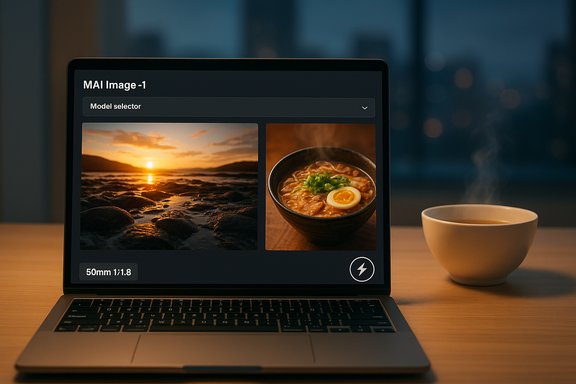 Background / Overview
Microsoft’s MAI program has been explicit about building purpose‑built models for product integration rather than competing solely on parameter counts and research benchmarks. MAI‑Image‑1 follows MAI‑Voice‑1 and the MAI‑1‑preview text model as part of a deliberate shift toward first‑party capabilities engineered to be embedded directly in Microsoft products. Microsoft’s announcement emphasizes careful data selection, feedback loops with professional creatives, and a trade‑off that favors speed and interactivity for real‑world creative workflows. Why that matters: owning a model allows Microsoft to tune latency, integrate provenance and watermarking into product flows, and apply consistent safety and licensing policies across Microsoft 365 and Windows authoring surfaces. For many organizations, that level of product coordination is the practical differentiator—if the model delivers consistent quality and if Microsoft documents the governance and rights that matter for production use. What MAI‑Image‑1 Claims to Deliver
Photorealism and lighting fidelity
Microsoft highlights MAI‑Image‑1’s strength at photorealistic outcomes: bounce light, reflections, nuanced indirect illumination and landscape composition. The company positions these aspects as the features that most often distinguish believable imagery from the “AI look” many creators try to avoid. Early vendor materials and demos show strikingly realistic lighting effects that are intended to reduce downstream cleanup.Speed and interactivity
A core product design goal for MAI‑Image‑1 is low latency: Microsoft frames the model as faster in many interactive scenarios than larger, slower competitors, enabling rapid iteration inside Copilot, Bing Image Creator and connected authoring tools. Faster generation times are pitched as a workflow multiplier—generate, tweak, and export to downstream editing faster—which is appealing for concepting, slide decks, and iterative design. Independent coverage and Microsoft’s messaging both emphasize this speed-quality balance.Early human preference signals
MAI‑Image‑1 was staged on community platforms for early preference testing and debuted in LMArena’s top‑10 text‑to‑image leaderboard (commonly reported at #9 with a preliminary score near 1,096). LMArena’s ranking is crowdsourced and reflects human voting on side‑by‑side comparisons, making it a useful early indicator of perceived visual quality—though not a rigorous technical benchmark by itself. Treat LMArena placement as an early preference signal rather than definitive proof of superiority.Where MAI‑Image‑1 Is Available Today (and How to Access It)
MAI‑Image‑1 is not being released as an independent API product at launch; Microsoft is surfacing it through existing consumer and creative endpoints:- Bing Image Creator — MAI‑Image‑1 appears alongside other image models (including third‑party engines) in the Bing Image Creator model selector, letting users pick the Microsoft in‑house model when they prefer a faster, photorealistic result.
- Copilot Audio Expressions — in “story mode,” Copilot can generate bespoke art to match audio stories; MAI‑Image‑1 is used to create visuals that align with tone and narrative, deepening the multimodal storytelling experience. Mustafa Suleyman’s social posts explain the integration and note the model’s strengths in food, nature, and artistic lighting.
- LMArena — for early community testing and comparison, MAI‑Image‑1 was added to LMArena’s public tests. That platform enables enthusiasts and professionals to compare MAI‑Image‑1 directly against competing models in blind polls. Use LMArena’s Direct Chat or Side‑by‑Side modes to experience MAI‑Image‑1 now.
How to Use MAI‑Image‑1 — A Practical Guide
This section gives step‑by‑step, actionable instructions for creators and IT admins who want to pilot MAI‑Image‑1 inside Bing Image Creator and Copilot Audio Expressions, plus prompt and workflow tips that maximize the model’s photoreal strengths.Quick start: Bing Image Creator
- Sign in to your Microsoft account and open Bing Image Creator (web or mobile app).
- In the model selector, choose MAI‑Image‑1 (it will appear alongside other available models).
- Enter a descriptive prompt—focus on tangible, visual details: materials, light source, camera angle, time of day, and mood.
- Generate a set of variants, then use the “Edit” or “Remix” options to iterate on color, composition or framing.
- Export the best result to Microsoft Designer, PowerPoint, or a local image editor for finishing touches.
- Start with scene and subject: “A rustic wooden table with a bowl of ramen topped with soft‑boiled egg and scallions”
- Add lighting and camera: “golden hour side‑light, soft bounce fill, 50mm lens, shallow depth of field, 1/200s”
- Specify materials and textures: “glossy ceramic bowl, steaming broth reflections, visible steam and shallow DOF”
- Optional style anchors: “photo realistic, natural color grading, subtle film grain”
“A photorealistic close-up of a steaming bowl of ramen on a rustic wooden table, golden hour side‑lighting with soft bounce fill, 50mm lens, shallow depth of field, visible steam and glossy ceramic reflections, warm tones, realistic texture.”
Quick start: Copilot Audio Expressions (Story Mode)
- Open Copilot (web or desktop) and navigate to Audio Expressions.
- Choose Story Mode and enter a short audio theme or upload a short script.
- Generate the audio story; when the story is produced, select the option to generate art for this story (MAI‑Image‑1 will create images that match the audio’s tone and theme).
- Review and iterate—use voice settings to re‑tone the audio and request new image variants if necessary.
Iteration and post‑processing workflow
- Generate several base variants, then select the closest match and use “edit” or “remix” to adjust lighting or materials.
- Export to Microsoft Designer or Adobe Photoshop for compositing, retouching, or adding branded elements.
- Preserve prompt histories and metadata inside project documentation to maintain provenance and audit trails for commercial use.
Prompt Engineering: How to Get the Most Realistic Results
MAI‑Image‑1 is tuned to respond to real‑world, photography‑style cues. Adopt the following prompt strategies for consistent results:- Use concrete camera terms: focal length, lens type, aperture (e.g., “85mm, f/1.8”) to influence perspective and depth of field.
- Describe lighting precisely: “softbox key light from left, bounce card fill, warm gel on backlight.”
- Define material properties: “matte ceramic, wet pavement reflections, specular highlights.”
- Anchor to references sparingly: mention an era or genre only if needed; avoid asking it to copy a specific artist’s style without permission.
- Ask for multiple variants and seed values to ensure diversity; then pick and finalize.
“Panoramic coastal landscape at blue hour, long exposure water smoothing, dramatic cloud scattering, realistic reflections on wet rocks, 35mm wide lens, high dynamic range, photorealistic — generate four variants with subtle color temperature differences.”
Integration and Strategy: What This Change Means for Microsoft and Customers
MAI‑Image‑1 demonstrates a multi‑pronged Microsoft strategy:- Diversify the model supply: combine in‑house MAI models with partner models (OpenAI, Anthropic) to route tasks to the best model for each job.
- Lower latency and cost inside Microsoft products by tuning inference stacks and matching models to product UX demands.
- Gain product control: integrate provenance, watermarking, safety checks and enterprise policy into end‑user flows.
Strengths — Why MAI‑Image‑1 May Matter to Creators
- Fast iteration: lower latency in common scenarios means ideation can happen in real time.
- Photoreal emphasis: stronger handling of lighting, reflections, landscapes reduces post‑production clean‑up.
- Product integration: available inside Bing, Copilot and Microsoft Designer workflows—reduces friction for creators who already live in Microsoft’s ecosystem.
- Early positive preference signals: a top‑10 LMArena debut shows human voters evaluate its outputs favorably in blind comparisons.
Risks, Unknowns and Areas Requiring Scrutiny
MAI‑Image‑1’s promise comes with non‑trivial caveats administrators, legal teams, and creative directors should weigh carefully:- Training data provenance and licensing: Microsoft’s public release does not disclose a full dataset inventory or licensing terms for all images used in training. That gap complicates legal risk assessment for clients who need airtight rights for commercial use. Independent model cards and dataset provenance statements are not yet published. Treat vendor claims about curated data as promising but not fully verifiable until Microsoft provides documentation or third‑party audits.
- Copyright and style mimicry risks: Like other text‑to‑image generators, MAI‑Image‑1 can potentially reproduce styles or content derived from copyrighted works. Legal and reputational risk management requires clear enterprise policies on image provenance and usage rights.
- Identity and face handling: The model’s behavior around generating images of public figures or realistic individuals must be audited. Vendors often implement guardrails, but their effectiveness varies and should be tested under enterprise threat models.
- Benchmark limitations: LMArena is a crowdsourced preference platform—not a controlled, reproducible engineering benchmark. Strong LMArena performance signals aesthetic appeal but does not measure adversarial robustness, hallucination rates, or failure modes at scale. Independent, reproducible technical benchmarks and third‑party audits are necessary.
- Regional rollout and compliance: Microsoft has said EU access is coming soon for some features; regulatory compliance in jurisdictions with stringent data and AI rules may require additional documentation and controls. Confirm product availability and configuration options before large rollouts.
- Unverified performance claims: Specific speed numbers, GPU counts or energy efficiency figures that have appeared in secondary reporting or social posts should be treated cautiously unless Microsoft publishes them in formal technical notes or independent benchmarks. Several outlets relayed vendor claims or forum leaks; those should be flagged as provisional pending documentation.
Recommendations for IT Leaders and Creative Teams
- Pilot in low‑risk contexts: run MAI‑Image‑1 through controlled projects (internal marketing, concept art) before using it for revenue‑critical outputs.
- Capture provenance and prompts: log prompt histories, seed values and model labels for every generated image used commercially.
- Test safety and policy controls: run adversarial prompts and identity‑related tests to examine hallucination and misuse modes.
- Insist on documentation: request a model card, dataset provenance statement, and licensing clarity from Microsoft before broad adoption.
- Model orchestration planning: design workflows that can route tasks between MAI, OpenAI and Anthropic options depending on cost, fidelity and compliance needs.
Availability Notes and Regional Caveats
Some news outlets and reports indicate MAI‑Image‑1 is already present in Bing Image Creator and Copilot in many markets and that Microsoft plans EU availability soon; however, coverage about specific country‑level availability (for example Pakistan) varies by outlet and may reflect local rollout timing rather than universal parity. Organizations and individual users should verify access by checking the Bing Image Creator or Copilot model selector when signed into their Microsoft account in the relevant region. Claims of country‑wide availability should be treated as region‑dependent until Microsoft posts an explicit availability matrix.Verification: What to Watch Next
The following measurable signposts will materially improve confidence in MAI‑Image‑1’s readiness for production usage:- Publication of an official model card and detailed dataset provenance.
- Neutral, third‑party benchmarks that measure latency, fidelity, and failure modes.
- Documentation of enterprise licensing terms and commercial usage rights for generated images.
- Visible provenance and watermarking controls in product UIs (Designer, Bing, Copilot).
- Independent safety audits or red‑team reports covering identity, copyright and harmful outputs.
Bottom Line
MAI‑Image‑1 marks an important milestone in Microsoft’s evolution from a prime integrator of third‑party models to a vendor that can ship its own, production‑ready generative models across mainstream products. The model’s combination of photorealism and low‑latency generation—paired with direct integration into Bing Image Creator and Copilot Audio Expressions—makes it an attractive tool for rapid creative iteration. Early human preference testing on LMArena and vendor demos suggest the model is already competitive on perceived visual quality. At the same time, the launch underscores the continuing need for transparency: dataset provenance, licensing clarity, independent benchmarks and robust safety audits remain the essential next steps before enterprises and high‑stakes creators can confidently embed MAI‑Image‑1 into mission‑critical pipelines. Organizations should pilot cautiously, capture provenance, and insist on contractual clarity prior to scaling usage. Microsoft’s product‑first approach is strategically sensible—but trust will be earned through documentation, measurable benchmarks, and thoughtful governance rather than by a leaderboard placement alone.Source: PhoneWorld Microsoft Launches Its First In-House AI Image Generator, MAI-Image-1 - How to Use it? - PhoneWorld
