

Microsoft’s MAI‑Image‑1 — the company’s first fully in‑house text‑to‑image model — is now available inside Bing Image Creator and rolling into Copilot, and early tests show it competes with the best photoreal generators on public leaderboards while emphasizing speed, lighting fidelity and practical usability for creators.
Microsoft’s MAI program has been on an aggressive product push this year: after shipping MAI‑Voice‑1 (speech) and MAI‑1‑preview (text), the team released MAI‑Image‑1 as its first image generation model built entirely in‑house. The company framed MAI‑Image‑1 as a product‑grade, inference‑efficient model tuned for photorealism, natural lighting effects (bounce light and reflections), and fast iteration workflows rather than raw benchmark chasing. Microsoft staged MAI‑Image‑1 on public comparison platforms (LMArena) to gather human preference feedback and early metrics; the model debuted in the LMArena text‑to‑image leaderboard’s top ten during initial trials, a data point Microsoft and several outlets highlighted when announcing availability in Bing Image Creator and Copilot. Mustafa Suleyman, head of Microsoft AI, confirmed the release on X and described the model as excelling at “artistic lighting/photorealistic detail, nature scenes, and food,” noting that the rollout is live across Bing Image Creator and Copilot in most markets, with the EU listed as “coming soon.”
The WindowsReport prompts the team shared are practical and reveal MAI‑Image‑1’s sweet spots:
For Windows Forum readers and creative teams, the immediate opportunity is clear: experiment with MAI‑Image‑1 inside Bing Image Creator to understand where it speeds your workflow or lifts visual quality, but hold off on wholesale production use until Microsoft publishes formal documentation on provenance, licensing and safety controls. The model looks promising — and Microsoft’s product‑first approach may make image generation feel like a native feature of productivity workflows. The moment calls for pragmatic testing paired with careful governance.
Source: Windows Report Hands-on With 'MAI-Image-1' Image Generator Model; Now Available on Bing
 Background / Overview
Microsoft’s MAI program has been on an aggressive product push this year: after shipping MAI‑Voice‑1 (speech) and MAI‑1‑preview (text), the team released MAI‑Image‑1 as its first image generation model built entirely in‑house. The company framed MAI‑Image‑1 as a product‑grade, inference‑efficient model tuned for photorealism, natural lighting effects (bounce light and reflections), and fast iteration workflows rather than raw benchmark chasing. Microsoft staged MAI‑Image‑1 on public comparison platforms (LMArena) to gather human preference feedback and early metrics; the model debuted in the LMArena text‑to‑image leaderboard’s top ten during initial trials, a data point Microsoft and several outlets highlighted when announcing availability in Bing Image Creator and Copilot. Mustafa Suleyman, head of Microsoft AI, confirmed the release on X and described the model as excelling at “artistic lighting/photorealistic detail, nature scenes, and food,” noting that the rollout is live across Bing Image Creator and Copilot in most markets, with the EU listed as “coming soon.” What changed: MAI‑Image‑1 lands inside Bing Image Creator and Copilot
Where you can try it today
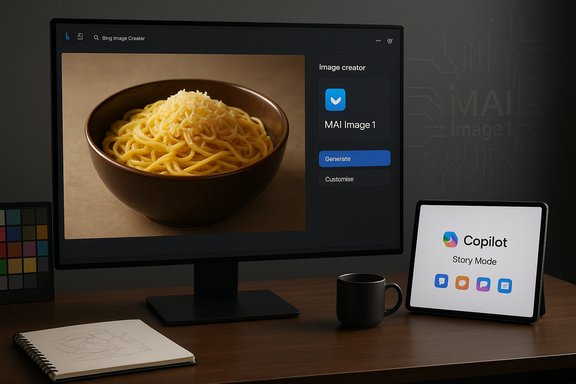
- MAI‑Image‑1 is surfaced as one of the model options inside Bing Image Creator (where users can select between several engines including DALL‑E 3 and other Microsoft/partner models) and is being integrated into Copilot surfaces such as Audio Expressions’ Story Mode.
- For early testing and community feedback, Microsoft also exposed MAI‑Image‑1 on LMArena so people could compare it with competing models in blind pairwise votes.
The product positioning
Microsoft is presenting MAI‑Image‑1 as:- A photorealism‑first generator that focuses on believable lighting, reflections and textures.
- A low‑latency model tuned for rapid creative iteration inside product UIs rather than a heavyweight research-only model.
- A model instrumented for product integration (Designer, PowerPoint workflows, Copilot) rather than as a standalone API at launch.
LMArena placement and what it really means
MAI‑Image‑1 debuted in the LMArena text‑to‑image leaderboard’s top ten — commonly reported at #9 with an early score around 1,096 in the snapshot published during launch coverage. That position is a useful human‑preference signal: LMArena’s methodology compares images in blind pairwise votes and aggregates community preference, which measures perceived visual quality rather than objective lab metrics. Treat the ranking as an early signal, not a conclusive benchmark of absolute superiority. Why that matters:- Community voting favors outputs that look good to human evaluators in context; it captures preference and style appeal.
- LMArena is not a reproducible lab benchmark with standardized datasets and controlled metrics — it’s a rapid feedback venue. Microsoft’s LMArena entry is therefore valuable for product tuning and signaling, but independent technical benchmarks will be necessary to quantify latency, artifact rates, or failure modes at scale.
Hands‑on impressions: early results and the WindowsReport test prompts
WindowsReport’s hands‑on testing tried a set of practical prompts — Halloween pumpkin in a dark jungle, a hyper‑realistic bowl of noodles with cheese and omelette in a restaurant setting, and a golden retriever puppy with its mother — and reported surprisingly strong photoreal detail, convincing lighting and overall compositional fidelity across those examples. The experiential notes and image examples from that hands‑on piece show the model producing usable images for common creator tasks.The WindowsReport prompts the team shared are practical and reveal MAI‑Image‑1’s sweet spots:
- “Create Halloween pumpkin in a dark jungle setting that looks so scary” — strong mood, believable shadows and glow.
- “A hyper realistic image of noodles with grated cheese on it, with an omelette on the side, the bowl should be aesthetic design‑wise, and in a restaurant setting.” — food and surface reflections handled well.
- “Cute little puppy playing around its mother, the breed – golden retriever.” — naturalistic fur texture and depth of field.
Strengths: where MAI‑Image‑1 shines
- Natural lighting and bounce — MAI‑Image‑1 produces believable indirect illumination and reflections more consistently than many older "all‑purpose" engines. This is the headline quality Microsoft and early testers have noticed.
- Photoreal texture and materials — closeups of food, skin, fabric and glossy surfaces retain convincing micro‑detail and reflections, reducing the need for heavy post‑retouch.
- Speed and iteration — the model is tuned for low‑latency inference in product surfaces, which matters when designers must generate and iterate many variants in a live session. Microsoft positioned the model specifically for that trade‑off.
- Integration into workflows — availability inside Bing Image Creator and Copilot reduces friction: no separate accounts or APIs to learn for most end users.
Weaknesses and open questions — where caution is required
- Lack of detailed model card and provenance:
- Microsoft has not publicly disclosed full architecture details, parameter counts, or a complete training content inventory at launch. That absence matters for enterprise procurement and IP/legal due diligence. Until Microsoft publishes a model card and training summary, claims about “curated data” remain vendor statements that require audit.
- Benchmark limitations:
- LMArena placement is a community preference signal. It does not replace independent, reproducible benchmarks that measure latency, artifact frequencies (text rendering errors, finger distortions), identity hallucination rates, or adversarial robustness.
- Regulatory and regional delays:
- Microsoft’s public messaging and Suleyman’s social posts noted EU availability as “coming soon,” which aligns with the broader regulatory landscape: the EU’s AI Act has phased obligations for general‑purpose AI and model providers that started rolling in during 2025 and create compliance obligations that can affect rollouts. Companies often delay EU launches to implement required transparency, data reporting, and risk‑mitigation controls. This regulatory backdrop is a plausible reason for the staggered rollout, though Microsoft hasn’t spelled out the precise compliance steps it is taking. Treat that as a reasonable inference rather than a confirmed explanation.
- IP, style mimicry and copyright risk:
- Generative image models remain exposed to legal scrutiny over training set provenance and style mimicry. The EU AI Act and other guidance increasingly require transparency about training data and mechanisms to respect copyright. Without a published training content summary or explicit licensing terms for commercial use, enterprises should not assume full rights to redistribute generated assets without confirming Microsoft’s policies.
- Safety and misuse:
- Image generators can be repurposed to create misleading imagery, impersonations or other harmful content. Microsoft says product surfaces are layered with safety controls, but the efficacy of those controls needs real‑world validation. LMArena tests and hands‑on positive examples do not replace adversarial testing and audit.
Practical guide: how to access and get the best results with MAI‑Image‑1
Quick access (consumer route)
- Sign in to your Microsoft account and open Bing Image Creator (web or mobile).
- In the model selector, choose MAI‑Image‑1 from the available engines (it appears alongside options such as DALL‑E 3 and other engines where available).
- Enter a descriptive prompt with photography‑style cues: subject, environment, camera lens, time of day, lighting and material descriptors.
- Generate multiple variants, then use the “Edit”/“Remix” options to refine composition, lighting, or focal length.
Prompt engineering checklist (for photorealism)
- Start with subject + context (e.g., “steaming bowl of ramen on a rustic wooden table in a cozy restaurant”).
- Add lighting specifics (e.g., “golden hour side lighting, soft bounce fill”).
- Specify camera cues (e.g., “50mm lens, shallow depth of field, f/1.8”).
- Mention material finish (e.g., “glossy ceramic bowl, visible steam, reflections on broth”).
- Add style anchors sparingly (e.g., “photo‑realistic, natural color grading, subtle film grain”).
- “A photorealistic close‑up of a steaming bowl of noodles with grated cheese, an omelette on the side, in a cozy restaurant setting — 50mm lens, golden hour side lighting, shallow depth of field, natural color grading.”
Enterprise considerations: governance, licensing and procurement
- Require a model card and training summary before embedding MAI‑Image‑1 into production pipelines. Microsoft’s public announcement emphasized curated data selection and creator feedback, but a formal model card is necessary for legal and compliance teams.
- Validate commercial rights and licensing for generated assets. Clarify whether outputs are encumbered by any third‑party restrictions or whether Microsoft grants broad commercial use in product terms.
- Run adversarial and bias testing — evaluate outputs across sensitive contexts (faces, political content, minors) and ensure moderation pipelines are in place.
- Pilot with provenance and record‑keeping — keep prompt and metadata logs for auditability and IP traceability if questions arise about source material or model behaviour.
Safety, regulation and the EU angle
Microsoft’s roll‑out messaging — active in most markets but “coming soon” to the EU — sits against a backdrop of rapidly evolving European AI rules. The EU’s AI Act is already in force and introduced phased obligations for model providers and deployers; providers of general‑purpose AI must meet transparency, documentation, and risk‑management requirements under the law’s timeline. That regulatory regime makes phased EU launches sensible for large vendors facing substantial compliance burdens and potential fines for breach. Organizations deploying MAI‑Image‑1 in EU contexts should insist on:- A public summary of training content and any mitigations for copyrighted content.
- Clear documentation of safety and moderation controls.
- Explicit commercial licensing and provenance metadata support for generated assets.
Competitive context: where MAI‑Image‑1 sits in the market
- MAI‑Image‑1 joins a crowded field of capable image generators from major providers. Its positioning emphasizes a practical speed/quality balance targeted at embedding the capability into product workflows (Copilot, Bing Image Creator) rather than offering a standalone enterprise API out of the gate.
- The LMArena placement shows the model competes for user preference with offerings from OpenAI, Google and other entrants, but competitive advantage will depend on integration depth, cost-per‑request, provenance features, and enterprise SLA and compliance offerings as the product matures.
What to watch next (key signposts for IT and creative teams)
- Publication of a detailed model card and training data summary from Microsoft.
- Clear licensing terms for commercial use of MAI‑Image‑1 outputs.
- Independent benchmark and audit reports measuring latency, artifact rates, identity or style hallucinations under adversarial prompts.
- Visibility of provenance metadata and watermarking controls inside Bing Image Creator and Copilot export flows.
- The EU availability timeline and any product changes Microsoft implements to comply with the AI Act.
Final verdict — practical takeaway for Windows and Microsoft ecosystem users
MAI‑Image‑1 is a strategically important and practically useful milestone for Microsoft: it’s the company’s first fully in‑house image generator, and early testing shows it delivers tangible improvements in lighting fidelity, material realism, and iteration speed for everyday creative tasks inside Bing Image Creator and Copilot. The LMArena top‑ten placement and hands‑on examples are encouraging indicators that Microsoft has built a product‑oriented engine that meets creators’ immediate needs. At the same time, organizations and power users should treat the launch as an early product release:- Verify licensing and provenance before using outputs in commercial campaigns.
- Expect Microsoft to iterate rapidly — both on quality and on documentation — and demand a formal model card and independent audits for production adoption.
- For enterprises operating in the EU, anticipate staged availability and require compliance documentation that aligns with the EU AI Act’s transparency and reporting requirements.
For Windows Forum readers and creative teams, the immediate opportunity is clear: experiment with MAI‑Image‑1 inside Bing Image Creator to understand where it speeds your workflow or lifts visual quality, but hold off on wholesale production use until Microsoft publishes formal documentation on provenance, licensing and safety controls. The model looks promising — and Microsoft’s product‑first approach may make image generation feel like a native feature of productivity workflows. The moment calls for pragmatic testing paired with careful governance.
Source: Windows Report Hands-on With 'MAI-Image-1' Image Generator Model; Now Available on Bing
