

The Times Gazette ran a short item titled "Make and change pictures with AI" on March 9, 2026, that gestures at a topic now central to how everyday people—and professional creators—think about photography and visual storytelling: modern tools let you create images from scratch, alter existing photos in seconds, and iterate on visual ideas with a few well‑crafted prompts. I attempted to retrieve the full Times Gazette piece but the page was blocked by the site's security layer at the time of checking; because the original article was not available for direct review, this feature synthesizes the likely core points of that reporting and places them in a broader, verified context so readers can understand the practical opportunities, technical mechanics, and the real legal and ethical tradeoffs of “making and changing pictures with AI” in 2026.
Generative AI for images jumped from research labs to mass availability between 2021 and 2024 and has since matured into a set of widely used editing and production tools. Today, mainstream apps embed generative models into everyday workflows: you can prompt a model to create a photorealistic scene from text, use an editor to erase and replace parts of an existing photo with coherent new pixels, or feed a reference image into an “img2img” process that restyles or extends the original. These capabilities are no longer just for hobbyists; they have been integrated into flagship apps from Adobe, Google, Microsoft, Canva and platform services from model providers and open‑source projects.
This article explains how those tools work, shows practical workflows for both casual and professional users, flags legal and ethical red lines, and recommends concrete verification and provenance steps newsrooms and creators should adopt. Where possible this coverage uses how these features are implemented by major providers—Adobe Photoshop’s Generative Fill (powered by Adobe Firefly), Google Photos’ Magic Editor, OpenAI’s image editing APIs, Stable Diffusion / img2img toolchains, Canva’s AI design connectors, and Microsoft’s in‑house MAI image models—to illustrate what’s possible and what to watch for.
Because the Times Gazette link provided could not be loaded at the time of preparation, the above piece synthesizes the topic using public product announcements, standards work on provenance, and the current legal landscape to give readers a reliable, practical, and cautiously optimistic guide to using generative image tools responsibly. The technical advances are real and immediate; the social and legal frameworks are catching up. For anyone making images—whether for family albums, marketing campaigns, or the evening news—the single best rule remains: be deliberate, be transparent, and keep a verifiable record of how the pixels were made.
Source: The Times Gazette Make and change pictures with AI - The Times Gazette
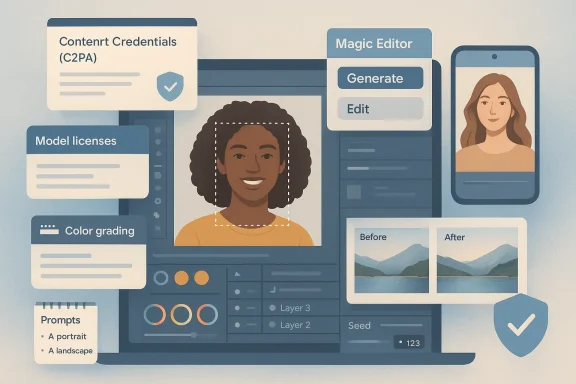 Background / Overview
Generative AI for images jumped from research labs to mass availability between 2021 and 2024 and has since matured into a set of widely used editing and production tools. Today, mainstream apps embed generative models into everyday workflows: you can prompt a model to create a photorealistic scene from text, use an editor to erase and replace parts of an existing photo with coherent new pixels, or feed a reference image into an “img2img” process that restyles or extends the original. These capabilities are no longer just for hobbyists; they have been integrated into flagship apps from Adobe, Google, Microsoft, Canva and platform services from model providers and open‑source projects.This article explains how those tools work, shows practical workflows for both casual and professional users, flags legal and ethical red lines, and recommends concrete verification and provenance steps newsrooms and creators should adopt. Where possible this coverage uses how these features are implemented by major providers—Adobe Photoshop’s Generative Fill (powered by Adobe Firefly), Google Photos’ Magic Editor, OpenAI’s image editing APIs, Stable Diffusion / img2img toolchains, Canva’s AI design connectors, and Microsoft’s in‑house MAI image models—to illustrate what’s possible and what to watch for.
How modern AI image creation and editing works
The three technical modes you’ll see in every tool
- Text-to-image generation: Type a prompt and the model produces a new image from scratch. This is how you “make” pictures with AI.
- Image-to-image (img2img) / style-transfer: Supply an existing image and a prompt; the model reinterprets the input while maintaining composition and structure.
- Inpainting / generative erase / masked edits: Select a portion of an image, supply a mask and optionally text guidance, and the model fills or replaces the masked area with newly generated pixels that match surrounding content.
What the leading tools do today (practical snapshot)
- Adobe Photoshop — Generative Fill: Embedded into Photoshop as a prompt‑driven layer-based tool that lets photographers add, remove, or extend elements non‑destructively; powered by Adobe Firefly image models and designed for integration with existing Photoshop layers and workflows.
- OpenAI — image generation and editing APIs: Offer prompt‑driven generation and mask-based inpainting capabilities for developers and creators via API endpoints.
- Stable Diffusion (open ecosystem) — img2img & inpainting: A widely used open model family that enables offline or hosted workflows, heavy customization, and many community tools and GUIs for iterative editing.
- Google Photos — Magic Editor and Reimagine: Device‑ and cloud‑based editing that uses generative steps to reposition subjects, repair missing pixels and create alternative compositions with simple gestures.
- Canva — AI Connector & design automation: Offers text‑to‑image and direct design generation inside designer workflows and, in late 2025 and 2026, launched integrations allowing assistants (ChatGPT, Claude) to generate editable, on‑brand Canva designs directly within chat.
- Microsoft — MAI‑Image family and product integrations: Microsoft began folding in-house imaging models into Bing and Copilot experiences to offer fast, photorealistic results tuned for product latency and enterprise workflows.
A practical guide: How to make and change pictures with AI (step‑by‑step)
Below is a pragmatic workflow that works across most modern tools. I’ve written this so you can apply it whether you use Photoshop, Google Photos, a cloud API, or an open‑source UI.1. Start with intent, not coolness
Define what you want to communicate. Is this a marketing visual, a family photo retouch, a composite for editorial illustration, or a fictional scene? The intended use determines ethical constraints, licenses you must respect, and what level of disclosure is appropriate.2. Capture or select source assets
- For edits of real events or people, preserve originals (high‑res raw files where possible).
- Export a working copy and keep the original untouched.
- If you will use stock imagery as input, ensure you have the right to modify and republish it.
3. Choose the right tool for the job
- Quick creative mockups and brand assets: Canva, Adobe Express, or AI image models integrated into chat assistants.
- High‑control compositing and final production: Photoshop + Generative Fill or a layer‑aware pipeline with a diffusion model for specific fills.
- Device edits and simple retouches: Google Photos Magic Editor or Apple/third‑party phone apps.
- Programmatic volume generation: OpenAI image APIs, managed model providers, or operationalized Stable Diffusion instances.
4. Prompting and masks: the practical knobs
- Use a concise prompt with descriptive nouns and adjectives (lighting, camera lens, style).
- For edits, provide a mask. Masked inpainting produces the tightest control.
- Iterate: ask for variations, compare outputs, refine prompts, and use seed control where available for reproducibility.
5. Post‑process like a photographer
- Match color, grain and noise with the rest of the image.
- Composite with layer masks and non‑destructive edits.
- Run face/identity checks: generative fills can subtly alter likeness—if the subject is a real person, verify consent.
6. Preserve provenance and metadata
- Save version history and export the “content credentials” or provenance metadata if the tool supports it (C2PA/Content Credentials are becoming an industry standard).
- If your tool strips metadata, embed a human readable note in delivery materials indicating the image has been edited with generative AI and how.
What generative edits are good at — and where they still fail
Strengths and practical advantages
- Speed: complex compositing that once took hours can be done in minutes.
- Accessibility: non‑designers can generate concept art, mockups, and polished social visuals without advanced technical skill.
- Iteration: rapid exploration of color, composition, or mood without expensive photoshoots.
- Productivity: branded templates, auto‑resize and background swaps reduce time spent on repetitive tasks.
Real limits and failure modes
- Hallucination of fact: AI can generate photorealistic but fictional details (wrong logos, invented buildings, inaccurate uniforms).
- Likeness drift: small edits can unintentionally alter a subject’s identity in ways that matter legally and ethically.
- Inconsistencies in fine detail: glass reflections, text on signage, and complex geometry sometimes reveal artifacts.
- Data and bias artifacts: models trained on web images can reproduce unwanted style biases or inappropriate content unless carefully filtered.
Legal, ethical, and newsroom considerations
This is where the rubber meets the road: tools are powerful, but misuse can cause reputational, civil, or criminal harm.Copyright and training data disputes
Several high‑profile legal fights in recent years have tested whether scraping image libraries to train models is lawful. Some claimants pressed copyright and database rights against model developers; courts in different jurisdictions have reached differing conclusions about which uses constitute infringement. Those cases make clear two practical rules for creators:- If you plan to publish AI‑generated or AI‑edited imagery commercially, prefer content produced by tools trained or licensed for commercial use (for example, models tied to licensed libraries or vendor guarantees).
- When using third‑party assets as inputs or prompts, verify licensing and, if in doubt, obtain permission or use cleared stock.
Right of publicity and non‑consensual edits
Using someone’s likeness—especially for endorsements, advertising, or sexualized content—can violate right‑of‑publicity laws and newer state statutes that cover AI‑generated likenesses. Some states and countries have updated laws to explicitly regulate non‑consensual synthetic imagery; always obtain consent if a real person’s likeness is involved.Misinformation and journalistic standards
Newsrooms have broadly adopted a cautious stance: many major outlets prohibit publishing AI‑generated or AI‑altered photographic content presented as documentary imagery unless explicitly disclosed; others allow illustrative AI visuals for coverage of AI topics provided they are clearly labelled. The editorial principles are consistent: transparency, verification, and attribution.Deepfakes, disinformation, and abuse
Generative tools enable realistic manipulation: face swaps, voice cloning, and fabricated scenes. Platform policies, content moderation systems, and provenance standards help but do not eliminate risk. For high‑stakes reporting—elections, conflict photography, legal evidence—treat any surprising visual with a verification workflow before publication.Provenance, detection and technical countermeasures
Recognizing and tracing AI edits is now a parallel battle to generating them. Industry and standards efforts have moved quickly.Content Credentials and C2PA
The Coalition for Content Provenance and Authenticity (C2PA) defines an open standard for embedding cryptographically signed provenance into media files. Vendors and platforms are increasingly supporting “content credentials” so generated assets can carry metadata indicating origin, model used, and edit history. Adoption is growing among content delivery networks, camera vendors and cloud platforms.Watermarking and in‑generation provenance
Research groups and vendors are experimenting with robust in‑generation watermarking (signals embedded during model generation) that survive common transformations. These methods are promising but not yet universally available or immune to adversarial removal.AI detection models
Detectors that classify images as synthetic have made progress, but they are brittle: they can be fooled by minor transformations, and detection accuracy varies by model family and post‑processing. For now, provenance metadata combined with human verification is the most reliable approach when authenticity matters.Practical verification checklist for editors and creators
- Preserve the original file and note the chain of custody.
- Ask: Was the image generated or edited by an AI model? If yes, demand disclosure.
- Request or extract content credentials (C2PA) or provenance metadata.
- Confirm licensing for any third‑party inputs (stock images, model prompts containing protected content).
- If the image depicts a real person, obtain written consent for changes that alter likeness or create a new context.
- Run technical checks: reverse image search, metadata inspection, and visual anomaly scans.
- When publishing, include a short, clear disclosure stating how the image was made or edited.
Risks beyond copyright and consent
Privacy and biometric misuse
AI edits that recreate or alter biometric identifiers (faces, fingerprints) raise privacy risks. Even benign “enhancements” can create sensitive biometric data that could be misused.Reputation and trust erosion
When outlets use off‑the‑shelf AI visuals without clear labelling, they accelerate a loss of trust: audiences may assume images are documentary when they’re not. That harm is asymmetric—once trust is damaged, it’s expensive to rebuild.Platform and supply‑chain fragility
Social networks and compression pipelines often strip or rewrite metadata. If you rely on embedded provenance, ensure the platforms you publish to preserve or surface that metadata to consumers.Tools and settings to watch (practical feature map)
- Prompt seeds and reproducibility: use seed values where available if you need exact reproduction.
- Safety filters and content policies: most vendors provide safety filters to block sexual, hateful or violent outputs—test them if your workflow will handle sensitive images.
- Model selection: in Photoshop you can choose between Adobe Firefly and third‑party models for generative fills; pick the model that best aligns with your licensing and style needs.
- On‑device vs cloud editing: on‑device models (or apps that run locally) offer privacy advantages; cloud services may be faster and higher fidelity but involve data transfer and different terms of service.
What newsroom policy should look like (short playbook)
- Disclosure: mandate a plain‑language note any time an image is generated or materially altered by AI.
- Verification: require two independent verification steps for any image used to support factual claims.
- Provenance: standardize how content credentials are extracted, archived, and displayed.
- Education: train photographers, editors, legal and social teams on the practical implications of generative tools.
- Ethical guardrails: prohibit the use of AI‑made images purporting to show real events or private individuals without consent.
Critical analysis: strengths, risks, and where vendors still fall short
Notable strengths to celebrate
- Democratisation of creativity: generative tools lower the barrier for high‑quality visual production and make ideation trivial.
- Productivity gains: routine retouching, resizing, and background changes are faster than ever, saving time and cost.
- Integration into workflows: mature products integrate generative features into familiar apps (layers, masks, versioning) which improves control for professionals.
Persistent risks and vendor gaps
- Transparency tradeoffs: tools make it easy to create; vendors have been slower to create default, durable provenance mechanisms that survive social media ingestion.
- Licensing and training opacity: many commercial disputes stem from opaque training datasets; creators need clearer, verifiable licensing statements from model vendors.
- Detection arms race: adversaries can intentionally remove metadata and apply post‑processing to evade detectors; technological countermeasures lag malicious use cases.
- Accessibility of misuse: as generative quality improves, malicious actors can generate convincing forgeries with little technical skill, increasing the burden on verification systems.
Recommendations for creators, IT teams, and publishers
- For creators: always preserve originals, keep a documented edit log, and label AI‑edited assets clearly when distributing them.
- For IT and platform teams: implement C2PA content credential checks into upload and publishing pipelines; store provenance metadata in staging systems even if social platforms strip it.
- For publishers: update style guides to require AI disclosure, maintain an audit trail, and appoint an editorial owner for provenance checks.
- For regulators and standards bodies: accelerate interoperable provenance that survives common transformations and define clear consumer disclosure expectations.
The near future: what to expect in the next 18 months
- Wider provenance adoption: major CDN and camera vendors have already announced support for content credentials; expect more platforms to either accept or display provenance metadata.
- Model choice in mainstream apps: applications like Photoshop will continue to let users pick from multiple models (vendor models, third‑party micro‑models) to match style and licensing needs.
- Narrow regulation on manipulative uses: more jurisdictions will adopt rules about non‑consensual likenesses and deepfake election or sexual content—publishers must track local law.
- Better in‑generation watermarking: research and industrial prototypes show promising robustness; the question will be deployment and vendor cooperation.
Conclusion
The ability to "make and change pictures with AI" is now a fundamental part of the creative toolkit. The technology delivers remarkable speed, democratizes image production, and transforms workflows—but these gains arrive with legal, ethical, and verification responsibilities that creators and publishers cannot ignore. Practical steps—preserving originals, embedding provenance, obtaining consent for likeness changes, and required disclosure—are not optional niceties; they are core practices that protect both subjects and institutions while preserving trust.Because the Times Gazette link provided could not be loaded at the time of preparation, the above piece synthesizes the topic using public product announcements, standards work on provenance, and the current legal landscape to give readers a reliable, practical, and cautiously optimistic guide to using generative image tools responsibly. The technical advances are real and immediate; the social and legal frameworks are catching up. For anyone making images—whether for family albums, marketing campaigns, or the evening news—the single best rule remains: be deliberate, be transparent, and keep a verifiable record of how the pixels were made.
Source: The Times Gazette Make and change pictures with AI - The Times Gazette
