

This month’s Windows update cycle delivered something more valuable than a feature splash: a clearer picture of how Microsoft is trying to make Windows feel more dependable, more measurable, and more predictable for IT teams. The March 2026 recap ties together quality, servicing, device management, and platform modernization in a way that suggests the company is leaning harder into operational trust. That matters because Windows is no longer judged only by what it can do, but by how quietly and consistently it does it.
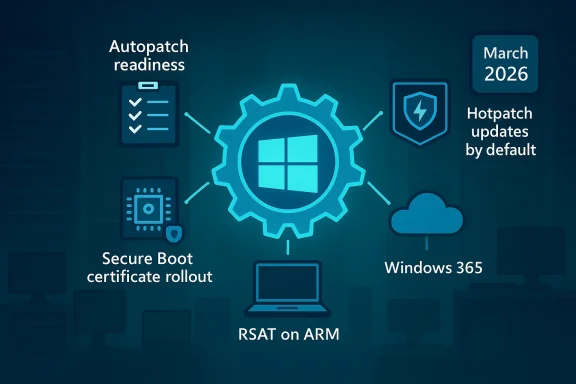
At the center of the story is Microsoft’s candid note on Windows quality, framed by Windows + Devices EVP Pavan Davuluri, which is less a marketing message than an operational thesis: find issues earlier, prioritize fixes more intelligently, and use the Windows Insider funnel to harden the platform before production users feel the pain. Around that message, March also brought concrete moves in Windows Autopatch, hotpatching, Secure Boot, RSAT on Arm, Windows 365, and several productivity features shipping in Windows 11. The result is a March recap that reads like a snapshot of a platform being tuned for a future where patching, governance, and reliability are as important as the feature list itself.
Windows update communications have changed a lot over the last few years. Microsoft used to reserve most of its emphasis for what was visibly new in the shell, the apps, or the hardware story. Now, the company is increasingly talking about the plumbing: update orchestration, rollout safety, device health, certificate lifecycles, and recovery. That shift reflects how modern Windows is deployed in enterprises, where the success metric is not “did the feature ship?” but “did the fleet stay healthy while it shipped?”
The March 2026 recap is especially revealing because it links that philosophy to specific mechanics. Autopatch update readiness went generally available, giving admins a way to detect and remediate update issues earlier. At the same time, Microsoft said it will enable hotpatch updates by default beginning with the May 2026 security update, with opt-out controls for organizations that need more time. That combination is a strong clue that Microsoft sees update friction as a bigger business risk than update change itself.
It’s also notable that this recap arrives against the backdrop of a broader Secure Boot certificate rollout. Microsoft has spent months explaining and refining the process, and March added PowerShell tools to help admins inspect Secure Boot state and Security Version Numbers. That kind of rollout is not glamorous, but it is exactly the kind of low-level platform event that can create disruption if not managed carefully across large fleets.
Meanwhile, the consumer-facing side of Windows 11 continues to evolve through the monthly security and optional update train. Quick Machine Recovery, taskbar network speed testing, camera pan-and-tilt controls, and a more structured Settings > About page are all the sort of “small” improvements that only look small until a support team has to troubleshoot at scale. Microsoft’s current cadence suggests that it wants Windows to feel both more automated and more diagnosable at the same time.
There is also a competitive dimension. Apple and managed Linux environments often market simplicity and predictability, while Windows must balance backward compatibility, hardware diversity, and enterprise control. That makes quality messaging especially valuable because it acknowledges the complexity instead of pretending it away. In practical terms, Microsoft is saying that Windows can stay broad and flexible without becoming chaotic.
For IT leaders, the interesting part is the implicit contract. Microsoft is promising more visibility into the devices most likely to struggle, while asking admins to trust a more guided update system. That is a reasonable trade if the data is good, the controls are clear, and exceptions remain possible. It becomes a problem only if the defaults feel too opinionated or the path to override them is too obscure. That tension is the real story behind the quality push.
It also hints at a deeper shift in how Microsoft wants customers to manage Windows. Instead of asking admins to build their own analytics layers around update health, Microsoft is folding those insights into the service itself. That is a useful simplification for smaller teams and a potentially significant time saver for larger ones that manage thousands of endpoints.
A useful side effect is that it can change behavior inside the IT department. When admins have better preflight data, they can move away from blanket caution and toward targeted action. That means fewer unnecessary delays for healthy devices and less exposure time for the ones that actually need attention. That is the sort of operational leverage modern endpoint management is supposed to provide.
But the more interesting implication is governance. Microsoft says the default does not override existing update policies and that organizations can opt out at the tenant or device-group level. That tells us the company is trying to change the baseline without collapsing the control model. In practice, this is a subtle trust test: administrators need confidence that the new default will be helpful, not surprising.
There is a timing issue too. Microsoft says the opt-out controls become available before the May change, which gives cautious customers a narrow window to align policy. That sounds sensible, but it also means organizations need to make a decision quickly rather than discovering the default after the fact. The real challenge is not the feature; it is the change management around the feature.
This also lines up with the broader Copilot+ PC and Arm momentum. Microsoft has spent the last couple of years normalizing Arm for productivity, and management tooling is the last mile in that process. Once the administrative stack is comfortably usable, the business case for Arm stops being about novelty and starts being about genuine fleet choice.
At the same time, the move raises expectations. Once Microsoft says Arm is ready for RSAT, any rough edges in related workflows will look more like product gaps than platform immaturity. That is a good problem to have, but it is still a problem. Normalization raises the bar faster than marketing can.
The new PowerShell options are useful because they reduce ambiguity. Instead of forcing admins to interpret low-level state through scattered tools or manual decoding, Microsoft is making the data easier to inspect and report. That is especially valuable when organizations need to separate healthy devices from those that still need remediation.
For managed environments, the story is less about policy theory and more about fleet hygiene. Administrators need to know which devices are actually receiving the new certificates, whether they meet the targeting criteria, and how to prove compliance. Microsoft’s approach suggests it is trying to make that process more evidence-driven and less speculative.
The significance is even greater on modern mixed fleets. If x64 PCs and Arm-based Copilot+ PCs can use the same simpler printing model, then IT departments can reduce the number of special cases they have to remember. Fewer exceptions mean fewer support tickets, fewer image customization steps, and fewer “it works on that machine but not this one” conversations.
The caveat is that real-world printer environments are never fully average. Specialized multifunction devices, legacy drivers, and niche workflows will still need attention. But the direction is encouraging because it moves Windows printing toward a default that reduces complexity rather than merely containing it.
This is especially relevant for organizations that need consistent provisioning across distributed teams. Regional choice can improve latency, compliance alignment, and resilience planning. It also makes the service easier to fit into existing procurement and policy frameworks, which is often where cloud desktop projects hit the wall.
Microsoft’s broader Windows 365 strategy seems to be shifting from “remote desktop as a convenience” toward “Cloud PC as a managed endpoint category.” The more regionally aware and governance-aware the service becomes, the easier it is to position Windows 365 as part of a modern endpoint architecture rather than a fallback. That distinction will shape adoption over the next year.
The taskbar network speed test is a similar quality move. It doesn’t replace serious diagnostics, but it lowers the cost of basic troubleshooting for users and help desks. When a connection issue arises, the fewer clicks it takes to validate the problem, the faster the support path becomes.
These changes also show how Microsoft is blending consumer UX and admin utility. The same features that make Windows feel calmer for a home user can reduce friction for IT staff fielding calls from remote workers. That overlap is increasingly central to the Windows product model.
That is why this update matters beyond the feature itself. It signals a broader design principle: security should be configurable, but not cumbersome. In an enterprise context, friction is often the enemy of adoption, even when the underlying capability is strong.
Taken together, these preview features reinforce a larger pattern: Microsoft is trying to reduce the cost of administration at the same time it increases the sophistication of the platform. That balance is hard to maintain, and it is one of the reasons Windows remains such a complex product to evolve. Yet March suggests the balance is being taken seriously.
The feature is still early, so the bigger story is not immediate production impact. It is that Microsoft is keeping Windows Server aligned with the storage patterns used in high-performance and hyper-converged environments. That keeps the platform relevant in a market where storage efficiency and latency are still competitive differentiators.
That matters for the broader Windows ecosystem as well. Server capabilities often set the tone for how the client is managed, authenticated, and integrated. When the server story gets sharper, endpoint strategy usually follows.
There is also a timing issue around May and June. Hotpatch defaults, Secure Boot certificate transitions, and the ongoing cadence of Windows 11 servicing all converge in a narrow window where administrator attention will be stretched. Organizations that want smooth outcomes will need to act early, verify eligibility, and use the new reporting tools rather than waiting for the next problem to announce itself.
Source: Microsoft - Message Center Windows news you can use: March 2026 - Windows IT Pro Bog
At the center of the story is Microsoft’s candid note on Windows quality, framed by Windows + Devices EVP Pavan Davuluri, which is less a marketing message than an operational thesis: find issues earlier, prioritize fixes more intelligently, and use the Windows Insider funnel to harden the platform before production users feel the pain. Around that message, March also brought concrete moves in Windows Autopatch, hotpatching, Secure Boot, RSAT on Arm, Windows 365, and several productivity features shipping in Windows 11. The result is a March recap that reads like a snapshot of a platform being tuned for a future where patching, governance, and reliability are as important as the feature list itself.
 Background
Windows update communications have changed a lot over the last few years. Microsoft used to reserve most of its emphasis for what was visibly new in the shell, the apps, or the hardware story. Now, the company is increasingly talking about the plumbing: update orchestration, rollout safety, device health, certificate lifecycles, and recovery. That shift reflects how modern Windows is deployed in enterprises, where the success metric is not “did the feature ship?” but “did the fleet stay healthy while it shipped?”The March 2026 recap is especially revealing because it links that philosophy to specific mechanics. Autopatch update readiness went generally available, giving admins a way to detect and remediate update issues earlier. At the same time, Microsoft said it will enable hotpatch updates by default beginning with the May 2026 security update, with opt-out controls for organizations that need more time. That combination is a strong clue that Microsoft sees update friction as a bigger business risk than update change itself.
It’s also notable that this recap arrives against the backdrop of a broader Secure Boot certificate rollout. Microsoft has spent months explaining and refining the process, and March added PowerShell tools to help admins inspect Secure Boot state and Security Version Numbers. That kind of rollout is not glamorous, but it is exactly the kind of low-level platform event that can create disruption if not managed carefully across large fleets.
Meanwhile, the consumer-facing side of Windows 11 continues to evolve through the monthly security and optional update train. Quick Machine Recovery, taskbar network speed testing, camera pan-and-tilt controls, and a more structured Settings > About page are all the sort of “small” improvements that only look small until a support team has to troubleshoot at scale. Microsoft’s current cadence suggests that it wants Windows to feel both more automated and more diagnosable at the same time.
Windows quality as a platform strategy
Microsoft’s quality messaging in March is important because it frames reliability as a product feature, not a back-office concern. The company’s own wording emphasizes how it identifies issues, prioritizes fixes, and uses Insider feedback to improve the platform before updates reach production. That is a subtle but meaningful shift: it tells customers that quality is now a first-class design objective, not merely an outcome measured after the fact.Why this matters now
Windows is operating in a world where the cost of a bad update is far higher than the cost of a delayed one. Enterprises increasingly run on shared cloud services, identity systems, and security controls that make patch timing a governance decision. In that environment, Microsoft’s push for better telemetry, better targeting, and better release confidence is not just about engineering elegance; it is about reducing operational risk.There is also a competitive dimension. Apple and managed Linux environments often market simplicity and predictability, while Windows must balance backward compatibility, hardware diversity, and enterprise control. That makes quality messaging especially valuable because it acknowledges the complexity instead of pretending it away. In practical terms, Microsoft is saying that Windows can stay broad and flexible without becoming chaotic.
For IT leaders, the interesting part is the implicit contract. Microsoft is promising more visibility into the devices most likely to struggle, while asking admins to trust a more guided update system. That is a reasonable trade if the data is good, the controls are clear, and exceptions remain possible. It becomes a problem only if the defaults feel too opinionated or the path to override them is too obscure. That tension is the real story behind the quality push.
Autopatch update readiness goes GA
The general availability of Windows Autopatch update readiness is one of the month’s most practical announcements. Microsoft says the feature adds new capabilities to proactively detect and remediate device update issues, which should help reduce downtime, improve success rates, and lower the security risk of devices falling behind. It is a classic example of management tooling becoming more predictive rather than merely reactive.What IT teams get
The key value is that update readiness gives administrators a more structured view of which devices are at risk before a rollout starts. Microsoft has described it as a way to understand whether devices are ready for a target feature update and where the risky devices sit. That kind of visibility should help with planning, communications, and escalation, especially in organizations that still treat updates as a periodic event rather than a continuous program.It also hints at a deeper shift in how Microsoft wants customers to manage Windows. Instead of asking admins to build their own analytics layers around update health, Microsoft is folding those insights into the service itself. That is a useful simplification for smaller teams and a potentially significant time saver for larger ones that manage thousands of endpoints.
Why it changes the patch game
The traditional patch problem is not installing updates; it is identifying which devices will fail, stall, or behave badly when you do. Update readiness addresses that problem directly by surfacing probable friction earlier. In other words, it is less about deployment and more about confidence.A useful side effect is that it can change behavior inside the IT department. When admins have better preflight data, they can move away from blanket caution and toward targeted action. That means fewer unnecessary delays for healthy devices and less exposure time for the ones that actually need attention. That is the sort of operational leverage modern endpoint management is supposed to provide.
- Better pre-rollout visibility
- More targeted remediation workflows
- Less guesswork around risky endpoints
- Stronger support for feature update planning
- Lower exposure from stalled patch adoption
Hotpatch by default changes the default mindset
Microsoft’s decision to enable hotpatch updates by default starting with the May 2026 security update is arguably the biggest servicing shift in the recap. Hotpatching has long been marketed as a faster, less disruptive way to apply security fixes, and moving it from opt-in to the default changes the psychological center of gravity. The message is clear: rebootless security should become the normal case, not the special case.Enterprise implications
For enterprise admins, the obvious upside is less interruption. If more security updates can be applied without a reboot, then the operational drag of monthly patching goes down. That matters for frontline workers, shift-based operations, and devices that are hard to schedule around without causing friction.But the more interesting implication is governance. Microsoft says the default does not override existing update policies and that organizations can opt out at the tenant or device-group level. That tells us the company is trying to change the baseline without collapsing the control model. In practice, this is a subtle trust test: administrators need confidence that the new default will be helpful, not surprising.
What this means for customers
The new default could also change how organizations think about patch windows. If rebootless updates become routine, teams may become more willing to shorten maintenance periods or reserve reboots for the small number of baseline months that require them. That can improve user experience, but it can also create a false sense of freedom if teams stop planning for the exceptions.There is a timing issue too. Microsoft says the opt-out controls become available before the May change, which gives cautious customers a narrow window to align policy. That sounds sensible, but it also means organizations need to make a decision quickly rather than discovering the default after the fact. The real challenge is not the feature; it is the change management around the feature.
- Reduced reboot burden
- Faster security compliance
- Better fit for shift-based environments
- Stronger default security posture
- More policy planning required up front
Arm, RSAT, and the normalization of Windows on Arm
The official support for Remote Server Administration Tools on Arm-based Windows 11 PCs is a quiet but important milestone. RSAT is the kind of utility set that power users, sysadmins, and infrastructure teams rely on daily, so official Arm support removes one more reason to treat Arm laptops as second-tier admin devices. That is a practical signal that Microsoft wants Arm Windows to be a full participant in enterprise operations.Why this matters for admins
RSAT support on Arm means administrators can manage server roles and features from their device without needing to fall back to x64 hardware. That matters more than it may seem at first glance because admin workflows are often where platform limitations become obvious. If the tools work, the machine becomes part of the management plane; if they don’t, it becomes a niche device.This also lines up with the broader Copilot+ PC and Arm momentum. Microsoft has spent the last couple of years normalizing Arm for productivity, and management tooling is the last mile in that process. Once the administrative stack is comfortably usable, the business case for Arm stops being about novelty and starts being about genuine fleet choice.
Competitive angle
There is an unspoken competitive advantage here. If Windows on Arm can serve both end users and administrators, then it becomes harder for rivals to argue that the platform is “good enough” for consumers but not serious for professionals. That kind of perception shift matters because device procurement decisions are often made on compatibility confidence, not benchmark scores.At the same time, the move raises expectations. Once Microsoft says Arm is ready for RSAT, any rough edges in related workflows will look more like product gaps than platform immaturity. That is a good problem to have, but it is still a problem. Normalization raises the bar faster than marketing can.
Secure Boot rollout gets more transparent
The March 2026 security update adds two PowerShell features designed to help administrators manage the ongoing Secure Boot certificate rollout. Get-SecureBootUEFI -Decoded turns certificate data into readable output, while Get-SecureBootSVN reports the Secure Boot Security Version Number in UEFI firmware and bootloader components. These tools are not flashy, but they are exactly the kind of utilities that make a complex rollout survivable at scale.Why Secure Boot matters
Secure Boot is one of those foundational controls that people only notice when something goes wrong or when certificates are nearing expiration. Microsoft has been steadily updating guidance, hosting AMAs, and improving rollout targeting because the impact reaches far beyond a single update cycle. If certificate transitions are mismanaged, they can create boot problems, support escalations, and unnecessary fear.The new PowerShell options are useful because they reduce ambiguity. Instead of forcing admins to interpret low-level state through scattered tools or manual decoding, Microsoft is making the data easier to inspect and report. That is especially valuable when organizations need to separate healthy devices from those that still need remediation.
Operational impact
This is also a sign that Microsoft understands the administrative reality of the Secure Boot transition. Large fleets rarely fail because of one obvious issue; they fail because dozens of small unknowns line up at once. Better inspection tools reduce the amount of guesswork, which in turn improves rollout confidence.For managed environments, the story is less about policy theory and more about fleet hygiene. Administrators need to know which devices are actually receiving the new certificates, whether they meet the targeting criteria, and how to prove compliance. Microsoft’s approach suggests it is trying to make that process more evidence-driven and less speculative.
- Readable certificate inspection
- Better device-level reporting
- Easier Secure Boot validation
- Lower risk during certificate rollout
- More confidence in phased deployment
Printing gets simpler, and that is a bigger deal than it sounds
Microsoft says Windows is now released with a single universal inbox-class driver based on IPP and Mopria certification, removing the need for device-specific printer drivers in the common case. That may sound mundane, but printer drivers have historically been one of the most annoying sources of support friction on Windows. Simplifying that path is a real quality-of-life improvement.A long-standing pain point
Printers have always been a strange combination of commodity hardware and deeply inconsistent software support. Users don’t care about driver architecture; they care that the printer works after plug-in, after a network move, or after an OS update. Microsoft’s move to standardize the experience is aimed squarely at eliminating one of the classic Windows support headaches.The significance is even greater on modern mixed fleets. If x64 PCs and Arm-based Copilot+ PCs can use the same simpler printing model, then IT departments can reduce the number of special cases they have to remember. Fewer exceptions mean fewer support tickets, fewer image customization steps, and fewer “it works on that machine but not this one” conversations.
Consumer and enterprise benefits
Consumers benefit from less setup pain. Enterprises benefit from a smaller testing matrix and fewer package-specific surprises. In both cases, the key win is that print support becomes closer to what users expect from a modern device platform: boring, standardized, and mostly invisible.The caveat is that real-world printer environments are never fully average. Specialized multifunction devices, legacy drivers, and niche workflows will still need attention. But the direction is encouraging because it moves Windows printing toward a default that reduces complexity rather than merely containing it.
Windows 365 broadens its cloud PC footprint
March also brought several Windows 365 updates that matter more to enterprise buyers than to casual observers. Windows 365 Frontline in shared mode expanded to additional regions, the service became available for GCC and GCC-High organizations in the US Gov Texas region, and multi-region selection arrived for those government tenants. That is a meaningful sign that Microsoft is still refining Cloud PC as a governance-aware enterprise product.Why regional expansion matters
Cloud PC adoption often lives or dies on geography, residency, and compliance constraints. A feature can be technically elegant and still unusable if the right region isn’t available. By expanding regional coverage and adding multi-region selection for government customers, Microsoft is smoothing one of the biggest blockers to adoption: placement flexibility.This is especially relevant for organizations that need consistent provisioning across distributed teams. Regional choice can improve latency, compliance alignment, and resilience planning. It also makes the service easier to fit into existing procurement and policy frameworks, which is often where cloud desktop projects hit the wall.
Enterprise positioning
The government cloud angle is important because it signals trust maturity. Services that work only in commercial regions can still be seen as experimental by public-sector buyers, while services that meet more stringent controls gain a broader credibility halo. That makes this update a business enabler as much as a technical one.Microsoft’s broader Windows 365 strategy seems to be shifting from “remote desktop as a convenience” toward “Cloud PC as a managed endpoint category.” The more regionally aware and governance-aware the service becomes, the easier it is to position Windows 365 as part of a modern endpoint architecture rather than a fallback. That distinction will shape adoption over the next year.
- More cloud PC reach
- Better fit for regulated environments
- Expanded government deployment options
- Improved regional resilience
- Stronger enterprise procurement story
Windows 11 keeps adding practical quality-of-life features
The Windows 11 March update includes several small features that feel minor individually but add up to a more manageable operating system. Quick Machine Recovery now turns on automatically for Professional devices that are not domain-joined and not enterprise-managed. The taskbar now includes a built-in network speed test, supported cameras gain pan and tilt controls in Settings, and search result previews become more informative with hover-based group headers.Small features, real operational value
Quick Machine Recovery is the sort of feature that matters most when everything else has already gone wrong. By making it automatic for unmanaged Professional devices, Microsoft is extending Home-like recovery resilience to more users while preserving enterprise control where it belongs. That distinction is smart because it avoids imposing consumer defaults on managed environments.The taskbar network speed test is a similar quality move. It doesn’t replace serious diagnostics, but it lowers the cost of basic troubleshooting for users and help desks. When a connection issue arises, the fewer clicks it takes to validate the problem, the faster the support path becomes.
Why these features matter to support teams
The improved Settings > About page and smarter search previewing may sound cosmetic, but they reduce time spent hunting for device details. That matters in support and asset management because structure reduces confusion. When information is easier to find, users are less likely to make mistakes and admins are less likely to waste time on basic navigation.These changes also show how Microsoft is blending consumer UX and admin utility. The same features that make Windows feel calmer for a home user can reduce friction for IT staff fielding calls from remote workers. That overlap is increasingly central to the Windows product model.
April preview features point to the next update wave
Microsoft says the April 2026 security update will carry additional changes that can already be previewed in the March optional non-security update. The headline items include the ability to turn Smart App Control on or off without a clean install and a more structured Settings > About experience. That pairing suggests Microsoft is still trying to make security controls less brittle and device information easier to access.Smart App Control and user control
The ability to toggle Smart App Control without reinstalling Windows is useful because it lowers the cost of experimentation. Security features work best when organizations can test them, refine policy, and roll them out without heavy-handed remediation steps. If a feature requires a clean install to change course, many teams will simply avoid it.That is why this update matters beyond the feature itself. It signals a broader design principle: security should be configurable, but not cumbersome. In an enterprise context, friction is often the enemy of adoption, even when the underlying capability is strong.
Settings usability continues to matter
The improved About page is an example of the quiet work that makes Windows feel more modern. Device specifications, component navigation, and storage shortcuts may not make headlines, but they matter in support, procurement, and troubleshooting. Users and admins alike benefit when the UI tells them where they are without making them dig.Taken together, these preview features reinforce a larger pattern: Microsoft is trying to reduce the cost of administration at the same time it increases the sophistication of the platform. That balance is hard to maintain, and it is one of the reasons Windows remains such a complex product to evolve. Yet March suggests the balance is being taken seriously.
Windows Server keeps the infrastructure story moving
On the server side, Microsoft used March to keep the attention on both near-term readiness and longer-term roadmap work. The company pointed administrators to the Windows Server 2025 and version 23H2 release notes, announced the Windows Server Summit for May 11–13, and highlighted a basic NVMe-oF initiator in the latest Windows Server Insider build. That is a practical mix of operations, education, and storage innovation.Why NVMe-oF matters
An in-box NVMe/TCP and NVMe/RDMA initiator signals that Microsoft wants native Windows Server components to participate in modern, networked storage architectures. That is important for labs and early evaluators because it reduces the dependency on third-party tooling just to explore the capability. For infrastructure teams, native support usually means easier validation and clearer operational ownership.The feature is still early, so the bigger story is not immediate production impact. It is that Microsoft is keeping Windows Server aligned with the storage patterns used in high-performance and hyper-converged environments. That keeps the platform relevant in a market where storage efficiency and latency are still competitive differentiators.
Operations and learning
The Windows Server Summit also matters because Microsoft is increasingly pairing feature releases with engineering-led guidance. That is a sign of maturity: the company knows that servers do not win on features alone, but on how well customers can deploy, secure, and troubleshoot them. Education is part of product strategy now.That matters for the broader Windows ecosystem as well. Server capabilities often set the tone for how the client is managed, authenticated, and integrated. When the server story gets sharper, endpoint strategy usually follows.
Strengths and Opportunities
The March recap shows Microsoft leaning into the areas that create durable trust: update predictability, better diagnostics, and more manageable defaults. That is a smart response to a market where IT buyers are increasingly sensitive to downtime, hidden complexity, and operational drift. The opportunity is not just to ship more features, but to make Windows feel like a platform that has learned from its own maturity.- Autopatch update readiness gives admins clearer pre-rollout insight.
- Hotpatch by default should reduce reboot friction for eligible devices.
- RSAT on Arm makes Arm laptops more credible as admin systems.
- Secure Boot tools improve rollout transparency and reporting.
- Universal print support cuts driver complexity and support overhead.
- Windows 365 regional expansion improves enterprise and government fit.
- Quick Machine Recovery broadens resilience for unmanaged Professional devices.
Risks and Concerns
The biggest risk in March’s changes is not the features themselves, but the assumption that customers will be ready to absorb them at Microsoft’s preferred pace. Defaults are powerful, and defaults can also surprise people if communication or policy controls are not crystal clear. Any mismatch between rollout intent and admin readiness could create avoidable friction.- Hotpatch by default may unsettle organizations that need more validation time.
- Secure Boot rollout still carries the risk of certificate confusion at scale.
- Arm support could raise expectations faster than some edge cases are solved.
- Print standardization may not eliminate legacy-driver pain everywhere.
- Cloud PC regional expansion does not solve every residency or compliance constraint.
- Consumer-friendly recovery features can complicate policy messaging if unmanaged devices and enterprise devices are not clearly differentiated.
Looking Ahead
The next few months will show whether Microsoft’s quality-first messaging is backed by real behavioral change in the field. The most important test is not whether these features exist, but whether they reduce the number of update escalations, help desks tickets, and emergency exceptions that enterprises have come to expect from Windows servicing. If the data holds up, March 2026 may look like a turning point rather than just another monthly recap.There is also a timing issue around May and June. Hotpatch defaults, Secure Boot certificate transitions, and the ongoing cadence of Windows 11 servicing all converge in a narrow window where administrator attention will be stretched. Organizations that want smooth outcomes will need to act early, verify eligibility, and use the new reporting tools rather than waiting for the next problem to announce itself.
- Watch how quickly organizations adopt or opt out of hotpatch by default.
- Monitor whether Autopatch update readiness reduces rollout failures in practice.
- Track the enterprise response to RSAT on Arm and whether it accelerates Arm adoption.
- Follow the Secure Boot rollout for signs of smoother certificate migration.
- See whether Windows 11’s new recovery and diagnostics tools measurably lower support friction.
Source: Microsoft - Message Center Windows news you can use: March 2026 - Windows IT Pro Bog
Last edited:
