Microsoft has quietly changed how the official Windows 11 Media Creation Tool (MCT) builds installation media: instead of packaging an older baseline image and forcing freshly installed systems through many months of large cumulative downloads, the tool’s backend now pulls a more recent Patch Tuesday cumulative baseline, so newly created ISOs and USB installers come out-of-the-box significantly closer to a fully patched system. osoft’s Media Creation Tool has long been the go-to, single-file utility for creating official Windows 11 installation media on Windows hosts. For many users and small IT teams the appeal was simple: an official, supported method to download Microsoft-signed ISO images or create bootable USB drives without wrestling with multiple tools. Historically, though, the MCT has sometimes delivered images based on older servicing baselines — images that required many large cumulative updates after installation to reach the present patch level. That changed this winter.
Why this matters: cWindows are cumulative — each monthly release builds on previous updates. When a clean install uses an older ISO, Windows Update must download and apply multiple months’ worth of large LCU (Latest Cumulative Update) packages and possibly servicing stack updates, which increases install time, bandwidth consumption, and the chance of encountering update-related regressions during post‑install servicing. By moving the MCT backend to a fresher cumulative baseline, Microsoft reduces that window of post-install churn for users who rely on the official tool.
The key change is not a visible MCT UI tweak on users' machines but a backend change at Microsoft’s delivery servers. The Media Creation Tool downloads an image that Microsoft hosts; the company can update that hosted image without shipping a new MCT client. In recent weeks the server-side image has been replaced with a build that already includes the most recent Patch Tuesday cumulative baseline, so ISO images generated by the tool report a newer OS build inside their WIM/ESD. Analysts and community tests observed ISOs labelled with the February 2026 cumulative baseline (Build 26200.7840 for the 25H2 family) being produced by MCT, and Microsoft’s own KBs confirm those target builds.
Not every cumulative update is benign. The February 2026 cumulative shipped as KB5077181 addressed hardware and security issues, but community reports show a non-trivial cohort of devices experiencing serious regressions after installation — including endless restart loops, blocked interactive sign‑ins, network failures, and other field-impacting errors. In multiple community threads technicians logged cases where the fastest mitigation was to uninstall the cumulative and pause updates until Microsoft issued a remediation. If the MCT image includes a problematic cumulative, using it to install broadly can propagate the regression to every fresh machine it touches.
That said, the server-side flexibility that enables this behavior is a double-edged sword. It allows Microsoft to iterate on installation images quickly, but it also means that a regression introduced in a cumulative update can reach many new machines rapidly if the hosted image includes that cumulative. The February 2026 KB5077181 episode underlines this exact risk: an update that fixes some systems while destabilizing others shows why conservative validation remains necessary.
Another strategic dimension is control of distribution. Tightening official download channels and nudging users toward MCT and the Microsoft Update Catalog may be intended to reduce third-party scraping and ensure customers receive well-formed, integrity-checked images. That improves the security posture of delivered media but reduces flexibility for power users who previously relied on alternative tooling and mirrors. Administrators and community tool developers will need to adapt.
Source: Neowin Microsoft updates official Windows 11 ISO tool with the latest system updates
Why this matters: cWindows are cumulative — each monthly release builds on previous updates. When a clean install uses an older ISO, Windows Update must download and apply multiple months’ worth of large LCU (Latest Cumulative Update) packages and possibly servicing stack updates, which increases install time, bandwidth consumption, and the chance of encountering update-related regressions during post‑install servicing. By moving the MCT backend to a fresher cumulative baseline, Microsoft reduces that window of post-install churn for users who rely on the official tool.
 What changed — technical overview payload shift
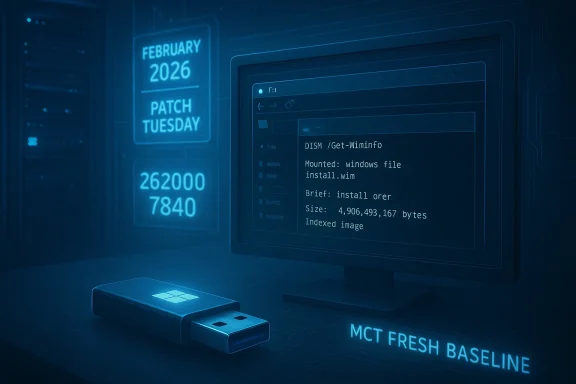
The key change is not a visible MCT UI tweak on users' machines but a backend change at Microsoft’s delivery servers. The Media Creation Tool downloads an image that Microsoft hosts; the company can update that hosted image without shipping a new MCT client. In recent weeks the server-side image has been replaced with a build that already includes the most recent Patch Tuesday cumulative baseline, so ISO images generated by the tool report a newer OS build inside their WIM/ESD. Analysts and community tests observed ISOs labelled with the February 2026 cumulative baseline (Build 26200.7840 for the 25H2 family) being produced by MCT, and Microsoft’s own KBs confirm those target builds.- Example baseline observed in the field: Build 26200.78407181** (February 10, 2026 Patch Tuesday), which raised 25H2 devices to that OS build number. Multiple community verifications found MCT-produced ISOs containing that build identifier.
- Microsoft continued iterative servicing in March 2026 with further cumulatives (f10 cumulative releases), and the ISO baseline that MCT references can and does change as Microsoft updates the backend image. The process is server-driven, meaning Microsoft can and will update the payload without changing the MCT binary clients floating around on users' systems.
How to confirm what an ISO contains
Because the MCT-generated payload is server-side and variable, rm exactly which build an ISO contains is to mount the ISO or the created USB and inspect the image metadata using DISM. Run:- Mount or attach the ISO/USB in Windows.
- Open an elevated command prompt.
- Run: DISM /Get-WimInfo /WimFile:X:\sources\install.wim (or the path to the ESD).
- Read the Version/Build values reported for the indexed images.
Benefits: why this matters for users and IT
Shifting the MCT backend to fresher cumulative baselines yields immediate- Fewer post-install updates. Fresh installs and repair installs using MCT media typically require fewer cumulative downloads after first boot, speeding deployment and reducing user downtime.
- Lower bandwidth and faster provisioning. For technicians, repair shops, and imaging teams that install Windows many times a day, using a moretically reduces repeated downloads, conserving bandwidth and cutting time to delivery.
- Reduced exposure window. A patched baseline reduces the time a newly imaged machine spends running unpatched code, shrinking the exposure window for known vulneraed in recent LCUs.
- Smoother in-place repairs. When an ISO’s build is at or above the installed system’s build, in-place repairs (the “keep files and apps” option) are more likely to proceed cleanly, avoinent-store mismatches that can block upgrades. Community troubleshooting threads highlight successful in-place upgrades after validating the ISO build metadata.
Risks, real-world regressions, and why caution is still warranted
The practical advantage above is not unconditional. There are measurable risks and trade-offs administrators and enthusiasts must undersegressions still happen — and can be severeNot every cumulative update is benign. The February 2026 cumulative shipped as KB5077181 addressed hardware and security issues, but community reports show a non-trivial cohort of devices experiencing serious regressions after installation — including endless restart loops, blocked interactive sign‑ins, network failures, and other field-impacting errors. In multiple community threads technicians logged cases where the fastest mitigation was to uninstall the cumulative and pause updates until Microsoft issued a remediation. If the MCT image includes a problematic cumulative, using it to install broadly can propagate the regression to every fresh machine it touches.
2) Backend images are server-driven and can change unexpectedly
Because the MCT payload is a server-side image, Microsoft can and will change it without changing the client. That flexibility is a strength for Microsoft, but it also means the ISO you create today may contain a different baseline than the ISO you created last week. For cautious deployments, always validate the generated media’s build and test on a small sample of hardware before rolling out at scale. Analysts and community engineers emphasize validating the image with DISM and performing a test install before mass deployment.3) Enterprise image management remains essential
Large organizations that rely on WSUS, SCCM/ConfigMgr, or image libraries must continue to maintain their own canonical images with known-good cumulative baselines. Accepting freshly generated MCT media into corporate imaging pipelines without validation risks drifting away from the organization’s tested baseline and could introduce unexpected failures. Vendors and admins advising enterprise deployments continue to recommend integrating updates via offline servicing pipelines (DISM, offline servicing catalogs, or build pipelines) where each component is validated.How to use the updated Media Creation Tool safely — step-by-step
Follow this checklist to balance speed with caution when using the refreshed MCT output.- Generate the ISO or USB with the Media Creation Tool (MCT).
- Mount the ISO or attach the USB on a test machine (do not deploy toValidate the contained image build:
- Run DISM /Get-WimInfo against install.wim/install.esd and record the Version/Build value.
- Confirm it matches or exceeds the build of machines you intend to upgrade.
- Run a clean install or in-place repair on a test machine with representative hardware (drivers, firmware, vendor utilities).
- Verify critical functionality — boot, sign-in, network, GPU drivers, sleep/hibernate, device management agents.
- If the test passes, import or convert the image into your imaging pipelinins), or proceed with a controlled roll‑out for end users.
- If the test fails, do not deploy; either rebuild media later (MCT server payload may be updated) or use Microsoft Update Catalog/UUP dumps to create a different baseline image after verification.
- When doing a repair upgrade and keeping apps/files, ensure the ISO build is equal to or newer than the installed system to avoid upgrade blocking behavior.
- If you depend on a known-good image, continue maintaining an internal repository rather than relying exclusively on freshly generated MCT media.
Enterprise and imaging implications
Enterprise imaging teams should treat this MCT change as an operational opportunity and a cautionary flag at the same time.- Opportunity: A fresher MCT baseline can shorten provost‑deploy patch traffic for lab and pilot systems. That frees up bandwidth and reduces the time to an audit-ready, patched endpoint.
- Caution: Yate image must still come from your validated build pipelines. Microsoft’s server-side image may include changes you have not validated (and may include updates that, while intended to be broadly compatible, trigger device-specific regressions). Maintain your controlled image lifecycle (build → test → sign-off → publish) and use the MCT media as a convenience for quick ad-hoc inpairs, not as a replacement for your certified image.
- Continue using offline servicing and DISM integration for update control.
- Use lab automation to run driver and app compatibility scans against new baselines.
- Consider stamping images with a build tag and a brief deployment test signature to avoid accidental adoption of unvalidated media.
The broader ecosystem: downloads, third-party tools, and download blocknge to MCT coincides with a wider tightening of how Microsoft serves installation images. Community reports and developer accounts indicate Microsoft has taken steps that complicate third-party automated download workflows (tools that scrape or mirror Microsoft ISO endpoints), and some tools and scripts have reported blocked access or rate-limiting when e newest images at scale. For example, some third-party ISO utilities and the communities around them have noted download throttles and access errors that are interpreted by some as deliberate gating designed to steer users toward official tooling. Administrators should be prepared to rely on the MCT or Microsoft Update Catalog rather than scraping endpoints for large-scale downloads.
Case study: KB5077181 and why testing remains vital
The February 2026 cumulative update (KB5077181), which took machines in the 25H2 servicing family to Build 26200.7840, illustrates both the promise and the peril of fresher installation media.- Promise: Including KB5077181 in an ISO reduces the number of steps a newly installed machine needs to reach the present patch level, simplifying provisioning and minimizing multiple restarts. Community tests show thatbeled with 26200.7840 allowed in-place repairs to proceed where older ISOs would block the “keep apps” option.
- Peril: KB5077181 was also correlated with a wave of field reports describing severe post-update failures on a subset of hardware configurations—ranging from boot loops to network regressions—that in many cases required uninstalling the cumulative and pausing updates. If Microsoft’s MCT media contained that cumulative while it was still causing regressions on certain hardware, a single bad batch of USB installers could reproduce the field issue widely. Community threads documented the rollback technicians followed to recover affected devices. This is why testing new baselines is not optional.
Practical recommendations — summary checklist
- For home users:
- Use the Media Creation Tool for one-off clean installs or repairs, but validate the ISO build with DISM if you care about in-place repair fidelity.
- If you encounter post-install problems that began after a recent Patch Tuesday, try uninstalling the latest cumulative and pausing updates until a fix is issued. Community guidance has documented this as an effective immediate mitigation for some regressions.
- For small IT shops and technicians:
- Use fresher MCT media to save time, but validate on representative hardware before deploying to multiple clients.
- Keep a vetted internal image repository for repeatable deployments and for devices where vendor drivers are known to be delicatedmins:
- Continue to build and sign-off canonical images in your CI pipeline. Do not accept MCT media into corporate imaging repositories without formal validation and test-pass criteria.
- Use offline servicing and monthly patch windows to control update exporisk of shipping a newly introduced regression across the fleet.
Critical analysis — Microsoft’s trade-offs and strategy
Microsoft’s move to deliveredia Creation Tool makes practical sense: it reduces friction for users installing Windows from scratch, conserves update bandwidth, and shortens the exposure window for newly installed machines. From an operational point of view, aligning installation media closer to the present patch baseline is a net win — especially for technicians, refur who need fast, repeatable installs.That said, the server-side flexibility that enables this behavior is a double-edged sword. It allows Microsoft to iterate on installation images quickly, but it also means that a regression introduced in a cumulative update can reach many new machines rapidly if the hosted image includes that cumulative. The February 2026 KB5077181 episode underlines this exact risk: an update that fixes some systems while destabilizing others shows why conservative validation remains necessary.
Another strategic dimension is control of distribution. Tightening official download channels and nudging users toward MCT and the Microsoft Update Catalog may be intended to reduce third-party scraping and ensure customers receive well-formed, integrity-checked images. That improves the security posture of delivered media but reduces flexibility for power users who previously relied on alternative tooling and mirrors. Administrators and community tool developers will need to adapt.
Final takeaways
- Microsoft has updated the Media Creation Tool’s backend payload so that MCT-generated ISOs more often reflect the latest Patch Tuesday cumulative baseline, reducing post-install update work for many users.
- This is operationally helpful for fast provisioning and in-place repairs, but it does not eliminate the need for validation and testing. Because cumulatives can introduce regressions for specific hardware, every imaging or repair workflow should include an ISO validation step (DISM /Get-WimInfo) and a short test deployment before broad roll‑out.
- Enterprise teams should continue to maintain controlled build pipelines and use thonly after passing standard validation gates. Small shops and home users benefit in the short term, but should still be prepared to roll back or pause updates if unexpected behavior appears after a new cumulative.
Source: Neowin Microsoft updates official Windows 11 ISO tool with the latest system updates