

Microsoft’s new watermark policy for Microsoft 365 is a clear signal that the company is trying to strike a balance between AI convenience and content transparency — but the implementation choices and rollout details leave important questions for IT admins, security teams, and content creators alike.
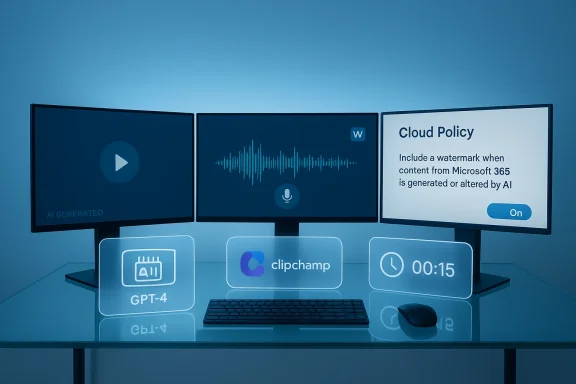
Starting in late February 2026, Microsoft published a Cloud Policy setting that lets organizations add visible or audible watermarks to audio and video content generated or altered by AI in Microsoft 365. The policy is surfaced as “Include a watermark when content from Microsoft 365 is generated or altered by AI” inside the Cloud Policy service for Microsoft 365, and it is not enabled by default — administrators must explicitly set this policy to Enabled for watermarks to be applied.
Microsoft’s documentation and message-center notices (Message ID MC1221451 / Roadmap ID 547831) make three points repeatedly and clearly:
But centralized control also creates operational and legal tradeoffs:
That creates a temporary mismatch:
Implications:
That said, the initial implementation leaves important gaps: fixed wording and placement, uneven metadata coverage across media types, and early exclusions for some government clouds. Watermarks alone do not prevent misuse or tampering; the real value comes from pairing visible labels with robust, machine-readable provenance and enterprise controls.
For IT and security teams, the immediate work is practical and administrative: pilot, communicate, adjust DLP and retention policies, and build approval flows. For Microsoft and the industry, the work ahead is about standards, tamper resistance, and consistent cross-vendor provenance so that transparency isn’t merely cosmetic but is verifiable and actionable.
As AI-generated content becomes a routine part of enterprise workflows, policies like this will define how trust and accountability are enforced — and whether transparency becomes a checkbox or a meaningful control.
Source: Windows Central Microsoft 365 now tracks your AI‑generated content — enjoy
 Background / Overview
Starting in late February 2026, Microsoft published a Cloud Policy setting that lets organizations add visible or audible watermarks to audio and video content generated or altered by AI in Microsoft 365. The policy is surfaced as “Include a watermark when content from Microsoft 365 is generated or altered by AI” inside the Cloud Policy service for Microsoft 365, and it is not enabled by default — administrators must explicitly set this policy to Enabled for watermarks to be applied.Microsoft’s documentation and message-center notices (Message ID MC1221451 / Roadmap ID 547831) make three points repeatedly and clearly:
- The policy applies to video and audio created or modified by AI tools inside Microsoft 365 (examples: Clipchamp for video, Copilot-generated audio overviews from Word).
- Image watermarking is handled separately and is controlled by end-user privacy settings; images have different toggles in users’ account privacy settings.
- Even when visible/audible watermarks are not applied, Microsoft will add additional provenance information to content metadata — though today that metadata insertion is implemented for images, with audio and video metadata support still being rolled out.
What Microsoft is shipping (what the policy does)
The mechanics, in short
- The policy is located in Cloud Policy for Microsoft 365 and is named Include a watermark when content from Microsoft 365 is generated or altered by AI.
- When an administrator sets the policy to Enabled, Microsoft 365 will add:
- a visual watermark to AI-generated or AI-altered video content, and/or
- an audio watermark to AI-generated or AI-altered audio content,
depending on the media type. - If the policy is Disabled or left Not configured, Microsoft does not add those visible or audible watermarks.
- The watermark’s text and placement cannot be customized by admins or users; Microsoft controls the wording and where it appears/hears in the asset.
- Regardless of watermark settings, Microsoft inserts additional metadata describing AI provenance. At the time Microsoft published the documentation this metadata was present for images, and Microsoft stated it is working to add similar metadata to audio and video.
Supported apps and examples
Microsoft cites integration examples such as:- Clipchamp — video generated in Clipchamp may receive a visual watermark if the policy is enabled.
- Copilot — Copilot-created audio overviews (for example, a spoken summary generated from a Word document) may receive an audio watermark.
Availability and timing
- Microsoft’s Learn documentation and the Message Center entry expected availability in the second half of February 2026, with administrative controls in Cloud Policy becoming visible to tenants during the announced rollout window.
- In practice, Microsoft’s support pages clarify that audio watermarking is available (at the time of the announcement) and video watermarking was expected to be available by the end of March 2026. Rollouts of this type can vary by tenant and region and often proceed in phases.
Why this matters: transparency, trust, and practical concerns
1) Transparency and provenance — the obvious upside
AI-generated multimedia can be highly convincing. Adding visible or audible watermarks provides immediate, user-facing transparency that an asset was machine-generated or machine-altered. That is valuable for:- Reducing the chance that workplaces accidentally use deceptive AI outputs as factual evidence.
- Meeting basic organizational transparency standards for marketing, learning, HR, and legal materials.
- Helping downstream consumers of content (customers, partners, regulators) quickly spot content that may need additional scrutiny.
2) Provenance metadata — the longer game
Microsoft’s approach includes two layers: the visible/audible watermark, and machine-readable provenance metadata. The metadata can include details like:- Which AI model was used
- Which Microsoft 365 app produced the content
- When the asset was generated or altered
3) Administrative control — good for governance, but double-edged
Giving tenant administrators the power to deploy watermarks from a central Cloud Policy is sensible from a governance standpoint: organizations can adopt consistent policies across the tenant. It avoids ad-hoc, inconsistent labeling at the user level.But centralized control also creates operational and legal tradeoffs:
- If an admin turns watermarks on globally without communicating to makers and stakeholders, it may break expected branding or content workflows.
- The policy is an all-or-nothing toggle for organizations (per media type); nuanced, per-team, or per-project labeling behavior is not supported in this initial implementation.
- The inability to customize placement or wording limits the ability to conform to brand or legal requirements.
Key limitations, risks, and trade-offs
Fixed watermark wording and placement
Microsoft’s decision to not allow customization of the watermark is a pragmatic choice that simplifies implementation and ensures consistency, but it has real downsides:- Organizations with strict branding or compliance language requirements can’t adapt the phrase used by Microsoft to meet local disclosure laws or company policies.
- Fixed placement could interfere with essential visual or audible content (for example, the watermark covering critical text or audio masking important speech), adding friction to content reuse.
Metadata gaps today
Microsoft’s published documentation is explicit: the additional metadata is currently added for images, while audio and video metadata support is still being completed.That creates a temporary mismatch:
- If a tenant chooses not to enable visible watermarks for audio/video, there may be no visible sign (and potentially no accessible metadata yet) indicating AI involvement until metadata support for those media types is fully rolled out.
- Security teams and automated systems that rely on metadata for enforcement may not have parity across images, audio, and video immediately.
Government cloud exclusions
Microsoft’s documentation calls out a noteworthy exception: the Cloud Policy control for watermarking is not available to United States government customers using Microsoft 365 (or Office 365) Government Community Cloud (GCC), GCC High, or DoD offerings at the time of the announcement.Implications:
- Public sector organizations operating in these environments will need alternative transparency approaches.
- The exclusion raises policy and procurement questions for agencies that may require provable labeling of AI-generated content.
Watermark removal and adversarial tampering
A visible watermark is a blunt instrument — it can deter casual reuse or deceptive applications, but it does not make an asset tamper-proof:- Watermarks can be cropped, blurred, or replaced by bad actors.
- Audio watermarks can be filtered or stripped using signal processing.
- Determined adversaries will often find ways to remove visible marks while keeping the content intelligible.
User experience and adoption friction
Content creators and communications teams may find watermarks reduce the perceived professionalism of assets, driving:- Additional manual clean-up work (attempts to remove watermarks).
- Use of external tools outside Microsoft 365 to generate “clean” assets — which can undermine centralized governance and ironically make content provenance harder to track.
- Confusion if image watermarking is controlled by end users while audio/video watermarking is controlled by admins — inconsistent labeling across content types can frustrate workflows.
What this means for IT, security, and compliance teams
If you manage Microsoft 365, here are practical implications and recommended next steps.1) Treat the watermark policy as a governance lever
- Evaluate whether your organization should require watermarking for AI-generated audio/video at the tenant level.
- Consider staging: enable the policy in a test or pilot tenant first to measure impact on workflows and UX.
- Decide on an organizational posture: strict disclosure by default or opt-in labeling for specific teams — and then implement communications and training to match.
2) Communicate widely and update policies
- Notify marketing, legal, product, and training teams that watermarks may appear and explain the reasons (transparency, risk reduction).
- Update content creation guidelines to reflect whether visible or audible watermarks will be present, and how to handle them in deliverables.
- Ensure that external-facing content that requires a “clean” appearance has a defined process (e.g., approval steps to generate non-watermarked assets when appropriate and accountable).
3) Update technical controls and logging
- Incorporate Microsoft’s metadata provenance (as it becomes available for audio/video) into your Data Loss Prevention (DLP), records retention, and eDiscovery workflows.
- Monitor for assets that are edited outside of sanctioned environments; consider coupling watermark policy with conditional access and device management restrictions for content creation flows.
- Align audit logs to detect whether admins toggle the policy — changes to this setting are a governance event that should be recorded and reviewed.
4) Legal and regulatory coordination
- If your organization operates in regulated industries (finance, healthcare, government contracting), consult legal counsel about the sufficiency of Microsoft’s watermark wording for compliance disclosures.
- Track options for Microsoft’s privacy/consent controls — image watermarking is user-level today; ensure that policy and user consent align with regional privacy laws.
Technical analysis: robustness, metadata, and standards
Watermark robustness
- The visible/audible watermark is useful but not cryptographically binding. It signals AI involvement to humans quickly, but it is not a guarantee against tampering.
- For assets that require non-repudiation, organizations should pair watermarks with stronger measures: file signing, secure storage, or content hashes recorded in an immutable ledger.
Metadata and provenance standards
- Microsoft’s metadata approach points toward interoperability with provenance standards like C2PA (Coalition for Content Provenance and Authenticity). That’s promising because it enables cross-vendor provenance.
- Right now, the metadata story is uneven across media types. Images have more complete metadata support; audio and video metadata ingestion is a work-in-progress. Expect improvements in the months after initial rollout.
Attack surface and security considerations
- Storing provenance metadata in file headers may increase the attack surface if that metadata contains sensitive operational details (e.g., tenant IDs, model versions). Organizations should review what metadata fields they want preserved and how that metadata is accessed downstream.
- Because watermarks are added only when AI tools inside Microsoft 365 are used, content produced by external AI services will be outside this policy’s reach. That limits the policy’s coverage and requires complementary controls for non-Microsoft tools.
Scenarios and practical examples
Scenario 1: Global marketing team produces a product launch video
- If your tenant enables the watermark policy, Clipchamp-produced launch videos may include a visible watermark.
- That could conflict with branding. Mitigation: route final product through an approval workflow where legal signs off on a version that omits visible watermarks only after appropriate checks, or maintain a centralized video-build process that uses approved non-AI-generated assets.
Scenario 2: HR uses Copilot to create training audio
- Copilot can generate spoken overviews from documents. If your policy enables audio watermarking, each training clip will include an audible label.
- Benefits: employees know the content is AI-assisted. Consider whether audible marks interfere with accessibility and narration — test for clarity with screen-reader users.
Scenario 3: Government contractor with GCC High tenant
- Microsoft explicitly excluded certain US government clouds from the Cloud Policy rollout. That means GCC/GCC High/DoD customers will not see the same toggle in Cloud Policy and must develop parallel controls or await a later Microsoft release for those environments.
Recommendations for admins (action checklist)
- Inventory where AI-generated audio/video is currently created within your organization (Clipchamp, Copilot, Designer integrations).
- Pilot the watermark policy in a non-production tenant to assess visual/audio impact on workflows.
- Communicate the policy and rollout plans to content creators, marketers, and legal — include timelines and expected behaviors.
- Update DLP and eDiscovery rules to query provenance metadata once audio/video metadata support is available.
- For high-value content that must not carry a watermark, define a documented exception and approval workflow.
- Monitor Microsoft product updates: metadata support and video watermark timing are subject to change and regionally phased rollouts.
- For government or regulated tenants (GCC/GCC High/DoD), raise questions with Microsoft support and your account team to understand roadmap timing and compliance implications.
How this fits into the wider AI accountability ecosystem
Microsoft’s watermark policy is one piece of a broader trend toward machine transparency and provenance. Industry efforts such as C2PA, combined with vendor-level metadata practices and legislation under discussion in several jurisdictions, indicate a direction where:- Machine-generated content must often be labeled or provable as machine-originated.
- Enterprises will need both visible signals (for human readers/viewers) and machine-readable provenance for automated governance.
- That hybrid approach — human-facing labels backed by immutable or verifiable metadata — is the likely long-term standard for enterprise-grade AI provenance.
Open questions and things to watch
- Timing parity across media types: Microsoft documented differences in rollout timing for images, audio, and video. Track whether audio/video metadata ingestion reaches parity with images and how quickly video watermarking is fully available for all tenants.
- Customization roadmap: Will Microsoft offer configurable watermark wording or placement for enterprises that must meet specific disclosure language requirements?
- Resilience to tampering: Will Microsoft pair visible watermarks with cryptographic signing or stronger tamper-evident provenance in future updates?
- Coverage for non-Microsoft AI tools: What mechanisms will enterprises have to label or track content from third-party AI services not integrated with Microsoft 365?
- Government cloud parity: When will GCC/GCC High/DoD tenants see equivalent controls, and will the implementation meet government regulatory needs?
Bottom line
Microsoft’s Cloud Policy watermark option for Microsoft 365 is a meaningful step toward practical transparency for AI-generated audio and video. It gives tenant administrators a central switch to declare AI involvement in content and embeds the concept of provenance into the Microsoft 365 platform.That said, the initial implementation leaves important gaps: fixed wording and placement, uneven metadata coverage across media types, and early exclusions for some government clouds. Watermarks alone do not prevent misuse or tampering; the real value comes from pairing visible labels with robust, machine-readable provenance and enterprise controls.
For IT and security teams, the immediate work is practical and administrative: pilot, communicate, adjust DLP and retention policies, and build approval flows. For Microsoft and the industry, the work ahead is about standards, tamper resistance, and consistent cross-vendor provenance so that transparency isn’t merely cosmetic but is verifiable and actionable.
As AI-generated content becomes a routine part of enterprise workflows, policies like this will define how trust and accountability are enforced — and whether transparency becomes a checkbox or a meaningful control.
Source: Windows Central Microsoft 365 now tracks your AI‑generated content — enjoy
