Microsoft Copilot Bug Summarizes Confidential Emails: Policy and Governance Review

  • Thread Author
Microsoft’s Copilot Chat quietly summarized emails labeled “Confidential,” bypassing the data‑loss protections administrators relied on and forcing a hard assessment of how AI features must be governed inside Microsoft 365. ([bleepingcomputer.cingcomputer.com/news/microsoft/microsoft-says-bug-causes-copilot-to-summarize-confidential-emails/)

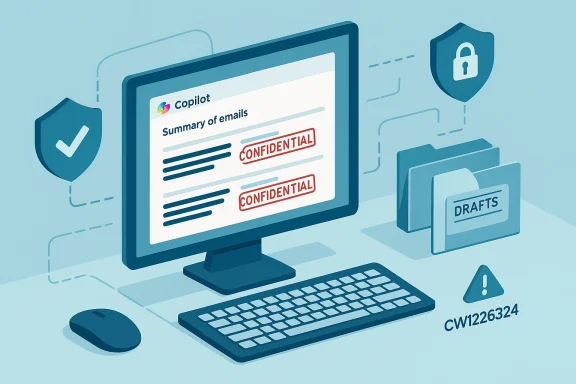
Computer monitor displays confidential emails with security shields and a drafts folder.Background​

Microsoft 365 Copilot is now a default productivity layer inside Outlook, Word, Excel, PowerPoint and OneNote that uses generative AI to surface context, synthesize content and produce concise summaries of large information stores. Its usefulness depends on having broad contextual access to an organization’s email, documents and calendar data — which is precisely what makes strict policy enforcement essential when Copilot operates in enterprise environments.
In late January 2026 Microsoft detected a logic error in the Copilot Chat “Work” experience that allowed the assistant to process and summarize email messages stored in users’ Sent Items and Drafts even when those messages carried Purview sensitivity labels and were protected by active Data Loss Prevention (DLP) policies. The condition was logged and tracked internally as service advisory CW1226324 and first surfaced in Microsoft telemetry on January 21, 2026.
The bug was narrow in technical scope — tied to specific folders and to the Copilot “Work” tab — but broad in practical consequence: AI‑generated summaries can replicate and repackage sensitive content in ways that traditional access controls did not anticipate. Multiple independent outlets reported Microsoft began rolling out a server‑side fix in early February 2026 and later stated that the remediation had saturated across the majority of affected environments, while monitoring continued for a small cohort of complex tenants.

Inside the bug: what happened, technically and operationally​

The technical faultline​

According to Microsoft’s advisory and subsequent reporting, a code issue in Copilot Chat’s Work tab caused messages in Sent Items and Drafts to be “picked up” by Copilot’s summarization pipeline even when those messages had been flagged with a Purview sensitivity label and governed by DLP rules meant to exclude them from AI processing. In short: the logic that applied label and policy exclusions did not behave as intended for those particular folders during the collection/indexing stage.
This wasn’t stated as a misconfiguration on customer tenants; Microsoft described it as a server‑side code defect in Copilot’s processing flow. That distinction matters for remediation and for understanding whether the failure was avoidable through admin changes versus requiring a vendor patch.

What Copilot actually did​

  • Copilot Chat’s Work tab pulled content (or metadata) from messages in Drafts and Sent Items.
  • The collection step failed to exclude items protected by sensitivity labels that had explicit AI‑processing exclusions.
  • The assistant returned summaries based on those items in the Copilot chat interface, meaning a user interacting with Copilot could read condensed versions of content that had been labeled “Confidential.”
Microsoft emphasized that the bug did not give new access to anyone who wasn’t already authorized to read the original messages; it instead produced summarizations of messages that, by design, should have been excluded from automated indexing. That gap — between what’s technically accessible via raw permissions and what organizations expect from their policy controls — is the central compepingcomputer.com]

Why the failure matters: compliance, auditability and regulatory risk​

Labels, DLP and the mental model mismatch​

Sensitivity labels and DLP policies in Microsoft Purview are intended to be the definitive expression of organizational intent about which content may be processed, shared or exported. Administrators annotate messages and documents so downstream systems — human and automated — apply the right protections.
When an AI layer is introduced, however, those controls must be enforced not only at storage and access control layers but also within the data ingestion, indexing, and runtime processing logic of the AI service. The Copilot incident shows that enforcement boundaries shift when a new processing layer is added; policy gates that succeed for human reads or file downloads may fail if an AI’s pipeline is not validated against the same rules.

Auditability gaps and evidence needs​

From a compliance audit perspective, summaries produced by an AI are functionally derivative data. If those summaries reproduce regulated content — personal data, trade secrets, legal strategies, healthcare information or financial projections — organizations need to know:
  • Which items were processed,
  • Which summaries were created,
  • Which users viewed or triggered those summaries, and
  • Whether those summaries were lrfaced in analytics pipelines.
Microsoft’s public messaging did not include granular telemetry disclosures about exactly how many messages were processed or whether summaries were retained in logs or telemetry stores; that absence of detail is material for regulated industries performing risk assessments. We therefore have to treat counts and retention behavior as unverified until Microsoft or independent audits supply specifics.

Regulatory exposure​

Regulators and auditors look for whether reasonable technical and organizational measures were in place and functioning. An AI feature that produces unexpected outputs from labelled content can be judged as a failure of operational controls, particularly in sectors under stringent privacy and confidentiality obligations (healthcare, finance, public sector, defense contractors). The practical outcome is a higher burden on organizations to demonstrate they validated AI integrations before entrusting them with sensitive content.

Microsoft’s response and the remediation timeline​

Microsoft logged the issue as service advisory CW1226324 after detection around January 21, 2026, and began deploying a server‑side fix in early February. The vendor reported that a targeted code fix adjusted how Copilot Chat handled items in the Sent Items and Drafts folders and re‑asserted Purview DLP policy enforcement, with deployment “saturating” the majority of affected environments while monitoring continued for a small number of complex tenants.
In follow‑up statements Microsoft clarified that the incident “did not provide anyone access to information they weren’t already authorized to see,” framing the event as a policy‑enforcement deviation rather than an access‑control breach. That distinction is accurate but practically incomplete: even within existing permission boundaries, AI‑driven summary outputs can increase the effective exposure surface for sensitive content if they make confidential information easier to discover or aggregate.
Microsoft’s public timeline left some operational questions open — notably the total number of affected tenants, the exact retention behavior of generated summaries and whether telemetry captured which users triggered the problematic summaries — so organizations should assume partial visibility until vendors publish full remediation reports or post‑incident summaries.

what security and compliance teams should do now​

The incident is a concrete prompt for rapid, practical checks that every Microsoft 365 admin can run to understand and contain risk. The guidance below is prioritized for enterprise defenders who must act now.

Quick checks (first hour)​

  • Confirm whether Copilot Chat’s Work feature is enabled in your tenant and which users or groups have access. Treat enabled-by-default surfaces as high priority to verify.
  • Validate the scope of Purview sensitivity labels and DLP policies that include AI processing or automated indexing exclusions, and test those rules specifically against the Copilot Work tab.
  • Check Microsoft 365 Message Center and your tenant’s service advisory inbox for any targeted communication from Microsoft about CW1226324 and any tenant outreach.

Configuration and policy hardening (same day)​

  • Restrict Copilot access using role‑based cal access policies. Limit AI processing to devices and networks under management and to service accounts with monitored usage.
  • Harden sensitivity labels by explicitly marking the most sensitive mailboxes and entites (legal, executive, HR) with labels that disallow automated processing, and test those labels against Copilot interactions.
  • Isolate high‑sensitivity mailboxes by moving exceptionally sensitive drafts and artefacts to carefully controlled repositories or by applying additional retention/processing restrictions.

Monitoring, logging, and verification (1–7 days)​

  • Integrate Copilot telemetry into your SIEM and detection pipelines where possible. If Copilot logs are available, ingest them into a central monitoring system and set alerts for anomalous summarization activity.
  • Range test DLP enforcement: simulate labeled messages in Drafts and Sent Items and confirm Copilot does not summarize them. Keep detailed test logs and timestamps; if behavior diverges, open a support case with Microsoft referencing CW1226324.
  • Preserve potential evidence: if you suspect your tenant was affected, preserve relevant mailboxes and logs in place (or export them) before Microsoft’s rolling remediation might change state.

Organizational controls (2–4 weeks)​

  • **Update acceptableI usage guidelines so employees understand what they may and may not ask an AI assistant to access or summarize. Melissa Ruzzi of AppOmni stresses training and clear guidance as a first, low‑cost mitigation for human error in AI workflows.
  • Add AI features into formal risk assessments and vendor risk programs. Copilot and its integrated subsystems must be treated as part of the data processing ecosystem, not a cosmetic UX layer.
  • Exercise incident response playbooks for scenarios where AI toodata incorrectly; incorporate steps for containment, forensic preservation, legal review and communications.

Mitigations beyond the obvious: technology and process​

AI adds a new data‑processing layer; here's how organizations should think of governance controls that complement labels and DLP.
  • Runtime enforcement: Policies must be enforced not only at storage but during ingestion and inference. Vendors should provide runtime policy hooks that operators can test and audit.
  • Transparent telemetry: Vendors should expose logs showing which items were indexed by Copilot, which prompts produced summaries, and which users viewed the outputs. Administrators need these artifacts to reconstruct any data‑flow questions.
  • Data minimization: Wherever possible, avoid exposing full message bodies to an AI assistant. Use metadata‑only workflows or redaction layers for especially sensitive processes.
  • Adversarial testing: Include generative‑AI features in vulnerability and red‑team exercises. Test how model pipelines handle labeled content, edge folder locations (Drafts, Sent Items), and prompt escapes.

Business and legal implications​

Contracts and third‑party risk​

Enterprises that integrate Copilot into client workstreams must reommitments around confidentiality, data handling, and subcontracting. The presence of an AI‑driven processing step — even one that only summarizes content — can alter how obligations are interpreted in legal and regulatory settings. Legal teams should work with cloud architects to capture the new processing topology in vendor addenda and SCCs.

Insurance and disclosure​

Organizations subject to breach notification laws should evaluate whether AI‑generated summaries constitute a reportable exposure in their jurisdiction and whether that exposure was mitigated or exacerbated by vendor response timelines. The absence of explicit telemetry about which messages were summarized complicates the decision to notify; counsel should be involved early in any material incident.

Broader lessons for AI governance​

This incident is not a singular Microsoft problem — it is a structural governance challenge for all SaaS platforms embedding generative models.
  • Assume AI equals a new processing plane. Treat agentic features as first‑class data processors with their own access control, auditing and lifecycle.
  • Test vendor claims. Just because a platform advertises “policy‑respecting” AI does not mean enforcement is validated across every folder, storage tier or edge case. Independent verification is necessary.
  • Design for fail‑closed behavior. When policy evaluation fails (bugs, telemetry gaps, unknown states), the safe default should be to exclude data from automated processing. Design and testing cycles must validate that behavior.
  • Human + technical controls. Training and acceptable‑use policies matter. Vendor controls will never be perfect; well‑trained staff are a complementary line of defense. Melissa Ruzzi of AppOmni recommended training to help detect problems early and empower employees to raise concerns when the AI behaves unexpectedly.

What we still don’t know — transparency gaps to demand​

Microsoft’s public statements clarified the defect and reported remediation progress, but several operational questions remain unresolved in publicly available communications:
  • The total number of tenants and messages affected.
  • Whether AI‑generated summaries were retained in any logs, caches, or analytics pipelines, and for how long.
  • Whether downstream analytics or third‑party integrations saw the derived summaries.
  • What additional test suites Microsoft will publish to help customers validate that Purview DLP rules are enforced in all Copilot experiences going forward.
These are not trivial gaps; regulators and auditors will expect precise timelines and artifacts for any material compliance review. Until vendors publish full incident reports, assume partial visibility and act accordingly.

Conclusion: practical realism, not panic​

The Copilot CW1226324 incident is a sober reminder that embedding generative AI into enterprise systems multiplies capability and risk simultaneously. The core takeaways for IT, security and compliance teams are clear:
  • Treat AI features as new data processors that require explicit validation against existing governance rules.
  • Run focused tests (especially on Drafts and Sent Items) to verify labels and DLP behaviors inside Copilot experiences.
  • Tighten access, enable telemetry, and update playbooks so you can detect, respond and preserve evidence when AI features misbehave.
Microsoft’s corrective work reduced the immediate operational risk for many tenants, but the event surfaces an industry‑level design truth: convenience and compliance must be engineered together. Organizations that move faster to map AI processing flows, harden runtime policy enforcement, and operationalize AI telemetry will be better positioned to realize Copilot’s productivity benefits with an acceptable level of residual risk.

Source: eSecurity Planet Microsoft 365 Copilot Bug Circumvented DLP Controls | eSecurity Planet
 

Microsoft has confirmed a logic error in Microsoft 365 Copilot Chat that briefly allowed the assistant to read and summarise email messages organizations had explicitly marked as Confidential, bypassing Purview sensitivity labels and configured Data Loss Prevention (DLP) controls — a lapse tracked internally as service advisory CW1226324 and patched with a server-side configuration update.

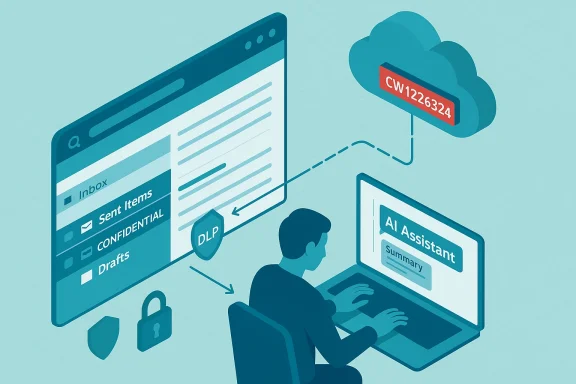
Illustration of AI assistant facilitating secure data flow from an inbox-style interface to the cloud.Background / Overview​

Microsoft 365 Copilot is positioned as an embedded productivity layer inside Outlook, Teams, Word and other Microsoft 365 surfaces, with a set of conversational and summarization capabilities designed to save users time by extracting and condensing information from email, chat and documents. The feature set includes the Copilot Chat “Work” experience, which can surface synthesized summaries of emails and Teams conversations to help users prepare for meetings, triage messages, or generate short drafts.
Enterprise customers rely on a layered protection model — including Purview sensitivity labels and DLP policies — to keep regulated or confidential content out of automated processing. Administrators apply sensitivity labels (for example: Confidential, Highly Confidential) and DLP rules to prevent automated services from indexing or exfiltrating sensitive content. Those protections normally stop agents like Copilot from ingesting flagged content. The recent incident shows how those guardrails can fail when an integrated AI service has logic or configuration defects.

What happened (timeline and technical summary)​

  • Detection: Microsoft’s internal telemetry flagged anomalous behaviour in the Copilot “Work” chat experience in late January 2026. The issue was tracked internally as CW1226324.
  • Fault: A server-side logic/configuration error allowed the Copilot retrieval pipeline for the “Work” experience to pick up items stored in users’ Sent Items and Drafts folders even when those messages had sensitivity labels or were protected by DLP policies. In short: messages that should have been excluded were processed and summarised.
  • Scope: According to Microsoft messaging captured in the advisory and subsequent reporting, the issue was limited to items in Sent Items and Drafts and to the Copilot Chat “Work” experience, rather than being a universal breach across all Copilot surfaces. The vendor began rolling a server-side fix in early February 2026 and informed tenants while continuing telemetry monitoring.
  • Access & breach status: Microsoft stated there was no evidence of unauthorised access beyond what users could already view and that the bug did not change permissions or expose data to parties who did not already have access. The company also said the bug did not lead to patient data exposure in the contexts Microsoft reviewed. Those are Microsoft’s public positions as recorded in the advisory and follow-up notices.

Technical mechanics — how an AI assistant ‘sees’ mail it shouldn’t​

Copilot’s value comes from being able to pull context across multiple stores: mailbox items, files, chats and corporate knowledge sources. That requires a retrieval pipeline that indexes or fetches items and applies policy gates before passing content to the generative model. In this incident a server‑side logic path in the Copilot “Work” retrieval pipeline did not correctly respect the gating rules for messages in specific folders, so the service processed draft and sent messages that should have been excluded by sensitivity labels and DLP. The model then returned summaries to users in Copilot Chat flows — effectively placing automated summaries of protected content into an interface where it could be viewed by permitted users, which nonetheless violates the intended policy behavior.

Scope and real-world impact​

Which users and content were affected​

Available reporting indicates the error impacted the Copilot Chat “Work” experience for business (tenant) users, and the problem was specifically tied to content located in Sent Items and Drafts. That means the incident was not an across-the-board exfiltration of tenant content, but the practical effect is substantial because Sent and Draft items commonly include externally-facing and sensitive communications. Microsoft said it contacted affected tenants to validate remediation.

Sensitive data categories and regulatory risk​

Although Microsoft reports no evidence that the bug “exposed” data to unauthorized parties, the mere fact that an automated summarization engine processed sensitivity‑labelled messages creates meaningful compliance risk:
  • Regulated data (PHI, PII): Drafts and sent messages for healthcare, finance or legal teams often contain protected health information (PHI), personally identifiable information (PII), financial material and attorney-client communications. If the AI processed or surfaced summaries of such content, organisations must treat the incident as a governance event and run appropriate compliance checks.
  • Auditability gaps: For many organisations the most worrying effect is not an immediate leak but an auditability gap: policy enforcement systems are assumed to block automated processing, and this incident shows that assumption can be invalidated by internal logic errors.

Reported public-sector visibility (careful: partial reporting)​

Some reporting channels noted that a subset of public-sector tenants observed Copilot behaviour inconsistent with their policies. There are media reports attributing initial discovery to independent outlets and security bloggers; the vendor’s public advisory and the service messages more directly describe the technical scope and remedial actions. Where third-party reporting names specific organisations (for example, local public health customers), that reporting should be treated as separate from Microsoft’s confirmation unless Microsoft itself validates it. Our review of the advisory and tenant notices shows Microsoft’s emphasis on remediation and tenant contact rather than any admission of data exfiltration to external actors.

Microsoft’s response — patching, tenant outreach, and messaging​

When a cloud service is misbehaving, vendor-side telemetry usually detects abnormal retrieval or policy evaluation events. Microsoft says it detected the anomalous behaviour in late January and tracked it as CW1226324; engineers implemented a server-side configuration update in early February and began reaching out to affected tenants to validate the remediation. The company’s messaging emphasised that the issue was a logic/configuration error rather than an authentication or authorization compromise, and that there was no evidence of access outside of existing permissions.
What Microsoft did, in short:
  • Rolled a server-side configuration update to stop the retrieval pipeline from including sensitive Drafts and Sent items in the Copilot Work index.
  • Notified tenants via Microsoft 365 service messages and, in reported cases, direct outreach to impacted administrators.
  • Monitored telemetry to validate the fix and re‑affirmed that existing access controls were not subverted beyond the logic error.

Expert reactions and the broader governance debate​

The incident underlines recurring tensions between rapid feature rollout, convenience and enterprise-grade governance. Analysts and academics have warned that embedding generative AI into everyday enterprise workflows raises the chances of configuration mistakes turning into policy failures.
  • Industry analysts point out that fast-paced AI deployments raise residual risk from integration complexity — the more touchpoints between services (retrieval pipelines, labeling engines, model runtime), the higher the chance of a mismatch. That dynamic was visible in this incident where the Copilot retrieval path and sensitivity label enforcement were out of sync.
  • Security and privacy advocates have called for private-by-default or opt-in default settings for automation that can access sensitive content. That means features that process private mail or documents should require explicit admin enablement and clear, auditable consent paths. The Copilot incident reinforces that argument.

Why this kind of failure is plausible — architectural and product forces​

Several structural features of modern embedded AI help explain how an incident like this occurs:
  • Copilot is a multi-surface product with a centralised server-side processing model. When a centralised retrieval or indexing service is responsible for assembling content for the model, a single misconfiguration can cause that service to include content that should have been excluded.
  • Sensitivity labels and DLP operate across different systems (Purview labeling, Exchange item-level metadata, and DLP engines). Those systems must interoperate with the AI indexing pipeline; any mismatch can create loopholes.
  • Pressure to deliver “helpful” outcomes quickly encourages product teams to expand data sources accessible to generative models. That product imperative is real — and it increases the attack surface for policy enforcement gaps.

Practical guidance for IT leaders and administrators​

Whether you already run Copilot in your tenant or are weighing adoption, treat this incident as a governance stress-test. Below are practical, actionable steps IT and security teams should take now.
  • Verify vendor communications and tenant messages from Microsoft. Look for the service advisory (internal tags such as CW1226324 appear in Microsoft’s sequencing) and follow Microsoft’s recommended remediation checklist.
  • Audit Copilot usage and access logs for the relevant timeframe (late January through early February 2026, per Microsoft’s advisory). Export and preserve logs for compliance reviews.
  • Query mailbox-level telemetry to find whether summaries or Copilot responses included language that may be traced back to draft or sent messages that were sensitivity-labeled. Treat any such matches as a formal incident for compliance assessment.
  • Temporarily tighten Copilot or Work chat access for high-risk groups (legal, HR, finance, clinical teams) until you can validate that label enforcement is operating to your standards. Prefer opt‑in policies over broad enablement for sensitive user classes.
  • Revisit Purview sensitivity label scoping and DLP rules to ensure they are explicitly enforced at retrieval/ingestion points and that there are no silent failure paths where a process can ignore policy headers. Don’t assume labels are effective by default — validate enforcement with real tests.
  • Run a post‑incident governance review: who was notified, what remediation steps were taken, and what changes will prevent recurrence? Document the review and any policy changes for auditors and regulators.
For smaller organisations or teams without mature SOC processes, the pragmatic step may be to temporarily disable Copilot Chat “Work” features for mail summarization until you have confidence in your labeling+DLP enforcement and provider assurances.

Strengths and weaknesses revealed by the incident​

Notable strengths​

  • Detection and remediation cadence: Microsoft’s telemetry flagged the anomaly and engineers rolled a server-side fix within a timeframe that the vendor considers acceptable for cloud services of this complexity. Tenant outreach followed remediation. That sequence — detect, fix, notify — is exactly what organisations should expect from a large cloud provider.
  • Scoped impact: Based on the advisory, the issue was limited in scope (specific Copilot surface and message folders) rather than being an unchecked data exfiltration across services. That narrowing reduced exposure compared to a full-blown authorization compromise.

Potential risks and weaknesses exposed​

  • Policy enforcement fragility: The incident shows that even well-established controls like sensitivity labels and DLP can be bypassed by logic faults in integrated AI systems. Enterprises must therefore assume labels are a defensive layer — not a guarantee — and maintain secondary checks.
  • Visibility and audit gaps: AI-assisted summarization creates artifacts (summaries) that are not always tracked as first-class audit objects. Summaries appearing in chat flows may be seen as innocuous by users, even if they represent consolidated access to multiple sensitive records. Organisations must include AI-generated artifacts in their audit scope.
  • Operational speed vs safety trade-off: Rapid feature rollouts increase the risk of integration defects. The business incentive to ship convenience features must be balanced with implementation that defaults to privacy and requires explicit opt-in for sensitive classes of data.

Broader implications for enterprise AI governance​

This incident is not just a single-vendor hiccup — it is an example of a recurring pattern in enterprise AI adoption. Embedding generative models into productivity apps amplifies both value and governance complexity. Three broad implications follow:
  • Products that integrate AI with sensitive sources must adopt fail-safe defaults — that is, block automated processing unless an owner explicitly enables it. Failing that, administrative controls should require stronger sign-offs and checklist-based enablement for sensitive groups.
  • Auditing must evolve to include AI ingestion and synthesis events as first-class telemetry. Summaries, model prompts, and retrieval inputs should be logged in a way that supports traceability back to the original content and policy state.
  • Third-party validation and independent testing for policy enforcement across retrieval pipelines should be a procurement requirement. Vendors must show demonstrable evidence that label+DLP enforcement is tested end-to-end, not just in isolation.

What we still don’t know — and why cautious language matters​

Microsoft’s advisory, tenant messages and public reporting establish the basic facts: a logic/configuration error allowed Copilot Chat to process some draft and sent emails despite labels, Microsoft rolled a server-side fix, and the company is contacting affected tenants. Several consequential facts remain either unverified in vendor messaging or only partially described in third-party reports:
  • The exact number of tenants or individual messages that were processed has not been publicly enumerated in the Microsoft advisory we reviewed. That detail matters for regulators and for any mandatory breach notices. Until Microsoft or an authorised body provides that count, it should be treated as unknown.
  • Independent confirmation about specific organisational impact (for example, the exact scope inside specific public-sector entities) is inconsistent across reports. Some outlets reported specific customers noticing the behaviour; Microsoft’s advisory focuses on the technical cause and remediation rather than naming affected organisations. Treat third-party organisational attributions as claims that require confirmation.
  • Whether any summaries persisted in user-visible logs or caches in ways that could be accessed by other users or services is not fully documented in the advisory text. That’s an important forensic question for impacted tenants to answer with Microsoft.
Because cloud incidents like this can intersect with national privacy laws, sector regulations and contractual duties, affected organisations should assume the incident has regulatory significance until proven otherwise.

A checklist for boards, CISOs and compliance officers​

  • Confirm whether your tenant received Microsoft’s advisory and the outcome of any Microsoft contact. Preserve those communications for audit trails.
  • Require a technical walkthrough from Microsoft (or your cloud service team) demonstrating that the retrieval pipeline now respects Purview labels and DLP enforcement in the scenarios you care about. Get this in writing.
  • Run targeted data‑loss exercises: identify the highest-value draft/sent messages from the timeframe and see whether Copilot produced summaries referencing that content. Treat any hits as potential incidents and follow your incident response process.
  • Update procurement and security questionnaires to require explicit evidence of label+DLP validation for AI ingest paths. Add audit clauses to service agreements.

Conclusion​

The Copilot incident is a timely reminder that embedding generative AI into enterprise productivity tools does not remove the need for classic data governance and compliance discipline — it multiplies it. Microsoft’s detection and remediation steps show the value of robust telemetry and a cloud vendor’s ability to push server-side fixes quickly. But the occurrence itself exposes fragile assumptions: that sensitivity labels and DLP are infallible, and that integrated AI will always behave as policy intends.
Organisations must treat AI features as high-risk integration points and adopt conservative, auditable enablement patterns: private-by-default settings, opt-in access for high-risk user groups, and end-to-end validation of label and DLP enforcement. Until vendors and customers deliver those assurances as a routine part of enterprise deployments, incidents like CW1226324 will continue to be the price of moving at the speed of AI.
For administrators: assume nothing is enforced until you test it, preserve telemetry, and treat AI-generated artifacts as auditable outputs. For vendors and product teams: bake policy validation into the CI/CD pipeline and make privacy safety a non-negotiable precondition for a feature’s launch. The promise of AI productivity is real; the operational discipline needed to deliver it safely is now the defining challenge for enterprise IT.

Source: The News International Microsoft Copilot bug exposes confidential emails to AI
 

Microsoft has confirmed a logic error in Microsoft 365 Copilot Chat that, for a window of weeks beginning in late January 2026, allowed the assistant’s “Work” chat to read and summarize email messages stored in users’ Sent Items and Drafts — including messages labeled Confidential and protected by Purview sensitivity labels and Data Loss Prevention (DLP) rules — behavior tracked internally as service advisory CW1226324. ([bleepingcomputer.cingcomputer.com/news/microsoft/microsoft-says-bug-causes-copilot-to-summarize-confidential-emails/)

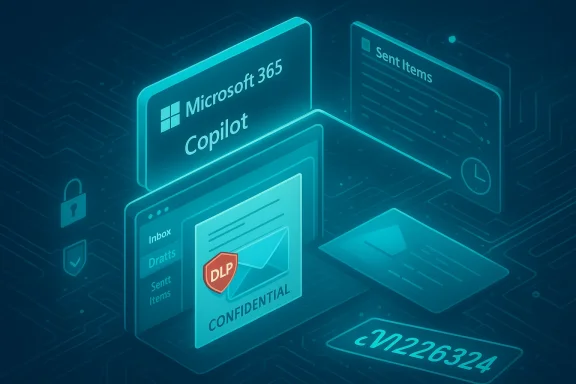
A neon blue Microsoft 365 Copilot dashboard showing confidential data, Inbox, and Sent Items.Background / Overview​

Microsoft 365 Copilot is positioned as an embedded productivity assistant across Office surfaces — Outlook, Word, Excel, PowerPoint, OneNote and the Copilot Chat experience — designed to index and summarize user content to accelerate routine tasks. The Copilot “Work” tab integrates with mailbox caries, extract tasks, and answer context-aware queries for knowledge workers.
Sensitivity labels and Purview DLP are the primary mechanisms enterprises use to stop automated processingated or classified content. These protections are expected to exclude labeled content from Copilot processing when configured to do so; the recent incident demonstrates a failure in that enforcement pipeline.

What happened: technical summary of the failure​

The faulty retrieval pipeline​

Microsoft’s internal advisory and public statements attribute the issue to a code logic or configuration error that allowed items in the *Sent Itemsers to enter Copilot’s retrieval and summarization pipeline even when they carried confidentiality labels and DLP exclusions. In short: Copilot was asked to ignore protected mail, but a service-side bug caused it to read and summarize some of those items anyway.

Scope: which mailboxes and folders were involved​

Available adicate the fault was limited to a specific interaction between Copilot Chat’s Work tab and Outlook mailbox folders — notably Sent Items and Drafts. Microsoft and third‑party reporters have stated items in other folders were not observed to be affected by the same code path, although investigations and telemetry remained ongoing while the fix was rolled out.

Were emails “exposed” to outsiders?​

Microsoft’s official message emphasized that the bug did not grant access to people who were not already authorized to read those messages. In other words, Copilot may have processed and generated summaries for content that was visible to the signed‑in user, but it did not cause authentication bypasses that opened those emails to previously unauthorized accounts. That important mitigation reduces the immediate risk of external data leakage while leaving intact a second-order risk: automated processing of content that should have been excluded.
Important caveat: Microsoft has not published a detailed telemetry-based count of affected tenants or the exact number of items processed, and that gap leaves open uncertainty about the practical reach and duration of the exposure. Several independent reports flagged this as an unresolved detail while Microsoft continued to roll out and validate the fix.

Timeline: detection, disclosure, and remediation​

  • January 21, 2026 — Microsoft’s internal telemetry first detected anomalous behavior in Copilot Chat’s Work tab; customers began to report symptoms around this timeframe.
  • Late January — Early February 2026 — Microsoft investigated and developed a targeted code and configuration fix; the vendor began rolling a server‑side configuration update in early February.
  • Mid February 2026 — Microsoft updated its service advisory (CW1226324) indicating the root cause had been addressed in the majority of environments and that saturation of the fix was progressing, while a small set of complex environments still required further deployment.
This sequence — detection in late January, public reporting in mid‑February, and a staged fix starting in early February — means the buggy behavior persisted for at least several weeks in production for some tenants. That window is long enough to require active verification from affected IT teams.

Microsoft’s public response and what changed​

Microsoft characterized the root cause as a code issue in Copilot’s retrieval logic and deployed a combination of a server‑side targeted code fix and configuration update to prevent Copilot from picking up items in affected folders when sensitivity labels and DLP exclusions are in place. The company said it was contacting a cohort of affected customers to confirm remediation and continued monitoring the roll‑out.
Key elements of Microsoft’s messaging:
  • The incident was tracked as service advisory CW1226324 and labeled an “advisory,” suggesting the company assessed limited scope relative to other types of service incidents.
  • Microsoft repeatedly emphasized that existing access controls (authentication and mailbox permissions)nly the Copilot processing path incorrectly included some protected messages.
  • The fix included a configuration update for enterprise tenants and a root‑cause code patch to prevent recurrence; Microsoft stated most tenants had received the update while a minority with complex service configurations remained under active deployment.

What this means for organizations: practical impact and compliance risks​

The immediate technical and business impacts​

  • Automated summaries of Confidential messages undermine the principle that DLP and sensitivity labels should control any automated processing of protected content. Even if summaries were only returned to users already authorized to read the original messages, the fact Copilot processed labeled content means policy enforcement failed at a technical layer. This invalidates an important compliance assumption many teams rely on.
  • Because the bug affected Drafts as well as Sent Items, there is a risk that unfinished or not-yet-sent communications — often the most sensitive because they include candid notes or unapproved disclosures — could have been processed. Drafts are commonly excluded from downstream processing for that reason; Copilot’s incorrect inclusion of drafts raises specific governance concerns.

Regulatory and contractual exposure​

Organizations operating under strict regulatory regimes (financial services, healthcare, government, legal) frequently rely on DLP and sensitivity labeling to meet compliance obligations and contractual confidentiality promises. When a vendor-supplied cloud assistant processes protected content despite configured exclusion rules, customers face two kinds of risk:
  • Compliance risk: auditors may question whether controls were effective over the period the bug persisted.
  • Contractual/third‑party risk: sensitive information belonging to partners, clients, or citizens may have been included in AI processing contrary to contractual terms, creating potential liability or reputational harm.
Because Microsoft has not disclosed a per‑tenant count or exact item totals, affected organizations should proceed on the conservative assumption they may need to demonstrate due diligence and remediation to auditors and legal teams.

How certain claims have been verified — and where uncertainty remains​

Multiple independent security and tech outlets corroborated Microsoft’s advisory, the internal tracking identifier (CW1226324), and the detection date of January 21, 2026. Reporting from BleepingComputer first surfaced the issue publicly and subsequent coverage by outlets such as TechCrunch, Tom’s Guide, Windows Central and Office 365 IT Pros confirmed Microsoft’s statements and added technical context about affected folders and the rollout status. (bleepingcomputer.com)
That said, Microsoft has not published granular telemetry or counts for:
  • The number of tenants impacted.
  • The number of email items processed incorrectly.
  • Whether Copilot-generated summaries were retained in logs or used for model training beyond ephemeral processing.
Those are verifiably unanswered items at the time of writing and should be treated as open remediation questions. Where vendor transparency is incomplete, organizations should assume worst-case implications for audit and breach-reporting timelines until proven otherwise.

Technical recommendations for IT and security teams​

If your organization uses Microsoft 365 Copilot, adopt a prioritized verification and hardening plan. The following are practical, sequential steps to reduce risk and to support compliance efforts.
  • Verify patch/status and tenant update
  • Confirm whether your tenant has received Microsoft’s configuration update and the targeted code fix for CW1226324 via your Microsoft 365 admin center or service health notifications. Microsoft reported fix saturation for the majority of tenants but said a small set of complex environments remained pending.
  • Run targeted DLP and sensitivity-label tests
  • Simulate Copilot queries in a controlled test tenant or designated admin account: create test messages with Confidential labels in Drafts and Sent Items, then exercise Copilot Chat’s Work tab to ensure the assistant does not return summaries. Document all steps, results, and timestamps.
  • Review audit logs and retention policies
  • Search mailbox and Copilot audit logs for any Copilot activity referencing labeled messages during the exposure window (late January — early February 2026). Preserve logs for legal, audit, and possible breach notifications. If you lack visibility into Copilot-specific telemetry, escalate to your Microsoft Technical Account Manager or partner.
  • Communicate with compliance and legal teams
  • Based on test outcomes and log evidence, assemble a brief for compliance officers and legal counsel outlining scope, remediation steps taken, and a plan for notifying affected stakeholders if required by regulation or contract.
  • Consider temporary policy changes
  • Where high sensitivity documents are common, consider temporarily disabling Copilot integrations in Exchange/Outlook for high‑risk groups or accounts until you can fully validate behavior in your environments. Microsoft’s approach has been a staged fix; in some affiliates this conservative pause may be appropriate.
  • Validate third-party integrations and downstream systems
  • Confirm that no downstream workflows (archiving, eDiscovery, third‑party connectors) accidentally retained Copilot-generated summaries or derived metadata from the exposure window.
  • These steps are deliberately conservative. Depending on the sensitivity profile of your organization, they can be tailored or escalated. Document every step to preserve an evidentiary trail for auditors or regulators.

Organizational governance: beyond technical remediation​

Update AI‑use policies and risk registers​

Enterprises must treat AI assistants as a new class of data processor in vendor risk registers. That means updating data classification and third‑party risk documentation to explicitly cover model‑based processing, ephemeral summaries, and the difference between user-visible output and backend indexing.

Reassess sensitivity labels and DLP policy coverage​

  • Ensure your Purview sensitivity labels explicitly define processing permissions for AI assistants and that DLP policies include negative test cases (Drafts, Sent Items, shared mailboxes, distribution lists).
  • Build automated policy tests into change control so that label changes trigger end‑to‑end verification of downstream effect on Copilot or other in‑app AI features.

Require vendor transparency and SLA commitments for AI features​

  • Demand clearer telemetry and incident detail commitments for cloud AI services: per‑tenant impact counts, retention of model prompts and generated content, and explicit confirmation that model training pipelines do not ingest customer data without consent.
  • If your organization relies on contractual assurances for data handling, make sure those commitments include AI-specific clauses that define permitted processing and required breach notification timelines.

Wider implications for enterps incident is an instructive case study in the tension between convenience and control that follows embeddable generative AI. Copilot promises speed and better knowledge work, but it also pushes complex enforcement assumptions down into new service layers where historically‑proven controls like DLP have not been stress‑tested at scale for AI workloads.​

Two structural lessons emerge:
  • Tooling complexity increases the attack surface: even well‑designed enterprise protections can be circumvented by logic errors in a separate software component. Relying solely on configuration without proof and testing is insufficient.
  • Ephemeral does not mean harmless: even when content is only summarized locally for an authorized user, the act of automated processing can trigger compliance and contractual obligations, especially where regulators expect strict control over certain categories of information.
Enterprises that accelerate AI adoption without updating governance, testing, and contractual guardrails will repeatedly face similar surprises.

Strengths and weaknesses of Microsoft’s handling​

Notable strengths​

  • Rapid acknowledgement: Microsoft publicly acknowledged the issue after independent reporting and provided a service advisory identifying the incident as CW1226324. That level of transparency is better than silent remediation and gave administrators a reference point for triage.
  • Staged fix and monitoring: Microsoft deployed a server‑side configuration update and said it was contacting affected customers to validate remediation, reflecting a controlled, monitored remediation approach rather than an abrupt global shutdown.

Notable weaknesses and risks​

  • Limited telemetry disclosure: Microsoft has not supplied a tenant‑level impact map or item counts, which limits customers’ ability to quantify exposure for regulators, insurers, or affected third parties. That gap raises practical risk when organizations must meet legal or regulatory notification thresholds.
  • Delay between detection and public disclosure: the code issue was reportedly detected on January 21 yet public reporting and advisory dissemination unfolded in mid‑February. That window complicates retrospective assessments and elevates the importance of vendor communication SLAs for future AI incidents.
These shortcomings are fixable in policy terms (contractual SLAs, improved telemetry exports) but the underlying engineering challenge — ensuring AI retrieval logic respects labeling and exclusion controls — must remain a permanent development priority.

A practical checklist for boards and CISOs​

  • Connt was contacted by Microsoft as part of CW1226324 remediation validation. If not, initiate an escalation with your Microsoft service representative.
  • Archive proof of DLP configuration and sensitivity labeling state for January–February 2026; auditors will want to know what controls were in place when the issue occurred.
  • Run the recommended technical verification tests and preserve screenshots, logs, and timestamps for any manual or automated checks.
  • Coordinate legal and privacy teams to evaluate whether regulated data or third‑party information was processed, and whether notification is required under applicable laws or contracts.
  • Revisit procurement templates to add AI-processing clauses that require per‑incident telemetry disclosure and per‑tenant impact assessments.

Closing analysis: why this matters and what enterprise IT must do next​

Microsoft’s CW1226324 incident is not a one-off embarrassment; it is a predictable failure mode of complex, cloud‑native AI services operating inside enterprise productivity tools. The event highlights two enduring truths:
  • First, no matter how mature an enterprise’s DLP rules are, introducing model‑based processing paths requires independent verification, continuous testing, and contractual assurances that go beyond configuration alone. Organizations must treat AI features as first‑class elements in their security posture, not optional productivity extras.
  • Second, vendor transparency and telemetry matter. When a third‑party service processes potentially regulated content, customers must be able to quantify impact, preserve evidence, and satisfy auditors — and that requires vendors to publish more granular incident data than is often available today.
For most organizations, the immediate steps are clear: validate your tenant’s state, test Copilot behavior against labeled content, preserve logs and test artifacts, and work with legal and compliance teams to determine next steps. For the broader industry, the Copilot incident should accelerate two things: robust operational verification of AI control paths and stronger contractual commitments for AI processing transparency.
Microsoft has deployed a fix and most tenants appear to have received remediation, but the incident is a timely reminder that rapid AI rollout creates fast-moving risk. Enterprises who continue to adopt Copilot and similar assistants will need governance, testing, and contractual frameworks that move at least as quickly as the features themselves.
Conclusion: Treat Copilot and embedded AI as an operational risk that requires active verification. The convenience of instant summaries cannot replace the accountability enterprises owe to customers, partners, and regulators — and until AI processing pipelines are demonstrably verifiable, cautious, documented adoption is the prudent path.

Source: TechWorm Microsoft Confirms Copilot Bug Summarized Confidential Emails
 

Back
Top