

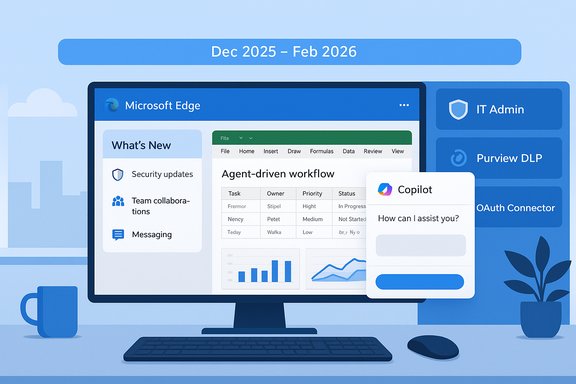
Microsoft’s public roadmap entries and recent admin notices show a coordinated next wave of Microsoft 365 updates that touch the browser, mobile Outlook, Excel’s new agent-driven capabilities, and the underlying Copilot platform — with rollout windows concentrated in December 2025 through early 2026. The changes are both incremental (a new “What’s New” page in Edge for Business and improved mobile toolbars in Outlook) and strategic (Agent Mode in Excel moving to general availability, expanded Copilot connectors with OAuth authentication, and tighter Edge-for-Business guardrails for AI interactions). These additions signal Microsoft’s push to make Copilot and agentic workflows a permanent, governed layer inside the Microsoft 365 ecosystem while giving IT teams the admin controls they need to manage risk and compliance.
Source: Windows Report Microsoft Plans New Features for Excel, Outlook, Edge, and More
 Background
Why these roadmap updates matter now
Microsoft’s product strategy for 2024–2026 has been explicit: bake generative AI into the flow of work, expose agent-like automation across Office apps, and pair those capabilities with enterprise-grade governance. The roadmap items released in late 2025 are a continuation of that strategy — not a departure. They aim to reduce user friction (faster drafts, in-app agents, contextual Copilot experiences), scale agentized automation across roles and apps, and give administrators the tools to enforce data protection and consent policies while integrating third-party knowledge sources like ServiceNow. Multiple Microsoft message-center posts and public documentation confirm that these updates are being rolled out with admin controls and staged availability windows to let IT prepare.What to expect from this article
This feature unpacks the major items on the roadmap and explains their practical meaning for end users, IT administrators, and security teams. It cross-checks Microsoft’s published deployment notes and public reporting, highlights where dates and technical details are solidly verifiable, calls out items that remain tentative, and provides concrete steps for preparing a safe, compliant rollout.Edge: a browser tuned for enterprise AI
“What’s New” for Edge for Business — a small but meaningful UX shift
Microsoft is adding an “Announcement” or “What’s New” page to the update experience in Edge for Business so users see a short, curated digest of improvements after each update. This UI addition is aimed at reducing help‑desk noise and giving end users a visible changelog inside the browser, and the timeline on the public roadmap places this landing experience in early 2026. The feature is modest from a technical standpoint but important for adoption: when feature frequency increases, discoverability matters.Securely enabling AI-generated apps and extensions for enterprises
One of the bigger Edge entries on the roadmap is a capability described as “Securely enable AI generated applications” (roadmap item listed in the public tracker). In plain terms, Microsoft is adding Edge capabilities and extension support that let enterprise users prototype or run AI-assisted code and small apps in a way that reduces the risk of leaking organizational data. This is being framed as a combination of runtime sandboxes, in-browser controls, and Purview DLP integrations so that typed prompts and data pasted into generative AI pages can be monitored or blocked inline. Admins will be able to apply policies that control what data can be sent to popular consumer GenAI sites and to new AI-enabled extensions hosted inside Edge for Business. Roadmap entries indicate the enterprise extension and inline-protection work are slated to roll out across late 2025 and into 2026. Key takeaways for IT:- Expect admin policy controls in Purview that extend to typed prompts and to extension surfaces within Edge for Business.
- Plan to evaluate any new Edge extensions or internal “AI apps” under existing app‑allow/deny governance and to include them in DLP testing (unmanaged devices are explicitly called out).
- Treat these capabilities as a new surface: sandboxing reduces but does not eliminate the need for rules about sensitive data in prompts.
Outlook Mobile: faster composition and contextual Copilot
Customizable composition toolbars and multi-select UX
Roadmap signals show new, customizable toolbars are being added to Outlook Mobile (Android and iOS). These toolbars aim to make composing or batch-managing messages quicker on small screens: users will be able to tailor frequently used compose actions and see a refined toolbar when multiple messages are selected. The change is a UX-focused productivity win, especially for power mobile users who compose and triage email on the go. While roadmap entries show in-development status and December 2025–early 2026 rollout windows in some message-center posts, admins should view this as a low-risk front-end update that reduces micro-friction.Copilot Chat updated UI: chat overlay and separate AI entry point on Android
Outlook Mobile is also getting a redesigned Copilot Chat experience, with the AI entrypoint separated from email and calendar action buttons. Microsoft’s message-center and roadmap notes describe a context‑aware overlay for Copilot Chat on mobile that lets users interact with Copilot while staying in the message or calendar view. That overlay will allow typed prompts to be grounded in the currently visible email or event content and will show Copilot suggestions in-context rather than forcing a full-screen or modal transition. Admin notices show this is being rolled out in stages and is expected to complete into early 2026 in some environments. Practical user impact:- Composing and switching between drafts will be faster and less disruptive.
- Copilot overlay will surface more contextual suggestions (summaries, agenda drafts) — a productivity gain but one that raises governance questions about what content Copilot is allowed to ingest.
Excel: Agent Mode goes mainstream
What Agent Mode does, and why it’s different
Agent Mode in Excel moves beyond single-turn Copilot replies. It is an agentic workflow: a Copilot-powered agent plans, executes, iterates, and validates multi-step spreadsheet tasks inside the workbook — building tables, writing formulas, producing charts, and checking results as it goes. The agent’s steps are exposed to the user for review, and the UI presents results as editable workbook changes rather than opaque textual advice. Microsoft has positioned Agent Mode as a way to lower the bar to expert-level spreadsheet work, compressing what used to take many manual steps into a single prompt-driven sequence.Availability and rollout dates — what’s verifiable today
Microsoft’s change notice (MC1184408) and multiple roadmap trackers show that Agent Mode in Excel will be generally available beginning early December 2025, with rollout expected through late February 2026. The feature was previously part of the Frontier preview program and is now scheduled to expand to all eligible Copilot licensees on the web first, with desktop support following. These published timeline items are explicit and cross-checked across Microsoft’s deployment notes and independent roadmap aggregators.Practical capabilities and limitations
- Agent Mode can: generate new sheets, write formulas automatically, create PivotTables and charts, and iterate until validation checks pass.
- It is intended to surface each operational step (plan, create, validate) so users can inspect and correct the agent’s actions.
- Microsoft’s internal benchmark reporting has shown Agent Mode improving automation accuracy versus standard generative approaches but still recommends human verification for important outputs.
- The web-first rollout means tenants should expect staggered access; desktop parity comes later.
- Treat Agent Mode as a high‑productivity assistant that still needs human review, especially for financial or compliance-sensitive spreadsheets.
- Start with limited pilots (finance, operations) and validation checklists to verify formulas and totals.
- Update internal process docs to require human sign-off for agent-generated outputs in regulated workflows.
Microsoft 365 Copilot: connectors, templates, and agent outputs
OAuth-based authentication for connectors — enterprise-grade integration
Microsoft is formalizing OAuth/OpenID Connect authentication for Copilot connectors so tenant admins can register and manage connector credentials using Microsoft Entra (Azure AD) or other supported OAuth providers. This is not speculative: Microsoft Learn documentation and multiple connector deployment guides explicitly instruct admins to register applications in Entra and supply client IDs and secrets (OAuth 2.0 / OIDC flows) when configuring connectors like Veeva, GitHub, Confluence, CSV sources, and others. The move standardizes secure authentication across third‑party knowledge sources and supports granular permission mapping. Why this matters:- OAuth-based connectors reduce reliance on legacy basic auth and secret-in-clear patterns.
- Admins gain clearer control over consent, client secrets lifecycle, and token scopes — critical for governance and auditing.
- When paired with Purview and connector-level permissions, this helps minimize unauthorized access to sensitive knowledge content.
ServiceNow Knowledge: template support and permission editing
Roadmap entries and Microsoft Learn show an upcoming update to the ServiceNow Knowledge connector: Copilot will begin supporting ingestion of knowledge articles authored from ServiceNow templates (FAQ, How-to, What-Is, and custom templates). The connector also gains an edit capability so admins can switch permission-evaluation flows (Simple vs Advanced) without recreating connections. Those two items reduce friction for enterprises that rely on structured KB content in ServiceNow and want Copilot to produce reliable answers that respect article-level permissions. The roadmap lists preview/rollout windows in late 2025 and December 2025 publishing windows for these features.Agent-generated Office documents — Copilot Studio Lite agents and export
Microsoft’s Copilot and the Copilot app on Windows have been extended to generate Word, Excel, and PowerPoint files directly from chat/agents, and roadmap items indicate agents created with Copilot Studio Lite will be able to produce Office documents as outputs. The Verge’s recent coverage of Copilot for Windows confirms the Copilot app can export long chat responses into Word, PowerPoint, Excel, and PDF, and Microsoft’s Copilot roadmap entries indicate agent exports are an upcoming capability for agent workflows. This makes the agent experience more useful for knowledge workers by removing manual copy/paste and formatting steps. Operational implications:- Generated documents will be faster to create but demand content validation and metadata tagging workflows (versioning, sensitivity labels).
- Admins should ensure generated artifacts are captured under existing information protection and retention policies.
Governance, compliance, and security: the controls that matter
Inline DLP for Edge and Copilot controls
Microsoft is rolling out inline protection controls for AI apps in Edge for Business and enhancing Purview’s DLP capabilities to intercept typed prompts or pasted content before it reaches third-party GenAI pages. Roadmap items show these protections are being added as inline policies that sit alongside existing endpoint DLP and cloud DLP rules; admins can configure blocks or warnings for prompts that contain sensitive data. This combination of browser-level inline protection and admin-managed Copilot controls is central to Microsoft’s approach: enable AI productivity while shrinking the attack surface for prompt-based exfiltration.Connector permissions and indexing hygiene
When indexing third-party sources (ServiceNow, Confluence, Salesforce), Microsoft’s connector docs emphasize:- Configuring ACLs and correct Service Principal credentials.
- Mapping identities in Microsoft Entra to source identities for accurate permissions.
- Using full-crawl vs incremental-crawl considerations for permission sync.
These are critical because Copilot responses surface content from connectors, and incorrect identity mapping or ACL omissions can lead to Copilot exposing content to unauthorized users. The ServiceNow connector docs and Salesforce/Confluence deployment pages offer step-by-step setup for admins.
Agent governance and billing controls
The Microsoft 365 admin center and Roadmap also describe agent-level controls and pay-as-you-go admin settings that let tenant admins:- Control which agents are available for metered consumption.
- Set metering and billing policies for agent usage.
- Audit agent inventories and usage telemetry.
This is important for cost control and for preventing rogue or high-volume agents from causing surprise bills or data-exfiltration events.
Strengths of Microsoft’s approach — what’s compelling
- Productivity-first agent workflows: Agent Mode and Copilot Studio reduce repetitive, low-value work with in-app automation that can produce actionable outputs (charts, summaries, drafts) faster than previously possible. That’s a real productivity delta for finance, sales, and HR teams.
- Enterprise-grade authentication and connectors: Standardizing OAuth/OIDC across connectors modernizes authentication, improves auditing, and aligns with enterprise security expectations.
- Governance integrated at multiple layers: Browser inline-protection, Purview DLP, connector permission mapping, and admin agent controls together create a layered defense approach that recognizes the new threat vectors introduced by prompt-based AI.
- Incremental UX improvements: The Edge “What’s New” page and Outlook Mobile toolbar updates address discoverability and micro-friction — small changes that disproportionately help adoption and reduce support tickets.
Risks, unknowns, and practical caveats
- Model accuracy and hallucinations: Agent Mode and Copilot outputs will speed workflows, but they are not infallible. Microsoft’s own guidance and early benchmark data show the need for human validation in finance, legal, and other regulated domains — especially when agents generate formulas, reconciliations, or legal language. Treat AI outputs as draft first, verified second.
- Data-in-prompt leakage: Even with inline DLP in Edge, the safest posture is to minimize sensitive data in prompts. Inline protections reduce risk but can’t replace strict policies for what types of data can be submitted to third-party services.
- Rollout variability and calendar drift: Roadmap timelines (December 2025 to February 2026 for some items) are published windows — Microsoft frequently stages rollouts, and tenants can see different availability by region and release channel. Plan pilots but expect staggered global availability.
- Cost and license boundaries: Many Copilot and agent capabilities require specific Microsoft 365 Copilot or Premium licenses. Consumer-tier Copilot changes (credits, tiers) and enterprise bundling decisions affect total cost of ownership. Teams should evaluate license mapping before broad rollouts.
- Connector setup complexity: Proper identity mapping, API permissions, and ACL configuration for connectors such as ServiceNow, Salesforce, Confluence, or GitHub are non-trivial. Misconfiguration can lead to permission mismatch or missing content in Copilot responses. Plan connector deployments carefully and test in a limited audience.
A practical rollout checklist for IT teams
- Inventory current Copilot and connector licenses in your tenant; map which users need Agent Mode and which departments will pilot Excel agents.
- Configure a small pilot group for Excel Agent Mode (web-only first) to define validation checkpoints and sign‑off processes for agent outputs.
- Review Purview DLP policies and test inline protections in Edge for Business against common workflows (copy/paste into GenAI sites, attachments, prompt typing).
- Register and configure OAuth apps for any planned connectors (ServiceNow, Confluence, GitHub, Salesforce). Test permission mapping, and validate that Copilot answers respect article-level ACLs.
- Draft an internal guidance document for employees that covers: what data is permitted in prompts, when Copilot outputs must be audited, and how to report suspected inaccuracies or leaks.
- Update monitoring and billing policies: enable agent-level metering and telemetry so unusual agent consumption can be investigated quickly.
Final analysis and what to watch next
Microsoft’s roadmap entries show a pragmatic, multi-front push: make agents and Copilot features genuinely useful inside daily work tools (Excel Agent Mode, Copilot export to Word/PowerPoint), make the updates discoverable and portable (Edge “What’s New”, mobile toolbar improvements), and give IT the configuration, DLP, and authentication tools required to manage risk (OAuth connectors, Purview inline controls, agent governance). Where Microsoft has been explicit, the dates and mechanics are verifiable in official deployment notices (Agent Mode GA windows, connector docs), and those items should be considered reliable planning inputs. At the same time, this transition brings new responsibilities for organizations: an emphasis on connector hygiene (correct OAuth registration and ACL mapping), tighter documentation requirements for agent outputs, and an expectation that security teams will test and tune inline DLP and consent flows before broad exposure. The productivity upside is real, but so is the need for disciplined governance.Conclusion
The latest Microsoft 365 roadmap updates represent a realistic next step: integrate AI agents into core productivity workflows while building the admin, security, and identity scaffolding required for safe enterprise use. Edge for Business is getting discoverability and inline AI protections; Outlook Mobile improves on-the-go composition and contextual Copilot access; Excel’s Agent Mode is maturing from preview to general availability; and Copilot’s connector and agent tooling (OAuth connectors, ServiceNow template ingestion, and agent export of Office documents) are converging to make AI-created outputs first-class enterprise artifacts. IT teams that pair early pilots with rigorous connector configuration, Purview policy testing, and human-in-the-loop validation will capture the productivity gains without exposing their organizations to undue risk.Source: Windows Report Microsoft Plans New Features for Excel, Outlook, Edge, and More
