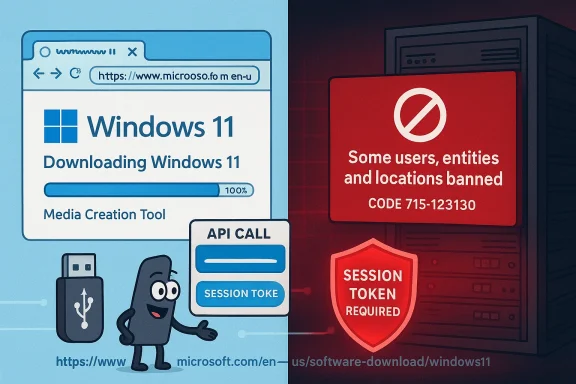
A growing clutch of Windows Insiders and power‑user tools are reporting that Windows 11 ISO downloads are failing — and that the popular Rufus utility may have been deliberately hamstrung by changes on Microsoft’s download endpoints. The situation is messy: error messages that reference “Some users, entities and locations are banned from using this service” and the familiar code 715‑123130 are appearing for users trying to fetch Insider ISOs, Rufus’ downloader (the Fido script) is once again implicated, and the official guidance from Microsoft remains limited to generic wording about anonymizing technologies and recommending the Media Creation Tool. This article walks through what happened, what is verifiable today, the technical mechanics at play, the practical impact on users and IT, and what administrators and enthusiasts should do next.
Microsoft’s download pages occasionally return a block message that includes this wording: “Some users, entities and locations are banned from using this service. For this reason, leveraging anonymous or location hiding technologies when connecting to this service is not generally allowed,” often accompanied by an internal message code such as 715‑123130. That message has appeared repeatedly in community support threads and Microsoft’s own Q&A forums when users attempt to download ISO images directly from Microsoft’s “Download Windows 11 Disk Image (ISO)” flow. Microsoft’s community guidance and independent responses repeatedly recommend the Media Creation Tool (MCT) as a workaround when direct ISO links fail.
Separately, Rufus — the long‑standing USB bootable‑media creation utility — includes a downloader powered by a small PowerShell helper (commonly referred to in the community as the Fido script). That script has in the past been thwarted by changes on Microsoft’s servers; when Microsoft hardened its download endpoints in 2022 the Fido/Rufus integration temporarily stopped working until the developer adapted the script. The same sequence of events is being reported again this week: many users (including those on Insider channels) cannot download the latest ISOs either directly or via Rufus, and Rufus’ developer has publicly stated that Microsoft’s servers appear to be rejecting scripted or out‑of‑context queries — behavior that, if intentional, would effectively force people to use Microsoft’s official tools and web flow.
However, Microsoft has not publicly issued a narrow “we will block third‑party downloaders” policy statement tied to the specific Insider builds at the time of writing. That lack of affirmation means the most careful, accurate position is: Microsoft’s servers are currently blocking certain download flows; Rufus’ developer believes this is the result of intentional server‑side changes; and users should follow the practical mitigations below while awaiting clearer guidance or an official fix.
Source: Neowin Rufus blames Microsoft for allegedly blocking latest Windows 11 ISO downloads
 Background / Overview
Microsoft’s download pages occasionally return a block message that includes this wording: “Some users, entities and locations are banned from using this service. For this reason, leveraging anonymous or location hiding technologies when connecting to this service is not generally allowed,” often accompanied by an internal message code such as 715‑123130. That message has appeared repeatedly in community support threads and Microsoft’s own Q&A forums when users attempt to download ISO images directly from Microsoft’s “Download Windows 11 Disk Image (ISO)” flow. Microsoft’s community guidance and independent responses repeatedly recommend the Media Creation Tool (MCT) as a workaround when direct ISO links fail.Separately, Rufus — the long‑standing USB bootable‑media creation utility — includes a downloader powered by a small PowerShell helper (commonly referred to in the community as the Fido script). That script has in the past been thwarted by changes on Microsoft’s servers; when Microsoft hardened its download endpoints in 2022 the Fido/Rufus integration temporarily stopped working until the developer adapted the script. The same sequence of events is being reported again this week: many users (including those on Insider channels) cannot download the latest ISOs either directly or via Rufus, and Rufus’ developer has publicly stated that Microsoft’s servers appear to be rejecting scripted or out‑of‑context queries — behavior that, if intentional, would effectively force people to use Microsoft’s official tools and web flow.
What we can verify right now
1) Recurrent error and its meaning
- The error text referencing banned “users, entities and locations” and message code 715‑123130 is real and has been reported across Microsoft’s Q&A forums and TechCommunity spaces for multiple months. Microsoft’s published community guidance repeatedly suggests that the message means Microsoft’s services have flagged the request because it looks like it’s coming from an anonymized or restricted IP range — or that a specific token/flow was used out of context — and it points users toward the Media Creation Tool as a workaround.
2) Insider builds mentioned are real
- The Windows Insider Canary build 28020.1611 has been publicly listed in Microsoft’s Insider posts and observed in community downloads and docs; the Server preview build 29531 is likewise an active preview identifier in the Insider pipeline. There is nothing in the public build metadata that inherently explains why an ISO for these builds would be treated differently by Microsoft’s CDN compared to other builds, but users attempting to fetch those ISO files are reporting failures.
3) Rufus / Fido history and recent behavior
- Rufus’ built‑in ISO downloader relies on the Fido approach (scripted access to Microsoft’s API endpoints). This pipeline has been blocked once before (August 2022) and was fixed after community developers found a workaround; historical discussion and the developer’s comments are on record. The current reports echo the old pattern: scripted downloads are being denied by Microsoft’s download APIs, while downloads initiated interactively through Microsoft’s own web pages or MCT often succeed.
4) Lack of a public Microsoft admission
- At the time of writing Microsoft has not issued an official statement explicitly admitting that it changed server behavior to block third‑party downloaders for these specific Insider ISOs. Microsoft’s public guidance continues to emphasize that anonymizing technologies can trigger blocks and recommends official tools. That leaves room for multiple interpretations — deliberate hardening to prevent scripted access, automated mitigation of abuse, or stricter token validation for Insider ISOs — but no definite corporate confirmation that the behavior is intentional for the stated purpose.
How the downloads are (likely) being blocked — a technical view
The tokenized download model
Microsoft uses tokenized, session‑bound download links and API flows to generate ISOs. Those tokens are meant to be generated from the context of an interactive session on Microsoft’s site (or via a supported tool like the Media Creation Tool or Visual Studio downloads). Two technical controls are commonly used to ensure tokens are valid and the download origin is correct:- Referrer/Origin validation: Microsoft’s APIs can check that requests come from a browser session that landed on a particular page and received a legitimate token. Requests sent without the exact expected headers, cookies, or session state can be rejected.
- IP/Client fingerprinting: Microsoft can track behavior patterns tied to IP ranges, ISP NATs, VPN/Tor/proxy endpoints, or automated client characteristics (user agent strings, request rate). If a request pattern looks like automated scraping or anonymized access, it can be blocked.
Why Insider ISOs are sensitive
Insider builds are pre‑release software and commonly distributed under narrower guardrails than public releases — token lifetimes, access restrictions, and telemetry gating may be stricter. That makes Insider ISOs more likely to be protected by additional checks that third‑party scripts don’t replicate. Users attempting to download Insider ISOs from shared IP spaces, behind corporate NATs, or using privacy relays may therefore see blocks more often. Microsoft’s own messaging about “anonymizing or location hiding technologies” supports that interpretation.What the key players are saying
- Rufus’ developer and community: Rufus developer Pete Batard and other maintainers have historically said Microsoft’s server changes deliberately made scripted queries fail and that the community can sometimes work around these server checks but only until Microsoft changes the server behavior again. That history and the developer commentary are part of the public thread from 2022 that was later patched; the current wave of reports repeats the same pattern and again points to detection of the script query as the cause.
- Microsoft/community support posts: Microsoft’s public Q&A and TechCommunity posts show repeated instances of the 715‑123130 error and recommend disabling VPNs, trying other networks, clearing browser caches, or using the Media Creation Tool. Microsoft’s moderator responses have not (publicly) framed this as a policy change intended to block third‑party utilities; instead the guidance focuses on connection/identity signals and official tools.
- Independent researchers and forums: Community threads, third‑party tech sites, and forum posts corroborate the user experience: direct ISO downloads may fail with 715‑123130 while the Media Creation Tool or a different network path works. Those independent observations provide corroboration but not an official explanation.
Practical impact: who is hurt and how badly
Affected groups
- Windows Insiders and testers: People who need specific Insider ISOs for testing, VMs, or forensic/compatibility work may find themselves unable to fetch those images on their regular connection.
- IT professionals and labs: Admins who rely on scripted or automated download workflows to refresh lab images or create reproducible test environments will be disrupted if their tools suddenly fail.
- Power users: Enthusiasts who use Rufus (or UUP‑based scripts) for quick ISO retrieval and offline imaging encounter friction.
- Users behind shared IPs: Corporate NATs, university networks, cloud provider ranges, or some ISP ranges may be more likely to be flagged and blocked; that means legitimate, signed‑in users can be blocked while others succeed.
The functional consequences
- Longer time to create rescue media or test images.
- Breakage of automated imaging pipelines and CI jobs that pull ISOs.
- Increased support load for Microsoft and vendors as admins seek alternative acquisition routes.
- A potential increase in unsafe workarounds: users may resort to mirror sites, torrents, or third‑party caches — increasing supply‑chain risk unless hashes are strictly validated.
Why Microsoft might do this — and why we can’t be certain
There are plausible, non‑mutually‑exclusive technical and policy reasons Microsoft could tighten controls:- Abuse mitigation: Automated scraping of ISO endpoints could be used to rapidly mirror large volumes of pre‑release images, which could then be redistributed in ways that bypass Microsoft’s telemetry or licensing checks.
- Security: Insider ISOs can include pre‑release telemetry or code; Microsoft may prefer to keep distribution paths constrained to reduce the chance of leaked or tampered files.
- Product strategy: Encouraging or requiring the use of official tools like the Media Creation Tool for downloads centralizes the download experience and reduces edge‑case errors.
- Signal hygiene: Microsoft may be blocking certain IP ranges or NAT classes because of historic abuse or policy flags; that inevitably catches some legitimate users in the net.
Recommended actions for affected users and administrators
If you are blocked when trying to download an ISO, here are prioritized, practical steps that work in most cases.- Try an official alternative first.
- Use the Windows Media Creation Tool (MCT) to create an ISO or a bootable USB. Microsoft’s page and the tool often use a different download flow that bypasses the blocked direct‑ISO path. Many support threads and Microsoft advisors point to MCT as the primary workaround.
- Test a different network path.
- Switch to a home connection, a mobile hotspot, or another ISP. If a corporate or university NAT is flagged, the download may succeed on a different external IP. Clearing caches, using a different browser, or opening the generated token link on another machine are low‑cost attempts that frequently resolve the block.
- Use vendor‑approved or community‑trusted alternatives with caution.
- Tools such as UUP Dump and scripted assembly methods can produce ISOs (they pull Microsoft payloads), but they require executing local scripts and manual verification. If you choose this path, always verify hashes and run downloads in an isolated environment. The community has established checks and workflows; follow them carefully.
- Update third‑party tooling and check logs.
- If you use Rufus or similar tools, ensure you have the latest release — developers often issue updates when Microsoft changes server behavior. Examine Rufus logs (or the Fido output) to understand whether the server response is a token validation failure or outright IP block. Historically, Rufus’ developer has patched around server changes when possible.
- For enterprise admins: file a support case.
- If multiple corporate endpoints are blocked, open a Microsoft support ticket with examples of the download attempt, including full error text and message codes (e.g., 715‑123130 plus the long GUID shown in the page). Escalate through business/enterprise support channels to obtain whitelist or remediation guidance. Community forums are useful, but enterprise support routes are the way to resolve IP range issues at scale.
- Verify integrity and avoid unsafe mirrors.
- If you must rely on third‑party mirrors or torrents (not recommended), validate ISO hashes against known values and, where possible, re‑obtain official checksums from Microsoft channels or by comparing installed files after a test installation. Don’t skip hash verification.
Risks and side effects of Microsoft tightening download controls
- Collateral damage to legitimate users: Shared IP spaces, VPNs, Cloud NATs, and privacy relays commonly used for legitimate reasons can be caught in coarse blocking rules.
- Operational disruption: Automated lab pipelines and imaging processes are brittle when they rely on a single source or a scriptable public endpoint that can change without notice.
- Incentives to risky behavior: Friction in official channels encourages users to seek mirrored or cached ISOs — increasing supply‑chain tampering risk if hashes aren’t checked.
- Community friction: Tools like Rufus provide convenience and features (e.g., bypass toggles for unsupported hardware) that many power users rely on; blocking or hobbling those tools shifts the dynamics between Microsoft and the enthusiast community. Historical cycles show the developer community will respond — but those responses take time and create transient fragmentation.
How this compares to past incidents
The pattern is familiar. In August 2022 Microsoft hardened some of its download APIs, which initially broke scripts and third‑party downloaders. The Fido/Rufus community adjusted the helper script and regained functionality for certain flows after developer workarounds were pushed. That episode is a precedent: Microsoft can change token validation and request context checks, and the community will either adapt tools or route users back to official tools — but those adaptations are reactive and not guaranteed to be long‑lasting if Microsoft again hardens servers. The present reports mirror that earlier incident both in technical symptoms and in community reaction.Transparent assessment: what’s verified vs. what’s inferred
- Verified facts:
- The error message with code 715‑123130 is appearing repeatedly in Microsoft support forums and TechCommunity posts for users trying to download ISO images. Microsoft’s recommended workaround in public posts is to use the Media Creation Tool.
- Rufus’ Fido script has historically been affected by Microsoft server changes; developer commentary and independent reporting about the 2022 incident are published and verifiable.
- Insider builds referenced in community reports (for example, Canary build 28020.1611) are legitimate Insider artifacts.
- Plausible inferences:
- Microsoft’s servers are intentionally rejecting scripted or out‑of‑context queries for certain ISO endpoints (plausible and consistent with developer statements and observed server responses), but an explicit, public Microsoft statement confirming the exact intent for the current episode has not been produced. That means the “intentional blocking” claim is supported by strong circumstantial evidence but not officially confirmed.
Final verdict and recommendations
The evidence shows a clear problem: automated/scripted downloads of Windows ISOs — especially Insider ISOs — are being denied in many real‑world cases, and Rufus (via Fido) appears impacted as it has been in the past. Community and independent reporting plus Microsoft forum posts corroborate the experience, and the historical precedent from 2022 demonstrates that Microsoft has changed download endpoints before, intentionally or as part of server hardening.However, Microsoft has not publicly issued a narrow “we will block third‑party downloaders” policy statement tied to the specific Insider builds at the time of writing. That lack of affirmation means the most careful, accurate position is: Microsoft’s servers are currently blocking certain download flows; Rufus’ developer believes this is the result of intentional server‑side changes; and users should follow the practical mitigations below while awaiting clearer guidance or an official fix.
- Short checklist (recap):
- Try the Media Creation Tool first.
- If blocked, try a different network or mobile hotspot.
- Update Rufus and inspect logs if you rely on it.
- For enterprise impacts, escalate via Microsoft’s business support channels.
- Always verify ISO integrity with hashes; avoid untrusted mirrors.
Source: Neowin Rufus blames Microsoft for allegedly blocking latest Windows 11 ISO downloads