

Microsoft expanded Copilot Cowork on May 5, 2026, adding iOS and Android support, reusable Cowork Skills, and new Microsoft 365 and third-party plugins for Frontier program customers using Microsoft 365 Copilot in supported early-access environments. This is not just another Copilot button landing in another app. It is Microsoft’s clearest attempt yet to move Copilot from a conversational assistant into a delegated work system. The question for WindowsForum readers is whether that shift makes Copilot more useful, or simply gives IT departments a more complicated machine to govern.
For most of Copilot’s life, Microsoft has sold the same broad promise in different packaging: ask a question, get an answer; paste a meeting transcript, get a summary; point at a spreadsheet, get a chart. That was useful, sometimes impressive, and often frustratingly shallow. Copilot Cowork is different because Microsoft is positioning it less as a chat box and more as a worker running tasks in the background.
The distinction matters. A chatbot waits for you to ask, then produces something you must inspect, copy, paste, send, schedule, or polish. Cowork is designed to accept a larger instruction, break it into steps, use Microsoft 365 apps and data, and keep working while the user moves on. That is the “agentic” pitch stripped of the conference-stage varnish: less conversation, more delegated execution.
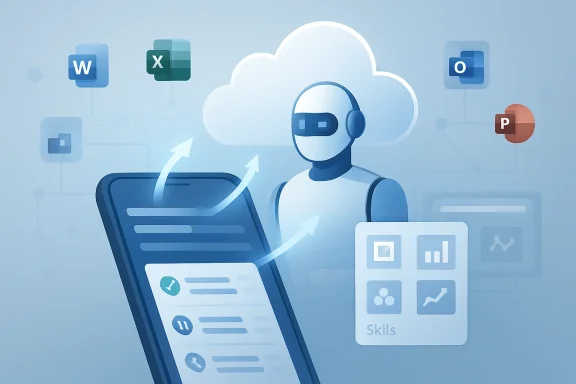
The mobile expansion sharpens that pitch. If Cowork only worked at a desktop, it would still feel like an advanced workstation feature. Putting it into the Microsoft 365 Copilot mobile app on iOS and Android tells users that Microsoft wants task delegation to happen wherever the request occurs: on the train, between meetings, in a hallway after a customer call, or while reviewing a document from a phone.
That is the right surface area for this category of AI. The modern office already leaks across devices and locations. If Microsoft can make Cowork trustworthy enough, the phone becomes the place where work is assigned, not necessarily where it is completed.
That design solves an obvious practical problem. Nobody wants a long-running AI task dependent on an open laptop, an unlocked desktop session, or a phone screen staying awake. If Cowork is creating a document, researching a topic, drafting email follow-ups, or coordinating meeting logistics, the user should be able to hand off the job and leave.
This is also where Cowork begins to look less like a feature and more like infrastructure. A cloud-running assistant that can operate across email, calendar, files, Teams, Word, Excel, PowerPoint, PDFs, and connected business systems is no longer merely a productivity add-on. It becomes a new execution layer sitting above the enterprise software stack.
That execution layer is exactly why Microsoft is moving cautiously through Frontier rather than flinging Cowork into every tenant. The feature asks for trust at a different level from summarization. A bad summary wastes time. A bad delegated action can send the wrong email, schedule the wrong meeting, expose the wrong file, or generate a polished artifact from flawed assumptions.
Microsoft’s answer is human approval for sensitive actions, task visibility, pause and cancel controls, and administrative governance. Those controls are not decorative. They are the price of admission for letting an AI system move from “suggest” to “do.”
That sounds mundane until you consider how much office work is really undocumented procedure. Teams survive on rituals: the Monday update, the monthly business review, the customer handoff note, the executive briefing, the incident recap, the board-prep deck. These are not just formats. They encode taste, hierarchy, risk tolerance, and institutional memory.
Classic prompting makes every employee reinvent those rituals in a chat window. Skills make them portable. Microsoft is effectively saying that the next layer of productivity is not just “AI can write,” but “AI can follow the way this team works.”
Built-in Skills cover the obvious Microsoft 365 terrain: creating documents, coordinating meetings, conducting research, handling email, working with Office files, and navigating enterprise content. Custom Skills are the more consequential piece. They give organizations a path to standardize AI-assisted work without relying on every employee to become a prompt engineer.
There is a governance wrinkle here, too. Once a Skill becomes reusable, it becomes something closer to policy. A poorly written Skill can propagate bad assumptions at scale. A well-written Skill can preserve quality, tone, and compliance across teams. In other words, prompt craft is becoming operational design.
That is why plugin expansion matters. Microsoft says Cowork is gaining deeper integrations with Fabric IQ and Power BI, plus Dynamics 365 across sales, customer service, and ERP applications. It is also preparing connectors for services including LSEG, Miro, monday.com, and S&P Global Energy, with custom plugins available for internal systems and workflows.
The strategic direction is clear. Microsoft wants Cowork to become the orchestrator that sits above business applications, not merely an assistant inside Office. That places it in the same competitive arena as workflow automation platforms, agent frameworks, business process management tools, and the growing number of AI-native enterprise assistants trying to own the “do this for me” layer.
The risk is fragmentation. Enterprises already struggle to govern SaaS permissions, app integrations, data connectors, automation rules, and third-party add-ins. Cowork plugins add another path through which work can be performed and data can be retrieved. The value proposition is integration; the operational burden is also integration.
For IT, this means the plugin story cannot be judged only by the number of connectors. The deeper question is whether Microsoft can make plugin deployment, permissioning, auditing, revocation, and monitoring feel like normal Microsoft 365 administration rather than a new shadow automation estate.
Preview language often reads like boilerplate, but here it has real meaning. Cowork’s capabilities may change, expand, or be removed. Some features may roll out unevenly. Admin enrollment, supported markets, licensing requirements, model availability, and tenant settings can all affect whether users actually see the same experience Microsoft describes.
That unevenness is familiar to anyone who has administered Microsoft 365. The cloud era has made “available” a slippery word. A feature can be announced, documented, technically rolling out, regionally limited, tenant-dependent, license-gated, and still absent from the screen of the person who wants to use it.
For enthusiasts, this can be annoying. For enterprise IT, it is the job. Frontier lets Microsoft test Cowork with customers willing to tolerate rough edges, but it also creates a two-speed reality: the demo-world version of AI work delegation and the tenant-by-tenant reality of controls, procurement, security review, user training, and support tickets.
That is not a criticism of previewing. It is an argument for treating Cowork as a program, not a toggle. The organizations that get value from it will not be the ones that merely enable it. They will be the ones that decide which workflows are suitable, which users should experiment, which Skills are blessed, which plugins are allowed, and which actions require stricter approval.
That is good product sense. Enterprise customers do not actually care which frontier model wins a branding contest. They care whether the system can complete the task, respect policy, protect data, explain its actions, and integrate with the tools they already bought. Microsoft’s advantage is not just model access; it is distribution, identity, compliance, app integration, and administrative gravity.
Cowork also reflects a broader industry admission. General-purpose chat is not enough. The next fight is over agents that can use tools, remember procedures, operate for longer periods, and safely cross application boundaries. That requires model capability, but it also requires scaffolding: permissions, connectors, state management, review loops, logging, rollback, and user experience.
This is where Microsoft has a credible claim. It owns the substrate where much knowledge work already happens. If it can turn that substrate into a controlled action environment for AI, it has something more defensible than another chatbot.
But the Anthropic connection also complicates the trust story. Enterprises will ask where data goes, which subprocessors are involved, how model selection works, and whether regulatory commitments remain clear. Microsoft can answer those questions better than most vendors, but it still has to answer them every time AI moves closer to execution.
If Cowork is running multiple tasks simultaneously, users need to know what is pending, what is blocked, what needs approval, what has completed, and what failed. More importantly, they need to understand why a task is in a given state. A vague spinning indicator is tolerable in a chatbot. It is not tolerable in a system that may be preparing customer communications or business documents.
The dashboard is also where Cowork will either reduce cognitive load or create a new inbox. If users must constantly babysit tasks, approve trivial actions, correct half-finished outputs, and decipher agent logs, the productivity gain evaporates. If Cowork can surface the right interruptions at the right time, it becomes closer to a junior operator that knows when to ask for help.
This is the hard product-design problem in agentic AI. Too much autonomy is dangerous. Too little autonomy is useless. The winning system will not be the one that claims the most independence; it will be the one that finds the right boundary between delegation and supervision.
Microsoft appears to understand that boundary in principle. Cowork asks for approval before sensitive actions, supports pause and cancel controls, and exposes progress. The real test will come from messy work: ambiguous requests, conflicting calendars, stale files, incomplete CRM records, duplicate contacts, broken connectors, and human politics embedded in email threads.
That has consequences for how we think about Windows. The operating system still matters, but Microsoft’s highest-value AI experiences increasingly live above the OS, inside identity, cloud storage, Office documents, Teams conversations, calendars, and business data. Windows becomes the best local surface for that environment, not the only place where it happens.
This may disappoint users who want Copilot to make Windows itself more capable in concrete, local ways. Microsoft has spent plenty of time experimenting with Copilot entry points across Windows, not always to universal applause. Cowork suggests a more defensible direction: use AI where the work actually has context and consequence, rather than placing a generic assistant everywhere.
Still, the boundary will blur. A cloud Cowork task may be launched from a phone, reviewed on a Windows laptop, produce a PowerPoint deck, reference SharePoint files, trigger a Teams message, and update a business system. In that flow, Windows is not the entire story, but it remains the place where many users will inspect, edit, approve, and present the final result.
The more Cowork succeeds, the more Microsoft can argue that Windows PCs belong in an AI-first enterprise stack. Not because the Start menu has a chatbot, but because the PC is the richest workstation for supervising AI-assisted work.
Can it read this file? Can it email that group? Can it use this plugin? Can it access customer records? Can it create a spreadsheet from regulated data? Can it schedule meetings with external parties? Can it reuse a Skill written by a department manager? Can it run a recurring prompt that nobody remembers setting up?
These are not edge cases. They are the ordinary life of a tool that acts across workplace systems. The moment Cowork becomes useful, it becomes administratively significant.
Microsoft’s best chance is to make Cowork feel native to Microsoft 365 governance. Admins need policy controls, deployment rings, audit trails, plugin management, data-loss prevention alignment, retention behavior, eDiscovery clarity, and security visibility. If those controls are fragmented or obscure, Cowork will be confined to cautious pilots and innovation teams.
There is also a support burden. Users will not file tickets saying “agentic workflow orchestration failed.” They will say Cowork did not find a file, drafted the wrong tone, used the wrong template, failed to connect to a plugin, could not see mobile access, or asked for approval too many times. Help desks will need vocabulary, diagnostics, and escalation paths for a new class of semi-autonomous work failures.
That is the hidden cost of AI progress in the enterprise. The more capable the assistant becomes, the more it resembles a system of record, a workflow engine, and a junior employee at the same time. Those categories have different rules. Cowork sits uncomfortably across all three.
A weekly status report is not glamorous, but it is valuable if it reliably pulls from the right documents, summarizes the right meetings, flags missing updates, and drafts the same clean format every Friday. A meeting-prep workflow is not science fiction, but it matters if it collects relevant emails, files, account notes, recent decisions, and open questions before the user walks into a call.
The temptation with agentic AI is to imagine one prompt replacing an entire job. The more practical near-term win is smaller: compress the administrative drag around knowledge work. Cowork does not need to be a perfect autonomous employee to be useful. It needs to be a dependable handler of the work between decisions.
This is where Skills and plugins reinforce each other. Skills teach Cowork how the organization wants work done. Plugins let it reach the systems where work is recorded. Mobile access lets the user assign the job at the moment of need. Cloud execution lets the job continue without the user babysitting it.
That combination is powerful, but only if Microsoft keeps expectations grounded. The feature should be judged less by theatrical demos and more by whether it saves 20 minutes here, 40 minutes there, and one administrative headache every afternoon.
Those primitives are not exclusive to Microsoft. Every serious enterprise AI vendor is chasing some version of them. Microsoft’s advantage is that it already owns the productivity suite, the identity layer, the admin center, the collaboration hub, the document formats, and a vast amount of enterprise attention.
That advantage also raises the stakes. If Microsoft gets Cowork right, it can make Copilot feel less like an expensive autocomplete layer and more like a genuine productivity platform. If it gets Cowork wrong, it risks confirming the suspicion that enterprise AI is a polished demo wrapped around unpredictable behavior and governance complexity.
The Frontier label gives Microsoft room to learn. It also gives customers a reason to be deliberate. Early adopters should not ask whether Cowork can do everything. They should ask which workflows are ready for delegation, which actions need approvals, which Skills should be standardized, which plugins are worth the risk, and which users can provide useful feedback.
Microsoft’s Copilot strategy has spent years looking for the moment when AI stops being a side panel and starts becoming part of the workflow itself. Cowork on mobile, with Skills and plugins behind it, is the clearest sign yet of that transition. The feature is still early, still gated, and still burdened by the usual enterprise questions, but the direction is unmistakable: the next productivity war will be fought over who gets to receive the instruction, understand the business context, and carry the task across the finish line.
Source: Neowin Microsoft brings Copilot Cowork to iOS and Android, adds Skills and plugins
 Microsoft Wants Copilot to Stop Talking and Start Doing
For most of Copilot’s life, Microsoft has sold the same broad promise in different packaging: ask a question, get an answer; paste a meeting transcript, get a summary; point at a spreadsheet, get a chart. That was useful, sometimes impressive, and often frustratingly shallow. Copilot Cowork is different because Microsoft is positioning it less as a chat box and more as a worker running tasks in the background.The distinction matters. A chatbot waits for you to ask, then produces something you must inspect, copy, paste, send, schedule, or polish. Cowork is designed to accept a larger instruction, break it into steps, use Microsoft 365 apps and data, and keep working while the user moves on. That is the “agentic” pitch stripped of the conference-stage varnish: less conversation, more delegated execution.
The mobile expansion sharpens that pitch. If Cowork only worked at a desktop, it would still feel like an advanced workstation feature. Putting it into the Microsoft 365 Copilot mobile app on iOS and Android tells users that Microsoft wants task delegation to happen wherever the request occurs: on the train, between meetings, in a hallway after a customer call, or while reviewing a document from a phone.
That is the right surface area for this category of AI. The modern office already leaks across devices and locations. If Microsoft can make Cowork trustworthy enough, the phone becomes the place where work is assigned, not necessarily where it is completed.
The Phone Is the Interface, but the Cloud Is the Worker
The most important detail in Microsoft’s announcement is not that Cowork now supports iOS and Android. It is that Cowork runs in the cloud. The mobile app is the control panel; the work continues elsewhere.That design solves an obvious practical problem. Nobody wants a long-running AI task dependent on an open laptop, an unlocked desktop session, or a phone screen staying awake. If Cowork is creating a document, researching a topic, drafting email follow-ups, or coordinating meeting logistics, the user should be able to hand off the job and leave.
This is also where Cowork begins to look less like a feature and more like infrastructure. A cloud-running assistant that can operate across email, calendar, files, Teams, Word, Excel, PowerPoint, PDFs, and connected business systems is no longer merely a productivity add-on. It becomes a new execution layer sitting above the enterprise software stack.
That execution layer is exactly why Microsoft is moving cautiously through Frontier rather than flinging Cowork into every tenant. The feature asks for trust at a different level from summarization. A bad summary wastes time. A bad delegated action can send the wrong email, schedule the wrong meeting, expose the wrong file, or generate a polished artifact from flawed assumptions.
Microsoft’s answer is human approval for sensitive actions, task visibility, pause and cancel controls, and administrative governance. Those controls are not decorative. They are the price of admission for letting an AI system move from “suggest” to “do.”
Skills Turn Prompting Into Workplace Procedure
Cowork Skills may prove more important than mobile support over the long term. A Skill is Microsoft’s way of turning repeated instructions into reusable procedure. Instead of telling Cowork every week how to write the status report, what tone to use, which sections to include, and how to interpret certain files, the user or organization can package that routine into a persistent instruction set.That sounds mundane until you consider how much office work is really undocumented procedure. Teams survive on rituals: the Monday update, the monthly business review, the customer handoff note, the executive briefing, the incident recap, the board-prep deck. These are not just formats. They encode taste, hierarchy, risk tolerance, and institutional memory.
Classic prompting makes every employee reinvent those rituals in a chat window. Skills make them portable. Microsoft is effectively saying that the next layer of productivity is not just “AI can write,” but “AI can follow the way this team works.”
Built-in Skills cover the obvious Microsoft 365 terrain: creating documents, coordinating meetings, conducting research, handling email, working with Office files, and navigating enterprise content. Custom Skills are the more consequential piece. They give organizations a path to standardize AI-assisted work without relying on every employee to become a prompt engineer.
There is a governance wrinkle here, too. Once a Skill becomes reusable, it becomes something closer to policy. A poorly written Skill can propagate bad assumptions at scale. A well-written Skill can preserve quality, tone, and compliance across teams. In other words, prompt craft is becoming operational design.
Plugins Move Cowork Beyond the Microsoft 365 Comfort Zone
Microsoft 365 is the natural home for Cowork, but it is not the whole workplace. Sales teams live in CRM systems. Finance teams live in reporting platforms. Product teams live in whiteboards, planning boards, dashboards, tickets, and spreadsheets with suspiciously important names. If Cowork cannot reach those systems, it becomes another assistant trapped inside the Microsoft bubble.That is why plugin expansion matters. Microsoft says Cowork is gaining deeper integrations with Fabric IQ and Power BI, plus Dynamics 365 across sales, customer service, and ERP applications. It is also preparing connectors for services including LSEG, Miro, monday.com, and S&P Global Energy, with custom plugins available for internal systems and workflows.
The strategic direction is clear. Microsoft wants Cowork to become the orchestrator that sits above business applications, not merely an assistant inside Office. That places it in the same competitive arena as workflow automation platforms, agent frameworks, business process management tools, and the growing number of AI-native enterprise assistants trying to own the “do this for me” layer.
The risk is fragmentation. Enterprises already struggle to govern SaaS permissions, app integrations, data connectors, automation rules, and third-party add-ins. Cowork plugins add another path through which work can be performed and data can be retrieved. The value proposition is integration; the operational burden is also integration.
For IT, this means the plugin story cannot be judged only by the number of connectors. The deeper question is whether Microsoft can make plugin deployment, permissioning, auditing, revocation, and monitoring feel like normal Microsoft 365 administration rather than a new shadow automation estate.
Frontier Is Microsoft’s Sandbox for a Riskier Copilot
Cowork remains a Frontier program feature, and that is not a footnote. Frontier is Microsoft’s early-access lane for experimental AI capabilities, and Cowork is exactly the kind of feature that belongs there. It is ambitious, useful in theory, and not something most enterprises should enable casually for everyone on day one.Preview language often reads like boilerplate, but here it has real meaning. Cowork’s capabilities may change, expand, or be removed. Some features may roll out unevenly. Admin enrollment, supported markets, licensing requirements, model availability, and tenant settings can all affect whether users actually see the same experience Microsoft describes.
That unevenness is familiar to anyone who has administered Microsoft 365. The cloud era has made “available” a slippery word. A feature can be announced, documented, technically rolling out, regionally limited, tenant-dependent, license-gated, and still absent from the screen of the person who wants to use it.
For enthusiasts, this can be annoying. For enterprise IT, it is the job. Frontier lets Microsoft test Cowork with customers willing to tolerate rough edges, but it also creates a two-speed reality: the demo-world version of AI work delegation and the tenant-by-tenant reality of controls, procurement, security review, user training, and support tickets.
That is not a criticism of previewing. It is an argument for treating Cowork as a program, not a toggle. The organizations that get value from it will not be the ones that merely enable it. They will be the ones that decide which workflows are suitable, which users should experiment, which Skills are blessed, which plugins are allowed, and which actions require stricter approval.
The Anthropic Connection Makes Microsoft’s AI Stack More Pragmatic
Cowork’s origins are tied to Microsoft’s collaboration with Anthropic, and that relationship is one of the more interesting subplots in Microsoft’s 2026 AI strategy. For years, Microsoft’s AI identity was publicly fused to OpenAI. Cowork shows a more pragmatic version of the company: Microsoft will use the models and agent techniques it believes best serve the product, even when that means bringing Anthropic deeper into Microsoft 365.That is good product sense. Enterprise customers do not actually care which frontier model wins a branding contest. They care whether the system can complete the task, respect policy, protect data, explain its actions, and integrate with the tools they already bought. Microsoft’s advantage is not just model access; it is distribution, identity, compliance, app integration, and administrative gravity.
Cowork also reflects a broader industry admission. General-purpose chat is not enough. The next fight is over agents that can use tools, remember procedures, operate for longer periods, and safely cross application boundaries. That requires model capability, but it also requires scaffolding: permissions, connectors, state management, review loops, logging, rollback, and user experience.
This is where Microsoft has a credible claim. It owns the substrate where much knowledge work already happens. If it can turn that substrate into a controlled action environment for AI, it has something more defensible than another chatbot.
But the Anthropic connection also complicates the trust story. Enterprises will ask where data goes, which subprocessors are involved, how model selection works, and whether regulatory commitments remain clear. Microsoft can answer those questions better than most vendors, but it still has to answer them every time AI moves closer to execution.
The Dashboard Is Where Trust Has to Be Earned
The dashboard and task-management model are easy to underestimate. In a conventional app, the user performs the steps and can see the consequences as they happen. In Cowork, the user delegates and returns later. That makes visibility central to trust.If Cowork is running multiple tasks simultaneously, users need to know what is pending, what is blocked, what needs approval, what has completed, and what failed. More importantly, they need to understand why a task is in a given state. A vague spinning indicator is tolerable in a chatbot. It is not tolerable in a system that may be preparing customer communications or business documents.
The dashboard is also where Cowork will either reduce cognitive load or create a new inbox. If users must constantly babysit tasks, approve trivial actions, correct half-finished outputs, and decipher agent logs, the productivity gain evaporates. If Cowork can surface the right interruptions at the right time, it becomes closer to a junior operator that knows when to ask for help.
This is the hard product-design problem in agentic AI. Too much autonomy is dangerous. Too little autonomy is useless. The winning system will not be the one that claims the most independence; it will be the one that finds the right boundary between delegation and supervision.
Microsoft appears to understand that boundary in principle. Cowork asks for approval before sensitive actions, supports pause and cancel controls, and exposes progress. The real test will come from messy work: ambiguous requests, conflicting calendars, stale files, incomplete CRM records, duplicate contacts, broken connectors, and human politics embedded in email threads.
Windows Users Should Watch the Pattern, Not Just the Product
For WindowsForum readers, Cowork is not a Windows feature in the narrow sense. It lives in Microsoft 365 Copilot, spans mobile apps, and runs in the cloud. But it is very much part of the same Microsoft strategy reshaping Windows: the PC is becoming one endpoint in a larger AI-managed work environment.That has consequences for how we think about Windows. The operating system still matters, but Microsoft’s highest-value AI experiences increasingly live above the OS, inside identity, cloud storage, Office documents, Teams conversations, calendars, and business data. Windows becomes the best local surface for that environment, not the only place where it happens.
This may disappoint users who want Copilot to make Windows itself more capable in concrete, local ways. Microsoft has spent plenty of time experimenting with Copilot entry points across Windows, not always to universal applause. Cowork suggests a more defensible direction: use AI where the work actually has context and consequence, rather than placing a generic assistant everywhere.
Still, the boundary will blur. A cloud Cowork task may be launched from a phone, reviewed on a Windows laptop, produce a PowerPoint deck, reference SharePoint files, trigger a Teams message, and update a business system. In that flow, Windows is not the entire story, but it remains the place where many users will inspect, edit, approve, and present the final result.
The more Cowork succeeds, the more Microsoft can argue that Windows PCs belong in an AI-first enterprise stack. Not because the Start menu has a chatbot, but because the PC is the richest workstation for supervising AI-assisted work.
IT Departments Inherit the Agent, Not Just the Feature
The consumer framing of AI assistants is personal productivity. The enterprise reality is control. Every Cowork capability that sounds exciting to a user sounds like a governance question to an admin.Can it read this file? Can it email that group? Can it use this plugin? Can it access customer records? Can it create a spreadsheet from regulated data? Can it schedule meetings with external parties? Can it reuse a Skill written by a department manager? Can it run a recurring prompt that nobody remembers setting up?
These are not edge cases. They are the ordinary life of a tool that acts across workplace systems. The moment Cowork becomes useful, it becomes administratively significant.
Microsoft’s best chance is to make Cowork feel native to Microsoft 365 governance. Admins need policy controls, deployment rings, audit trails, plugin management, data-loss prevention alignment, retention behavior, eDiscovery clarity, and security visibility. If those controls are fragmented or obscure, Cowork will be confined to cautious pilots and innovation teams.
There is also a support burden. Users will not file tickets saying “agentic workflow orchestration failed.” They will say Cowork did not find a file, drafted the wrong tone, used the wrong template, failed to connect to a plugin, could not see mobile access, or asked for approval too many times. Help desks will need vocabulary, diagnostics, and escalation paths for a new class of semi-autonomous work failures.
That is the hidden cost of AI progress in the enterprise. The more capable the assistant becomes, the more it resembles a system of record, a workflow engine, and a junior employee at the same time. Those categories have different rules. Cowork sits uncomfortably across all three.
The Useful Version of Cowork Will Be Boring
The most successful Cowork deployments may not be the flashiest. They will probably begin with repetitive, bounded workflows where the input sources are known, the output format is stable, and the risk of catastrophic action is low. That is not a limitation. It is how enterprise automation usually becomes real.A weekly status report is not glamorous, but it is valuable if it reliably pulls from the right documents, summarizes the right meetings, flags missing updates, and drafts the same clean format every Friday. A meeting-prep workflow is not science fiction, but it matters if it collects relevant emails, files, account notes, recent decisions, and open questions before the user walks into a call.
The temptation with agentic AI is to imagine one prompt replacing an entire job. The more practical near-term win is smaller: compress the administrative drag around knowledge work. Cowork does not need to be a perfect autonomous employee to be useful. It needs to be a dependable handler of the work between decisions.
This is where Skills and plugins reinforce each other. Skills teach Cowork how the organization wants work done. Plugins let it reach the systems where work is recorded. Mobile access lets the user assign the job at the moment of need. Cloud execution lets the job continue without the user babysitting it.
That combination is powerful, but only if Microsoft keeps expectations grounded. The feature should be judged less by theatrical demos and more by whether it saves 20 minutes here, 40 minutes there, and one administrative headache every afternoon.
The Real News Is the Shape of Work Microsoft Is Building Toward
The Cowork update is easy to summarize as mobile support plus Skills plus plugins. That is accurate, but incomplete. The larger story is that Microsoft is assembling the primitives for AI-managed work: natural-language delegation, reusable procedures, cloud execution, cross-app connectors, mobile initiation, task dashboards, and governed approvals.Those primitives are not exclusive to Microsoft. Every serious enterprise AI vendor is chasing some version of them. Microsoft’s advantage is that it already owns the productivity suite, the identity layer, the admin center, the collaboration hub, the document formats, and a vast amount of enterprise attention.
That advantage also raises the stakes. If Microsoft gets Cowork right, it can make Copilot feel less like an expensive autocomplete layer and more like a genuine productivity platform. If it gets Cowork wrong, it risks confirming the suspicion that enterprise AI is a polished demo wrapped around unpredictable behavior and governance complexity.
The Frontier label gives Microsoft room to learn. It also gives customers a reason to be deliberate. Early adopters should not ask whether Cowork can do everything. They should ask which workflows are ready for delegation, which actions need approvals, which Skills should be standardized, which plugins are worth the risk, and which users can provide useful feedback.
The Cowork Era Starts With Small Delegations
The practical lesson from this release is not that everyone should hand their workday to Copilot. It is that Microsoft is building the conditions for small, supervised delegations to become routine. That is a quieter claim than “AI coworker,” but it is also more believable.- Cowork’s arrival on iOS and Android makes mobile task delegation part of Microsoft’s enterprise AI workflow, not just a desktop convenience.
- Reusable Skills turn repeated prompts into shared operating procedures that teams can refine, standardize, and govern.
- Plugins and connectors are the bridge between Microsoft 365 content and the external systems where business processes actually live.
- Frontier availability means organizations should treat Cowork as an experimental capability that needs pilots, policies, and user training.
- The value of Cowork will depend less on magical autonomy than on reliable approvals, transparent task status, and predictable execution across messy workplace data.
Microsoft’s Copilot strategy has spent years looking for the moment when AI stops being a side panel and starts becoming part of the workflow itself. Cowork on mobile, with Skills and plugins behind it, is the clearest sign yet of that transition. The feature is still early, still gated, and still burdened by the usual enterprise questions, but the direction is unmistakable: the next productivity war will be fought over who gets to receive the instruction, understand the business context, and carry the task across the finish line.
Source: Neowin Microsoft brings Copilot Cowork to iOS and Android, adds Skills and plugins
