

Building a website with AI is no longer a speculative idea, and Microsoft is now packaging it as a practical workflow rather than a novelty. In its Copilot guidance for website creation, Microsoft shows how beginners can move from a simple prompt to a generated site name, homepage layout, sitemap, and editable page content in Power Pages. The company is also positioning Copilot as a helper for drafting text, refining tone, and even supporting more advanced code-based site builds. (learn.microsoft.com)
Microsoft’s latest guidance frames AI website creation as a structured process, not a magic button. That distinction matters, because the company is clearly trying to avoid the trap of making Copilot sound like a replacement for judgment, branding, or security decisions. Instead, the message is that AI can remove friction from the hardest early steps: defining a purpose, generating first drafts, and assembling a workable first version. (learn.microsoft.com)
At the center of the strategy is Power Pages, Microsoft’s low-code web platform aimed at business websites and portals. Microsoft says Copilot can generate a contextual site name, web address, homepage layout, and additional pages, then hand the result to the design studio for further refinement. That is a meaningful shift from older “template-only” builders, because it brings natural-language input into the actual site creation flow. (learn.microsoft.com)
The broader context is Microsoft’s push to make Copilot useful across the whole lifecycle of a website, from planning to publishing. The company’s Learn documentation says Copilot can help generate text inside pages, rewrite copy, adjust tone and length, and support future edits without forcing the user to start over. That makes the workflow feel iterative rather than one-shot, which is probably the right model for most first-time builders. (learn.microsoft.com)
There is also a clear enterprise angle. Microsoft highlights security, authentication, privacy, governance, and global accessibility as core Power Pages strengths, alongside code extensibility through Visual Studio Code, GitHub, and the Power Platform CLI. In other words, Microsoft is not just targeting hobbyists who want a portfolio site; it is also trying to own the much more valuable market for company-owned sites and portals. (microsoft.com)
The platform also reflects a larger industry shift: creators increasingly want a site that is “good enough” on day one, then improved through iteration. Microsoft’s workflow fits that mindset by offering prompts for site maps, style guides, copy, layout, and QA. The result is a toolchain that can compress days of early work into hours, while still leaving the final decisions to the human builder. (learn.microsoft.com)
Power Pages is the clearest example of that evolution. Microsoft’s product page describes it as a way to create “beautiful layouts, smart sitemaps, and compelling AI-generated copy,” while also offering authentication, compliance, and governance features that matter to organizations. That combination shows why Power Pages is not just a website toy; it is a platform meant to scale from simple pages to business portals. (microsoft.com)
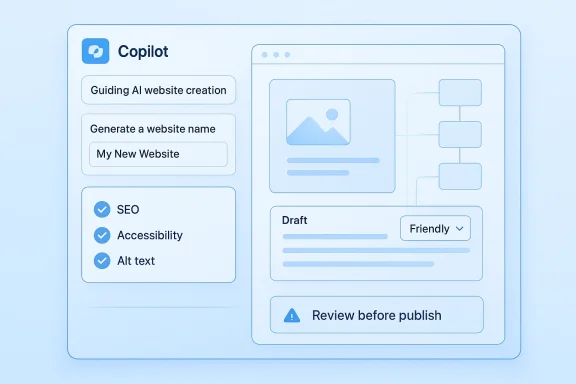
The Learn documentation deepens that picture by showing exactly how site creation works. A user describes the site in natural language, Copilot proposes the site name and URL, then generates a homepage layout and more pages based on the description. The user can regenerate the layout, accept it, and then refine everything in the design studio. It is a supervised generation loop, not a fully autonomous one. (learn.microsoft.com)
Microsoft has also been expanding the surface area of Copilot-assisted creation beyond pages and layouts. The same ecosystem now includes AI-generated text, multistep forms, SPA integration, and code-aware workflows for more advanced builders. That tells us Microsoft is trying to make Copilot the front door to website creation, regardless of whether the user ends up in a visual editor or a code editor. (learn.microsoft.com)
This shift also changes the beginner experience. A user who does not know design terminology can still ask for a portfolio, a small business site, or a landing page and get a reasonable starting point. That lowers the barrier to entry, but it also introduces a new skill: learning how to prompt clearly enough for the AI to produce a usable draft. (learn.microsoft.com)
That split also helps explain why Microsoft keeps talking about governance, permissions, compliance, and accessibility. Consumer builders may care most about polish; enterprises care about whether a site can be managed safely at scale. Microsoft is clearly trying to serve both, but the product story is strongest when those needs overlap. (microsoft.com)
The documentation also shows that Microsoft expects users to iterate. Copilot-generated text can be rewritten, toned up or down, shortened, expanded, or supplemented with more details. That makes the AI feel less like a static author and more like a responsive editor, which is exactly how most professionals would want to use it. (learn.microsoft.com)
Still, the output is starter material, not a finished brand identity. Microsoft explicitly warns that AI-generated text can contain mistakes or inappropriate content, and users are told to review it carefully before making the site public. That warning is not just legal boilerplate; it is a reminder that AI can accelerate work without guaranteeing correctness. (learn.microsoft.com)
This has a side effect: beginners now need to learn how to think like editors and product managers. The more specific the prompt, the more usable the output tends to be. In that sense, Copilot lowers the technical barrier but raises the strategic one, which is probably a fair trade. (learn.microsoft.com)
The site-creation feature is now generally available in most regions, which signals that Microsoft is confident enough in the experience to treat it as mainstream rather than experimental. According to Microsoft Learn, users must enable the enhanced data model before using Copilot for site creation. That prerequisite matters, because it shows the feature is tied to platform architecture rather than merely a UI convenience. (learn.microsoft.com)
The process is designed to keep users moving. It avoids blank-page paralysis by producing an initial structure quickly, but it still leaves room for human review before publishing. That balance is one of the main reasons the workflow is more credible than many “build a website in one prompt” demos. (learn.microsoft.com)
It also means the AI layer can be adopted without abandoning governance. That is a major enterprise selling point, because many organizations want the productivity upside of Copilot but are unwilling to sacrifice control over permissions, data handling, or deployment workflow. Microsoft’s pitch is essentially that you can have both speed and oversight. (microsoft.com)
The content workflow also makes a practical distinction between generation and publication. Microsoft tells users to preview the text, adjust tone, change length, add details, and only then add it to the page. That keeps the human in charge of messaging, which is essential when the website is intended to represent a person, brand, or company. (learn.microsoft.com)
This approach also helps with speed. A rough headline, a few benefit bullets, and a clear call to action can be enough to drive the first draft of the page structure. That is especially helpful for beginners who may be intimidated by design tools but can still describe what they want to say. (learn.microsoft.com)
This is where the product story becomes especially interesting. A user can start with no-code guidance, move into generated HTML/CSS, and later transition to more advanced customization in Power Pages or even SPA-based workflows. That progression is useful because real website projects often outgrow their first draft. (learn.microsoft.com)
But the SPA path also comes with clear constraints. Microsoft notes that Power Pages page workspace and style workspace are not supported for SPA sites, and that some features like out-of-the-box lists and forms are not available in the same way. That is an important reminder that AI-assisted flexibility still depends on the architecture you choose. (learn.microsoft.com)
That hybrid model is probably also Microsoft’s strategic advantage. Pure no-code builders are easy to use but often limited, while pure developer tools are powerful but intimidating. Microsoft is trying to sit between those poles, using Copilot to make the transition from one to the other feel natural. (microsoft.com)
The emphasis on SEO and accessibility is especially notable because many AI site builders still gloss over those fundamentals. Microsoft, by contrast, is positioning Copilot as a tool that can help with metadata, heading structure, labels, contrast, and review. That is an encouraging sign that the company sees AI as a means to better web quality, not just faster publishing. (learn.microsoft.com)
A useful way to think about AI here is as an early warning system. Copilot can scan for missing alt text or weak heading structure, but it should not be considered a substitute for an accessibility audit. The AI can spot problems quickly; the human still has to decide whether the site genuinely meets the standard. (learn.microsoft.com)
The opportunity is broader than just making sites faster. Microsoft is teaching users to think in prompts, sitemaps, page goals, and iteration loops, which may help more people build good sites on the first attempt. That has implications for agencies, freelancers, internal teams, and small businesses that need a professional-looking web presence without a large upfront budget. (learn.microsoft.com)
There is also a strategic risk in making website creation too easy. If first-time builders skip the thinking phase because the AI fills in blanks too quickly, the result may be more websites but not necessarily better ones. In that sense, Copilot can amplify both good judgment and bad judgment. (learn.microsoft.com)
Watch for improvements in generated forms, search, summaries, and structured content tools. Microsoft is already expanding the Power Pages Copilot surface area, which suggests the company wants AI to handle more of the repetitive web-building tasks that usually slow teams down. The more those capabilities mature, the more the platform may become useful for real production work rather than just first drafts.
If Microsoft keeps balancing speed with control, its Copilot website workflow could become a model for how AI should be used in creative software: not as an autopilot, but as a disciplined assistant that clears the path without choosing the destination.
Source: Microsoft How to Use AI to Create a Website | Microsoft Copilot
 Overview
Microsoft’s latest guidance frames AI website creation as a structured process, not a magic button. That distinction matters, because the company is clearly trying to avoid the trap of making Copilot sound like a replacement for judgment, branding, or security decisions. Instead, the message is that AI can remove friction from the hardest early steps: defining a purpose, generating first drafts, and assembling a workable first version. (learn.microsoft.com)At the center of the strategy is Power Pages, Microsoft’s low-code web platform aimed at business websites and portals. Microsoft says Copilot can generate a contextual site name, web address, homepage layout, and additional pages, then hand the result to the design studio for further refinement. That is a meaningful shift from older “template-only” builders, because it brings natural-language input into the actual site creation flow. (learn.microsoft.com)
The broader context is Microsoft’s push to make Copilot useful across the whole lifecycle of a website, from planning to publishing. The company’s Learn documentation says Copilot can help generate text inside pages, rewrite copy, adjust tone and length, and support future edits without forcing the user to start over. That makes the workflow feel iterative rather than one-shot, which is probably the right model for most first-time builders. (learn.microsoft.com)
There is also a clear enterprise angle. Microsoft highlights security, authentication, privacy, governance, and global accessibility as core Power Pages strengths, alongside code extensibility through Visual Studio Code, GitHub, and the Power Platform CLI. In other words, Microsoft is not just targeting hobbyists who want a portfolio site; it is also trying to own the much more valuable market for company-owned sites and portals. (microsoft.com)
Why this matters now
AI-assisted website creation has been around in some form for a while, but Microsoft’s current approach is more operationally grounded than many consumer-facing builders. Rather than promising a full autonomous site, Microsoft emphasizes guided generation, review, and editing. That conservative framing is important, because it reduces the expectation that the AI will make every design or content choice correctly on its own. (learn.microsoft.com)The platform also reflects a larger industry shift: creators increasingly want a site that is “good enough” on day one, then improved through iteration. Microsoft’s workflow fits that mindset by offering prompts for site maps, style guides, copy, layout, and QA. The result is a toolchain that can compress days of early work into hours, while still leaving the final decisions to the human builder. (learn.microsoft.com)
Background
Microsoft’s website-building story used to be more fragmented. Traditional web creation meant hand-coding HTML, relying on templates, or using separate no-code platforms for design and publishing. What changed is that AI now sits inside the workflow itself, which means planning and drafting can happen in the same place where the site is eventually built. (learn.microsoft.com)Power Pages is the clearest example of that evolution. Microsoft’s product page describes it as a way to create “beautiful layouts, smart sitemaps, and compelling AI-generated copy,” while also offering authentication, compliance, and governance features that matter to organizations. That combination shows why Power Pages is not just a website toy; it is a platform meant to scale from simple pages to business portals. (microsoft.com)
The Learn documentation deepens that picture by showing exactly how site creation works. A user describes the site in natural language, Copilot proposes the site name and URL, then generates a homepage layout and more pages based on the description. The user can regenerate the layout, accept it, and then refine everything in the design studio. It is a supervised generation loop, not a fully autonomous one. (learn.microsoft.com)
Microsoft has also been expanding the surface area of Copilot-assisted creation beyond pages and layouts. The same ecosystem now includes AI-generated text, multistep forms, SPA integration, and code-aware workflows for more advanced builders. That tells us Microsoft is trying to make Copilot the front door to website creation, regardless of whether the user ends up in a visual editor or a code editor. (learn.microsoft.com)
The shift from templates to prompts
The old website template model asked users to choose from a limited set of visual patterns. Microsoft’s newer model asks users to describe intent, audience, and content goals first, then lets AI map that intent onto pages and structure. That is a subtle but important change, because purpose now drives layout instead of the other way around. (learn.microsoft.com)This shift also changes the beginner experience. A user who does not know design terminology can still ask for a portfolio, a small business site, or a landing page and get a reasonable starting point. That lowers the barrier to entry, but it also introduces a new skill: learning how to prompt clearly enough for the AI to produce a usable draft. (learn.microsoft.com)
Consumer and enterprise split
For consumers, the appeal is speed and confidence. For businesses, the value is repeatability, integration, and control. Microsoft’s materials emphasize both sides, which is smart because the market for simple personal sites is crowded, while enterprise web creation is where higher-margin platform lock-in tends to happen. (microsoft.com)That split also helps explain why Microsoft keeps talking about governance, permissions, compliance, and accessibility. Consumer builders may care most about polish; enterprises care about whether a site can be managed safely at scale. Microsoft is clearly trying to serve both, but the product story is strongest when those needs overlap. (microsoft.com)
How Microsoft Copilot Frames Website Creation
Microsoft’s Copilot workflow begins before any page is built. The user is encouraged to define the site’s purpose, intended audience, and content needs, and Copilot then helps convert that into a site map and page structure. That sequencing is sound, because websites fail more often from weak planning than from weak code. (learn.microsoft.com)The documentation also shows that Microsoft expects users to iterate. Copilot-generated text can be rewritten, toned up or down, shortened, expanded, or supplemented with more details. That makes the AI feel less like a static author and more like a responsive editor, which is exactly how most professionals would want to use it. (learn.microsoft.com)
What Copilot actually generates
The site-creation flow is more capable than a simple copy assistant. Microsoft says Copilot can generate the site name, web address, homepage layout, additional pages, and relevant copy and images. For a first-time builder, that is a substantial amount of scaffolding, especially when paired with a design studio that allows manual refinement afterward. (learn.microsoft.com)Still, the output is starter material, not a finished brand identity. Microsoft explicitly warns that AI-generated text can contain mistakes or inappropriate content, and users are told to review it carefully before making the site public. That warning is not just legal boilerplate; it is a reminder that AI can accelerate work without guaranteeing correctness. (learn.microsoft.com)
Prompting as a new literacy
One of the most useful takeaways from Microsoft’s examples is that good prompts are becoming a core part of web creation. The company suggests asking Copilot to define a site map, create a mini style guide, or generate SEO titles and meta descriptions. That means the user’s real job is increasingly one of direction-setting rather than pure production. (learn.microsoft.com)This has a side effect: beginners now need to learn how to think like editors and product managers. The more specific the prompt, the more usable the output tends to be. In that sense, Copilot lowers the technical barrier but raises the strategic one, which is probably a fair trade. (learn.microsoft.com)
The Power Pages Path
Power Pages is Microsoft’s clearest production-ready answer for AI-assisted site building. The product page emphasizes AI-generated copy, smart sitemaps, advanced forms, code customization, and deployment automation. That combination makes it much more than a drag-and-drop builder; it is a managed platform for shipping public-facing business sites. (microsoft.com)The site-creation feature is now generally available in most regions, which signals that Microsoft is confident enough in the experience to treat it as mainstream rather than experimental. According to Microsoft Learn, users must enable the enhanced data model before using Copilot for site creation. That prerequisite matters, because it shows the feature is tied to platform architecture rather than merely a UI convenience. (learn.microsoft.com)
What the setup process looks like
Microsoft’s guidance is straightforward: go to Power Pages, describe the site, review the suggested site name and address, accept or regenerate the homepage layout, then select additional pages and complete creation. The site is then opened in the design studio for further customization. This is the most polished path Microsoft currently offers for AI-driven site creation. (learn.microsoft.com)The process is designed to keep users moving. It avoids blank-page paralysis by producing an initial structure quickly, but it still leaves room for human review before publishing. That balance is one of the main reasons the workflow is more credible than many “build a website in one prompt” demos. (learn.microsoft.com)
Enterprise implications
For businesses, Power Pages matters because it aligns AI site generation with security and management controls. Microsoft highlights authentication, web role permissions, WAF-style protections, privacy, and compliance features alongside the creation experience. That makes it suitable for customer portals, service sites, and data-driven experiences where a basic consumer builder would be too limited. (microsoft.com)It also means the AI layer can be adopted without abandoning governance. That is a major enterprise selling point, because many organizations want the productivity upside of Copilot but are unwilling to sacrifice control over permissions, data handling, or deployment workflow. Microsoft’s pitch is essentially that you can have both speed and oversight. (microsoft.com)
Copywriting and Content Generation
Microsoft is especially strong on the content side of website creation. The Learn article on AI-generated text shows that users can describe the text they need and receive previewable copy they can refine before inserting it into the page. That matters because many first websites are stalled less by code than by the blank-page problem of writing. (learn.microsoft.com)The content workflow also makes a practical distinction between generation and publication. Microsoft tells users to preview the text, adjust tone, change length, add details, and only then add it to the page. That keeps the human in charge of messaging, which is essential when the website is intended to represent a person, brand, or company. (learn.microsoft.com)
Why copy comes before layout
Microsoft’s guidance says to start with words before layout, and that is a smart design principle. Copy determines what a site needs to say, while layout determines how that information is prioritized visually. If the message is unclear, a polished layout can actually make the site harder to understand rather than easier. (learn.microsoft.com)This approach also helps with speed. A rough headline, a few benefit bullets, and a clear call to action can be enough to drive the first draft of the page structure. That is especially helpful for beginners who may be intimidated by design tools but can still describe what they want to say. (learn.microsoft.com)
Practical content workflows
Microsoft’s examples suggest a repeatable process that can be adapted to almost any first website. The user can ask for CTA variations, rewrite a paragraph in a clearer voice, or generate an entire section in a specific tone. This is where Copilot becomes most useful as a production partner rather than a novelty feature. (learn.microsoft.com)- Draft the core message first.
- Generate short CTA options.
- Refine tone for the target audience.
- Keep the language clear and scannable.
- Review every paragraph for factual accuracy.
- Avoid overstuffing pages with AI-written filler.
Layout, Code, and Technical Flexibility
Microsoft is careful not to limit Copilot to visual composition. The company also describes support for semantic HTML, CSS, mobile-first layouts, accessibility checks, and code generation for simple sites. That opens the door to more technically minded beginners who want AI help without giving up code literacy.This is where the product story becomes especially interesting. A user can start with no-code guidance, move into generated HTML/CSS, and later transition to more advanced customization in Power Pages or even SPA-based workflows. That progression is useful because real website projects often outgrow their first draft. (learn.microsoft.com)
From starter code to production code
Microsoft’s documentation for single-page applications in Power Pages shows that more advanced developers can integrate code created with AI-assisted tools like GitHub Copilot. The platform supports modern front-end frameworks, source-code-based workflows, and CLI-driven deployment for SPA sites. That means Copilot is not only for beginners; it can also feed professional development pipelines. (learn.microsoft.com)But the SPA path also comes with clear constraints. Microsoft notes that Power Pages page workspace and style workspace are not supported for SPA sites, and that some features like out-of-the-box lists and forms are not available in the same way. That is an important reminder that AI-assisted flexibility still depends on the architecture you choose. (learn.microsoft.com)
Why hybrid workflows are likely to win
The most realistic future for AI website creation is hybrid. Users will want the convenience of prompts for copy and structure, but the control of code when custom behavior is needed. Microsoft’s tools are moving in that direction by spanning visual editing, text generation, pro-code extensibility, and deployment automation. (microsoft.com)That hybrid model is probably also Microsoft’s strategic advantage. Pure no-code builders are easy to use but often limited, while pure developer tools are powerful but intimidating. Microsoft is trying to sit between those poles, using Copilot to make the transition from one to the other feel natural. (microsoft.com)
SEO, Accessibility, and Quality Assurance
Microsoft’s guidance does not treat a generated website as complete until it passes basic quality checks. The company recommends one topic per page, a single H1, descriptive titles, alt text, internal links, and accessibility review. Those are not flashy AI features, but they are the difference between a site that exists and a site that works. (learn.microsoft.com)The emphasis on SEO and accessibility is especially notable because many AI site builders still gloss over those fundamentals. Microsoft, by contrast, is positioning Copilot as a tool that can help with metadata, heading structure, labels, contrast, and review. That is an encouraging sign that the company sees AI as a means to better web quality, not just faster publishing. (learn.microsoft.com)
Accessibility as a design requirement
Accessibility is not just a compliance checkbox; it is part of making a site usable for everyone. Microsoft’s own product page highlights global accessibility, and the Copilot guidance tells users to check contrast, keyboard navigation, link text, and heading order. Those are basic, but they are also the most commonly missed items on first-time websites. (microsoft.com)A useful way to think about AI here is as an early warning system. Copilot can scan for missing alt text or weak heading structure, but it should not be considered a substitute for an accessibility audit. The AI can spot problems quickly; the human still has to decide whether the site genuinely meets the standard. (learn.microsoft.com)
QA before launch
Microsoft’s checklist-style advice is practical and easy to apply. Spelling, mobile layout, broken links, missing alt text, paragraph length, and CTA clarity are all things AI can help review before a site goes live. That gives beginners a safety net and helps experienced teams move faster without lowering the bar. (learn.microsoft.com)- Review on desktop and mobile.
- Check every link manually.
- Confirm images have useful alt text.
- Make sure headings follow a logical order.
- Tighten overly long sections.
- Verify that every page has a clear purpose.
Strengths and Opportunities
Microsoft’s AI website story has several obvious strengths, and the most important one is that it is integrated. Users can move from idea to content to layout to publication without stitching together unrelated tools, and that lowers both friction and abandonment. The platform also benefits from Microsoft’s enterprise credibility, which matters when the website has to sit inside a broader business ecosystem. (learn.microsoft.com)The opportunity is broader than just making sites faster. Microsoft is teaching users to think in prompts, sitemaps, page goals, and iteration loops, which may help more people build good sites on the first attempt. That has implications for agencies, freelancers, internal teams, and small businesses that need a professional-looking web presence without a large upfront budget. (learn.microsoft.com)
- Faster first drafts for beginners.
- Better scaffolding for small businesses.
- Stronger governance for enterprise portals.
- Built-in support for copy, layout, and basic QA.
- Room to grow from visual editing to code.
- A more natural workflow for iterative publishing.
- Better alignment with accessibility and SEO basics.
Risks and Concerns
The biggest risk is overtrust. AI-generated websites can look polished while still containing inaccurate claims, awkward phrasing, weak branding, or accessibility gaps, and Microsoft itself warns that generated text must be reviewed before publication. If users treat Copilot as an authority instead of a collaborator, the quality of the final site can degrade quickly. (learn.microsoft.com)There is also a strategic risk in making website creation too easy. If first-time builders skip the thinking phase because the AI fills in blanks too quickly, the result may be more websites but not necessarily better ones. In that sense, Copilot can amplify both good judgment and bad judgment. (learn.microsoft.com)
- AI copy may sound generic or overly confident.
- Generated layouts may not fit nuanced brand needs.
- Accessibility issues can still slip through.
- Advanced features may require technical cleanup.
- Platform-specific constraints can surprise SPA users.
- Teams may underestimate the need for human review.
- Enterprises may need governance around prompt usage.
What to Watch Next
The next phase of this story will likely be about depth rather than novelty. Microsoft has already shown the broad shape of Copilot-assisted website creation; what matters now is how much more detailed, reliable, and customizable the workflow becomes. If the company can keep improving page generation while tightening quality controls, it could make AI website building feel routine instead of experimental. (learn.microsoft.com)Watch for improvements in generated forms, search, summaries, and structured content tools. Microsoft is already expanding the Power Pages Copilot surface area, which suggests the company wants AI to handle more of the repetitive web-building tasks that usually slow teams down. The more those capabilities mature, the more the platform may become useful for real production work rather than just first drafts.
Key things to track
- Whether Copilot-generated layouts become more industry-specific.
- Whether AI copy gets better at matching brand voice.
- Whether accessibility checks become more automated.
- Whether more code-oriented workflows remain simple for beginners.
- Whether Microsoft expands SPA and pro-code support further.
- Whether governance tools keep pace with easier site creation.
If Microsoft keeps balancing speed with control, its Copilot website workflow could become a model for how AI should be used in creative software: not as an autopilot, but as a disciplined assistant that clears the path without choosing the destination.
Source: Microsoft How to Use AI to Create a Website | Microsoft Copilot
