

An 11-year-old Bay Area student with no programming background has built a playable civilization-style game with Microsoft Copilot after four days of prompted, iterative work, according to an account published by AOL from an interview with his mother, LinkedIn employee communications partner Michele Ragon.
Jacob’s game was inspired by Mrs. Frisby and the Rats of NIMH and a civilization-builder he had seen on Steam. Rather than starting with a game engine tutorial or learning a programming language, he reportedly opened Copilot and described the idea in plain language: a rat-themed society-building game. Copilot then guided him through the work in smaller steps.
The result is a modest but useful real-world example of what “vibe coding” looks like when the user is not a developer: specify a feature, test it, paste back the error, ask for an explanation, and repeat.
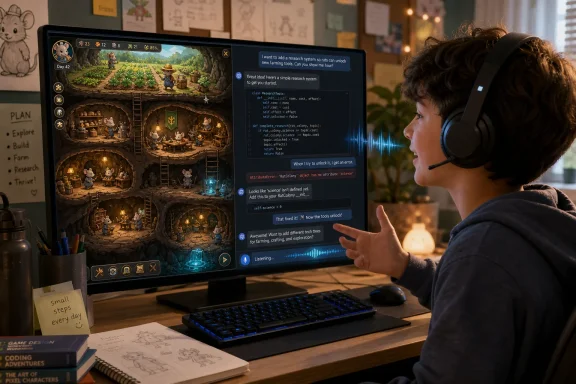
Ragon said Jacob spent roughly one or two hours per day over four days to reach a workable version. When he encountered error messages, he copied them into Copilot and asked what they meant. If an explanation was too technical, he asked the model to restate it more simply.
That ability to retry without social friction was central to the experience. Jacob, who was diagnosed earlier this year with ADHD, dyslexia and dysgraphia, told his mother he liked that the AI did not become frustrated when he repeated a question.
Voice interaction also reduced the typing burden. Instead of composing every request at the keyboard, he could speak prompts and follow-up questions. For Windows users, it is a reminder that Copilot’s value is not confined to drafting text or summarizing documents; conversational troubleshooting can lower the barrier to experimenting with code, provided the project stays small and the output is tested.
That distinction matters for IT pros and parents alike. AI assistants can generate code, explain errors and propose workarounds, but they can also hallucinate APIs, introduce insecure patterns, or push a user toward a workaround that masks a defect. A successful prototype is not the same as a maintainable or shippable application.
Ragon also raised the more practical parental concern: whether a child can identify an incorrect AI answer. Steam’s Family Management controls can help parents limit access to games and content, but they do not validate AI-generated code or advice.
For beginners, Copilot appears most useful as a patient, always-available guide for small experiments—not as a substitute for testing, adult oversight, or eventually learning how the generated project works.
Jacob’s game was inspired by Mrs. Frisby and the Rats of NIMH and a civilization-builder he had seen on Steam. Rather than starting with a game engine tutorial or learning a programming language, he reportedly opened Copilot and described the idea in plain language: a rat-themed society-building game. Copilot then guided him through the work in smaller steps.
The result is a modest but useful real-world example of what “vibe coding” looks like when the user is not a developer: specify a feature, test it, paste back the error, ask for an explanation, and repeat.
 The useful part was the feedback loop
Ragon said Jacob spent roughly one or two hours per day over four days to reach a workable version. When he encountered error messages, he copied them into Copilot and asked what they meant. If an explanation was too technical, he asked the model to restate it more simply.That ability to retry without social friction was central to the experience. Jacob, who was diagnosed earlier this year with ADHD, dyslexia and dysgraphia, told his mother he liked that the AI did not become frustrated when he repeated a question.
Voice interaction also reduced the typing burden. Instead of composing every request at the keyboard, he could speak prompts and follow-up questions. For Windows users, it is a reminder that Copilot’s value is not confined to drafting text or summarizing documents; conversational troubleshooting can lower the barrier to experimenting with code, provided the project stays small and the output is tested.
“No code” still means code exists
The story should not be read as evidence that Copilot can reliably turn an idea into a polished game without technical oversight. Jacob hit a recurring crash tied to animated rats and ultimately worked around it by replacing them with smiley faces. The game ran, but the underlying defect was not necessarily diagnosed or fixed.That distinction matters for IT pros and parents alike. AI assistants can generate code, explain errors and propose workarounds, but they can also hallucinate APIs, introduce insecure patterns, or push a user toward a workaround that masks a defect. A successful prototype is not the same as a maintainable or shippable application.
Ragon also raised the more practical parental concern: whether a child can identify an incorrect AI answer. Steam’s Family Management controls can help parents limit access to games and content, but they do not validate AI-generated code or advice.
For beginners, Copilot appears most useful as a patient, always-available guide for small experiments—not as a substitute for testing, adult oversight, or eventually learning how the generated project works.
References
- Primary source: News Anyway
Published: 2026-07-13T13:39:52+00:00
Building a Game with Copilot: How One Boy Did It Without Writing Code - News Anyway
Building a game with Copilot took Jacob, an 11-year-old in the Bay Area, four days and no knowledge of coding. His mother, Michele Ragon, a 46-year-oldwww.newsanyway.com - Related coverage: gitbit.org
Building a Game with Copilot in under 1 hour!
I asked Copilot to create a game. Then I created the game and published it! It took me less than 30 minutes to create the game! Check it out now.www.gitbit.org
