

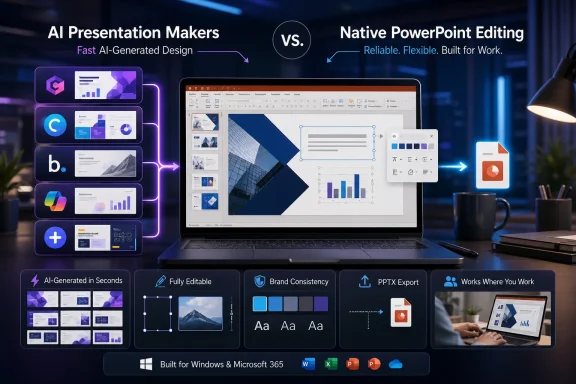
Jaro Education’s latest roundup of AI presentation makers puts Gamma at the top, followed by Canva Magic Design, Beautiful.ai, Microsoft Copilot and Plus AI. The ranking is useful shorthand, but Windows and Microsoft 365 users should focus less on the headline winner than on where the deck will be edited and delivered.
Gamma is positioned as the best overall tool for quickly turning a prompt, notes or uploaded material into a polished deck. Its appeal is speed and visual structure rather than traditional slide-by-slide PowerPoint work. Gamma supports PPTX export, but its own documentation warns that exported presentations are rendered from its presentation view. Font handling and unsupported web-style elements can still change the result once the file reaches PowerPoint.
That makes Gamma a reasonable choice for a first draft, a web presentation or a PDF deliverable. It is less attractive where the recipient expects a deeply editable PowerPoint file that must survive corporate templates, shared fonts and last-minute revisions.
Microsoft Copilot remains the obvious fit for organizations already standardized on Microsoft 365. Microsoft says Copilot in PowerPoint can create a new presentation, turn a Word document into slides, summarize an existing deck and help rewrite or organize content. It can also work with corporate templates, which matters more to IT-managed environments than flashy AI layouts.
The caveat is licensing. Microsoft notes that the full Copilot experience in PowerPoint requires an eligible Microsoft 365 Copilot subscription, so this is not a free replacement for PowerPoint’s existing design features.
Plus AI is the more direct competitor for users who want AI generation without leaving PowerPoint or Google Slides. The company says its add-in creates native PPTX files and can work with existing templates and slide masters. For teams that need the AI tool to respect a house style rather than invent one, that workflow is likely more practical than exporting from a separate presentation service.
Beautiful.ai remains aimed at design polish. Its Smart Slides automatically resize and align content, and its newer Slide AI tools can regenerate or restyle individual slides without rebuilding the entire deck. Beautiful.ai supports editable PowerPoint exports, but the company notes that fonts not installed on the receiving device can still alter formatting.
The common limitation is not generation speed; it is fidelity after handoff. AI tools can now assemble a usable 10-slide outline quickly, but their factual claims, images, speaker notes and layout still require review.
For Windows users, Copilot or Plus AI are the safer starting points when PowerPoint remains the system of record.
Gamma is positioned as the best overall tool for quickly turning a prompt, notes or uploaded material into a polished deck. Its appeal is speed and visual structure rather than traditional slide-by-slide PowerPoint work. Gamma supports PPTX export, but its own documentation warns that exported presentations are rendered from its presentation view. Font handling and unsupported web-style elements can still change the result once the file reaches PowerPoint.
That makes Gamma a reasonable choice for a first draft, a web presentation or a PDF deliverable. It is less attractive where the recipient expects a deeply editable PowerPoint file that must survive corporate templates, shared fonts and last-minute revisions.
 The PowerPoint-native options
Microsoft Copilot remains the obvious fit for organizations already standardized on Microsoft 365. Microsoft says Copilot in PowerPoint can create a new presentation, turn a Word document into slides, summarize an existing deck and help rewrite or organize content. It can also work with corporate templates, which matters more to IT-managed environments than flashy AI layouts.The caveat is licensing. Microsoft notes that the full Copilot experience in PowerPoint requires an eligible Microsoft 365 Copilot subscription, so this is not a free replacement for PowerPoint’s existing design features.
Plus AI is the more direct competitor for users who want AI generation without leaving PowerPoint or Google Slides. The company says its add-in creates native PPTX files and can work with existing templates and slide masters. For teams that need the AI tool to respect a house style rather than invent one, that workflow is likely more practical than exporting from a separate presentation service.
Design-first tools still need checking
Canva Magic Design is highlighted as the best free option because it can create a presentation from a prompt and then hand the user a familiar drag-and-drop editor. Canva’s presentation generator is well suited to quick visual decks, training materials and less formal internal work. As with any third-party editor, PowerPoint export should be checked before distribution if the deck contains custom fonts, complex layouts or branded assets.Beautiful.ai remains aimed at design polish. Its Smart Slides automatically resize and align content, and its newer Slide AI tools can regenerate or restyle individual slides without rebuilding the entire deck. Beautiful.ai supports editable PowerPoint exports, but the company notes that fonts not installed on the receiving device can still alter formatting.
The common limitation is not generation speed; it is fidelity after handoff. AI tools can now assemble a usable 10-slide outline quickly, but their factual claims, images, speaker notes and layout still require review.
For Windows users, Copilot or Plus AI are the safer starting points when PowerPoint remains the system of record.
References
- Primary source: Jaro Education
Published: 2026-07-17T11:50:21.288000+00:00
Loading…
www.jaroeducation.com