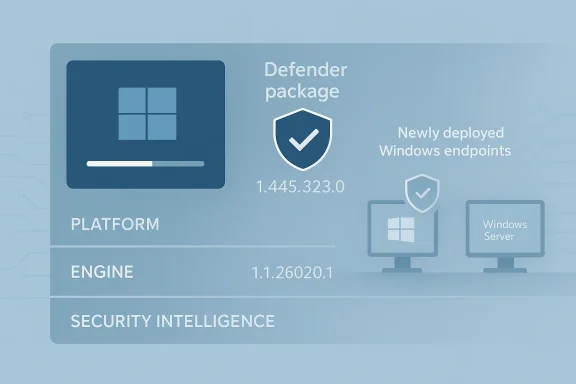
Microsoft has pushed out a fresh Defender update package for Windows installation images, a move that matters far more than its modest headline suggests. The new package brings security intelligence version 1.445.323.0 into supported Windows 11, Windows 10, and Windows Server installation media, reducing the window in which newly deployed systems can boot with stale antimalware protection. For admins who build golden images, maintain offline WIM and VHD files, or redeploy at scale, this is one of those unglamorous updates that can materially improve the security posture of an entire fleet.
What makes the release notable is not just the version bump, but the role these packages play in closing a familiar gap. Microsoft’s own guidance says installation images can contain outdated Defender binaries and signatures, leaving devices inadequately protected until the first antimalware update arrives. In practical terms, that means an image baked weeks or months ago may be vulnerable on first boot, even if the operating system itself is fully patched. This new Defender baseline is designed to reduce that exposure before the machine ever reaches the network.
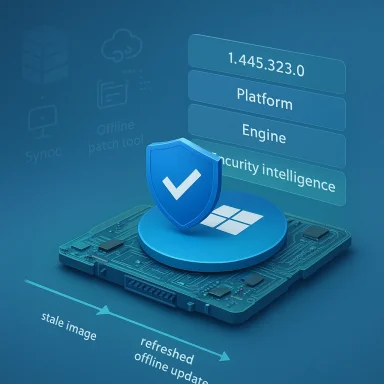
The big picture here is simple: installation media ages badly. A Windows ISO or offline image is a frozen snapshot of the OS at a point in time, while malware authors continue to release new payloads, obfuscation tricks, and evasive tooling every day. Microsoft’s response has been to treat Defender’s platform, engine, and signatures as a separately serviceable layer that can be injected into those images before deployment. That approach has become increasingly important as organizations rely on repeatable imaging workflows for PCs, kiosks, labs, servers, and virtual desktops.
Microsoft has long recommended that image servicing include Defender updates on a roughly three-month cadence, specifically to minimize the protection gap during fresh deployments. The company’s support guidance also notes that these packages can bring performance improvements, not just threat detection gains. That matters because a modern security baseline is no longer just about catching malware; it is also about reducing startup overhead, improving service stability, and avoiding the “slow first boot” experience that users still blame on Windows itself.
The newly released package applies to a broad set of operating systems, including Windows 11, Windows 10 ESU, Windows 10 Enterprise LTSC 2021, Windows 10 Enterprise LTSC 2019, Windows 10 Enterprise LTSB 2016, Windows Server 2022, Windows Server 2019, and Windows Server 2016. Microsoft says the package updates the anti-malware client, anti-malware engine, and signatures in the offline image to platform version 4.18.26020.6, engine version 1.1.26020.1, and security intelligence version 1.445.323.0. That makes it relevant not only for consumer reimaging, but for enterprise deployment pipelines where the first few hours of a machine’s life are often the most exposed.
There is also a broader operational story behind this release. Microsoft has been tightening the relationship between Windows setup, security intelligence, and Dynamic Update behavior for some time, which reflects a subtle shift in how the company thinks about deployment. Instead of treating installation media as static, Microsoft increasingly expects admins to service it as a living artifact. That expectation can feel burdensome, but it also mirrors the reality of today’s threat landscape: if the image is stale, the endpoint starts life behind.
But it is also the reason Defender servicing matters so much. If the image contains old definitions, every copied machine inherits the same security blind spot. In a modern ransomware or stealer campaign, that can be enough for a freshly deployed endpoint to be exposed before its first cloud sync or update cycle.
That distinction is important. Offline image servicing is safer, more predictable, and easier to automate in build pipelines. It also avoids the risk of damaging the active OS installation, which is why Microsoft explicitly warns against using the package on live images.
The update is not just a signatures-only patch. Microsoft describes it as a package that updates the client, engine, and signature stack, which is the right way to think about Defender servicing. A current signature can still ride on an older engine, and an older engine can still carry behavioral or stability issues that were fixed in newer monthly packages. Keeping the full stack aligned is what gives the offline image a chance to behave like a machine that has already been on the internet for a while.
For admins, version alignment also simplifies reporting. If a machine ships with the latest image package, it should not immediately appear as a definition outlier in endpoint management dashboards. That helps reduce noise in compliance checks and makes it easier to distinguish genuine update failures from machines that were simply born stale.
That means the package is aimed squarely at the people who care most about image servicing discipline. A retail user who installs Windows from a USB stick once every few years may never notice this release. A systems engineer building a server image for a regulated environment, however, can treat it as a required maintenance step.
This is one of those moments where the difference between a “definition update” and a “platform update” matters. A lot of users assume antivirus updates are just daily signature churn. In practice, Defender servicing can include engine changes, platform refreshes, and baseline improvements that affect how the product behaves at boot, during scans, and when the OS is still settling after installation.
The move also reflects Microsoft’s recognition that Windows setup is now part of the attack surface. If malware can execute early in the device lifecycle, before corporate controls or cloud-delivered protection have fully taken hold, then the most vulnerable moment may be the first one. By preloading current Defender data into the image, Microsoft is trying to make first boot feel less like an open door.
The problem is that the system can be technically installed but not yet practically protected. Microsoft’s image servicing model is designed to narrow that gap, which is particularly valuable in places like manufacturing floors, branch offices, and air-gapped or intermittently connected networks.
This matters for enterprises because every security product competes with user patience. A baseline that is both more current and less intrusive is easier to standardize, which in turn makes it easier to keep fleets uniformly protected.
The support article also makes clear that there is no special ordering requirement between the latest cumulative update and the Defender offline package. That is useful because image builders often stage OS and security content separately. When the servicing order is flexible, automation becomes much easier to write and maintain.
For organizations already using MDT, ConfigMgr, Intune, custom PowerShell build scripts, or virtualization pipelines, this is the kind of update that can be slotted into an existing release cadence. It is not glamorous, but it is the sort of hygiene that separates a consistently hardened image from one that merely looks current on paper.
The broader lesson is that image updates should be treated like surgery, not housekeeping. A carefully mounted image, serviced and then validated, is much less likely to surprise you later than a system that was improvised while running.
That means the update helps the ecosystem even when the end user never knows it existed. A laptop that ships with a fresher Defender baseline is less exposed during first setup, and a reinstall from a recent ISO is less likely to begin life with a stale security stack. That is a quiet but meaningful improvement for the consumer Windows experience.
There is also an indirect trust effect. Users rarely distinguish between OS security, antivirus currency, and post-install update lag. They just notice whether the machine feels safe and responsive from day one. When Microsoft reduces the number of “first boot vulnerabilities,” it is also reducing the kind of early-life friction that can make a new PC feel half-finished.
The practical takeaway is simple: if you reinstall Windows frequently, prefer the newest installation media available. That will not replace normal Windows Update behavior, but it can shorten the time between a clean install and a reasonably secure machine.
Server environments have a different set of concerns, but the logic is similar. Servers are often deployed from a standardized template and then locked down with strict change windows. If the Defender layer in that template is stale, the server starts at a disadvantage before its hardening checklist is even complete. Updating the image before deployment is therefore not just neat housekeeping; it is part of the server’s initial risk management.
Microsoft’s inclusion of Windows Server 2016, 2019, and 2022 underscores the fact that offline Defender servicing is not merely a Windows 11 or consumer convenience. It is still relevant in datacenter and hybrid environments where patch windows are narrow, connectivity may be restricted, and the image build process is heavily scripted.
The result is that even a short-lived protection gap can be unacceptable. For this reason, image servicing is a core part of secure server provisioning, not an optional enhancement.
Smaller shops may need to be more manual, but the principles are the same. Keep the image current, validate the versions, and avoid letting a “known good” ISO become a de facto long-term artifact.
That platform mindset matters because Microsoft is no longer just selling an antivirus application. It is selling an integrated operating system security model where protection begins before first boot, continues through cloud-delivered intelligence, and stays aligned with servicing channels. Rivals can compete on depth, alerting, response, or advanced hunting, but Microsoft retains an advantage in being able to service the base image itself.
The practical effect is that Defender becomes part of the Windows supply chain. That does not eliminate the market for third-party vendors, but it does raise the standard they have to meet. If the OS vendor can refresh the offline baseline before deployment, then security products that rely on later installation are always starting from a less favorable position.
It also helps Microsoft argue that Windows security is not merely reactive. By refreshing images ahead of deployment, the company can claim that protection starts earlier in the machine lifecycle, which is a compelling narrative in a market obsessed with ransomware resilience.
That is not impossible; it simply means the bar is rising. Security companies can no longer assume the operating system’s native protection is static or weak.
The Neowin report specifically highlights detections for malware categories such as trojans, backdoors, ransomware, stealers, and AutoKMS-related threats, which is a good reminder that Defender intelligence is not abstract. It tracks the current threat economy, where infostealers and commodity ransomware remain persistent staples. Even if the exact payload names change, the operational problem is the same: stale definitions leave a fresh install open to well-known attack classes.
That is why image servicing is a prevention story, not a cleanup story. By the time the first scan runs, the exposure window has already existed.
Security teams should therefore view the version number as a checkpoint, not a finish line. The point is not to chase one release; it is to keep the whole imaging process from drifting behind threat reality.
Still, the presence of a tool does not guarantee a clean process. Admins need to match the architecture correctly, validate the image index, and keep backups of original media in case a rollback is needed. Microsoft’s documentation also warns that previous package versions gradually move to technical support only, which is a subtle reminder that image maintenance is not merely optional if you want supportability.
The underlying operational discipline here is straightforward: treat Defender image servicing like any other monthly maintenance task. The organizations that do this well are usually the ones that already have strong imaging, patching, and change control practices.
That difference is why good servicing practice feels invisible when it is working. The payoff is fewer surprises, cleaner audits, and less time spent explaining why a brand-new machine is already behind.
A second question is whether Microsoft can make this process even more invisible. The closer the security baseline gets to installation time, the smaller the gap between image creation and first protection. That could mean more automatic servicing in OEM and enterprise pipelines, better integration with deployment tooling, and fewer reasons for admins to manually track individual Defender baselines.
Source: Neowin Microsoft releases new Defender update for Windows 11, 10, Server ISO installations
What makes the release notable is not just the version bump, but the role these packages play in closing a familiar gap. Microsoft’s own guidance says installation images can contain outdated Defender binaries and signatures, leaving devices inadequately protected until the first antimalware update arrives. In practical terms, that means an image baked weeks or months ago may be vulnerable on first boot, even if the operating system itself is fully patched. This new Defender baseline is designed to reduce that exposure before the machine ever reaches the network.
 Overview
The big picture here is simple: installation media ages badly. A Windows ISO or offline image is a frozen snapshot of the OS at a point in time, while malware authors continue to release new payloads, obfuscation tricks, and evasive tooling every day. Microsoft’s response has been to treat Defender’s platform, engine, and signatures as a separately serviceable layer that can be injected into those images before deployment. That approach has become increasingly important as organizations rely on repeatable imaging workflows for PCs, kiosks, labs, servers, and virtual desktops.Microsoft has long recommended that image servicing include Defender updates on a roughly three-month cadence, specifically to minimize the protection gap during fresh deployments. The company’s support guidance also notes that these packages can bring performance improvements, not just threat detection gains. That matters because a modern security baseline is no longer just about catching malware; it is also about reducing startup overhead, improving service stability, and avoiding the “slow first boot” experience that users still blame on Windows itself.
The newly released package applies to a broad set of operating systems, including Windows 11, Windows 10 ESU, Windows 10 Enterprise LTSC 2021, Windows 10 Enterprise LTSC 2019, Windows 10 Enterprise LTSB 2016, Windows Server 2022, Windows Server 2019, and Windows Server 2016. Microsoft says the package updates the anti-malware client, anti-malware engine, and signatures in the offline image to platform version 4.18.26020.6, engine version 1.1.26020.1, and security intelligence version 1.445.323.0. That makes it relevant not only for consumer reimaging, but for enterprise deployment pipelines where the first few hours of a machine’s life are often the most exposed.
There is also a broader operational story behind this release. Microsoft has been tightening the relationship between Windows setup, security intelligence, and Dynamic Update behavior for some time, which reflects a subtle shift in how the company thinks about deployment. Instead of treating installation media as static, Microsoft increasingly expects admins to service it as a living artifact. That expectation can feel burdensome, but it also mirrors the reality of today’s threat landscape: if the image is stale, the endpoint starts life behind.
Why offline images still matter
Offline images remain central to enterprise Windows deployment because they are deterministic. An organization can validate a WIM or VHD once, stamp it across hundreds or thousands of endpoints, and know that every machine starts from the same baseline. That consistency is valuable for supportability, compliance, and troubleshooting.But it is also the reason Defender servicing matters so much. If the image contains old definitions, every copied machine inherits the same security blind spot. In a modern ransomware or stealer campaign, that can be enough for a freshly deployed endpoint to be exposed before its first cloud sync or update cycle.
What Microsoft changed
According to Microsoft’s support article, the update package refreshes the anti-malware client, anti-malware engine, and signature versions inside Windows installation images. The package is distributed as an offline servicing toolchain, including the Defender CAB payload and a PowerShell script that helps apply the update. Microsoft also states that the package should be applied offline to Windows images and not to a live installed operating system.That distinction is important. Offline image servicing is safer, more predictable, and easier to automate in build pipelines. It also avoids the risk of damaging the active OS installation, which is why Microsoft explicitly warns against using the package on live images.
What’s in the new package
The headline version here is 1.445.323.0, and Microsoft says that version is the security intelligence baseline included in the newly released image update. The package also carries the Defender platform and engine versions that correspond to that baseline. For organizations tracking release hygiene, that makes it a useful anchor point for validating image freshness.The update is not just a signatures-only patch. Microsoft describes it as a package that updates the client, engine, and signature stack, which is the right way to think about Defender servicing. A current signature can still ride on an older engine, and an older engine can still carry behavioral or stability issues that were fixed in newer monthly packages. Keeping the full stack aligned is what gives the offline image a chance to behave like a machine that has already been on the internet for a while.
Version alignment matters
The version trio is worth pausing on because it shows how Defender’s servicing model works in layers. The platform provides the foundation, the engine handles detection logic and execution, and the security intelligence layer feeds pattern and behavioral signatures. When any one of those lags, the device can become a little less responsive or a little less secure, depending on the defect.For admins, version alignment also simplifies reporting. If a machine ships with the latest image package, it should not immediately appear as a definition outlier in endpoint management dashboards. That helps reduce noise in compliance checks and makes it easier to distinguish genuine update failures from machines that were simply born stale.
The supported OS list is broader than it looks
At first glance, the inclusion of Windows 10 ESU and older LTSC/LTSB editions may look like a routine compatibility note. In reality, it is a clue about Microsoft’s deployment priorities. These are the systems most likely to live in controlled environments, remain in service for years, and be redeployed from fixed images rather than consumer-style refresh cycles.That means the package is aimed squarely at the people who care most about image servicing discipline. A retail user who installs Windows from a USB stick once every few years may never notice this release. A systems engineer building a server image for a regulated environment, however, can treat it as a required maintenance step.
Why this update exists
Microsoft’s support material is unusually direct about the reason for these packages: images can ship with outdated antimalware software binaries, and that creates a temporary protection gap. That gap may be small in clock time but large in risk if a machine touches a hostile network before its first protection update arrives. The company also says Defender updates can include critical performance fixes, which gives the package a dual role in both security and service quality.This is one of those moments where the difference between a “definition update” and a “platform update” matters. A lot of users assume antivirus updates are just daily signature churn. In practice, Defender servicing can include engine changes, platform refreshes, and baseline improvements that affect how the product behaves at boot, during scans, and when the OS is still settling after installation.
The move also reflects Microsoft’s recognition that Windows setup is now part of the attack surface. If malware can execute early in the device lifecycle, before corporate controls or cloud-delivered protection have fully taken hold, then the most vulnerable moment may be the first one. By preloading current Defender data into the image, Microsoft is trying to make first boot feel less like an open door.
The protection gap is the real story
When a freshly imaged system comes online, it often has to do several things at once: complete setup, join a domain or management service, install updates, and start background security tasks. That bootstrapping period can be slow, especially on older hardware or in constrained network environments.The problem is that the system can be technically installed but not yet practically protected. Microsoft’s image servicing model is designed to narrow that gap, which is particularly valuable in places like manufacturing floors, branch offices, and air-gapped or intermittently connected networks.
Performance is a security feature too
Microsoft’s documentation explicitly notes that Defender updates may include performance fixes. That is not marketing fluff; it is a recognition that slow security software creates user resistance and support overhead. A faster startup path and a more stable scanning engine reduce the temptation to disable protection or look for workarounds.This matters for enterprises because every security product competes with user patience. A baseline that is both more current and less intrusive is easier to standardize, which in turn makes it easier to keep fleets uniformly protected.
How admins should think about deployment
For endpoint teams, this release reinforces a best practice that should already be routine: treat image servicing as part of patch management, not an optional clean-up step. Microsoft’s recommended workflow is straightforward: download the correct architecture-specific Defender package, extract the CAB and PowerShell tool, and apply the update offline to the WIM or VHD. That process is designed for repeatability, and it can be integrated into golden-image pipelines.The support article also makes clear that there is no special ordering requirement between the latest cumulative update and the Defender offline package. That is useful because image builders often stage OS and security content separately. When the servicing order is flexible, automation becomes much easier to write and maintain.
For organizations already using MDT, ConfigMgr, Intune, custom PowerShell build scripts, or virtualization pipelines, this is the kind of update that can be slotted into an existing release cadence. It is not glamorous, but it is the sort of hygiene that separates a consistently hardened image from one that merely looks current on paper.
Practical servicing workflow
A sensible servicing process tends to follow the same pattern every time:- Pull the latest Defender image package for the correct architecture.
- Mount or open the offline WIM/VHD.
- Inject the Defender CAB with the Microsoft tool or DISM-based workflow.
- Verify the platform, engine, and signature versions.
- Capture the refreshed image and retire the older baseline.
Why offline beats live editing
Microsoft explicitly cautions against applying the package to a live image. That warning is easy to gloss over until a build pipeline breaks or a VM becomes unstable. Offline servicing avoids race conditions and allows the update to be integrated in a controlled state.The broader lesson is that image updates should be treated like surgery, not housekeeping. A carefully mounted image, serviced and then validated, is much less likely to surprise you later than a system that was improvised while running.
Consumer impact is smaller, but still real
Most home users will never manually touch one of these packages, and that is fine. Consumer devices typically receive Defender updates automatically through Windows Update, so the average PC should remain current without any special effort. Still, the existence of these image packages affects consumers indirectly because the same security baseline influences how cleanly OEM builds and retail install media launch.That means the update helps the ecosystem even when the end user never knows it existed. A laptop that ships with a fresher Defender baseline is less exposed during first setup, and a reinstall from a recent ISO is less likely to begin life with a stale security stack. That is a quiet but meaningful improvement for the consumer Windows experience.
There is also an indirect trust effect. Users rarely distinguish between OS security, antivirus currency, and post-install update lag. They just notice whether the machine feels safe and responsive from day one. When Microsoft reduces the number of “first boot vulnerabilities,” it is also reducing the kind of early-life friction that can make a new PC feel half-finished.
What home users should know
Even if you never work with WIM files or VHDs, the release matters because it feeds the images that others build and distribute. OEMs, refurbishers, and IT departments all benefit from the updated baseline, and that eventually trickles down to users.The practical takeaway is simple: if you reinstall Windows frequently, prefer the newest installation media available. That will not replace normal Windows Update behavior, but it can shorten the time between a clean install and a reasonably secure machine.
Enterprise and server implications
For enterprise IT, this release has a more obvious operational payoff. Large organizations often reimage devices in waves, and those waves can span days or weeks. If the source image is old, every device in the batch inherits the same lagging Defender baseline. Updating the image first helps reduce the support burden and lowers the chance of a security exception being logged during rollout.Server environments have a different set of concerns, but the logic is similar. Servers are often deployed from a standardized template and then locked down with strict change windows. If the Defender layer in that template is stale, the server starts at a disadvantage before its hardening checklist is even complete. Updating the image before deployment is therefore not just neat housekeeping; it is part of the server’s initial risk management.
Microsoft’s inclusion of Windows Server 2016, 2019, and 2022 underscores the fact that offline Defender servicing is not merely a Windows 11 or consumer convenience. It is still relevant in datacenter and hybrid environments where patch windows are narrow, connectivity may be restricted, and the image build process is heavily scripted.
Server admins face a different threat model
Servers are not usually exposed the same way consumer PCs are, but they are often more valuable targets. An outdated Defender baseline on a server image can be especially awkward because the machine may come online in a privileged network segment before it has fully settled.The result is that even a short-lived protection gap can be unacceptable. For this reason, image servicing is a core part of secure server provisioning, not an optional enhancement.
Enterprise controls can make the difference
Enterprises with mature tooling can automate most of this process. They can test a new Defender image package in staging, validate it against build pipelines, and roll it into standard operating procedures. That kind of automation turns a recurring update into a low-friction task.Smaller shops may need to be more manual, but the principles are the same. Keep the image current, validate the versions, and avoid letting a “known good” ISO become a de facto long-term artifact.
Competitive and market context
Microsoft’s release here also says something about the competitive state of endpoint security. In a world where third-party EDR and AV products are still common, Microsoft Defender has increasingly become the baseline security layer that image builders expect to exist even when another security stack is present. The support documentation explicitly notes that devices using either the Windows built-in antivirus or another security solution can benefit from these updates, which reflects a platform-centric view of security rather than a single-product pitch.That platform mindset matters because Microsoft is no longer just selling an antivirus application. It is selling an integrated operating system security model where protection begins before first boot, continues through cloud-delivered intelligence, and stays aligned with servicing channels. Rivals can compete on depth, alerting, response, or advanced hunting, but Microsoft retains an advantage in being able to service the base image itself.
The practical effect is that Defender becomes part of the Windows supply chain. That does not eliminate the market for third-party vendors, but it does raise the standard they have to meet. If the OS vendor can refresh the offline baseline before deployment, then security products that rely on later installation are always starting from a less favorable position.
Why this helps Microsoft’s ecosystem
This kind of package makes the Windows platform feel more self-maintaining. Administrators who already trust Microsoft’s deployment tooling can keep a more coherent security story from image creation to endpoint management.It also helps Microsoft argue that Windows security is not merely reactive. By refreshing images ahead of deployment, the company can claim that protection starts earlier in the machine lifecycle, which is a compelling narrative in a market obsessed with ransomware resilience.
What it means for third-party security vendors
For independent security vendors, the implication is not existential, but it is strategic. They must continue to show why their management, visibility, and detection layers are worth adding on top of an increasingly capable Microsoft baseline.That is not impossible; it simply means the bar is rising. Security companies can no longer assume the operating system’s native protection is static or weak.
The threat intelligence angle
Microsoft’s support material notes that the image package incorporates the latest security intelligence available at the time of release. That matters because security intelligence is the living part of Defender, where newly identified malware families, behaviors, and exploit patterns are continuously added. The accompanying release notes for security intelligence updates show how quickly those definitions evolve, with frequent changes across late winter and early spring 2026.The Neowin report specifically highlights detections for malware categories such as trojans, backdoors, ransomware, stealers, and AutoKMS-related threats, which is a good reminder that Defender intelligence is not abstract. It tracks the current threat economy, where infostealers and commodity ransomware remain persistent staples. Even if the exact payload names change, the operational problem is the same: stale definitions leave a fresh install open to well-known attack classes.
Why fresh definitions matter before first boot
A machine that has not yet joined centralized management can still encounter malicious files during initial setup, imaging validation, software deployment, or user profile migration. If its antimalware baseline is old, it may miss a threat that would otherwise be trivial to block.That is why image servicing is a prevention story, not a cleanup story. By the time the first scan runs, the exposure window has already existed.
The cadence is more important than the version
The exact version number is useful for verification, but the bigger lesson is cadence. Microsoft’s guidance to refresh images regularly reflects the reality that an image is a living liability if left untouched for too long.Security teams should therefore view the version number as a checkpoint, not a finish line. The point is not to chase one release; it is to keep the whole imaging process from drifting behind threat reality.
Update handling and operational hygiene
The more organizations automate image servicing, the less likely they are to miss packages like this. Microsoft provides a PowerShell-based updating tool alongside the CAB payload, and the support page describes how to add, remove, or inspect the update in an offline image. That kind of tooling is useful because it can be scripted, logged, and incorporated into repeatable build steps.Still, the presence of a tool does not guarantee a clean process. Admins need to match the architecture correctly, validate the image index, and keep backups of original media in case a rollback is needed. Microsoft’s documentation also warns that previous package versions gradually move to technical support only, which is a subtle reminder that image maintenance is not merely optional if you want supportability.
The underlying operational discipline here is straightforward: treat Defender image servicing like any other monthly maintenance task. The organizations that do this well are usually the ones that already have strong imaging, patching, and change control practices.
Good process beats heroics
When an image update is routine, it becomes cheap. When it is neglected, it turns into a fire drill the next time a deployment starts throwing security exceptions or update failures.That difference is why good servicing practice feels invisible when it is working. The payoff is fewer surprises, cleaner audits, and less time spent explaining why a brand-new machine is already behind.
Strengths and Opportunities
Microsoft’s latest Defender image package is a modest release on the surface, but it reinforces several strengths in the Windows security model. It helps close the protection gap on new deployments, aligns offline images with current threat intelligence, and gives enterprise builders a cleaner, more supportable baseline. It also shows how Microsoft continues to blur the line between OS servicing and security servicing, which is increasingly where modern endpoint protection needs to live.- Reduces first-boot exposure for newly deployed Windows systems.
- Improves image freshness for WIM and VHD-based deployment workflows.
- Supports enterprise standardization across PCs, servers, and virtualized environments.
- Aligns with Microsoft’s offline servicing model, which is easier to automate and validate.
- Can improve performance and stability, not just detection.
- Strengthens the case for regular image maintenance in patch-management routines.
- Helps OEM and IT-managed devices start closer to current protection levels.
Risks and Concerns
The main risk is not that the update exists, but that organizations will assume their images are current just because they were patched once in the past. Stale media can persist in file shares, build servers, and hidden automation steps for months or years. There is also a broader concern that security tooling is becoming so intertwined with OS servicing that administrators must now manage more moving parts to keep a “simple” image trustworthy.- Old images may still circulate if repositories are not actively maintained.
- Misapplied servicing can damage images if admins use the package incorrectly.
- Architecture mismatches can lead to failed updates or invalid baselines.
- Offline packages do not solve all exposure windows if endpoints remain disconnected after deployment.
- Overreliance on Defender baseline freshness may distract from broader hardening needs.
- Complex build pipelines may lag if image servicing is not fully automated.
- Users may still assume full security too early, before post-install updates and cloud protection settle in.
Looking Ahead
The real question is not whether Microsoft will keep issuing these packages, because it almost certainly will. The question is how tightly the company can keep image servicing tied to the broader Defender update cadence as threat activity accelerates. If the release rhythm continues, administrators will need to treat offline image maintenance as a standing requirement rather than an occasional best practice.A second question is whether Microsoft can make this process even more invisible. The closer the security baseline gets to installation time, the smaller the gap between image creation and first protection. That could mean more automatic servicing in OEM and enterprise pipelines, better integration with deployment tooling, and fewer reasons for admins to manually track individual Defender baselines.
- Watch for the next image package cycle and whether Microsoft maintains its roughly quarterly rhythm.
- Track new Defender platform and engine versions to see if performance fixes continue alongside signatures.
- Monitor Microsoft’s installation media guidance for changes in Dynamic Update and offline servicing recommendations.
- Check enterprise build pipelines to ensure the new baseline is actually being injected into current images.
- Pay attention to older LTSC and Server deployments, where stale media tends to linger longest.
Source: Neowin Microsoft releases new Defender update for Windows 11, 10, Server ISO installations