

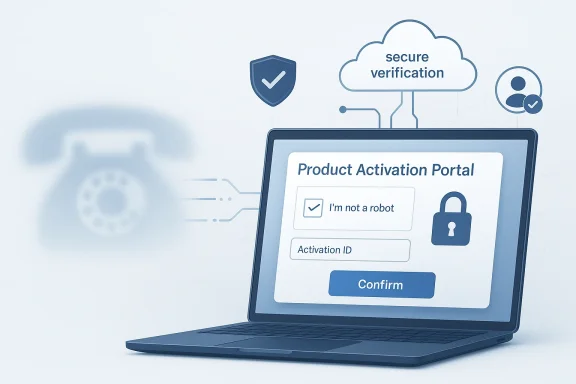
Microsoft’s move away from phone-based Windows activation is less about convenience than it is about control, fraud prevention, and a broader redesign of how perpetual licensing is managed. The company’s own support documentation says that, beginning December 3, 2025, the traditional telephone-based activation automation process was moved online, with customers directed to the Product Activation Portal instead of a phone call. Microsoft frames the change as a way to deliver a “more secure, reliable, and user-friendly” experience while still preserving offline activation for customers who need it. (support.microsoft.com)
For years, Microsoft’s activation story had two parallel tracks: online activation for the common case, and telephone-based activation for edge cases, hardware swaps, and older perpetual-license scenarios. That dual model made sense in an era when broadband access was less universal and when organizations still expected a human fallback for licensing issues. Microsoft’s older support pages described telephone activation as a normal option for Windows and Office, with automated systems reading out installation IDs and returning confirmation IDs by voice.
Over time, though, the company’s licensing model moved steadily toward the network. Windows activation increasingly centered on digital licenses tied to device hardware, Microsoft accounts, and online troubleshooting paths. Microsoft now explains that a Windows license is associated with the device’s hardware and that significant hardware changes, such as a motherboard replacement, can break that association and trigger reactivation workflows. The company also directs users to the activation troubleshooter and, in some cases, to Microsoft Store-based license recovery rather than to older telephone workflows. (support.microsoft.com)
That shift reflects a larger pattern across Microsoft products. Windows and Office are no longer treated purely as boxed software with static licensing logic. They are part of a much broader identity and validation ecosystem that includes Microsoft accounts, Entra ID, enterprise tenants, support portals, and automated fraud checks. In that environment, a phone line is increasingly an anachronism. It is slower, easier to abuse, and harder to integrate with the rest of Microsoft’s authentication stack.
The December 3, 2025 transition is therefore best understood as the moment when Microsoft stopped treating telephone activation as a primary support path and repositioned it as an online workflow inside a controlled portal. That does not mean every offline case vanished. Microsoft’s own wording explicitly says offline activation capabilities remain supported. But the center of gravity has clearly moved. The company wants users, admins, and volume-license holders to think in terms of browser-based authorization, not dial tones and confirmation IDs. (support.microsoft.com)
That detail matters because it shows Microsoft is separating identity verification from license ownership. In the old phone model, the interaction was largely anonymous apart from the installation data you supplied. In the new model, Microsoft is asking for an authenticated session first and then handling activation inside that verified context. The company is clearly betting that this lowers abuse while making it easier to route legitimate users to the right support path.
The support article also emphasizes that, after sign-in, users can access different options depending on their needs. These include activating a Microsoft product, managing volume-license keys, and contacting support when additional help is required. In practical terms, Microsoft has built a more structured self-service layer around what used to be a voice-driven transaction.
The older support pages still document phone activation for Windows 10, Windows 11, Windows 8.1, and even Windows 7-era workflows in some legacy contexts. But those pages now sit in tension with the newer portal guidance, which makes clear that the activation journey is being modernized rather than expanded in the old direction. The legacy docs are useful as historical scaffolding; the new portal is the real policy direction. (support.microsoft.com)
That matters more for perpetual licenses than many people assume. Perpetual products may not generate recurring subscription payments, but they still have to be protected from invalid reuse, key abuse, and support-channel manipulation. Microsoft’s older documentation already framed activation as an anti-piracy mechanism designed to ensure a product key has not been used on more devices than allowed. The portal is a modern extension of that same logic.
There is also an administrative upside. A browser portal can be instrumented, updated, localized, and support-routed more quickly than a phone system. If Microsoft needs to change the workflow, insert new validation steps, or adjust support options, it can do that centrally. That is much harder to do with a legacy telephone automation path.
Still, user-friendly is doing a lot of work here. A browser flow is only more user-friendly if people can navigate it without friction. That means CAPTCHA failures, sign-in errors, and account recovery issues need to be kept to a minimum. Otherwise, Microsoft has simply replaced one annoying ritual with another.
But consumer experience will depend on the quality of the sign-in path. If a user has to reset a password, recover a Microsoft account, or solve a CAPTCHA just to validate access, the advantage may shrink quickly. The success of the portal depends on whether Microsoft can keep the identity layer invisible enough that it feels like a shortcut rather than a hurdle.
The enterprise upside is especially clear in organizations that already use Microsoft Entra ID or work/school accounts for daily operations. Activation becomes one more identity-mediated task inside the same ecosystem. That does increase control, but it also increases dependence on Microsoft’s authentication stack. If the stack is healthy, the process is cleaner. If it is not, the pain is shared across more systems.
At the same time, the wording suggests that offline support is now an exception path rather than the default mental model. That may be the most important strategic change of all. Microsoft is not removing offline support, but it is clearly trying to make online activation the expected norm. (support.microsoft.com)
Today, that model feels increasingly dated. Most devices are connected most of the time, and most users already authenticate to Microsoft services in some way. The need for a separate telephone channel is lower, while the costs of maintaining one are higher. Microsoft’s decision is therefore less a surprise than a recognition of where the ecosystem has already gone. (support.microsoft.com)
For Microsoft, retiring the telephone automation path for perpetual products is also a clean-up operation. It reduces confusion between “what used to be possible” and “what is the preferred method now.” Legacy support docs can remain, but the company no longer has to keep the phone experience at the center of the story. (support.microsoft.com)
That makes the transition more sensitive than a casual UI update. Microsoft had to preserve enough continuity that legitimate users did not feel stranded. The company’s “offline activation remains supported” language is part of that reassurance strategy. It tells power users and admins that modernization does not mean abandonment. (support.microsoft.com)
Of course, CAPTCHA is never a perfect user experience. Some users will fail it. Some accessibility scenarios will make it more cumbersome. But Microsoft appears to have decided that the security gain outweighs the annoyance, especially because activation is not a daily task. It is a rare transaction, so a little friction is easier to justify.
It also reflects Microsoft’s broader direction toward a unified identity plane. Whether you are managing Windows, Office, licensing, or enterprise services, the same family of accounts increasingly becomes the entry point. That consistency is powerful, but it also deepens dependency on Microsoft account infrastructure.
For enterprises, that may not be a serious problem. In consumer settings, though, it can turn a simple reactivation into a broader account-recovery issue. Microsoft appears willing to accept that risk because the security and scalability benefits are more important at platform level.
But the consumer side is also the most sensitive to sign-in friction. A forgotten password, an unverified account, or a CAPTCHA loop can make the process feel more intrusive than the old method. That is why the real measure of success is not the existence of the portal; it is how often ordinary users finish the task without needing extra support.
It also gives IT teams a more predictable way to manage licensing exceptions. Instead of relying on legacy call paths that may differ by region or support tier, they can use a web-based front end that is easier to document internally. That can reduce support variance, which is often more important than raw speed in a large organization.
Offline support remains the safety valve for the most constrained setups. That balance suggests Microsoft understands that one model does not fit every deployment. The portal may be the default, but the old world of disconnected or tightly managed environments still exists, and Microsoft is keeping a path open for it. (support.microsoft.com)
It will also be worth watching how Microsoft integrates the portal with broader licensing and support flows. If the company folds activation, volume licensing, and support escalation into a more coherent identity-based service layer, the change could become part of a larger modernization of Microsoft’s commercial software ecosystem. If not, it may remain a mostly invisible change that only power users and IT admins think about.
Source: Windows Report https://windowsreport.com/heres-why...dows-activation-for-an-internet-first-system/
 Background
For years, Microsoft’s activation story had two parallel tracks: online activation for the common case, and telephone-based activation for edge cases, hardware swaps, and older perpetual-license scenarios. That dual model made sense in an era when broadband access was less universal and when organizations still expected a human fallback for licensing issues. Microsoft’s older support pages described telephone activation as a normal option for Windows and Office, with automated systems reading out installation IDs and returning confirmation IDs by voice.Over time, though, the company’s licensing model moved steadily toward the network. Windows activation increasingly centered on digital licenses tied to device hardware, Microsoft accounts, and online troubleshooting paths. Microsoft now explains that a Windows license is associated with the device’s hardware and that significant hardware changes, such as a motherboard replacement, can break that association and trigger reactivation workflows. The company also directs users to the activation troubleshooter and, in some cases, to Microsoft Store-based license recovery rather than to older telephone workflows. (support.microsoft.com)
That shift reflects a larger pattern across Microsoft products. Windows and Office are no longer treated purely as boxed software with static licensing logic. They are part of a much broader identity and validation ecosystem that includes Microsoft accounts, Entra ID, enterprise tenants, support portals, and automated fraud checks. In that environment, a phone line is increasingly an anachronism. It is slower, easier to abuse, and harder to integrate with the rest of Microsoft’s authentication stack.
The December 3, 2025 transition is therefore best understood as the moment when Microsoft stopped treating telephone activation as a primary support path and repositioned it as an online workflow inside a controlled portal. That does not mean every offline case vanished. Microsoft’s own wording explicitly says offline activation capabilities remain supported. But the center of gravity has clearly moved. The company wants users, admins, and volume-license holders to think in terms of browser-based authorization, not dial tones and confirmation IDs. (support.microsoft.com)
Why this matters now
The change lands at a time when Microsoft is already pushing Windows toward more cloud-connected administration and more tightly managed identity flows. That means activation is being folded into a broader service experience rather than left as a separate transactional step. For consumers, that may look like a simple support tweak. For Microsoft, it is a way to reduce fraud, normalize licensing, and cut down on one of the last legacy support channels still tied to old-school product activation. (support.microsoft.com)What Microsoft Changed
The most obvious change is procedural. Instead of calling an activation center and reading an installation ID to an automated voice system, users are now directed to the Product Activation Portal. Microsoft’s documentation says that if a product still shows an “Activate by Telephone” path, the user should visit the portal and use the information shown on screen to complete the attempt. In other words, the phone number may still appear in the workflow, but the action has been rerouted through the web. (support.microsoft.com)From call center automation to browser workflow
This is not merely a UI refresh. It is a design change in how Microsoft verifies legitimacy. The portal requires a CAPTCHA and sign-in with a supported account type before the activation request can proceed. Microsoft lists personal Microsoft accounts, work or school accounts, Microsoft Entra ID accounts, and Azure Government tenant accounts as supported options. Importantly, the account used to sign in is not tied to the product license itself; it is used only to validate secure portal access.That detail matters because it shows Microsoft is separating identity verification from license ownership. In the old phone model, the interaction was largely anonymous apart from the installation data you supplied. In the new model, Microsoft is asking for an authenticated session first and then handling activation inside that verified context. The company is clearly betting that this lowers abuse while making it easier to route legitimate users to the right support path.
Supported product categories
Microsoft says the portal supports a wide range of perpetual Microsoft products, including retail, OEM, and volume-license scenarios. That is an important signal because it tells us this is not a niche utility for one old edition of Office or a narrow Windows case. It is meant to become the default front door for perpetual product activation across a broad slice of Microsoft’s install base.The support article also emphasizes that, after sign-in, users can access different options depending on their needs. These include activating a Microsoft product, managing volume-license keys, and contacting support when additional help is required. In practical terms, Microsoft has built a more structured self-service layer around what used to be a voice-driven transaction.
What stayed the same
One of the most important caveats is that Microsoft did not eliminate offline activation altogether. The company explicitly says traditional offline activation capabilities remain supported and can continue without changes to the customer’s environment. That is a significant reassurance for organizations that operate isolated machines, restricted networks, or regulated environments where web access is limited. (support.microsoft.com)The older support pages still document phone activation for Windows 10, Windows 11, Windows 8.1, and even Windows 7-era workflows in some legacy contexts. But those pages now sit in tension with the newer portal guidance, which makes clear that the activation journey is being modernized rather than expanded in the old direction. The legacy docs are useful as historical scaffolding; the new portal is the real policy direction. (support.microsoft.com)
- Microsoft moved the traditional telephone activation automation process online.
- The Product Activation Portal now sits at the center of the activation flow.
- CAPTCHA and account authentication are now part of the access model.
- Offline activation remains supported for environments that need it.
- The portal covers retail, OEM, and volume-license scenarios. (support.microsoft.com)
Why Microsoft Says It Made the Switch
Microsoft’s public rationale is blunt: the new process is “more secure, reliable, and user-friendly” and helps prevent fraud. That language is telling because it bundles three goals that often conflict in software licensing. Security tends to add friction. Convenience tends to reduce control. Reliability sits somewhere in the middle. Microsoft is arguing that the portal can improve all three at once. (support.microsoft.com)Fraud prevention as the core justification
The strongest justification is fraud prevention. Phone-based activation systems, especially automated ones, are hard to monitor at scale and comparatively easy to abuse through scripted or repeated requests. A browser-based portal gives Microsoft more control points: CAPTCHA challenges, account verification, session tracking, and a centralized web service that can be updated without changing phone infrastructure. (support.microsoft.com)That matters more for perpetual licenses than many people assume. Perpetual products may not generate recurring subscription payments, but they still have to be protected from invalid reuse, key abuse, and support-channel manipulation. Microsoft’s older documentation already framed activation as an anti-piracy mechanism designed to ensure a product key has not been used on more devices than allowed. The portal is a modern extension of that same logic.
Security and identity are now linked
The account requirement also reflects Microsoft’s broader identity strategy. By using Microsoft accounts, Entra ID, and government tenant accounts as the gate, Microsoft can rely on established identity systems rather than a separate phone trust model. That gives the company more consistency and better auditability, especially in enterprise scenarios where sign-in policies and conditional access are already part of the administrative environment.There is also an administrative upside. A browser portal can be instrumented, updated, localized, and support-routed more quickly than a phone system. If Microsoft needs to change the workflow, insert new validation steps, or adjust support options, it can do that centrally. That is much harder to do with a legacy telephone automation path.
Reliability and usability are the softer selling points
Microsoft also emphasizes reliability and user-friendliness, and those claims are believable if you think about the friction in the old process. Telephone activation could be tedious, region-specific, and vulnerable to call quality problems, time zone mismatch, or confusion around installation IDs. A portal can reduce those issues by making the workflow visual, repeatable, and easier to document. (support.microsoft.com)Still, user-friendly is doing a lot of work here. A browser flow is only more user-friendly if people can navigate it without friction. That means CAPTCHA failures, sign-in errors, and account recovery issues need to be kept to a minimum. Otherwise, Microsoft has simply replaced one annoying ritual with another.
The enterprise angle
For enterprise administrators, the big advantage is probably centralization. Microsoft can tie the portal more cleanly into volume licensing, tenant identity, and support escalation. That means fewer fragmented paths, fewer mystery calls, and more consistent handling of edge cases. In environments where licensing audits matter, that consistency is a meaningful operational gain.- Fraud reduction is the clearest reason for the change.
- Centralized identity checks give Microsoft more control.
- The portal is easier to update than phone infrastructure.
- Enterprise workflows fit naturally into browser-based admin tools.
- Reliability gains depend on how smooth the portal actually is. (support.microsoft.com)
What This Means for Windows Users
For most consumers, the practical effect will be invisible until something goes wrong. If Windows or Office activates normally online, nothing changes. If activation fails, the user is now more likely to be sent into a browser-based portal than a phone call. That is a subtle shift, but it changes the tone of the support experience from call us to log in and proceed. (support.microsoft.com)Consumer impact: less waiting, more guided self-service
On paper, the portal should be faster than a call. There is no hold queue, no misheard installation ID, and no need to navigate regional phone systems. For a consumer with a legitimate key and a straightforward reactivation case, that is a net improvement. The process is more structured and less dependent on human patience. (support.microsoft.com)But consumer experience will depend on the quality of the sign-in path. If a user has to reset a password, recover a Microsoft account, or solve a CAPTCHA just to validate access, the advantage may shrink quickly. The success of the portal depends on whether Microsoft can keep the identity layer invisible enough that it feels like a shortcut rather than a hurdle.
Business and IT impact: easier routing, tighter control
In business settings, the portal could be far more valuable. Microsoft says volume-license management is one of the supported functions, including locating and assigning volume-license keys and navigating to the right licensing information. That suggests the portal is meant to be a front end for real administrative work, not just a consumer self-help page.The enterprise upside is especially clear in organizations that already use Microsoft Entra ID or work/school accounts for daily operations. Activation becomes one more identity-mediated task inside the same ecosystem. That does increase control, but it also increases dependence on Microsoft’s authentication stack. If the stack is healthy, the process is cleaner. If it is not, the pain is shared across more systems.
Offline environments are not being abandoned
Microsoft was careful to say offline activation remains supported. That is not a throwaway line. It is the company’s way of reassuring defenders of disconnected or highly restricted systems that the new portal is a modernization layer, not a hard requirement for every case. For air-gapped labs, government systems, and specialized business environments, that preservation matters. (support.microsoft.com)At the same time, the wording suggests that offline support is now an exception path rather than the default mental model. That may be the most important strategic change of all. Microsoft is not removing offline support, but it is clearly trying to make online activation the expected norm. (support.microsoft.com)
The support story is changing, too
This move also reflects a broader Microsoft support philosophy: route simple cases through self-service, and reserve live support for genuine exceptions. The portal’s documentation notes that if additional help is required, support options may be offered, including live chat or call-back-style assistance depending on the scenario. That is a more modern service model than the old one, but it also means users will have to do more of the first-mile work themselves.- Easier for simple reactivation cases.
- Less reliant on call-center timing.
- More dependent on identity sign-in.
- Better suited to managed business environments.
- Still preserves offline support for special scenarios. (support.microsoft.com)
The Legacy Story Behind Phone Activation
To understand why Microsoft is comfortable retiring phone activation automation, it helps to remember what the older system was designed to solve. In the early product-activation era, online validation was not always dependable or universally available. Phone systems gave Microsoft a way to verify product keys when the internet path failed, and they gave users a fallback when activation needed to be performed manually.A system built for a different era
Telephone activation was always a workaround for a less-connected world. Microsoft’s own older support documents describe a process in which the user called an activation center, provided installation information, and received a confirmation ID to enter back into the wizard. That worked well enough when software was shipped on discs, home broadband was uneven, and a call center was an acceptable part of product setup.Today, that model feels increasingly dated. Most devices are connected most of the time, and most users already authenticate to Microsoft services in some way. The need for a separate telephone channel is lower, while the costs of maintaining one are higher. Microsoft’s decision is therefore less a surprise than a recognition of where the ecosystem has already gone. (support.microsoft.com)
Legacy support still has a long tail
The older activation pages are still visible because Windows has a long support tail. Microsoft documents telephone-based options for older releases like Windows 7, Windows 8.1, and some Office versions, even as it notes that support for those products has ended or is restricted. That long tail creates the illusion that phone activation remains broadly relevant, when in reality it is mostly surviving as a legacy reference point. (support.microsoft.com)For Microsoft, retiring the telephone automation path for perpetual products is also a clean-up operation. It reduces confusion between “what used to be possible” and “what is the preferred method now.” Legacy support docs can remain, but the company no longer has to keep the phone experience at the center of the story. (support.microsoft.com)
Why legacy activation persisted so long
One reason legacy activation stayed alive is that it was dependable for difficult scenarios. Users dealing with motherboard swaps, lost connectivity, or older installations often had no better option. Microsoft’s own troubleshooting pages still mention phone activation in some hardware-change scenarios, showing how deeply the method was woven into the activation safety net. (support.microsoft.com)That makes the transition more sensitive than a casual UI update. Microsoft had to preserve enough continuity that legitimate users did not feel stranded. The company’s “offline activation remains supported” language is part of that reassurance strategy. It tells power users and admins that modernization does not mean abandonment. (support.microsoft.com)
Historical takeaway
This is really the end of a transitional era. Microsoft is moving from a software world where activation was a separate verification event to one where it is embedded in online identity, support portals, and device trust. The phone system was a bridge. The portal is the destination. (support.microsoft.com)- Phone activation solved a connectivity problem in the past.
- Today’s environment favors browser-based identity checks.
- Legacy docs remain because Windows has a long support tail.
- Microsoft is cleaning up old paths without fully removing offline options.
- The portal is the new default mental model.
The New Security Model
The Product Activation Portal is not just a new webpage; it is a security boundary. By requiring CAPTCHA and supported accounts, Microsoft has added friction on purpose. That friction may annoy some users, but from a security standpoint it is a meaningful improvement over an open phone line that can be queried repeatedly with little context.CAPTCHA as a gate, not a nuisance
CAPTCHA is Microsoft’s way of distinguishing human requests from automated ones at scale. That is especially relevant for activation, where automated abuse and scripted probing can create support noise and licensing risk. If the portal can stop that activity before it reaches deeper verification logic, Microsoft reduces operational waste and limits fraud exposure.Of course, CAPTCHA is never a perfect user experience. Some users will fail it. Some accessibility scenarios will make it more cumbersome. But Microsoft appears to have decided that the security gain outweighs the annoyance, especially because activation is not a daily task. It is a rare transaction, so a little friction is easier to justify.
Authentication is now part of the trust chain
The supported account list reveals Microsoft’s trust assumptions. Personal Microsoft accounts, work or school accounts, Entra ID, and Azure Government tenants all represent identities that can be authenticated and audited. That gives the portal a stronger fraud-prevention story than anonymous telephone automation ever could.It also reflects Microsoft’s broader direction toward a unified identity plane. Whether you are managing Windows, Office, licensing, or enterprise services, the same family of accounts increasingly becomes the entry point. That consistency is powerful, but it also deepens dependency on Microsoft account infrastructure.
The trade-off: stronger controls, more account friction
There is an obvious downside. If a user’s Microsoft account is locked, unverified, misconfigured, or inaccessible, the activation process becomes more complicated than before. In a phone model, a human operator might have been able to help navigate the edge case. In a portal model, the first gate is the account itself. That is efficient when everything works and frustrating when it does not.For enterprises, that may not be a serious problem. In consumer settings, though, it can turn a simple reactivation into a broader account-recovery issue. Microsoft appears willing to accept that risk because the security and scalability benefits are more important at platform level.
A more auditable support surface
From Microsoft’s perspective, the portal is easier to monitor, patch, and log. That matters for compliance, service quality, and abuse detection. A web service can provide clearer traces than a phone automation system, and those traces can support policy changes or fraud investigations later on.- CAPTCHA reduces automated abuse.
- Account-based access improves auditability.
- Identity systems provide a stronger trust anchor.
- The portal is easier to update than phone support.
- Account recovery may become a bigger pain point for consumers.
Enterprise vs Consumer Impact
The same policy change lands differently depending on who is using it. For consumers, the activation portal is mostly a convenience and recovery story. For enterprises, it is a workflow and governance story. Microsoft’s documentation is broad enough to support both, but the operational implications are not symmetrical.Consumer: fewer calls, more self-service
Consumers will probably notice the change only when activation fails or hardware changes force revalidation. In those moments, the portal should offer a faster, more guided route than a phone line. If Microsoft gets the experience right, this will feel like a modernized help flow rather than a bureaucratic obstacle. (support.microsoft.com)But the consumer side is also the most sensitive to sign-in friction. A forgotten password, an unverified account, or a CAPTCHA loop can make the process feel more intrusive than the old method. That is why the real measure of success is not the existence of the portal; it is how often ordinary users finish the task without needing extra support.
Enterprise: stronger control, better alignment
Enterprises, by contrast, are already living in an identity-centric world. They use Microsoft Entra ID, tenant policies, and volume licensing flows as part of everyday operations. In that environment, an activation portal is a natural fit because it aligns with existing administrative controls and centralized account governance.It also gives IT teams a more predictable way to manage licensing exceptions. Instead of relying on legacy call paths that may differ by region or support tier, they can use a web-based front end that is easier to document internally. That can reduce support variance, which is often more important than raw speed in a large organization.
Government and regulated environments
Microsoft’s explicit mention of Azure Government tenant accounts is important. It shows that the company is designing the portal with regulated and sensitive environments in mind, not just general consumer use. That is a good sign for public-sector organizations that need controlled workflows and do not want to rely on consumer-grade assumptions.Offline support remains the safety valve for the most constrained setups. That balance suggests Microsoft understands that one model does not fit every deployment. The portal may be the default, but the old world of disconnected or tightly managed environments still exists, and Microsoft is keeping a path open for it. (support.microsoft.com)
Operational takeaway
For consumers, the portal is mainly about convenience under stress. For enterprises, it is about control under policy. Microsoft is betting that one modern flow can serve both without too much compromise. That is ambitious, and it will only work if the portal remains stable, accessible, and clearly documented.- Consumers gain a more guided fallback path.
- Enterprises gain better alignment with identity systems.
- Government tenants get explicit support.
- Offline cases still have a route.
- Success depends on simplicity, not just centralization. (support.microsoft.com)
Strengths and Opportunities
The biggest opportunity here is that Microsoft can modernize a legacy support pain point without fundamentally changing the licensing promise. If the portal works as intended, most legitimate users will get a cleaner, more visible, and more secure activation experience. That is a rare combination in software support: better control for Microsoft, better guidance for the user, and preserved offline coverage for the cases that need it. (support.microsoft.com)- Stronger fraud prevention through CAPTCHA and authenticated access.
- Better support routing for retail, OEM, and volume-license cases.
- Cleaner enterprise integration with Microsoft Entra ID and tenant-based workflows.
- More predictable user experience than phone-based activation.
- Preserved offline support for restricted or disconnected environments.
- Lower operational overhead from retiring phone automation.
- Easier future updates to the activation flow itself.
Risks and Concerns
The biggest risk is that Microsoft solves one friction point by creating another. If the portal is cluttered, CAPTCHA-heavy, or overly dependent on account recovery, users may conclude that activation has become more complicated, not less. That would undercut the company’s claim that the new system is more user-friendly.- Account lockout risk if users cannot access the required Microsoft account.
- CAPTCHA friction that may frustrate legitimate users.
- Accessibility concerns if verification steps are not handled well.
- Overreliance on the web for cases that once used a simple phone path.
- Confusion between legacy docs and new workflow during the transition.
- Possible support gaps if users expect human help first.
- Extra burden on offline and regulated environments if documentation is unclear. (support.microsoft.com)
Looking Ahead
What to watch next is not whether Microsoft keeps the portal. It almost certainly will. The real questions are whether the portal becomes the single clean front door for perpetual activation, whether support cases are resolved faster than they were over the phone, and whether Microsoft can keep offline exceptions genuinely usable for the people who need them. If the answer to those questions is yes, this will be remembered as a quiet but important improvement. (support.microsoft.com)It will also be worth watching how Microsoft integrates the portal with broader licensing and support flows. If the company folds activation, volume licensing, and support escalation into a more coherent identity-based service layer, the change could become part of a larger modernization of Microsoft’s commercial software ecosystem. If not, it may remain a mostly invisible change that only power users and IT admins think about.
- Whether Microsoft simplifies the sign-in and CAPTCHA flow further.
- Whether support documentation becomes clearer for legacy activation cases.
- Whether enterprise admins adopt the portal as the default licensing path.
- Whether offline activation remains genuinely practical in edge environments.
- Whether Microsoft extends the same portal model to more products and services. (support.microsoft.com)
Source: Windows Report https://windowsreport.com/heres-why...dows-activation-for-an-internet-first-system/
Last edited:
