

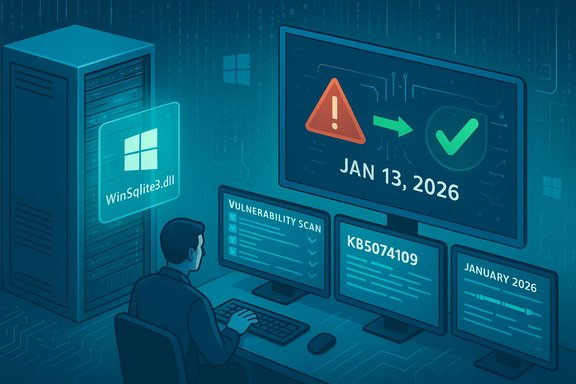
Microsoft’s January 13, 2026 cumulative updates finally put an end to the months‑long outbreak of noisy, misleading security alerts that flagged a core Windows library—WinSqlite3.dll—as vulnerable, restoring calm to SOC queues and IT help desks overwhelmed by false positives.
For much of late 2025 security teams and everyday Windows users watched as their vulnerability scanners and antivirus tools repeatedly raised alarms about a system DLL that is, in reality, a legitimate part of Windows. The component in question, WinSqlite3.dll, is Microsoft’s packaged Windows wrapper for the SQLite database engine used by many components and apps. Starting with public disclosures around CVE‑2025‑6965 and growing scanner activity in the months that followed, third‑party scanners began reporting the Windows‑supplied DLL as vulnerable — triggering widespread investigation, quarantines, and ticket churn across home PCs, enterprise endpoints, and servers. Microsoft documented the problem as a detection/diagnostic friction between how some security products inspect binary metadata and the actual patched state of the OS‑packaged library. That friction produced what security teams call a “false positive”: a correctly functioning, patched OS file that security tooling nevertheless reports as vulnerable. Microsoft’s response — an update to the Windows‑packaged winsqlite3 component included in the January 13, 2026 cumulative updates — was intended to reconcile the Windows implementation with scanning heuristics and stop the cascade of ghost alerts.
Source: Gizchina.com Microsoft Finally Squashes the Windows "Ghost" Alert Bug
 Background
For much of late 2025 security teams and everyday Windows users watched as their vulnerability scanners and antivirus tools repeatedly raised alarms about a system DLL that is, in reality, a legitimate part of Windows. The component in question, WinSqlite3.dll, is Microsoft’s packaged Windows wrapper for the SQLite database engine used by many components and apps. Starting with public disclosures around CVE‑2025‑6965 and growing scanner activity in the months that followed, third‑party scanners began reporting the Windows‑supplied DLL as vulnerable — triggering widespread investigation, quarantines, and ticket churn across home PCs, enterprise endpoints, and servers. Microsoft documented the problem as a detection/diagnostic friction between how some security products inspect binary metadata and the actual patched state of the OS‑packaged library. That friction produced what security teams call a “false positive”: a correctly functioning, patched OS file that security tooling nevertheless reports as vulnerable. Microsoft’s response — an update to the Windows‑packaged winsqlite3 component included in the January 13, 2026 cumulative updates — was intended to reconcile the Windows implementation with scanning heuristics and stop the cascade of ghost alerts. What happened: the technical outline
The file and the CVE
- WinSqlite3.dll is a Windows system library that provides SQLite services to Windows components and Microsoft apps. It is distinct from the third‑party sqlite3.dll that many independent applications bundle inside their own program folders. Confusing the two has been at the heart of persistent scanner noise.
- CVE‑2025‑6965 describes a memory‑corruption style issue in upstream SQLite that, if present in a given binary, can allow attackers to trigger unsafe memory behavior. Upstream SQLite fixes were issued in the 3.50.x series; vendors must either upgrade the library or backport specific patches. The remediation path depends on how the affected vendor handles their packaged copy.
Why scanners kept yelling
Many vulnerability scanners rely on simple, deterministic checks: file path, binary version string, or an internal version number. When the disclosed CVE required a jump to SQLite 3.50.2+ upstream, scanners looked for that numeric milestone. Microsoft, however, typically chooses to backport actual security fixes into the Windows‑packaged binary rather than replace the entire upstream version wholesale, for compatibility and stability reasons. Backporting can leave the file’s public version string unchanged even though the security conditions are patched, which causes naive scanners to continue to report a vulnerability that no longer exists in practice — i.e., a false positive. Microsoft and independent Windows Q&A posts and admin threads explained this dynamic repeatedly while customers waited for a consolidated fix.The fix and how it was delivered
January 13, 2026 — Patch Tuesday
Microsoft incorporated a specific remediation for the WinSqlite3.dll detection issue into the January 13, 2026 cumulative update stream. The change was rolled into multiple KB packages appropriate to different Windows builds and servicing channels, including client and server packages such as KB5074109 for Windows 11, KB5073455 and related LCUs for other client builds, and ESU/server rollups such as KB5073698 and KB5073724 for legacy and server lines. Microsoft’s official KB entries state that the Windows core component WinSqlite3.dll “has been updated” and that some security software may previously have detected the component as vulnerable; the entries also reiterate the distinction between the Windows‑supplied WinSqlite3.dll and application‑bundled sqlite3.dll.- If a device has an update released on or after January 13, 2026 applied, Microsoft considers that device to have the remediation that eliminates the most visible false positives for WinSqlite3.dll.
What installs and what you’ll see
- The remediation arrives as part of normal cumulative updates distributed via Windows Update, WSUS, and the Microsoft Update Catalog. In managed environments, IT admins should ensure Servicing Stack Updates (SSUs) that Microsoft recommends are installed before the LCU to avoid sequencing problems. The January 2026 updates commonly package SSU + LCU payloads, which is why some manual/offline deployments require careful sequencing.
Scope: who was affected
- The false positive reports were broad, affecting both consumer and enterprise lines: Windows 10, Windows 11, and Windows Server releases — multiple vendor advisories and independent reporting listed platforms from Windows Server 2012 through Windows Server 2025 among those that saw scanner hits. Microsoft’s service alert and independent news coverage confirmed the broad sweep.
- Important nuance: if a scanner flags a copy of sqlite3.dll that sits inside an application folder, that is not the Windows component, and the January 2026 Windows update will not change that. Those app‑scoped copies are the responsibility of the app vendor and must be updated through the app’s release channel (Microsoft Store or developer update). Microsoft explicitly highlighted this distinction in its KB notes.
Practical guidance for users and IT teams
Immediate checklist (what to do right now)
- Ensure endpoints are running the latest cumulative updates released on or after January 13, 2026 — for example, KB5074109 for Windows 11 builds and the corresponding server/client KBs for other versions. If devices are domain‑managed, approve and stage the appropriate LCU + SSU packages in WSUS/ConfigMgr.
- Re‑scan systems after updates are applied — some scanners only refresh their findings on re‑scan and may retain cached results until rescanned. If a device remains flagged after patching and re‑scanning, gather the exact path reported (system path vs. application folder) and the scanner vendor’s detection telemetry.
- If the detection points to an app‑bundled sqlite3.dll, reach out to the application vendor or update the application. For Microsoft apps delivered via the Microsoft Store, install the latest app version. Microsoft’s KB entries explicitly separate these cases.
For SOCs and vulnerability managers
- Do not automatically remediate system‑path winsqlite3.dll hits by replacing the binary manually. Windows Resource Protection prevents arbitrary replacement of protected system files and forced replacement will break signatures and integrity checks. Microsoft Q&A threads emphasize that manual binary swaps are discouraged and dangerous. Instead, follow the vendor trace: apply the Microsoft cumulative update and then work with security vendors if detections persist.
- Document any exceptions and include KB references as justification in ticketing systems for auditability. If you are using an automated risk‑score or compliance platform, mark patched systems as remediated and record re‑scan timestamps.
Why this was such a headache (analysis)
Strengths of Microsoft’s approach
- Backporting preserves compatibility. Microsoft’s practice of backporting security fixes into existing OS binaries avoids wholesale swaps to upstream versions that can break internal ABI/contract dependencies. For enterprise environments, this lowers the risk of unintended regressions from a blunt library upgrade. Microsoft’s support entries and technical community responses consistently explain this reasoning.
- Delivery via cumulative updates reduces fragmentation. By rolling the fix into monthly cumulative updates, Microsoft ensured consistent delivery via supported channels (Windows Update, WSUS, Update Catalog), which is the safest route for system integrity and signing.
The trade‑offs and costs
- Scanner heuristics vs. vendor realities. Security vendors and scanner tools that implement naive version checks are vulnerable to false positives when vendors backport fixes. The result: wasted analyst hours, unnecessary quarantines, and potential operational risk if responders treat the alert as genuine without vendor confirmation. The root cause sits at the intersection of tooling design and vendor communication.
- Communication friction. When Microsoft backports fixes without changing public file version numbers (or when updates don’t explicitly call out the CVE in a single, easily‑referenced advisory), scanner vendors and IT teams can’t reliably map a KB → CVE resolution relationship. This leads to protracted cross‑vendor coordination. Several community threads and Microsoft Q&A posts captured admins asking for clearer mapping between CVEs and which KBs remediate them — evidence that communication could have been cleaner.
- Residual work for app vendors. Even after Microsoft’s fix, independent application vendors that bundle sqlite3.dll must update their own copies. That leaves a residual patching problem that is not solved by the OS update and will continue producing scanner noise at the application layer until vendors ship fixes.
Risks and what could go wrong next
- AV/EDR signature lag: Even with Microsoft’s update in place, some endpoint security vendors might not immediately remove the detection from their rules. Until they push signature or rule updates, managed environments can still see repeat alerts. IT teams should coordinate with their security vendor contacts to fast‑track rule updates and avoid repeat triage cycles.
- Over‑reliance on version checks: Tools that rely solely on version strings instead of vendor KB reconciliation are not robust in modern supply‑chain reality. Organizations should refine scanner policy to cross‑reference vendor advisories and implement staged exceptions for confirmed backport scenarios.
- Knock‑on regressions: Large cumulative updates can introduce rare regressions in unrelated subsystems; January 2026 updates contained a range of fixes (including Secure Boot certificate prep and an NPU power issue) and reports emerged of a few regressions affecting certain apps and AVD sign‑in behaviors. That means testing and phased rollouts remain prudent for large fleets.
What Microsoft and vendors should have done better (constructive critique)
- Publish a clear CVE→KB mapping and a human‑readable remediation statement for backports. The ambiguity about whether winsqlite3.dll had been “fixed” in earlier months or remained a problem until January 13 fed confusion. Better transparency in Security Update Guide entries would shorten triage cycles. Several community posts explicitly asked for such a mapping and clarification.
- Encourage scanner vendors to implement scope‑aware checks. Scanners should distinguish system‑path DLLs (Windows components under C:\Windows) from application‑scoped DLLs and consult vendor KBs for backport remediation status before escalating. This reduces incident noise and preserves analyst time.
- Fast‑path vendor coordination for enterprise customers. When a core OS component is misclassified at scale, Microsoft, AV vendors, and major scanner providers need a rapid coordination channel (a Salt Lake or JIRA‑like triage) to synchronize signature updates and public guidance. The January wave shows this remains a live operational necessity.
Longer‑term lessons for IT operations
- Inventory and classification matter. Distinguish system DLL findings from application DLL findings in automated reporting. Make sure runbooks require path validation as part of any automated remediation.
- Implement a “KB reconciliation” stage in the vulnerability lifecycle. Before escalating a CVE from scanner output to incident response, cross‑reference the vendor’s Security Update Guide (or KB change log) for the CVE and record the reconciliation as part of triage. This is the single best way to reduce time wasted on false positives due to backporting.
- Keep update channels healthy. Ensure SSUs and servicing stacks are current, test cumulative updates in a pilot ring, and rescan after patching. These practical steps speed clearance of false positives and prevent re‑quarantining of legitimate OS files.
Final verdict
Microsoft’s January 13, 2026 cumulative updates — notably packages such as KB5074109 and associated server/client rollups — contain a practical remediation that ends the most visible chapter of the WinSqlite3.dll “ghost alert” problem. Administrators who applied the appropriate LCUs and SSUs on their systems should see the false positives subside after rescanning; where app‑scoped sqlite3.dll copies are still flagged, the action remains with the app vendor to ship updates. The episode is a textbook example of how open‑source component CVEs, vendor backporting practices, and simplistic scanner heuristics interact to produce sustained operational pain — and it highlights why clearer CVE→KB mapping and stronger cross‑vendor coordination are essential to reduce alert fatigue going forward.Quick reference: steps to take now
- Check for and install updates released on or after January 13, 2026 (apply the correct KB for your build: KB5074109, KB5073455, KB5073698/K B5073724 / etc., depending on OS).
- Re‑run vulnerability scans and validate flagged paths (system path = likely remediated after patch; app path = vendor action needed).
- Coordinate with your AV/EDR vendor to confirm signature updates and request expedited rule refresh if detections persist post‑patch.
- Document remediation and rescans in ticketing systems and consider a brief window for rescanning after signature updates propagate to silence residual noise.
Source: Gizchina.com Microsoft Finally Squashes the Windows "Ghost" Alert Bug
