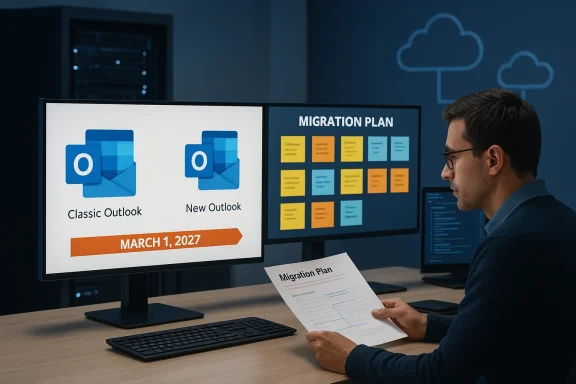
Microsoft’s latest schedule tweak for the New Outlook is an unmistakable signal that the transition from the classic Win32 client to Microsoft’s web‑powered offering is more complicated — and more politically sensitive — than the company originally signaled. What was due to enter an opt‑out stage in April 2026 will now begin in March 2027 for enterprise tenants, a 12‑month deferral Microsoft communicated in its message updates and that industry press picked up this week.
Microsoft’s multi‑year migration plan for Outlook has three intertwined threads: the retirement of the bundled Mail & Calendar apps on consumer Windows, a staged enterprise migration that would toggle users into the New Outlook by default (while allowing a temporary revert), and a long‑term deprecation of the classic Win32 Outlook client through its lifecycle. Each thread affects different user groups and carries distinct technical and governance challenges.
Why the delay matters:
Key control points and steps:
From a product perspective, Microsoft has legitimate reasons to press forward: unifying the experience across platforms and moving to a modern, service‑centric architecture has clear benefits. But the company must solve the hard enterprise problems — parity, add‑ins, PST workflows, and reliable admin controls — if it wants to minimize disruption and justify forcing a change across tens of thousands of business end users.
In the months ahead, organizations should watch Message Center updates closely, pilot extensively, and use the published admin controls to protect critical workflows. The extra 12 months is an opportunity: plan, test, and make the migration deliberate rather than reactive.
Source: Windows Latest Windows 11's new Outlook still isn’t ready for prime time, as Microsoft says it won't force web app on enterprises until 2027
 Background
Microsoft’s multi‑year migration plan for Outlook has three intertwined threads: the retirement of the bundled Mail & Calendar apps on consumer Windows, a staged enterprise migration that would toggle users into the New Outlook by default (while allowing a temporary revert), and a long‑term deprecation of the classic Win32 Outlook client through its lifecycle. Each thread affects different user groups and carries distinct technical and governance challenges.- For consumers, Microsoft has already moved aggressively: the built‑in Mail & Calendar apps were retired and users were prompted — and in many cases forced — to move to the New Outlook app on Windows. This work has been documented across Microsoft support communications and reporting from independent outlets.
- For enterprise customers on Microsoft 365 licenses, Microsoft originally scheduled a broader automatic toggling (opt‑out stage) beginning in April 2026 — a timeline published in the Microsoft 365 Message Center under Message ID MC949965. That message has now been updated to shift the start of the opt‑out phase to March 1, 2027.
- The classic Outlook (Win32) is not being abandoned overnight; Microsoft continues to support it for enterprise customers through the client’s supported lifecycle windows (with broader deprecation timelines stretching into 2029 for certain scenarios). Nevertheless, Microsoft’s strategic direction is clear: the company wants to consolidate email and calendar experiences around the New Outlook and Outlook on the web.
What changed — the March 2027 deferral explained
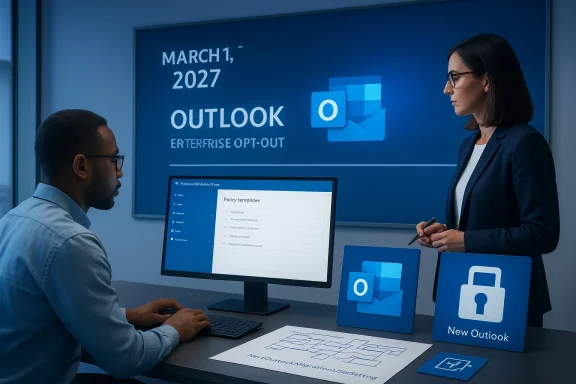
On February 20, 2026 (as reflected in updates to MC949965), Microsoft revised the start date for the enterprise opt‑out phase from April 2026 to March 2027, giving organizations an extra 12 months to prepare. This is the specific change many admins will have been waiting to see confirmed, because the April 2026 date was fast approaching. The updated Message Center entry and multiple independent outlets confirm the shift.Why the delay matters:
- A forced, rapid migration for enterprises risks breaking critical line‑of‑business workflows, add‑ins, and legacy data patterns (for example, PST workflows and certain Exchange integrations). Large IT estates typically need months — not weeks — to test, validate, and remediate.
- Microsoft is explicitly allowing admins to stage migrations, use admin policies, and continue to rely on classic Outlook until they are confident. The deferment reduces the operational shock risk and gives Microsoft more runway to address reported gaps.
What this means for admins: controls, registry keys, and practical advice
Microsoft is not making the change without controls. Administrators can manage the staged migration through documented policies; for many organizations, the most reliable lever will be policy enforcement and registry settings that govern whether users are automatically migrated to the New Outlook.Key control points and steps:
- Understand the Message Center entry (MC949965) for your tenant — the Message Center and the Microsoft 365 Admin console are the authoritative places where Microsoft announces and updates rollout dates and tenant‑level controls.
- Use the documented administrative policies and policy templates to manage the rollout. Microsoft has updated its guidance for “Control Installing and Using New Outlook” and provides a set of administrative controls and registry keys for staged migration and toggle behavior.
- The most‑commonly discussed registry knob is NewOutlookMigrationUserSetting. To block automatic migration for users, Microsoft documentation indicates the admin can create the key and set its value to prevent automatic toggling. The canonical guidance covers the precise registry path and explains the supported values and behavior.
- Registry path: HKEY_CURRENT_USER\Software\Policies\Microsoft\office\16.0\outlook\preferences
- Key: NewOutlookMigrationUserSetting (DWORD)
- Value: 0 = block automatic migration; 1 = allow automatic migration
- Registry and GPO changes to HKCU require careful deployment strategies (looping through user profiles, using GPO with item‑level targeting, or deploying via startup/login scripts/system management tooling). Many organizations prefer a server‑side policy control that applies at the tenant or device level rather than per‑user registry edits.
- Real‑world reports from administrators and community channels show that blocking the toggle does not always prevent the New Outlook package from being distributed or installed via cumulative updates; in some scenarios, admins have needed to combine registry blocks with additional detection/remediation policies to ensure the old client remains the default. That means testing in a controlled pilot group is essential before relying solely on a single registry key.
Feature parity, performance, and enterprise concerns — why many admins are hesitant
There are three recurring themes in community and enterprise feedback:- Feature parity: the New Outlook has made substantial feature additions, but some enterprise‑critical functionality remains incomplete or partially implemented. Examples cited repeatedly by admins include advanced add‑in compatibility, certain Exchange Web Services (EWS) dependencies, and the handling of local PSTs or POP profiles. Where workflows depend on local PST files or custom add‑ins, organizations cannot risk a blind auto‑toggle.
- Performance and architecture: the New Outlook is largely web‑rendered and integrates more tightly with Outlook on the web mechanics. For many heavy Outlook users, the native Win32 client remains measurably faster and more responsive for large mailboxes and complex offline scenarios. IT teams that provision shared or resource‑constrained devices see different performance trade‑offs.
- Governance, privacy, and integration: some enterprises operate strict rules around where metadata or cached content can be stored. The New Outlook’s web‑centric sync and service model can conflict with these policies if tenants rely on purely on‑premises authentication and storage behaviors. Microsoft’s documentation and Message Center entries acknowledge exemptions for certain license and on‑premises configurations, but real‑world migration requires careful mapping of policy, data residency, and compliance needs.
The consumer side: Mail & Calendar retirement and the “forced” migration narrative
It’s important to separate two simultaneous narratives: Microsoft’s consumer‑facing consolidation and its enterprise migration program.- Consumers: Microsoft announced the retirement of the legacy Mail & Calendar apps and encouraged users to use the New Outlook. The Mail & Calendar apps were removed from mainstream support and Microsoft urged users to transition; press coverage and hands‑on reporting showed many consumer devices were prompted into the New Outlook experience and some users experienced the Mail & Calendar app becoming inoperable in practice. That consumer migration has been much more forceful and immediate than the enterprise schedule.
- Enterprises: by contrast, enterprise migrations are governed by Microsoft’s Message Center communications, which include opt‑out windows, admin controls, and staged rollouts. Microsoft’s updated timeline to March 2027 reflects that difference: a gentler, admin‑driven transition for business customers.
Critical analysis: strengths, weaknesses, and risks
Strengths in Microsoft’s approach
- Centralized governance: The Message Center and Admin controls provide a single place to manage and track migration status for tenants at scale, which benefits large IT organizations that already use those flows.
- Incremental adoption: Microsoft’s staged approach (pilot → staged migration → opt‑out phase → eventual enforcement) is sensible in principle. A long lead time and detailed guidance give enterprise IT teams predictable windows to test and remediate.
- Feature investment: Microsoft continues to invest in parity and new capabilities for the New Outlook; the company has emphasized that adoption is “strong and accelerating,” and that it is actively expanding capabilities and incorporating customer feedback. Even so, adoption metrics must be balanced against known feature gaps.
Weaknesses and operational risks
- Perception of coercion: the contrast between consumer and enterprise treatments — with consumers effectively forced earlier — has created a perception problem. Many admins read the consumer treatment as a preview of what will happen to business users, eroding trust. That perception amplifies resistance to the New Outlook.
- Incomplete parity and fragile compatibility: real‑world reports of add‑in failures, PST-related edge cases, and performance complaints make a forced migration hazardous. If mission‑critical add‑ins fail after an auto‑toggle, business continuity is impacted and remediation costs spike.
- Policy and tooling gaps: while Microsoft offers registry keys and policy templates, the multiplicity of controls (HKCU vs. tenant‑level toggles vs. installation behavior) increases complexity. Administrators must orchestrate GPOs, Intune policies, and device management workflows to guarantee a stable outcome during transition. Community reports note that in some circumstances policy settings did not fully prevent the New Outlook artifact from appearing, creating additional management overhead.
Strategic risk for Microsoft
If organizations perceive the New Outlook as not ready and Microsoft persists with a tight timetable, the result is patchy adoption, increased support costs for partners, and potential regulatory attention where data residency or privacy implications are ambiguous. The March 2027 deferral reduces that near‑term risk, but it is not an admission of defeat — rather, it is a pragmatic recalibration that buys time for both Microsoft and its customers.Recommendations for IT teams (practical checklist)
For any organization preparing for the New Outlook migration window (now March 2027 for enterprise opt‑out), the following checklist condenses essential actions:- Inventory dependencies:
- Audit add‑ins, macros, and third‑party integrations that interface with Outlook, Exchange, or PST files.
- Identify EWS usage and legacy integrations that may need migration to Microsoft Graph APIs before EWS deprecation windows.
- Pilot early:
- Select representative users (power users, road‑warrior profiles, shared mailbox owners) and run a 60–90 day pilot to capture feature gaps and performance metrics.
- Harden policy controls:
- Implement the documented registry and GPO policies in a staged manner. Test policy application, especially for HKCU keys that may require provisioning solutions to reach each user profile reliably.
- Validate data flows:
- Confirm PST handling, offline calendar behavior, and mailbox sizes under New Outlook. Prepare a rollback plan for revert scenarios (how to restore classic Outlook as default or remove the New Outlook client).
- Communicate to stakeholders:
- Provide change‑management content, end‑user training, and a clearly defined support escalation path for the migration period.
- Monitor Message Center:
- Subscribe to and monitor relevant Message Center items (MC IDs like MC949965 and subsequent updates) because Microsoft can and does adjust dates and behavior through those announcements.
What Microsoft needs to do (if it wants smoother adoption)
- Publish granular parity checklists that map classic Outlook features and common add‑ins to the New Outlook functionality. This should include concrete guidance on add‑in compatibility and required developer changes for any extension points that behave differently in the web‑rendered client.
- Provide robust, tenant‑level blocking controls that reliably prevent installation where requested. Admins should not have to rely solely on HKCU registry changes to protect devices.
- Improve offline scenarios and PST handling in the New Outlook (or provide a clear migration path for PST data) so that organizations with legacy archival workflows can modernize safely.
- Increase transparency in metrics and telemetry used to assert adoption success; publish anonymized compatibility telemetry to help customers prioritize remediation.
Reading the roadmap: timing matters
Microsoft’s Roadmap, Message Center items, and support documentation are the source of truth for rollout timing. The March 1, 2027 date is now published across Message Center mirrors and corroborated by reputable outlets; administrators should treat it as the planning target for the enterprise opt‑out phase. However, because Microsoft has adjusted these dates before and may continue to refine staging by tenant size and licensing type, IT teams must plan for both a best‑case and a contingency schedule.Final assessment: cautious optimism, but don’t be complacent
The deferral to March 2027 is good news for administrators — it recognizes the complexity of enterprise migrations and gives teams meaningful lead time. That said, the deferral should not be viewed as an excuse to delay readiness work. Microsoft’s long‑term strategy is intact: the New Outlook is the company’s target client for email and calendar consolidation on Windows. Administrators who use the extra year to complete inventories, pilot migrations, and update governance will find the eventual transition far less disruptive.From a product perspective, Microsoft has legitimate reasons to press forward: unifying the experience across platforms and moving to a modern, service‑centric architecture has clear benefits. But the company must solve the hard enterprise problems — parity, add‑ins, PST workflows, and reliable admin controls — if it wants to minimize disruption and justify forcing a change across tens of thousands of business end users.
In the months ahead, organizations should watch Message Center updates closely, pilot extensively, and use the published admin controls to protect critical workflows. The extra 12 months is an opportunity: plan, test, and make the migration deliberate rather than reactive.
Appendix: quick reference (controls and timelines)
- Current enterprise opt‑out phase start: March 1, 2027 (updated Message Center, MC949965).
- Registry control (common example):
- Path: HKEY_CURRENT_USER\Software\Policies\Microsoft\office\16.0\outlook\preferences
- Key: NewOutlookMigrationUserSetting (DWORD) — 0 to block automatic migration, 1 to allow. Use Microsoft’s published guidance and test thoroughly.
- Consumer Mail & Calendar retirement: Mail & Calendar was retired as Microsoft focused the consumer experience on the New Outlook; consumer devices experienced automated prompts and forced migrations earlier than enterprises.
Source: Windows Latest Windows 11's new Outlook still isn’t ready for prime time, as Microsoft says it won't force web app on enterprises until 2027