Microsoft has quietly begun retiring Microsoft Lens — the simple, highly rated mobile document scanner that many people relied on for quick OCR and one‑tap exports — and is consolidating its mobile scanning functionality into OneDrive and the Microsoft 365 Copilot family of apps, with a phased shutdown that requires users and IT teams to plan backups and migrations now.
Microsoft Lens (originally released as Office Lens) has been a lightweight, no‑friction tool for capturing documents, whiteboards, receipts and business cards, converting them into PDFs, Word, PowerPoint or Excel files and performing OCR on the fly. The app’s simplicity and accessibility integrations made it a favorite among students, office workers, and front‑line staff who needed reliable capture without a subscription or a heavy workflow. Its strong app‑store ratings reflected that — the iOS listing shows a 4.8/5 rating, and the Android listing has been reported as similarly high. Over the last two years Microsoft has aggressively reoriented its product strategy toward a smaller set of AI‑centred platforms under the Copilot/Microsoft 365 umbrella. That strategy favors consolidating point utilities into larger, AI‑enabled surfaces (OneDrive and Microsoft 365 Copilot among them), where scanned content can be immediately processed, summarized, searched, and integrated with other Office assets. The Lens retirement is a direct expression of that strategy.
Source: XDA Microsoft is axing one of its more beloved Android and iOS apps
 Background
Microsoft Lens (originally released as Office Lens) has been a lightweight, no‑friction tool for capturing documents, whiteboards, receipts and business cards, converting them into PDFs, Word, PowerPoint or Excel files and performing OCR on the fly. The app’s simplicity and accessibility integrations made it a favorite among students, office workers, and front‑line staff who needed reliable capture without a subscription or a heavy workflow. Its strong app‑store ratings reflected that — the iOS listing shows a 4.8/5 rating, and the Android listing has been reported as similarly high. Over the last two years Microsoft has aggressively reoriented its product strategy toward a smaller set of AI‑centred platforms under the Copilot/Microsoft 365 umbrella. That strategy favors consolidating point utilities into larger, AI‑enabled surfaces (OneDrive and Microsoft 365 Copilot among them), where scanned content can be immediately processed, summarized, searched, and integrated with other Office assets. The Lens retirement is a direct expression of that strategy. What Microsoft announced — the facts you need to plan for
Official timeline (phased retirement)
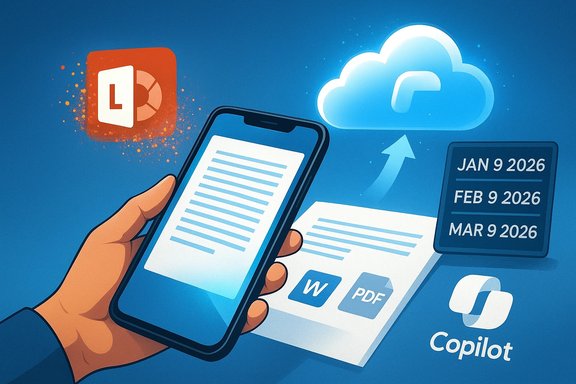
- January 9, 2026 — Microsoft Lens enters retired status on iOS and Android (no further updates).
- February 9, 2026 — Lens will be removed from the Apple App Store and Google Play Store (new installs disabled after this date).
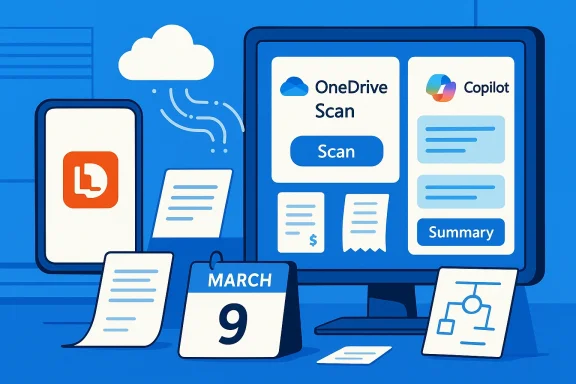
- March 9, 2026 — Backend services that power new scanning will be disabled; Lens will no longer be able to create new scans, although previously saved scans may remain accessible on installed devices if the user stays signed into the same Microsoft account.
What Microsoft recommends as replacements
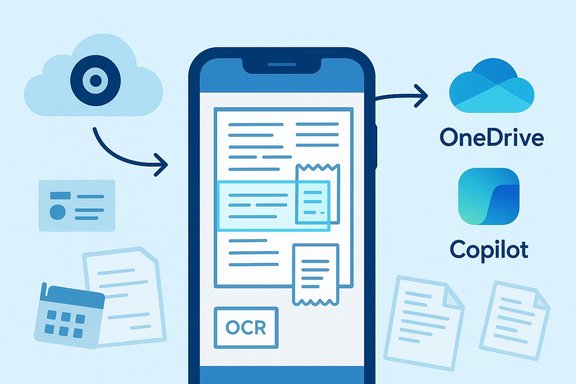
Microsoft points users to the OneDrive mobile app’s built‑in Scan feature as the direct replacement for Lens, and also positions the Microsoft 365 Copilot mobile app as the strategic long‑term home for scanning and AI‑augmented document workflows. OneDrive’s mobile Scan UI saves captures into OneDrive and exposes basic OCR/cleanup; Copilot layers AI assistance on scanned content (summaries, extraction into Word/Excel, and multimodal prompts).Why this matters: what Lens users actually lose (and what they keep)
What Lens did well (and why it was beloved)
- Local save options: Lens allowed flexible outputs — OneDrive, OneNote, Word/PDF exports, and local device saves — which made it useful across online and offline workflows.
- Accessibility integration: Lens integrated with Immersive Reader and read‑aloud features that benefited users with visual or reading‑related disabilities.
- Business‑card and structured exports: One‑tap business card capture into contacts/OneNote and simple table recognition were convenience features that reduced manual data entry.
What the replacements offer
- OneDrive scan: A quick capture UI that processes images, applies auto‑cropping and cleanup, and saves directly to OneDrive folders; cloud‑first by design.
- Microsoft 365 Copilot: An AI‑first surface where scanned content can be ingested and then queried, summarized or turned into drafts and structured data via Copilot workflows. Copilot promises richer downstream automation and integration across Microsoft 365.
The functional gaps users should note
- OneDrive’s scanner saves to the cloud by default and lacks the same one‑tap local save convenience Lens offered; users who relied on local, offline storage will see a workflow change.
- Early Copilot‑based scanning does not include some Lens features at parity, notably direct OneNote/Word/PPT export flows from the scan UI, certain business‑card automation, and some accessibility hooks such as Immersive Reader inside the scanner. These omissions are documented in hands‑on reports and in community analysis.
Numbers and reputation: how popular was Lens — and what the stats mean
Microsoft Lens enjoyed very high user ratings and large install counts — but reported totals vary by source and platform.- App Store (iOS) shows a 4.8 out of 5 rating with well over 100k ratings in some regional listings.
- Google Play has been commonly cited at 50,000,000+ installs for the Lens package in public app‑intelligence trackers, with an average rating around 4.7–4.8 depending on the dataset. Some outlets quoted higher lifetime totals (up to ~90M), which likely reflected cross‑platform aggregation or different measurement dates. Because aggregator services use different cutoffs and counting rules, install figures are best treated as approximate indicators of popularity rather than precise absolutes.
Strategic rationale: why Microsoft is folding Lens into OneDrive/Copilot
Efficiency of investment
Maintaining a long tail of small, platform‑specific utilities is expensive. By consolidating scanning into OneDrive and Copilot, Microsoft can centralize engineering effort, apply consistent AI models and backend services, and deliver new multimodal features (automated extraction, summarization, search) from a single surface rather than duplicating work across apps. This aligns with Microsoft’s broader Copilot‑first positioning and its willingness to fuse features into umbrella products.Product logic
- Copilot can attach generative features directly to scanned content: turn a receipt into an expense entry, summarize a whiteboard into meeting notes, or extract tables into Excel — all without leaving the Copilot/OneDrive surface. That capability is attractive for Microsoft’s enterprise and consumer roadmap and supports monetizable Copilot experiences.
Operational simplicity for admins
For IT administrators, fewer standalone binaries means simplified app fleets, fewer compatibility matrices to manage, and a single governance model if scans are placed in governed OneDrive/SharePoint locations under existing DLP, retention and eDiscovery policies. That is a concrete operational benefit for regulated customers.The tradeoffs and real risks — what users and organizations must weigh
1) Local vs cloud storage and offline access
OneDrive’s scan flow defaults to cloud storage. Users who depend on offline capture workflows or who need guaranteed local copies (field technicians, offline research, sensitive local archives) will face friction and may need to change processes or keep alternative apps. This is a functional regression for some workflows.2) Accessibility regressions
Lens’s Immersive Reader and read‑aloud integrations were more than convenience features for some users; removing those immediate in‑scanner assistive features without a clear parity timeline creates an accessibility risk. Organizations with accessibility obligations should inventory users who rely on these features and implement interim accommodations.3) Feature parity uncertainty and migration friction
Copilot and OneDrive will cover core OCR and document capture needs, but the absence of Lens‑specific export shortcuts, business‑card flows and some edge conveniences will force “workarounds” or third‑party tool adoption. That introduces transition costs and possible data fragmentation.4) Account and continuity dependency
Microsoft’s retirement guidance explicitly warns that to access previously saved scans after the app is retired, users must be signed into the last active Microsoft account on the device. Users who lose access to that account or uninstall the app risk losing local access to legacy scans — a nontrivial recovery hazard. Back up now.5) Vendor lock‑in and cloud dependency
Moving scanning and OCR into OneDrive/Copilot tightens the knot between capture and Microsoft cloud services. That has governance advantages, but it also increases operational reliance on one provider’s backend availability and policy choices; when a vendor turns off services, the effect is immediate and comprehensive. The retirement is a live example: Microsoft is phasing out the app and will cut backend services on a fixed date.Practical, prioritized migration checklist (for individuals and IT teams)
- Confirm the authoritative dates in your region from Microsoft Support and calendar them in your IT/change calendar.
- Inventory critical scans and workflows: who uses Lens, what do they export to (OneNote, local, Word), and where are the scans stored?
- Export and back up any locally saved scans immediately. Options:
- Export as PDF or Word and upload to a managed OneDrive/SharePoint folder.
- Copy exports to an encrypted archive for long‑term retention if required by compliance.
- For mass device fleets, create Power Automate or MDM scripted exports where feasible.
- Test OneDrive’s scan flow and Copilot’s scanner for your most common scenarios (documents → Word, receipts → expense sheet, whiteboards → notes). Document gaps.
- Where Copilot lacks direct exports you need (e.g., business‑card flows or Immersive Reader hooks), evaluate and pilot third‑party alternatives (Adobe Scan, Google Drive scan, ABBYY) and add them to your managed app catalog as necessary.
- Update MDM/Intune catalogs and helpdesk playbooks: block new installs of retired Lens after store removal if you want to enforce migration, and provide step‑by‑step how‑tos for users to export and use OneDrive/Copilot.
- Communicate widely and early: give users a clear deadline and export instructions, and highlight accessibility contingencies for affected users.
The broader lesson: product consolidation is efficient — but costly in user trust
Microsoft’s decision to retire Lens illustrates a recurring tension in large platform companies: centralizing features into a single platform improves the company’s ability to innovate and monetize (Copilot‑first experiences, multimodal AI workflows), but it also risks alienating users who value focused, tiny tools that do one thing superbly. For many customers the consolidation will be harmless or beneficial; for a subset it is a real productivity loss that requires hard work to remediate. This is not an isolated case. The company has retired or consolidated other single‑purpose utilities in recent years, and Microsoft’s product teams seem to be prioritizing platforms that can host AI services over standalone utilities. Organizations should treat this as a signal: inventory dependencies on single‑purpose apps, prepare migration plans, and factor vendor consolidation risk into future procurement and architecture decisions.Final assessment and practical verdict
- For the majority of cloud‑centric users who already save scans in OneDrive and are comfortable with Copilot, the transition will be largely procedural and will open access to richer AI tools that can automate downstream tasks. The consolidation is strategically coherent for Microsoft and will likely enable deeper features over time.
- For users and organizations that depended on Lens for local saves, business‑card automation, or in‑scanner accessibility features, the change is a material regression unless Microsoft restores parity quickly — and there is no public guarantee of full parity on the retirement timeline. Prepare alternatives and back up data now.
- Practically: install and sign into Lens now if you need time to migrate; export critical scans immediately; test OneDrive and Copilot scanning scenarios; and create an operational plan to replace any missing Lens features with third‑party tools or automation until commercial parity arrives.
What to watch next
- Microsoft 365 Message Center and Copilot release notes for restoration of Lens convenience features (OneNote direct save, business‑card import, Immersive Reader integration).
- Whether Microsoft offers dedicated migration tooling for enterprise customers to move locally stored Lens scans into managed OneDrive/SharePoint stores.
- Community reports on Copilot’s scanner accuracy and accessibility features as the Copilot mobile app evolves. Independent hands‑on reviews will be essential to judge whether Copilot truly replaces Lens in practice.
Source: XDA Microsoft is axing one of its more beloved Android and iOS apps